Voting Board-Terminologie
Verstehe die Kernkonzepte von Voting Boards, um Feedback zu sammeln, Ideen zu verwalten und Updates an deine Nutzer zu kommunizieren.
Boards, Ideen, Abstimmungen & Kommentare
Voting Boards enthalten Ideen, für die Nutzer abstimmen und kommentieren können. Jede Idee trackt das Nutzer-Engagement durch Abstimmungen und Diskussionen.
Zum Beispiel:
- Board: Product Requests
- Idee (Idea): Dark mode for timeline
- Kommentar (Comment): Cool! That's what needed!
- Idee (Idea): Dark mode for timeline
Link für diese Test-Idee https://video.ducalis.io/idea/61152
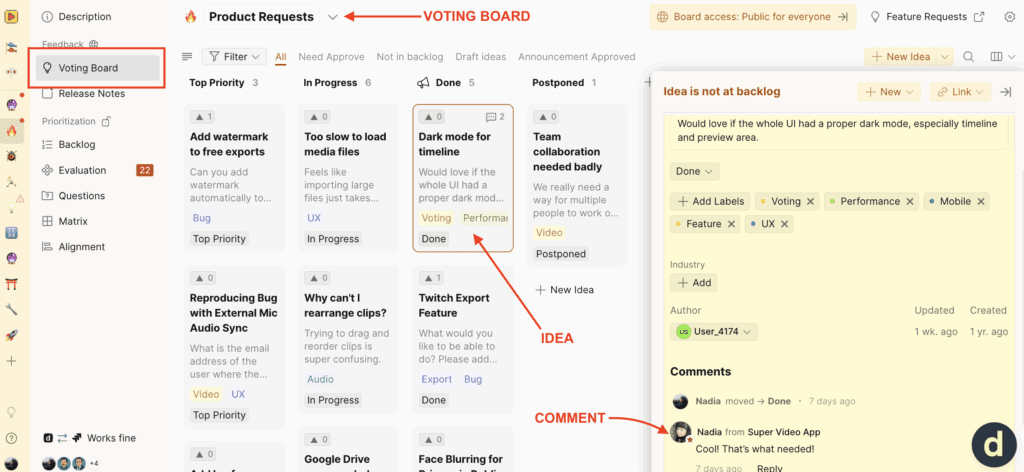
Sieh es in Aktion: Schau dir unser TEST Ducalis Voting Board an https://video.ducalis.io/acme-inc-insights-598
Boards
Der Zugriff eines Boards kann auf öffentlich oder privat gesetzt werden. Öffentliche Boards sind für jeden im Web sichtbar, während private Boards den Zugriff auf bestimmte Gruppen beschränken.
Öffentliche Boards sammeln typischerweise Nutzer-Feedback. Private Boards sammeln internes Team-Feedback oder können für spezifische Zielgruppen wie Kunden oder ausgewählte Teammitglieder angepasst werden.
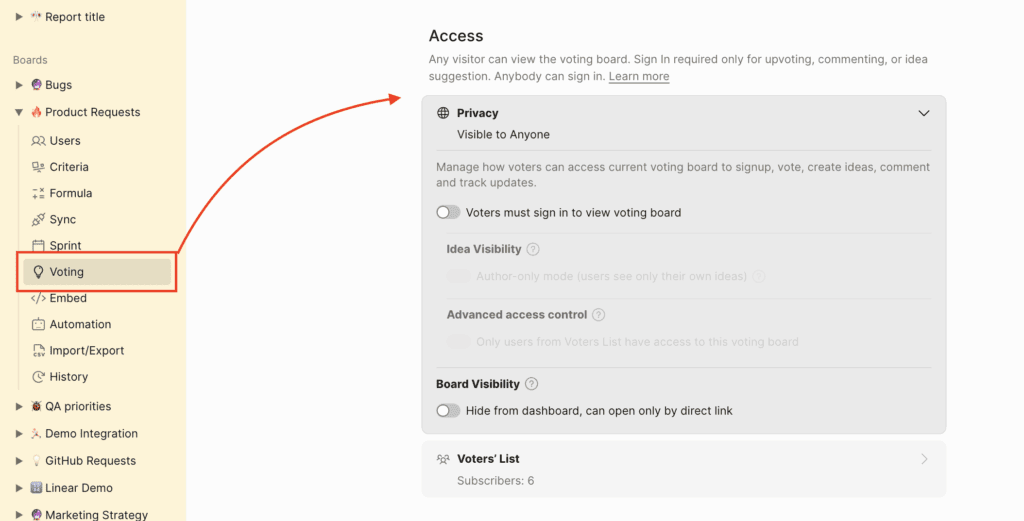
So sieht ein öffentliches Voting Board aus:
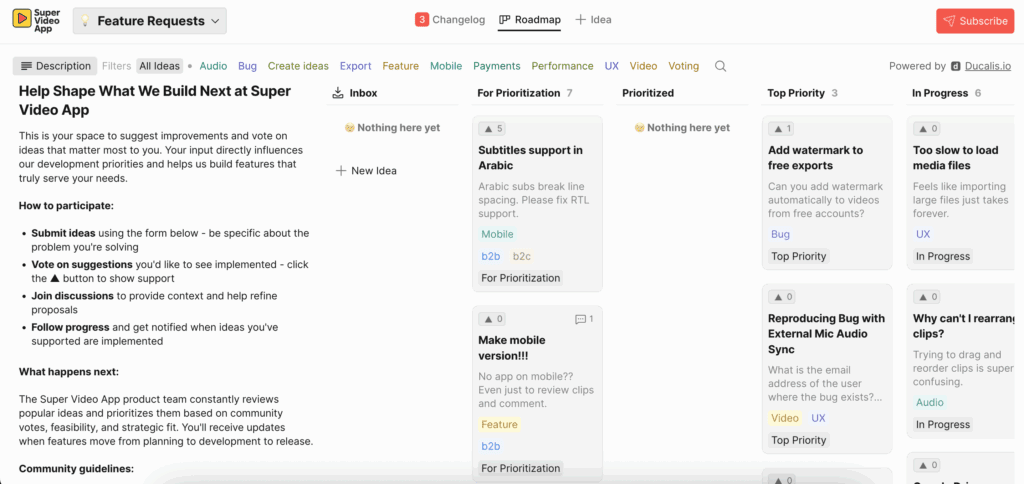
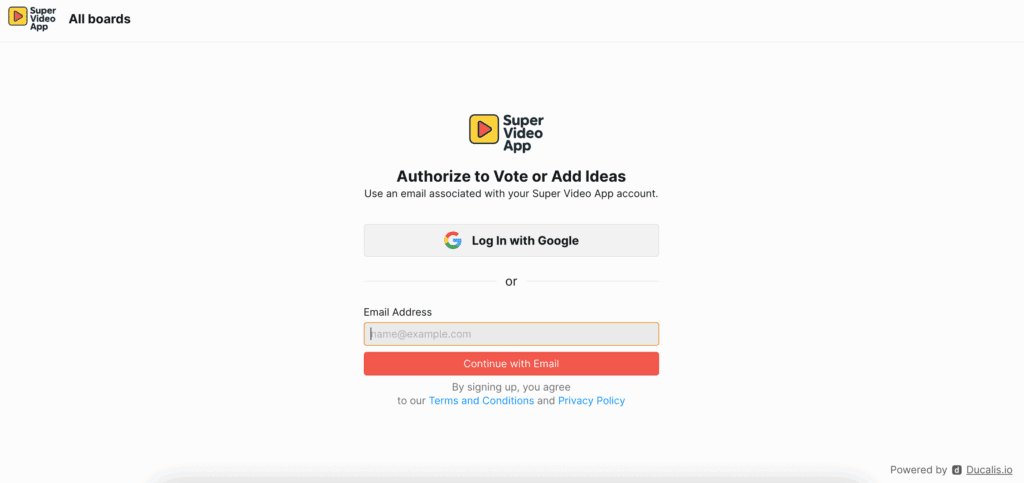
Um Feedback zu hinterlassen, abzustimmen oder zu kommentieren, müssen sich Nutzer anmelden.
So sieht ein privates Voting Board aus:
Ideen
- Jeder mit Board-Zugriff kann einen neuen Post erstellen, egal ob normaler Nutzer oder Ducalis-Account-Nutzer. So sieht der Bildschirm zur Ideenerstellung für Nutzer aus, die Zugriff auf den Ducalis-Account bei https://hi.ducalis.io/ haben
Du kannst auch eine Idee aus deinem Backlog-Vorgang erstellen:
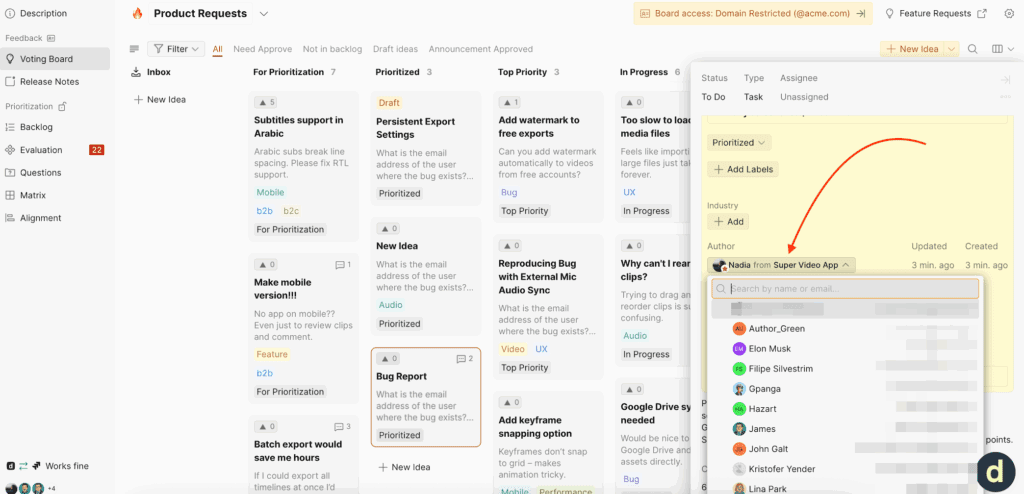
- Jeder Idee kann ein Autor zugewiesen werden. Dies schafft Verantwortlichkeit für die Bearbeitung spezifischen Feedbacks. Mehr erfahren.
- Wenn der Status einer Idee aktualisiert wird, erhalten Nutzer, die für die Idee abgestimmt haben, automatische E-Mail-Benachrichtigungen. Dies hält Nutzer über das informiert, was ihnen am wichtigsten ist. Mehr erfahren.
Abstimmungen
Ducalis ermöglicht es Nutzern, Unterstützung für eine Idee mit einem Klick zu zeigen. Jeder Nutzer erhält eine Abstimmung pro Idee, und Abstimmungssummen erscheinen in Ducalis, sodass du deine beliebtesten oder relevantesten Ideen einfach sortieren und filtern kannst.
-
Eine Abstimmung abzugeben, registriert diesen Nutzer automatisch für Updates zu dieser Idee.
-

Abstimmungen können von deinem Team im Namen eines Nutzers hinzugefügt werden.

- Nutzer können eine Abstimmung zurückziehen, indem sie auf den Downvote-Button klicken.
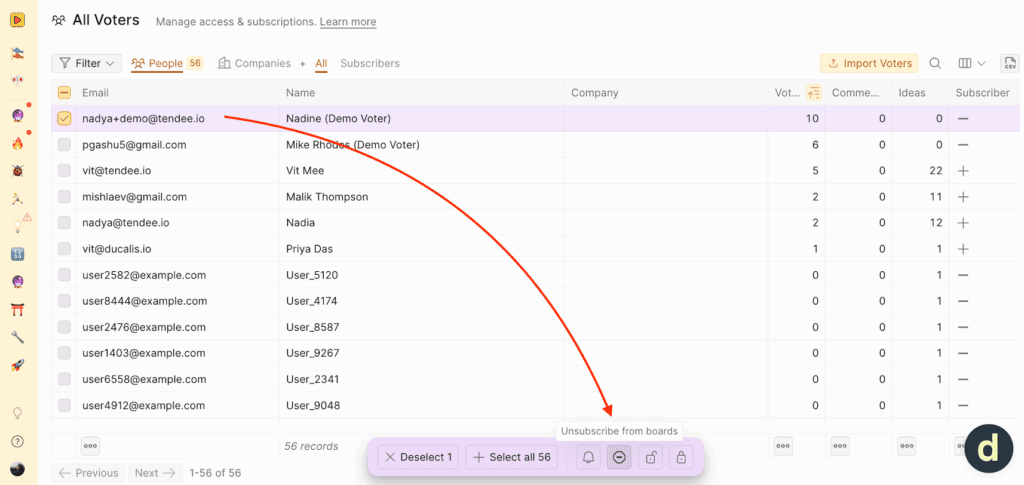
- Wenn eine Abstimmung im Namen eines Nutzers hinzugefügt wurde, kann ein Admin sie auch aus der Liste aller Abstimmenden zurückziehen.
Kommentare
Kommentare können zu einer Idee von jedem hinzugefügt werden, der Zugriff auf dieses Board hat.
- Als Account-Nutzer werden durch das Hinzufügen eines Top-Level-Kommentars alle Abstimmenden benachrichtigt.
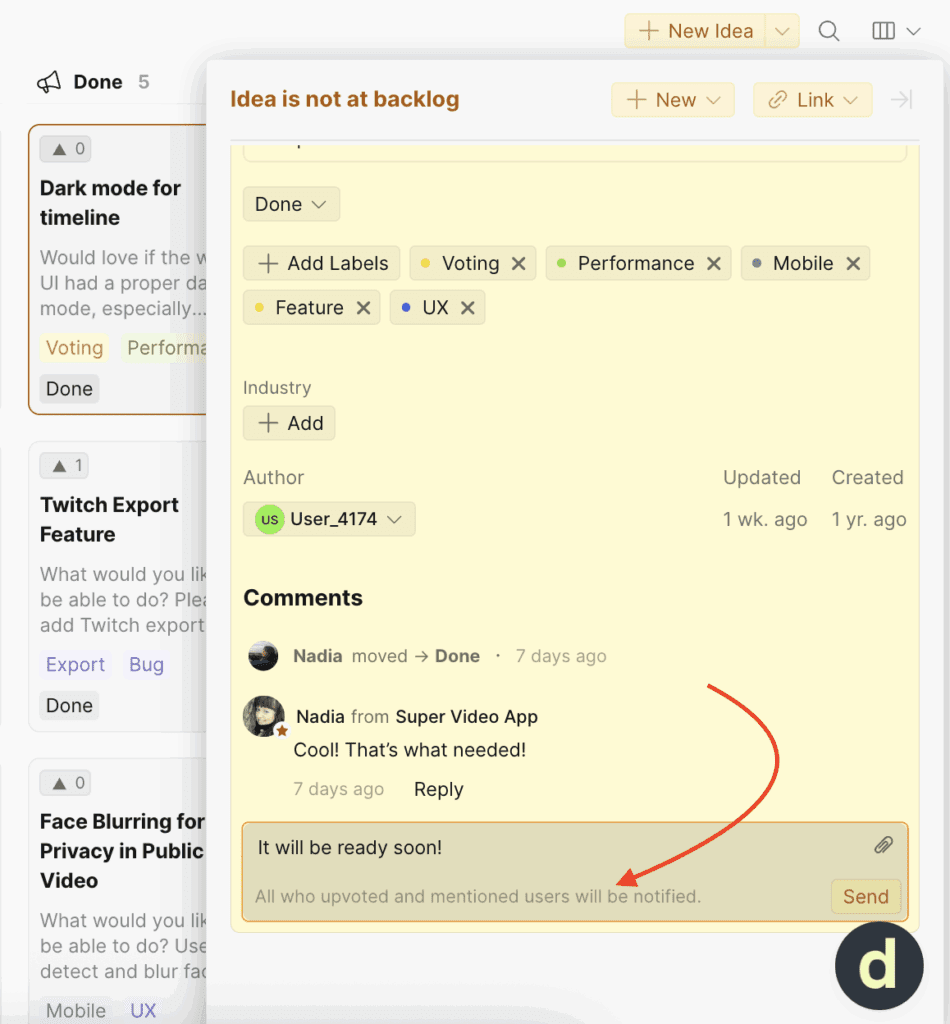
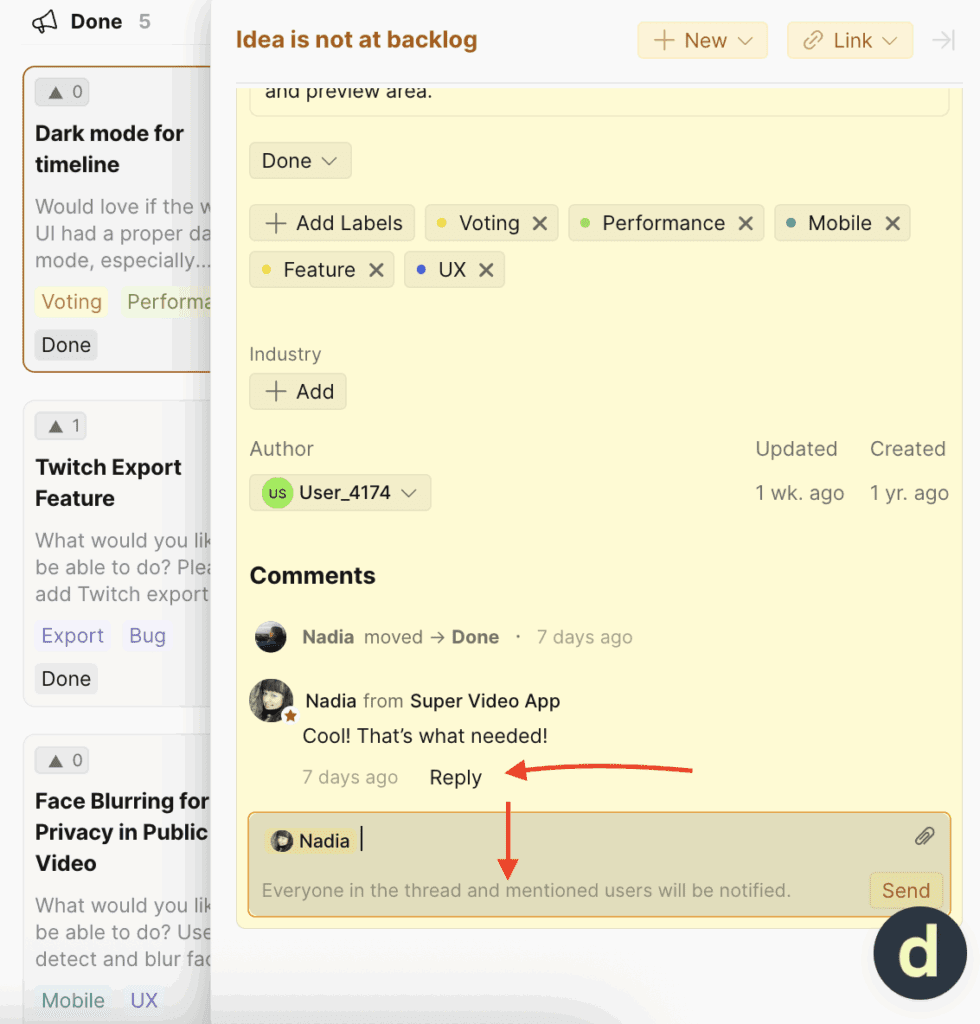
- Wenn du direkt auf einen anderen Kommentar antwortest, wird nur dieser Kommentierende benachrichtigt.
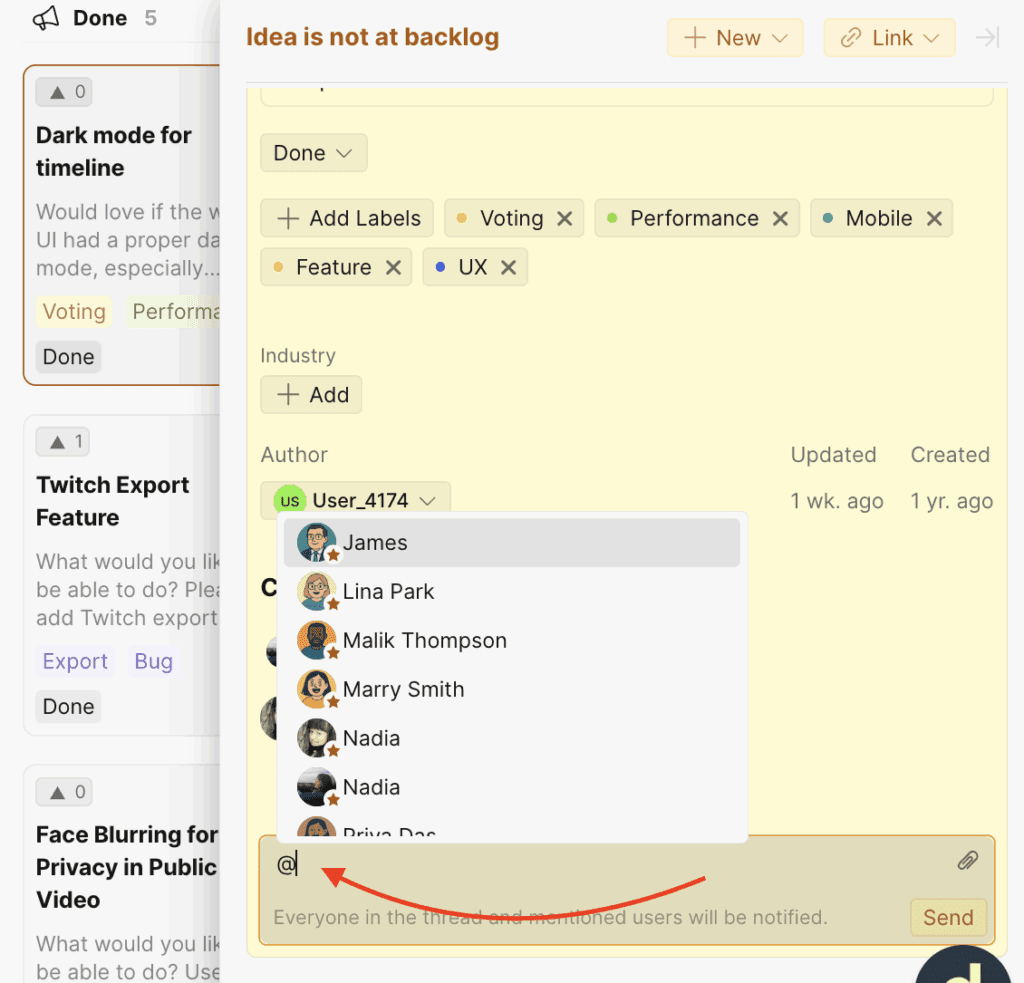
- Individuelle @Erwähnungen (@mentions) werden ebenfalls unterstützt, wenn du den Anwendungsfall oder die Erwartungen einer Person besser verstehen musst.
Labels
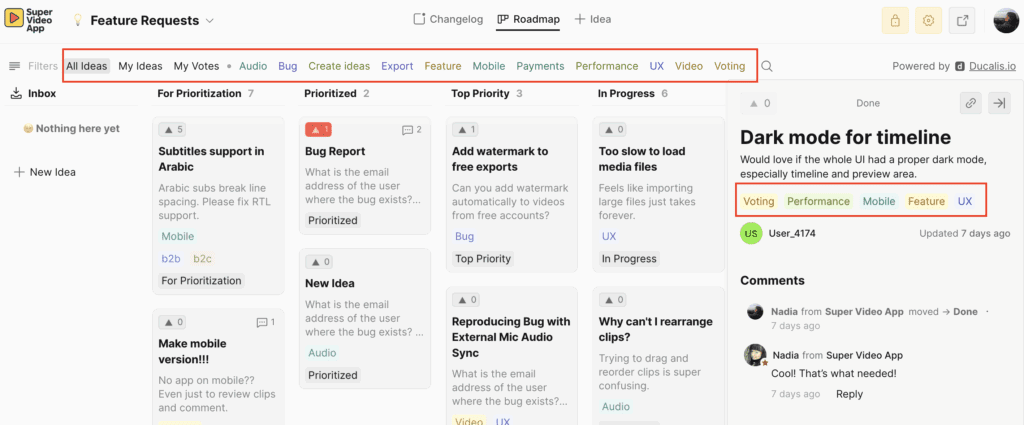
Jedes Board kann seine eigenen einzigartigen Labels haben. Sie sind für alle externen Nutzer sichtbar und helfen, Ideen zu organisieren. Ideen können mehrere Labels haben.
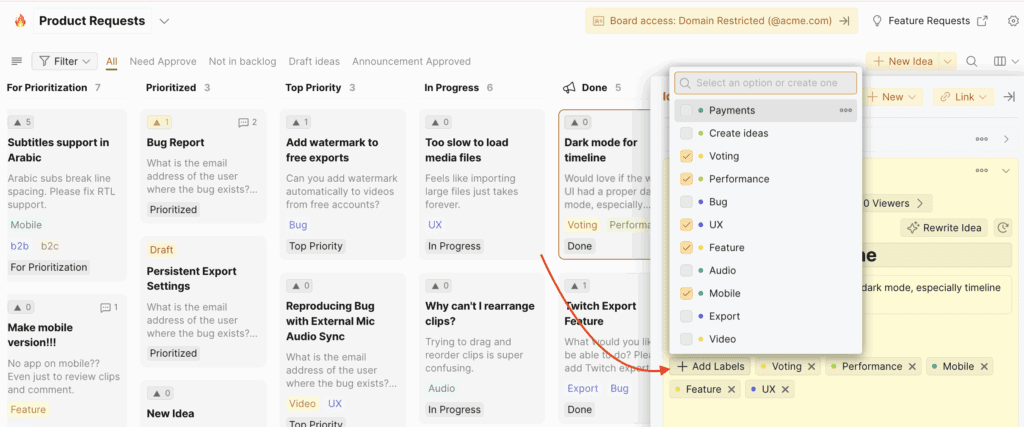
So sehen Labels auf dem öffentlichen Voting Board aus:
Roadmaps & Changelog
Roadmap
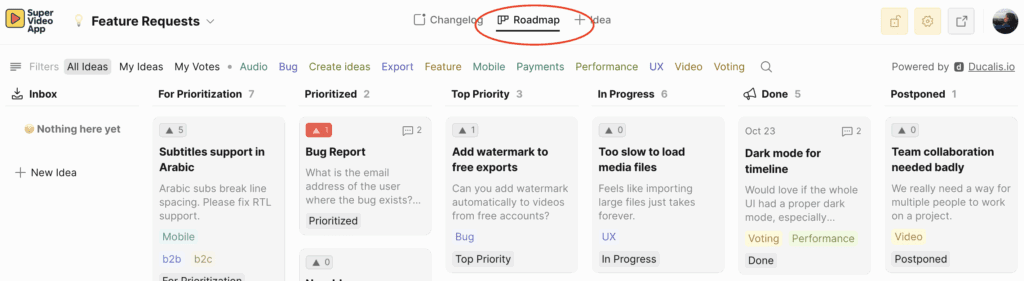
Die Roadmap zeigt deine aktuellen Projekte und deren Fortschritt. Sie ermöglicht es deinem Team, Ducalis-Ideen zu ziehen und zu entscheiden, woran als Nächstes gearbeitet werden soll.
Wenn du den Status einer Idee aktualisierst, bewegt sie sich automatisch auf der Roadmap weiter und zeigt Nutzern, dass du aktiv an ihren Anfragen arbeitest. Mehr erfahren.
Sieh unsere Roadmap unter https://feedback.ducalis.io/Ducalis-roadmap
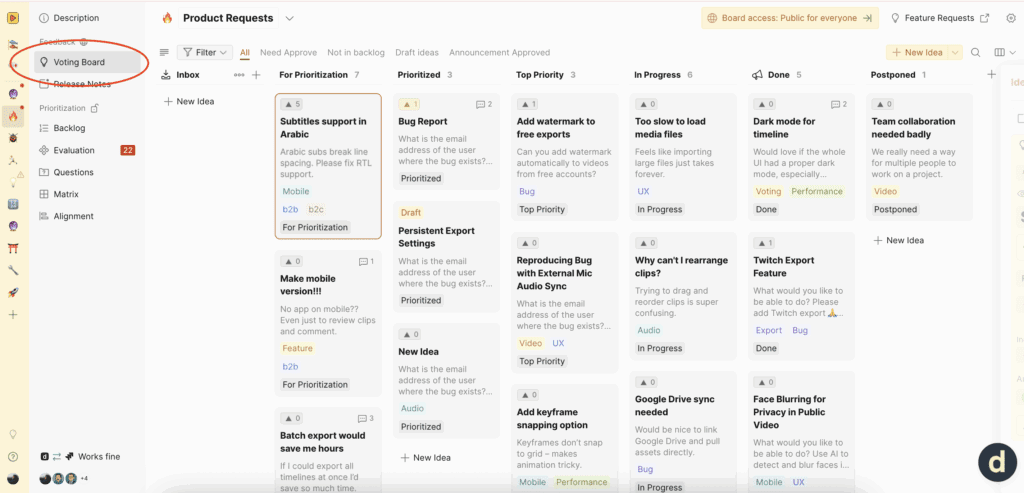
Wo du die Roadmap deines Teams im Ducalis-Account findest:
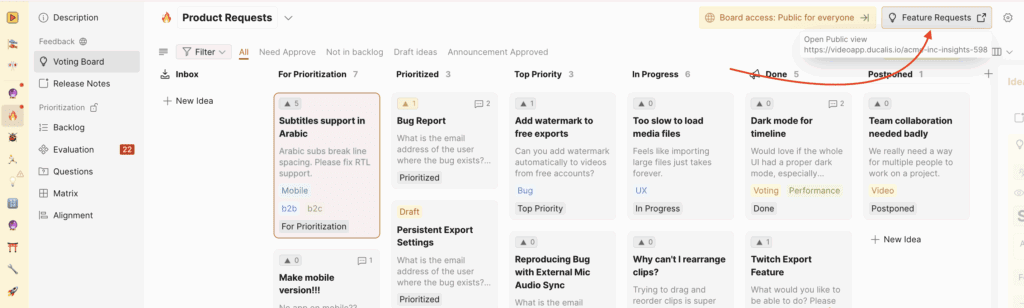
Wo du die Roadmap deines Teams außerhalb des Ducalis-Accounts findest:
Mehr erfahren: So erstellst du eine Roadmap.
Changelog
Der Changelog ist der Ort, an dem du alle deine Produkt-Updates veröffentlichst. Schau dir unser Beispiel unter https://feedback.ducalis.io/Ducalis-roadmap/changelog an. Er ist eine wertvolle Ressource, um sie mit Unternehmens-Stakeholdern zu teilen, und wir empfehlen, ihn in deine Newsletter aufzunehmen.
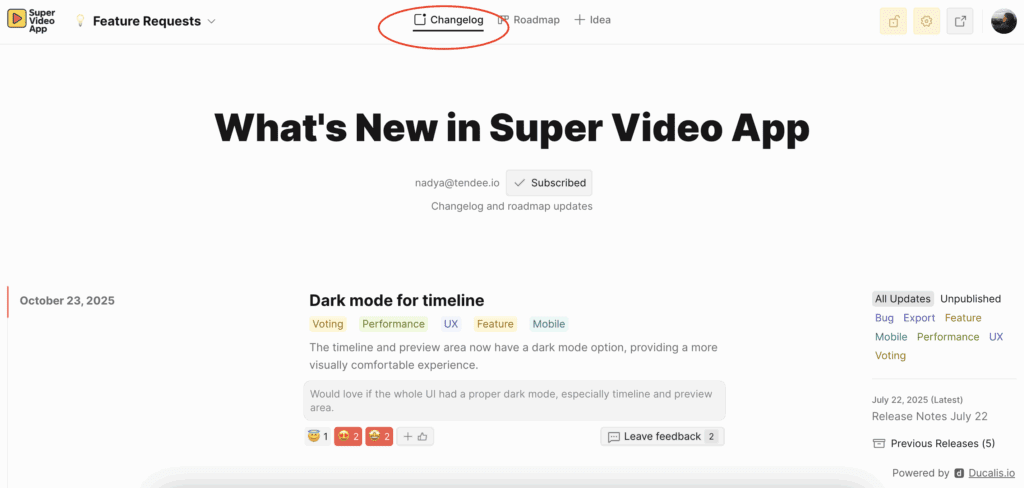
Mehr erfahren: So erstellst du einen Changelog.