Manage Ideas With AI Agents
Instead of reviewing your Voting Board manually, you can put the AI assistant and agents on autopilot. Set a schedule and recurrence, and let AI check the Voting Board for you, flag what needs attention, and take routine actions on your behalf.
This works well for recurring maintenance tasks, so your Voting Board stays clean without manual review:
- Triaging the Inbox
- Publishing drafts
- Filling in missing labels
- Keeping Ideas organized
How to set it up
- Open the AI assistant, or connect to Ducalis from an MCP-enabled agent.
- Describe the task you want AI to repeat, including the board it applies to and how often it should run.
Prompt example: "Every Monday, check the Inbox on the Product Ideas board for new Ideas and suggest labels for them."
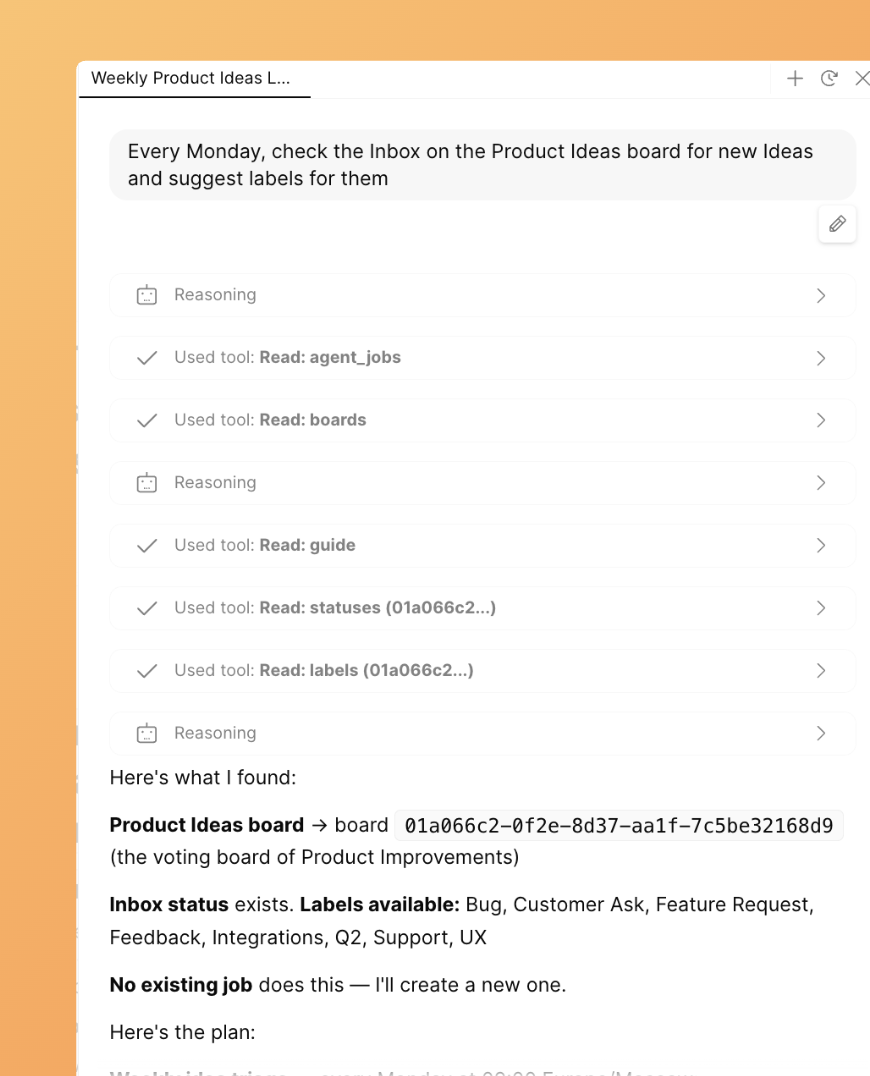
- Review what the assistant found and confirm before it applies any changes.
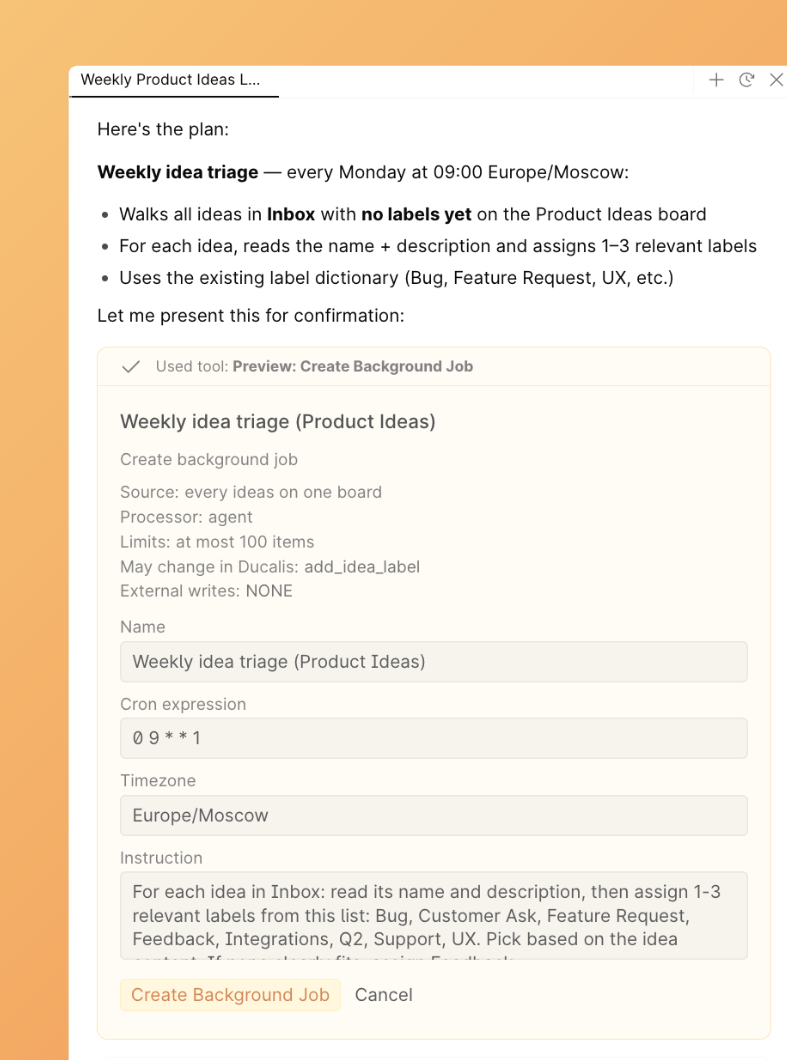
- Create a job to run this task on a schedule. The AI assistant will guide you through the process.
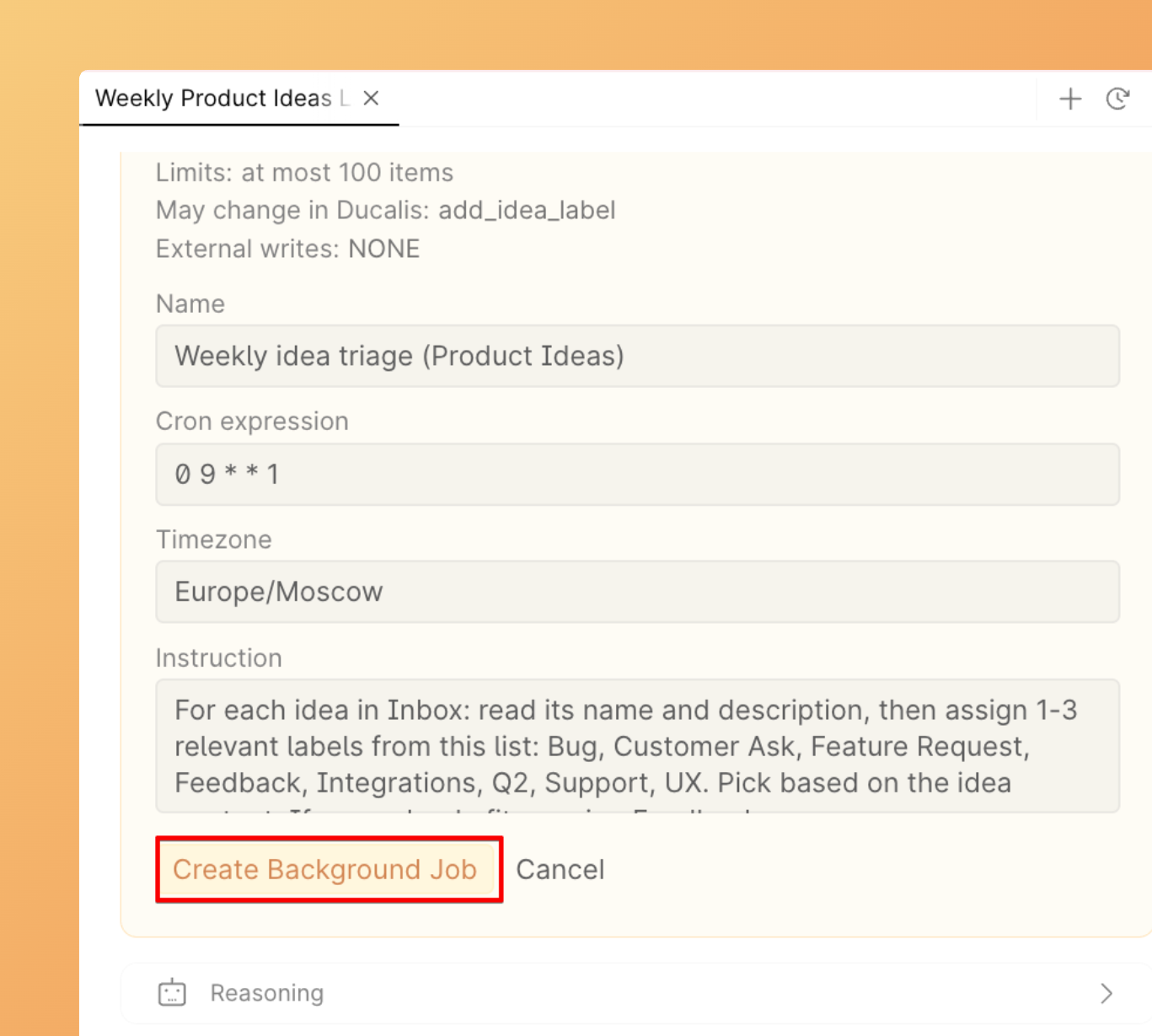
- After you create a job, you can view it and run it right away.
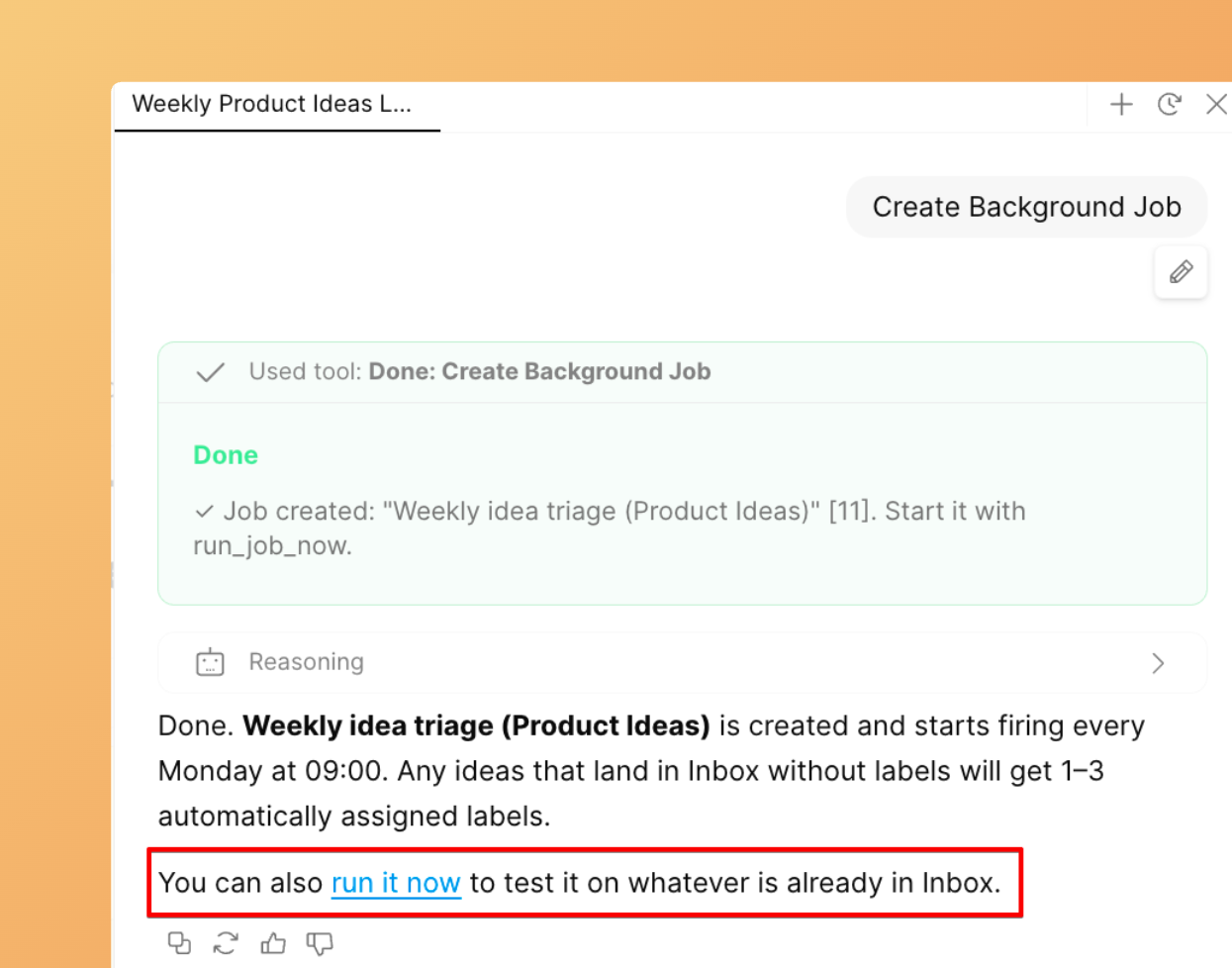
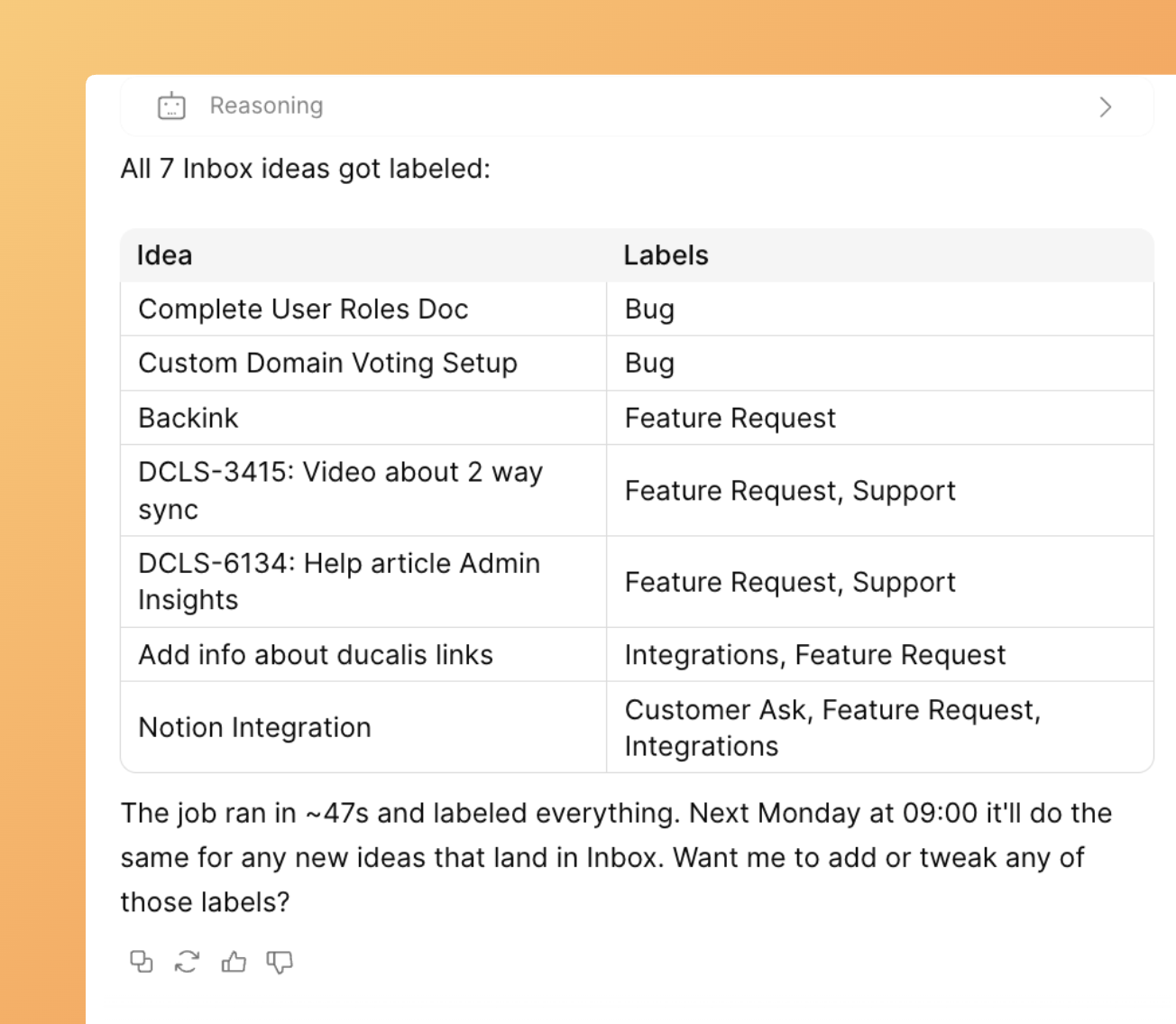
- The AI assistant will run the job immediately and give you the results.
-
Next time, the job will run automatically on the schedule you set.
-
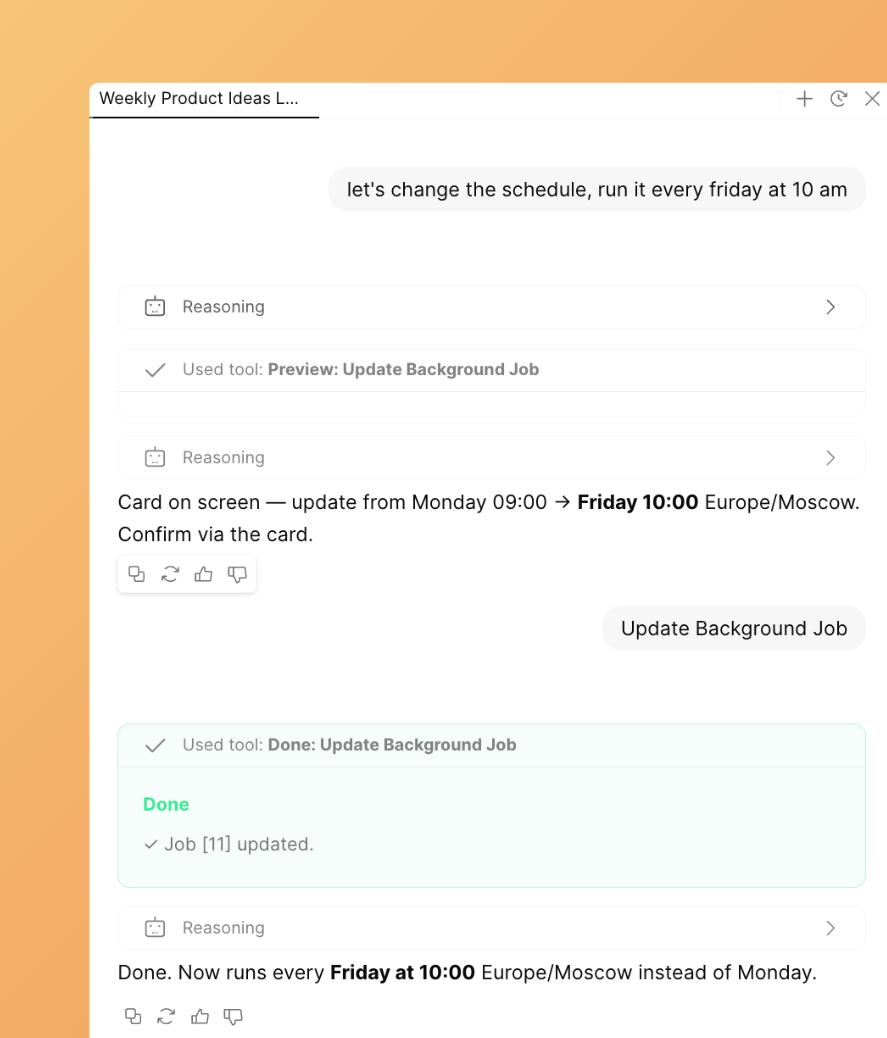
You can edit the job through the AI assistant chat. Just ask the assistant to edit it and describe what to change.
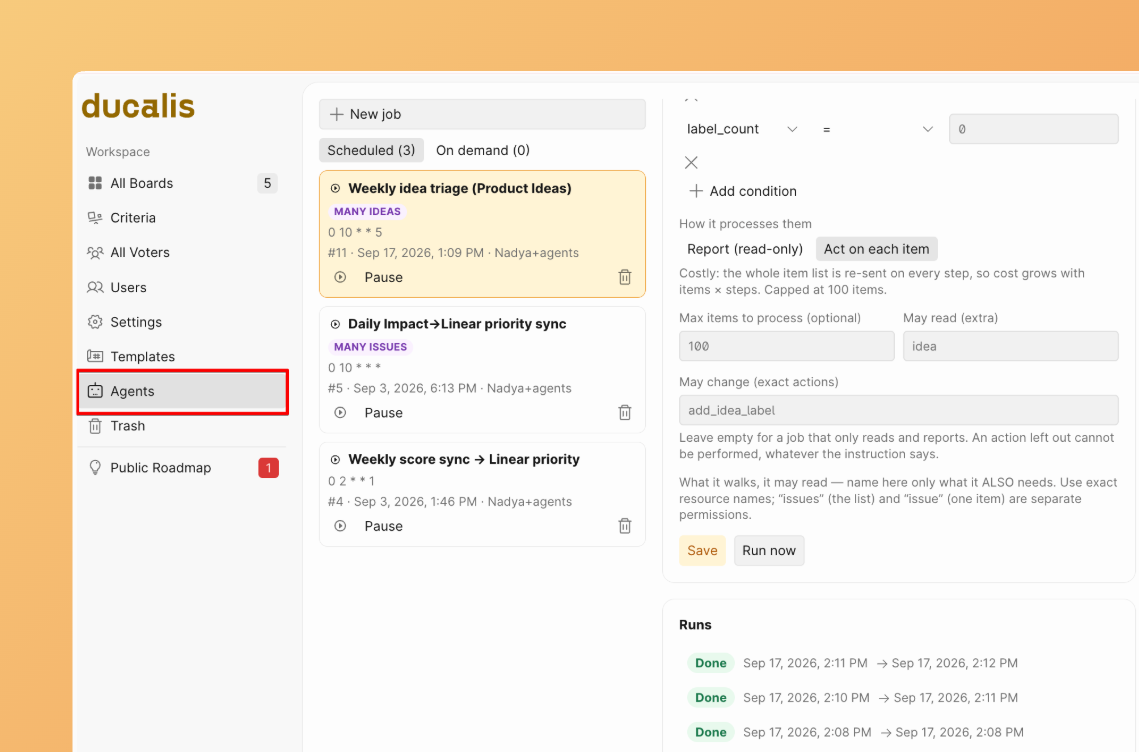
- You can view all jobs in the Agents tab, where you can edit the schedule, run it now, delete it, or pause it.
Examples of scheduled Idea management
Review and publish drafts
Find Ideas that are not yet published, review them, and publish the ones that are ready.
Prompt example: "Every Tuesday, find unpublished Ideas on the Customer Requests board, check them, and publish the ones that are ready."
Fill in missing labels
Find Ideas without labels and offer labels you can assign to them.
Prompt example: "Every day, find Ideas on the Product Ideas board that have no labels, and suggest labels I can assign."
Add Ideas to the Backlog
Find Ideas that were not added to the Backlog and add them.
Prompt example: "Every week on Tuesday, find Ideas on the Product Ideas board that are not added to the Backlog, and add them."
Suggest a better-fit board
Find Ideas that may fit a different Voting Board better than the one they are on.
This is useful when you have multiple Voting Boards and a lot of Ideas coming in.
Prompt example: "Every Monday at 10 am check the Ideas on the Product Ideas board and tell me which ones might fit the other boards better."