Delete integration
Delete the integration between a Ducalis board and your task tracker when you no longer need the connection. This removes imported issues but preserves your boards and criteria settings.
Delete an integration
-
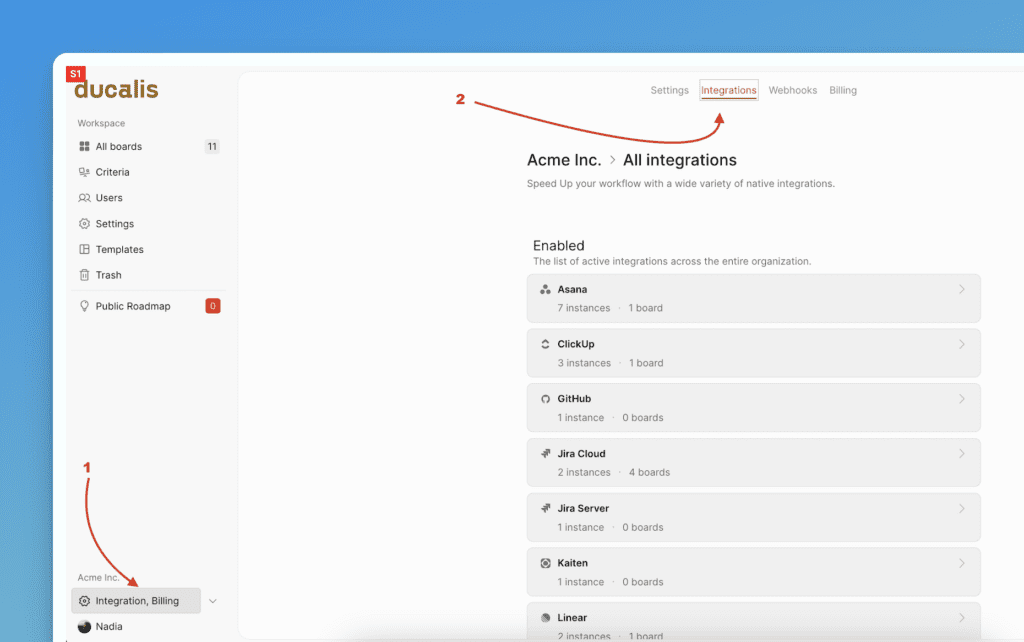
On your dashboard, find Integrations on the left-side menu.
-
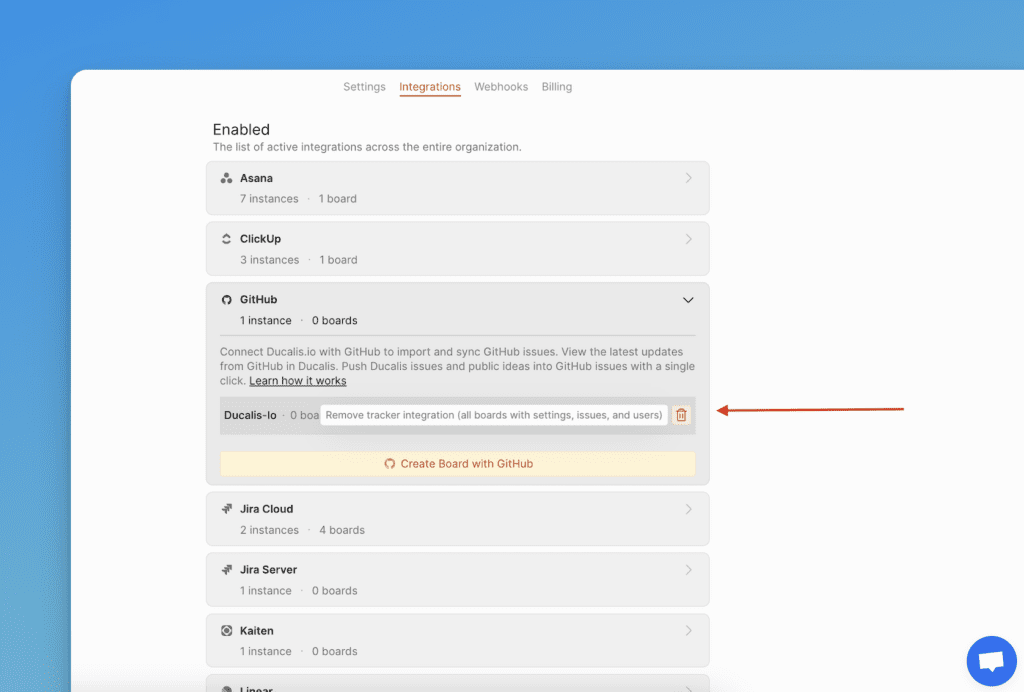
Under the tracker name, find all Instances of the current task tracker that you integrated with your Ducalis prioritization boards.
-
Find the instance you want to delete and click the trash icon next to its name.
-
Type DELETE in the text field, then click Erase.
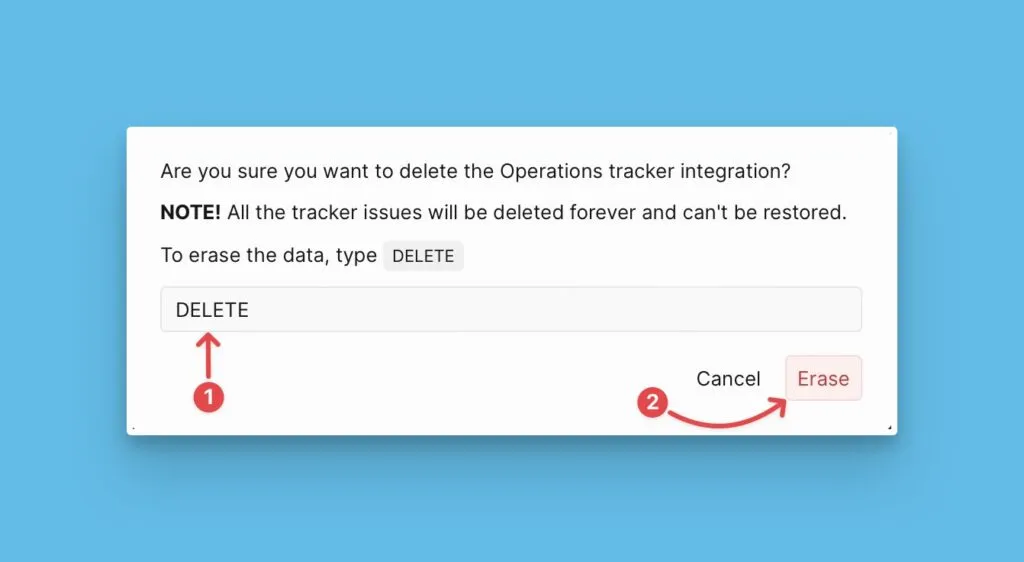
The instance disconnects from all boards it was connected to. Issues imported from the task tracker are removed.
All Ducalis issues and criteria settings remain unchanged. You can continue using the boards or reconnect them with the same tracker or a different one.
Other instances from the same task tracker remain unaffected.