Questions and comments
Ask clarifying questions when you can't evaluate an Issue because it's unclear, poorly described, or raises doubts. Direct your question to specific teammates who can help clarify. Other Board Users can join the discussion to resolve the question collaboratively.
This improves Evaluation accuracy and ensures your team prioritizes with complete information.
Questions on issues
Ask a question
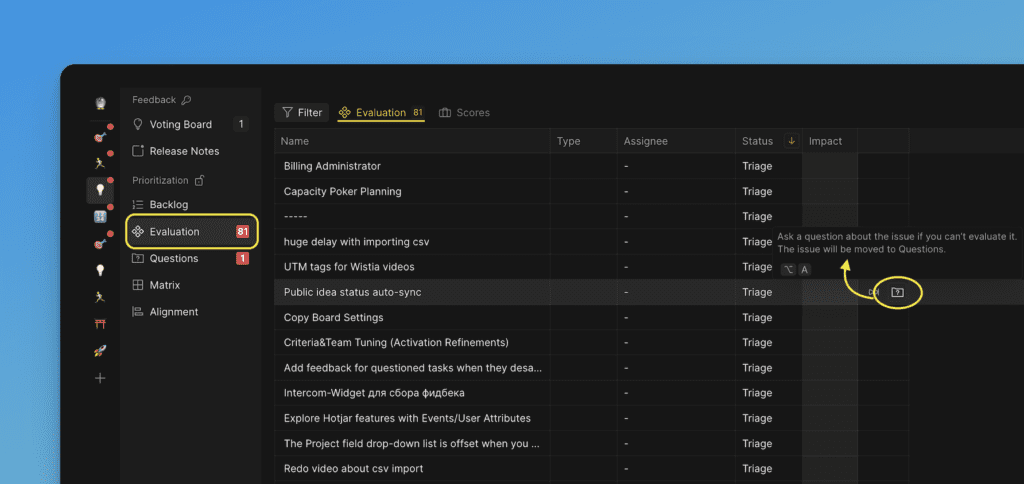
While evaluating on the Evaluation page:
-
Click the question icon.
-
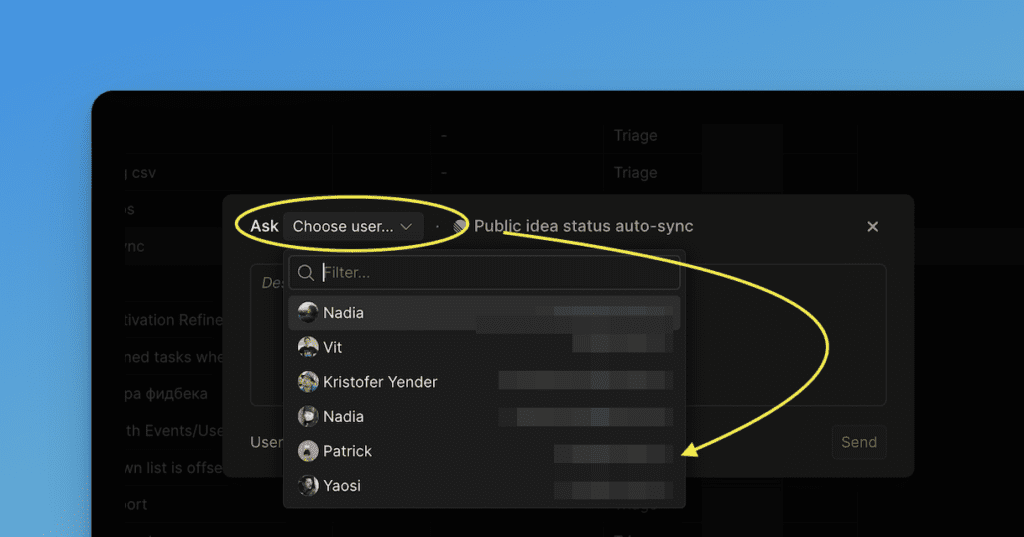
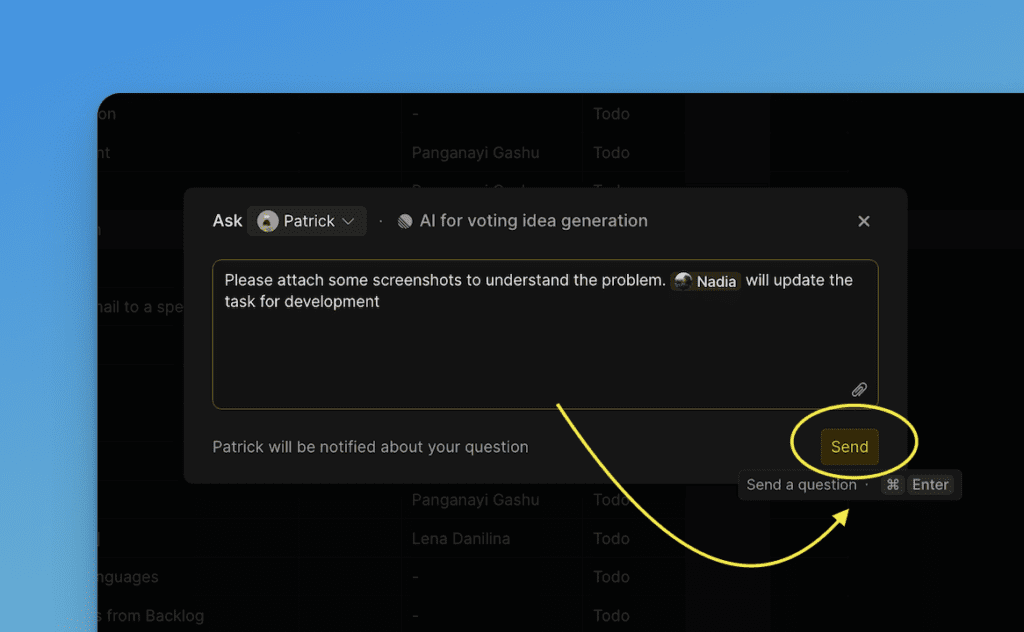
Select the person you want to direct the question to.
-
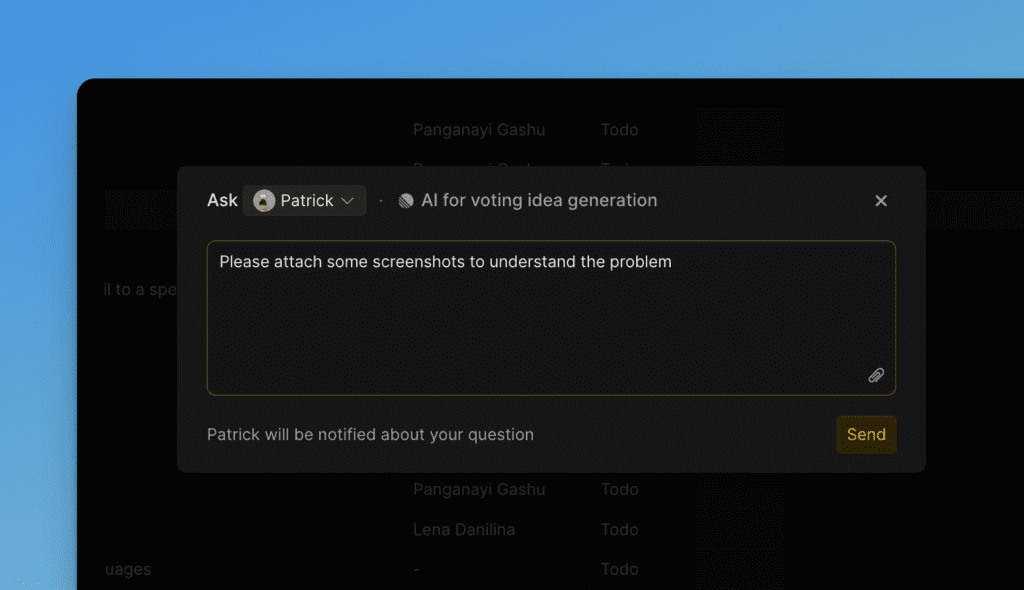
Type your question in the text field.
-
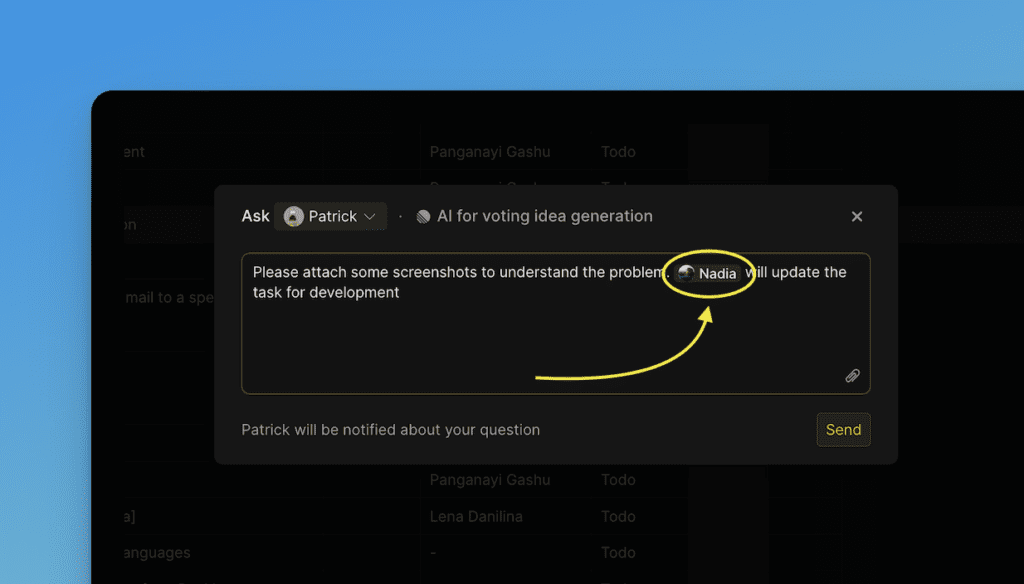
Optionally, mention another person using @ to notify them as well.
-
Click Send or use the hotkey.
-
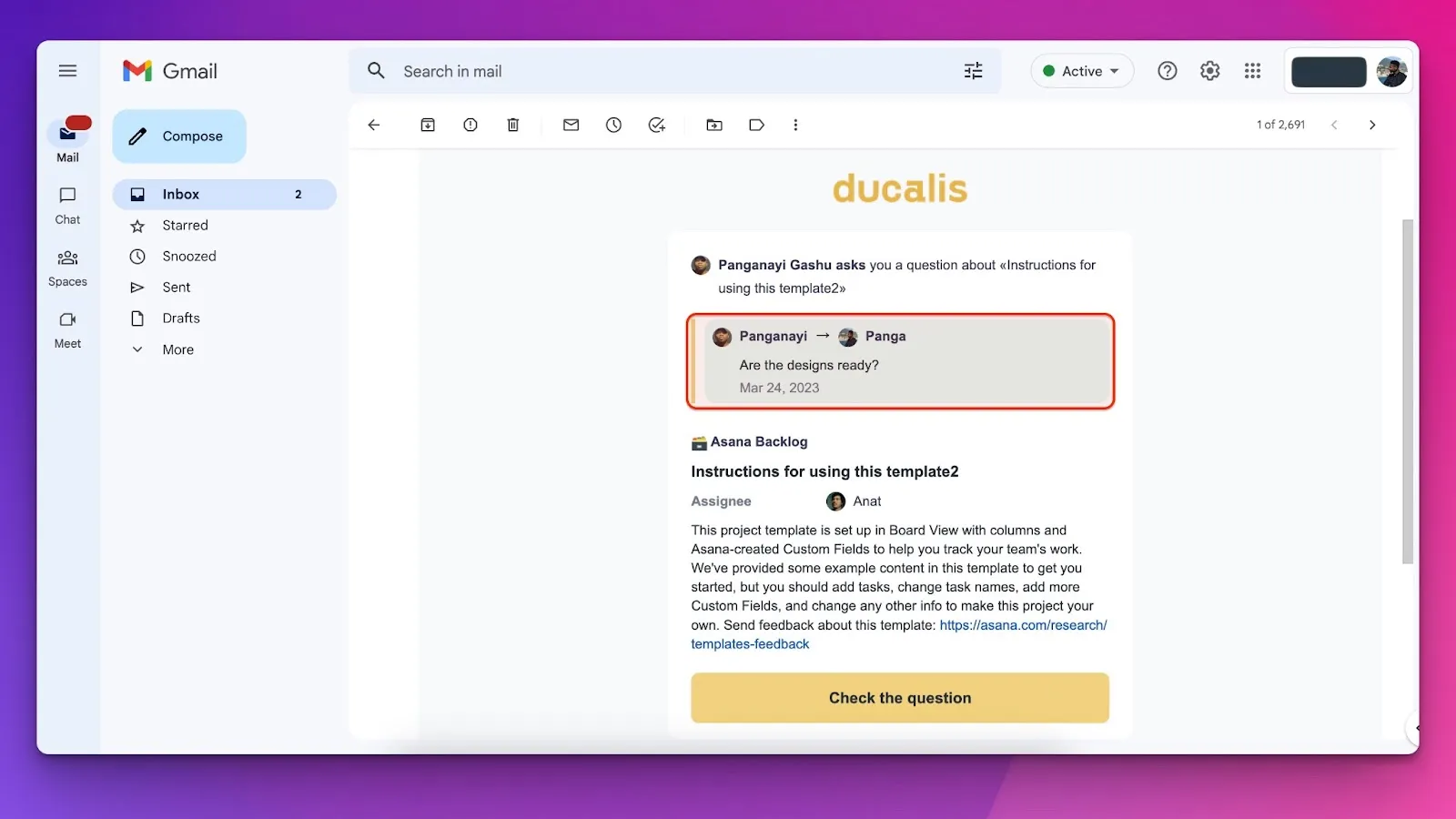
The recipient receives an email notification.
View all questions
Find all Board questions under the Questions page:
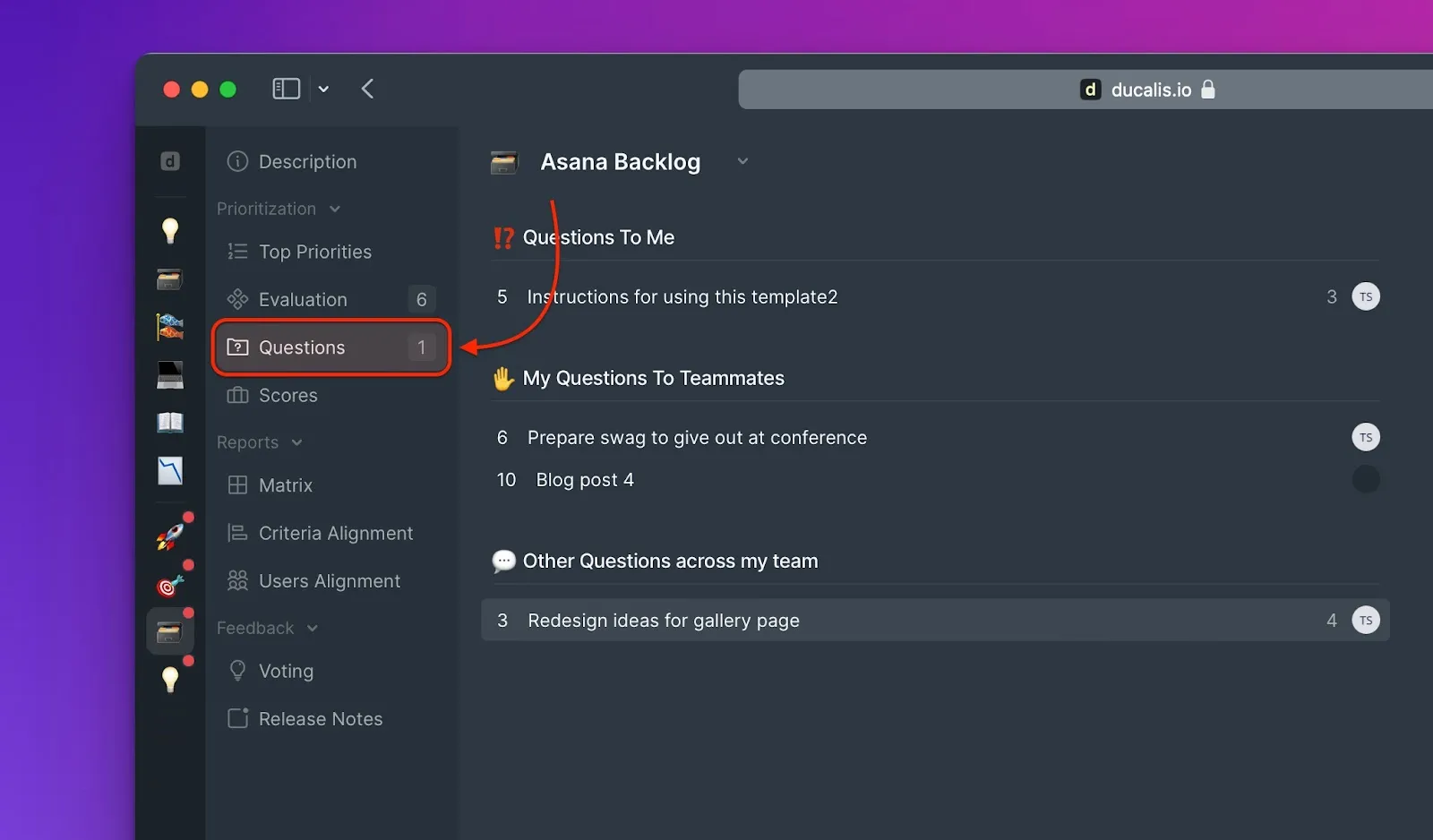
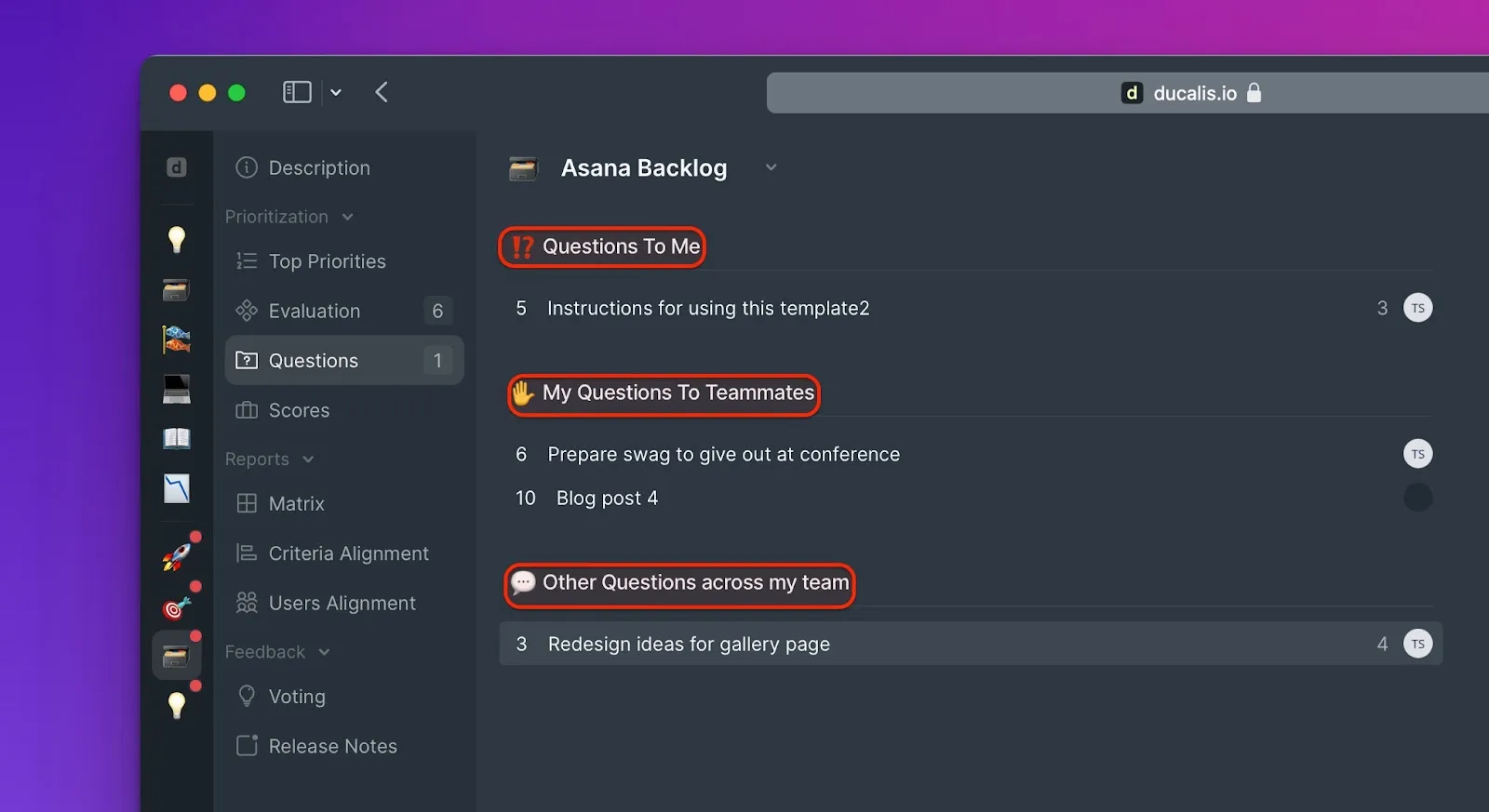
The Questions page shows:
- Questions directed to you (Questions To Me)
- Questions you asked (My Questions To Teammates)
- All team questions (Team Questions)
Join a discussion
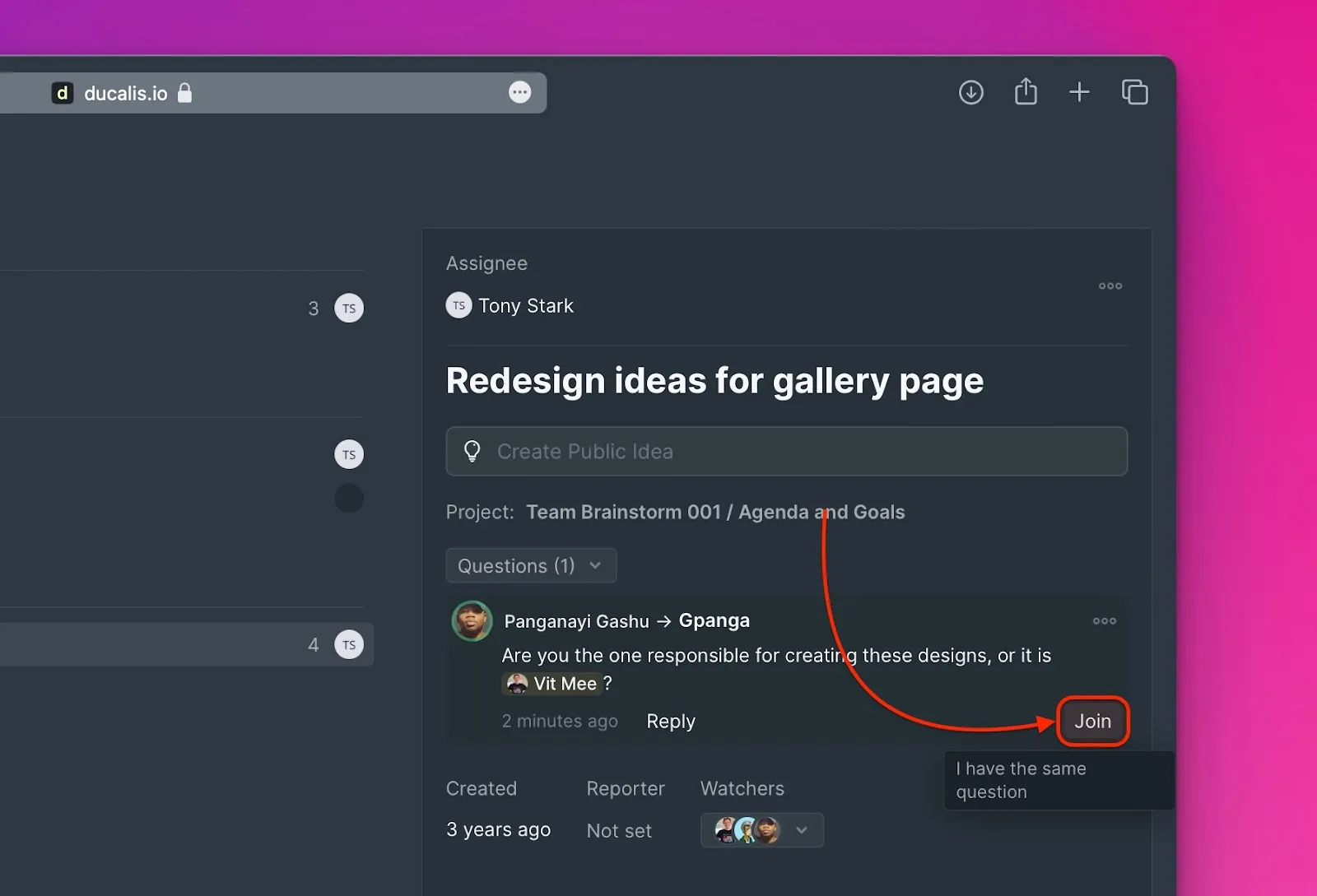
If you have the same question another user asked, join the existing discussion:
Mark as resolved
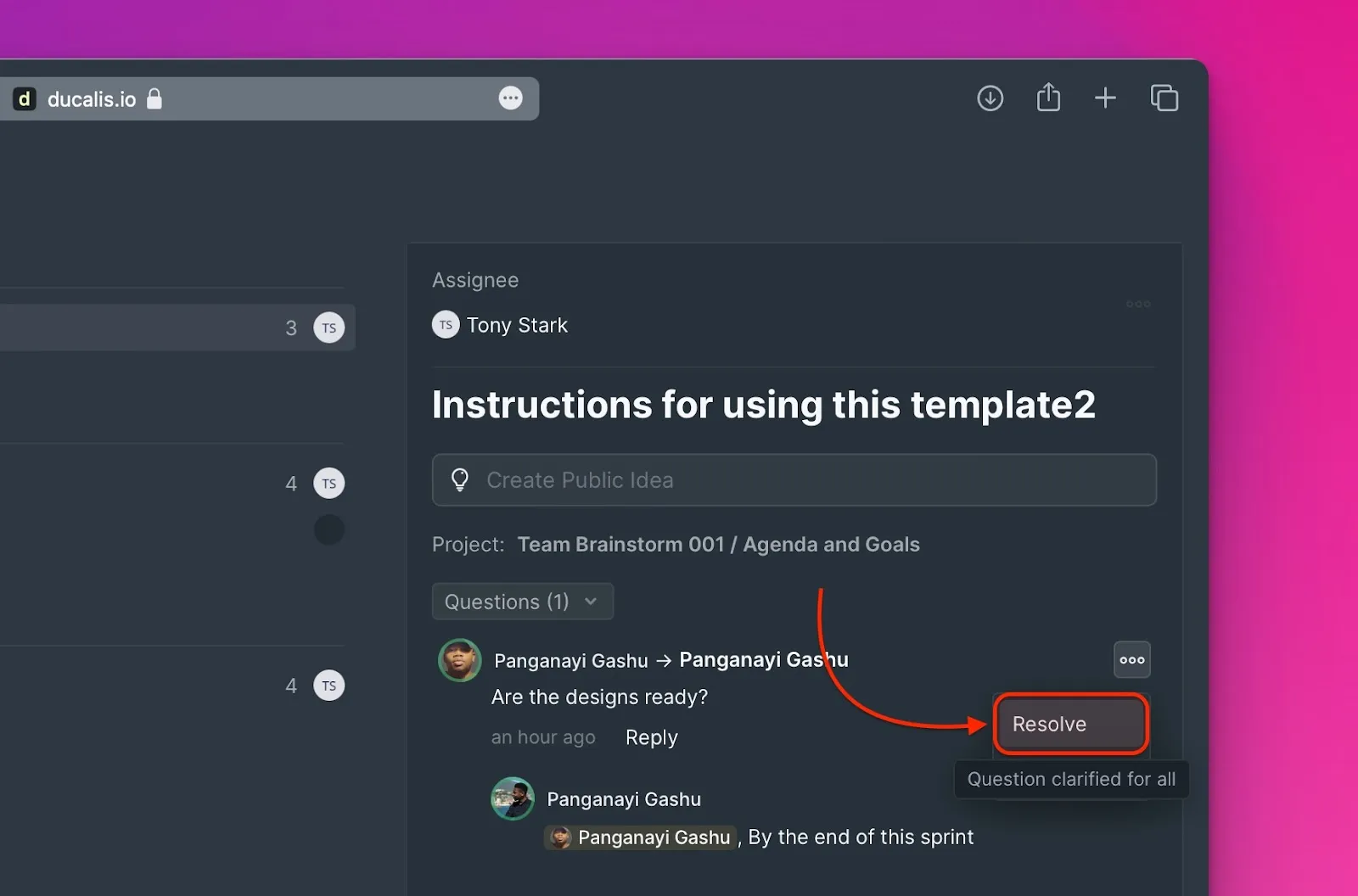
After a question is answered and clarified, mark it as Resolved:
Comments on issues
Comments let you and your team attach useful context, decisions, or supplementary notes directly to an issue — not just questions, but any information that helps the team evaluate or understand it. This is especially useful for issues imported from a tracker, where the original description cannot be edited.
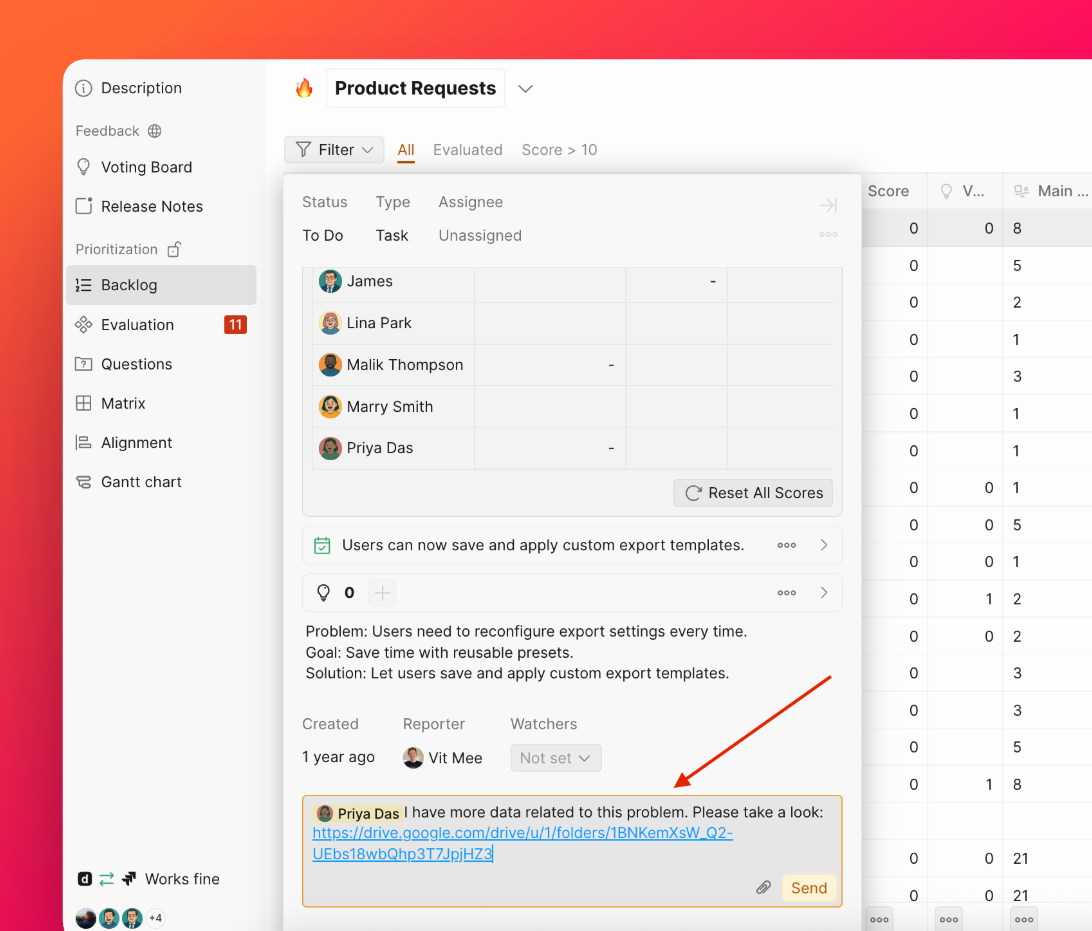
Add a comment
Open the issue and type your comment in the comment field. Use @ to mention a teammate and notify them directly.
Edit or delete a comment
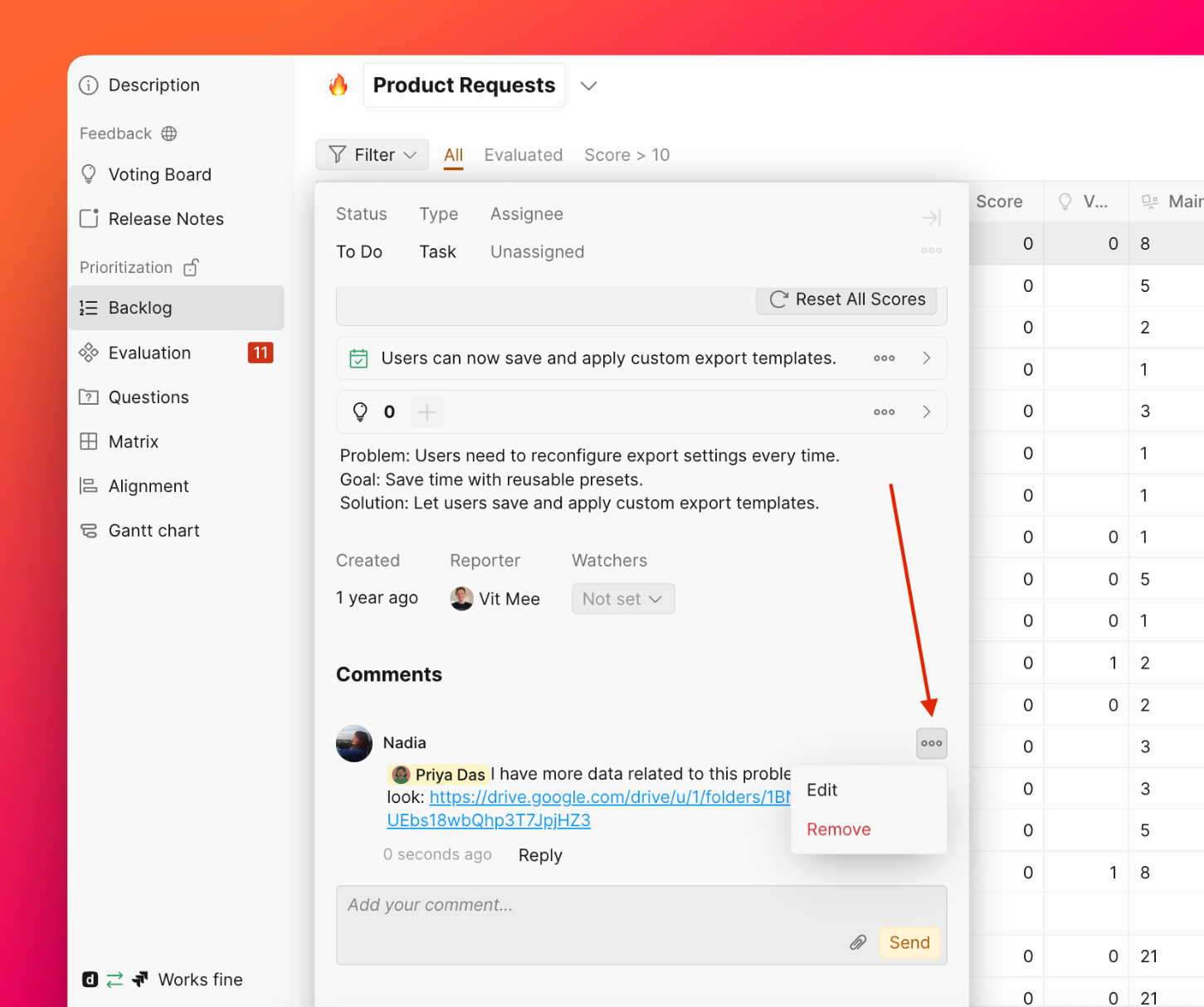
- Edit — only the comment author can edit it.
- Remove — admins, the comment author can delete it.
Notifications
When a new comment is posted, Ducalis sends a notification to:
- All watchers of the issue
- Any @mentioned users in the comment
Related articles
- Notifications - How notifications work in Ducalis
- Evaluation - Learn about the Evaluation process
- Alignment - Review team agreement on scores