Webhooks
Webhooks connect applications and services in real time, enabling automatic data exchange and triggering actions based on specific events. Use webhooks to automate status updates and send release notes without manual intervention.
Status auto-update
Update Idea statuses automatically based on your production environment, not just your tracker status. See Add webhook condition in Status Auto-Update Rules for how to set this up.
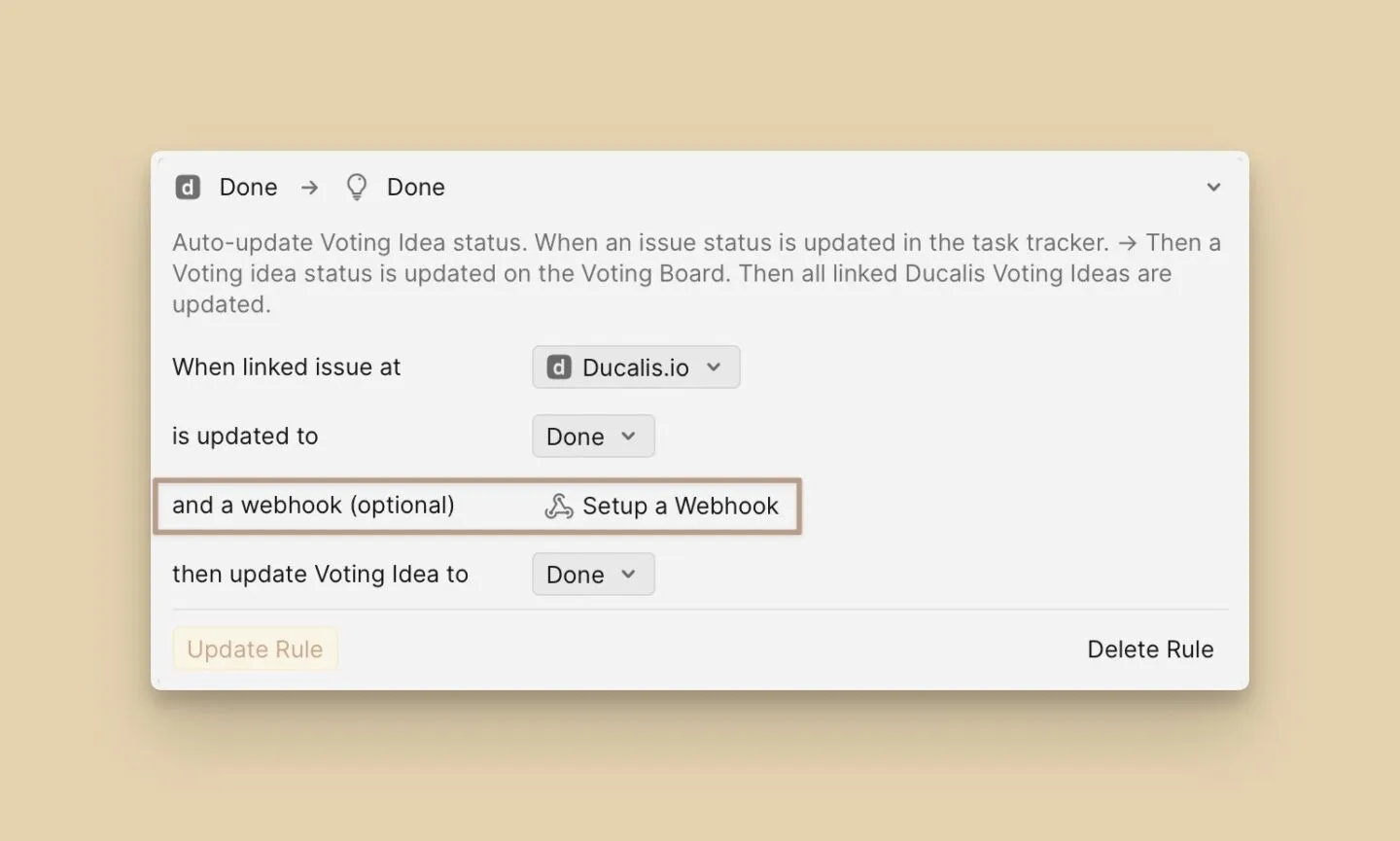
Release notes automation
Send release notes automatically after a deployment. Set up the webhook once, and release notes will be sent after the triggered event. This ensures consistency and accuracy in content and format, reducing the risk of errors or omissions.
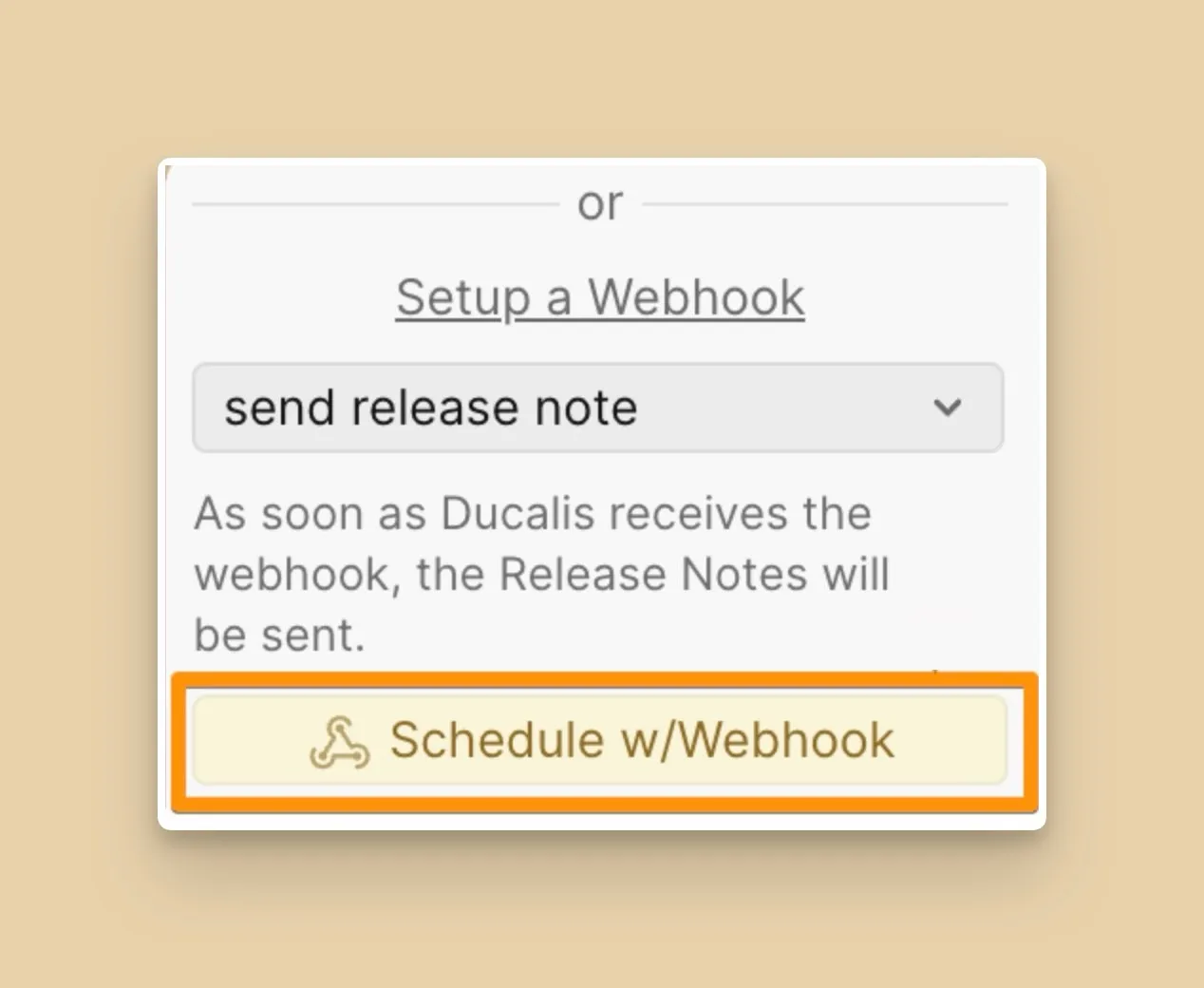
You can create as many webhooks as you need for different events and integrate them with CI tools, Slack, and other automation platforms. For example, create separate webhooks for status updates and for sending release notes. All conditions are set in your CI tool.
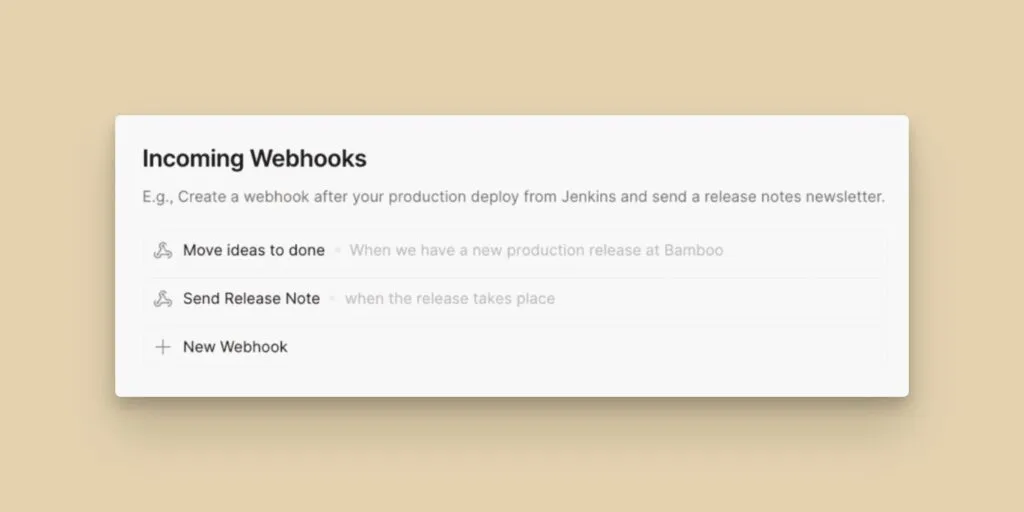
Create a webhook
-
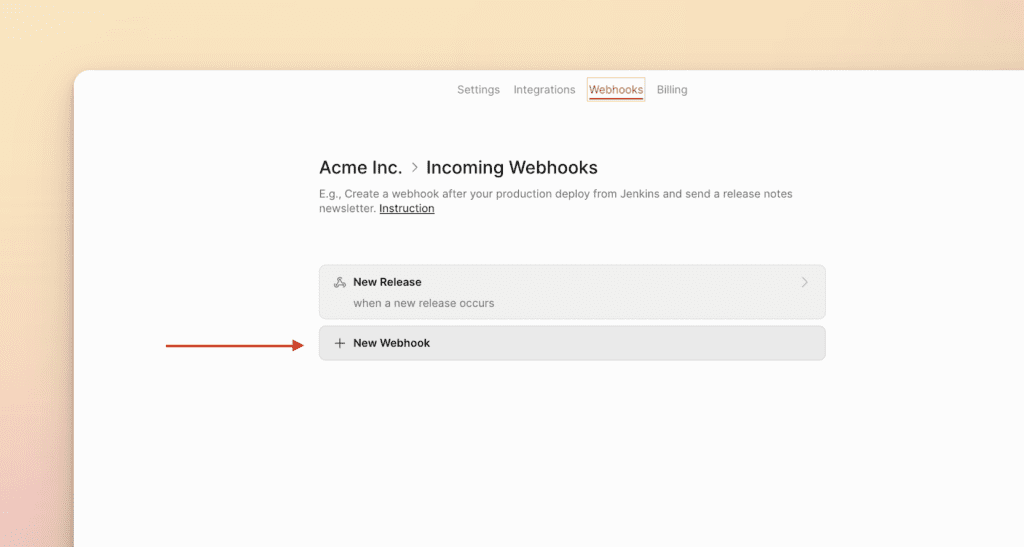
Go to Organization settings.
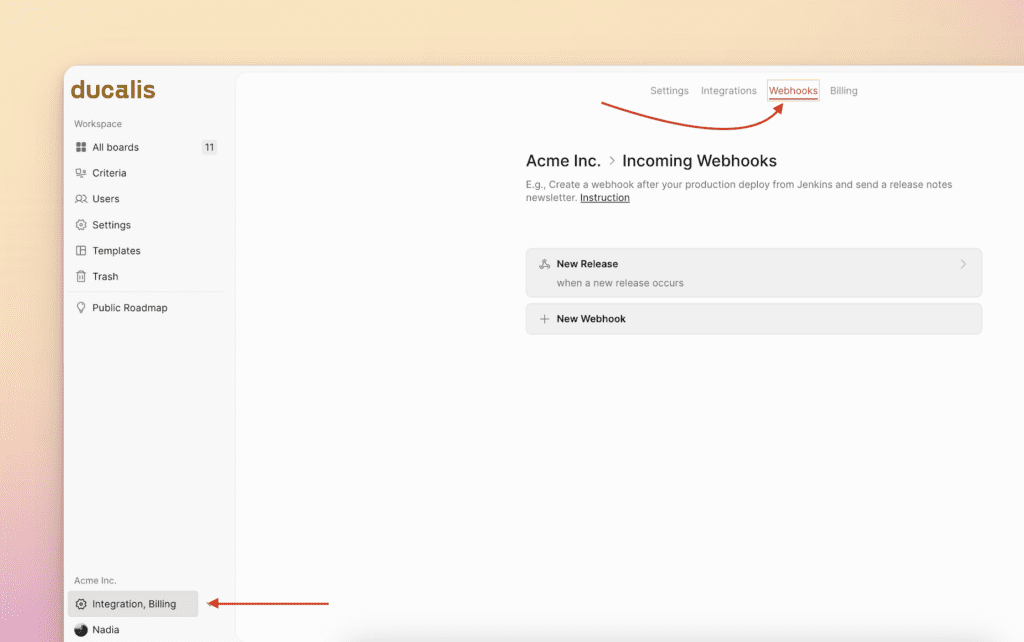
-
Click + New Webhook.
-
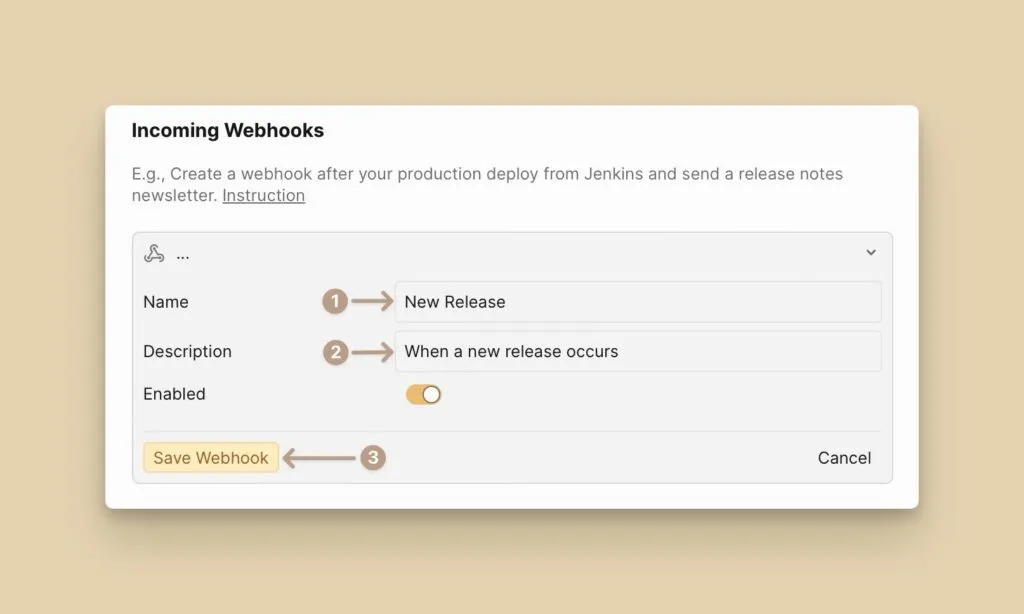
Give it a name and description, then click Save.
-
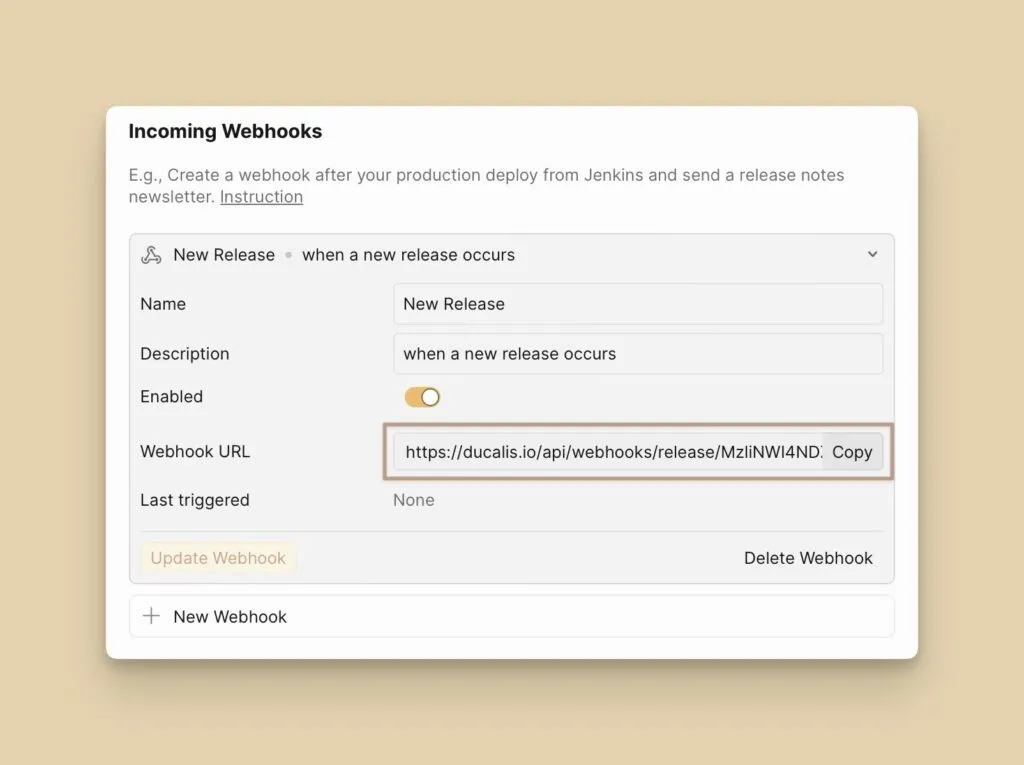
Copy the Webhook URL and paste it into your CI/CD tool (e.g., Bamboo, Jenkins).
After you've created the webhook, use it to automate Voting Idea status updates and schedule release notes automatically.