Actions groupées avec l’IA
L’assistant IA et l’intégration MCP vous permettent d’effectuer des actions groupées sur les données Ducalis — Idées, Tâches, Critères, utilisateurs et plus encore — en une seule requête, au lieu de mettre à jour chaque élément manuellement.
Plutôt que d’ouvrir des dizaines d’éléments un par un, décrivez ce que vous souhaitez en langage naturel. L’assistant trouve les éléments correspondants et applique la modification à tous.
Utilisez les actions groupées avec l’IA pour :
-
Configurer des Tableaux et leurs descriptions en une seule fois
-
Appliquer des étiquettes et des assignés à de nombreuses Tâches ou Idées en même temps
-
Publier, rechercher, étiqueter ou nettoyer en masse les éléments du Backlog et du Tableau de votes, etc.
Comment exécuter une action groupée
- Ouvrez l’assistant IA, ou connectez-vous à Ducalis depuis un outil compatible MCP.
- Décrivez l’action groupée souhaitée, en précisant à quels éléments elle doit s’appliquer.
- Vérifiez ce que l’assistant a trouvé et confirmez avant l’application de la modification.
Exemples d’actions groupées
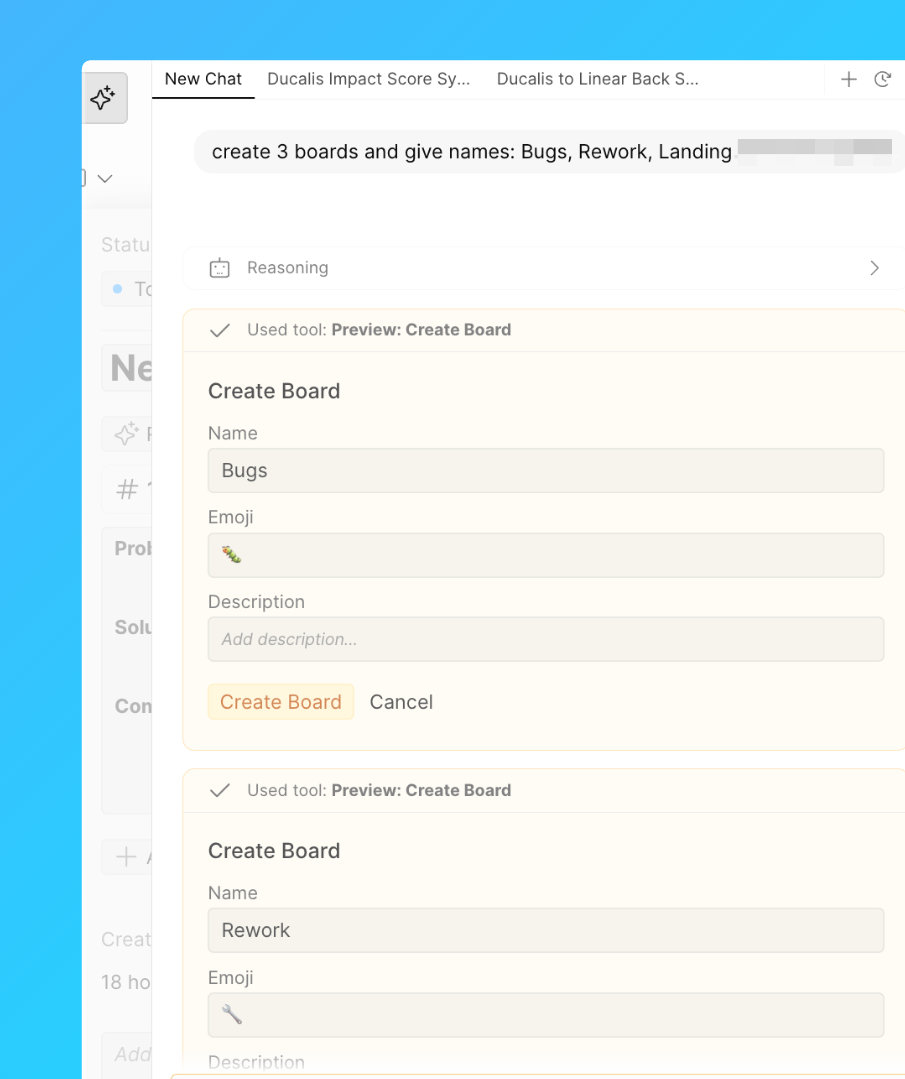
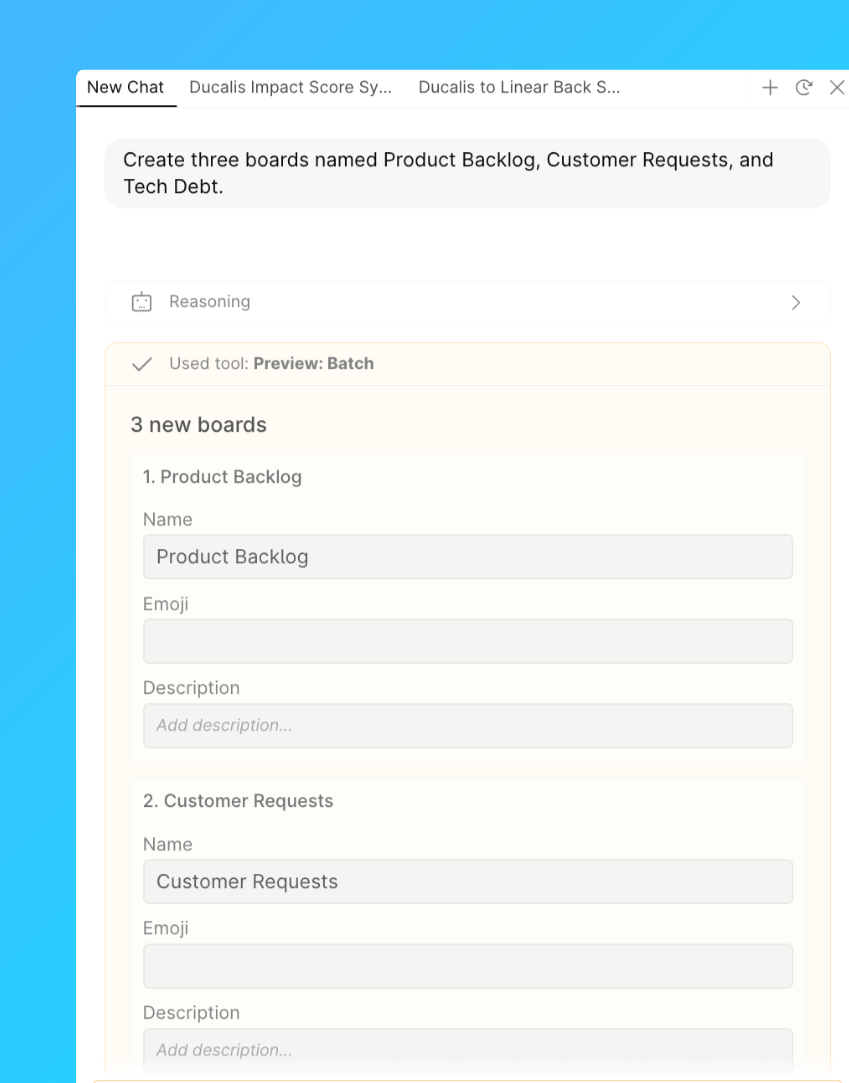
Créer et nommer des Tableaux
Demandez à l’assistant de créer plusieurs Tableaux en une seule fois et de nommer chacun d’eux.
Exemple de requête : « Créer trois Tableaux nommés Product Backlog, Customer Requests et Tech Debt. »
Rédiger des descriptions de Tableaux
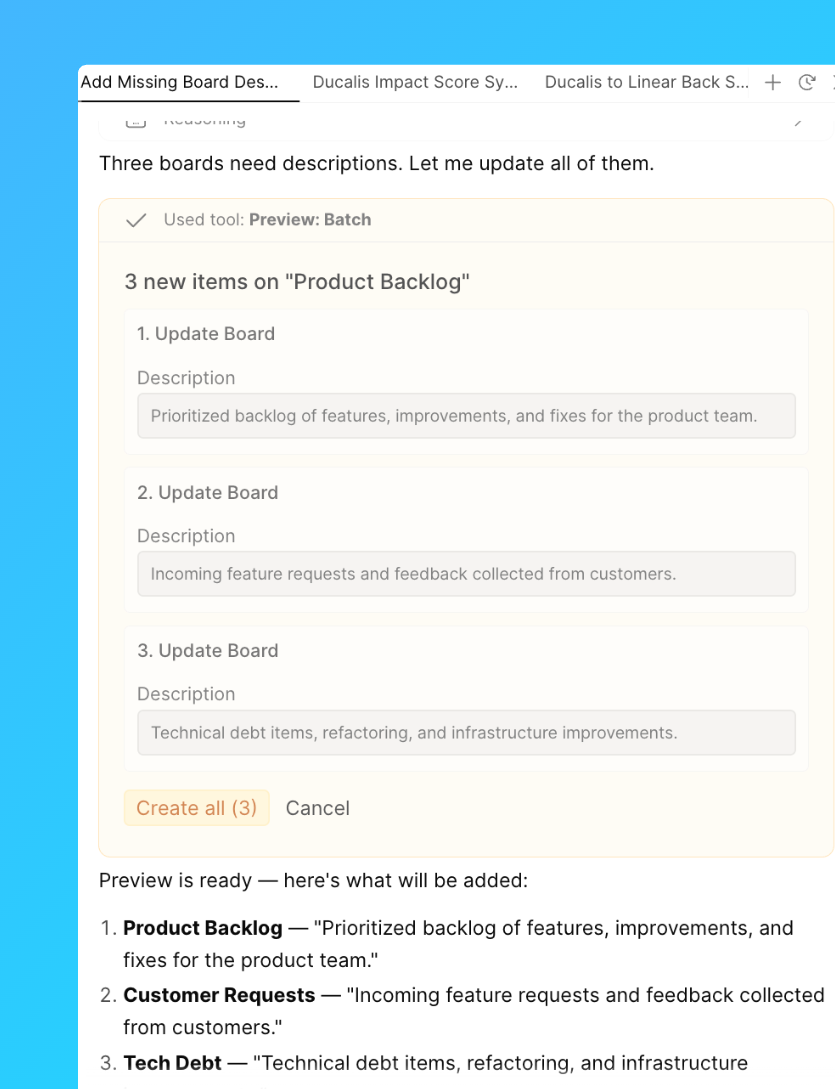
Demandez à l’assistant de rédiger ou de mettre à jour les descriptions de plusieurs Tableaux en une seule requête.
Exemple de requête : « Ajouter une courte description à chaque Tableau qui n’en a pas encore une. »
Activer ou désactiver les Tableaux de votes
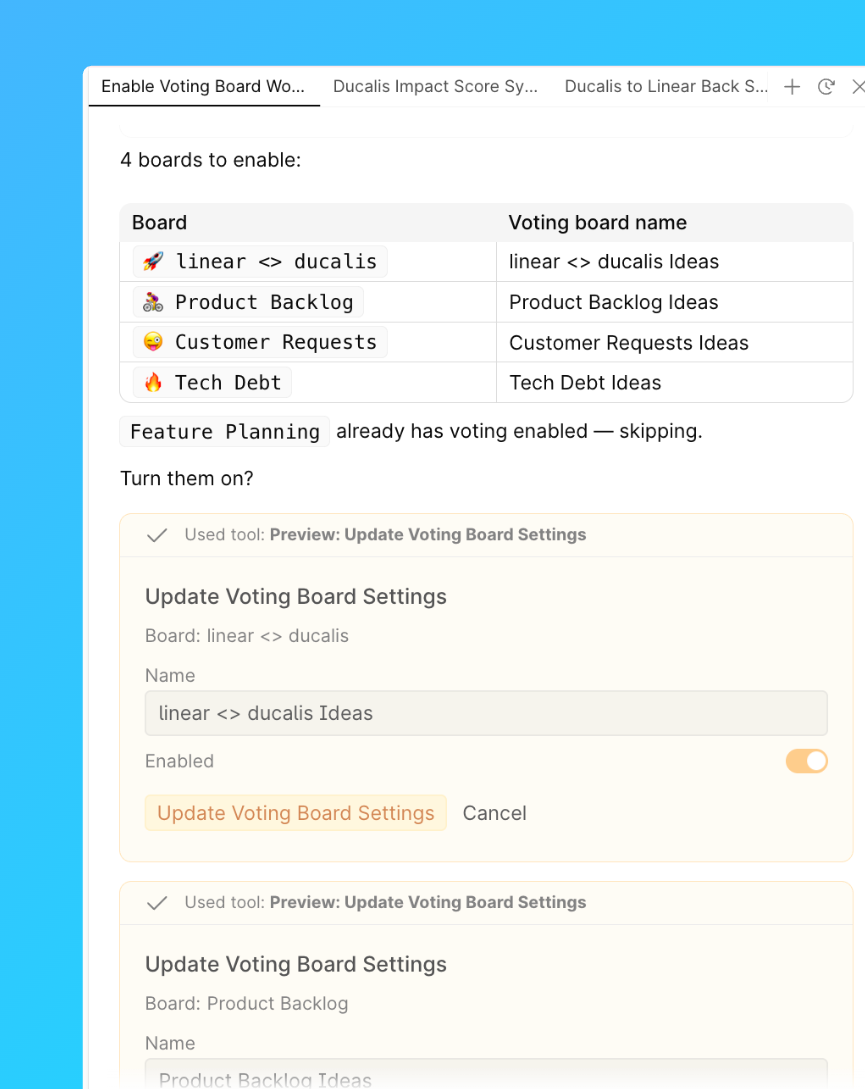
Activez ou désactivez le paramètre Tableau de votes sur plusieurs Tableaux à la fois.
Exemple de requête : « Activer le Tableau de votes pour tous les Tableaux de l’espace de travail. »
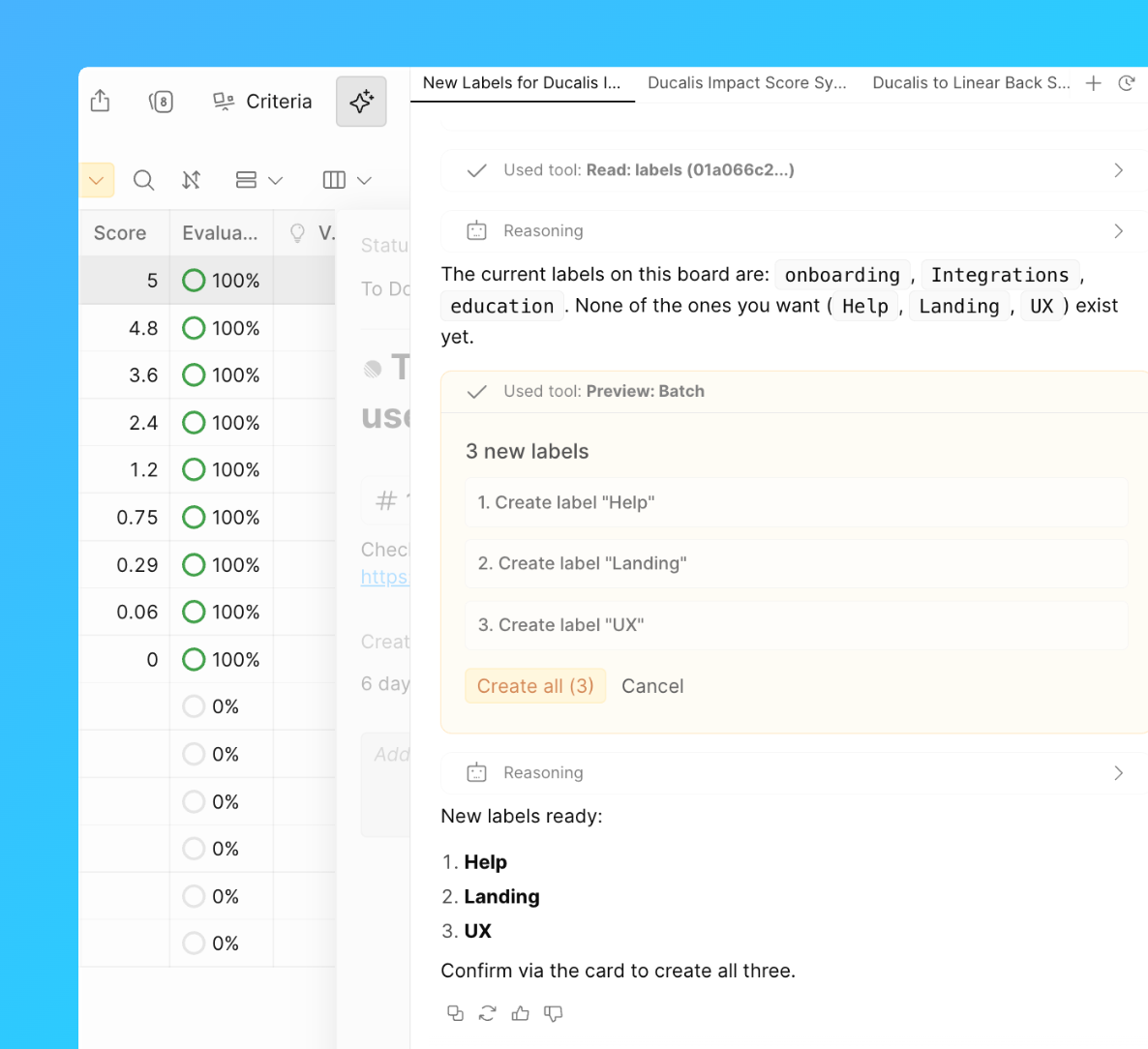
Créer des étiquettes
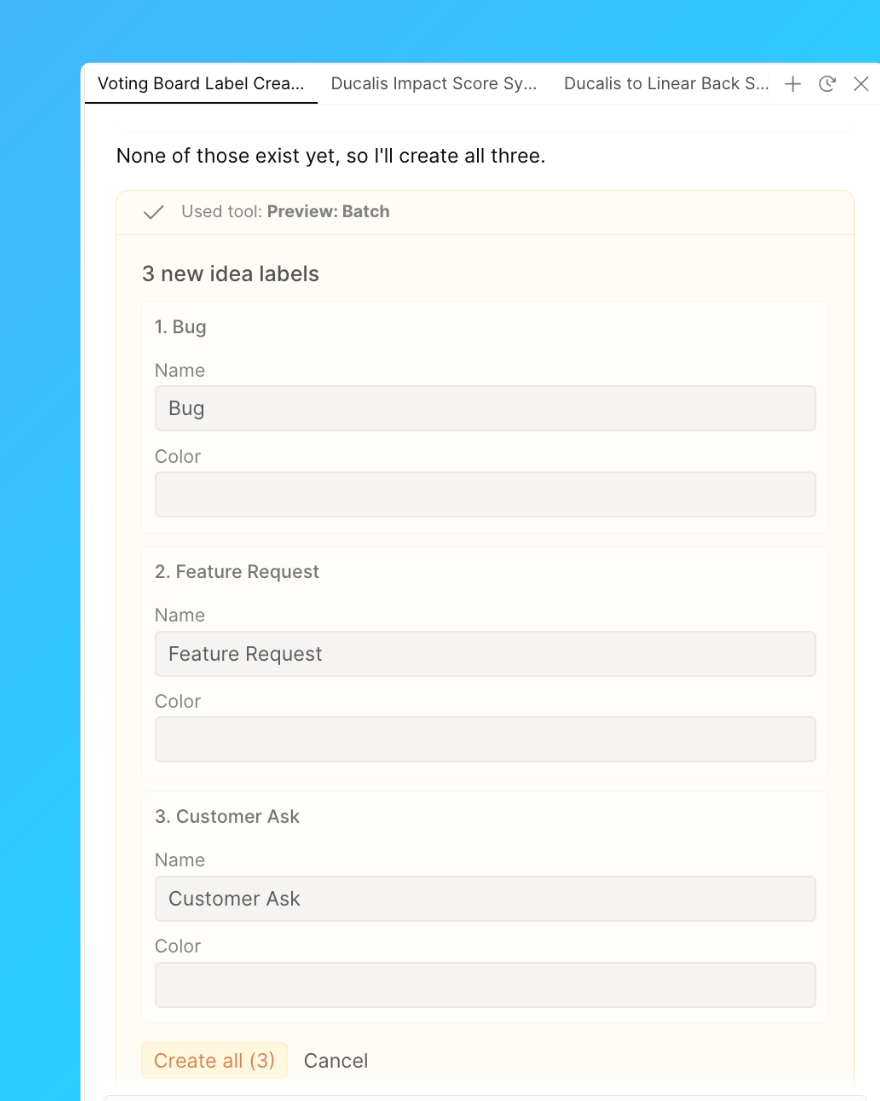
Créez un ensemble d’étiquettes en une seule requête au lieu de les ajouter une par une.
Exemple de requête : « Créer les étiquettes Bug, Feature Request et Customer Ask. »
Assigner des étiquettes
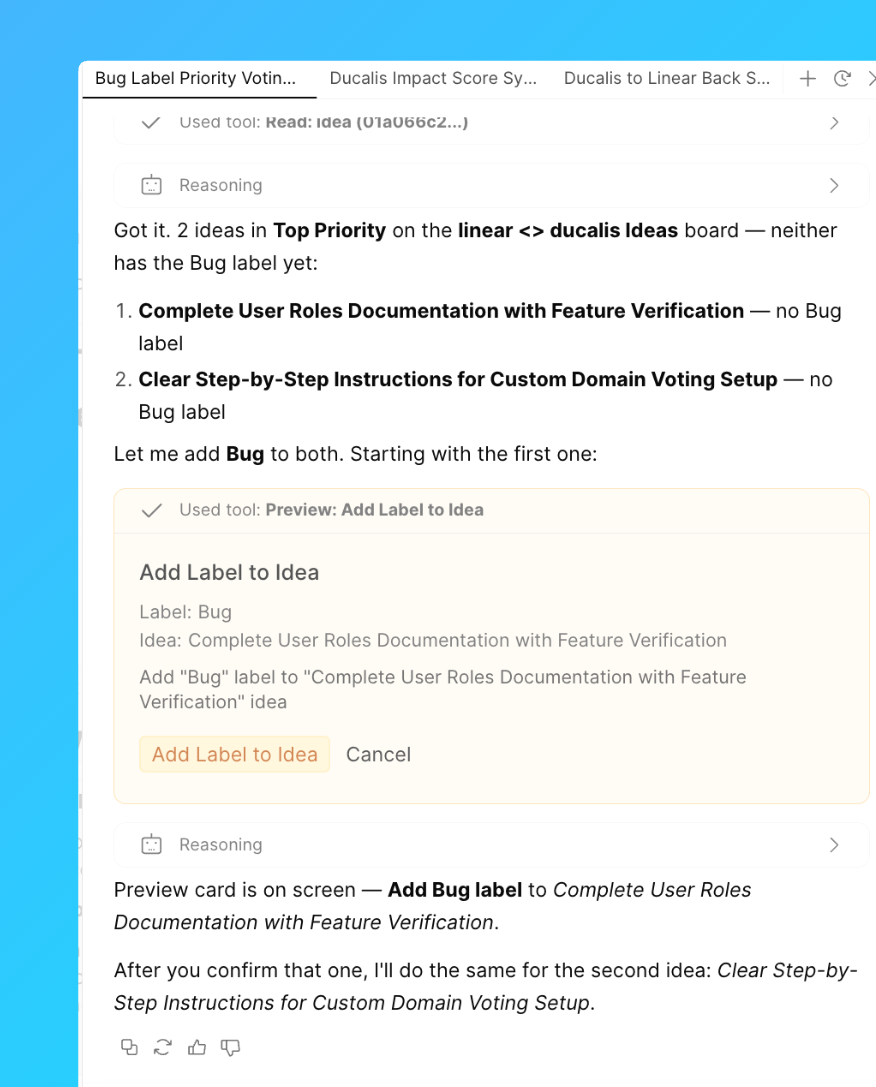
Appliquez une étiquette à un groupe de Tâches ou d’Idées qui correspondent à une condition.
Exemple de requête : « Ajouter l’étiquette Bug aux Idées de la colonne Top Priority sur le Tableau de votes “Linear ↔ Ducalis”. »
Assigner des responsables
Assignez un utilisateur à un lot de Tâches en une seule fois.
Exemple de requête : « Assigner toutes les Tâches non assignées du Tableau “Product” à l’utilisateur Ducalis John Smith. »
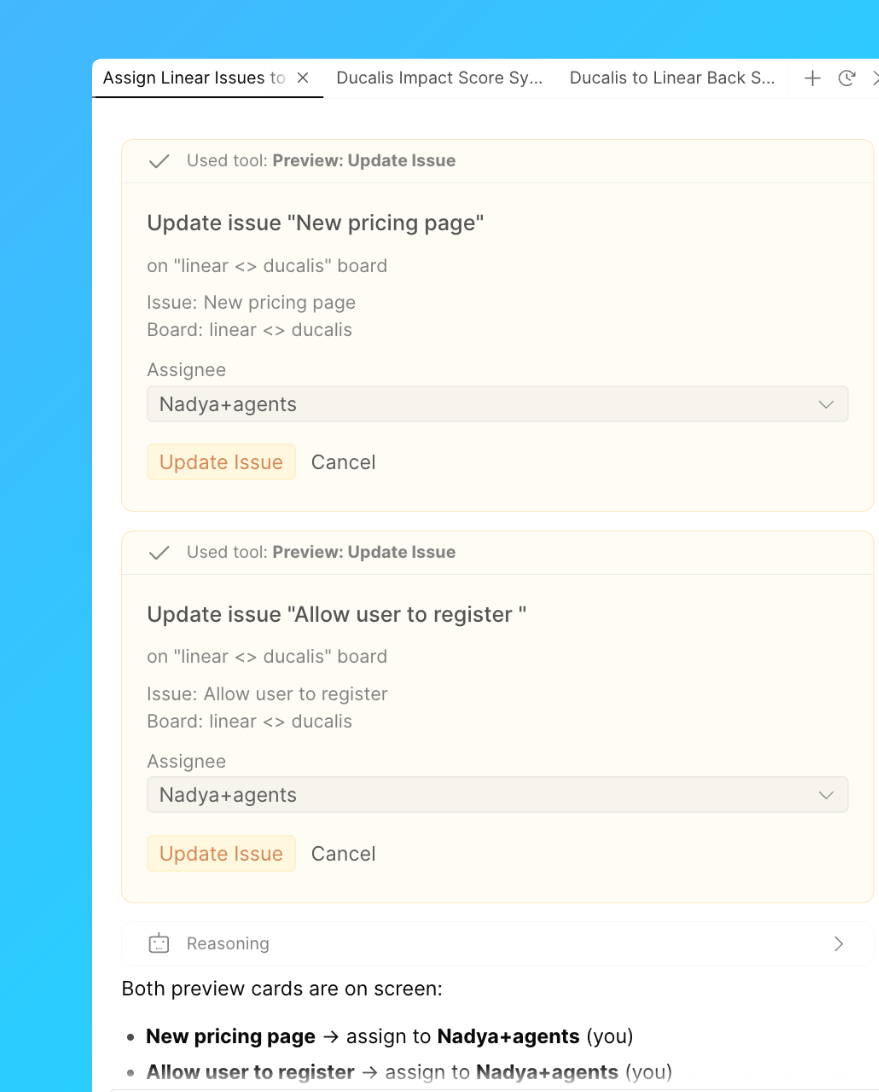
Publier des brouillons d’Idées
Publiez un groupe de brouillons d’Idées sur le Tableau de votes.
Exemple de requête : « Publier tous les brouillons d’Idées créés ce mois-ci sur le Tableau de votes Product Ideas. »
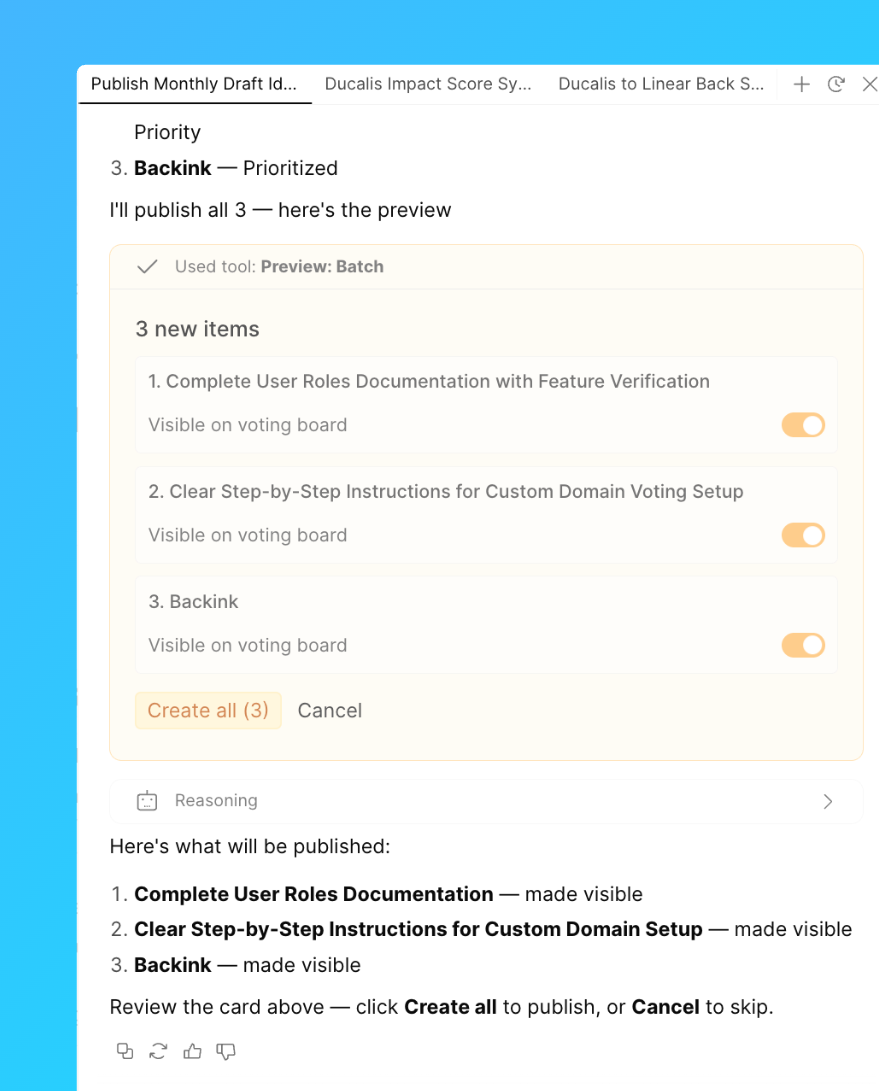
Créer des Critères
Ajoutez plusieurs Critères d’évaluation à un Tableau en une seule requête.
Exemple de requête : « Créer les Critères UX, Onboarding et Time pour le Tableau Product Improvements. »
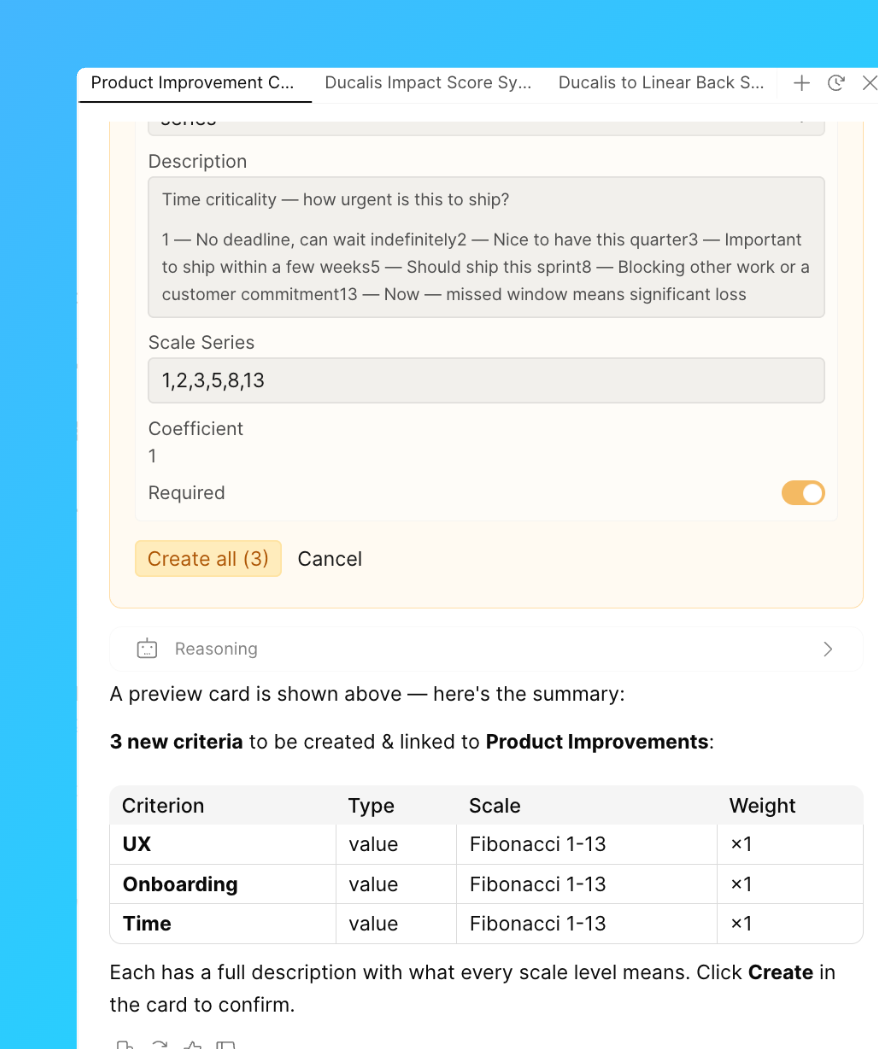
Supprimer des Tâches ou des Idées
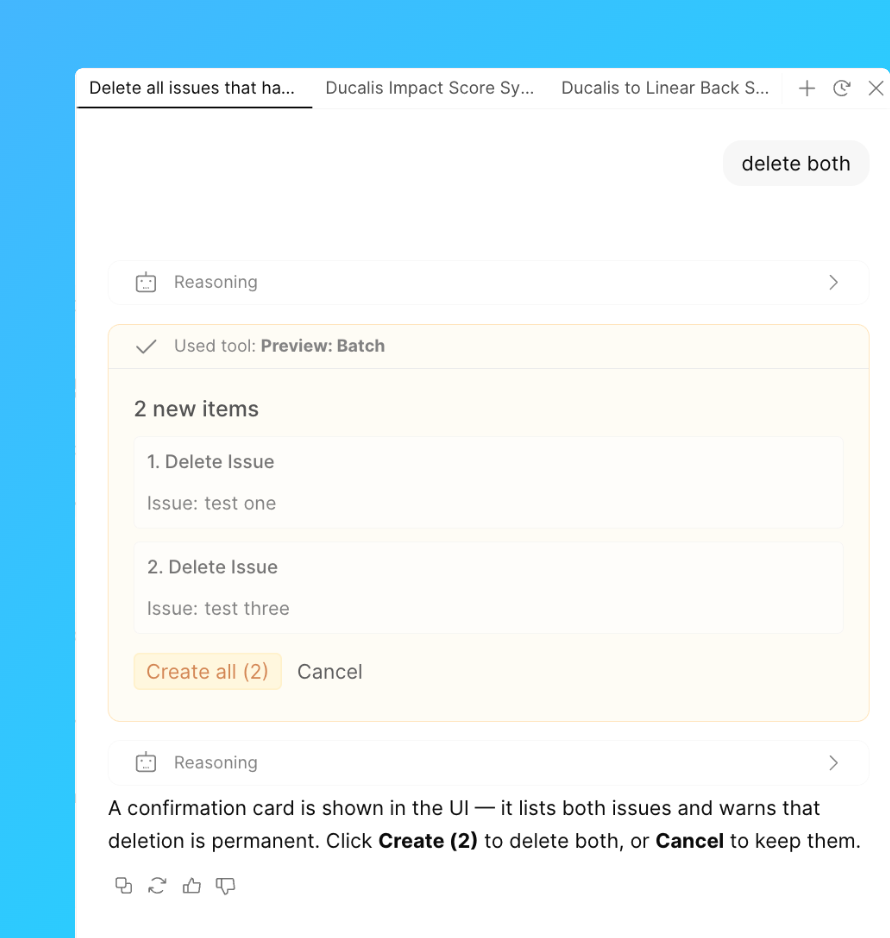
Supprimez plusieurs Tâches ou Idées correspondant à une description.
Exemple de requête : « Supprimer toutes les Tâches contenant “test” dans leur nom sur le Tableau Product Improvements. »
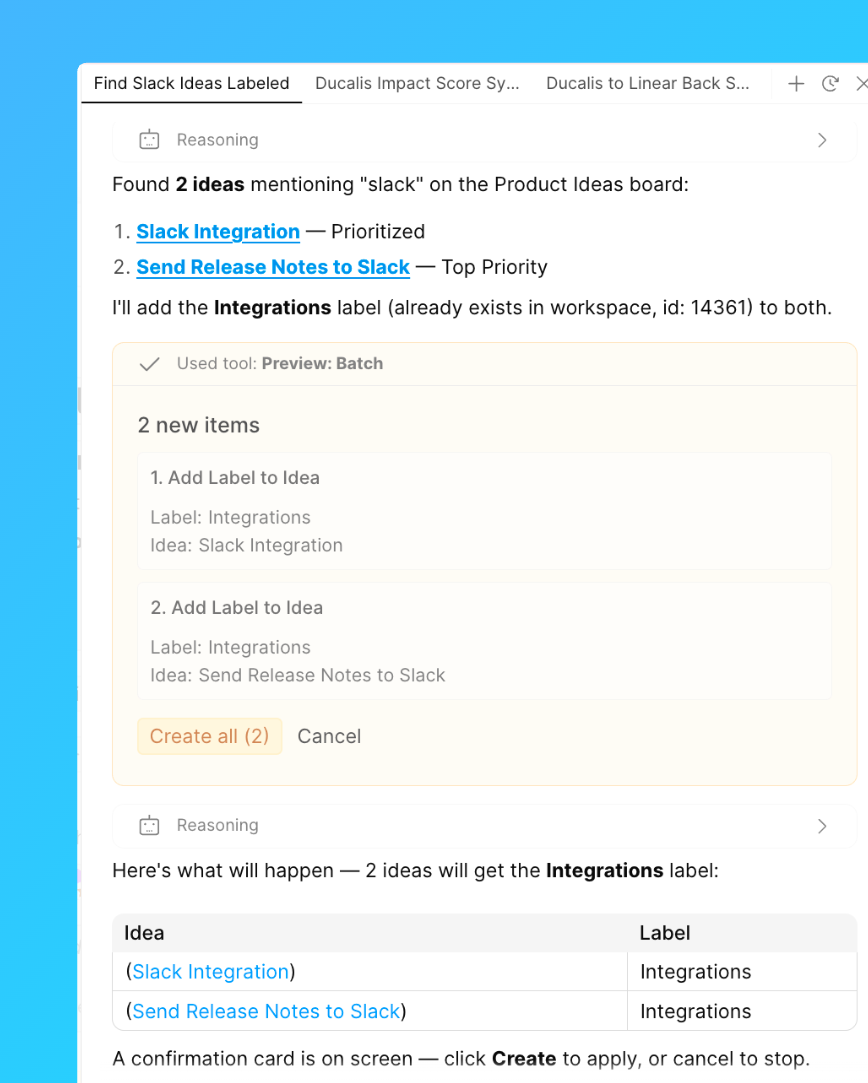
Rechercher et étiqueter des Idées par mot-clé
Trouvez les Idées mentionnant un mot-clé et étiquetez-les toutes en une fois.
Exemple de requête : « Trouver toutes les Idées mentionnant “Slack” et les étiqueter avec Integrations. »
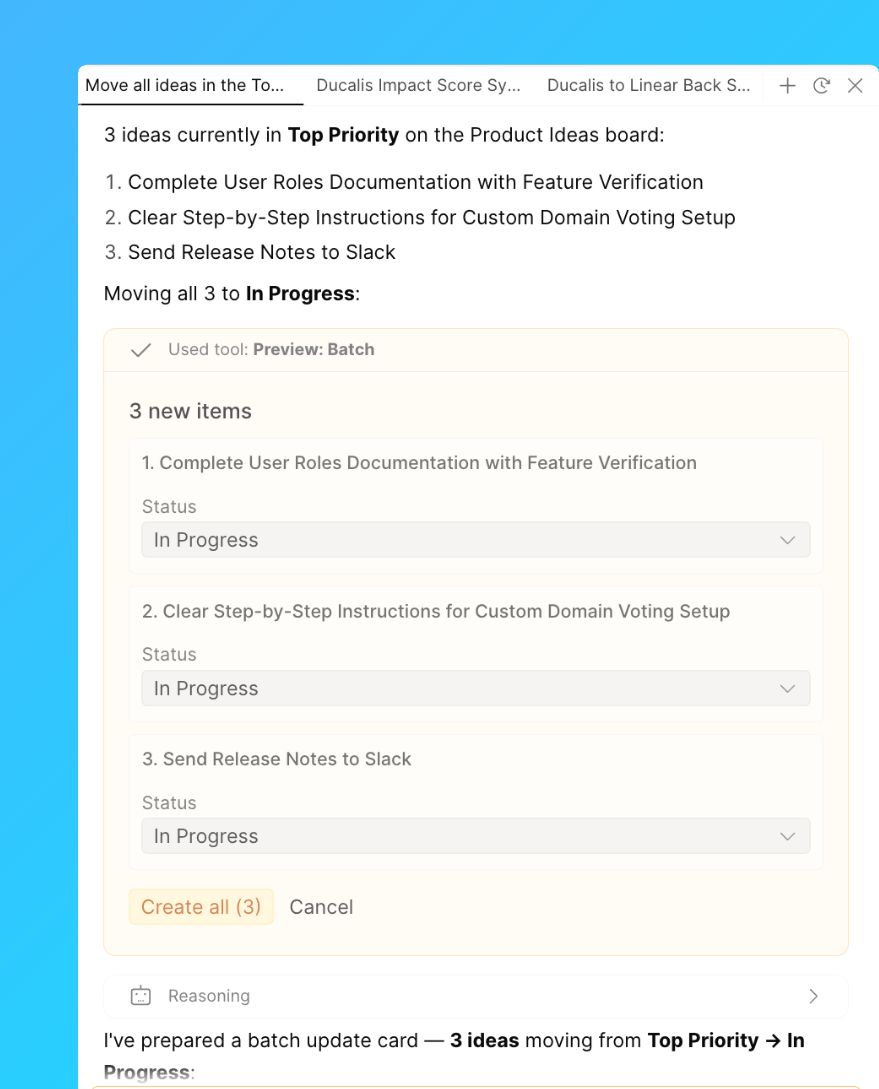
Changer les statuts
Déplacez un groupe de Tâches ou d’Idées vers un nouveau statut en une seule requête.
Exemple de requête : « Déplacer toutes les Idées du statut Top Priority vers In Progress sur le Tableau Product Ideas. »