Best practices
Collect best practices for getting maximum value from your feedback widget. This guide covers proven strategies for widget design, placement, and follow-up that drive more engagement and better insights.
A user-friendly widget attracts more feedback. Here's how to create one.
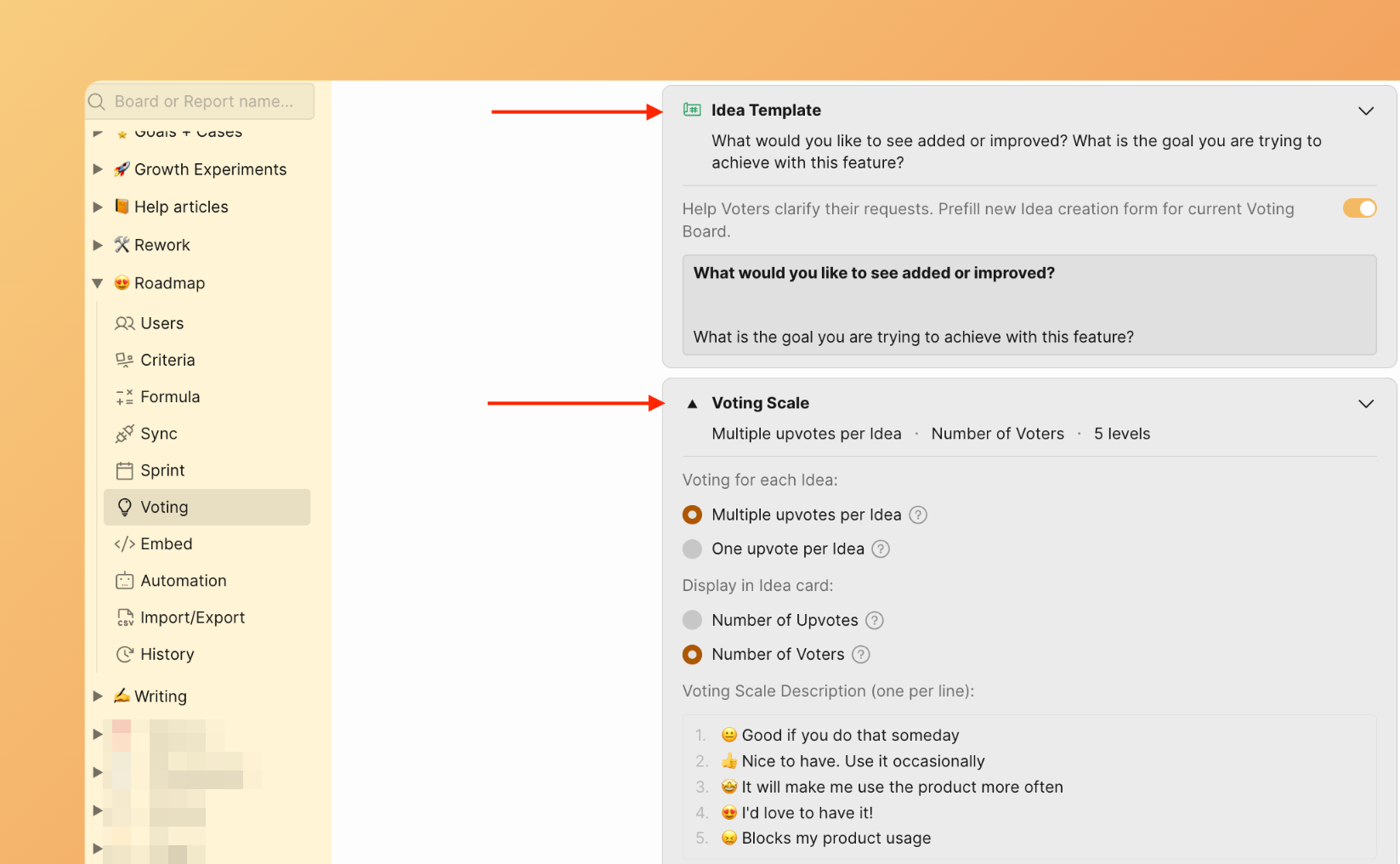
Keep the form simple and short
- Ask targeted questions to get specific information from users
- Use simple rating scales (1-5 stars)
- Make text input optional, not required
- Avoid too many form fields by automatically passing user data with the widget
Ducalis has a customizable form with scale options and SSO authentication to identify users who submit feedback.
Customize your widget
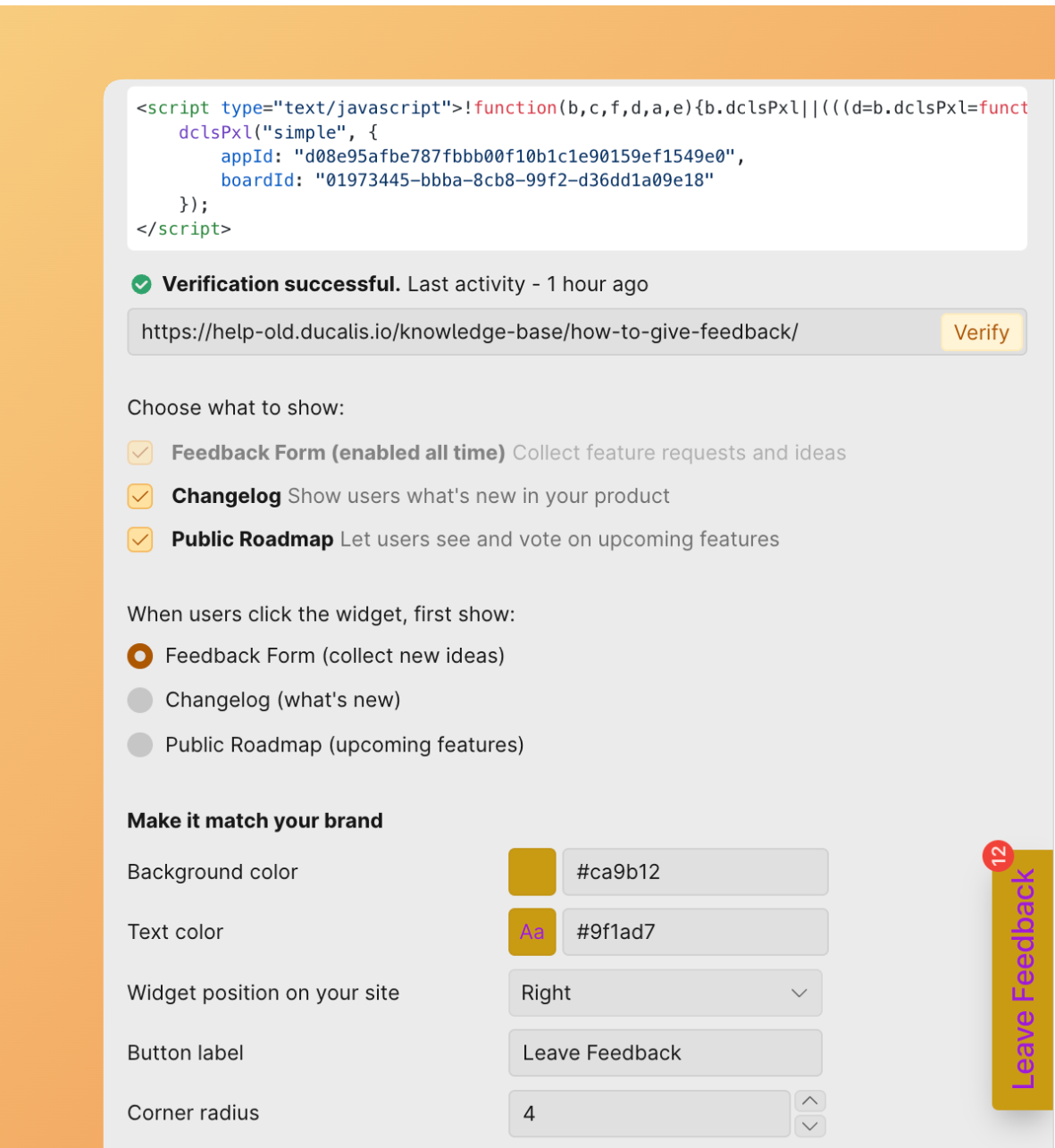
- Use colors that match your brand
- Position the floating widget button on the right or left where it's accessible but doesn't block content
- Choose the right button label—whether it's "Feedback," "Support," or "Get Help," it should match what users expect when they click
- Decide whether to show the Roadmap and Changelog alongside the feedback form
Learn more about customization in Step 3: Customize appearance.
Make it dismissible and non-intrusive
- Users should be able to close the widget easily without feeling pressured. A small, unobtrusive design—like a feedback button—respects their experience while remaining accessible.
- Ensure it's easily accessible and fast to use on mobile devices.
Close the loop
- Review responses regularly. Ducalis sends you Daily Digest emails about feedback activity.
- Respond to critical issues quickly using the commenting feature.
- Let users know their feedback matters—when you fix something based on their feedback, notify those who reported it.
- Send Release Notes and share your Changelog when you implement suggestions.
- Send notifications about the progress of each user's feedback.
Act on the feedback
The worst thing you can do is collect feedback and ignore it. Review regularly, categorize themes, and prioritize improvements based on patterns you see.
Common pitfalls to avoid
- ❌ Requiring too much information—reduces completion
- ❌ Blocking critical page functionality—frustrates users
- ❌ Collecting feedback but never acting on it—wastes goodwill
- ❌ Not making the widget dismissible—traps users
- ❌ Poor mobile experience—loses half your audience
- ❌ Asking vague questions—gets vague answers
FAQs
Can I use the feedback widget for a product management team?
Yes. You can build your roadmap based on customer insights instead of assumptions.
- Let users send you feature requests via the embedded widget to learn what's missing from your product
- After you collect feature requests, build a product roadmap
- Integrate Ducalis with your task tracker to send feature requests to the backlog
- Prioritize your backlog with your team
- Share the Roadmap with your users to let them upvote the next feature to build
- Close the feedback loop with notifications
- Notify your customers about the release using announcements or the changelog
Can I use the feedback widget for a development team?
Yes. You can simplify bug tracking and improve your QA and testing processes.
- Ducalis widget has a customizable form for creating bug reports from users
- Pass custom and user data
- Organize bugs by status
- Add labels to easily filter similar issues
- Visualize your workload with the Kanban board view
- Prioritize bugs with your team
- Send notifications to the bug reporter when you fix the issue
Can I use the feedback widget for a marketing team?
Yes. You can gather in-context feedback throughout the user journey and collect insights to guide content strategy.
- Use the embed widget to capture in-context feedback from visitors on your marketing site, landing pages, or pricing page
- Understand what's missing on the page, what information isn't clearly visible, and identify bugs or broken links
- Integrate Ducalis with your task tracker to send requests to the backlog
- Use labels and statuses to group your feedback into categories
- Prioritize your backlog with your team
- Share the Roadmap with your users to let them upvote the next feature to build
- Close the feedback loop with notifications
- Notify your customers about the release using announcements or the changelog