Description template
Issue description templates help you standardize Issue documentation across your team. Use templates to ensure every Issue includes the right details from the start.
Use the template
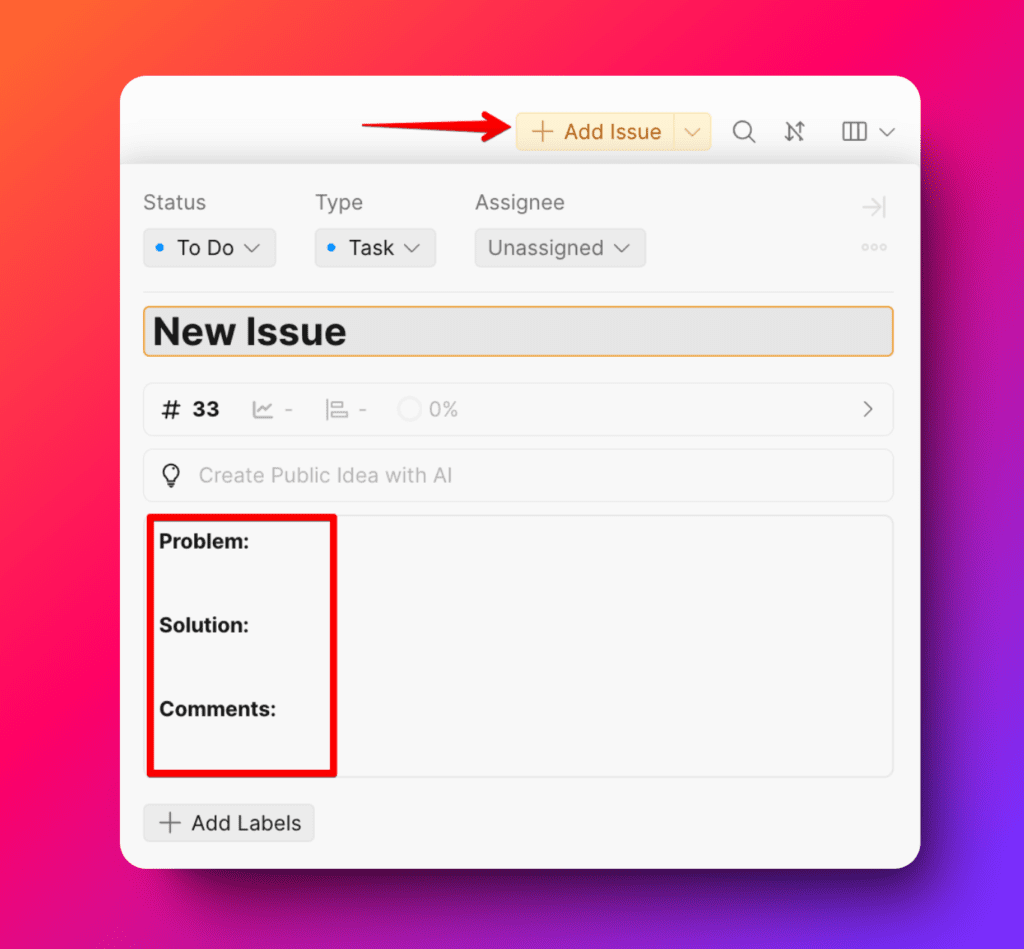
Click Add Issue. Fill in the pre-defined template fields (Problem, Solution, Comments). Add all critical details: steps, expected outcomes, and relevant files.
Customize templates
Templates adapt to different Board types—bugs need different details than features.
Access template settings
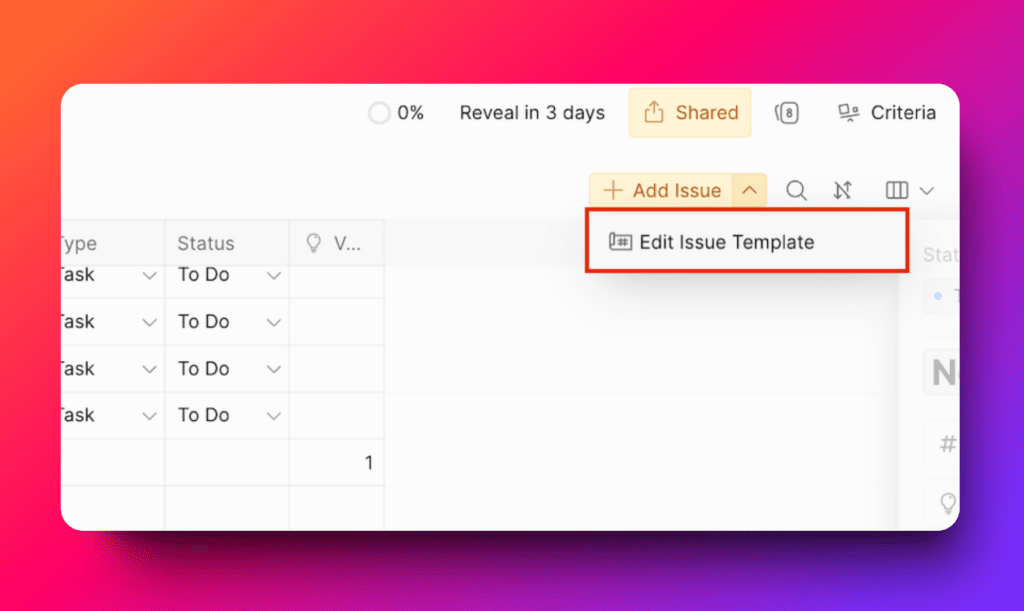
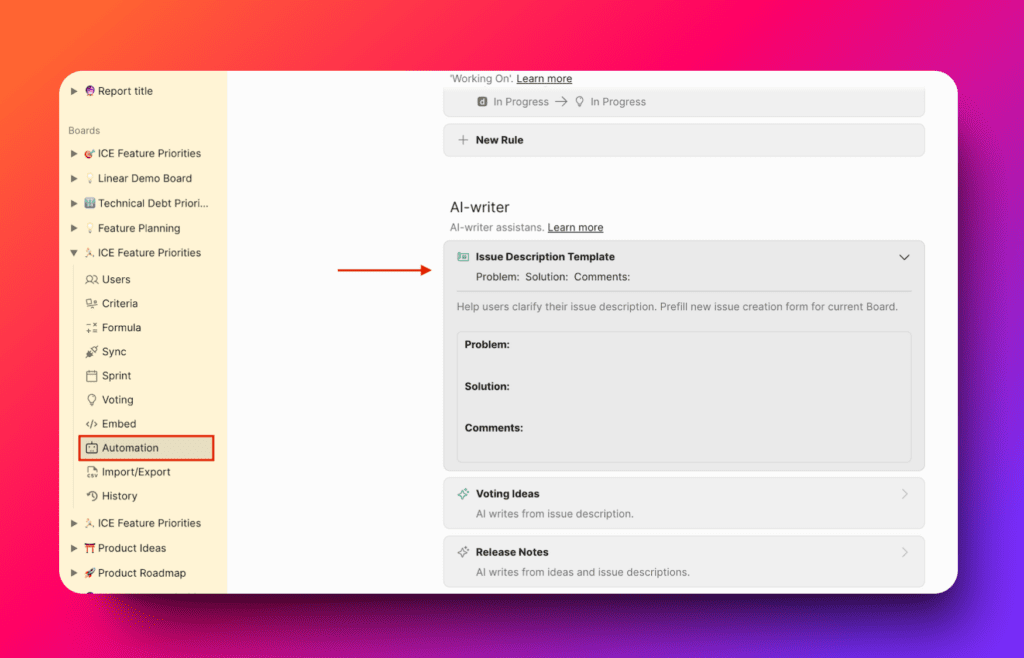
Navigate to template settings from either location:
- Add Issue dialog → Automation settings → AI Writer
Edit the template
-
Select the template you want to modify.
-
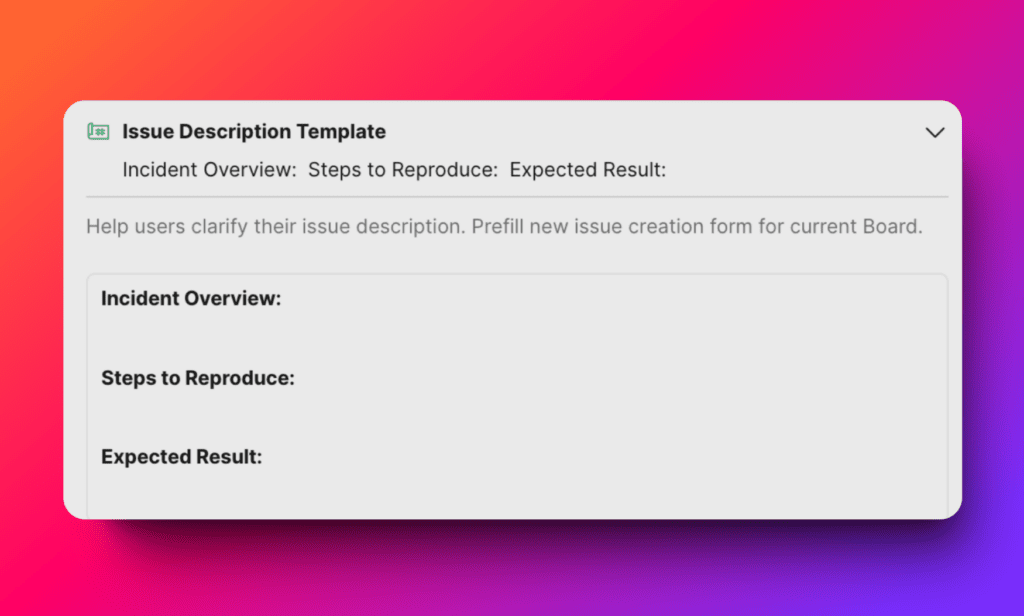
Change the text to match your team's workflow.
For example, a bug Board might need fields like "Steps to reproduce" and "Expected vs actual behavior."
Template best practices
- Create Board-specific templates — Different Boards need different fields (bugs, features, tasks)
- Keep prompts clear — Guide users to provide the right information
- Use consistent language — Maintain the same terminology across all templates
- Review regularly — Update templates when your workflow changes
- Get team input — Ask your team what fields they need
Templates save time and ensure every Issue starts with the information your team needs to evaluate and implement it.