Private scores
Evaluation Poker keeps Estimator scores private until the Reveal milestone. This reduces bias and improves prioritization accuracy by preventing team members from seeing each other's scores during Evaluation.
Ducalis offers two evaluation modes:
- Regular Evaluation – All Estimators can see each other's scores during Evaluation
- Evaluation Poker – Scores stay private until Reveal
In Evaluation Poker, only Facilitators can see Estimator scores during the Evaluation period. Everyone else sees scores only after Reveal. This prevents opinion bias and improves prioritization accuracy.
Enable Evaluation Poker
-
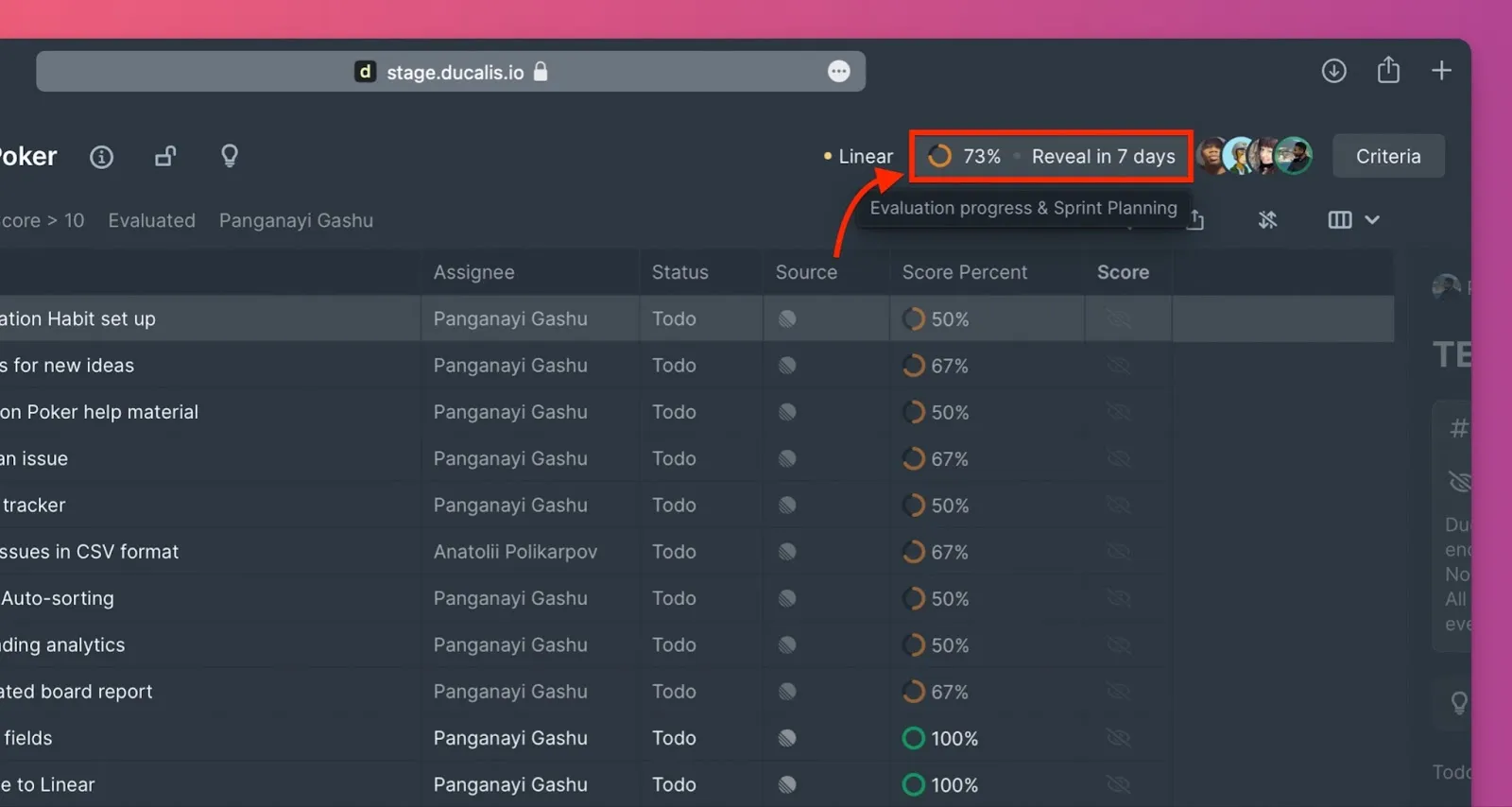
Go to Settings → Evaluation progress and Sprint planning.
-
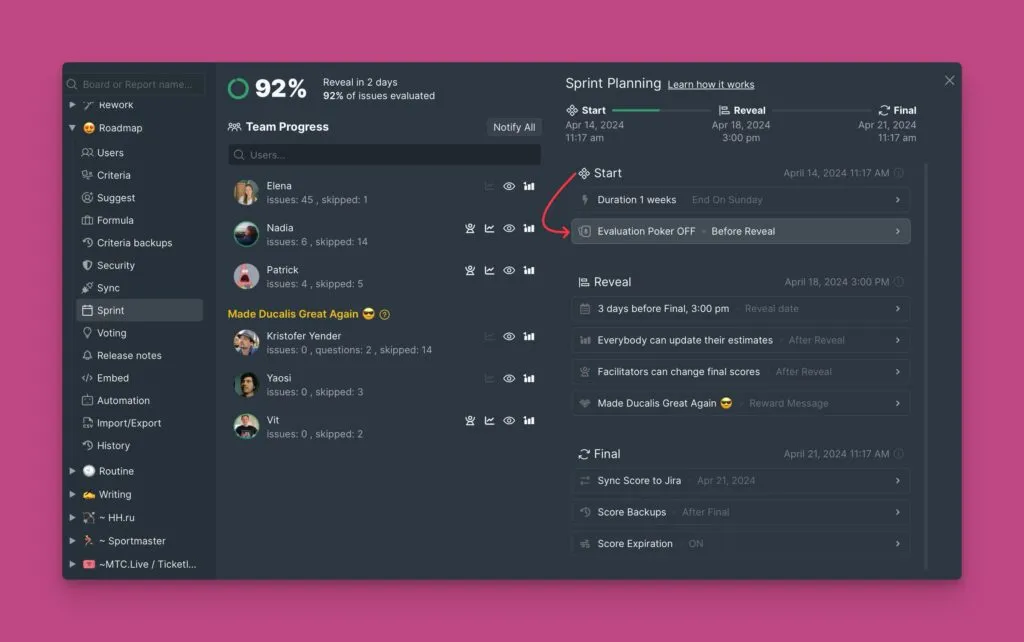
Scroll down to the Start section.
-
Click Evaluation Poker to open the dropdown menu.
-
Check the Enable Evaluation Poker checkbox.
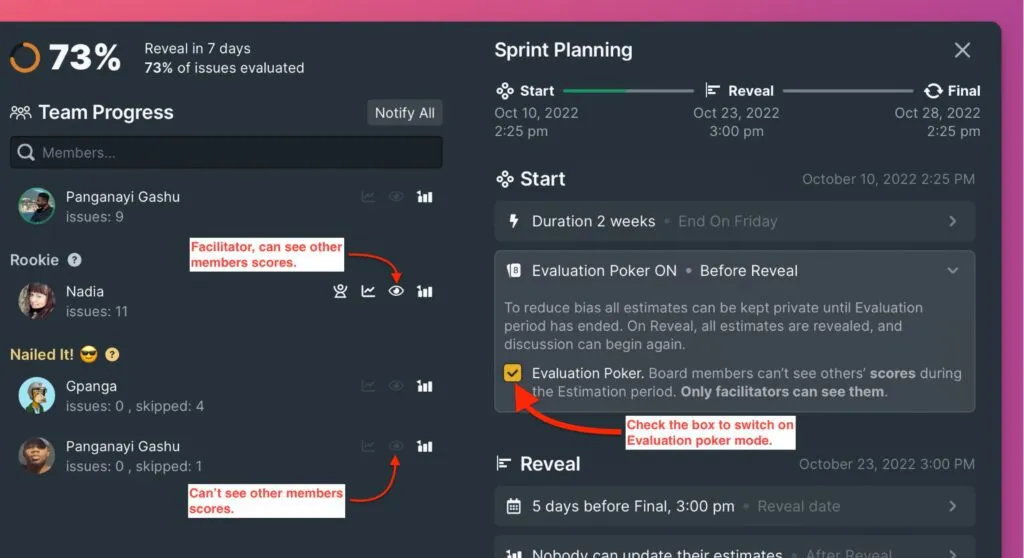
Once enabled, Estimators (everyone except Facilitators) cannot see each other's scores during Evaluation.
Sprint milestones
Evaluation period (Start to Reveal)
The Evaluation period begins at Start and ends at Reveal. Admins configure the Start date and duration in Evaluation progress and Sprint planning settings.
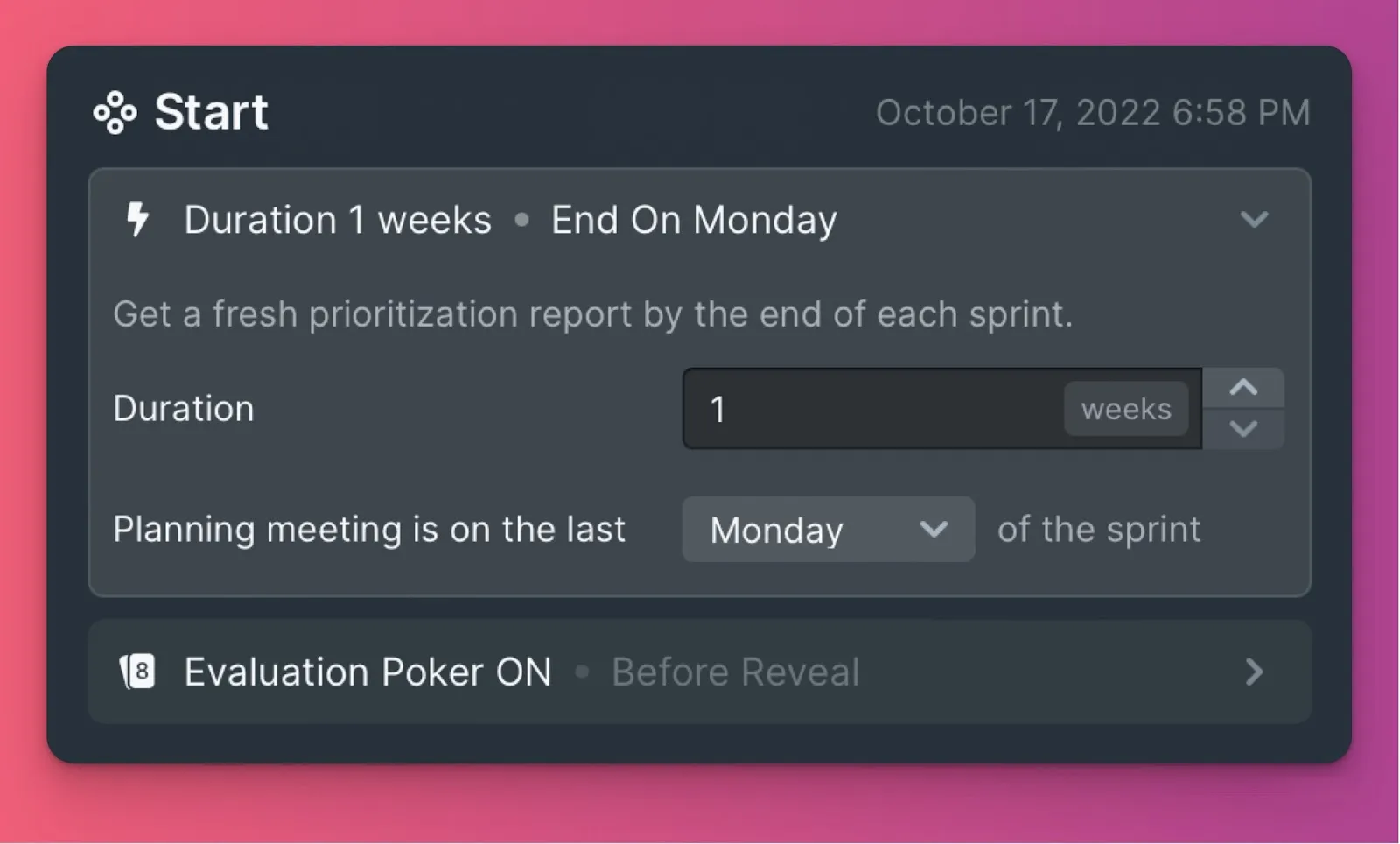
During this period, scores remain private for all Estimators.
Reveal milestone
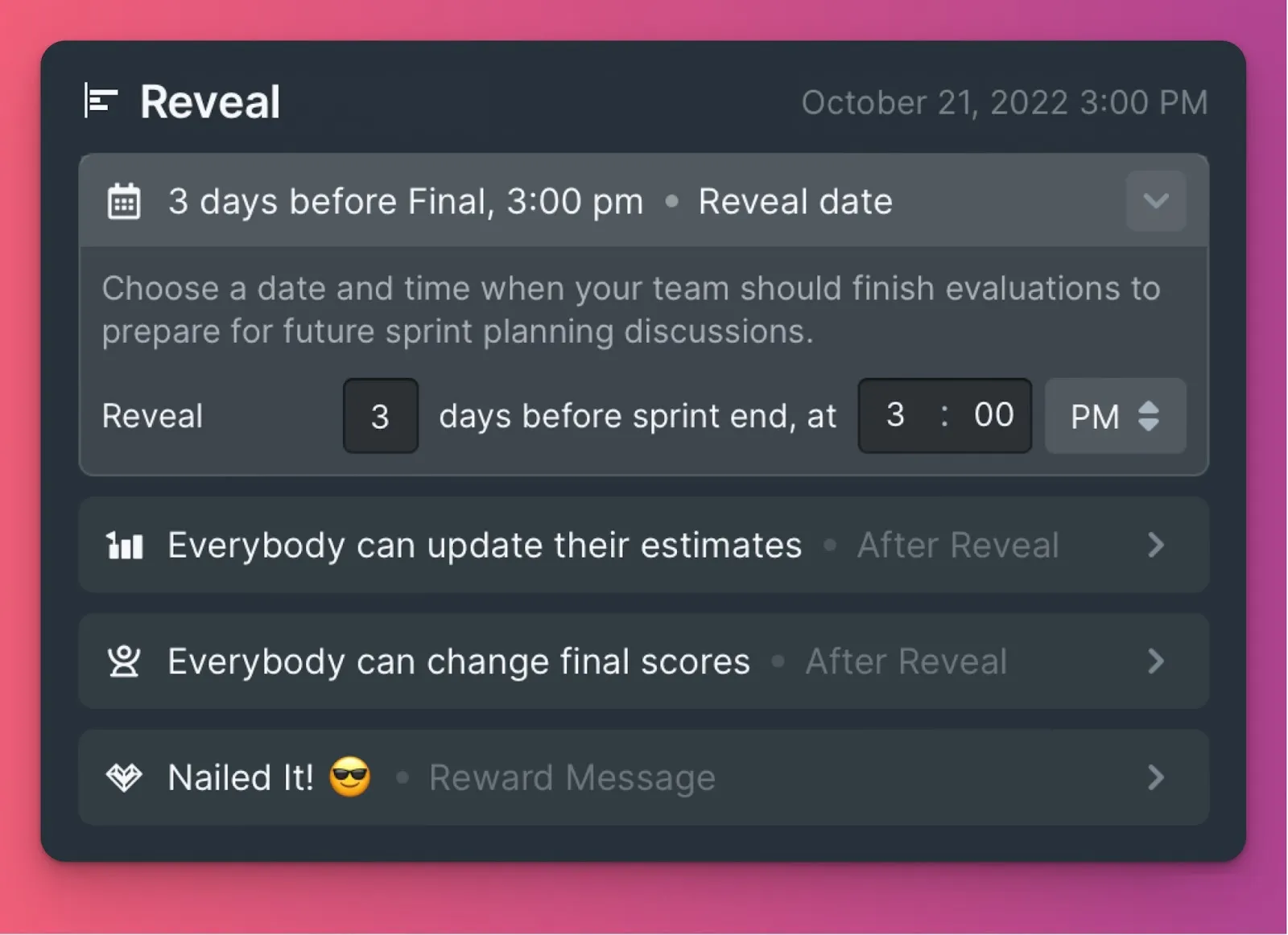
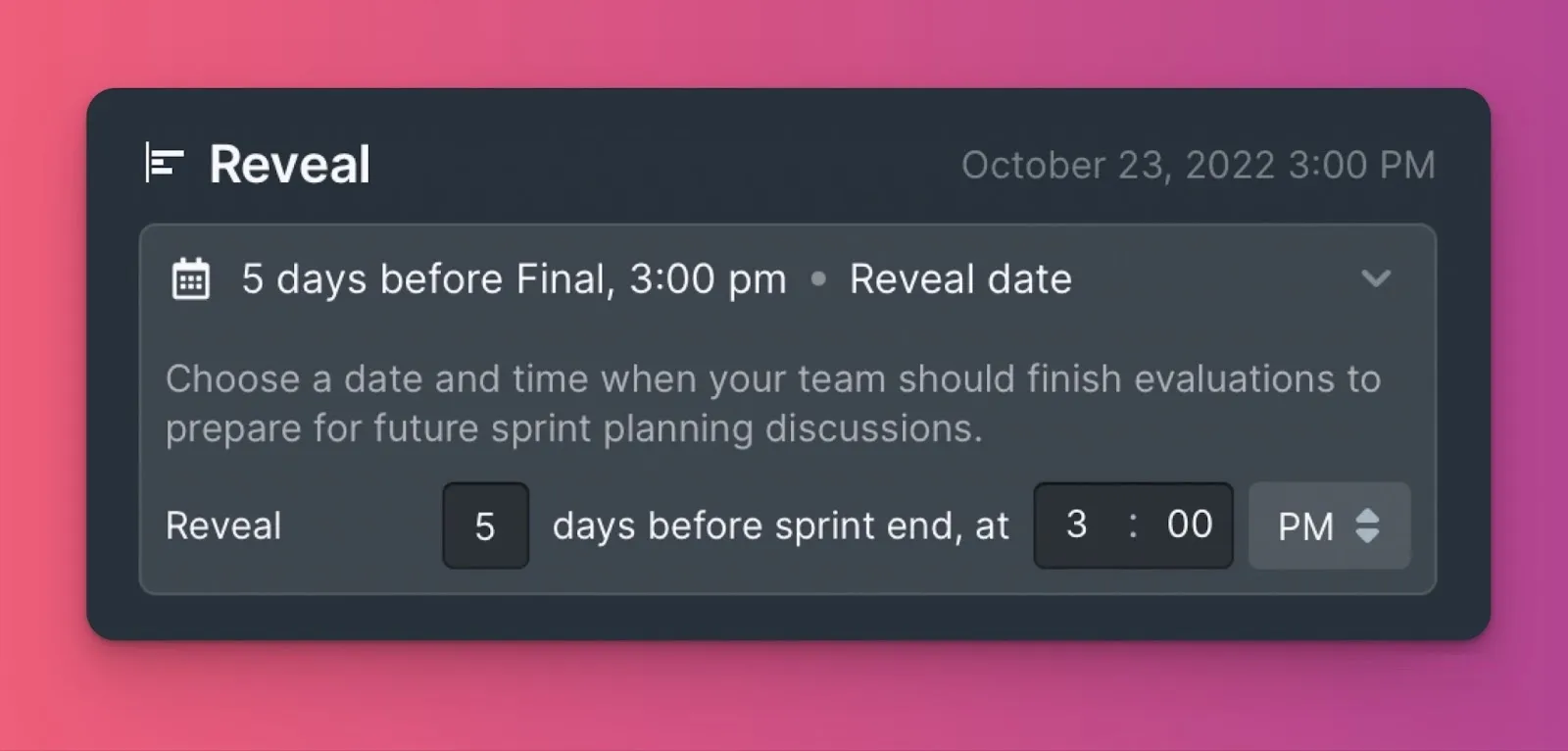
At Reveal, all scores become visible to the entire team for discussion. Admins set the Reveal date—it can be any number of days before Final.
Where scores are hidden
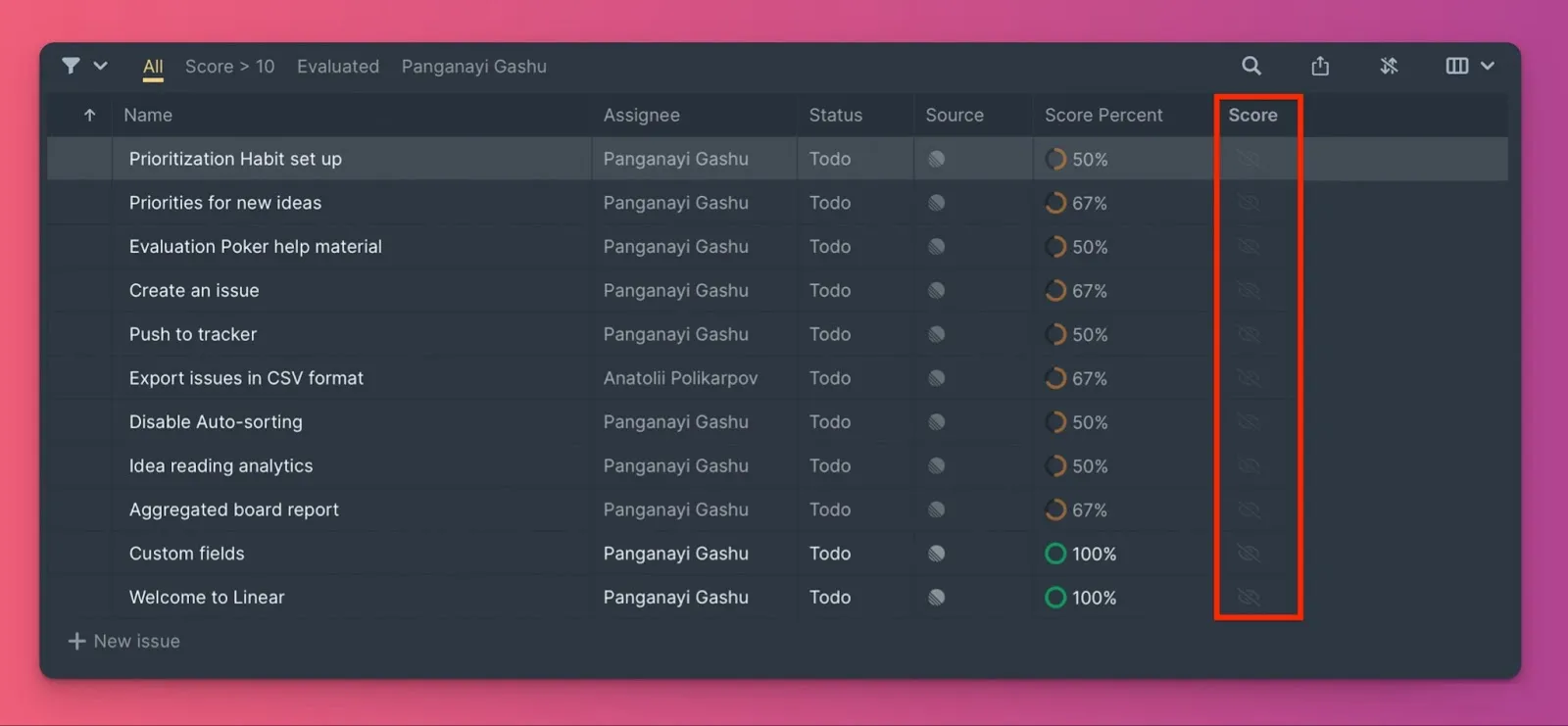
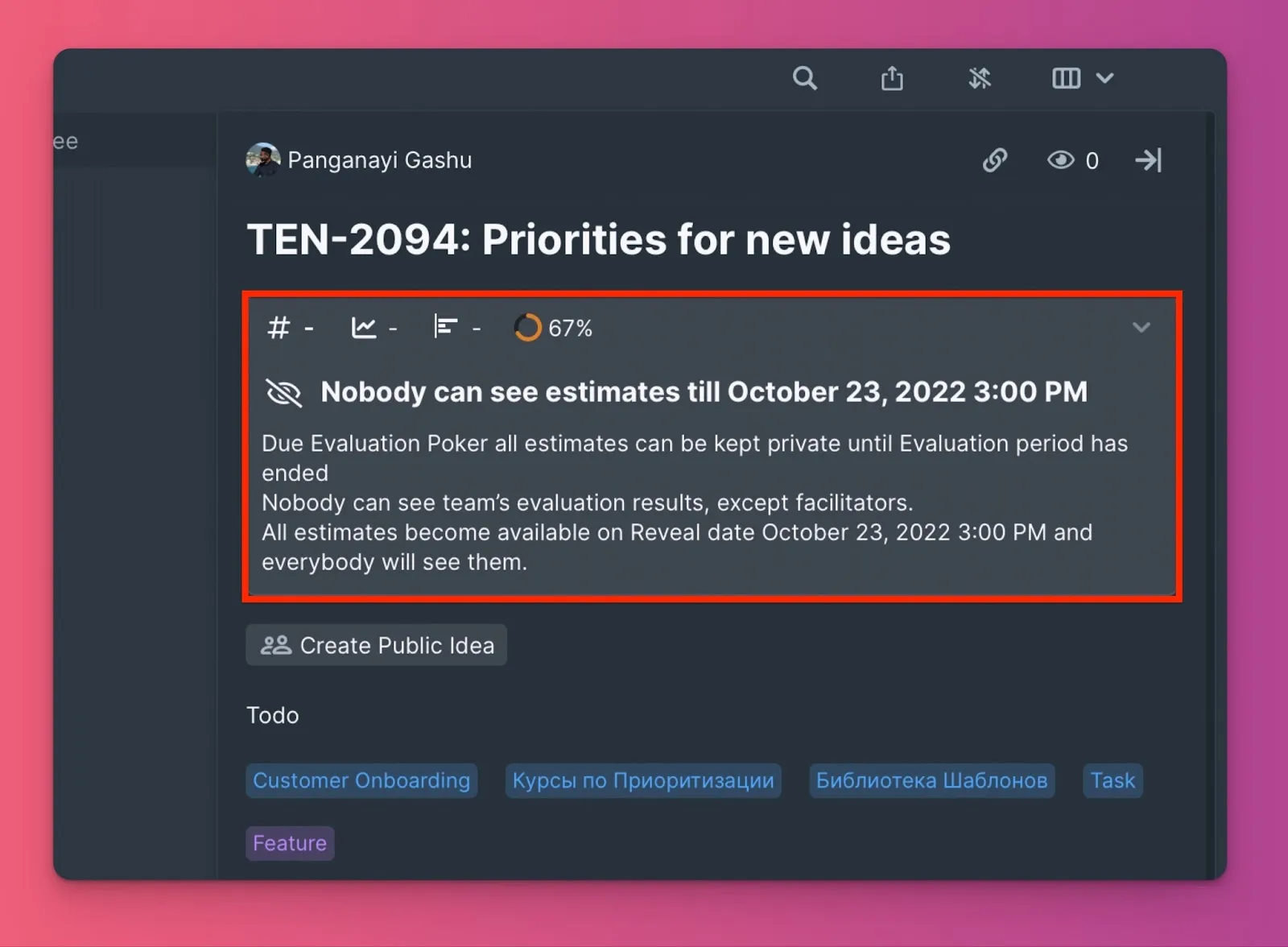
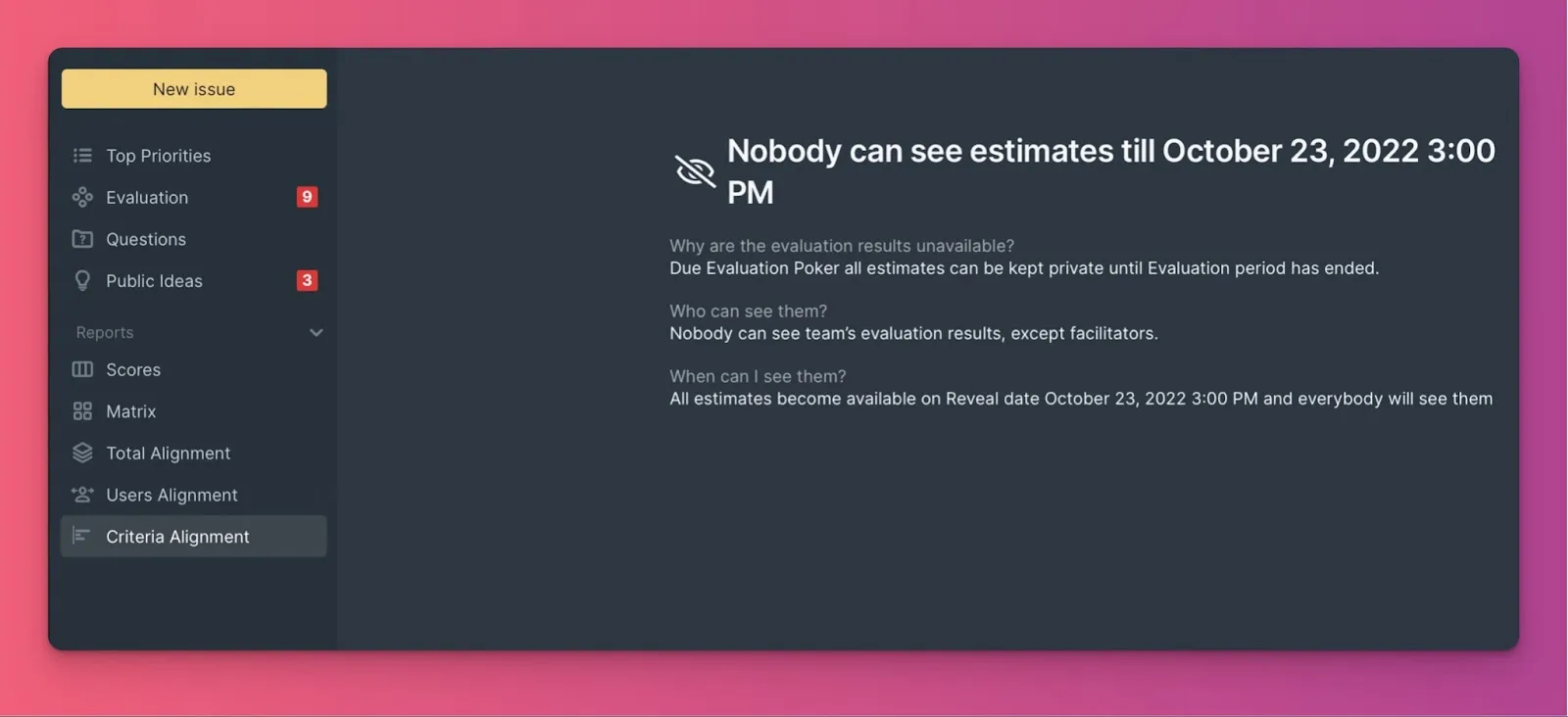
During Evaluation Poker, scores are hidden in these locations:
Backlog page
Re-evaluation block in Issue cards
Matrix page
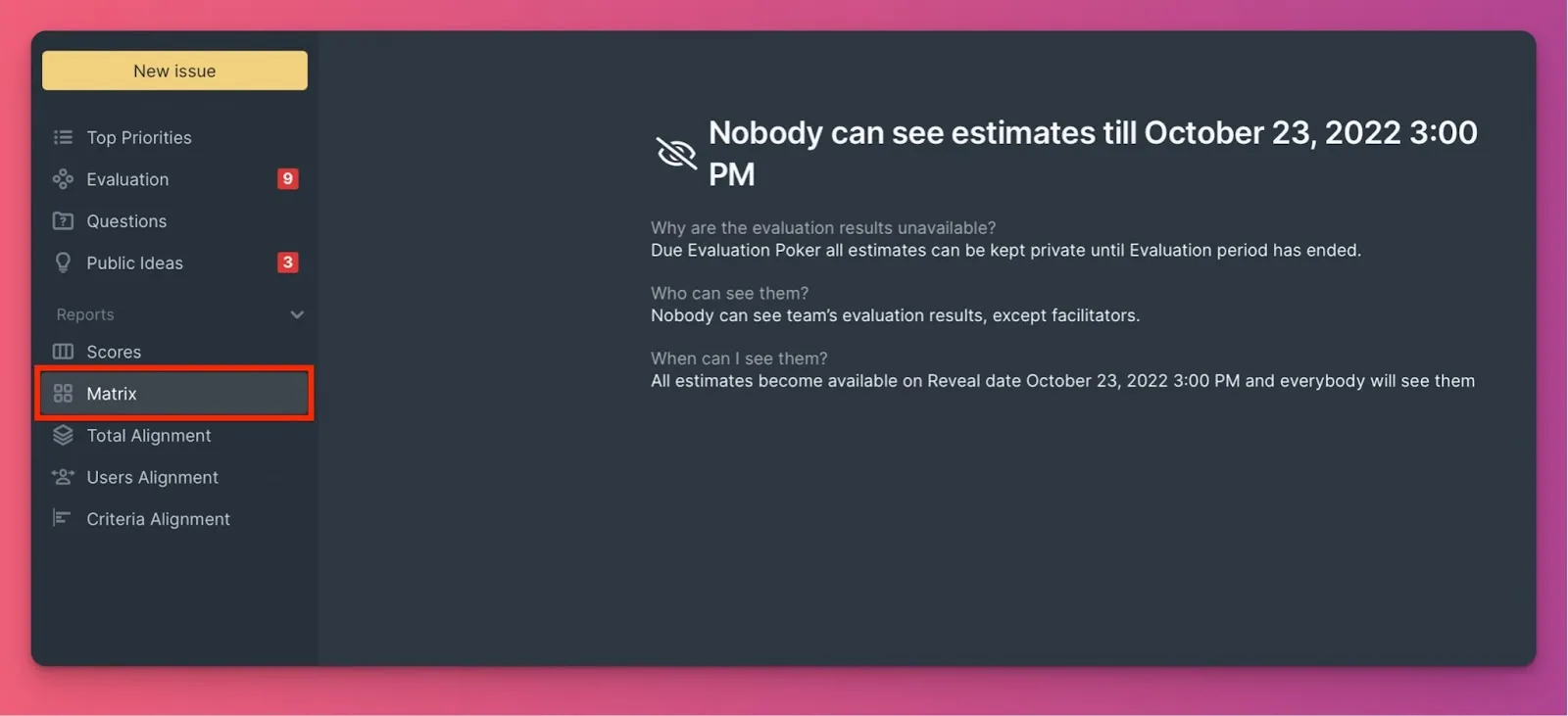
Alignment pages
After Reveal, all scores become visible and the team can discuss them.
Re-evaluation resolves Issues with low Alignment.
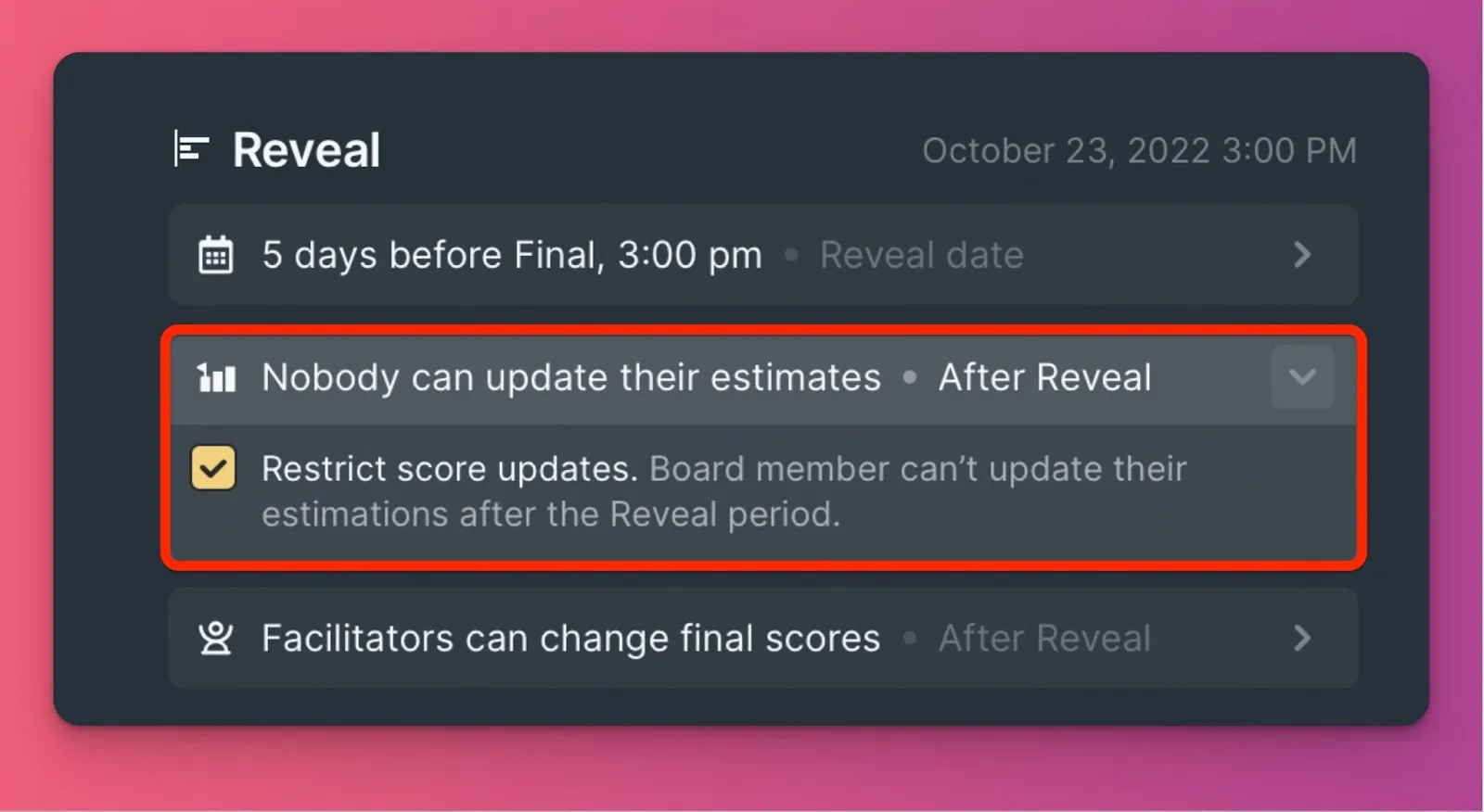
Block score editing after Reveal
Admins can prevent Estimators from changing their scores after Reveal. When enabled:
- Estimators can edit their scores freely during Evaluation
- After Reveal, only Facilitators can edit scores
- Prevents Estimators from changing scores after seeing others' scores
- Focuses discussion on existing scores rather than score editing