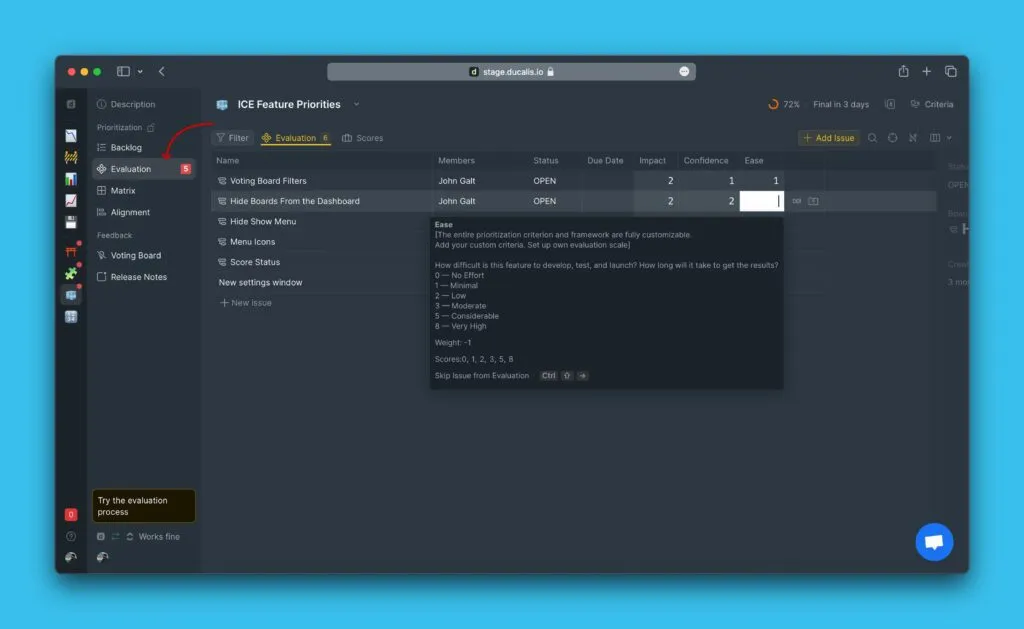
Total Score formula
The Total Score formula calculates the priority ranking for Issues on the Backlog page. You'll choose which formula best fits your prioritization framework.
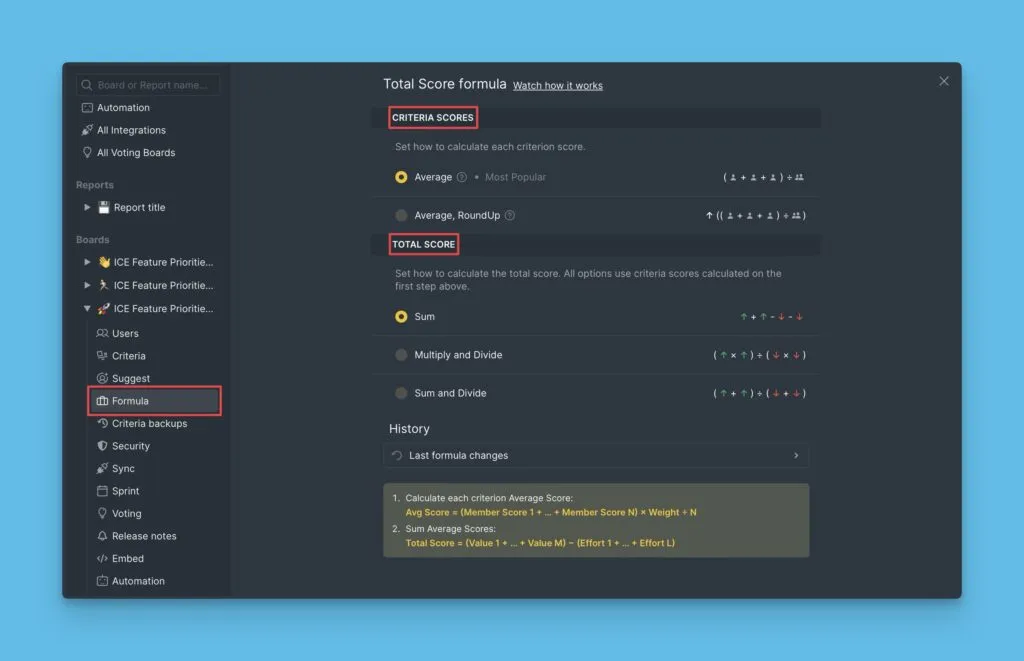
The calculation happens in two stages:
- Calculate the Criterion Score for each criterion
- Calculate the Total Score from all Criterion Scores
Criterion Score calculation
The first stage calculates a score for each criterion in your framework. You can choose between two methods:
- Average – Standard average of all scores
- Average, RoundUp – Average rounded to nearest value in your scoring series
Average
The Average method adds all scores, divides by the number of scores, then multiplies by the criterion weight.
Formula:
Average Criterion Score (ACx) = Sum of Scores (∑Sn) ÷ Number of Scores (NS) × Criterion Weight (Wx)
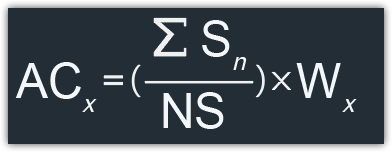
So we calculate:
Criterion X Average Score = ((Score 1 + Score 2 + Score 3 + Score n) / N Scores) * Weight X
Example:
3 users evaluated 2 criteria—Sales and Effort.
- Sales has weight +3 and scores: 2, 3, 2
- Effort has weight -2 and scores: 0, 2, 1
Calculations:
- Sales Average Score = ((2 + 3 + 2) ÷ 3) × 3 = 7
- Effort Average Score = ((0 + 2 + 1) ÷ 3) × -2 = -2
Average, RoundUp
This method works like Average but rounds decimal results to the nearest value in your scoring series.
This formula works best with the Fibonacci series, commonly used in the WSJF prioritization framework.
If you're using the Fibonacci series (0, 1, 2, 3, 5, 8, 13, 21) and calculate an average of 6.357, the result rounds up to 8 (the nearest value in the series).
Formula:
Average Criterion Score (ACx) = Sum of Scores (∑Sn) ÷ Number of Scores (NS) × Criterion Weight (Wx), then round to nearest series value
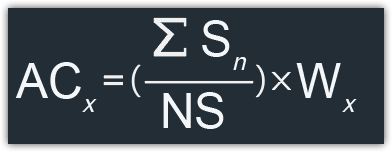
So we calculate:
Criterion X Average Score = ((Score 1 + Score 2 + Score 3 + Score n) / N Scores) * Weight X
Example:
3 users evaluated 2 criteria—Activation and Back time. Both use the Fibonacci series.
- Activation has weight +2 and scores: 5, 1, 1
- Back time has weight -1 and scores: 8, 21, 2
Calculations:
- Activation Average Score = ((5 + 1 + 1) ÷ 3) × 2 = 4.667 → rounds to 5
- Back time Average Score = ((8 + 21 + 2) ÷ 3) × -1 = -10.333 → rounds to -13
Total Score calculation
The second stage combines all Criterion Scores into a single Total Score. You can choose between three methods:
- Sum – Add all value and effort scores
- Product Value ÷ Product Effort – Multiply value scores, divide by multiplied effort scores
- Sum Value ÷ Sum Effort – Add value scores, divide by added effort scores
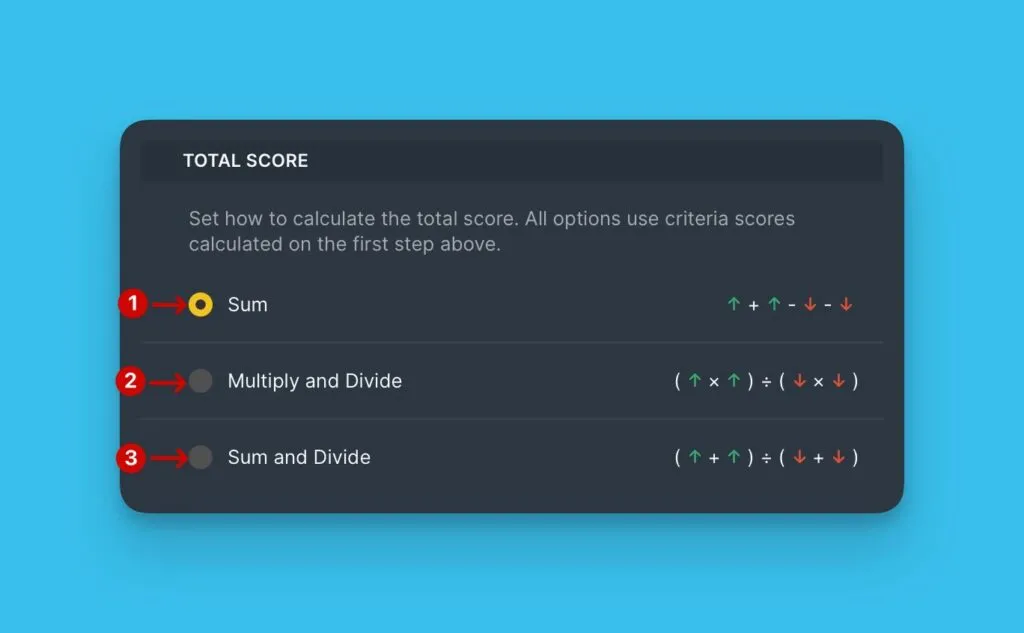
Sum of value and effort
Add all Criterion Scores (both value and effort criteria).
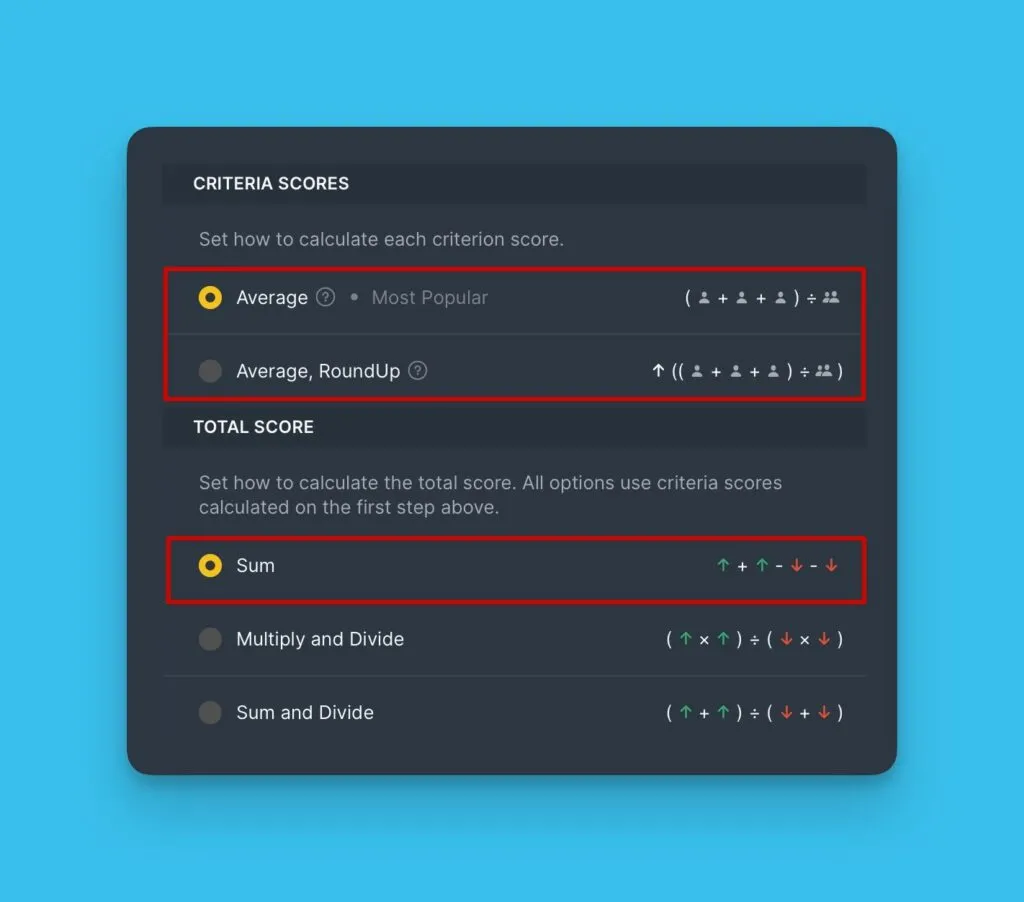
Formula:
Total Score (TS) = Sum of Average Criterion Scores (∑ACn)
So we calculate:
-
Criterion X Average Score = ((Score 1 + Score 2 + Score 3 + Score n) / N Scores) * Weight X
-
Total Score = Criterion A average score + Criterion B average score + Criterion X average score
Example:
3 users evaluated 2 criteria—Sales and Effort.
- Sales has weight +3 and scores: 2, 3, 2
- Effort has weight -2 and scores: 0, 2, 1
Calculations:
- Sales Score = ((2 + 3 + 2) ÷ 3) × 3 = 7
- Effort Score = ((0 + 2 + 1) ÷ 3) × -2 = -2
- Total Score = 7 + (-2) = 5
Product of value ÷ Product of effort
Multiply all value criterion scores, then divide by the product of all effort criterion scores.
Use only the Average or Average, RoundUp methods for Criterion Scores with this formula. Don't use negative weights for effort criteria.
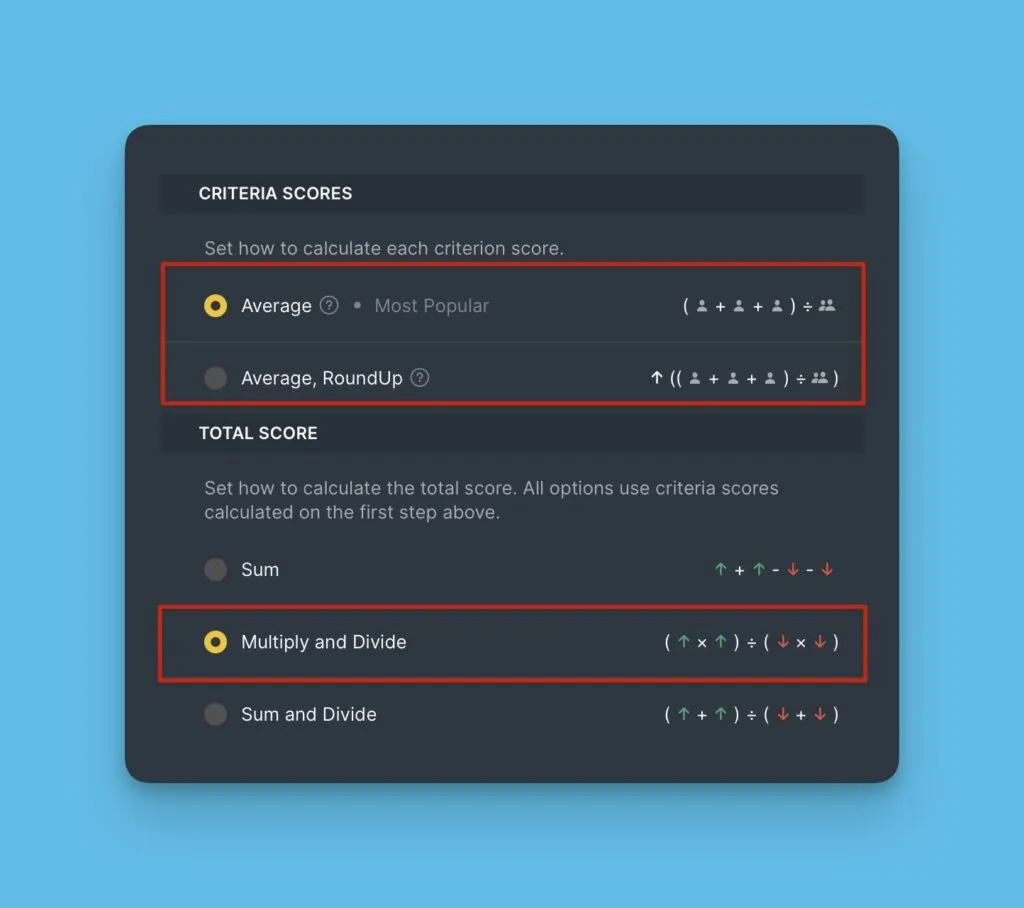
This formula lets you set up the original RICE prioritization framework.
Formula:
Total Score (TS) = Product of Value Scores (ACval) ÷ Product of Effort Scores (ACeff)
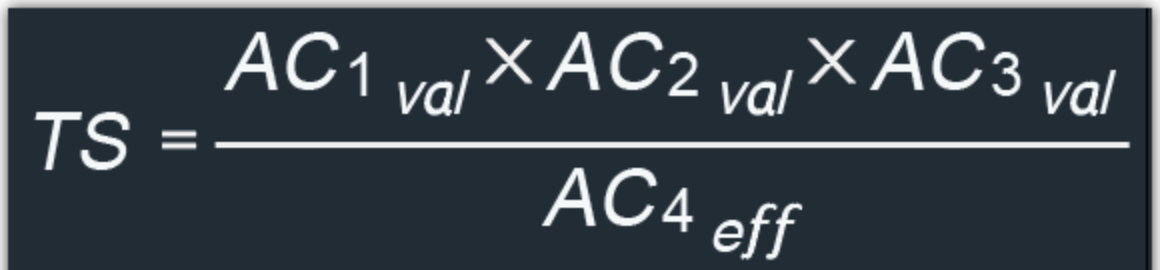
So we calculate:
-
Criterion X Average Score = ((Score 1 + Score 2 + Score 3 + Score n) / N Scores) * Weight X
-
Total Score = (Criterion A (val) × Criterion B (val) × Criterion C (val)) ÷ (Criterion D (eff) × Criterion E (eff))
Example:
3 users evaluated 4 criteria—Reach, Impact, Confidence, and Effort.
- Reach (Value, weight +1): 500, 700, 300
- Impact (Value, weight +0.1): 3, 1, 5
- Confidence (Value, weight +0.25): 80%, 95%, 65%
- Effort (Effort, weight +0.5): 5, 2, 8
Calculations:
-
Reach = ((500 + 700 + 300) × 1) ÷ 3 = 500
-
Impact = ((3 + 1 + 5) × 0.1) ÷ 3 = 0.7
-
Confidence = (((80 + 95 + 65) × 0.25) ÷ 3) ÷ 100 = 0.2
tipWhen using percentages as scores, divide the average score by 100.
-
Effort = ((5 + 2 + 8) × 0.5) ÷ 3 = 2.5
-
Total Score = (500 × 0.7 × 0.2) ÷ 2.5 = 28
Sum of value ÷ Sum of effort
Add all value criterion scores, then divide by the sum of all effort criterion scores.
Don't use negative weights for effort criteria with this formula.
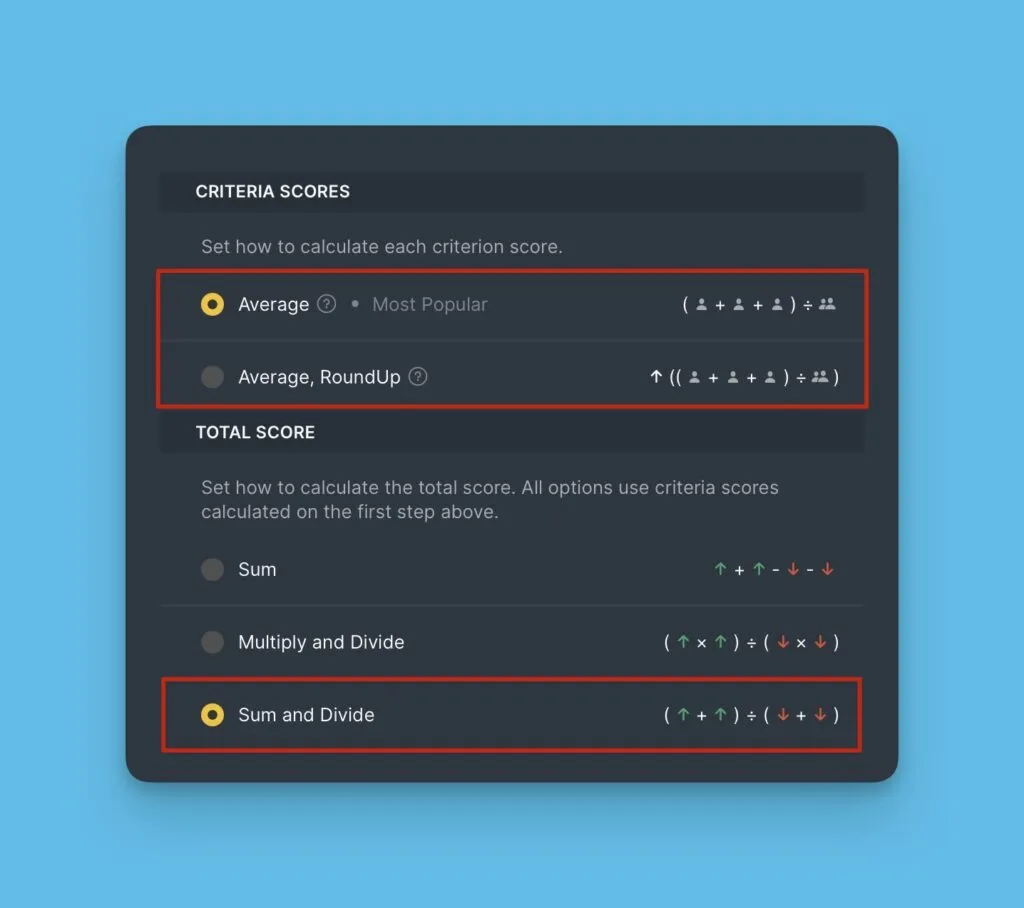
This formula lets you set up the original WSJF framework.
Formula:
Total Score (TS) = Sum of Value Scores (∑ACval) ÷ Sum of Effort Scores (∑ACeff)
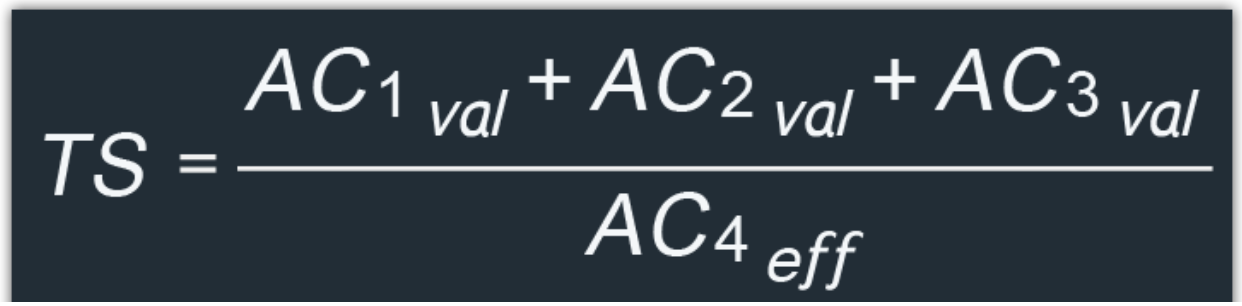
So we calculate:
-
Criterion X Average Score = ((Score 1 + Score 2 + Score 3 + Score n) / N Scores) * Weight X
-
Total Score = (Criterion A (val) + Criterion B (val) + Criterion C (val)) ÷ (Criterion D (eff) + Criterion E (eff))
Example:
3 users evaluated 4 criteria—User Value, Time Criticality, Risk Reduction, and Job Size.
- User Value (Value, weight +2): 8, 13, 20
- Time Criticality (Value, weight +1): 3, 1, 5
- Risk Reduction (Value, weight +1.5): 13, 5, 5
- Job Size (Effort, weight +0.5): 5, 2, 8
Calculations:
- User Value = ((8 + 13 + 20) × 2) ÷ 3 = 27.3
- Time Criticality = ((3 + 1 + 5) × 1) ÷ 3 = 3
- Risk Reduction = ((13 + 5 + 5) × 1.5) ÷ 3 = 11.5
- Job Size = ((5 + 2 + 8) × 0.5) ÷ 3 = 2.5
- Total Score = (27.3 + 3 + 11.5) ÷ 2.5 = 16.7
Testing different formulas
You can experiment with different formulas and see how they affect your priority rankings in real-time.
At the bottom of the Total Score Formula settings, you'll find hints explaining how your chosen formulas work.
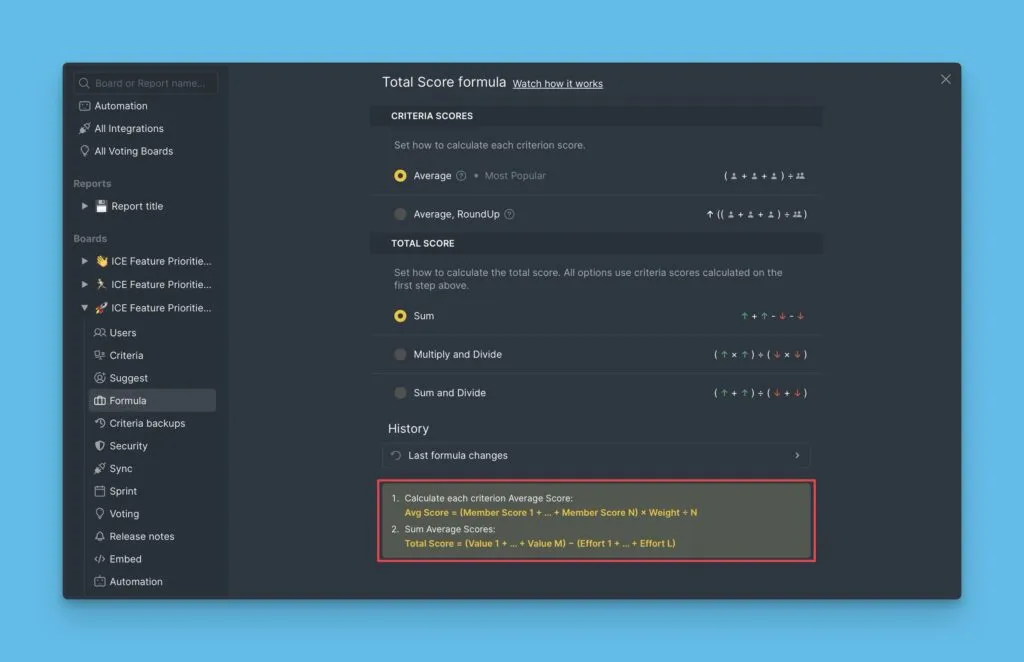
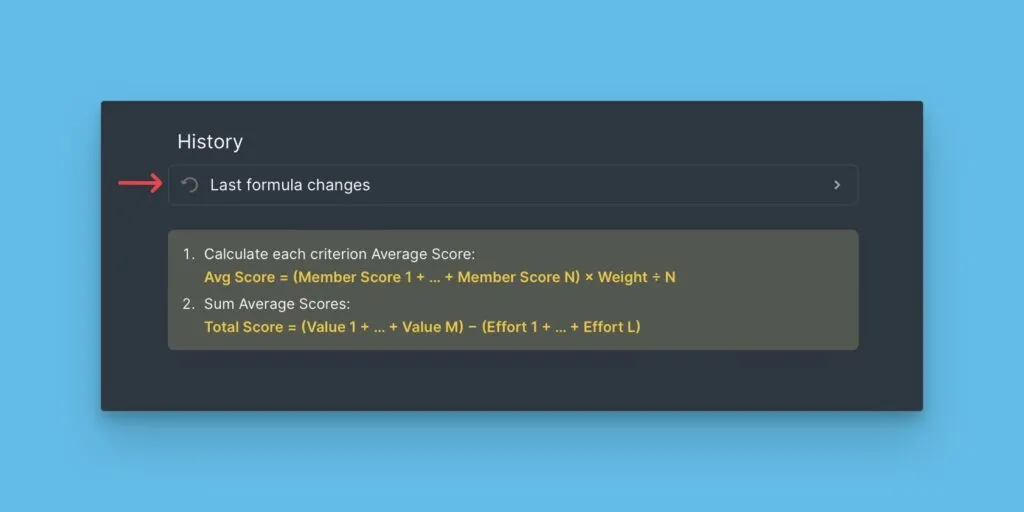
You can also view the complete history of formula changes.
What's next
Now that you've set up your formulas, evaluate your backlog with your teammates.