Schritt 6. Priorisierungsergebnisse mit einem Task Tracker synchronisieren
Sync Back sendet deine Priorisierungsergebnisse automatisch an deinen Task Tracker und hält die Backlog-Prioritäten über Systeme hinweg synchron. Arbeite an Aufgaben in Prioritätsreihenfolge, ohne zwischen Tools zu wechseln.
Sync Back Integrationen
Ducalis integriert sich mit diesen Task Trackern:
- Sync Back mit Jira Cloud
- Sync Back mit Jira Server
- Sync Back mit Asana
- Sync Back mit ClickUp
- Sync Back mit Trello
- Sync Back mit YouTrack
- Sync Back mit GitHub
Sync Back Einstellungen aufrufen
-
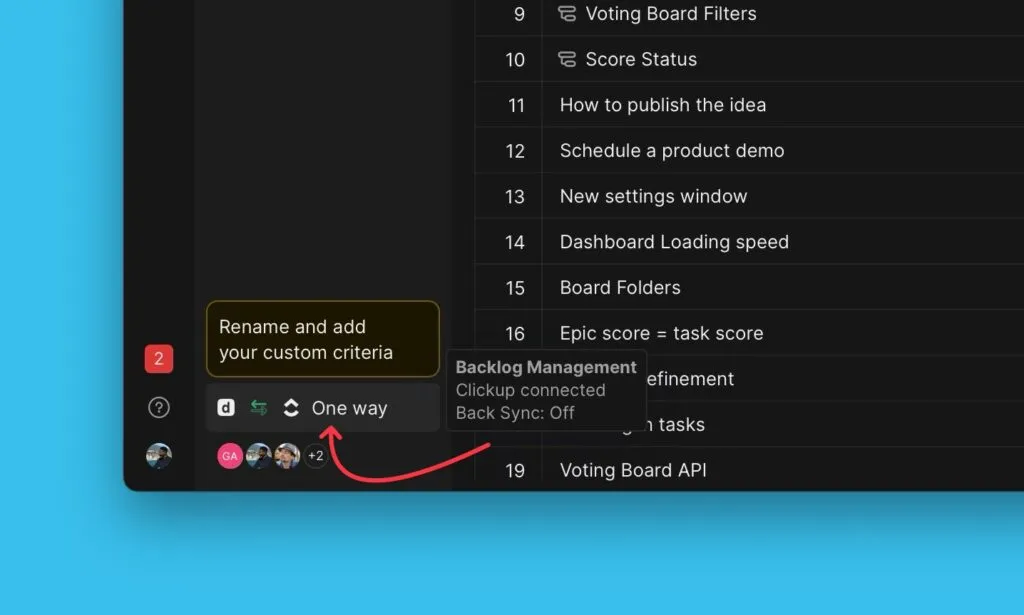
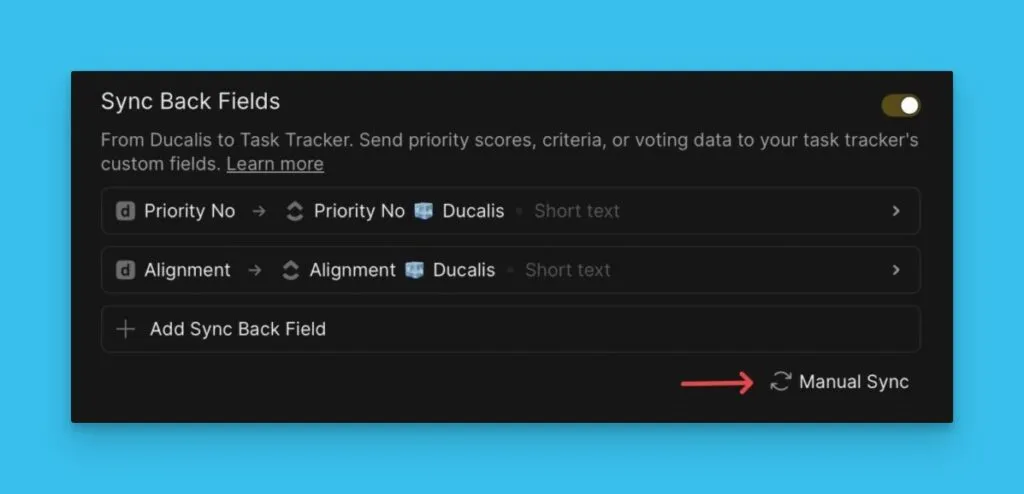
Klicke auf das Sync-Symbol in der unteren rechten Ecke.
-
Gehe zu Sync Back Fields (Sync Back Felder).
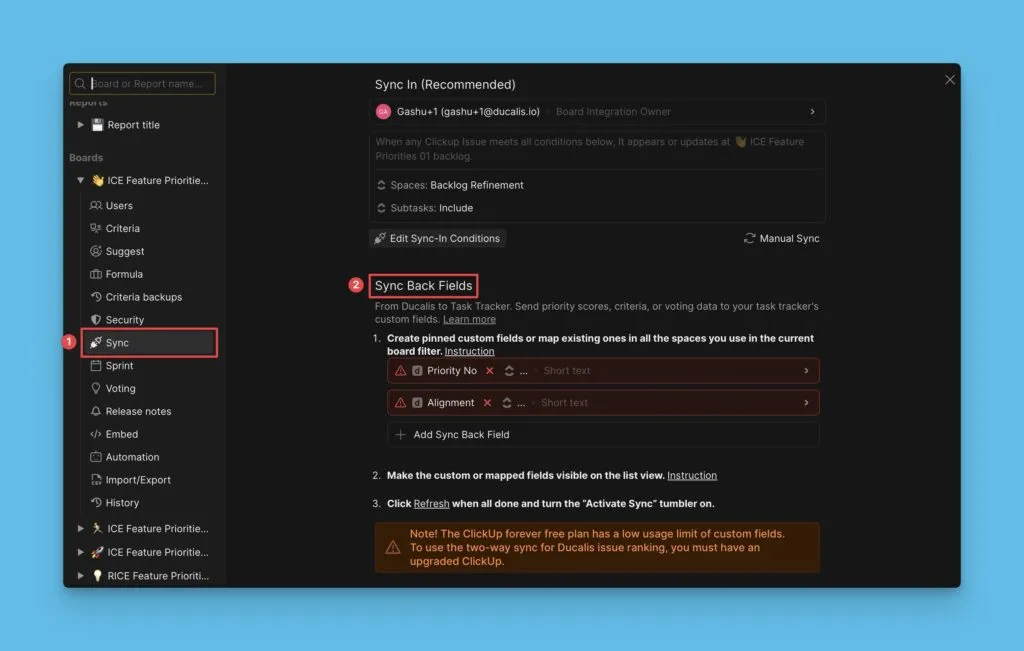
Standardfelder
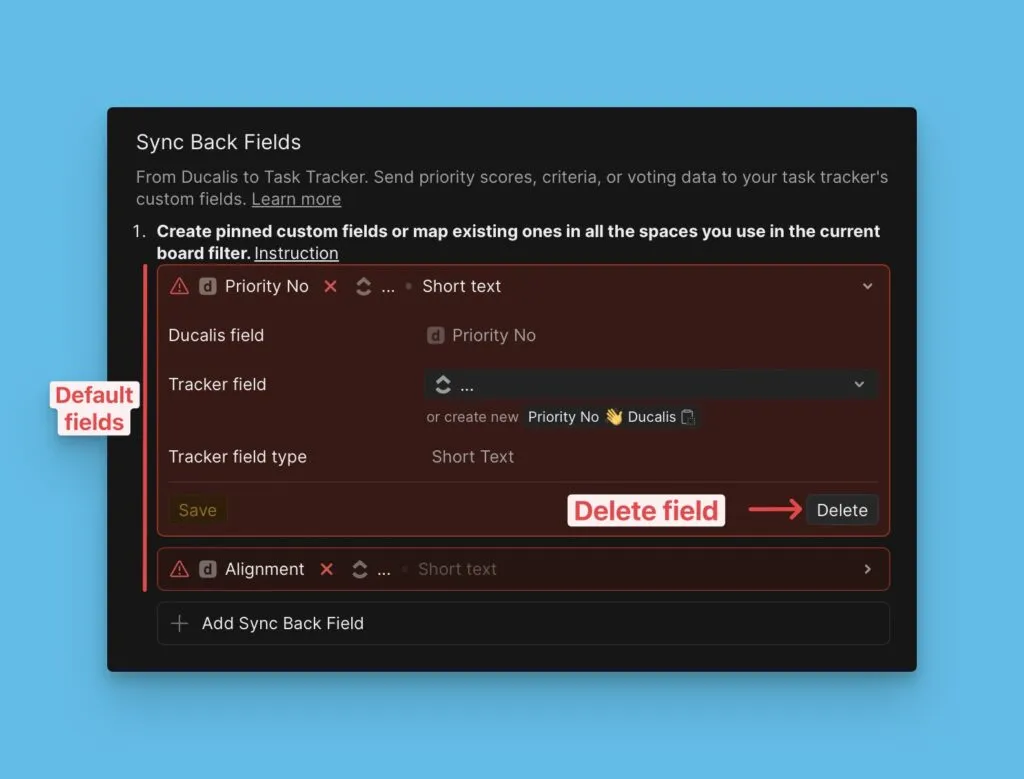
Zwei Standardfelder werden automatisch synchronisiert:
- Priority No {emoji} Ducalis – Prioritätsranking des Vorgangs
- Alignment {emoji} Ducalis – Links zu Vorgängen in Ducalis
Lösche diese Felder aus der Synchronisierungsliste, wenn du sie nicht benötigst.
Weitere Felder hinzufügen
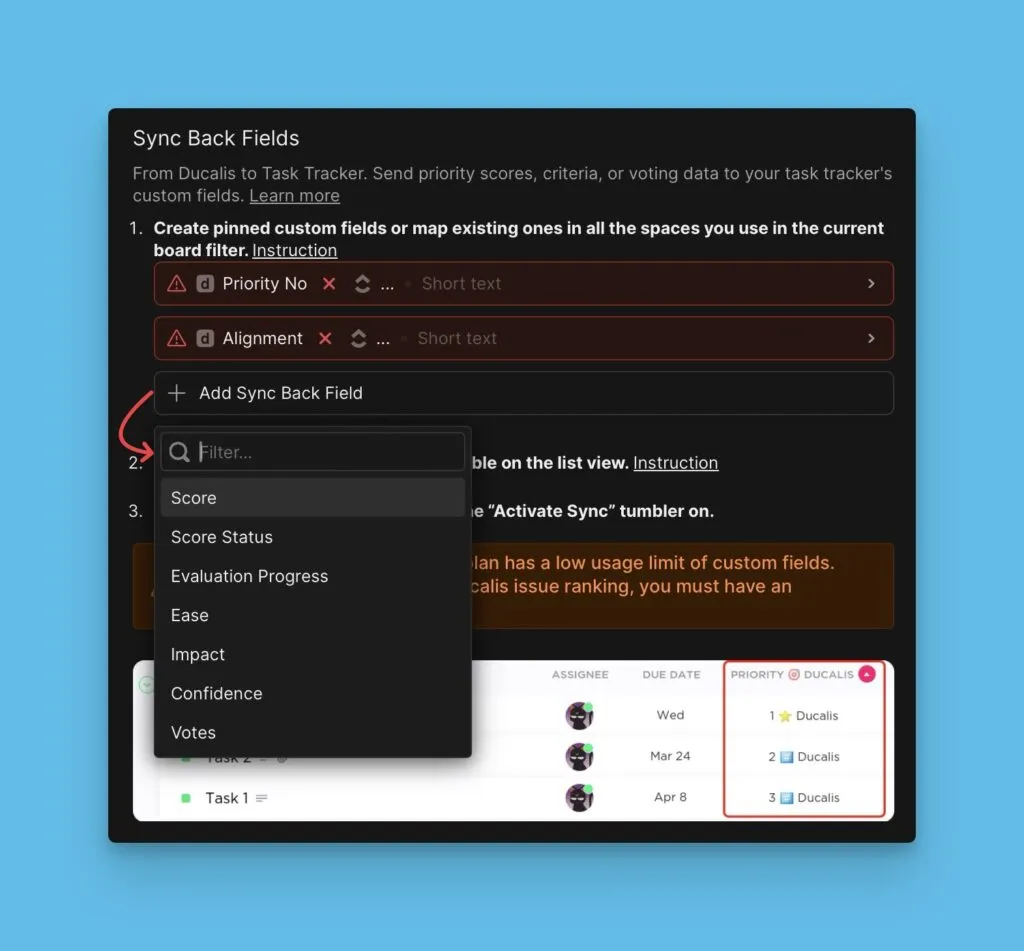
Klicke auf Add field (Feld hinzufügen), um zusätzliche Daten zu synchronisieren:
- Score Ducalis – Gesamte Vorgangswertungen
- Score Status Ducalis – Status der Bewertungsabschluss
- Score Percent Ducalis – Fortschritt der Bewertung in Prozent
- Criteria fields (Kriterienfelder) – Einzelne Kriteriumswertungen
Custom Fields in deinem Tracker erstellen
Einige Task Tracker erfordern Custom Fields, bevor du Sync Back aktivierst:
Erstelle diese Custom Fields in deinem Tracker, bevor du fortfährst.
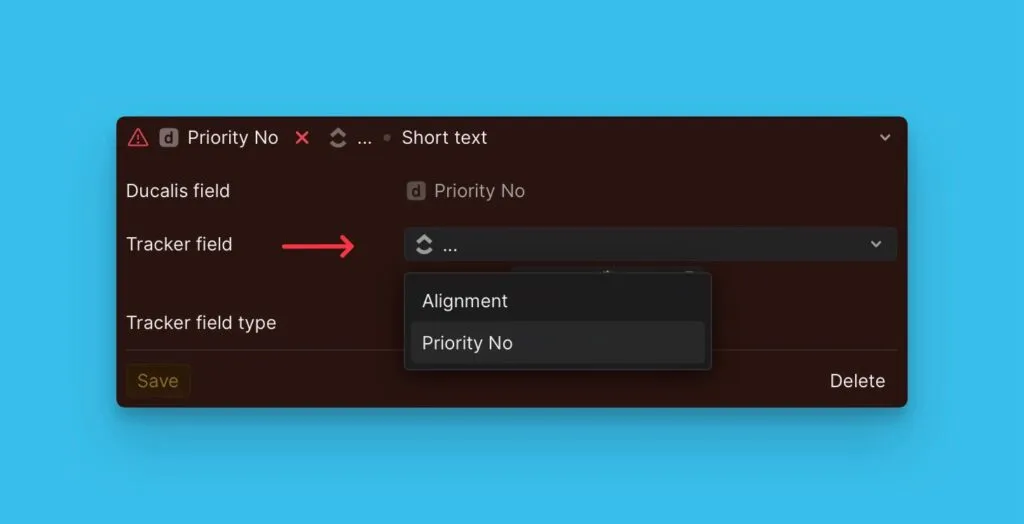
Felder zu vorhandenen Tracker-Feldern zuordnen
Wenn dein Tracker bereits Custom Fields hat, ordne sie Ducalis Feldern zu, anstatt neue zu erstellen.
Siehe Field Mapping für Details.
Sync Back planen
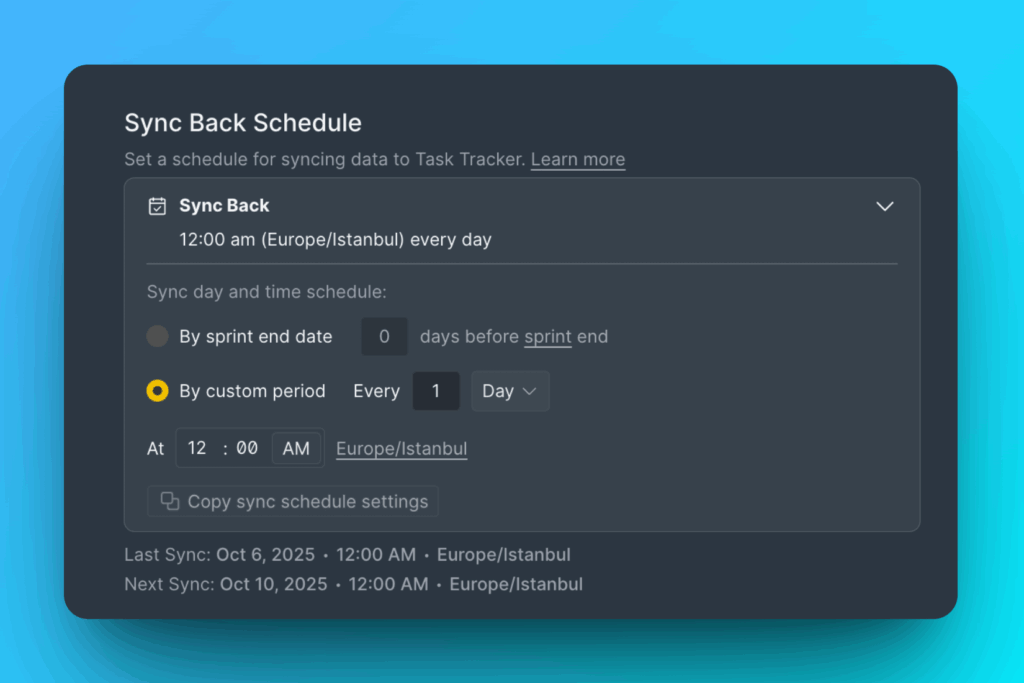
Sync Back läuft nach einem Zeitplan vor Sprint-Ende. Wähle aus zwei Optionen:
- By sprint end date (Nach Sprint-Enddatum) – Synchronisiert basierend auf dem Sprint-Zeitplan
- By custom period (Nach benutzerdefiniertem Zeitraum) – Lege einen bestimmten Tag und eine Uhrzeit fest
Manuelle Synchronisierung
Klicke auf Manual Sync (Manuelle Synchronisierung), um Daten sofort zu synchronisieren, ohne auf die geplante Zeit zu warten.
Was wird synchronisiert
Sync Back sendet Daten aus Ducalis Feldern, die während der Priorisierung generiert wurden:
- Prioritätsrankings
- Übereinstimmungsmetriken
- Gesamtwertungen
- Bewertungsstatus und -fortschritt
- Einzelne Kriteriumswertungen