Definições e Funcionalidades Avançadas
Depois de concluir a configuração básica e priorizar o seu Backlog uma ou duas vezes, explore estas funcionalidades avançadas para aperfeiçoar o seu fluxo de trabalho de priorização.
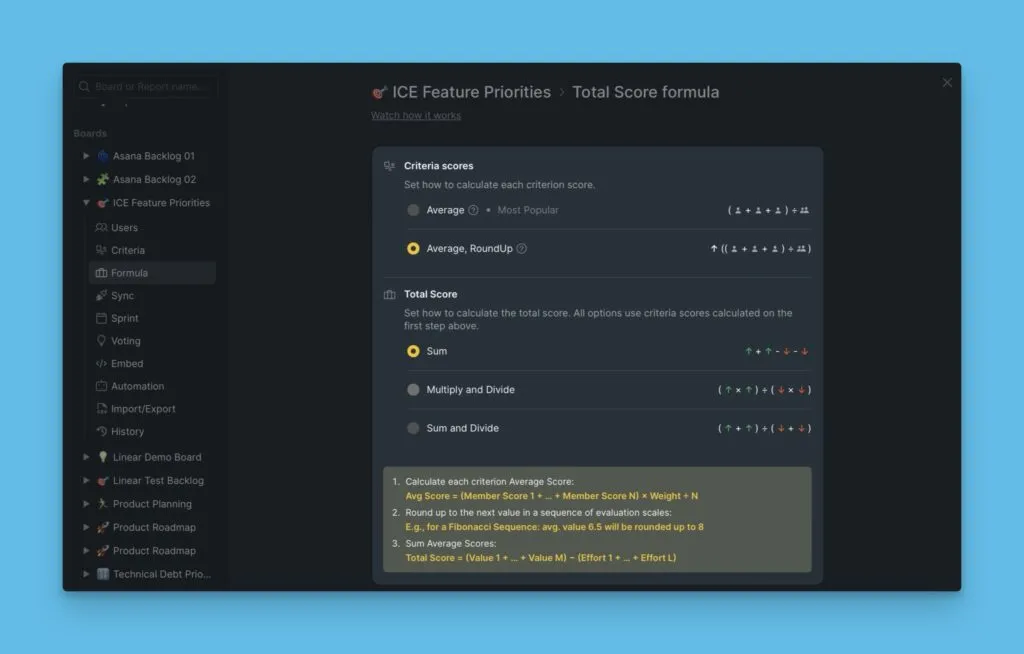
Fórmula de pontuação total
A fórmula de pontuação total calcula a classificação dos Itens após a Avaliação. A fórmula predefinida funciona para a maioria das equipas, mas pode personalizá-la para corresponder ao seu enquadramento de priorização.
Leia mais sobre personalizar a fórmula de pontuação total.
Alinhamento
A Avaliação colaborativa ajuda as equipas a alinharem-se nas prioridades. O relatório de Alinhamento mostra quão bem a sua equipa concorda na pontuação e destaca áreas onde é necessária discussão.
Convide pelo menos um membro da equipa e ambos avaliem o Backlog para ver os resultados de Alinhamento.
Leia mais sobre utilizar relatórios de Alinhamento.

Planeamento de Sprint
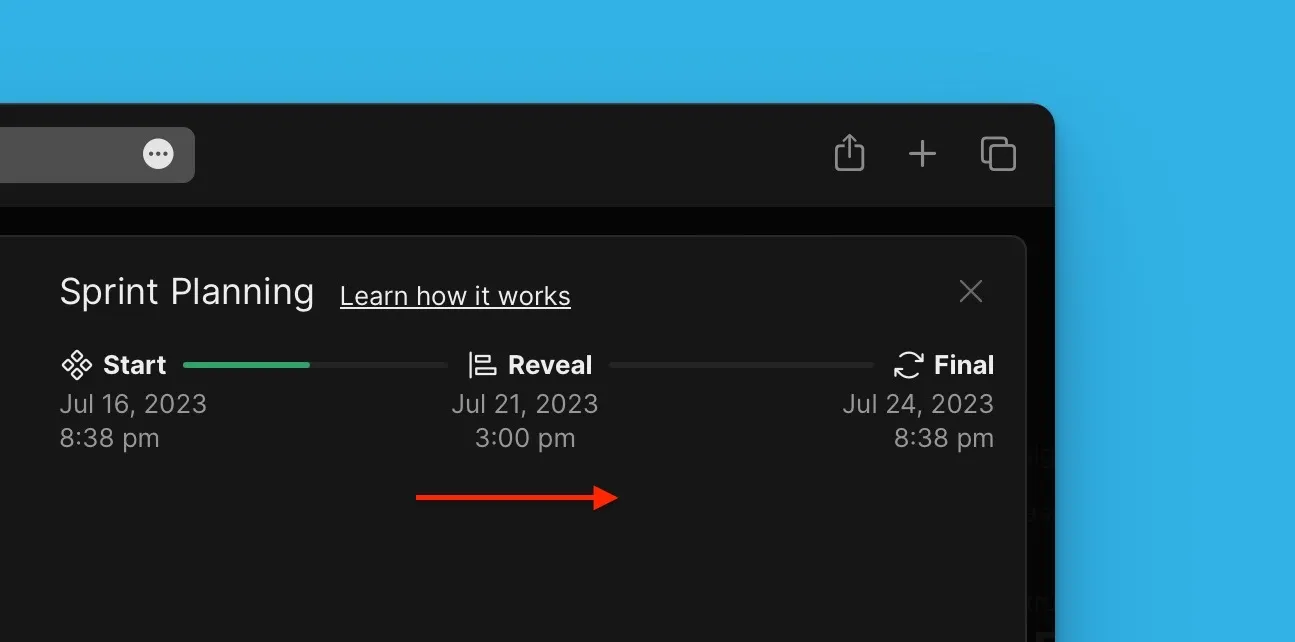
Planeie os seus sprints configurando ciclos de avaliação e prazos. Defina por quanto tempo os resultados de priorização permanecem válidos antes de exigir reavaliação.
Leia mais sobre definições de planeamento de Sprint.
Póquer de Avaliação
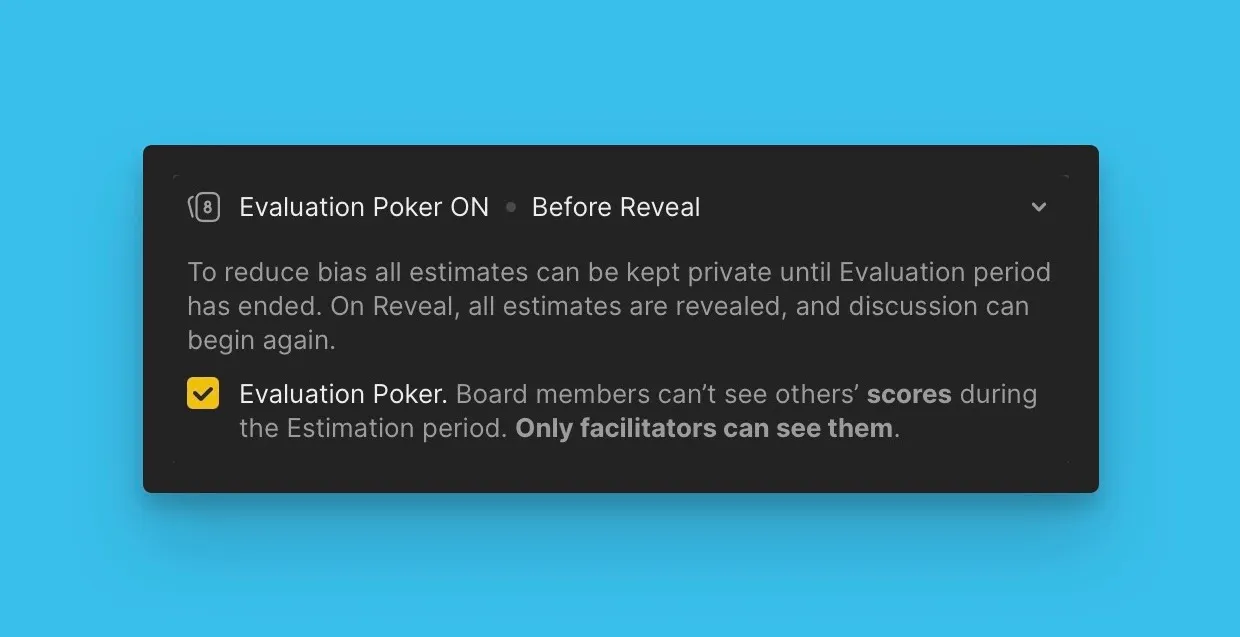
Use o póquer de Avaliação para recolher opiniões imparciais da sua equipa. As pontuações permanecem privadas durante a Avaliação, revelando-se apenas após todos os membros da equipa submeterem as suas classificações.
Leia mais sobre póquer de Avaliação.
Personalização de tabela e filtros
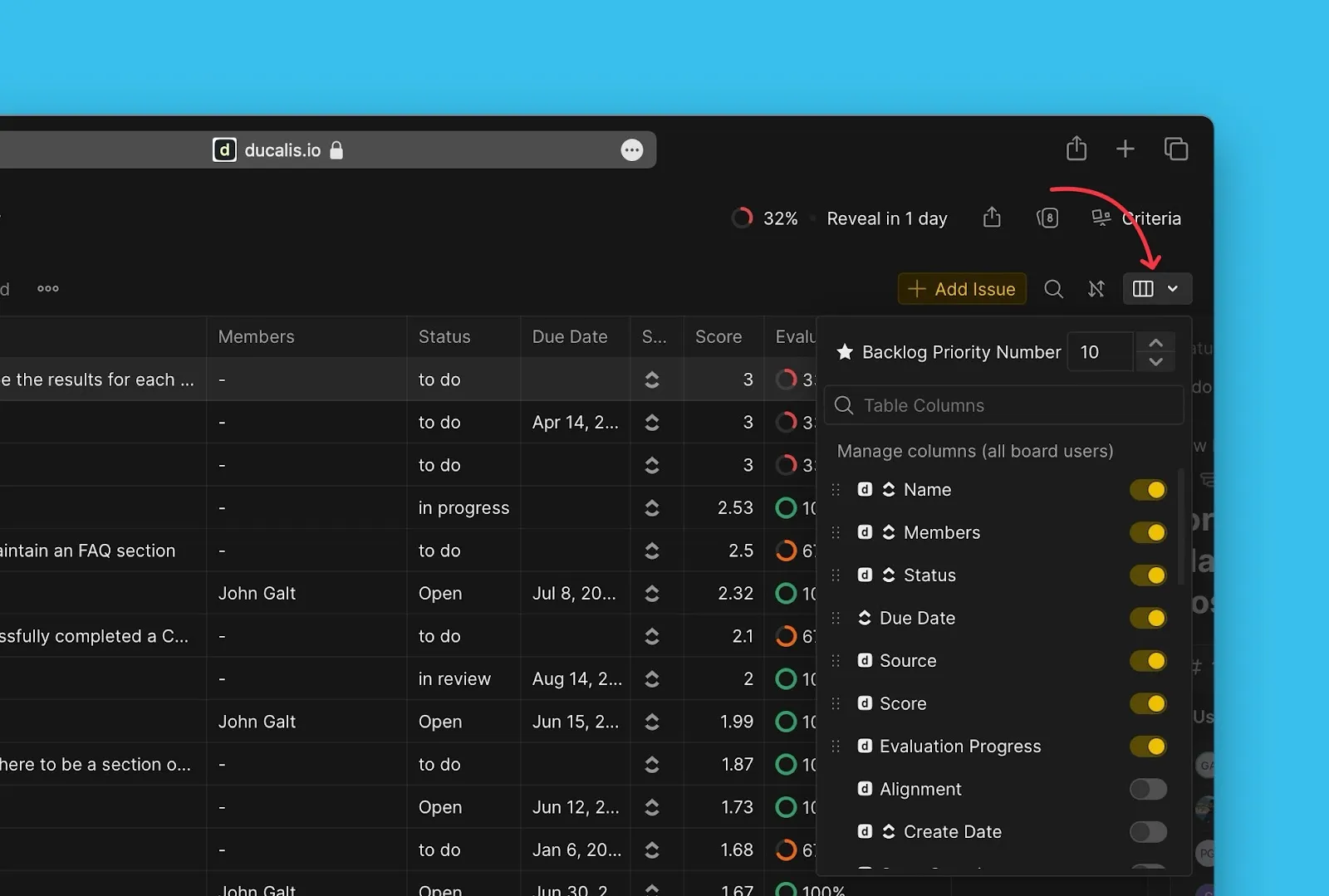
Personalize as colunas da tabela nas páginas de Backlog, Avaliação e Alinhamento. Mostre informação relevante, oculte campos desnecessários e reorganize a ordem das colunas para corresponder ao seu fluxo de trabalho.
Leia mais sobre personalizar colunas de tabela.
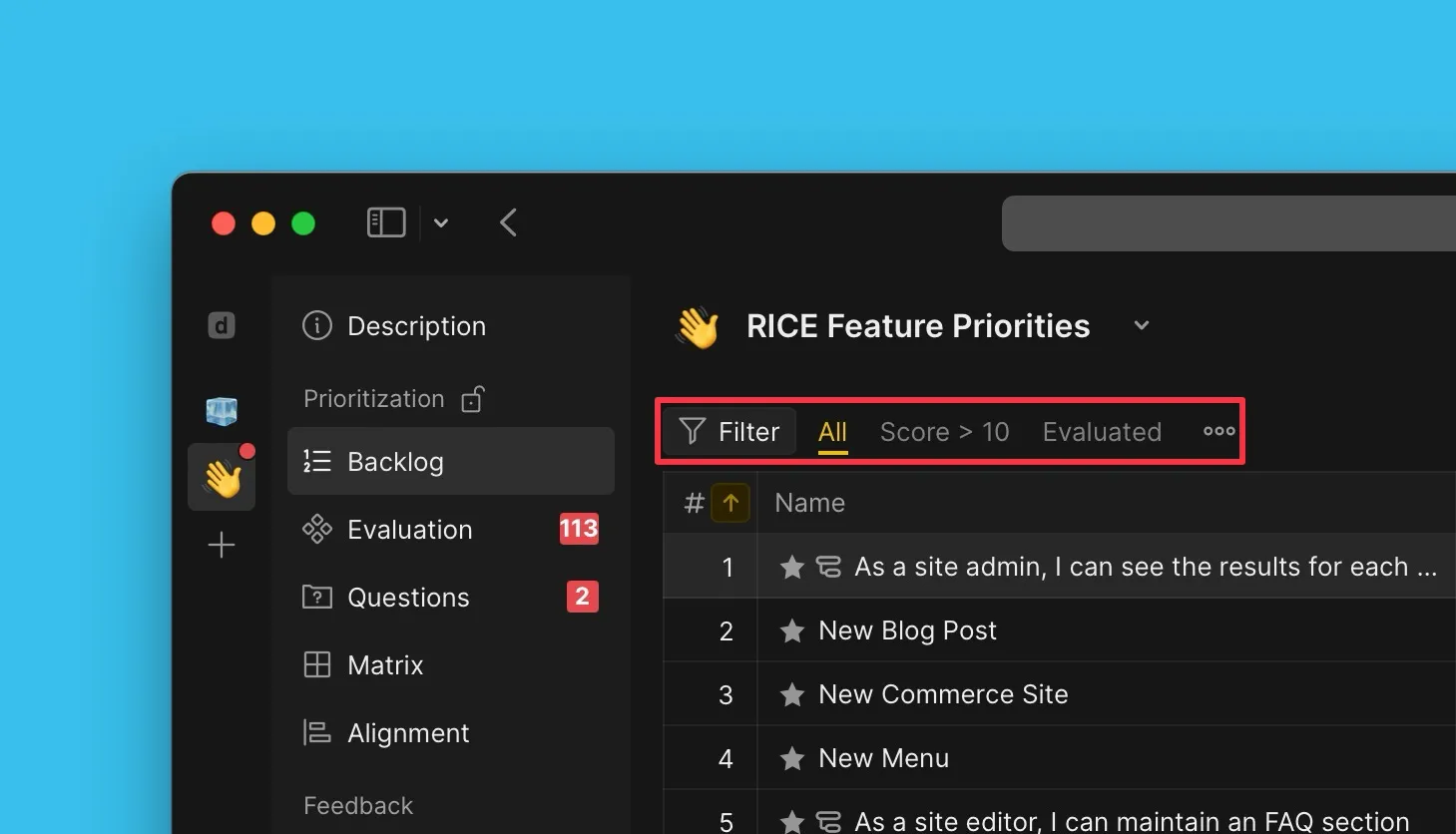
Use filtros para mostrar conjuntos específicos de Itens. Guarde filtros utilizados frequentemente para partilhar com a sua equipa—uma vez guardados, qualquer membro da equipa pode aceder aos mesmos.
Leia mais sobre criar e utilizar filtros.
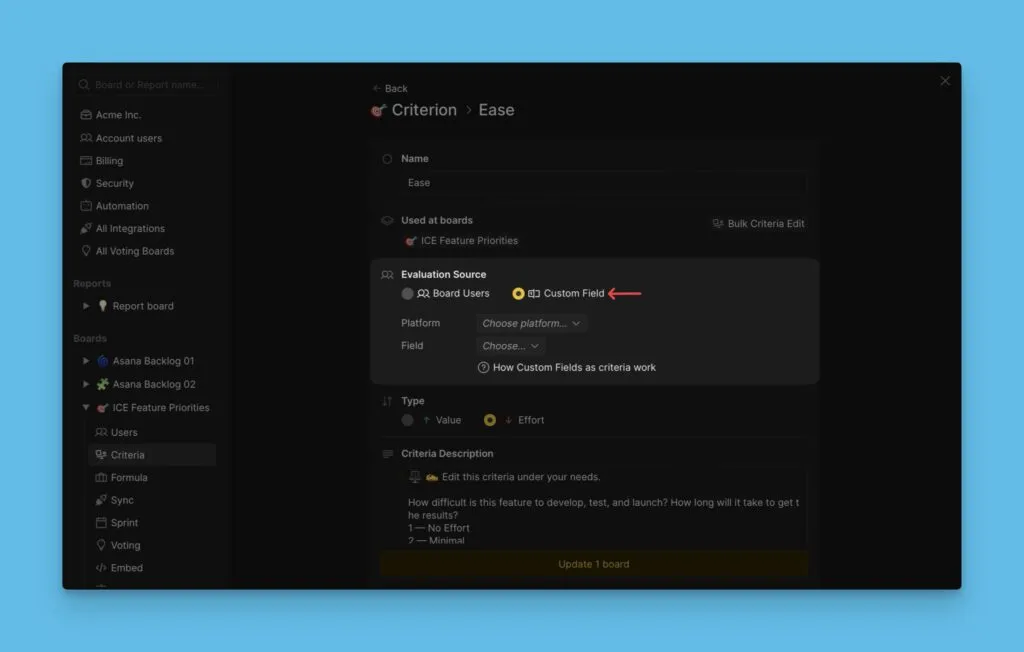
Usar campos personalizados como Critérios
Em vez de criar novos Critérios e pontuar Itens, use dados de campos personalizados existentes do seu gestor de tarefas ou Ducalis como Critérios. Isto aproveita dados que já mantém para priorização.
Leia mais sobre usar campos personalizados como Critérios.
Boards públicos e privados
Controle a visibilidade do Board tornando os Boards privados. Boards privados restringem o acesso apenas a utilizadores autorizados, mantendo informação sensível oculta da Organização mais ampla.
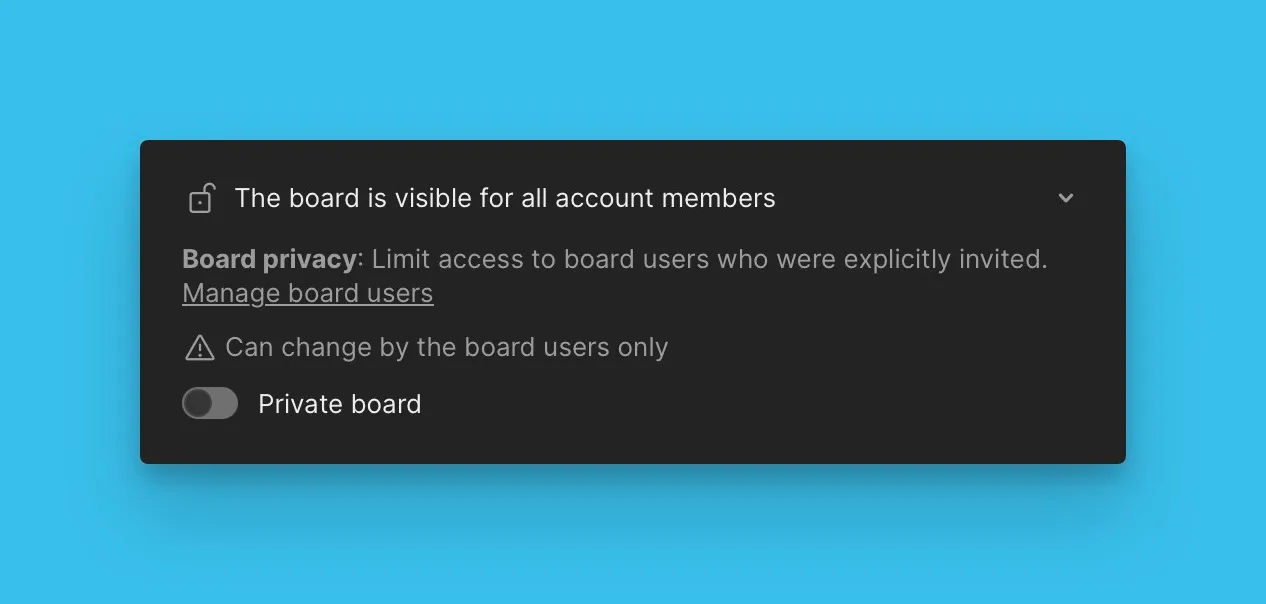
Leia mais sobre Boards públicos e privados.
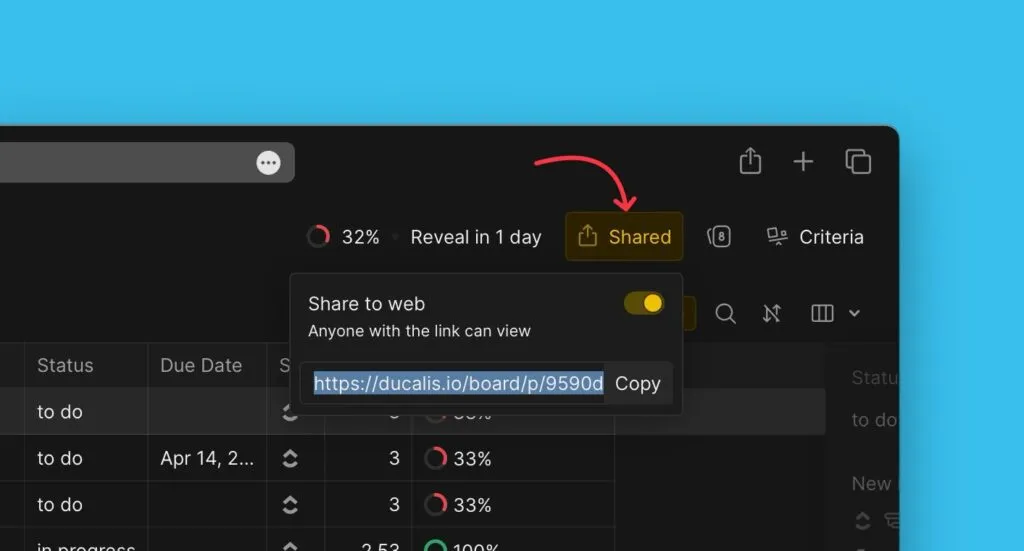
Partilhe links de Board com outros utilizadores. Para Boards privados, os destinatários devem ter acesso ao Board para visualizar o conteúdo partilhado.