Step 5. Connect messenger
Connect your team messenger (Slack, Telegram, or Mattermost) to receive instant notifications when feedback arrives. Centralizing alerts ensures you never miss critical customer input.
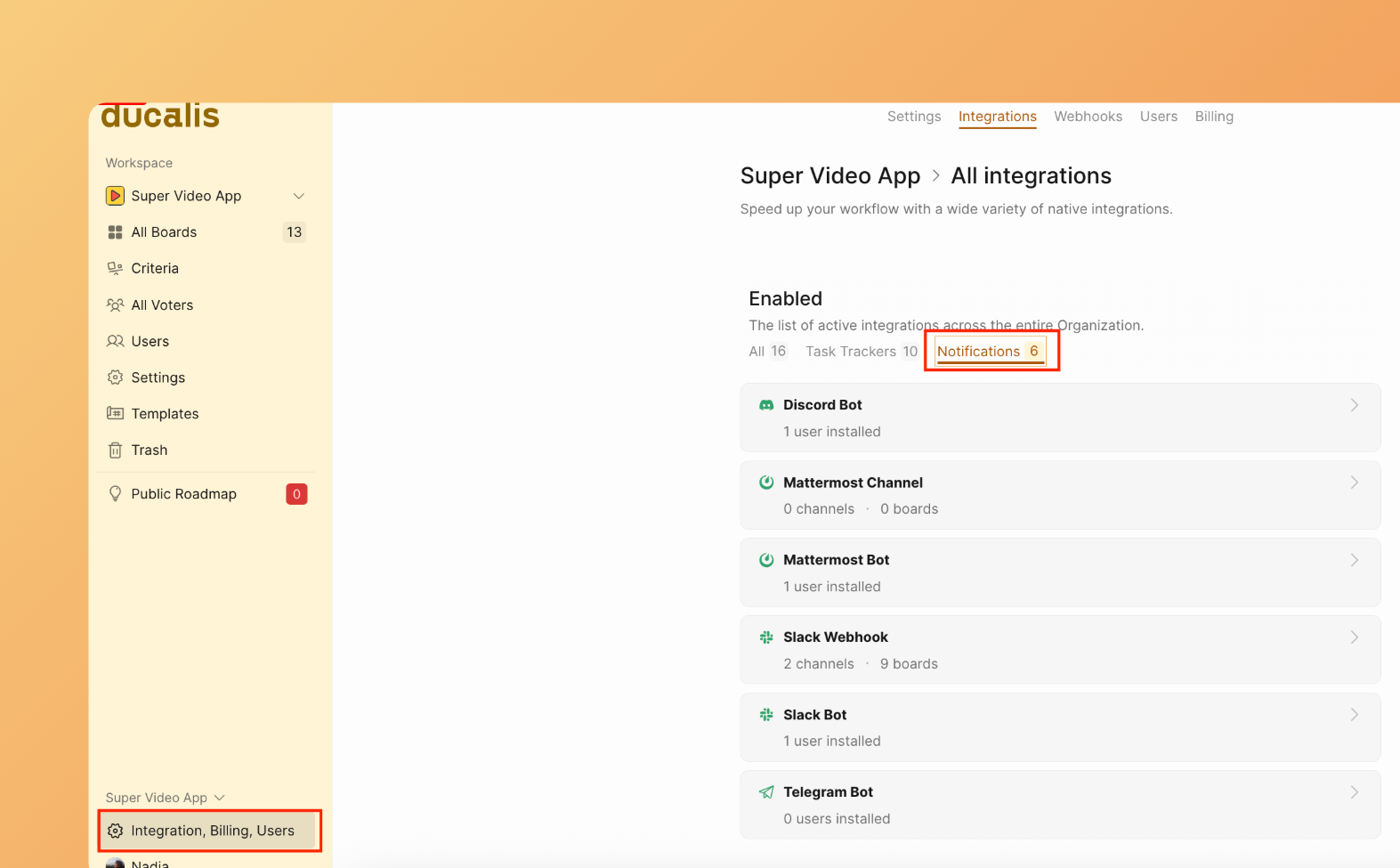
Access settings
-
Go to Integrations.
-
Find the Notifications section.
-
Select your messenger.
Enable notifications
-
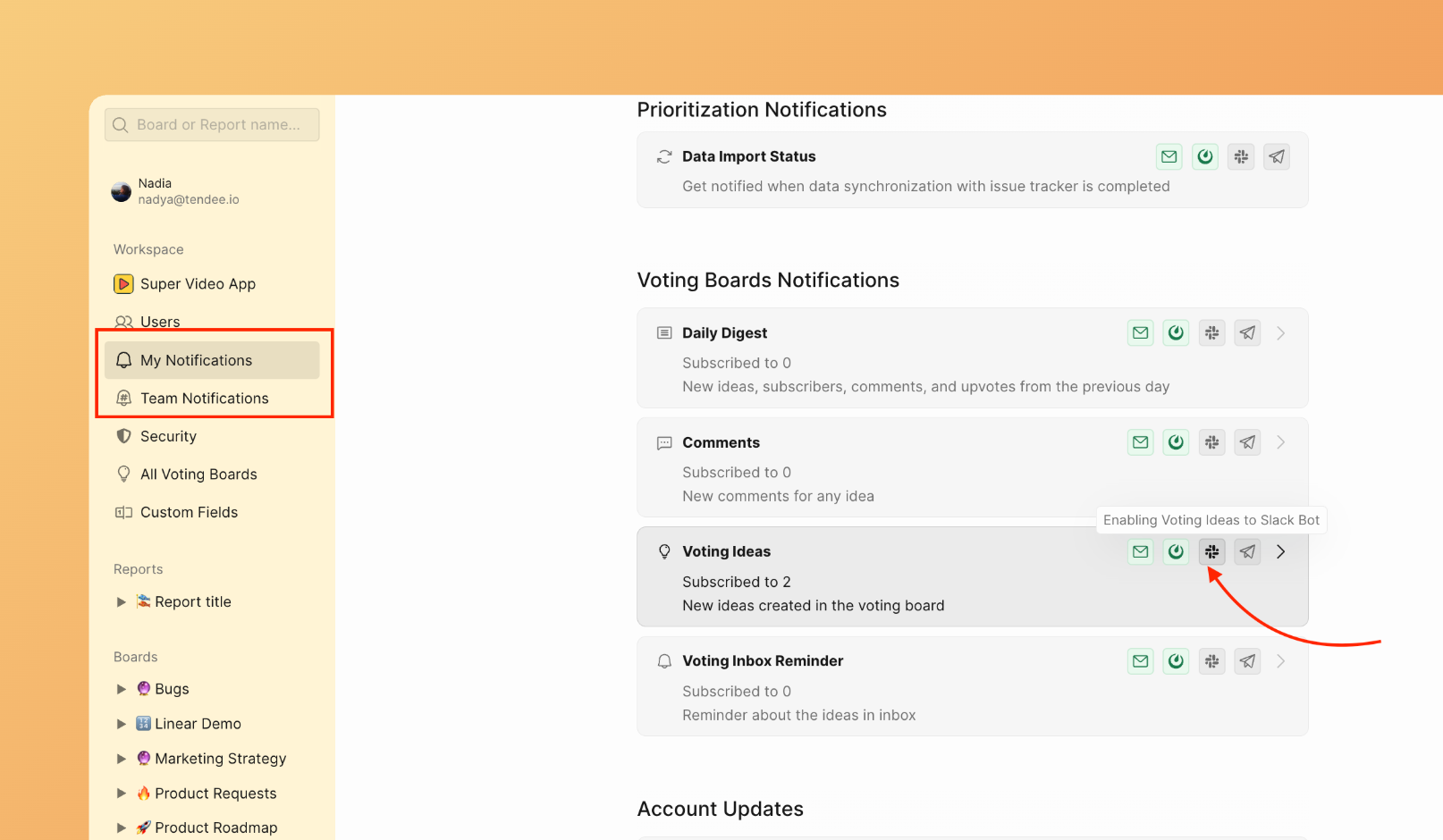
After connecting your messenger, open My Notifications and Team Notifications.
-
Enable Voting Boards notifications to track feedback activity.
Why messenger notifications matter
Every piece of feedback is an opportunity to improve. But if you don't see it in time, that opportunity vanishes.
Without real-time alerts:
- Customers feel ignored when feedback sits unnoticed
- Critical issues go unaddressed and escalate
- Response delays damage trust
With messenger notifications:
- Feedback arrives where you already work
- Quick responses build customer loyalty
- You catch problems before they grow
What's next
Your feedback widget is now set up. See Best practices to maximize feedback collection.