Definition & Benefits
An in-app feedback widget helps you capture user insights at the exact moment they occur. This guide explains what feedback widgets are, why they improve user experience, and when to deploy them for maximum impact.
What is an In-App Feedback Widget?
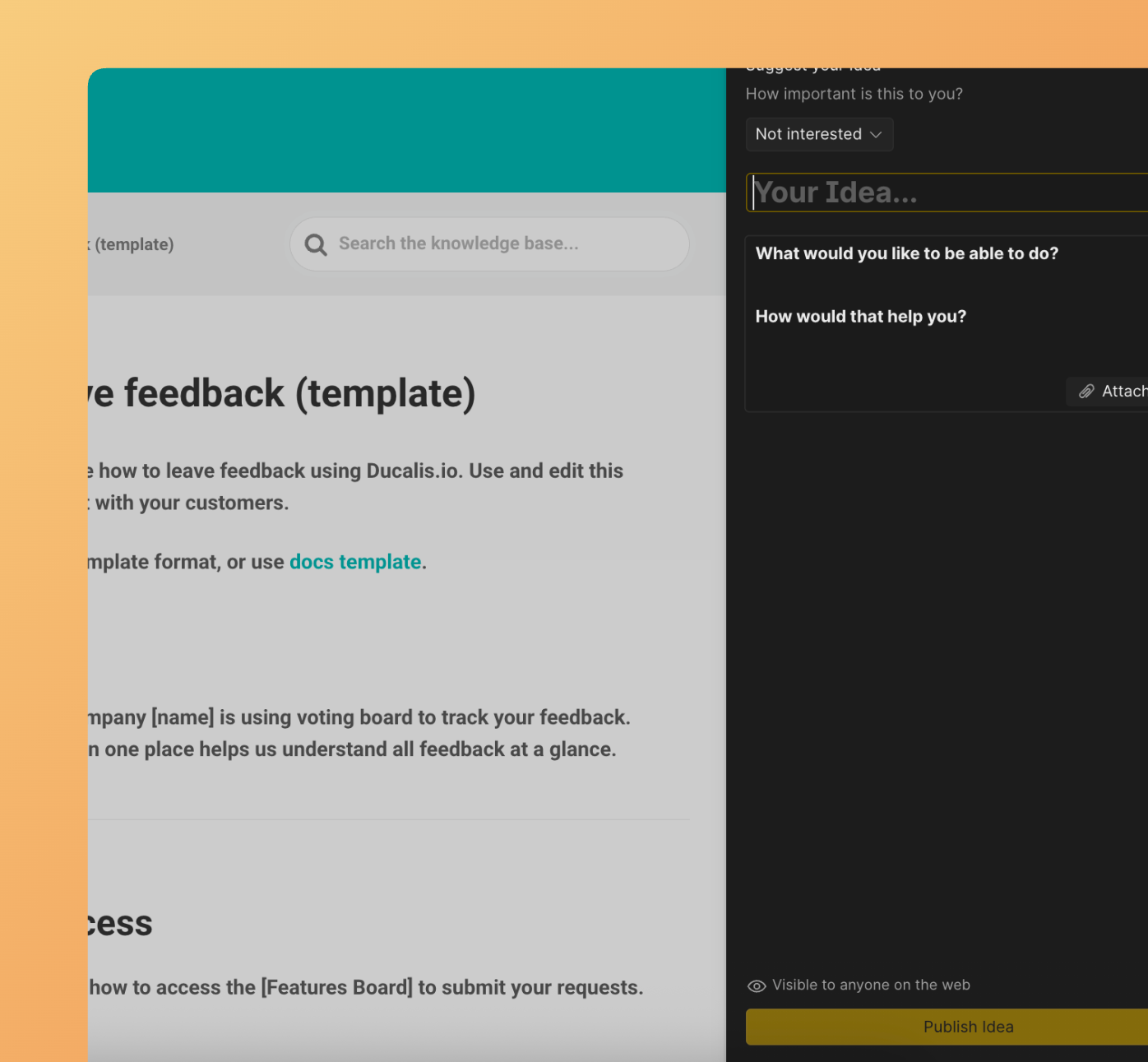
An in-app feedback widget is a small, interactive UI element embedded inside your software or app. It lets users share thoughts, report bugs, and suggest improvements without leaving the page they're on.
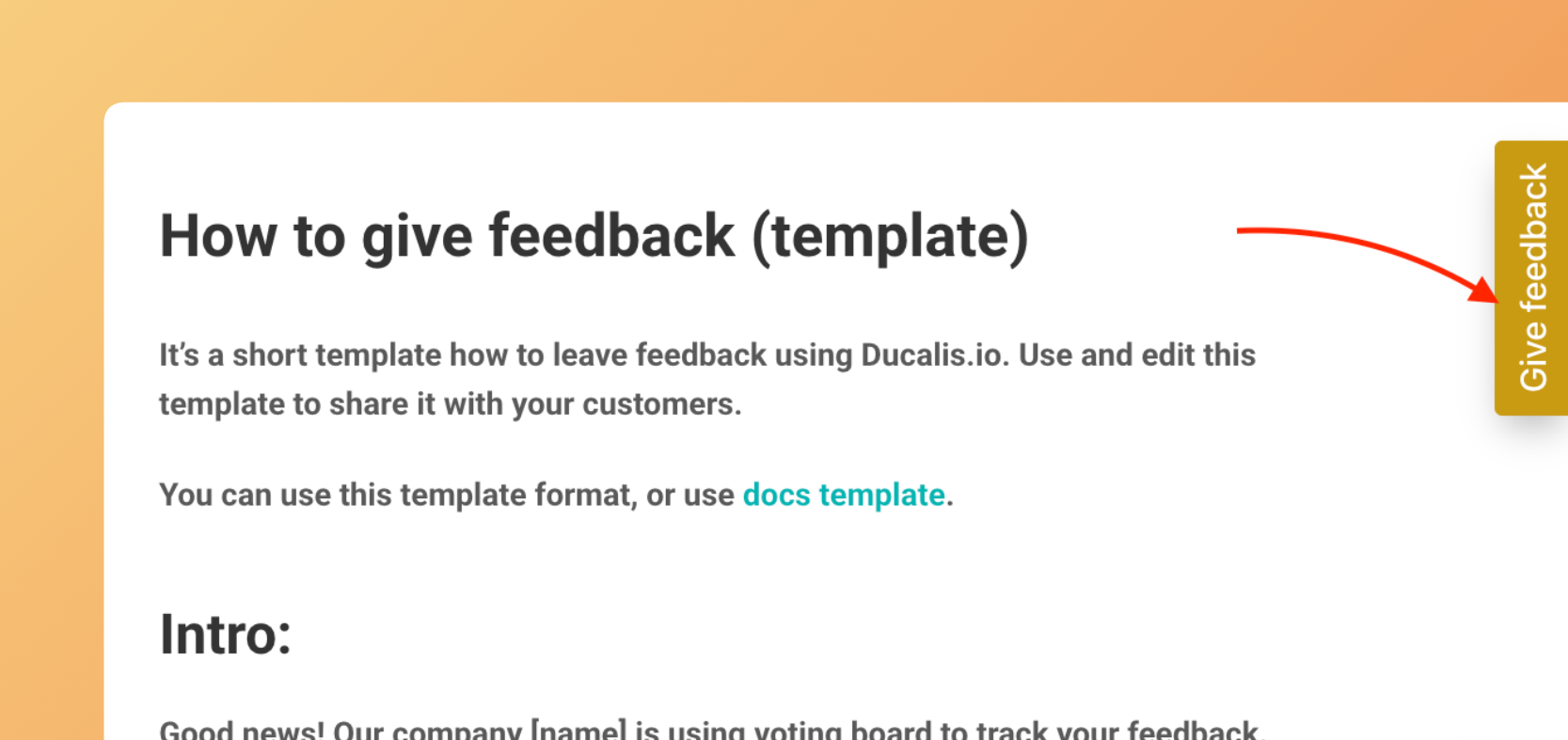
Adding a feedback widget to your site captures the full range of user emotions—frustration, delight, and everything in between—at the moment users experience them while navigating your site.
Why Use a Feedback Widget?
Here's how in-app feedback widgets improve user experience:
- Minimal setup effort – The Ducalis embed widget requires minimal coding and effort on your part.
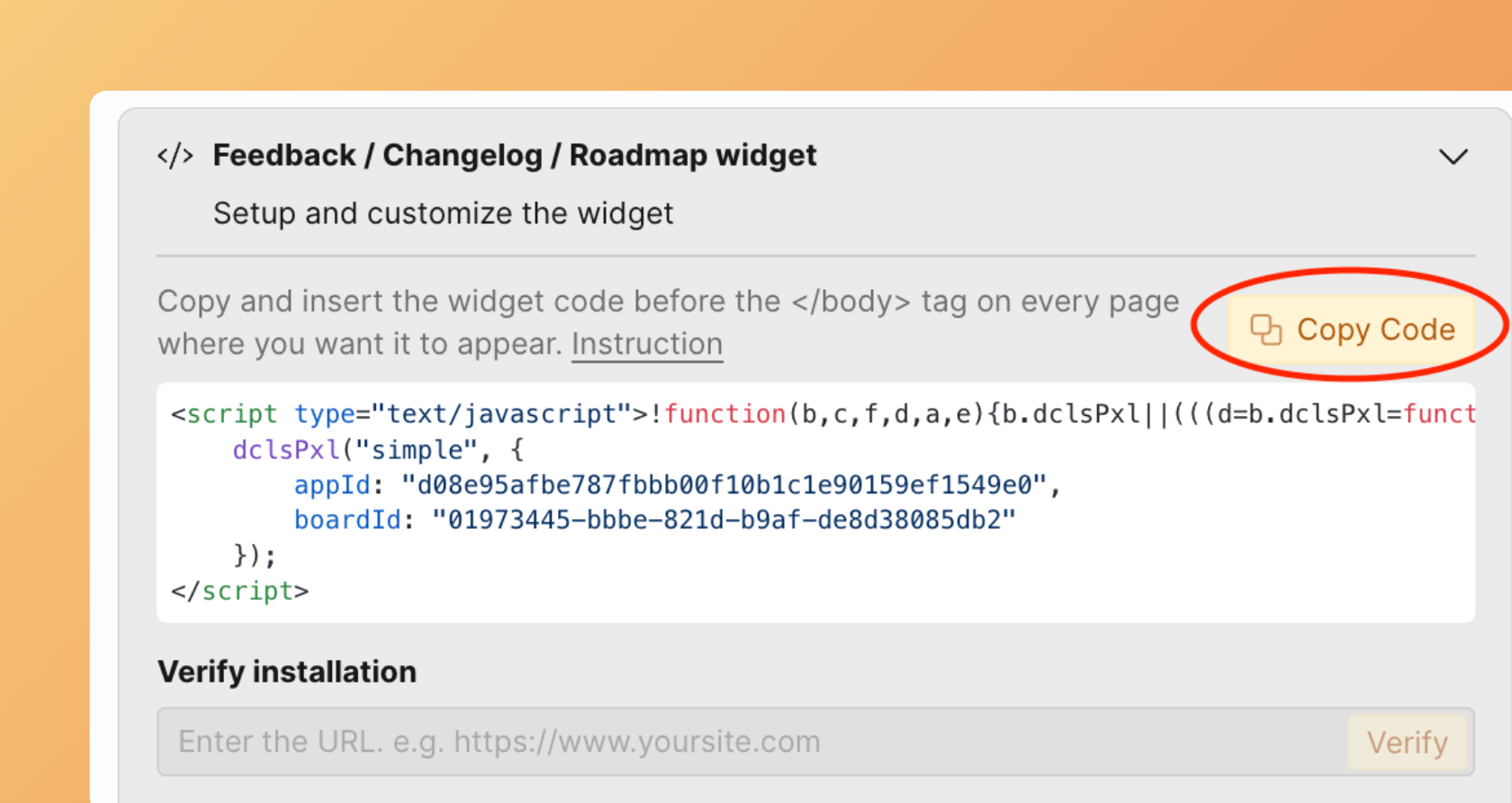
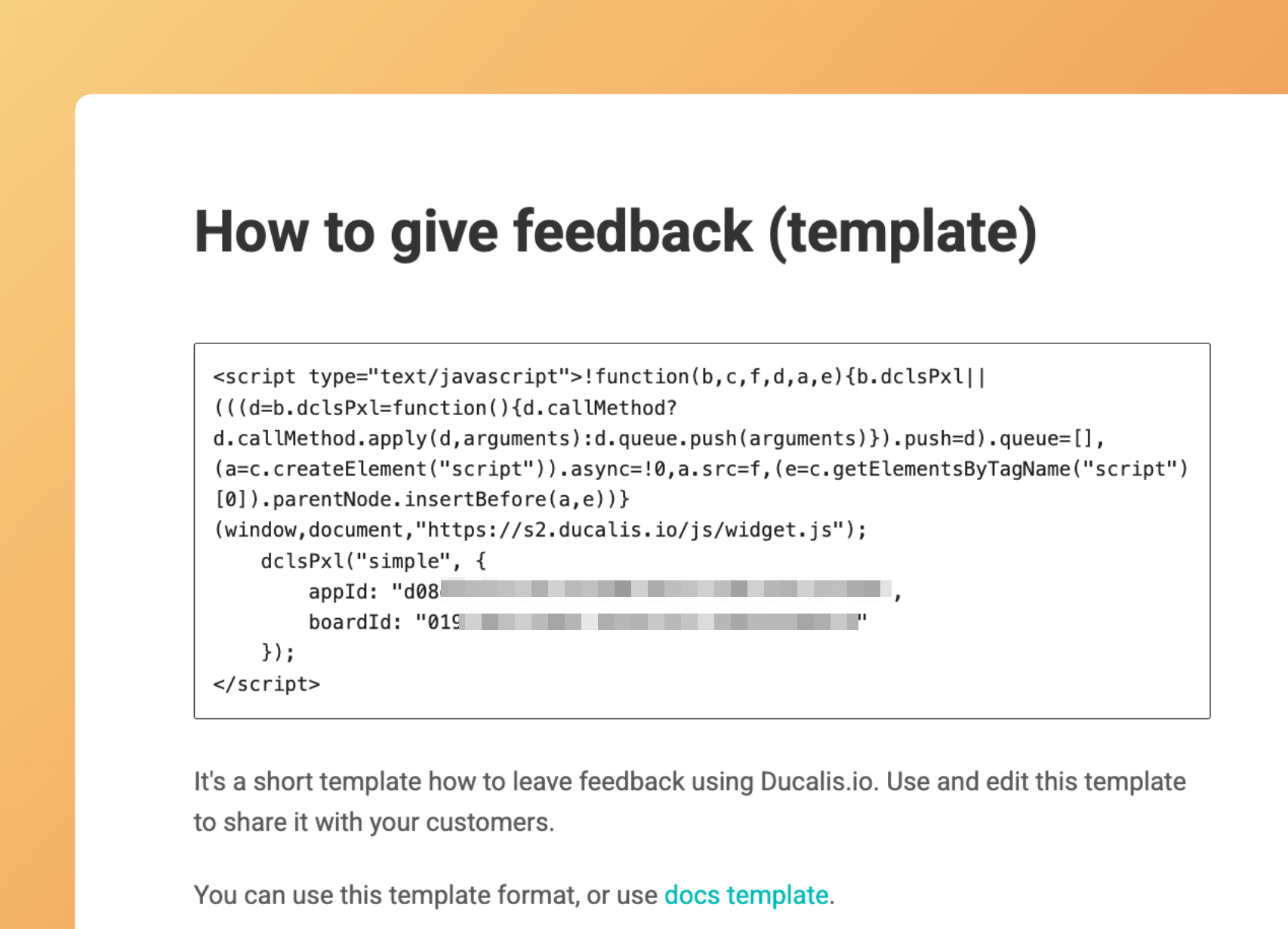
Simply copy and paste the code onto the pages where you need it — no developers required.
- Real-time insights – Collect real-time data to better understand customer needs.
- Marketing value – Use this data for your marketing campaigns.
- Problem diagnosis – Dig deeper into customers' problems and help retain them.
- Higher visibility – A branded, visible feedback button leads to more responses.
- Lower friction – Users are more likely to provide feedback through a simple widget than by sending an email or filling out a long survey.
- No page navigation – Feedback widgets don't require leaving the current page.
- Context awareness – Because widgets are embedded on specific pages or triggered by specific actions, you automatically know which page or feature users are referencing.
- Build what matters – Collecting feedback helps you build what users actually want, not what you assume they want.
When Should You Use a Feedback Widget?
Deploy feedback widgets at these key moments:
- After goal completion – User completes registration, purchase, or onboarding.
- First feature encounter – User encounters or uses a new feature for the first time.
- Before churn – User is about to cancel a subscription, close their account, or abandon a workflow.
- After support interaction – After a support chat, help article view, or FAQ page visit.
- During struggle – User encounters an error message, failed action, or obvious struggle (multiple attempts, long time on page).
- After major releases – You release a significant new version, redesign, or feature overhaul.
Key Takeaways
Feedback widgets are powerful tools for understanding your users, but their value depends on how you use them. Deploy them thoughtfully at moments when users have genuine insights to share, keep them simple and respectful of user time, and most importantly—actually use the feedback to make your product better.
The best feedback widget isn't the one with the most features or the fanciest design. It's the one that asks the right question at the right time and turns user insights into meaningful improvements.
Start small, measure what works, iterate based on what you learn, and remember: the goal isn't to collect feedback—it's to build something people love.