Ağırlıklı Karar Matrisi Google Sheets Şablonu
Ağırlıklı Karar Matrisi önceliklendirmesi için ücretsiz Google Sheets şablonu. Kriterleri özelleştirin, ağırlıklar atayın ve takımınızla birlikte kayıtları değerlendirin.
Şablonu indirin
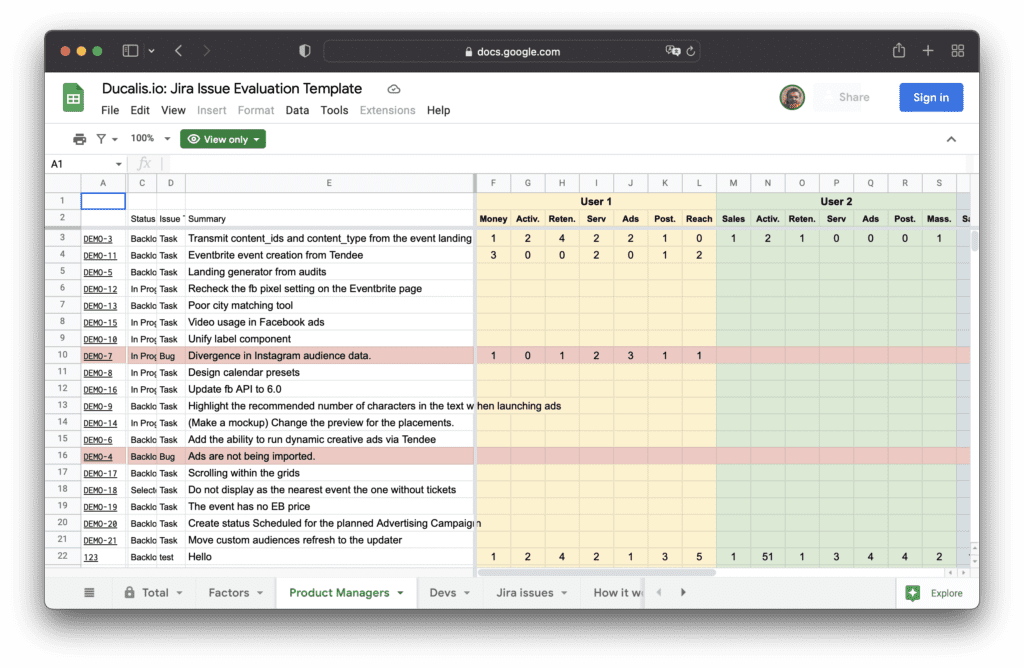
Şablonu özelleştirin
1. Takımları ayarlayın
-
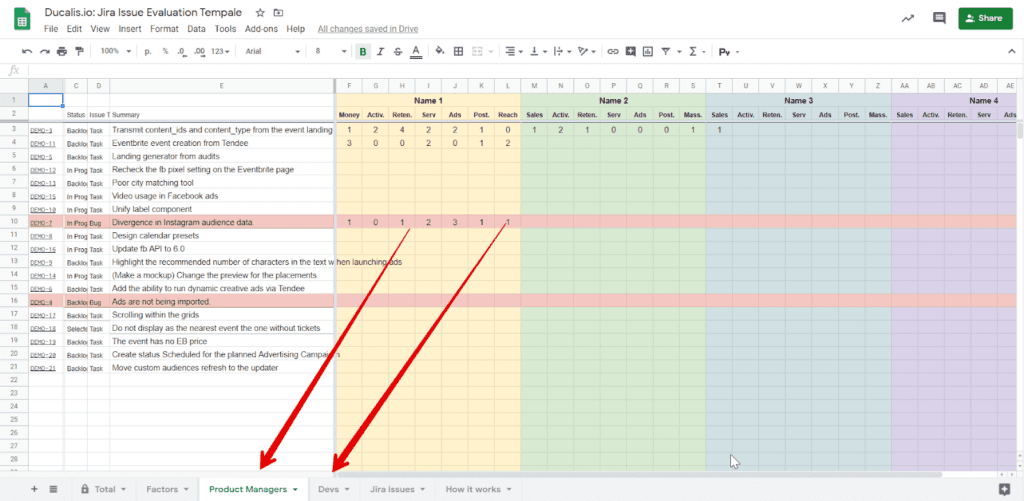
Sekmeleri takım adlarınızla yeniden adlandırın.
Şablon iki örnek takım içerir: Product Managers ve Devs.
-
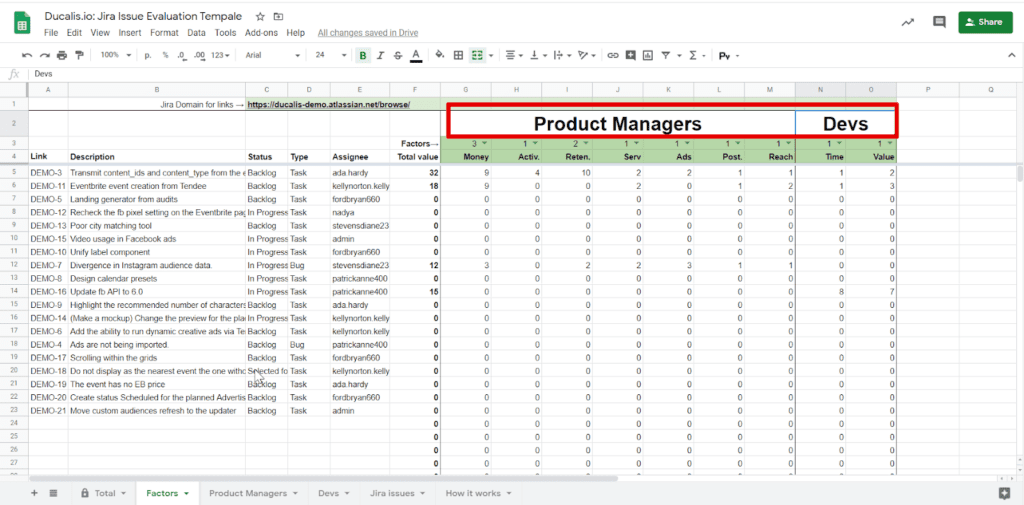
Factors (Faktörler) sekmesini açın ve takım adlarını orada güncelleyin.
2. Kriterleri yapılandırın
Değerlendirme kriterlerini Factors sekmesinde tanımlayın. Örnek kriterleri kullanabilir veya kendi kriterlerinizle değiştirebilirsiniz.
Product Manager'lar için örnek kriterler:
- Money — Geliri etkiler
- Activation — Kullanıcıların ürünün nasıl çalıştığını anlamasına yardımcı olur
- Retention — Kullanıcıların geri dönme motivasyonunu artırır
- Service — Kalite kaybı olmadan müşteri destek süresini azaltır
- Ads — Facebook Ads lansmanlarını artırır (Facebook Marketing Partnership için önemlidir)
- Posting — Daha fazla şablon veya özel gönderi oluşturmayı teşvik eder
- Reach — Bu özelliğin etkilediği müşteri sayısı, ürün birimleri veya gelir
Geliştiriciler için örnek kriterler:
- Time — Geliştirme süresi ve karmaşıklığı
- Value — Geliştirme ve ürün için önemi
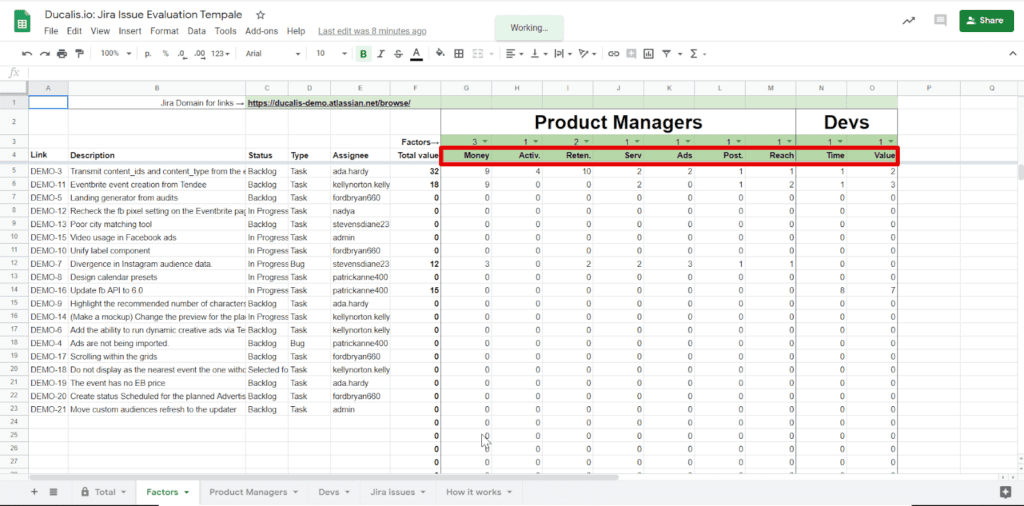
Açıklamaları ekleyin:
-
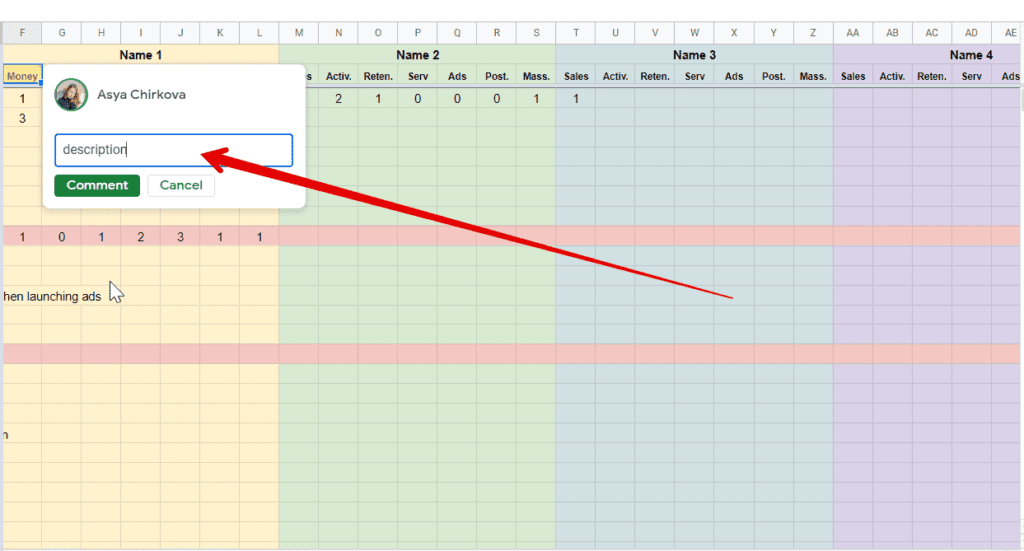
Factors sekmesinde yorumları kullanarak kriter açıklamaları ekleyin.
-
Değerlendiricilerin sekme değiştirmeden görebilmeleri için her takım sekmesine aynı açıklamaları ekleyin.
Ağırlıkları atayın:
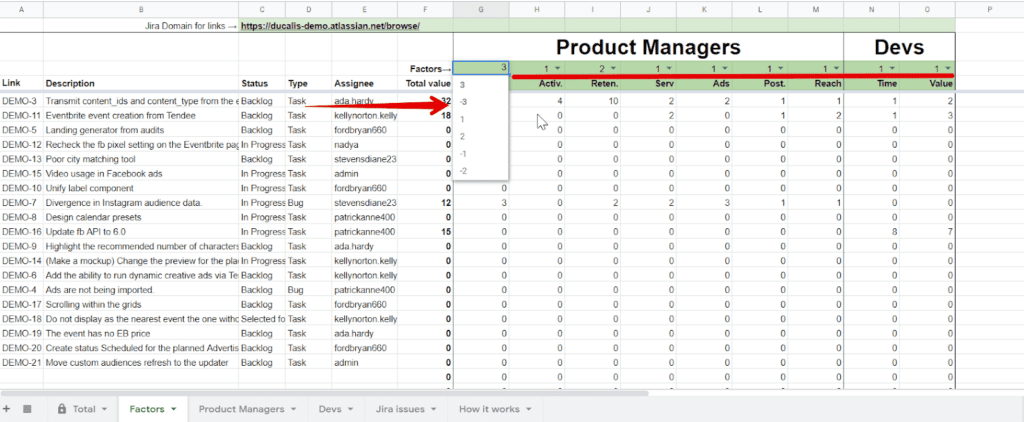
Factors sekmesinde her kriterin ağırlığını -3 ile 3 arasında ayarlayın. Ağırlık, kriterin diğerlerine göre önemini temsil eder. Efor tahmin eden kriterler (Time veya Complexity gibi) negatif ağırlığa sahip olmalıdır.
3. Formülü ayarlayın
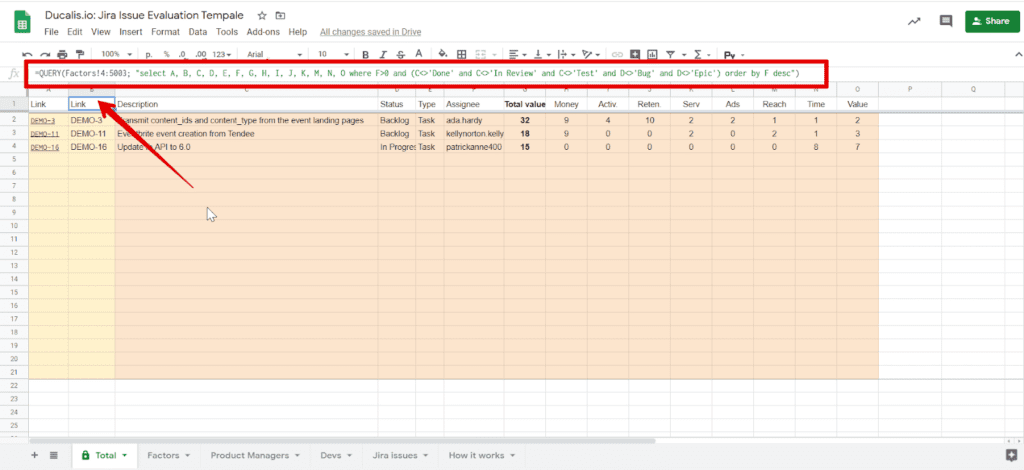
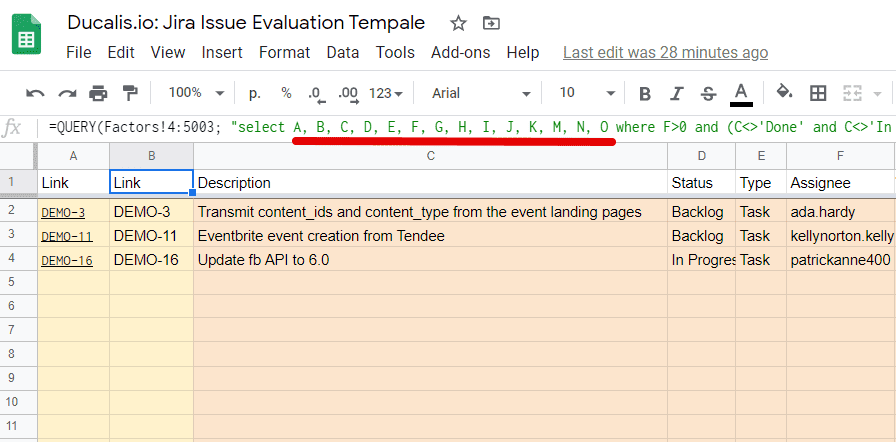
Değerlendirme sonuçları Total (Toplam) sekmesinde görünür. Varsayılan olarak, veriler Factors sekmesindeki A'dan O'ya kadar olan sütunlardan çekilir.
Kriter ekler veya kaldırırsanız:
-
Total sekmesini açın.
-
Doğru sütun aralığını içerecek şekilde formülü güncelleyin.
Duruma göre filtreleyin:
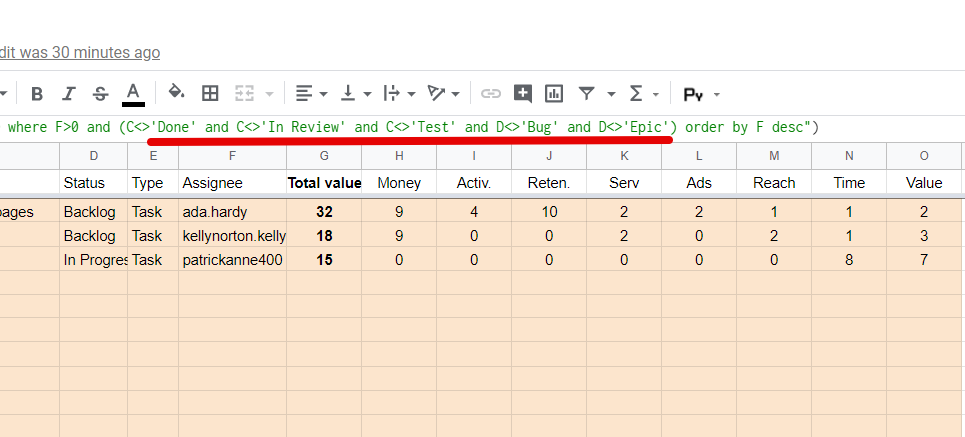
Varsayılan olarak, Done, In Review, Test, Bug veya Epic durumlarındaki kayıtlar Total'dan hariç tutulur. Bunu değiştirmek için formülden durum ekleyin veya kaldırın.
4. Öncelikli öğeleri belirleyin
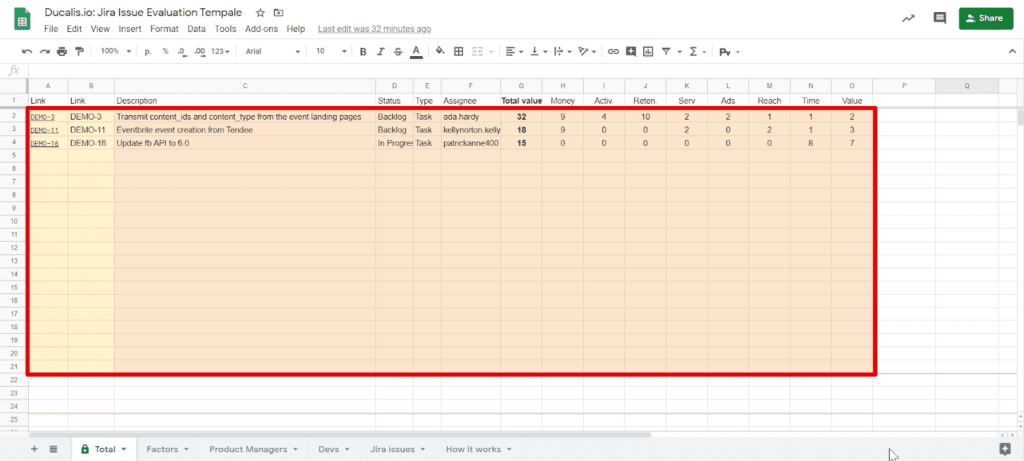
Öncelikli kayıtlar Total sekmesinde, Total Value'ya göre sıralanmış olarak görünür:
Total Value = Kriter 1 × Ağırlık 1 + Kriter 2 × Ağırlık 2 + ... + Kriter N × Ağırlık N
Daha yüksek puanlara sahip kayıtlar üstte görünür. Şablon varsayılan olarak ilk 20 kaydı vurgular. Bu sayıyı değiştirmek için koşullu biçimlendirme kullanın.
5. Kayıtları değerlendirin
- Takım sekmenizi açın.
- Her kaydı her kritere göre 0'dan 3'e kadar puanlar kullanarak değerlendirin:
- 0 — Etki Yok
- 1 — Düşük Etki
- 2 — Orta Etki
- 3 — Yüksek Etki
Takımınızla bir değerlendirme programı belirleyin. Örneğin, her Cuma günü özel bir önceliklendirme günü olarak kayıtları değerlendirin.
Görev takipcinizdeki kayıtları içe aktarın
Bu şablon Jira için tasarlanmıştır. Asana, Trello veya diğer görev takipcileri için özelleştirebilirsiniz, ancak ek yapılandırma gerektirebilir.
Jira'dan içe aktarın
-
Jira'da Filters (Filtreler)'e gidin.
-
Önceliklendirmek istediğiniz kayıtları içeren proje için bir filtre oluşturun.
-
Tüm kayıtları ve tüm durumları seçin.
-
Filtre sütunlarının Google Sheets sütunlarıyla eşleştiğinden emin olun.
-
Filtreyi kaydedin ve CSV olarak dışa aktarın.
-
CSV'yi Google Sheets'te yeni bir sekme olarak içe aktarın.
-
Tüm görevleri Jira issues (Jira kayıtları) sekmesine kopyalayın.
Jira kayıtlarına bağlantı verin
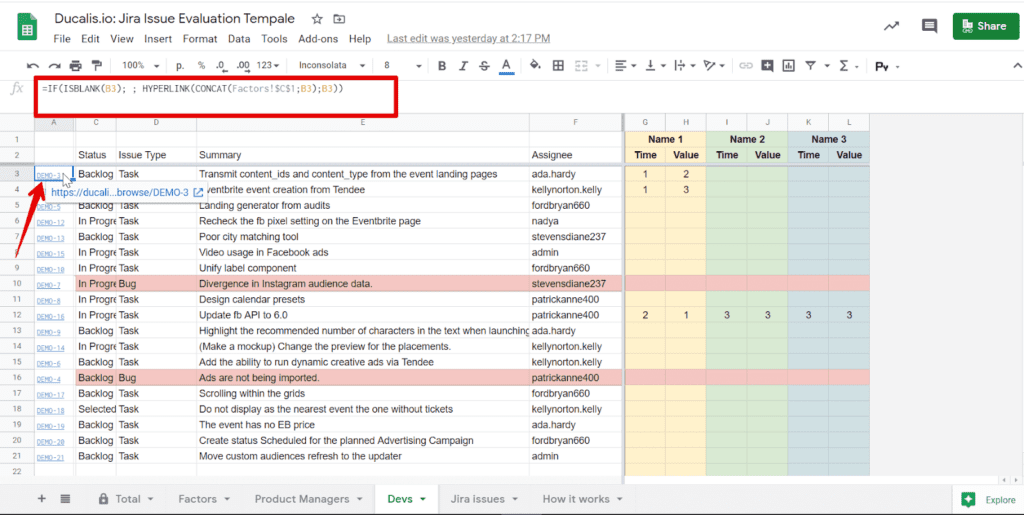
Her kayıt, tam açıklamayı görüntülemek için Jira'ya bir bağlantı içerir.
-
Jira'da herhangi bir kaydı açın.
-
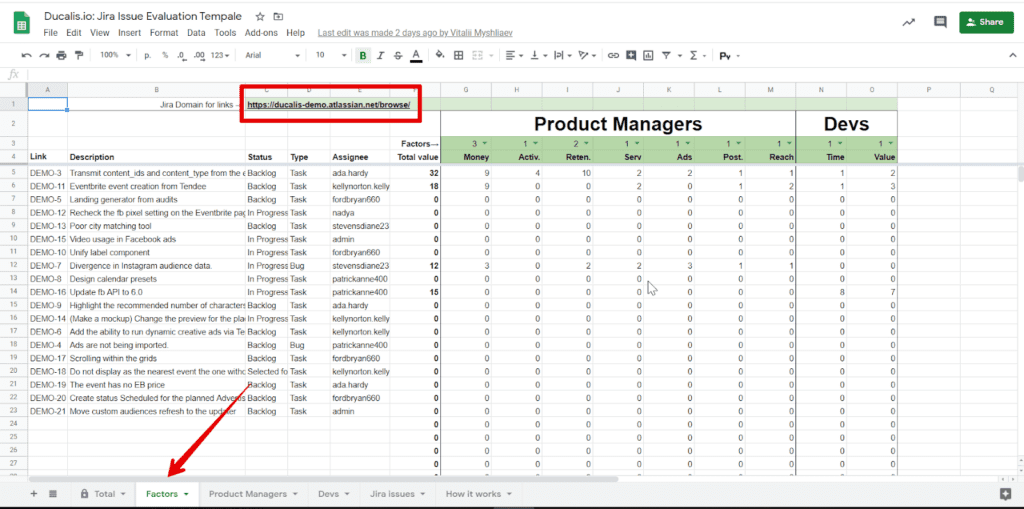
browse/ile biten domain bağlantısını kopyalayın.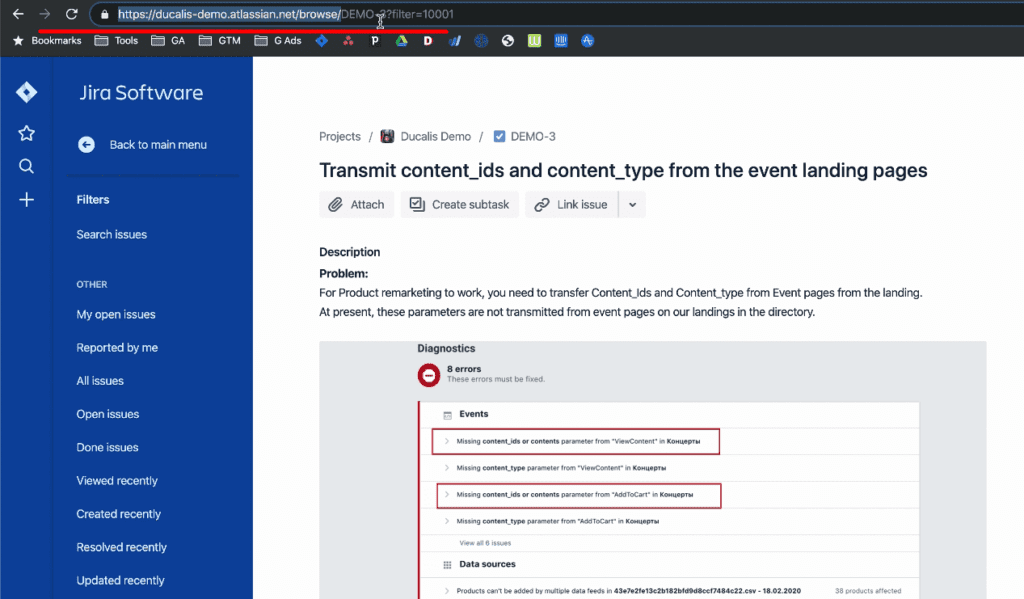
-
Bağlantıyı Factors sekmesindeki Jira Domain for links (Bağlantılar için Jira Domain) alanına ekleyin.
Elektronik tablolar yerine neden Ducalis kullanmalısınız
Ducalis, elektronik tablolara göre daha hızlı ve daha istikrarlı bir alternatif sunar. Formüller asla çökmez, kriterler kolayca düzenlenir ve bildirimler takımınızın bir önceliklendirme alışkanlığı oluşturmasına yardımcı olur. Önceliklendirmenin ötesinde, Ducalis takımınızın ortak bir anlayış oluşturmasına yardımcı olur.
Görev ekleme seçenekleri:
- Görevleri elektronik tablo gibi manuel olarak ekleyin
- Görevleri bir CSV dosyasından içe aktarın
- Gerçek zamanlı senkronizasyon için görev takipcinizi entegre edin
Ducalis'de Ağırlıklı Karar Matrisi şablonunu deneyin ve aylarca süren elektronik tablo zorluklarını atlayın.
İlgili kaynaklar
- Weighted Decision Matrix Prioritization — Çerçevenin nasıl çalıştığını ve ne zaman kullanılacağını öğrenin