Oylama Panosu terminolojisi
Kullanıcılarınızdan geri bildirim toplamak, fikirleri yönetmek ve güncellemeleri iletmek için Oylama Panolarının temel kavramlarını anlayın.
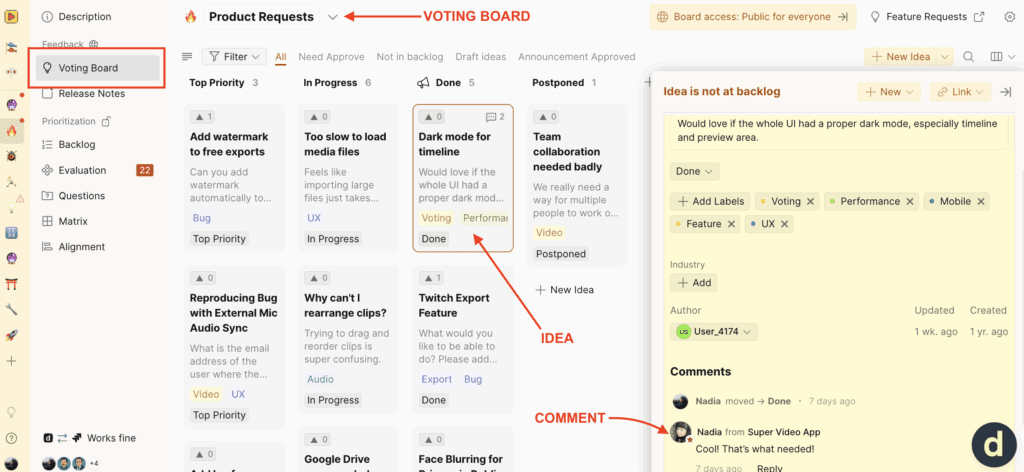
Panolar, fikirler, oylar ve yorumlar
Oylama Panoları, kullanıcıların oy verebileceği ve yorum yapabileceği fikirleri içerir. Her fikir, oylar ve tartışmalar aracılığıyla kullanıcı etkileşimini takip eder.
Örneğin:
- Pano: Ürün Talepleri
- Fikir: Zaman çizelgesi için karanlık mod
- Yorum: Harika! İhtiyaç duyulan buydu!
- Fikir: Zaman çizelgesi için karanlık mod
Bu test fikri için bağlantı https://video.ducalis.io/idea/61152
Çalışırken görün: TEST Ducalis Oylama Panomuzı inceleyin https://video.ducalis.io/acme-inc-insights-598
Panolar
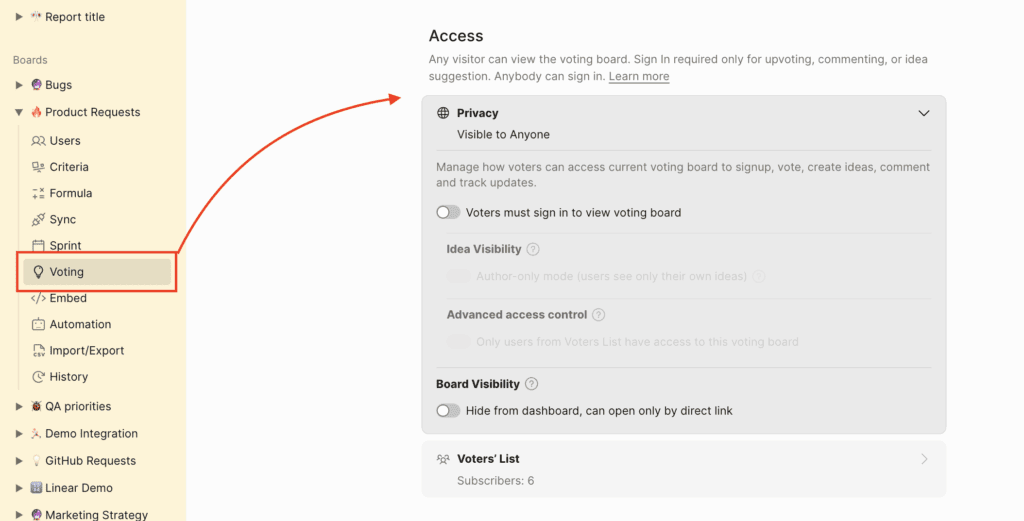
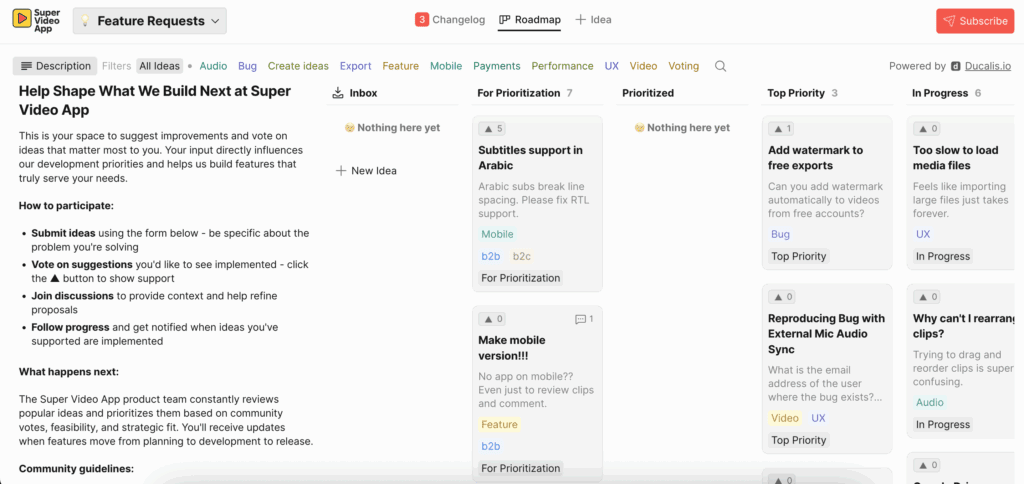
Bir panonun erişimi genel veya özel olarak ayarlanabilir. Genel panolar web üzerinden herkes tarafından görülebilirken, özel panolar erişimi belirli gruplarla sınırlar.
Genel panolar genellikle kullanıcı geri bildirimlerini toplar. Özel panolar dahili ekip geri bildirimlerini toplar veya müşteriler ya da belirli ekip üyeleri gibi spesifik kitleler için uyarlanabilir.
Genel bir Oylama Panosu nasıl görünür:
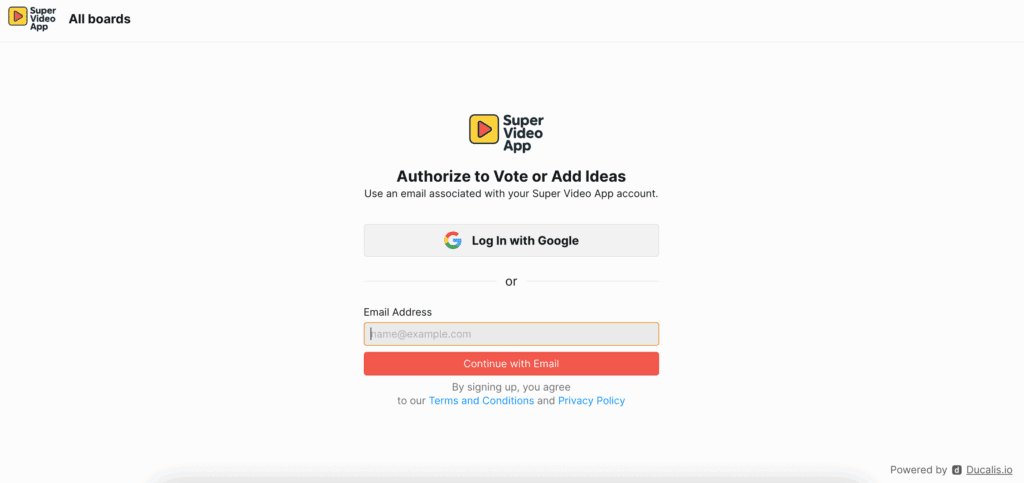
Geri bildirim bırakmak, oy vermek veya yorum yapmak için kullanıcıların giriş yapması gerekir.
Özel bir Oylama Panosu nasıl görünür:
Fikirler
- Pano erişimi olan herkes, ister normal bir kullanıcı ister Ducalis hesap kullanıcısı olsun, yeni bir gönderi oluşturabilir. https://hi.ducalis.io/ adresinde Ducalis hesabına erişimi olan kullanıcılar için fikir oluşturma ekranı şöyle görünür:
İş Listesi Kaydınızdan da bir fikir oluşturabilirsiniz:
- Her fikire bir yazar atanabilir. Bu, belirli geri bildirimlerle ilgilenme sorumluluğu oluşturur. Daha fazla bilgi.
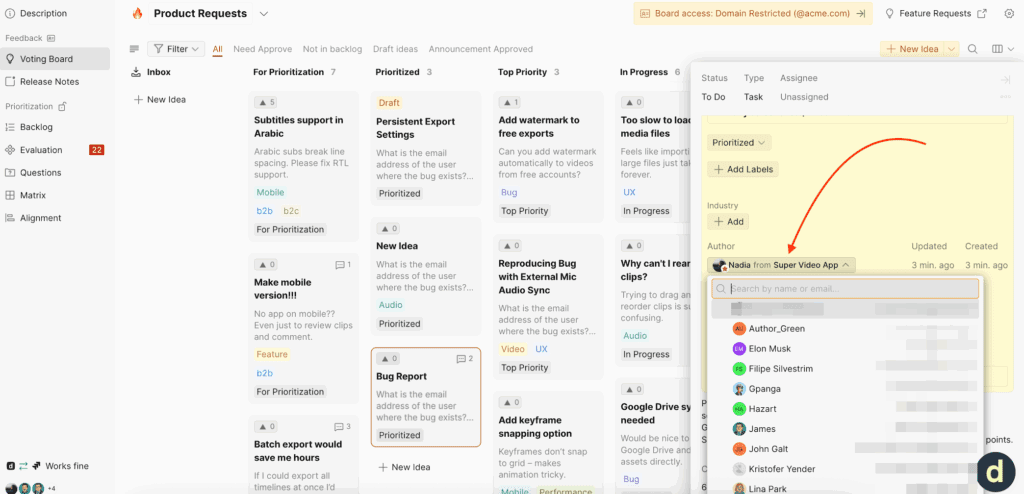
- Bir fikrin durumu güncellendiğinde, fikre oy veren kullanıcılar otomatik e-posta bildirimleri alır. Bu, kullanıcıları kendileri için en önemli konular hakkında bilgilendirir. Daha fazla bilgi.
Oylar
Ducalis, kullanıcıların tek bir tıklamayla bir fikre destek göstermesine olanak tanır. Her kullanıcı fikir başına bir oy hakkı alır ve oy toplamları Ducalis içinde görünür, böylece en popüler veya ilgili fikirlerinizi kolayca sıralayıp filtreleyebilirsiniz.
-
Oy vermek, kullanıcıyı otomatik olarak o fikirle ilgili güncellemeler için kaydeder.
-
Ekibiniz tarafından bir kullanıcı adına oylar eklenebilir.


- Kullanıcılar olumsuz oy düğmesine tıklayarak bir oyu geri çekebilir.
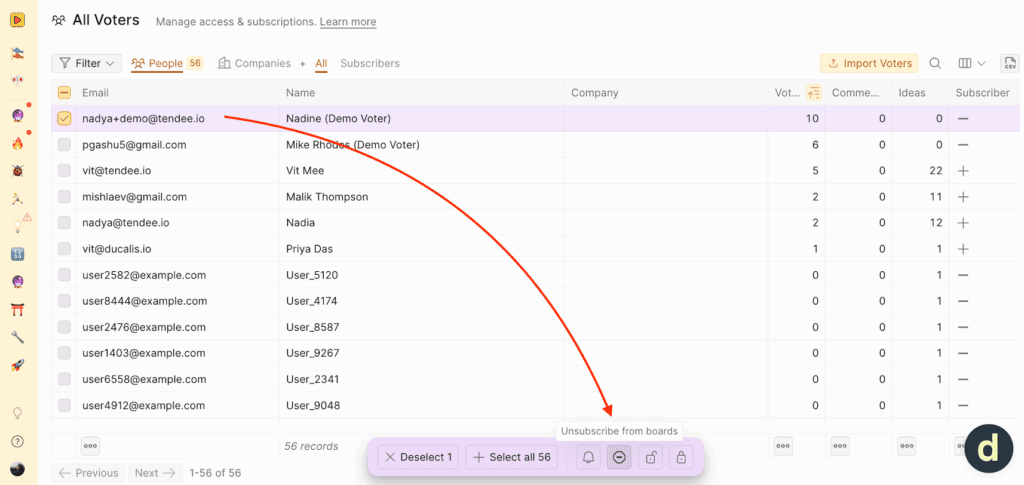
- Bir oy kullanıcı adına eklendiyse, bir yönetici bunu Tüm Oylayan Kullanıcılar listesi üzerinden de geri çekebilir.
Yorumlar
O panoya erişimi olan herkes bir fikre yorum ekleyebilir.
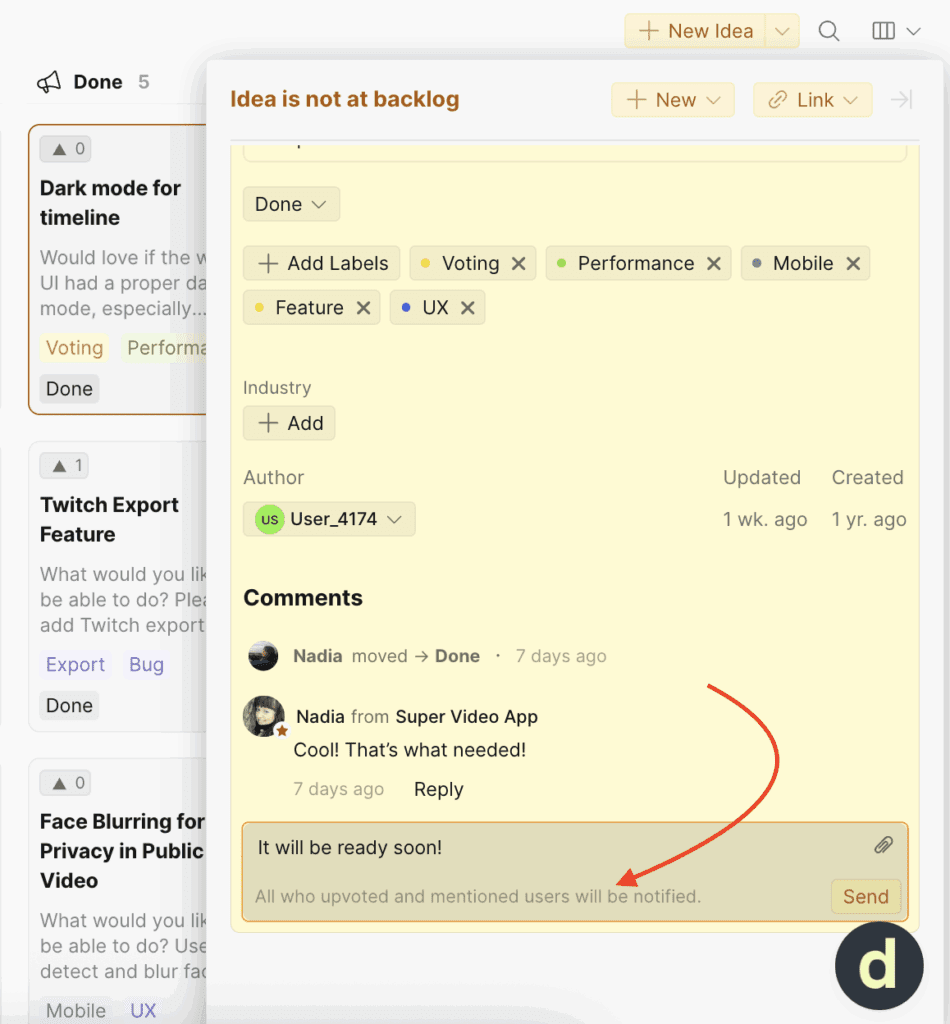
- Hesap kullanıcısı olarak, üst düzey bir yorum eklemek tüm oy verenleri bilgilendirir.
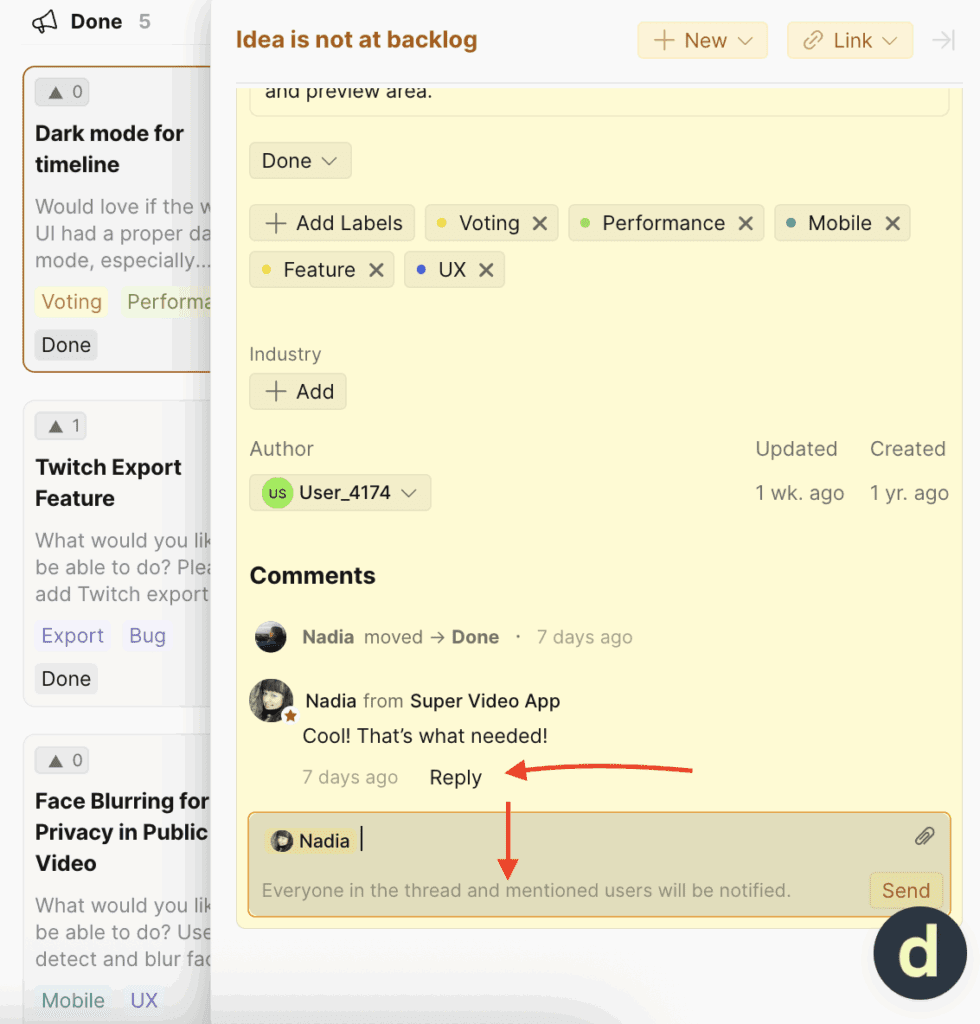
- Başka bir yoruma doğrudan yanıt verdiğinizde, yalnızca o yorumcu bilgilendirilir.
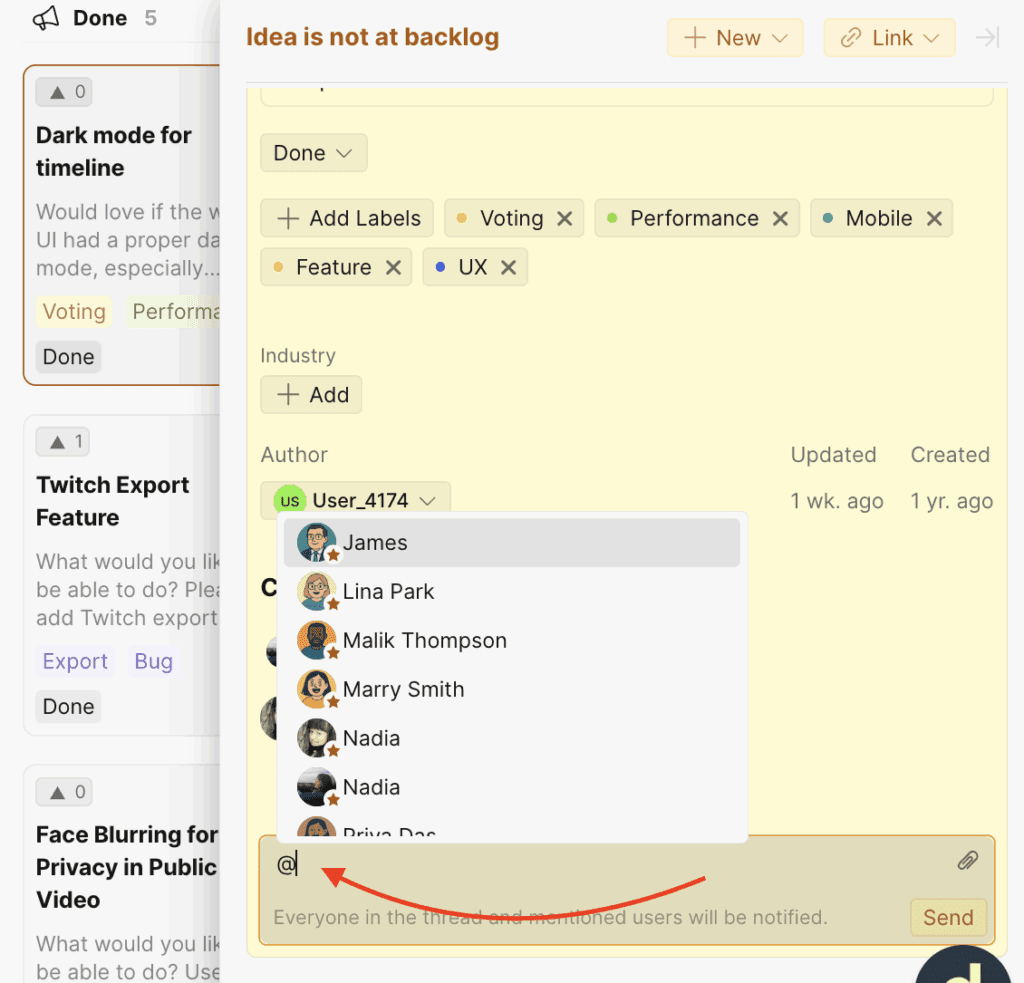
- Birinin kullanım durumunu veya beklentilerini daha iyi anlamanız gerektiğinde bireysel @etiketler de desteklenir.
Etiketler
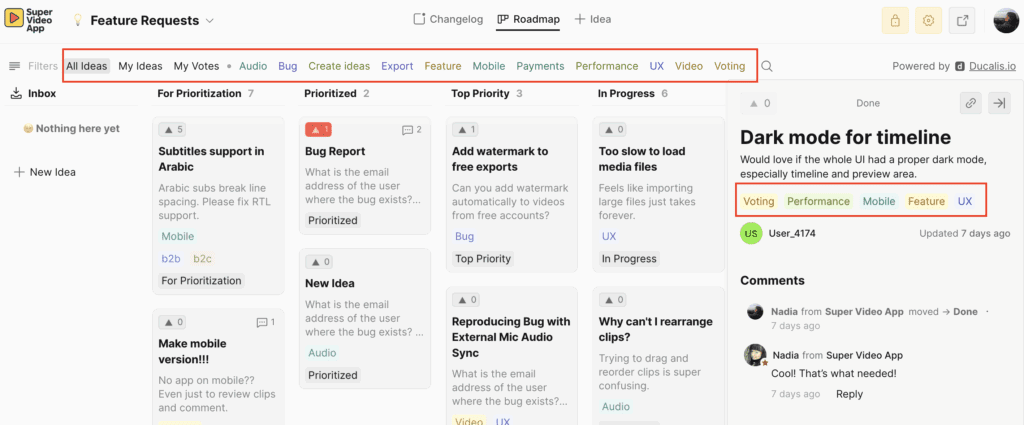
Her panonun kendi benzersiz etiketleri olabilir. Bunlar tüm harici kullanıcılar tarafından görülebilir ve fikirleri organize etmeye yardımcı olur. Fikirlerin birden fazla etiketi olabilir.
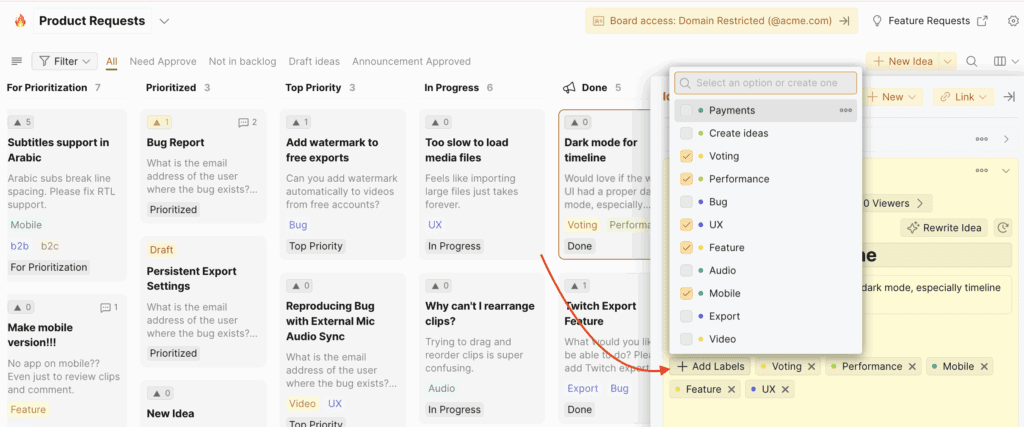
Genel Oylama Panosunda etiketler nasıl görünür:
Yol haritaları ve değişiklik günlüğü
Yol haritası
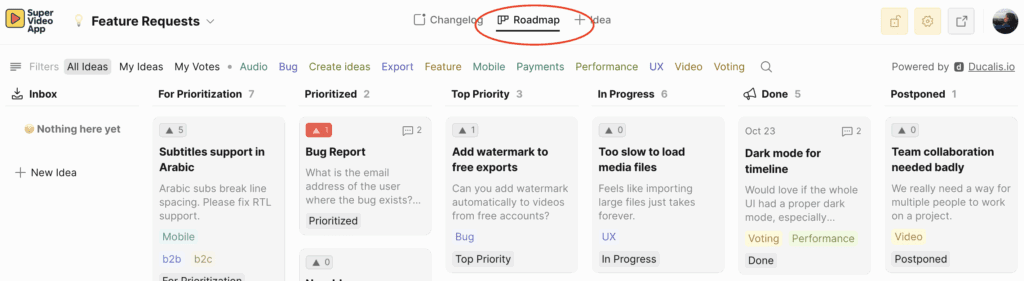
Yol haritası, mevcut projelerinizi ve ilerleme durumlarını gösterir. Ekibinizin Ducalis fikirlerini almasına ve sırada ne üzerinde çalışacağına karar vermesine olanak tanır.
Bir fikrin durumunu güncellediğinizde, otomatik olarak yol haritası boyunca ilerler ve kullanıcılara taleplerini aktif olarak üzerinde çalıştığınızı gösterir. Daha fazla bilgi.
Yol haritamızı görün https://feedback.ducalis.io/Ducalis-roadmap
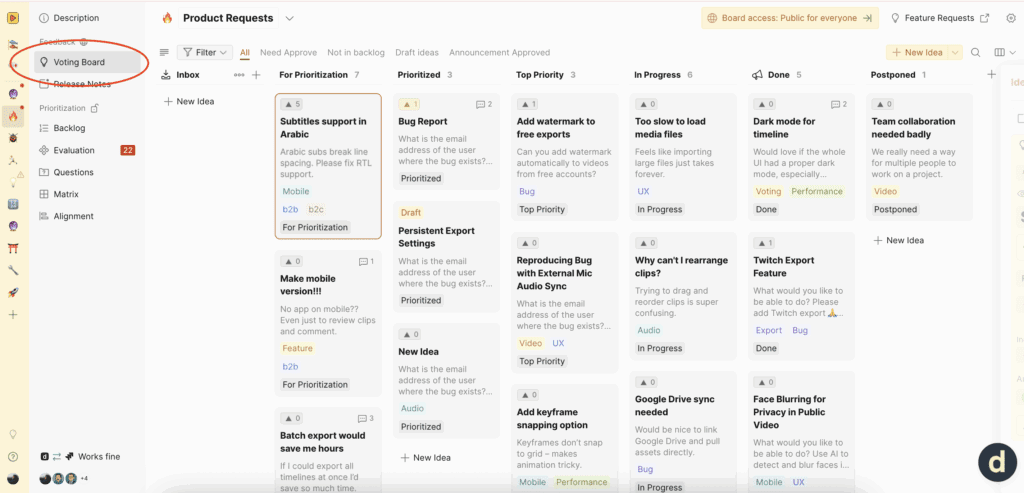
Ducalis hesabının içinde ekibinizin yol haritasını nerede bulabilirsiniz:
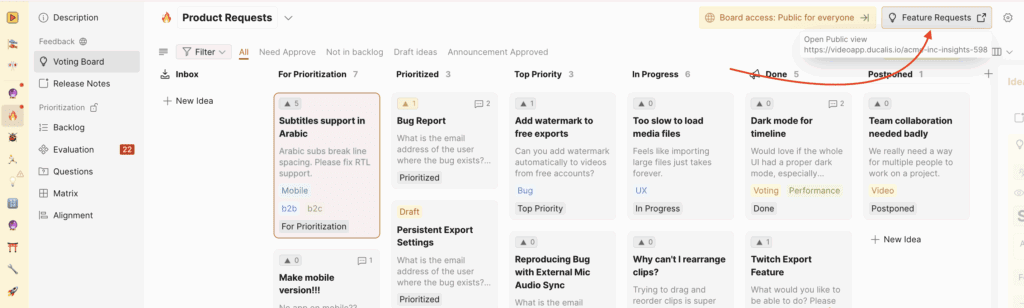
Ducalis hesabının dışında ekibinizin yol haritasını nerede bulabilirsiniz:
Daha fazla bilgi: Yol haritası nasıl oluşturulur.
Değişiklik günlüğü
Değişiklik günlüğü, tüm ürün güncellemelerinizi yayınladığınız yerdir. https://feedback.ducalis.io/Ducalis-roadmap/changelog adresindeki örneğimizi inceleyin. Şirket paydaşlarıyla paylaşmak için değerli bir kaynaktır ve bunu bültenlerinize eklemenizi öneririz.
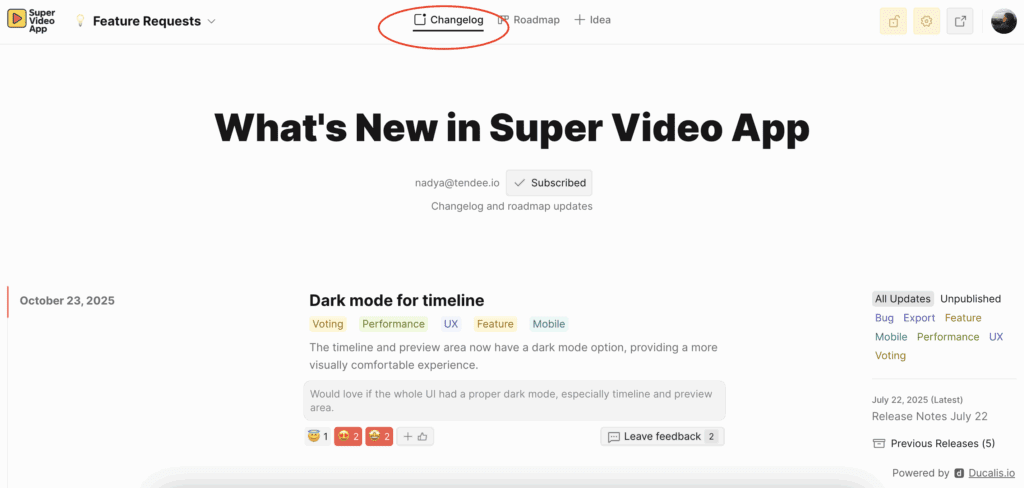
Daha fazla bilgi: Değişiklik günlüğü nasıl oluşturulur.