Geri bildirim nasıl verilir (şablon)
Bu, müşterilerinizle paylaşabileceğiniz, Oylama Panosunda geri bildirim gönderme yöntemini açıklayan bir şablondur. Bu şablonu olduğu gibi kullanabilir veya markanıza uyacak şekilde özelleştirebilirsiniz.
Bu şablon formatını veya Google Docs şablonunu kullanabilirsiniz.
Giriş
Müjde! [şirket adı], geri bildirimlerinizi takip etmek için bir oylama panosu kullanıyor. Her şeyin tek bir yerde olması, tüm geri bildirimleri bir bakışta anlamamıza yardımcı oluyor.
Oylama panosuna erişim
Taleplerinizi göndermek için [Özellikler Panosu URL'si] adresini ziyaret edin.
Geri bildirim göndermek, yorum yapmak veya oy vermek için kaydolun.
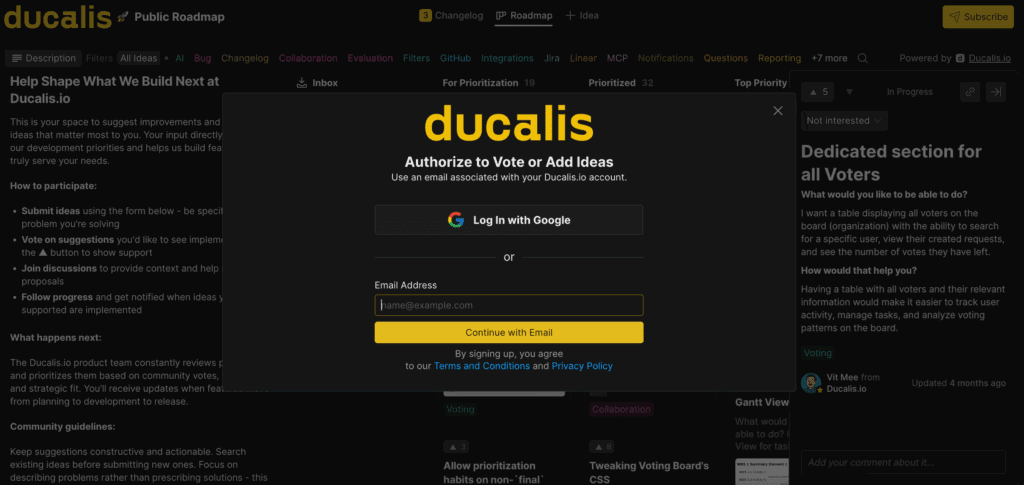
Fikir gönderin ve oylayın
Fikir oluşturma
-
+ Idea (+ Fikir) düğmesine tıklayın.
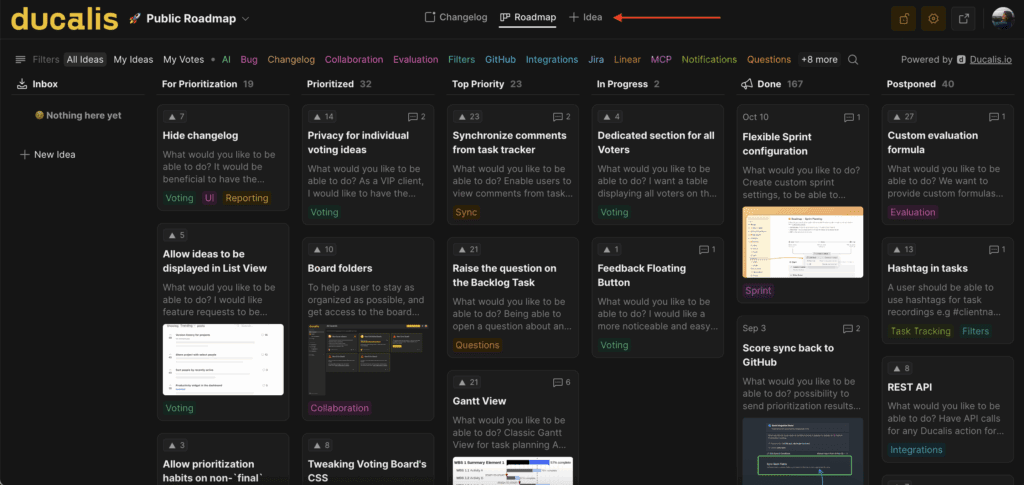
-
Talebinizi yazmaya başlayın. Ducalis otomatik olarak benzer Fikirleri önerir.
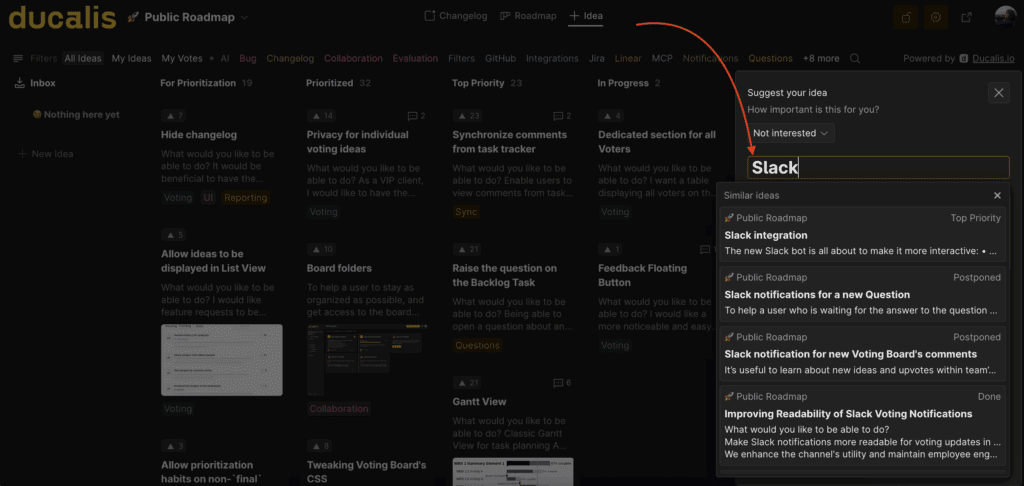
-
Talebiniz zaten mevcutsa, ona oy verin. Aksi takdirde, yeni Fikrinizi oluşturmaya devam edin.
Bir Fikre oy verme
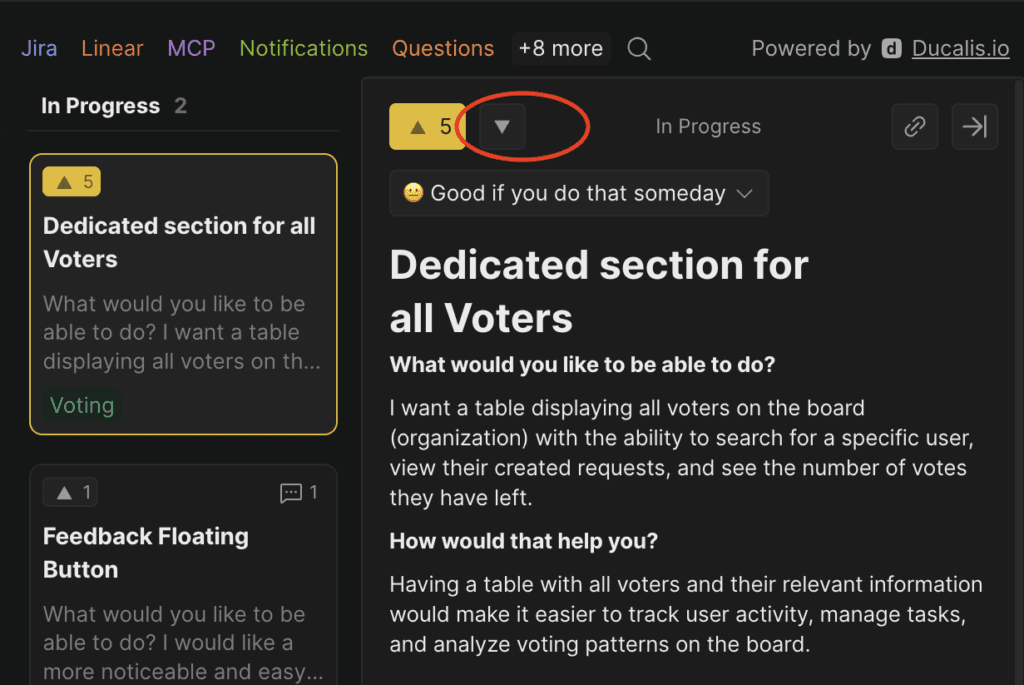
Herhangi bir Fikre oy vermek için yukarı ok simgesine tıklayın.
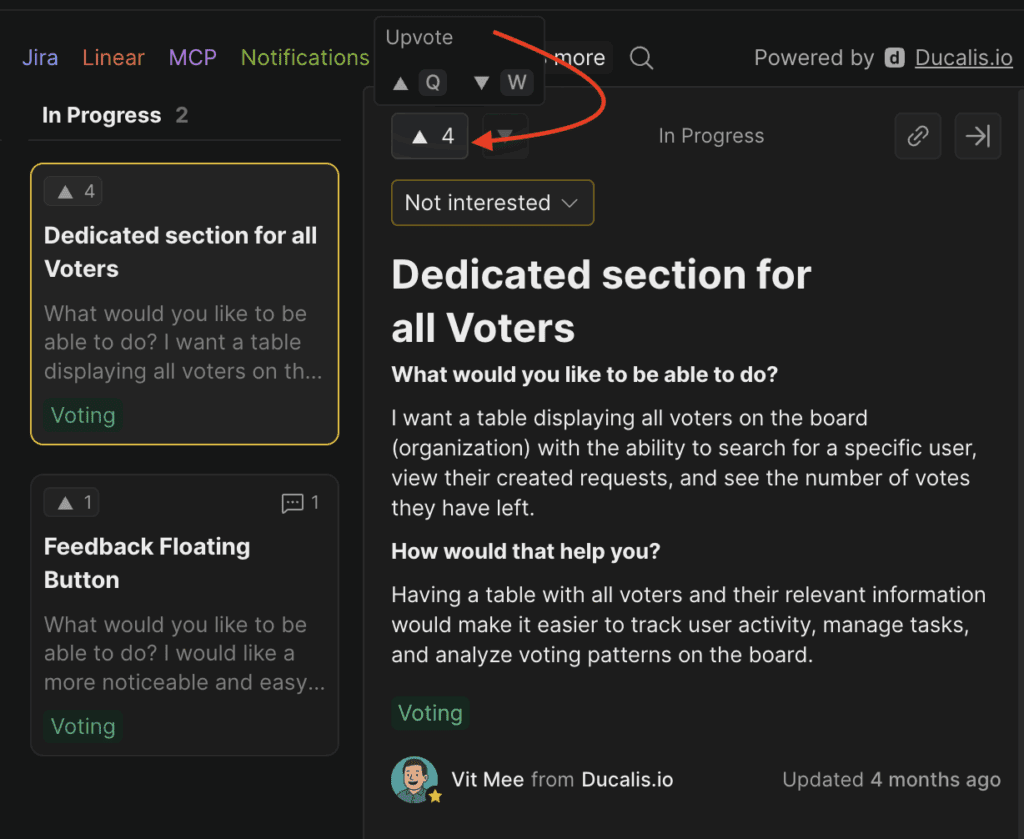
Oyunuzu geri almak için aşağı ok düğmesine tıklayın.
Bir Fikir hakkında yorum yapma
Ek düşüncelerinizi veya görüşlerinizi paylaşmak için yorum ekleyin.
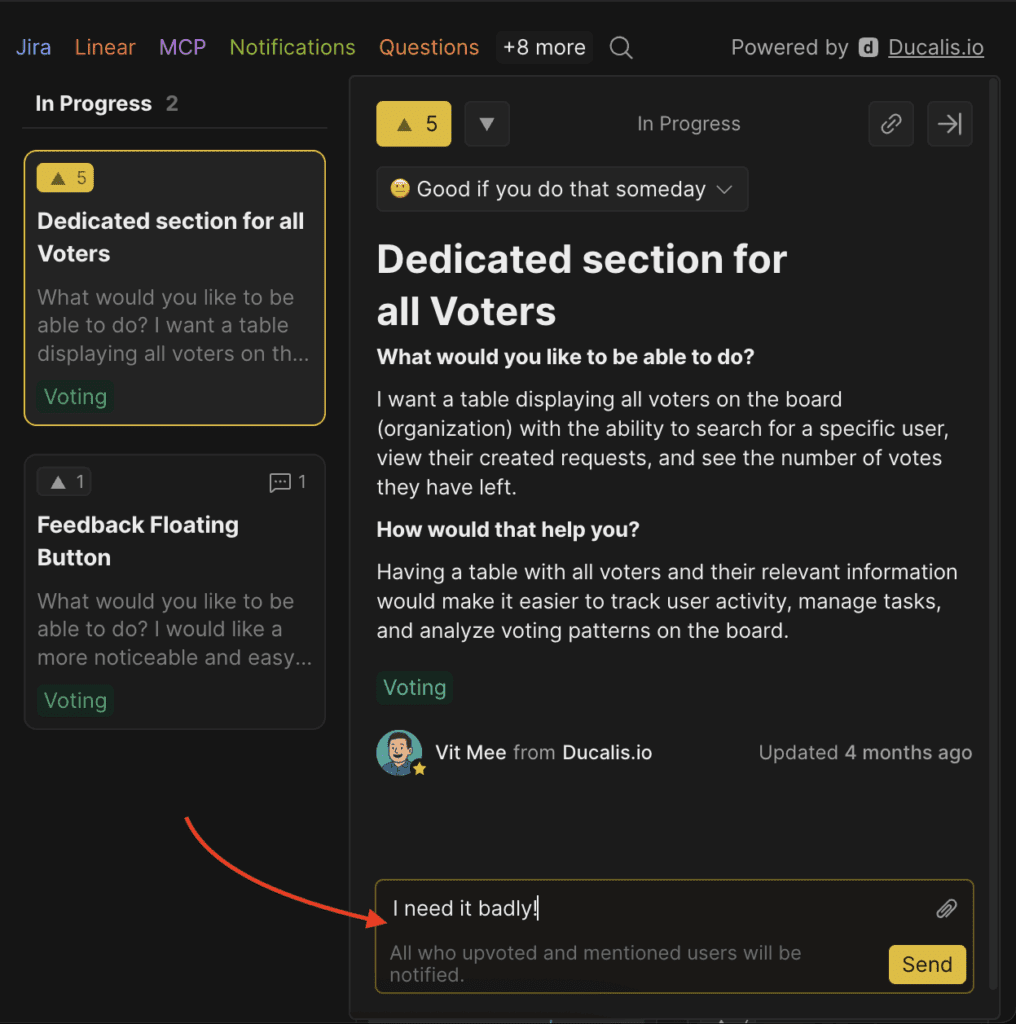
Fikir güncellendiğinde e-posta bildirimleri alacaksınız.

Başlayın
Ekibiniz için Ducalis uygulamasını deneyin—hi.ducalis.io adresinden ücretsiz başlayın.