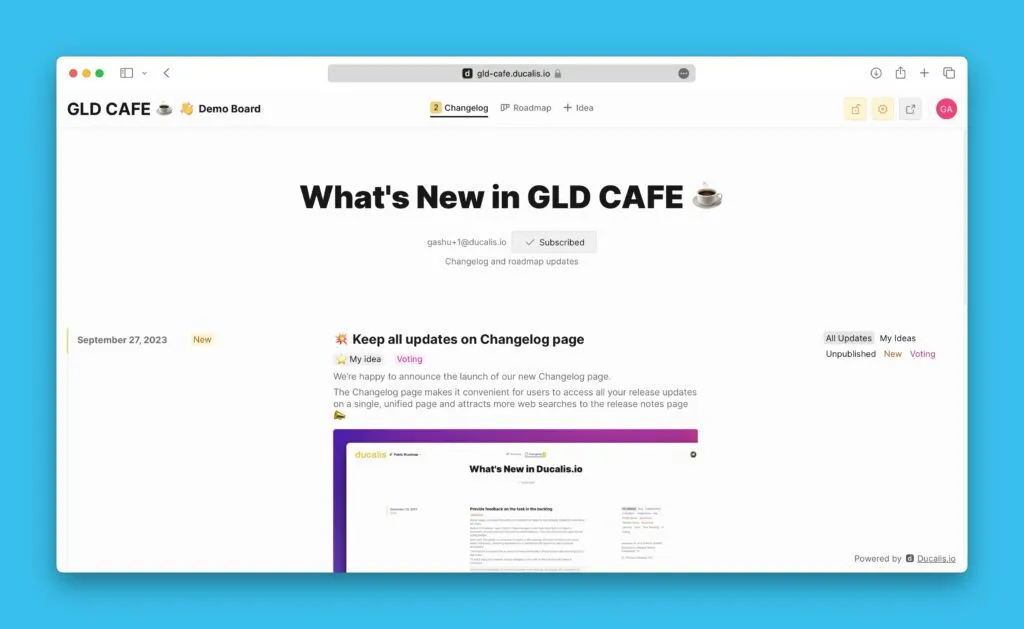
Adım 4. Durum Otomatik Güncellemelerini Ayarlama
Bağlantılı Kayıt durumları değiştiğinde Fikir durumlarını otomatik olarak güncelleyin. Herkese açık Fikirleri ve dahili Kayıtları manuel güncelleme olmadan senkronize tutar.
Ayarlara erişim
-
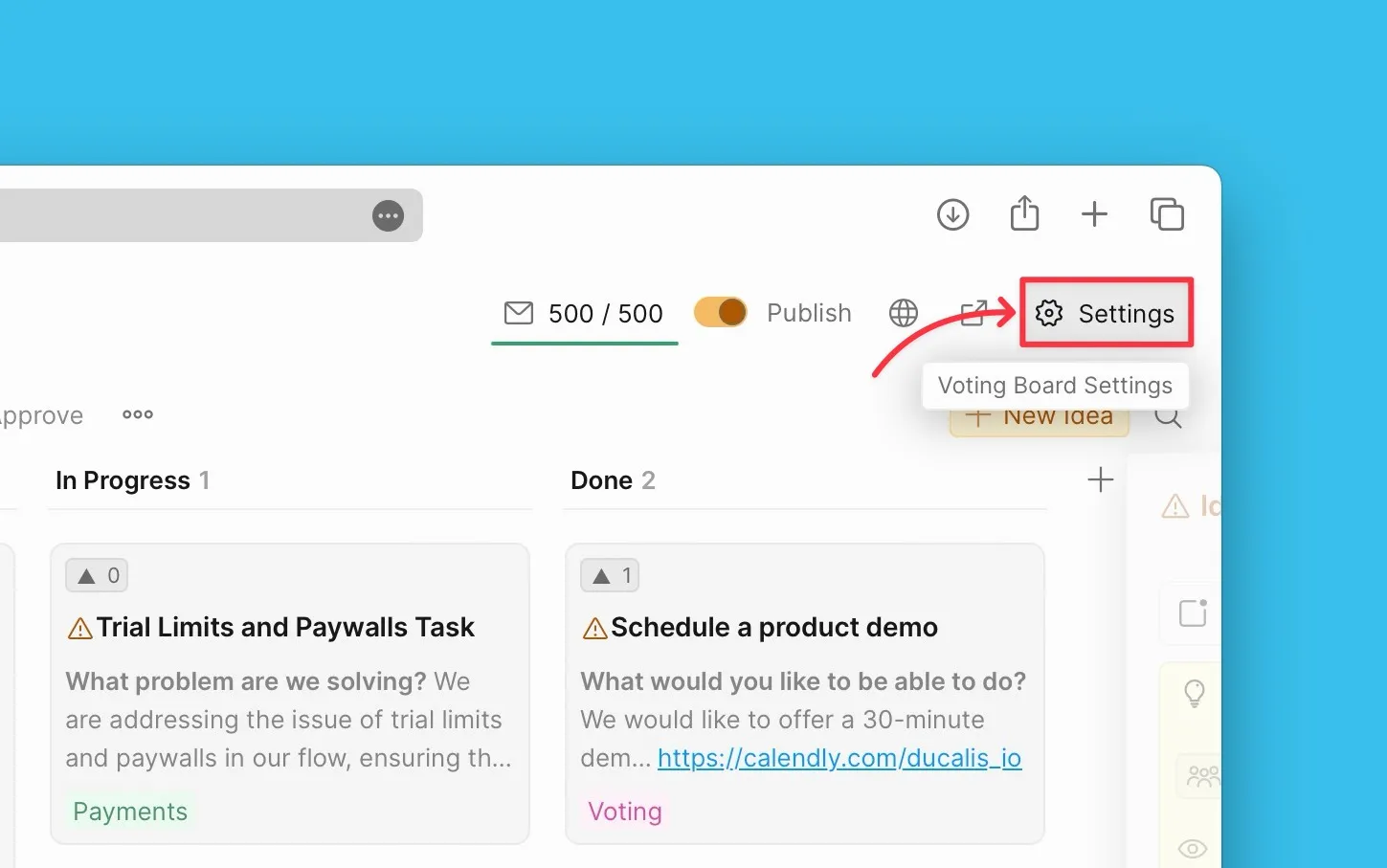
Oylama Panosu ayarlarına gidin.
-
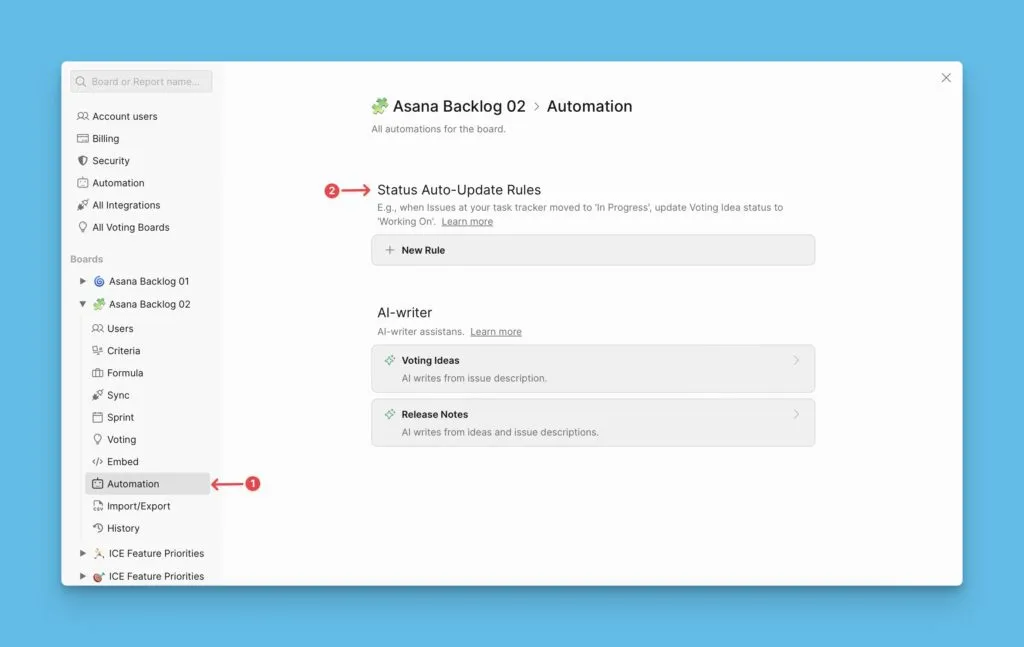
Sol menüden Automation (Otomasyon) seçeneğini seçin.
-
Status Auto-Update Rules (Durum Otomatik Güncelleme Kuralları) seçeneğine tıklayın.
Durum güncelleme kuralları oluşturma
-
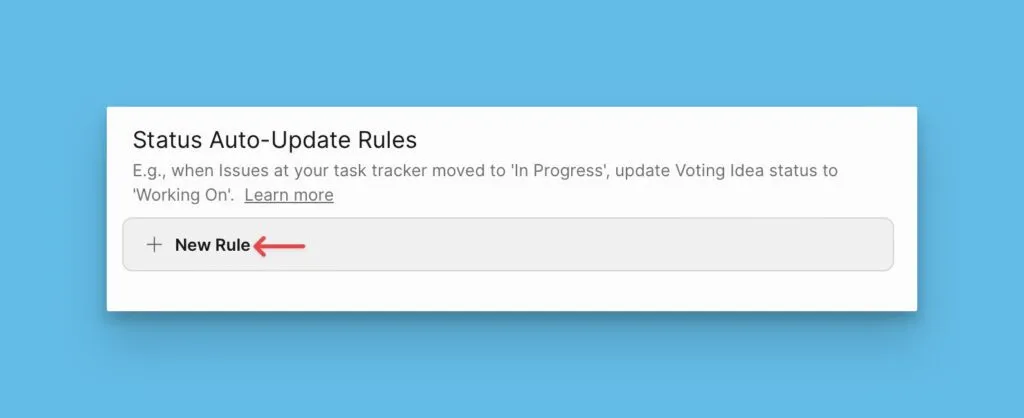
+New Rule (+Yeni Kural) seçeneğine tıklayın.
-
Trigger Condition (Tetikleme Koşulu) alanını Issue Status (Kayıt Durumu) olarak ayarlayın.
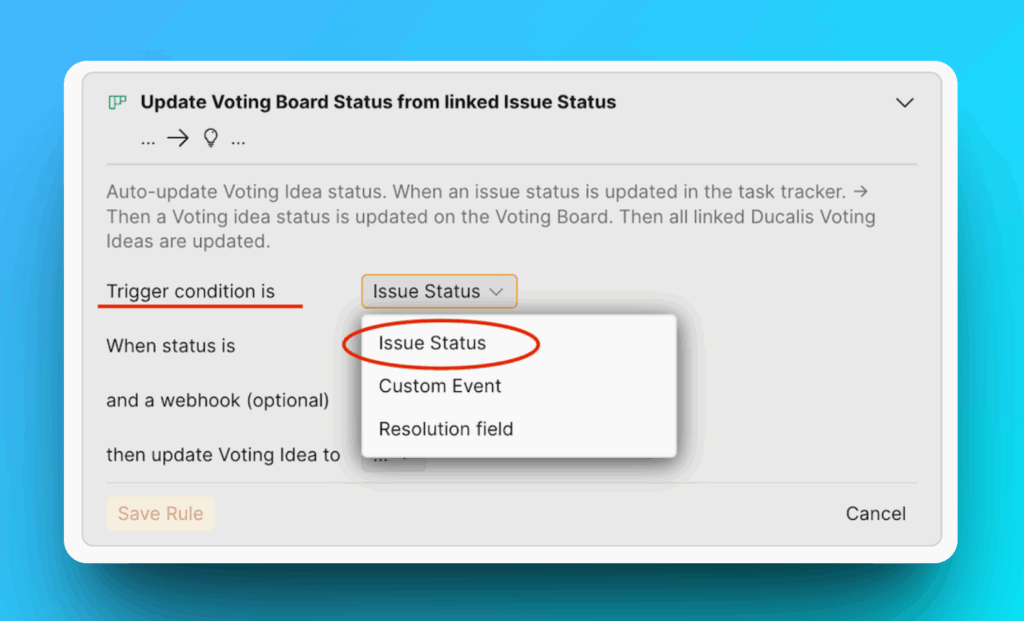 bilgi
bilgiCustom Event tetikleyicileri sistem varsayılanlarıdır. Yalnızca mevcut olaylar arasından seçim yapın. Daha fazla otomasyon koşuluna mı ihtiyacınız var? Sohbet yoluyla bizimle iletişime geçin.
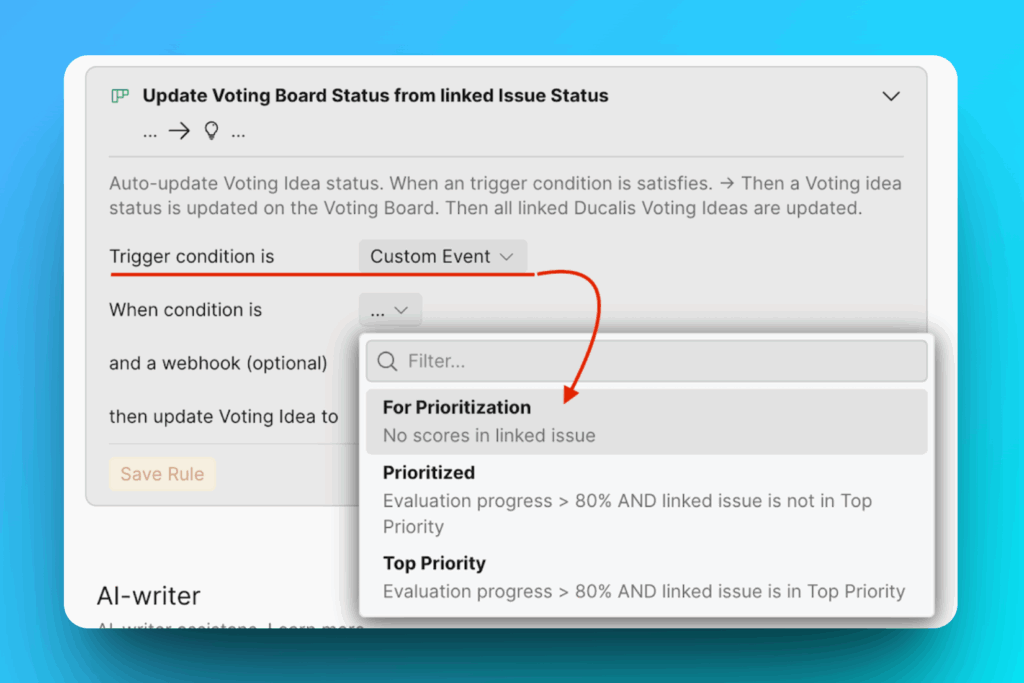
-
Kayıtlarınızın takip edildiği platformu seçin (Ducalis veya görev takip aracınız).
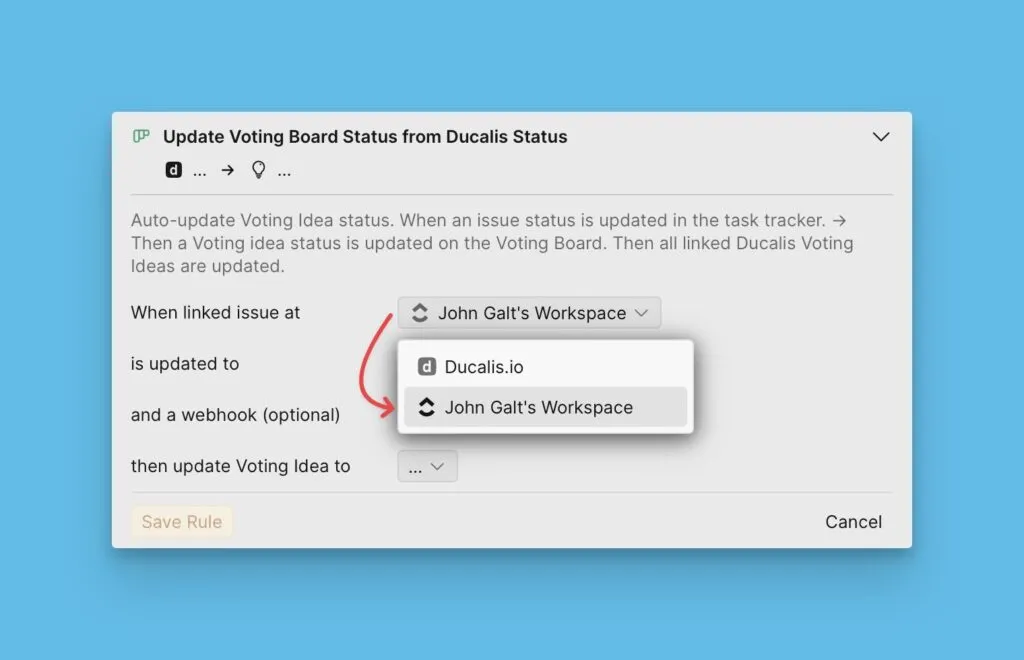
-
When status is (Durum şu olduğunda) alanında, görev takip aracınızdan Kayıt durumunu seçin.
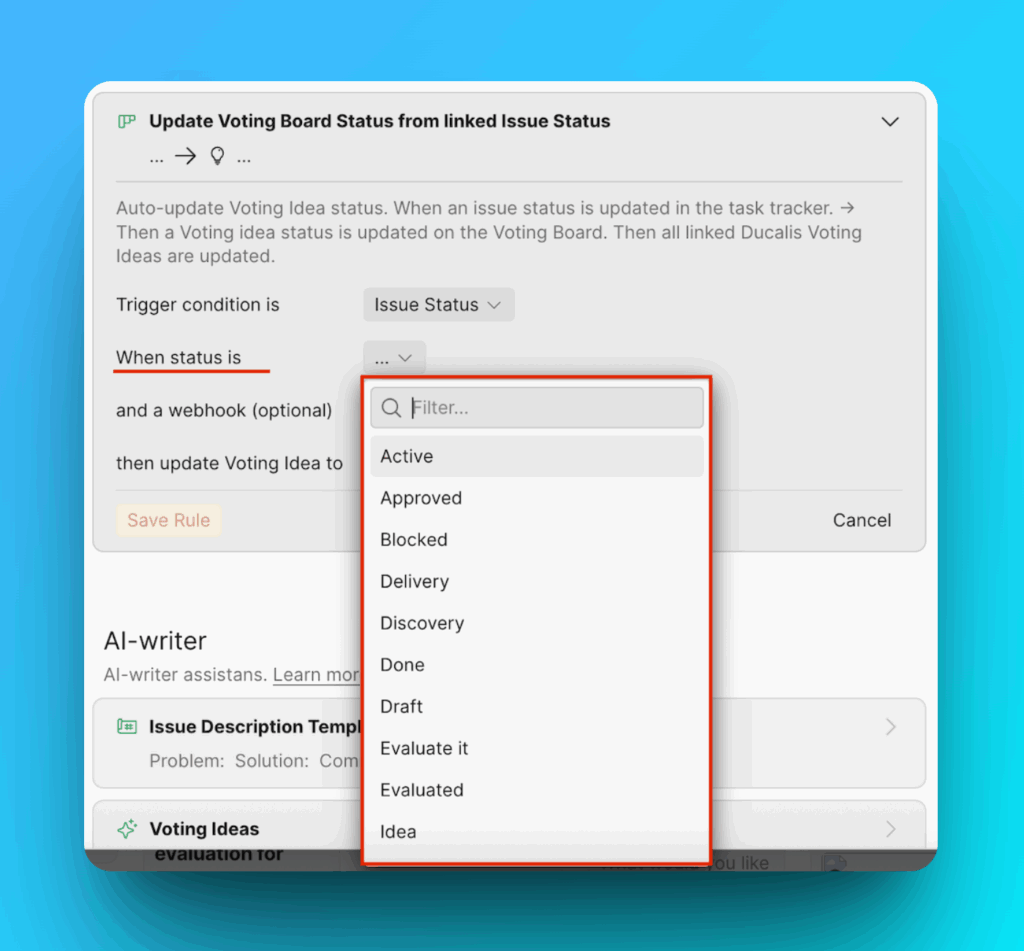
-
then update Voting Idea to (Oylama Fikrini şu duruma güncelle) alanında, karşılık gelen Fikir durumunu seçin.
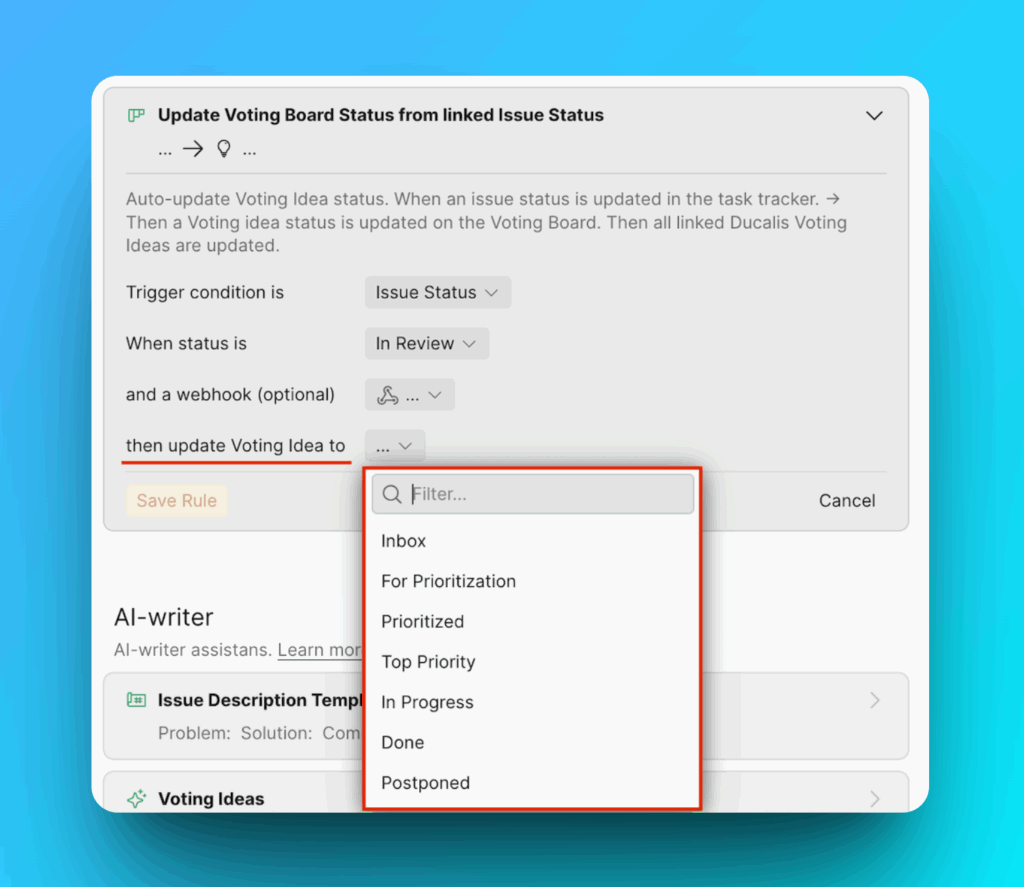
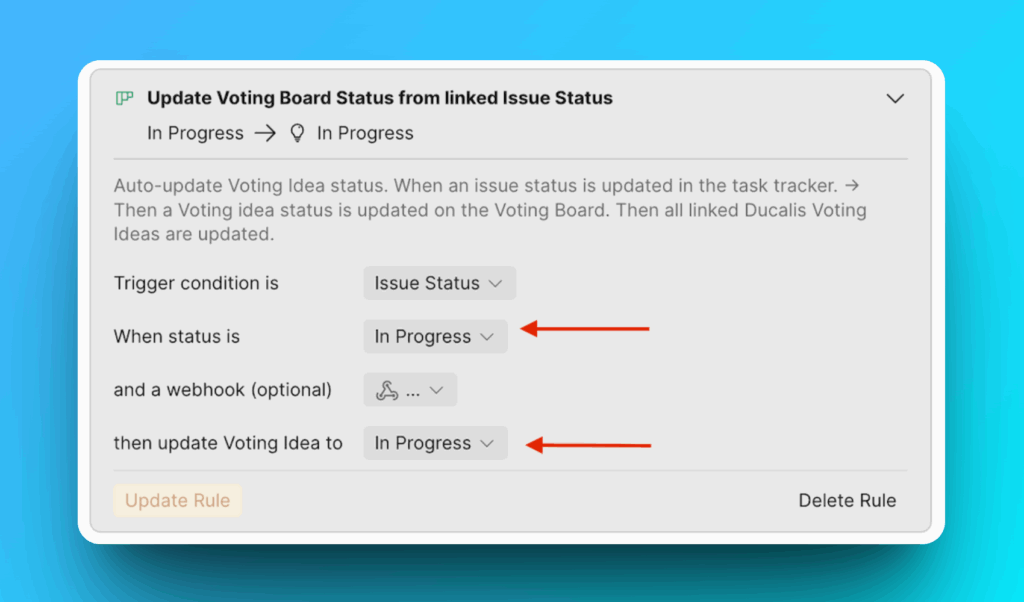
Örnek: Bir Jira Cloud Kaydı In Progress (Devam Ediyor) durumuna geçtiğinde, bağlantılı Fikir otomatik olarak In Progress (Devam Ediyor) durumuna güncellenir.
-
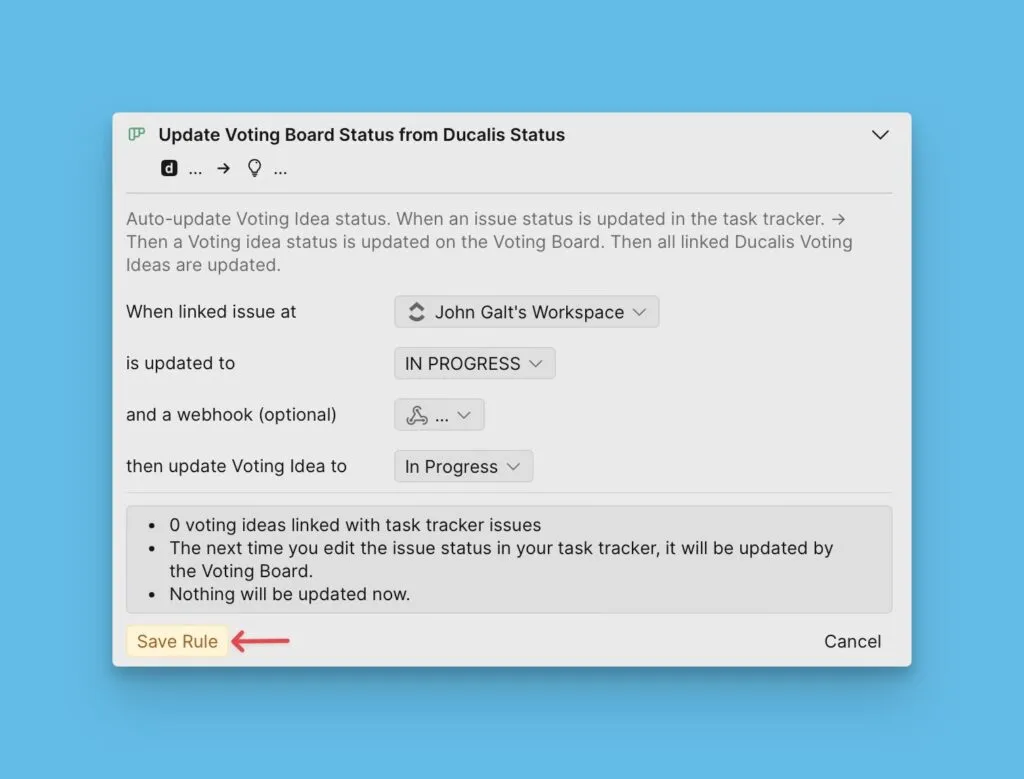
Save Rule (Kuralı Kaydet) seçeneğine tıklayın.
-
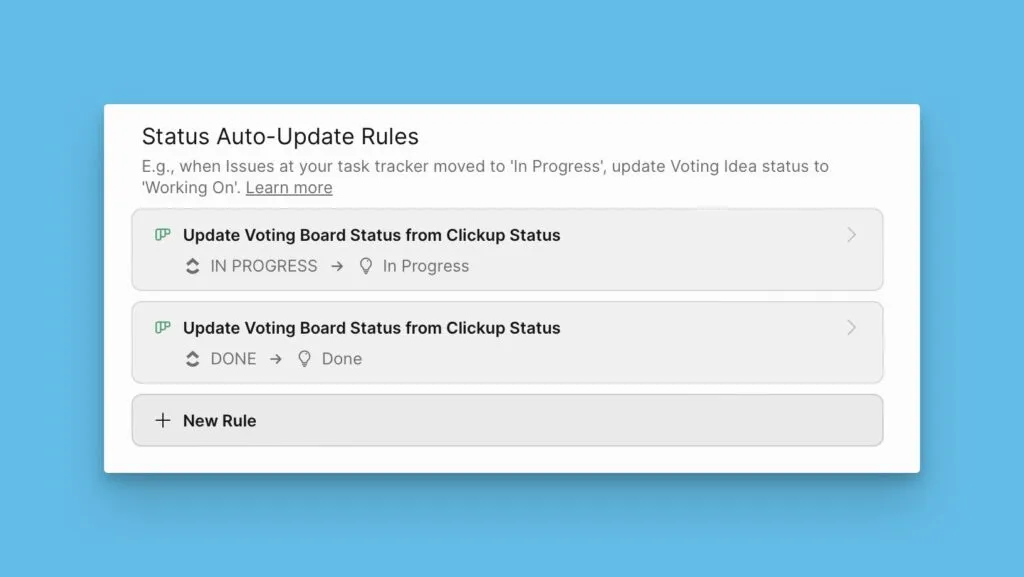
Tüm durumlarınız için kurallar oluşturmak üzere 1-6. adımları tekrarlayın.
Sırada ne var?
Changelog sayfasını kullanarak müşterilerinizi yeni sürümler hakkında nasıl bilgilendireceğinizi öğrenmek için Adım 5: Changelog sayfasında yayınlanan özelliklerin duyurulması adımına devam edin.