Kullanım örneği: Değerlendirme sürecindeki roller
Etkili önceliklendirme, görevlerin hem iş hem de teknoloji perspektiflerinden değerlendirilmesini gerektirir. Her takım üyesi, görevleri kendi spesifik rolüne ve uzmanlığına göre değerlendirir.
Kullanıcılara Kriterleri rol-bazlı vizyonlarına göre atama hakkında daha fazla bilgi edinin.
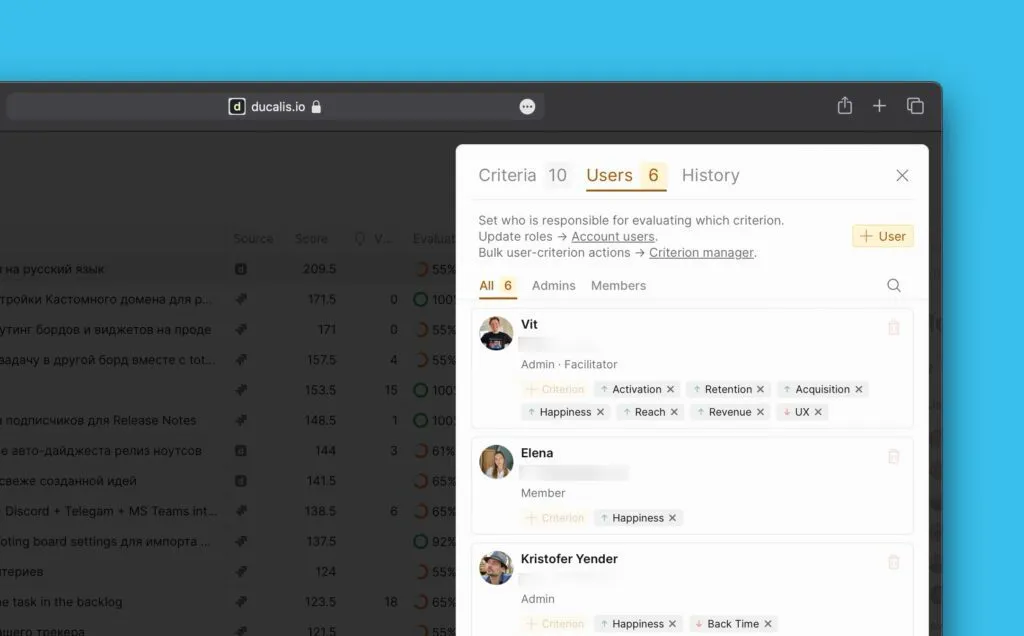
Kayıtları Kriterlerle değerlendirmenin ötesinde, önceliklendirme kalitesini sürdürmek için tutarlı bir sürece ihtiyacınız vardır. Bu makale, Değerlendirme sürecindeki her kullanıcı rolü için sorumlulukları tanımlar.
Kullanıcı rolleri ve sorumlulukları
Şeffaf ve başarılı bir önceliklendirme süreci için takım üyeleri arasında net sorumluluklar atayın.
Pano Takım Lideri
Tüm Pano önceliklendirme sürecini denetler.
Sorumluluklar:
- Nihai Pano yapılandırmasını onaylar (Kriterler, Değerlendiriciler, İş Listesi Kayıtları, önceliklendirme son tarihleri)
- Her şeyi düzenleyebilir: Kriterler, Değerlendiriciler, puanlar, Nihai Puanlar
- Herkesin güvendiği nihai kararı verir
- Tüm takım üyeleri Kriterlerdeki veya Nihai Puanlardaki değişiklikleri görebilir
Özel yetenek: Diğer tüm öncelik sıralamalarını geçersiz kılmak için "Objektif Aciliyet" gibi bir Kriter oluşturabilir.
Örnek eylemler:
-
Önerilen Kriterleri analiz eder ve gerektiğinde ekler veya kaldırır.
-
Uzmanlık ve deneyime göre Değerlendirme Kriterlerini Değerlendiricilere atar.
-
Değerlendirmeyi tamamlama ve görev önceliklendirme için son tarihler belirler.
Kolaylaştırıcı
İş ve teknoloji perspektiflerini birleştiren kullanıcı—genellikle bir Scrum Master. İki Kolaylaştırıcı atayabilirsiniz: biri iş Kriterleri için, diğeri teknik Kriterler için.
Sorumluluklar:
- Eksik bilgileri veya alternatif çözümleri tanımlar
- Değerlendirmede takım uyumsuzluğunu çözer ve Değerlendiriciler arasında mutabakat sağlar
- Anlaşmazlıkları çözmek için Nihai Puanları yeniden yazabilir
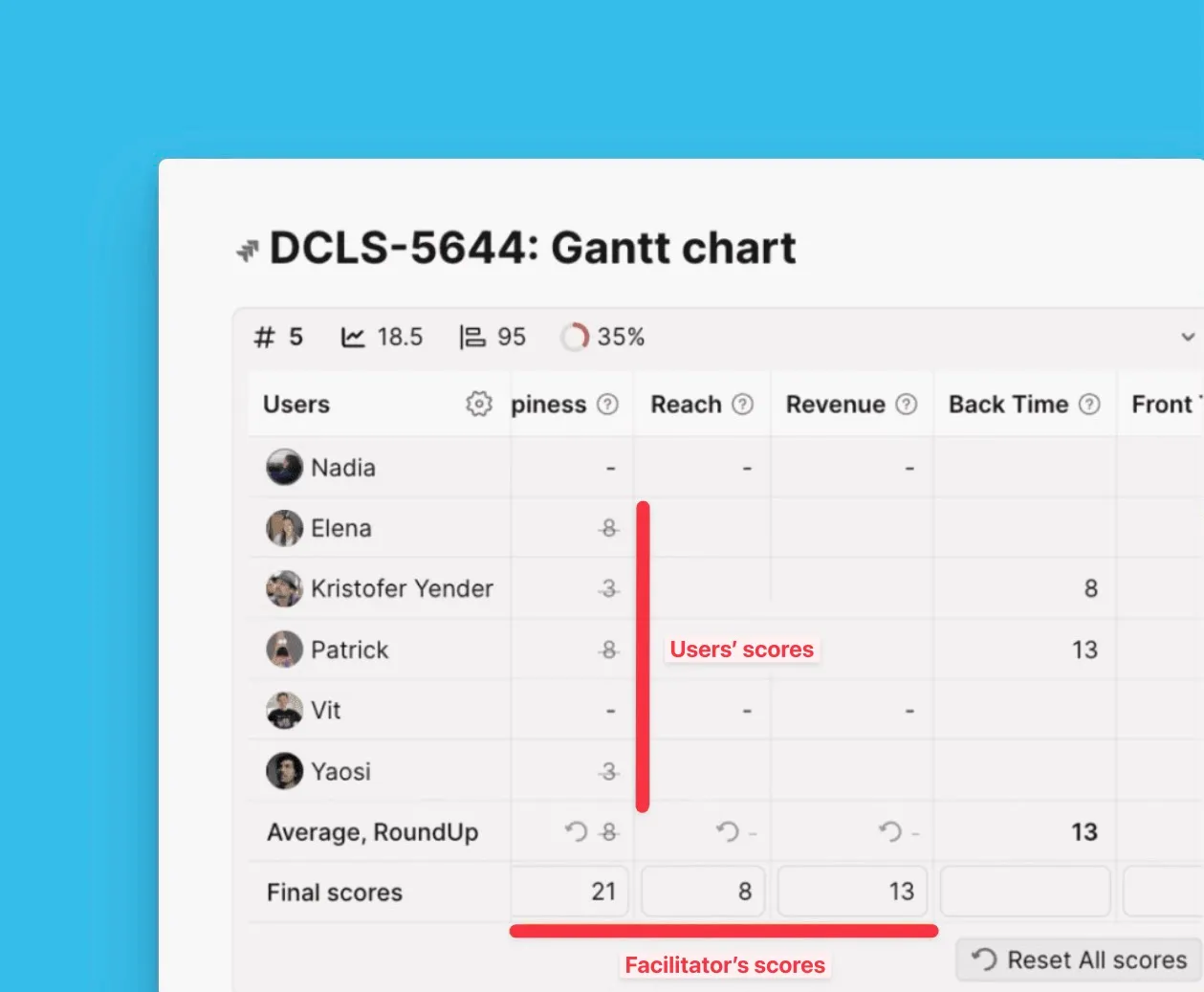
Örnek eylemler:
- Değerlendirmede uyumsuzluk alanları hakkında tartışmaları yönetir
- Bakış açılarını ve argümanlarını anlamak için Değerlendiricilere sorular sorar
- Mutabakata varmak için görevleri çözmeye yönelik alternatif yaklaşımlar önerir
Kolaylaştırıcı rolünü kurma hakkında bilgi edinin.
Kriter Yöneticisi
Kuruluşun Kriterler kütüphanesini yönetir. Kriterlerin şirket hedefleriyle uyumlu kalmasını sağlar.
Sorumluluklar:
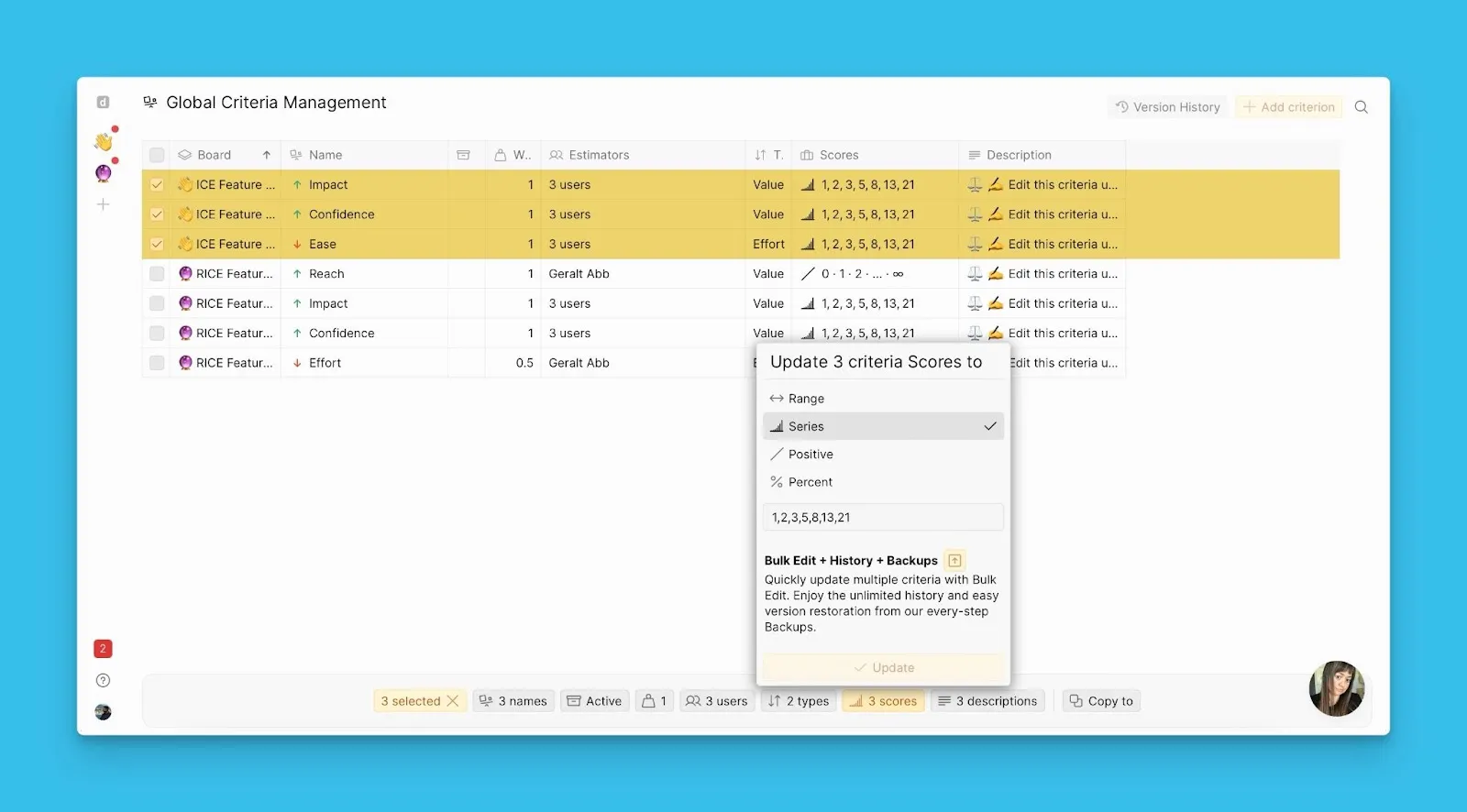
- Gerektiğinde derecelendirme ölçeklerini, açıklamaları ve Kriter ağırlıklarını iyileştirir ve günceller
- Tüm Panolar genelinde Kriterleri yönetmek için Global Kriterler Yönetimi bölümünü kullanır
- Kuruluş genelinde açıklamaları, derecelendirme ölçeklerini ve ağırlıkları değiştirir
Örnek eylemler:
-
Takımlar arası uygunluk için Kriter açıklamalarını izler
-
Değerlendirme Kriterlerine dayalı görüşleri netleştirmek için Değerlendiricilerle tartışmalar başlatır
-
Daha doğru değerlendirme için gerektiğinde Kriter derecelendirme ölçeklerini ayarlar
Değerlendirici
Uzmanlığa göre Kriterlere atanır: "Canlı bir tartışmada görev hakkında bu soruyu kime sorarsınız?"
Sorumluluklar:
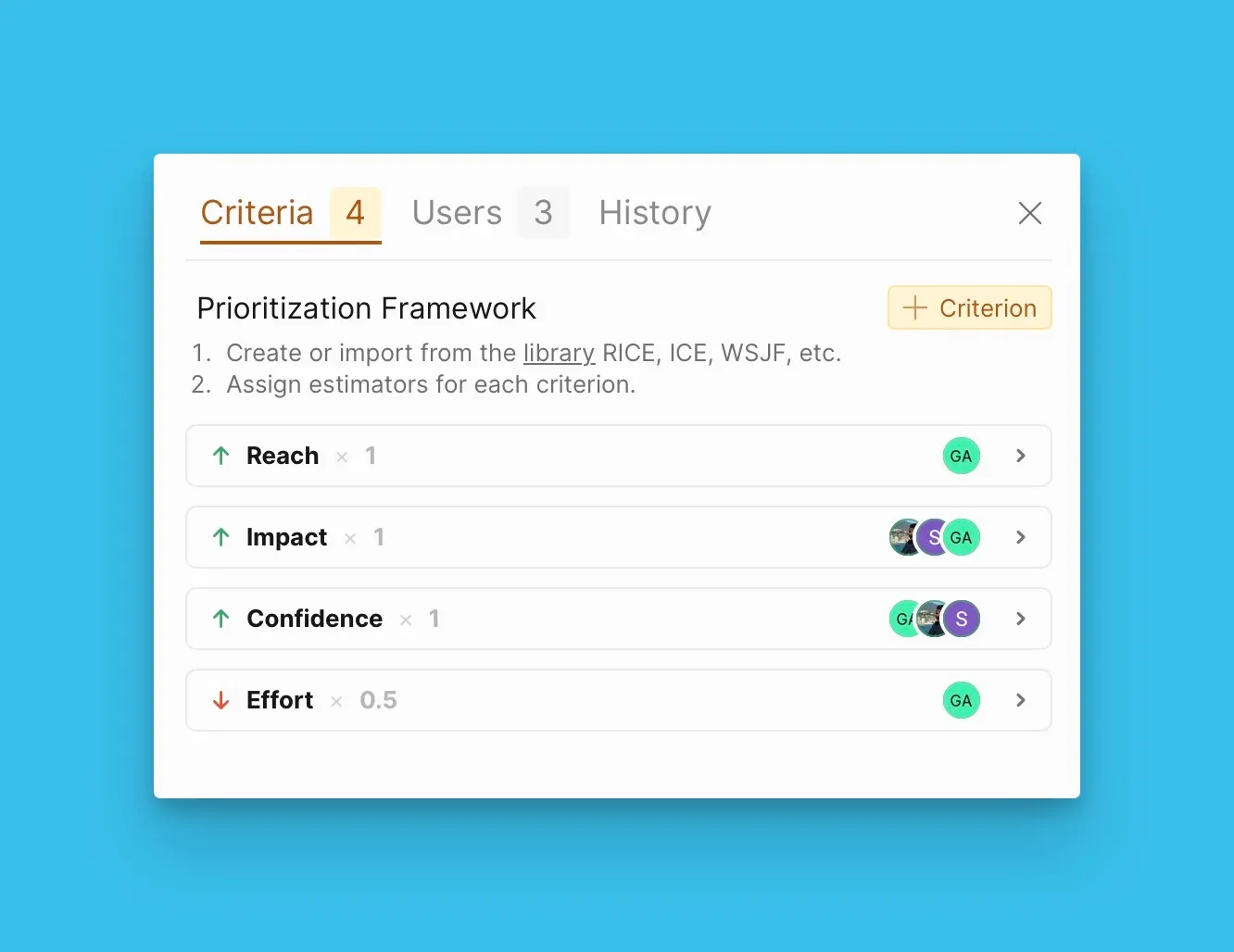
- Görevleri atanmış Kriterlere göre, derecelendirme ölçeklerini ve deneyimi kullanarak değerlendirir
-
Gerektiğinde görevler hakkında ek bilgi veya açıklamalar talep eder
Örnek eylemler:
-
Görev açıklamalarını inceler ve atanmış Kriterler ve derecelendirme ölçekleri kullanarak değerlendirir
-
Bilgi yetersiz olduğunda görev yazarlarından veya takım arkadaşlarından açıklama talep eder
-
Takım uyumsuzluğu olan görevler hakkında tartışmalara katılır ve pozisyonu için argümanlar sunar
Kullanıcı sorumlulukları ile değerlendirme süreci
Net tanımlanmış rollerle bu adım adım süreci izleyin:
-
Pano Takım Lideri Değerlendirme Kriterlerini Değerlendiricilere atar ve önceliklendirme son tarihlerini belirler.
-
Değerlendiriciler atanmış Kriterler ve sağlanan derecelendirme ölçekleri kullanarak İş Listesini değerlendirir.
-
Kolaylaştırıcı Değerlendiriciler arasındaki çatışmaları çözmede ve mutabakata varmak için görev bilgilerini netleştirmede yardımcı olur.
-
Kriter Yöneticisi Kriter uygunluğunu izler ve gerektiğinde derecelendirme ölçeklerini ayarlar.
-
Pano Takım Lideri Değerlendirme sonuçlarını gözden geçirir ve nihai önceliklendirmeyi onaylar.
En iyi uygulamalar
-
Geri bildirim toplamak ve Kriterleri ve süreçleri ayarlamak için bu modeli kullanarak 10-20 görevi değerlendirerek başlayın.
-
İlk iterasyon sonuçlarını ve süreç mekaniklerini takımınızla tartışın.
-
Geri bildirimlere göre önceliklendirme sürecini ayarlayın: Kriterleri değiştirin (açıklama, ağırlık, ölçek, Değerlendiriciler).
-
Görevler genelinde Soruları çözün ve İş Listesinden görev ekleyin, düzenleyin veya kaldırın.
Takımınız şirketinizin hedefleriyle eşleşen formülü bulana kadar birkaç kez iterate edin.