Adım 4. E-postalar için Özel Alan Adı
Açılma oranlarını artırmak ve abonelerinizle güven oluşturmak için sürüm notlarını ve bildirimleri şirketinizin e-posta adresinden gönderin.
Özel bir alan adı yapılandırdığınızda, Oylama Panosu abonelerine gönderilen tüm e-postalar genel bir gönderen yerine şirket adresinizi kullanır. Buna sürüm notları, Fikir durum güncellemeleri, yorumlar ve diğer bildirimler dahildir.
bilgi
Özel alan adı ayarlamak için desteğe başvurun. Bu özellik DNS yapılandırması gerektirir ve kendi başınıza yapılandırılamaz.
Özel e-posta adresi formatı
Özel e-posta adresiniz şu düzeni izler: kullaniciadi@sirketiniz.com
Örnek: Şirketiniz GLD café ise, e-posta adresiniz pgash@gldcafe.com olacaktır.
Kurulum süreci
- Alan adınız için DNS ayarlarını yapılandırın (destek eklenecek belirli kayıtları sağlayacaktır).
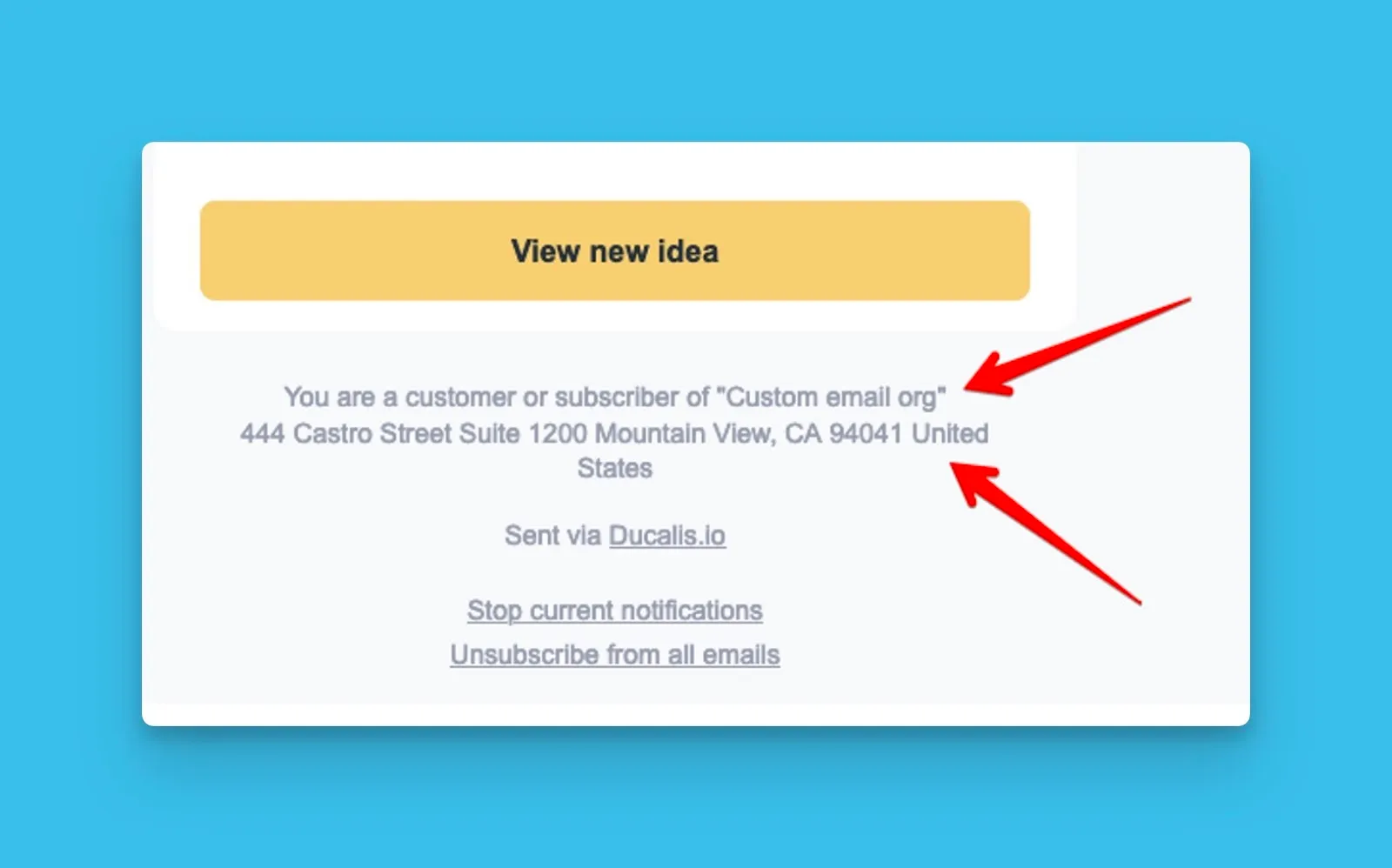
- E-posta altbilgileri için kuruluş bilgilerinizi sağlayın (şirket adı, adres, iletişim bilgileri).
Kurulum sonrası e-posta altbilgisi
İlgili makaleler
Sıradaki nedir?
Adım 5: Sürüm notlarını alacak abone e-posta adreslerini içe aktarın ile devam edin.