Adım 2. Scrum Poker'ı Ayarlayın
Scrum Poker, takımların paydaş puanlarını Reveal (Kartları Açma) aşamasına kadar gizleyerek iş listelerini minimum önyargıyla değerlendirmelerini sağlar.
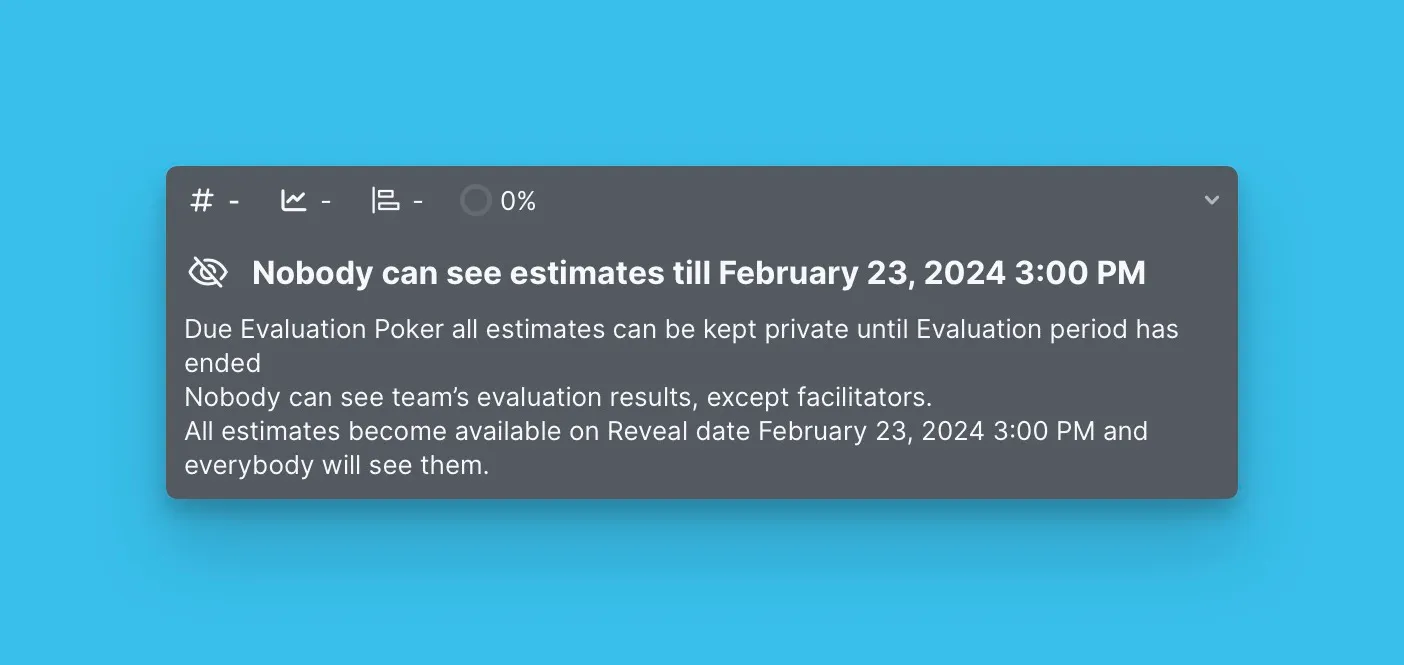
Puanlar, değerlendirme sonuçlarını tartışmak için Reveal aşamasında açılır.
Scrum Poker'a genel bir bakış için buraya tıklayın.
Scrum Poker'ı Etkinleştirin
Scrum Poker'ı yapılandırmak için önce özelliği etkinleştirin. Etkinleştirildiğinde, Pano Kullanıcıları Reveal'e (puanların tartışma için açıldığı an) kadar diğerlerinin puanlarını göremez. Bu süre boyunca yalnızca Moderatörler herkesin puanını görebilir.
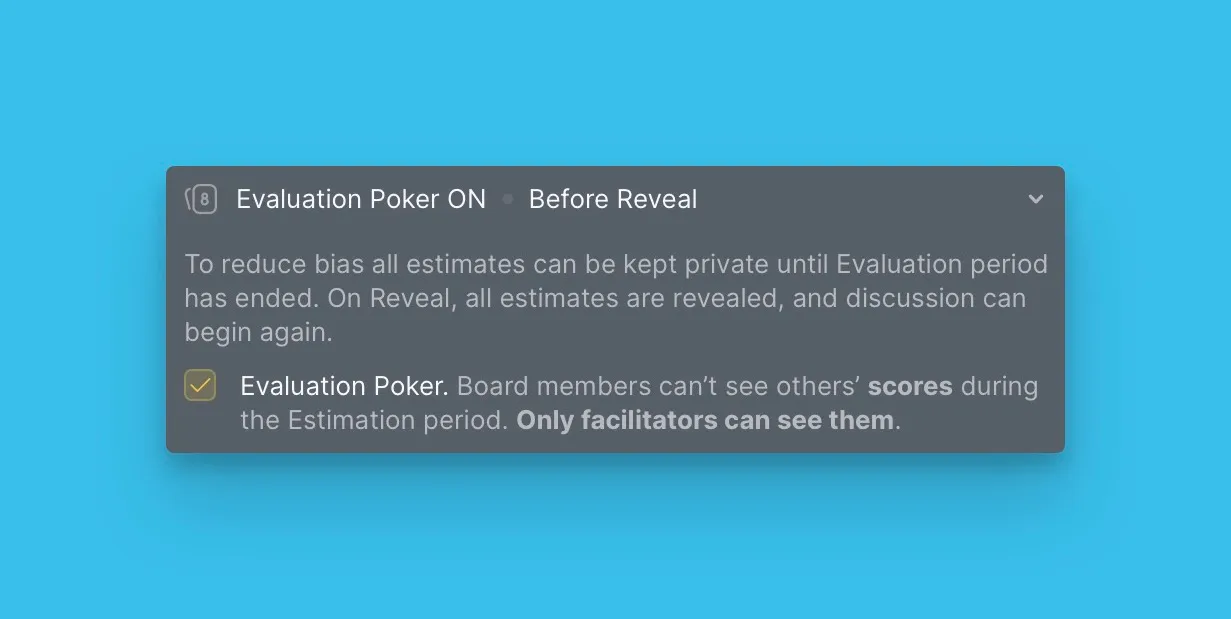
Değerlendirme sırasında puanları gizleme hakkında daha fazla bilgi için buraya tıklayın.
Reveal sonrası puan güncellemelerini yapılandırın
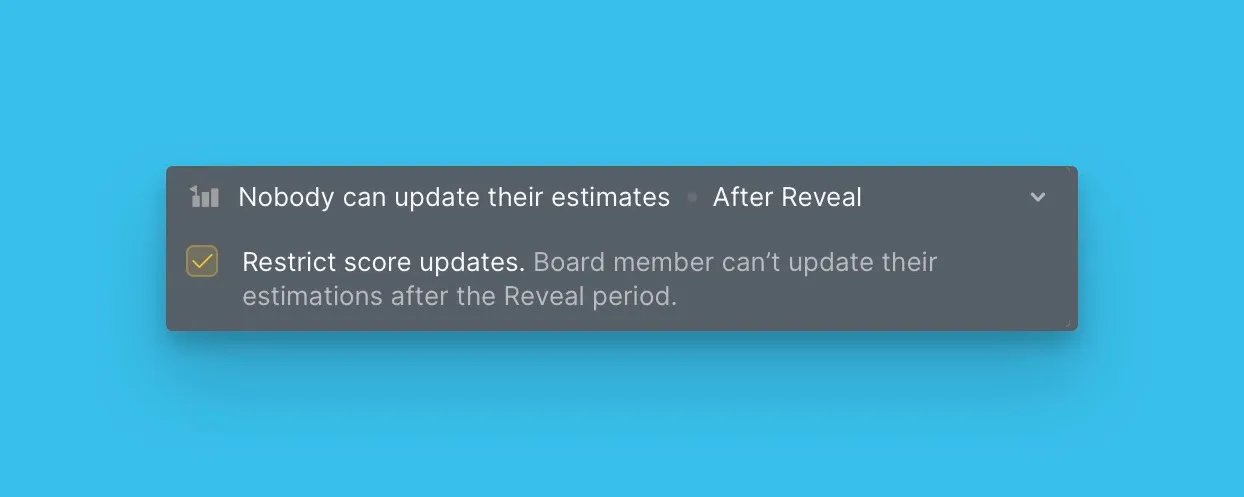
Reveal aşamasından sonra, Değerlendiricilerin puanlarını güncellemelerine izin verebilir veya kısıtlayabilirsiniz:
- Güncellemeye izin ver: Değerlendiriciler, diğerlerinin değerlendirmelerini gördükten sonra puanlarını yeniden gözden geçirebilir.
- Güncellemeyi kısıtla: Reveal gerçekleştikten sonra hiçbir Değerlendirici puanları düzenleyemez.
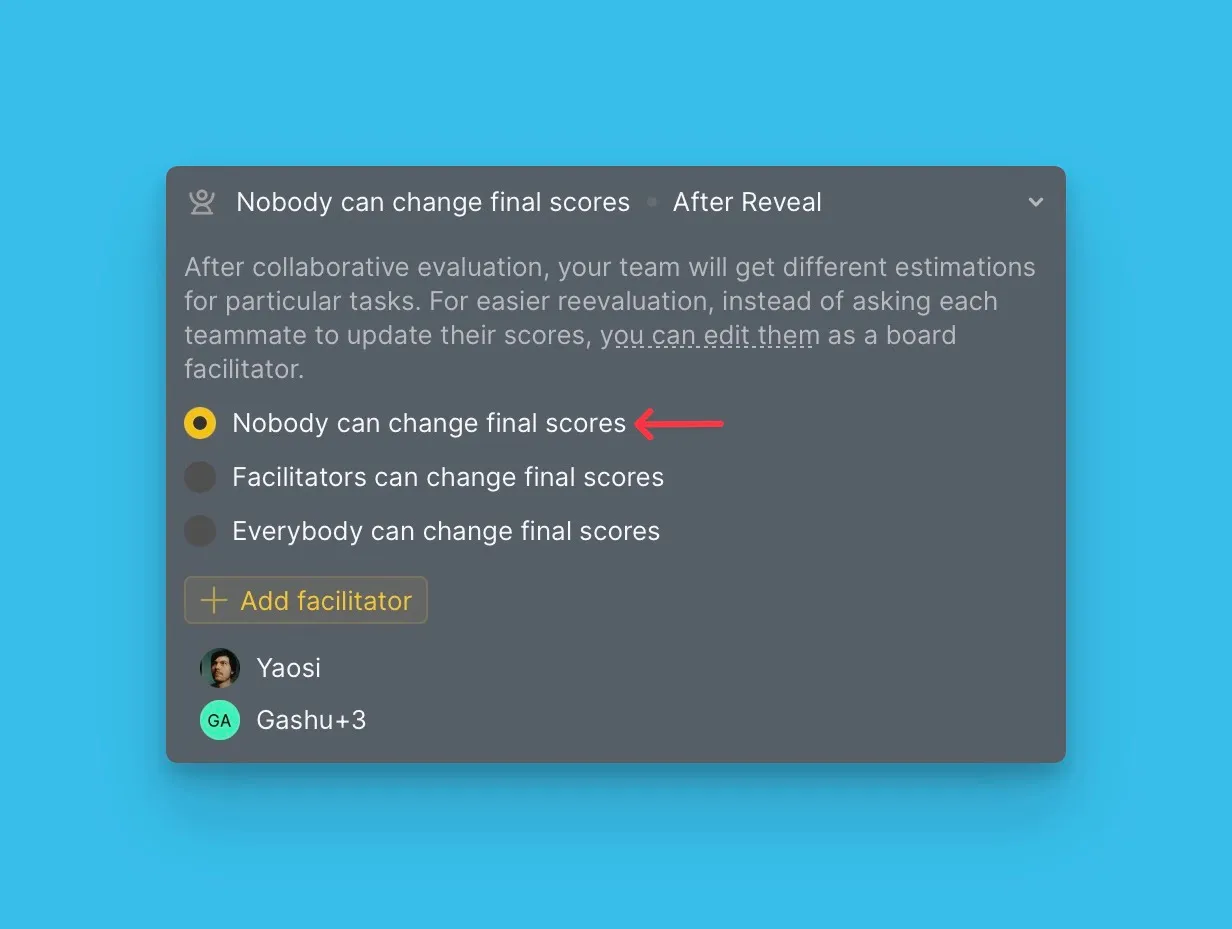
Son Puanları kimlerin düzenleyebileceğini belirleyin
Puanlar açıldıktan ve tartışıldıktan sonra, İş Kartlarını yeniden değerlendirmek yerine Son Puanları doğrudan güncelleyebilirsiniz. Son Puanları kimlerin değiştirebileceğini seçin:
- Herkes: Tüm Pano Kullanıcıları Son Puanları düzenleyebilir.
- Yalnızca Moderatörler: Yalnızca Moderatörler Son Puanları düzenleyebilir.
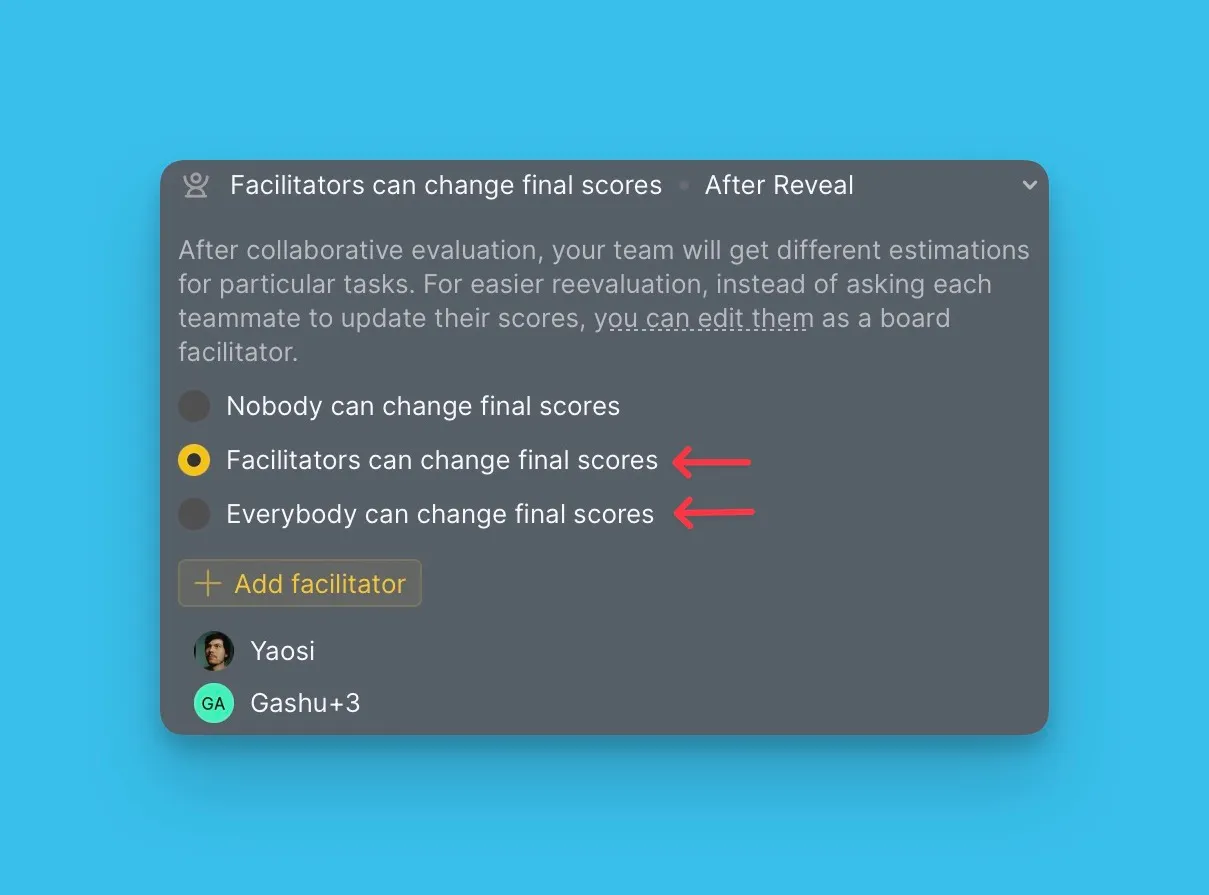
Doğrudan Son Puan güncellemesi yerine yeniden değerlendirme istiyorsanız, herkesin Son Puanları düzenlemesini kısıtlayın.
İş Kartı üzerinde Son Puanları güncelleyebilir veya yeniden değerlendirebilirsiniz.
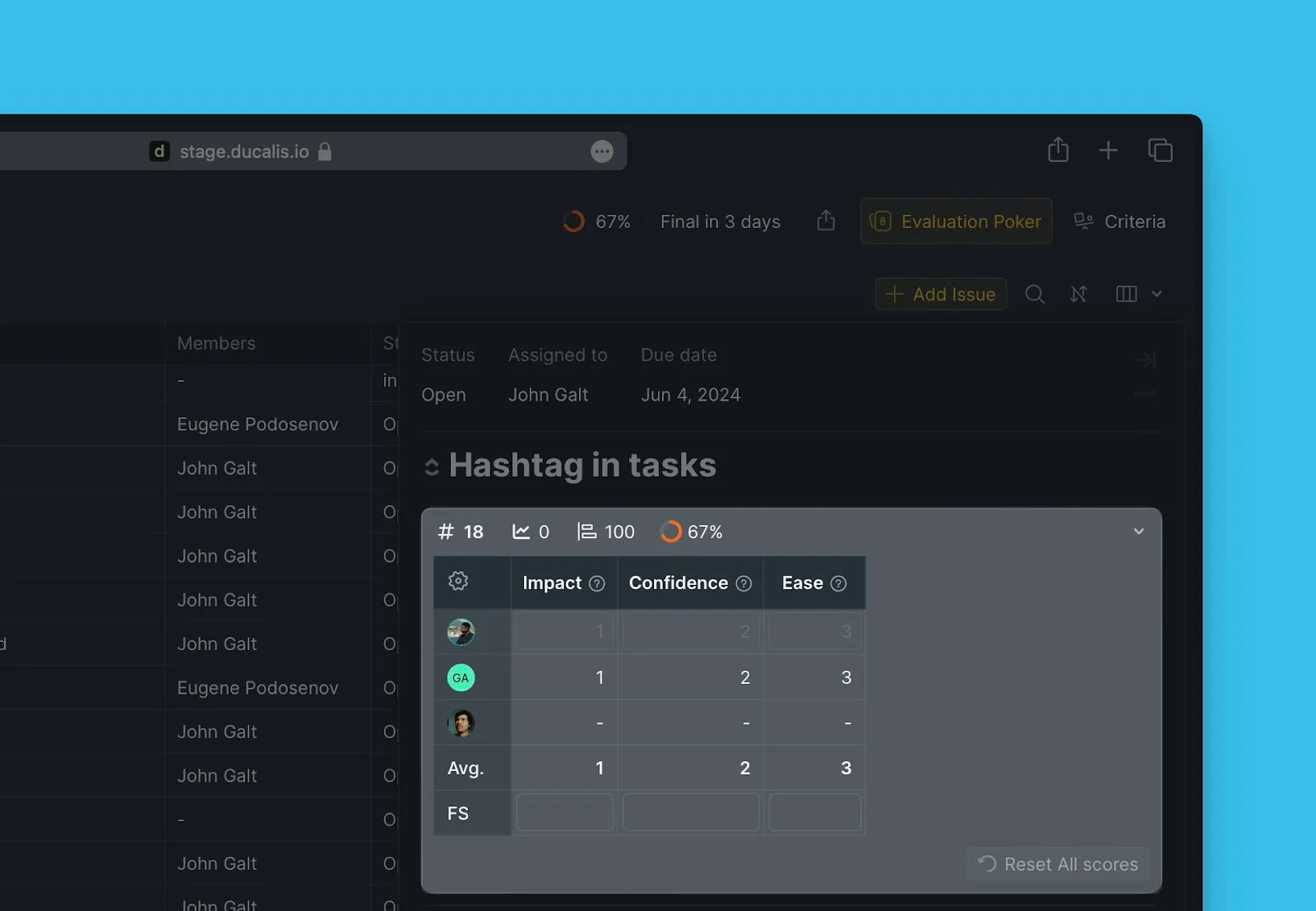
İş Kartı Yeniden Değerlendirme Bölümü ve İş Kartı Yeniden Değerlendirme hakkında daha fazla bilgi edinin.
Sırada ne var
Takımınızın değerlendirme durumunu izlemek için Adım 3: Değerlendirme İlerleme Raporunu Kontrol Edin adımına geçin.