Score backups
Ducalis automatically backs up evaluation scores when they expire or reset. You can restore these backups if scores are reset while you still need them or following accidental deletions.
Backups are created when evaluation scores expire or when you manually reset scores. Each backup is kept for 30 days before it's permanently deleted.
Restore evaluation scores
-
Go to Evaluation Progress and open Sprint Planning settings.
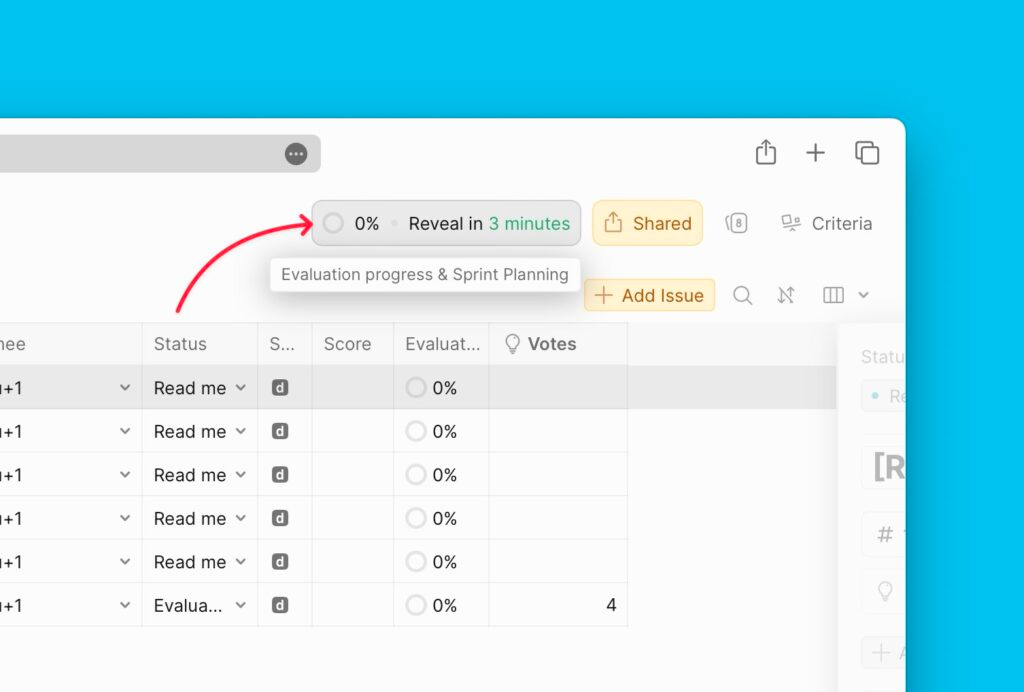
-
Under Sprint settings, scroll to Final and open the Score backups block.
-
Find the score version you want to restore.
-
Click Restore.
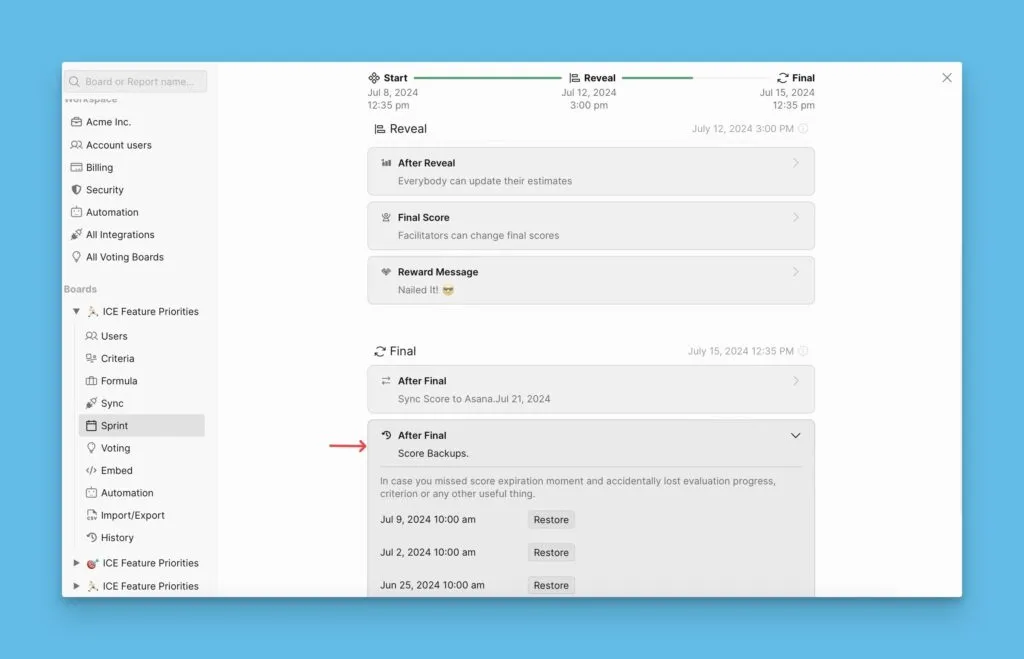
When you restore a backup, the current score version is automatically backed up. You'll find it under Score Backups and can restore it to undo the change.
If you or any teammate restores a backup by mistake, you can undo it by restoring the automatically created backup.