Adım 1. Halka Açık Fikirler Ekleyin
Müşteri geri bildirimlerini toplamak ve yönetmek için Oylama Panonuza Fikir ekleyin. Dahili iş listesi Kayıtlarından halka açık Fikirler oluşturabilir, Oylama Panosunda doğrudan manuel olarak Fikir oluşturabilir, CSV'den toplu içe aktarabilir veya Canny'den geçiş yapabilirsiniz.
İş Listesi Kayıtlarından Halka Açık Fikirler Oluşturun
Dahili yol haritanızı müşterilerle paylaşmak için iş listesi Kayıtlarının halka açık versiyonlarını oluşturun. Otomatik dönüştürme için Ducalis AI kullanın veya açıklamaları manuel olarak yazın.
Önce görev takibinizden iş listenizi içe aktarın veya Ducalis içinde manuel olarak Kayıt oluşturun.
Halka açık versiyon yazmak için Ducalis AI kullanın
AI, harici kitleler için netliği korurken zamandan tasarruf ederek halka açık açıklamaları otomatik olarak oluşturur.
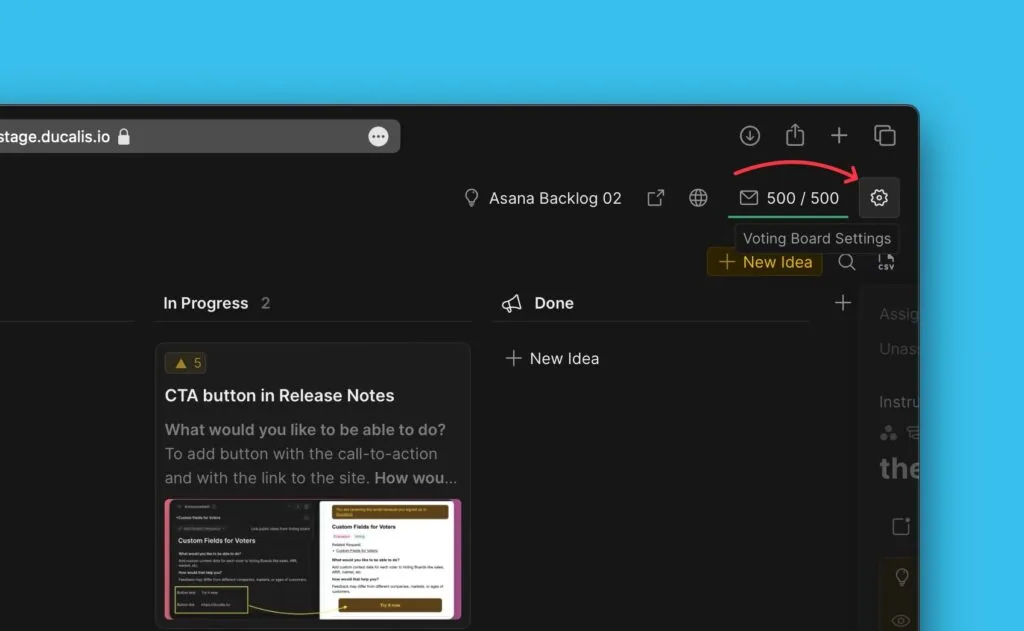
Özellik varsayılan olarak etkindir. Ayarlara Voting Board settings (Oylama Panosu ayarları) altından erişin.
-
Halka açık Fikir'e dönüştürmek istediğiniz Kayıt kartını açın.
-
Create Public Idea with AI (AI ile Halka Açık Fikir Oluştur) düğmesine tıklayın.
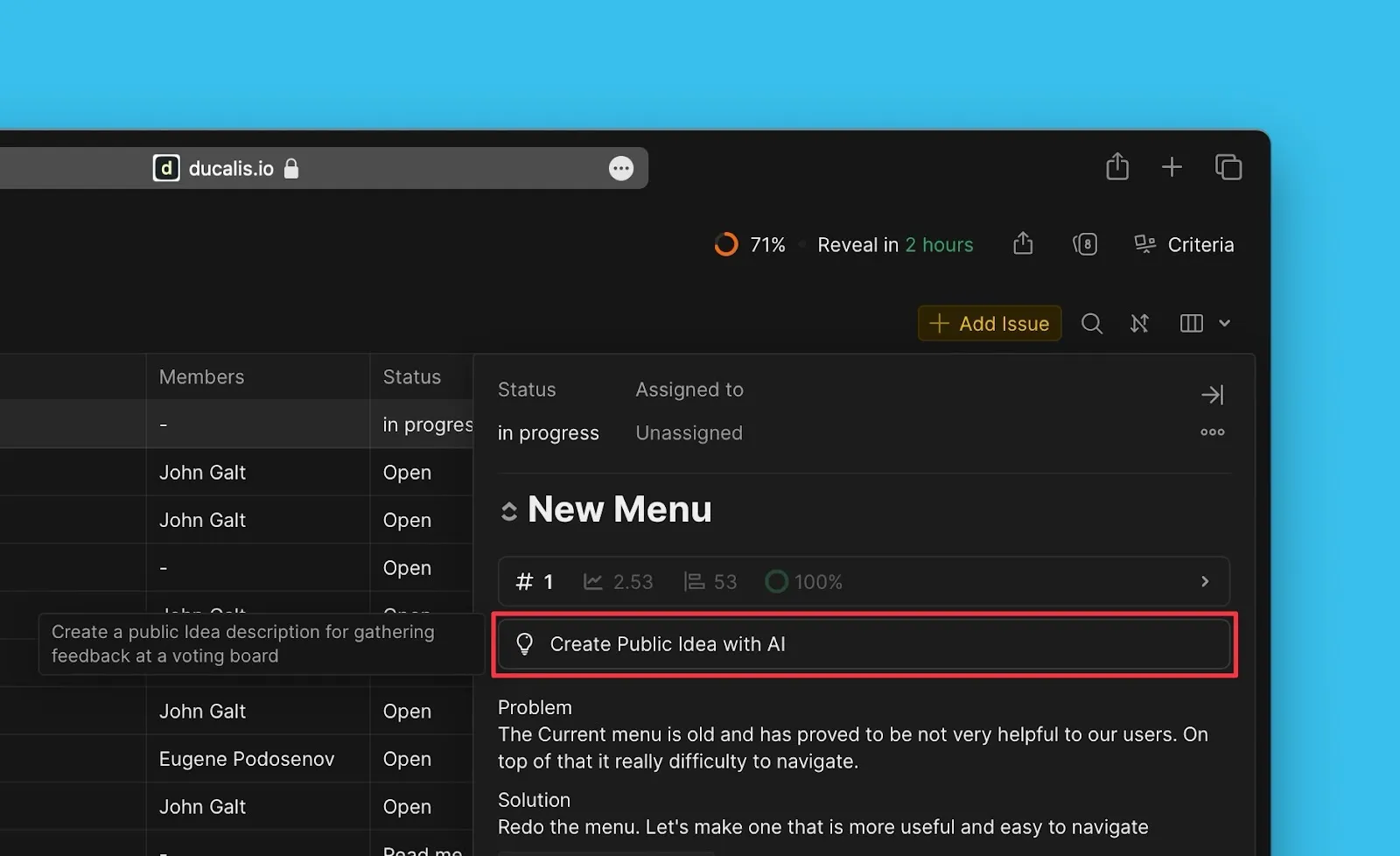
-
AI tarafından oluşturulan taslağı inceleyin. Onaylamadan ve yayınlamadan önce gerekirse açıklamayı düzenleyin.
-
Farklı içerik istiyorsanız, AI'ya taslağı yeniden yazması için talimat verin.
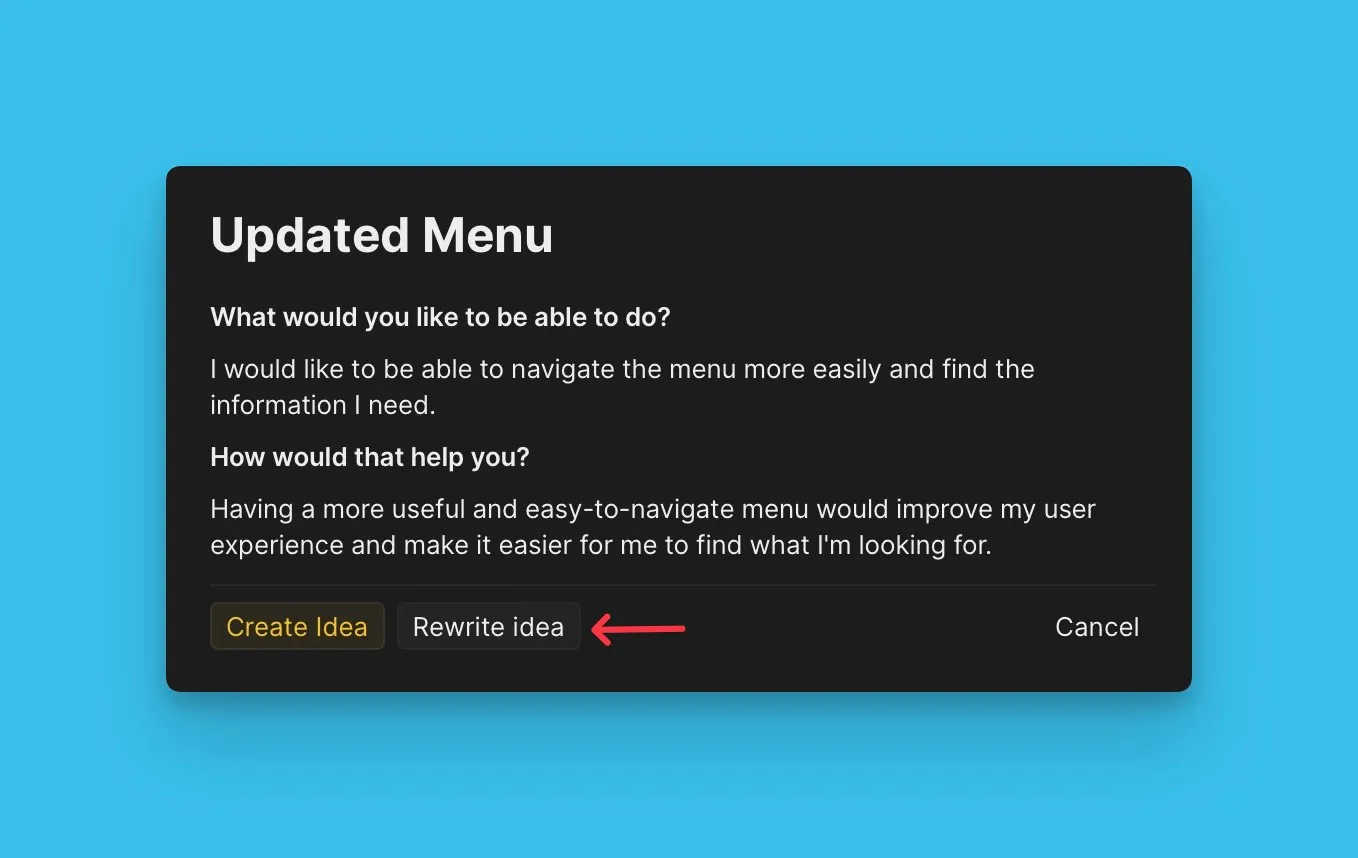
Daha fazla bilgi: Fikir Oluşturma.
Halka açık versiyonu manuel olarak yazın
Mesajlaşma üzerinde tam kontrol istediğinizde halka açık Fikirler için özel açıklamalar oluşturun.
-
Create Public Idea (Halka Açık Fikir Oluştur) düğmesine tıklayın.
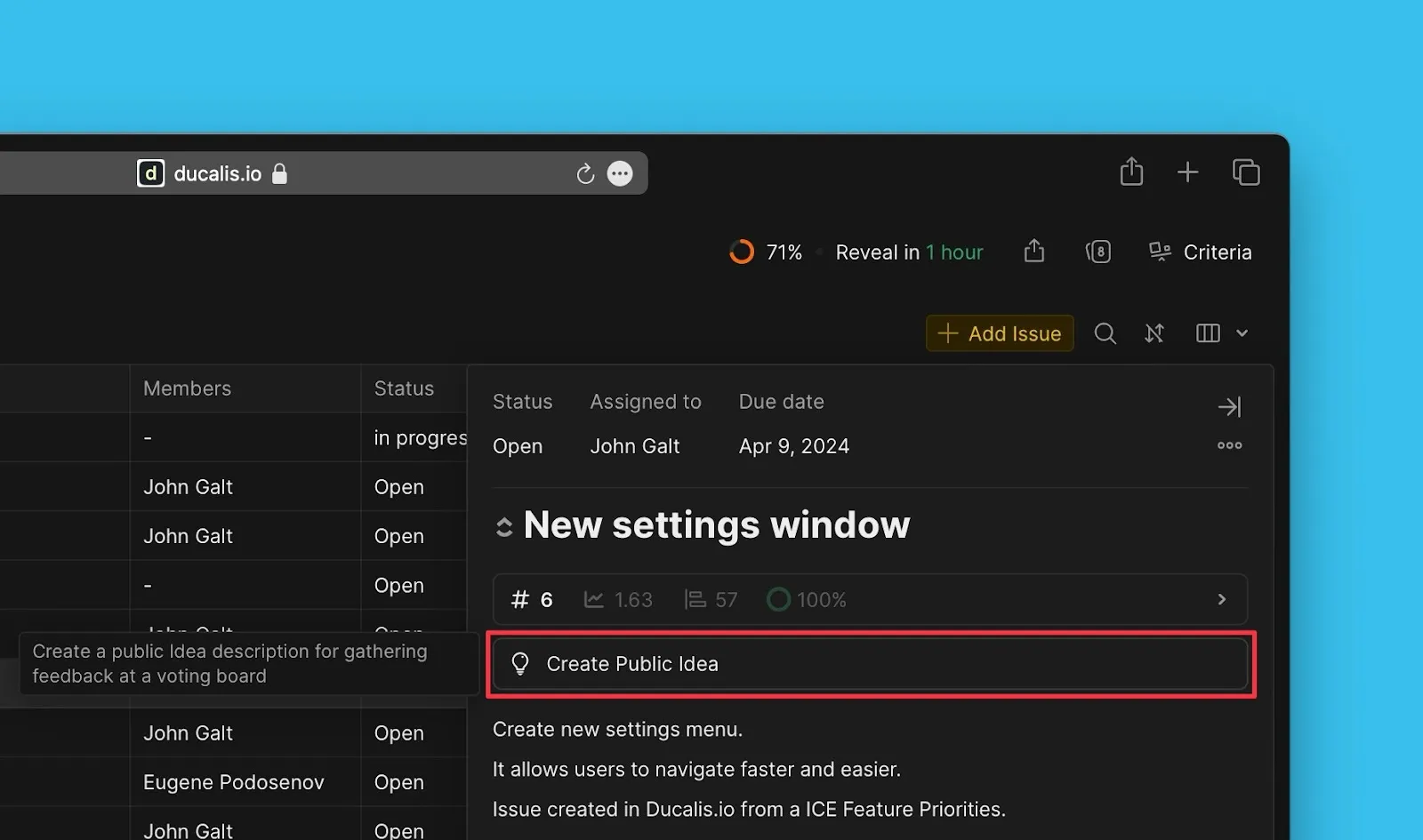
-
Fikir detaylarını doldurun ve Oylama Panosuna yayınlayın.
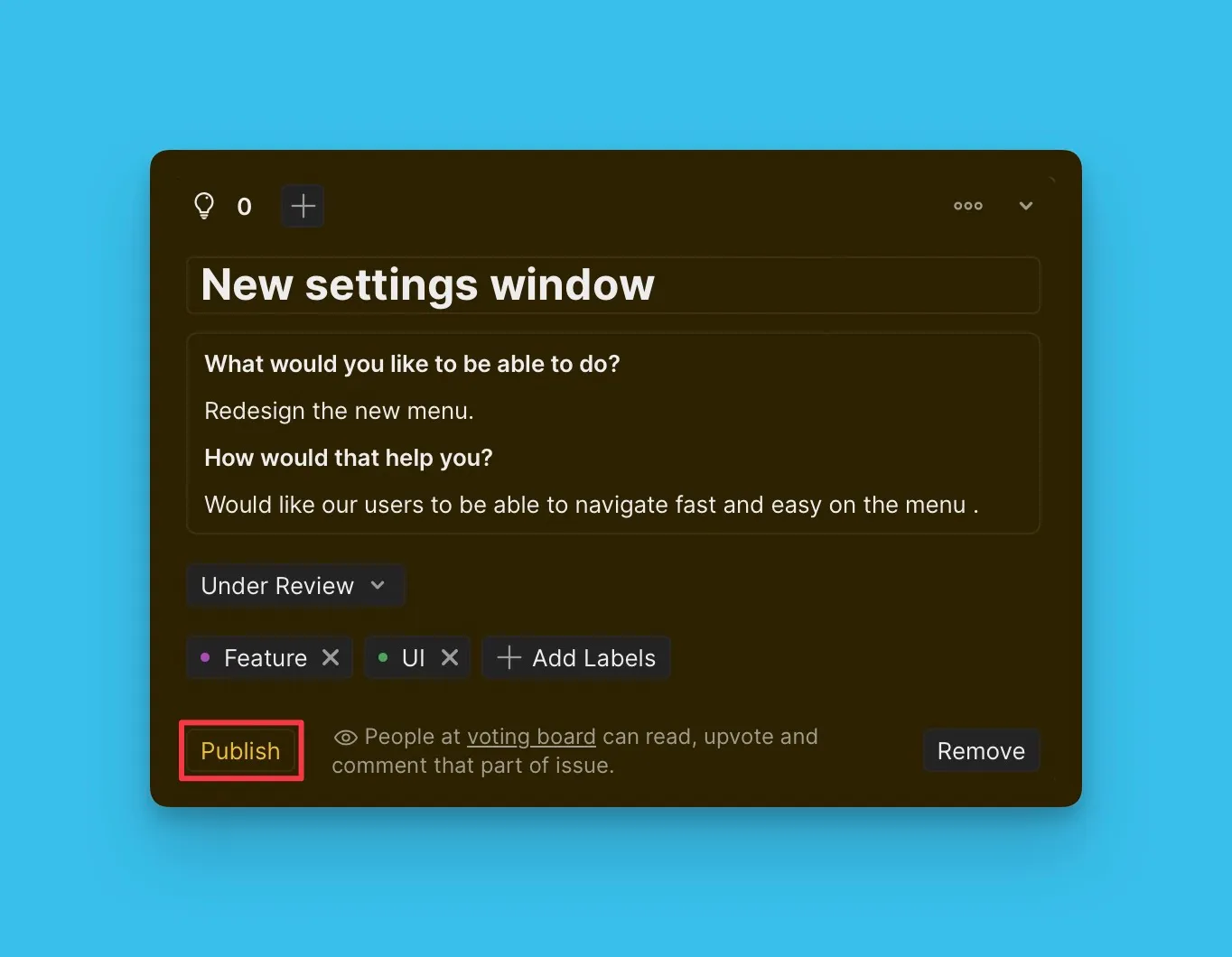
Daha fazla bilgi: Fikir Oluşturma.
Oylama Panosunda manuel olarak Fikirler oluşturun
Dahili Kayıtlara bağlanmadan doğrudan Oylama Panosunda Fikirler oluşturun. Bu yöntem, mevcut iş listeleri olmayan ekipler veya Oylayanların doğrudan talep göndermesi durumunda çalışır.
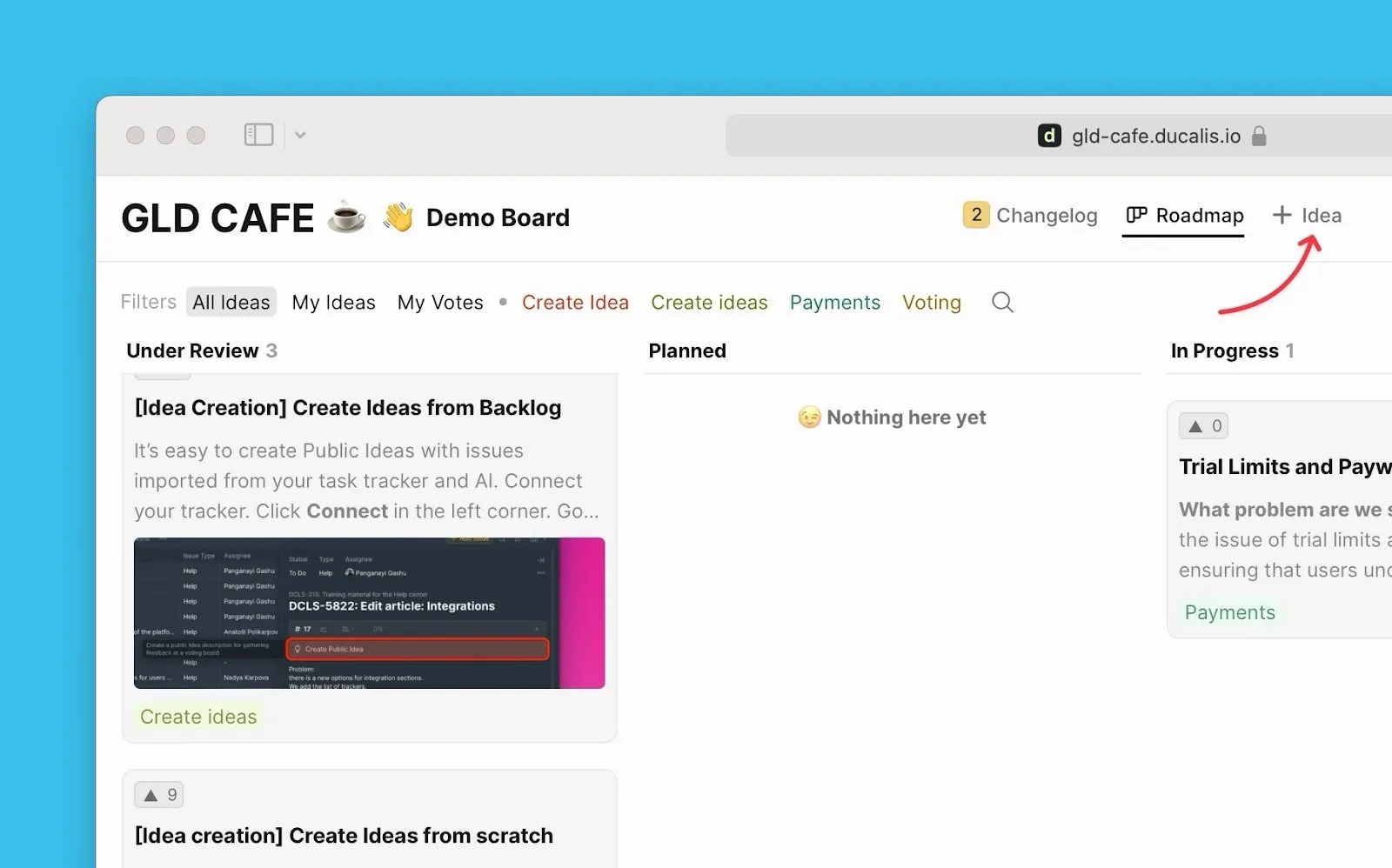
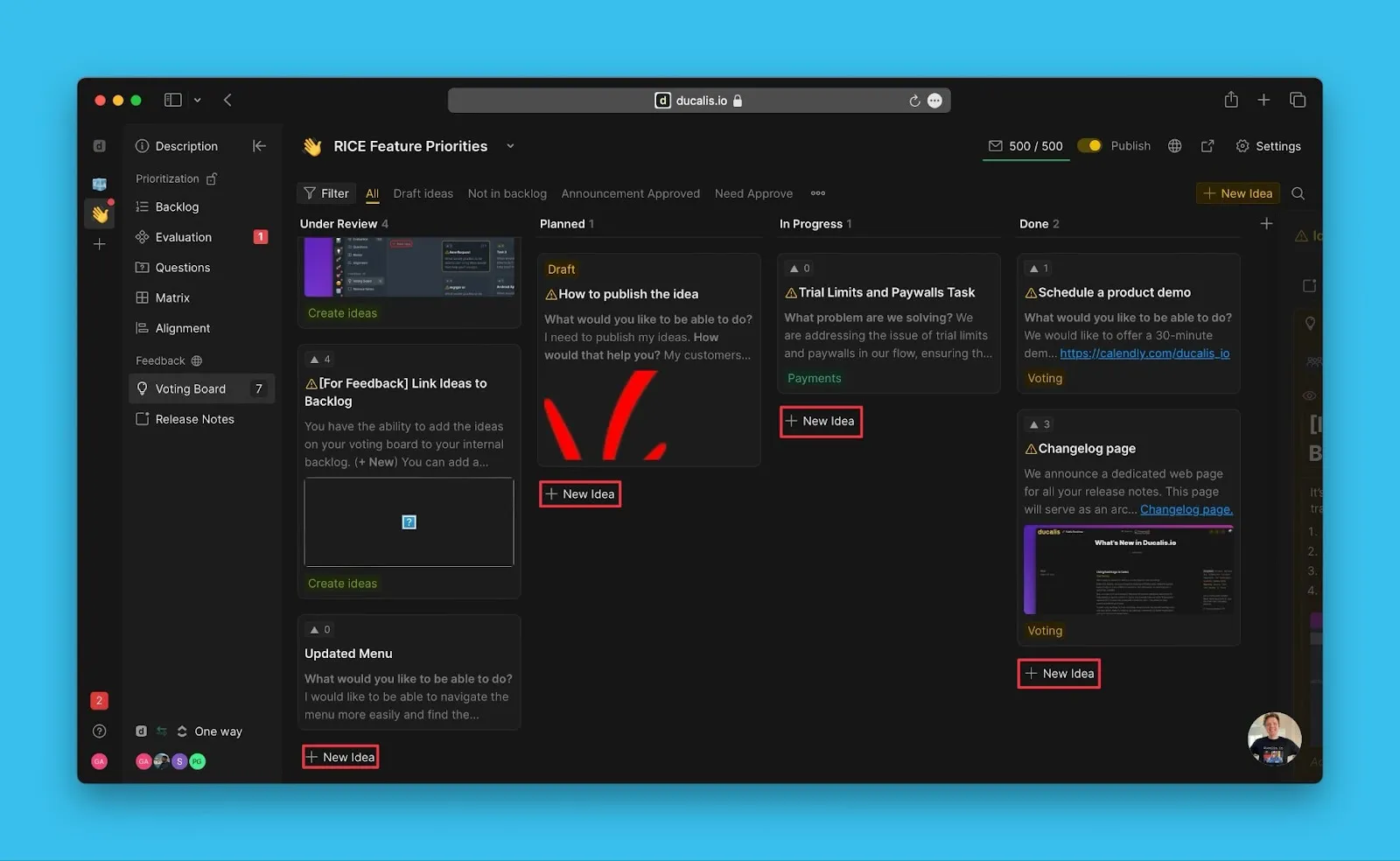
Her iki konumdan da + Idea (+ Fikir) düğmesine tıklayın:
Halka açık Oylama Panosunda:
Oylama Panosu yönetici sayfasında:
Daha fazla bilgi: Fikir Oluşturma.
CSV'den toplu olarak Fikirler içe aktarın
Bir CSV dosyası yükleyerek elektronik tablolardan veya diğer geri bildirim araçlarından toplu olarak Fikirler içe aktarın.
-
Voting Board settings (Oylama Panosu ayarları) bölümüne gidin.
-
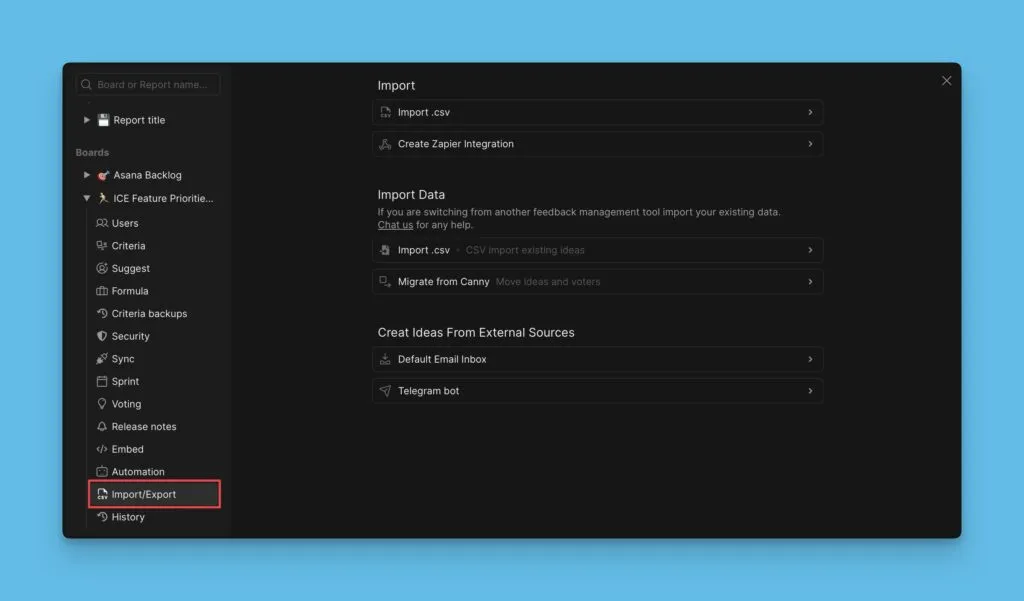
Sol menüden Import/Export (İçe Aktar/Dışa Aktar) seçeneğine tıklayın.
-
Create Ideas From External Sources (Harici Kaynaklardan Fikirler Oluştur) > Import Voting Ideas via CSV (CSV ile Oylama Fikirlerini İçe Aktar) seçeneğini açın.
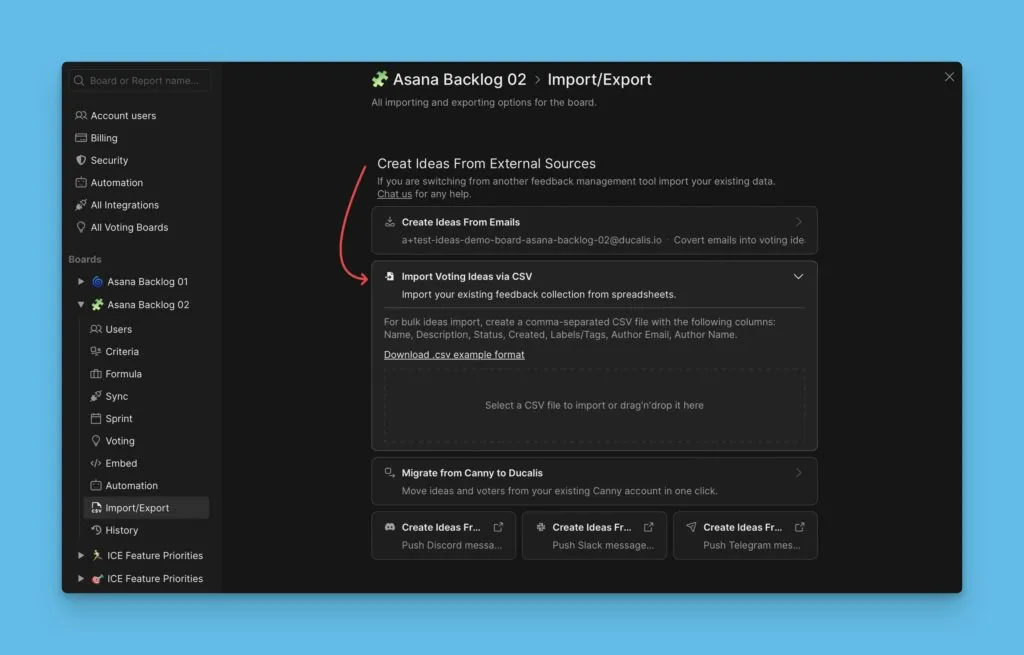
Daha fazla bilgi: CSV ile Fikirler İçe Aktarma.
Canny'den Fikirler içe aktarın
Canny API anahtarınızı kullanarak Canny'den Ducalis sistemine Fikirler ve Oylayanlar geçişi yapın.
-
Voting Board settings (Oylama Panosu ayarları) bölümüne gidin.
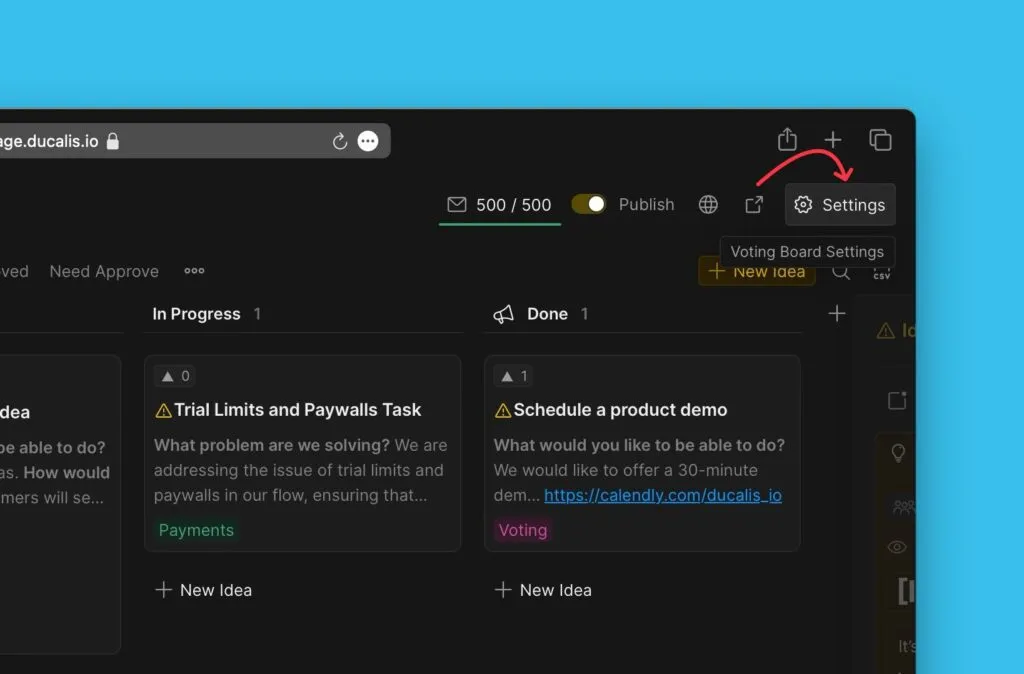
-
Import/Export (İçe Aktar/Dışa Aktar) > Create Ideas From External Sources (Harici Kaynaklardan Fikirler Oluştur) > Migrate from Canny to Ducalis (Canny'den Ducalis sistemine geçiş) bölümüne gidin.
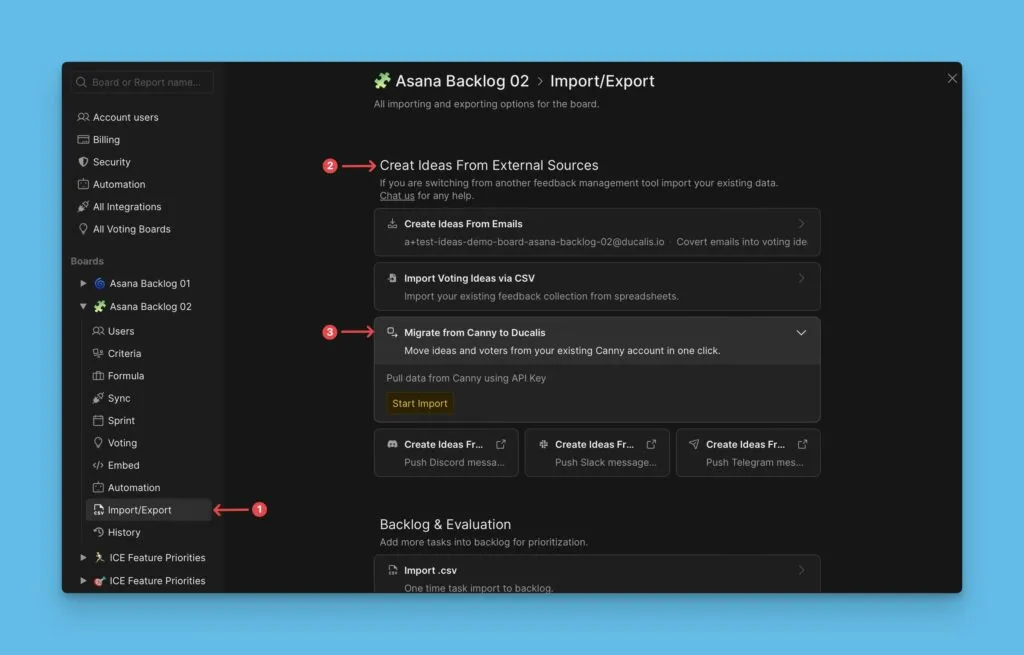
-
Start Import (İçe Aktarmayı Başlat) düğmesine tıklayın.
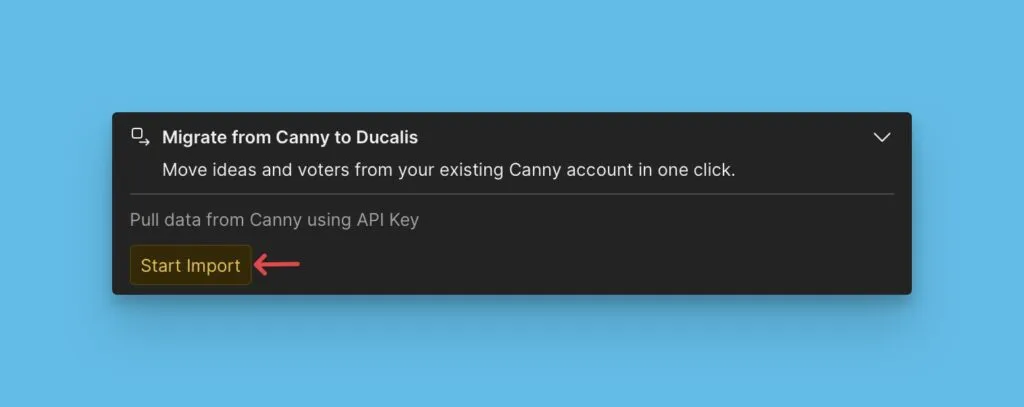
Daha fazla bilgi: Canny'den geri bildirim içe aktarma.
Sırada ne var
Görünüm, gizlilik ve bildirim tercihlerini özelleştirmek için Adım 2: Oylama panosu görünümünü özelleştirin bölümüne devam edin.