Adım 1. İş Listesini İçe Aktarın
Değerlendirmek ve sıralamak için önceliklendirme panonuza konu ekleyin. Konular, önceliklendirmeniz gereken iş öğeleridir—görevler, özellikler, hatalar veya girişimler.
İçe aktarma yöntemleri
Aşağıdaki yöntemlerden birini kullanarak konu ekleyin:
- Görev takipçisinden içe aktar – Mevcut konuları içe aktarmak için Jira, Linear, Asana, GitHub veya diğer takipçileri bağlayın
- Manuel oluştur – Konuları doğrudan Ducalis içinde ekleyin
- CSV dosyası içe aktar – Herhangi bir kaynaktan konuları içeren bir elektronik tablo yükleyin
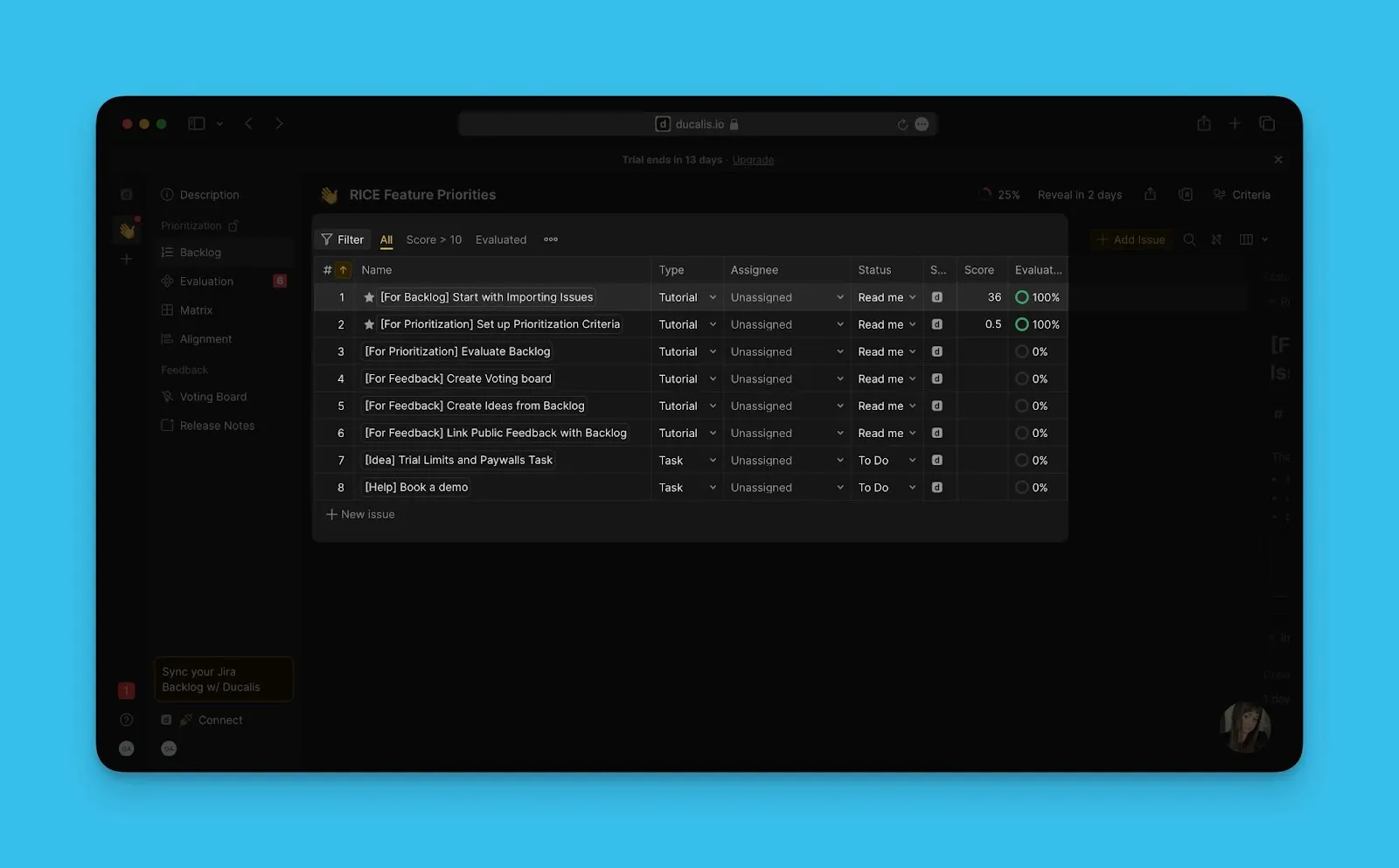
Yeni panolar, önceliklendirmenin nasıl çalıştığını gösteren örnek konuları içerir. Kendinizinkini eklemeden önce iş akışını anlamak için bunları inceleyin.
Görev takipçisinden içe aktar
Konuları otomatik olarak içe aktarmak için görev takipçinizi bağlayın. Ducalis şu platformlarla entegre olur:
- Görev takipçinizi Ducalis ile bağlayın.
- Konuları panonuza içe aktarın.
Adım adım talimatlar için Görev takipçisinden konu içe aktar bölümüne bakın.

Manuel oluştur
Görev takipçinizde konularınız yoksa konuları doğrudan Ducalis içinde oluşturun.
-
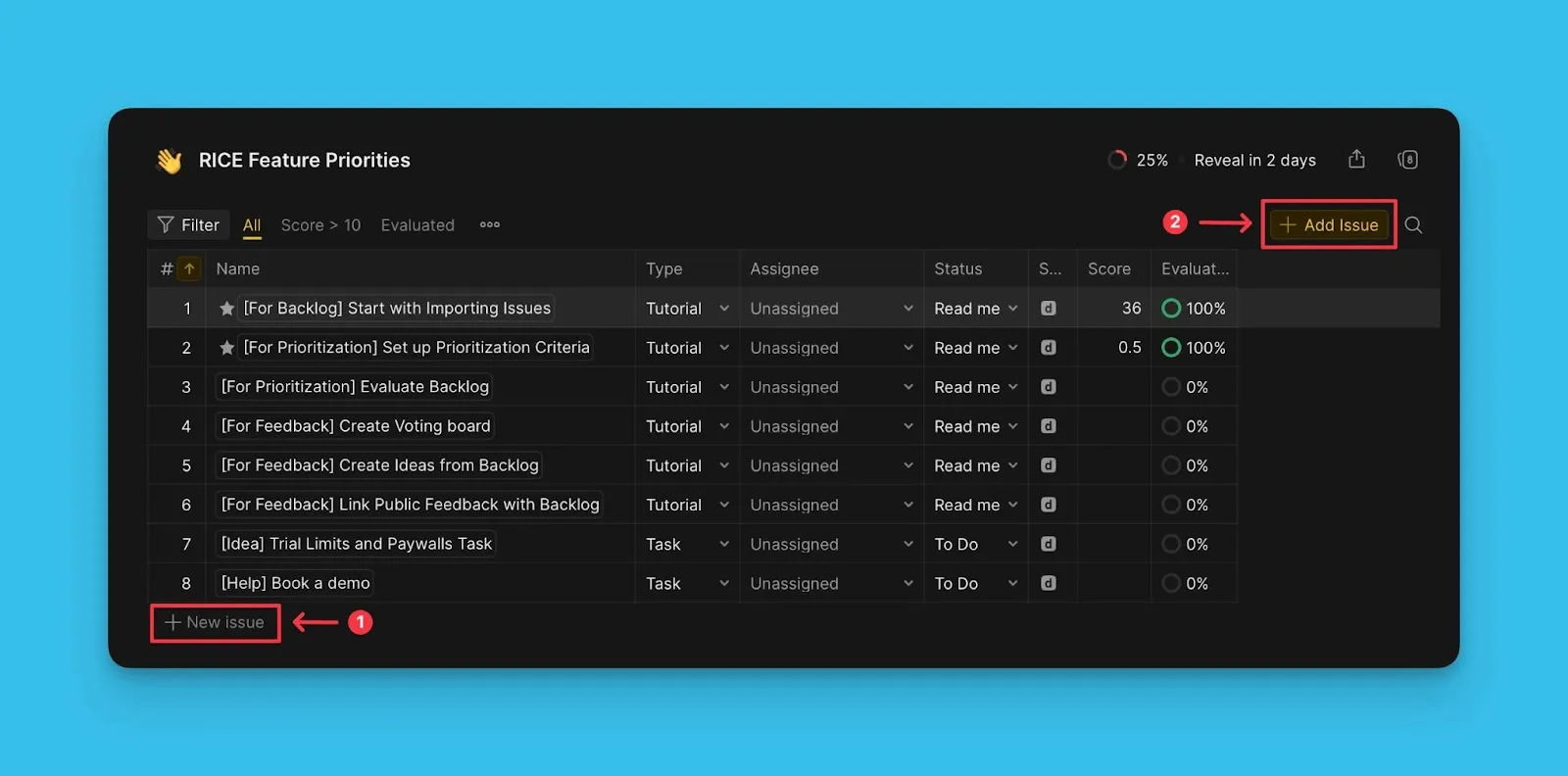
Konular tablosunda + New issue (+ Yeni konu) düğmesine tıklayın.
Veya sağ üst köşedeki Add issue (Konu ekle) düğmesine tıklayın.
-
Konu ayrıntılarını girin (başlık, açıklama, öncelik).
Ayrıntılı talimatlar için Konuları manuel oluştur bölümüne bakın.
CSV dosyası içe aktar
Görev takipçiniz Ducalis ile entegre olmadığında konuları CSV dosyasından içe aktarın.
- Konularınızı içeren bir CSV dosyası hazırlayın.
- CSV dosyasını Ducalis içine aktarın.
Dosya formatı gereksinimleri ve içe aktarma adımları için CSV'den konu içe aktar bölümüne bakın.

Sırada ne var?
Konularınızı değerlendirmek için kriter ayarlayın. Adım 2: Kriter Ayarlayın bölümüne bakın.