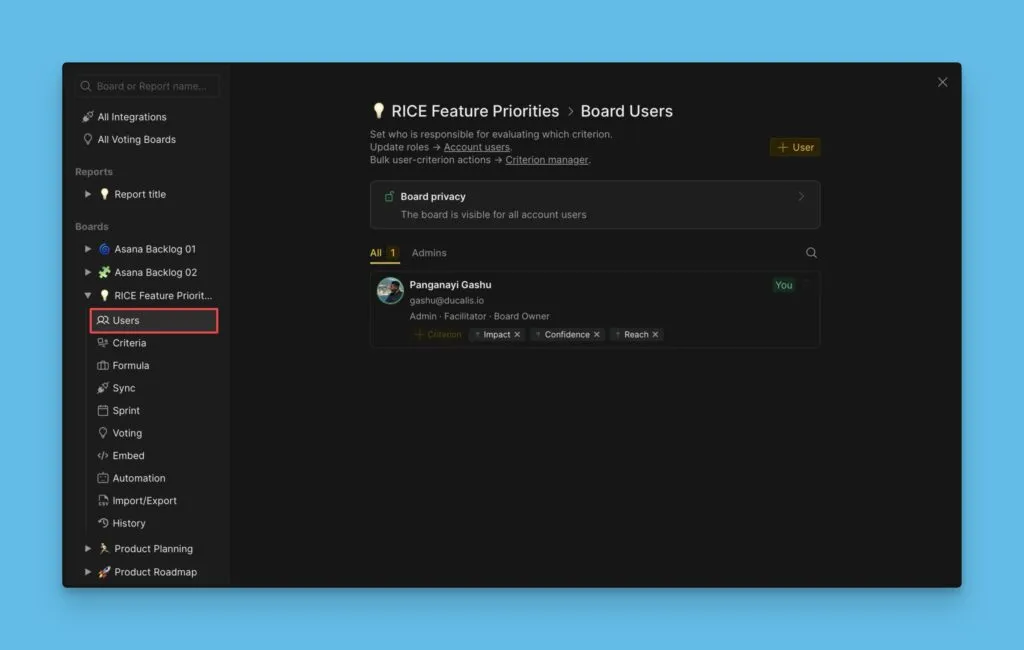
Adım 2. Önceliklendirme Kriterleri Çerçevesi
Kriterler, iş listenizi değerlendirmek ve önceliklendirmek için kullandığınız boyutları tanımlar. Bu kılavuz, değerlendirme kriterlerini nasıl yapılandıracağınızı gösterir.
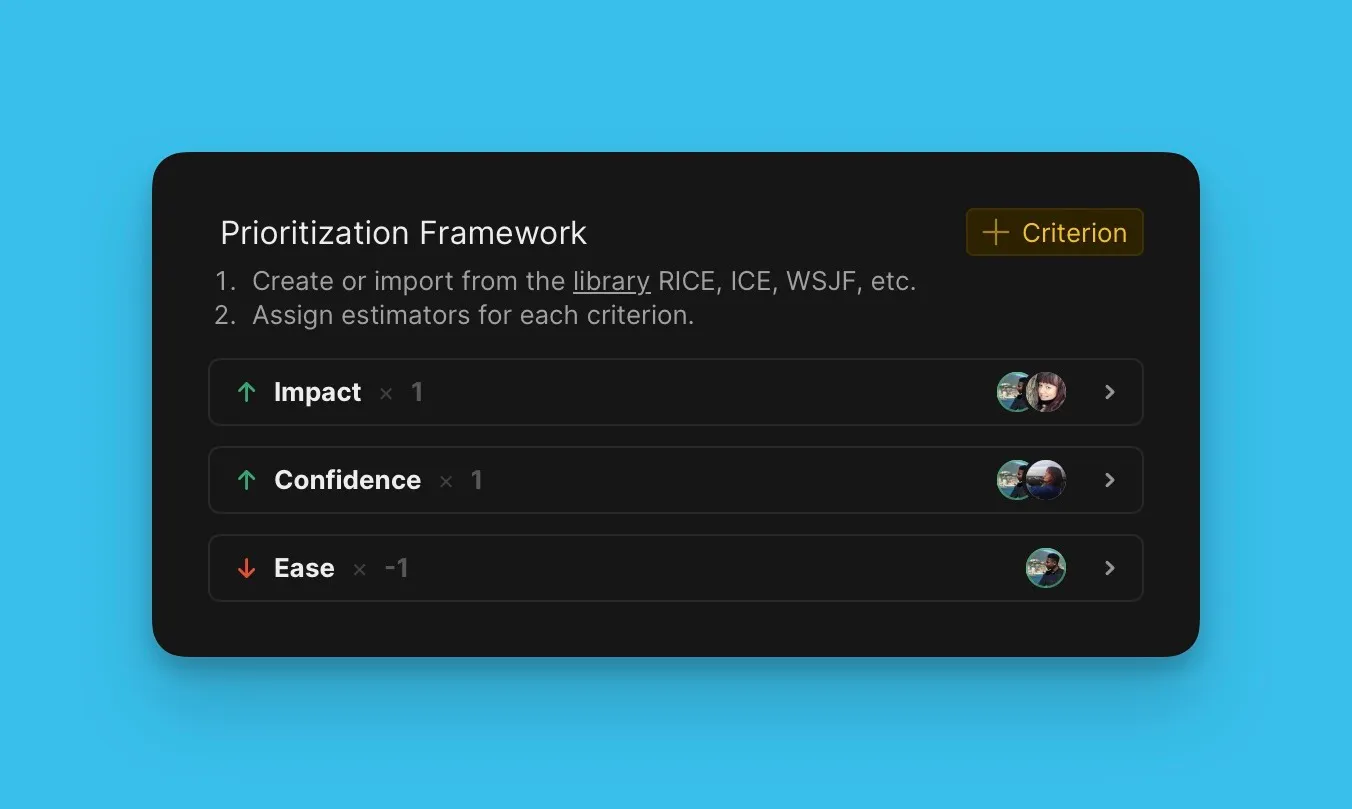
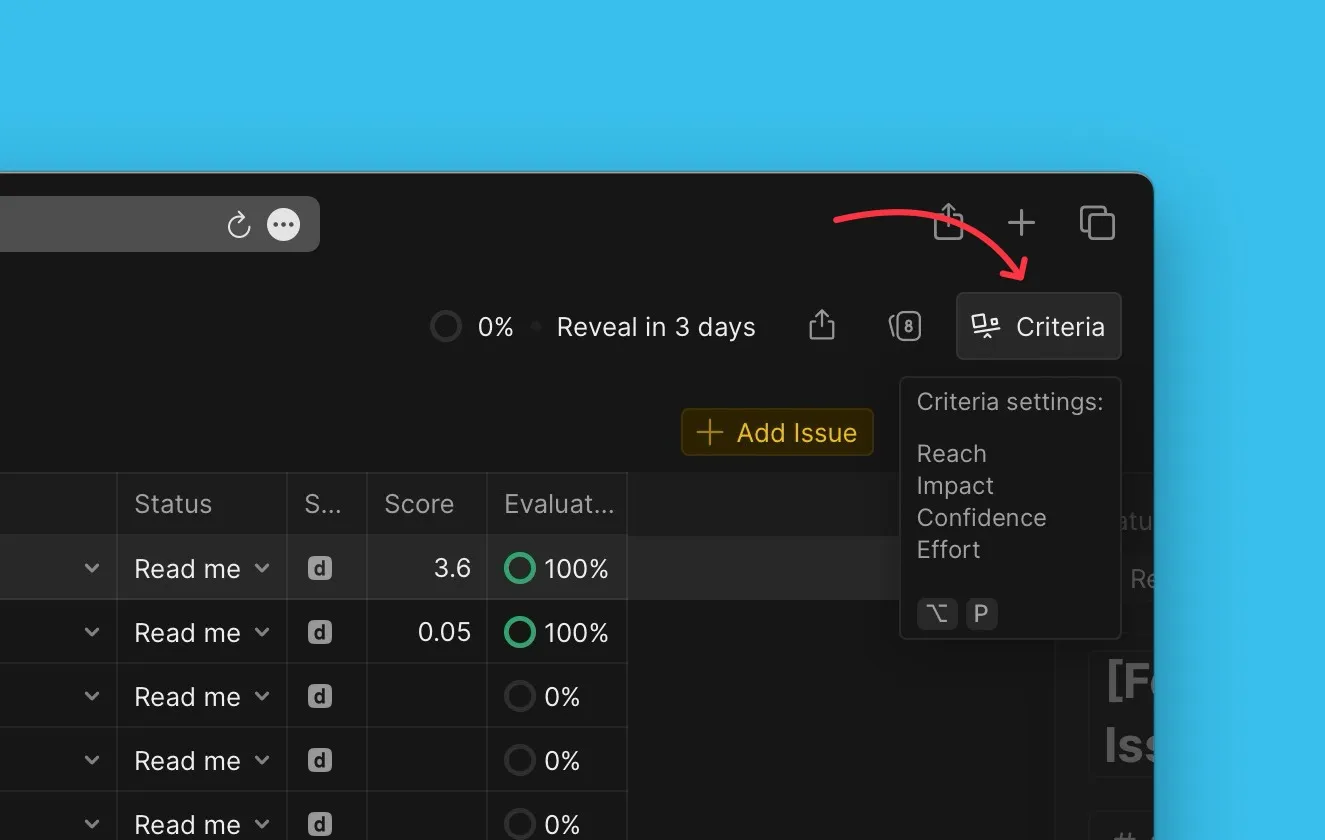
Kriter ayarlarına erişim
-
Panonuzu açın.
-
Criteria settings (Kriter ayarları) bölümüne gidin.
Düzenlenebilir önceden ayarlanmış bir önceliklendirme çerçevesi göreceksiniz.
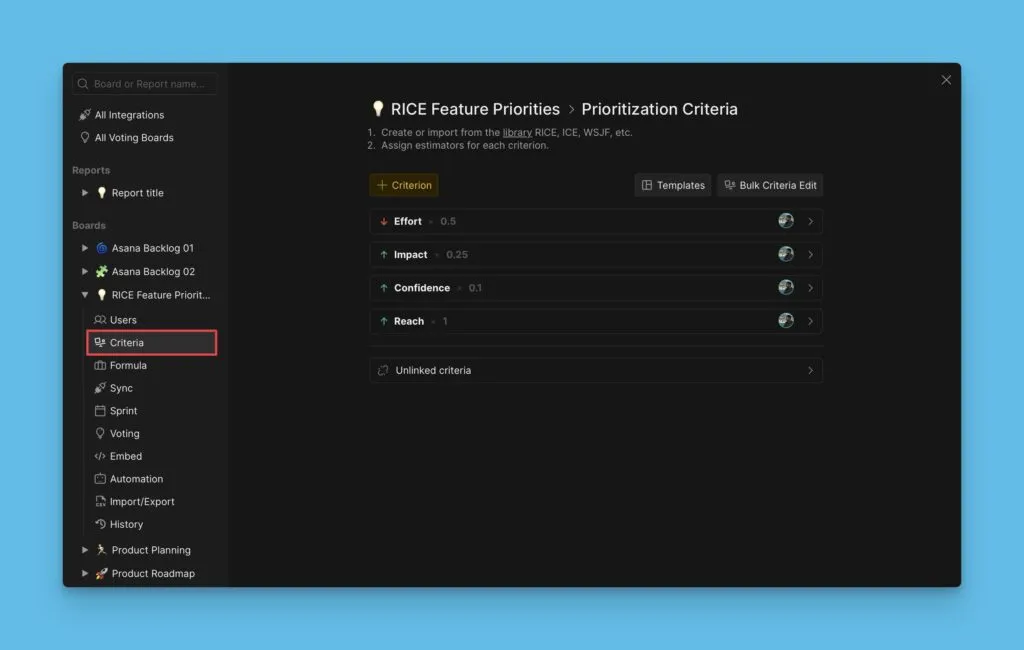
Kriter ekleme
-
+ Criterion (+ Kriter) seçeneğine tıklayın.
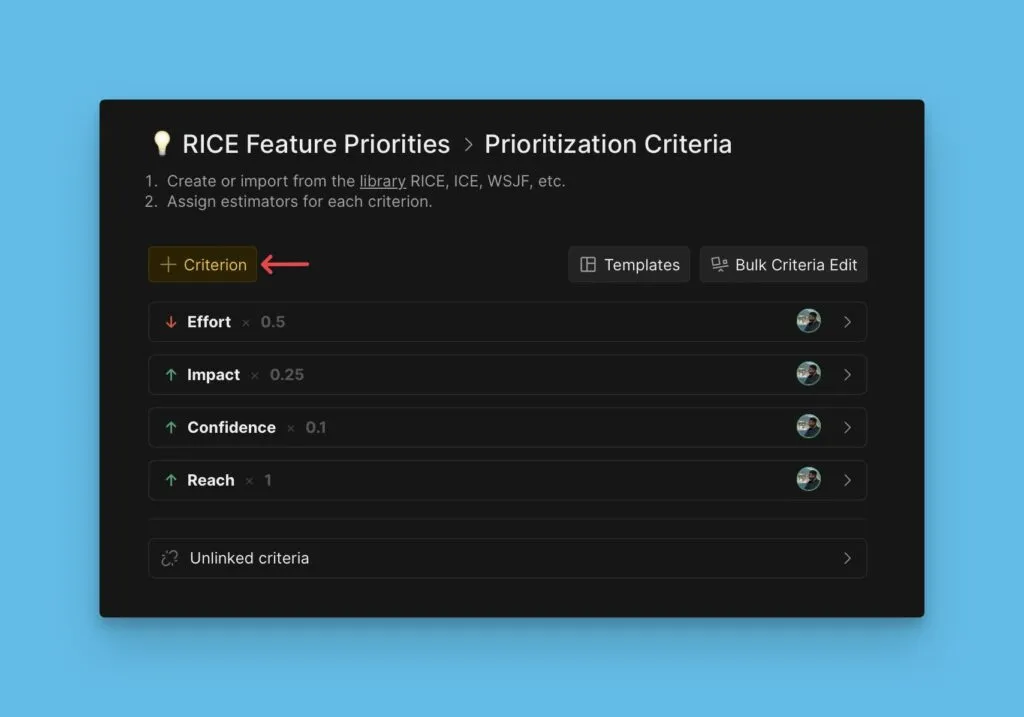
-
Önerilen listeden bir kriter seçin veya yeni bir kriter oluşturun.
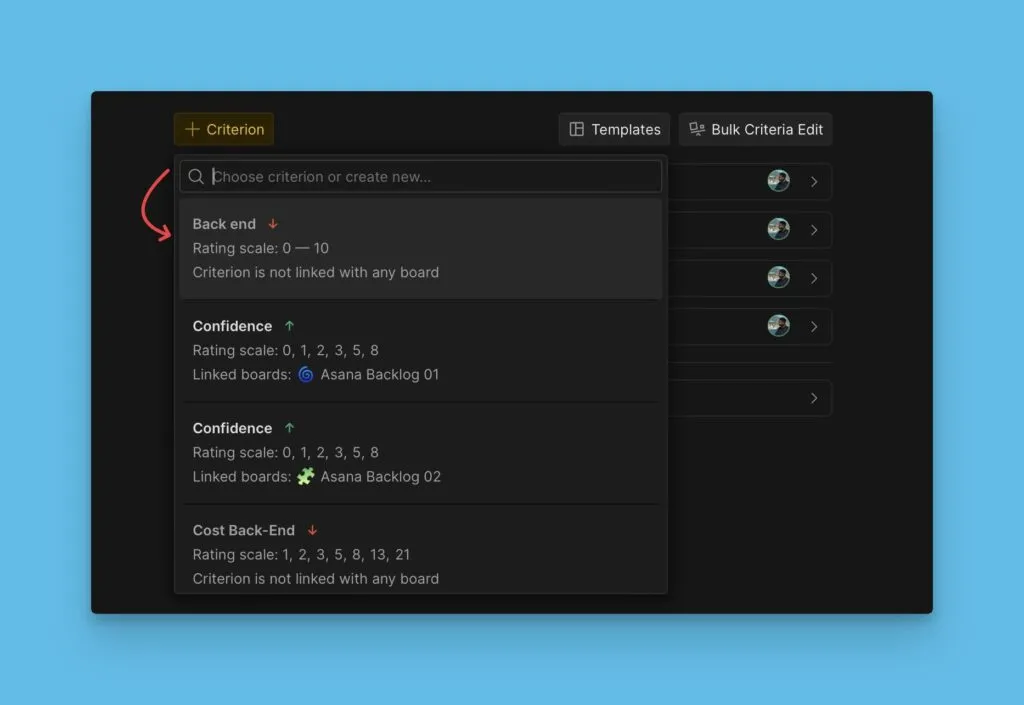
-
Temel özellikleri yapılandırın: Değerlendiriciler ekleyin ve ağırlıkları ayarlayın.
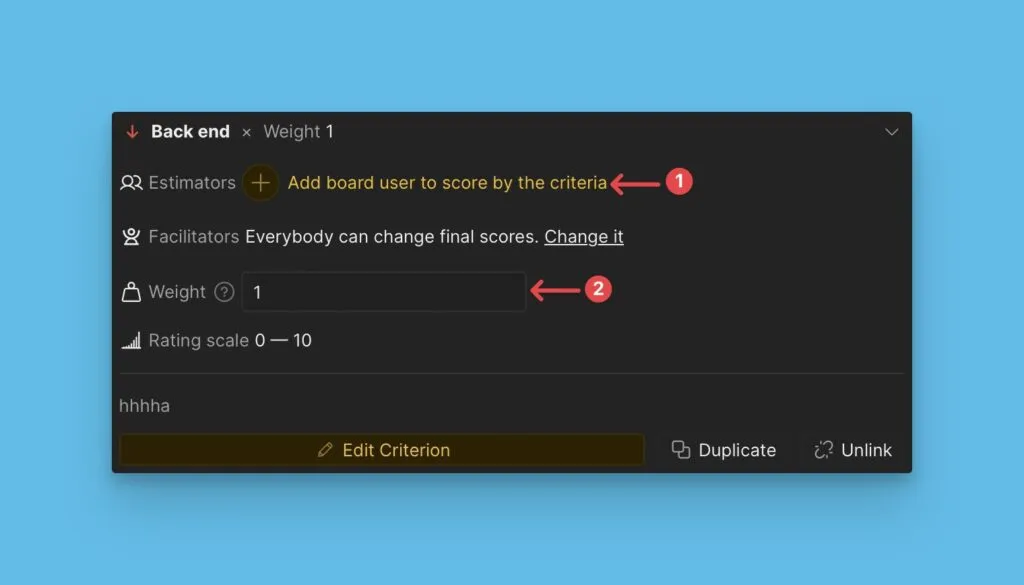
-
Gelişmiş ayarlara erişmek için Edit Criterion (Kriteri Düzenle) seçeneğine tıklayın.
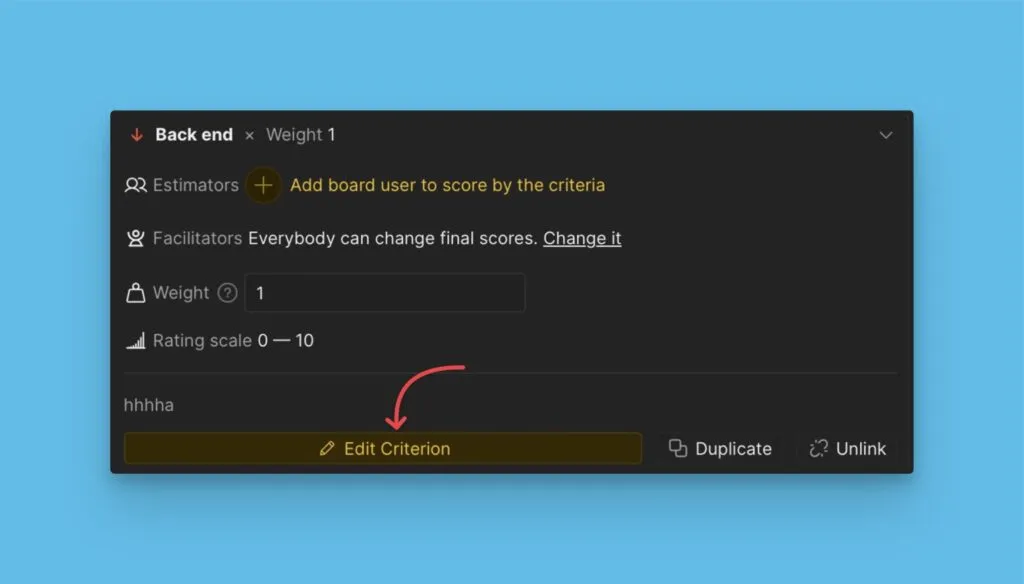
-
Gelişmiş özellikleri yapılandırın: değerlendirme kaynağı, kriter türü, derecelendirme ölçeği ve açıklama.
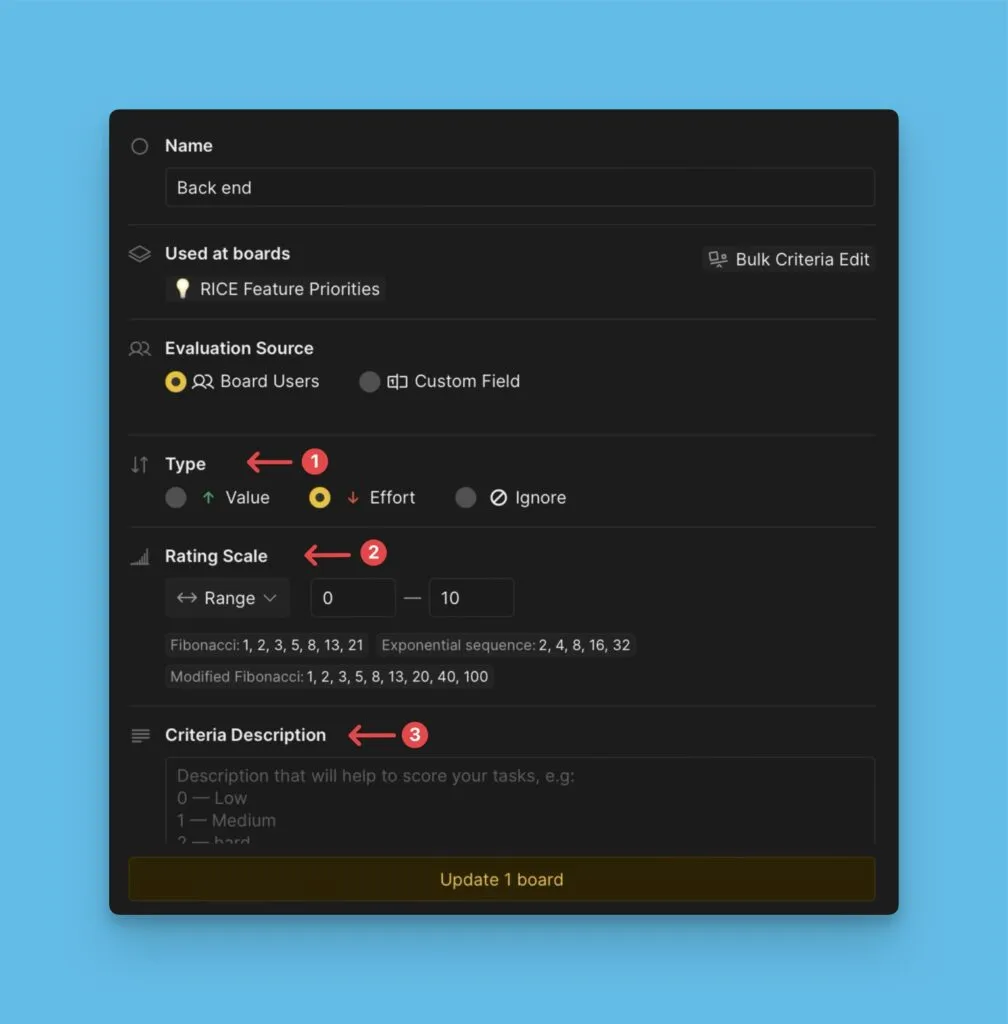
Kriter özellikleri hakkında daha fazla bilgi edinin.
Özel kriter oluşturma
İstediğiniz kriter kütüphanede yoksa:
-
Arama alanına adını yazın.
-
+ New [criterion name] (+ Yeni [kriter adı]) seçeneğine tıklayın.
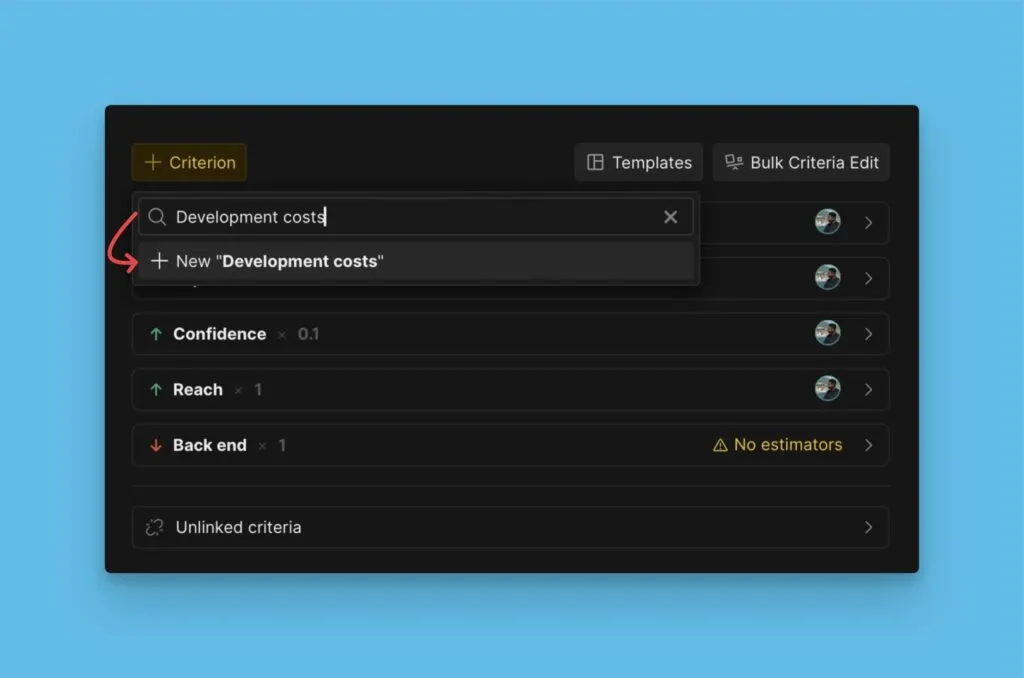
-
Kriter özelliklerini yapılandırın.
-
Save Criterion (Kriteri Kaydet) seçeneğine tıklayın.
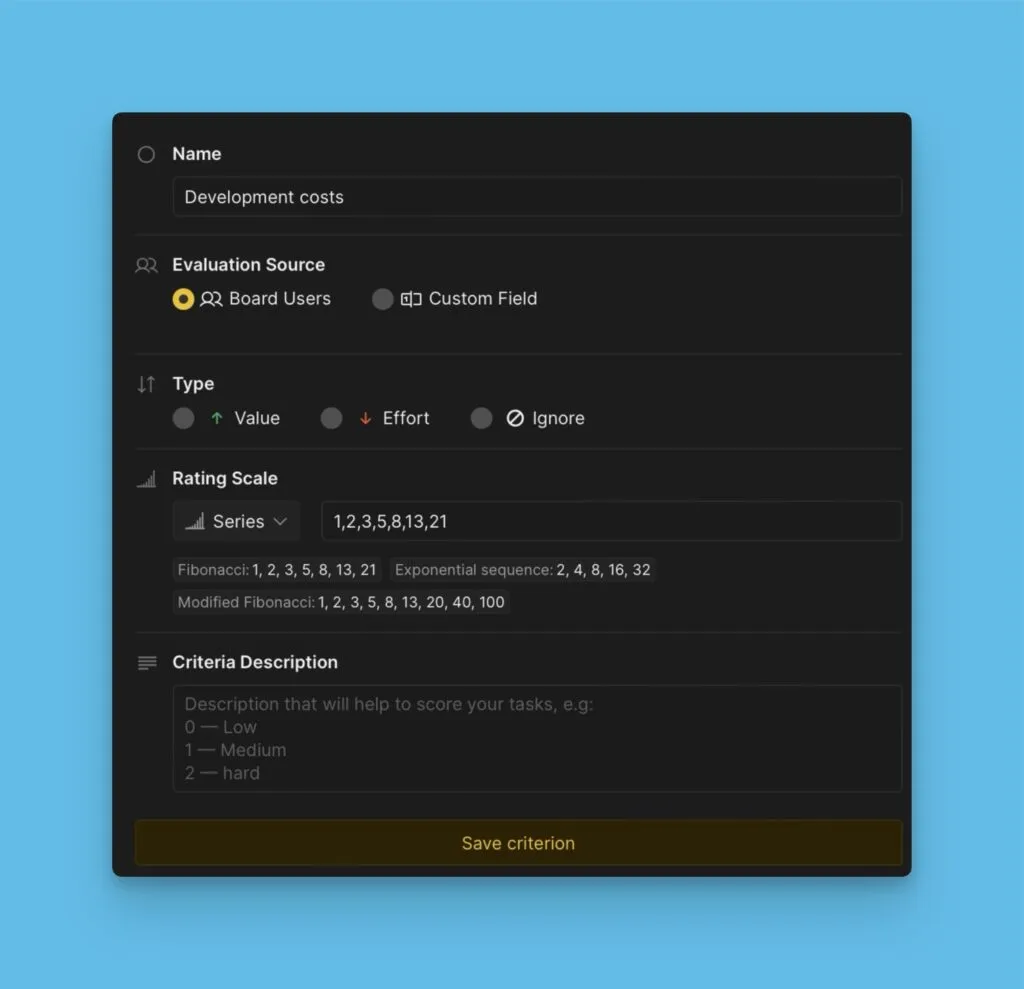
Şablon kütüphanesinde daha fazla önceliklendirme çerçevesini keşfedin.
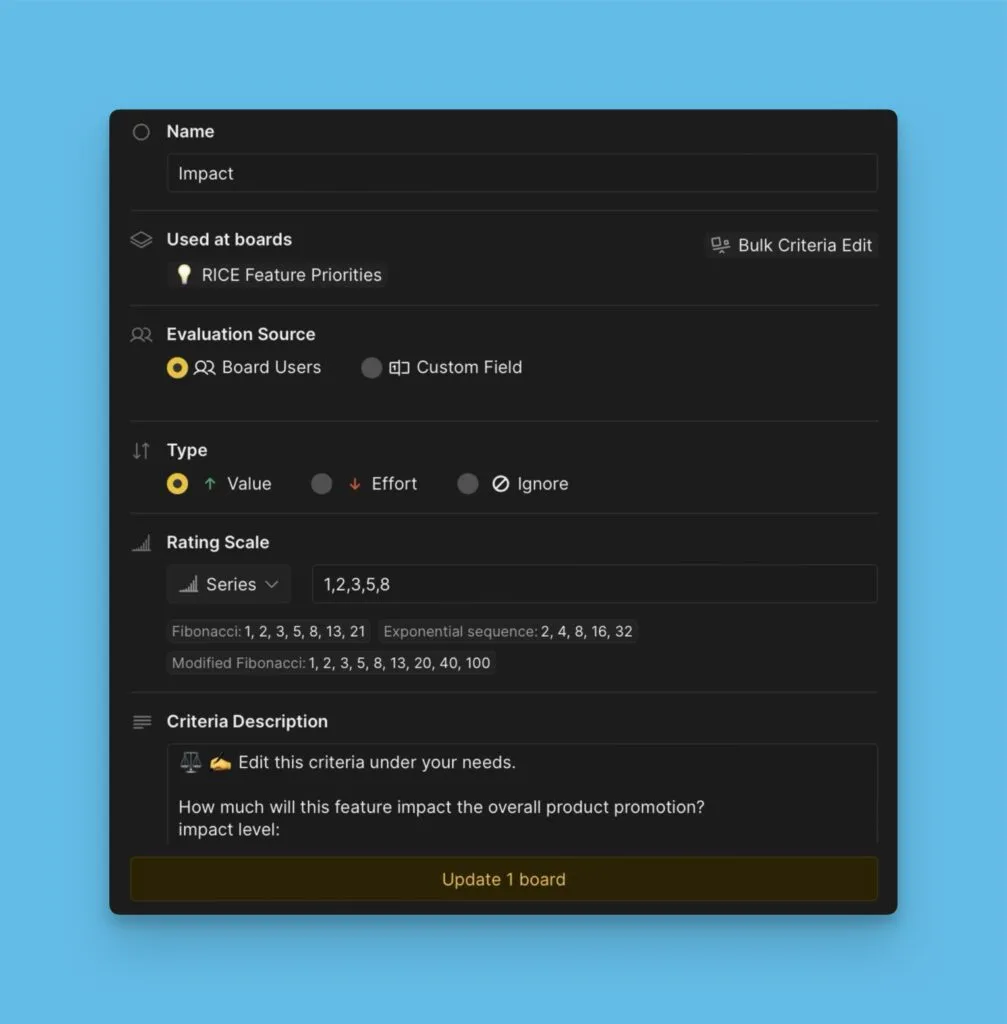
Kriterleri düzenleme
-
Kriter bloğunu açın.
-
Düzenleme düğmesine tıklayın.
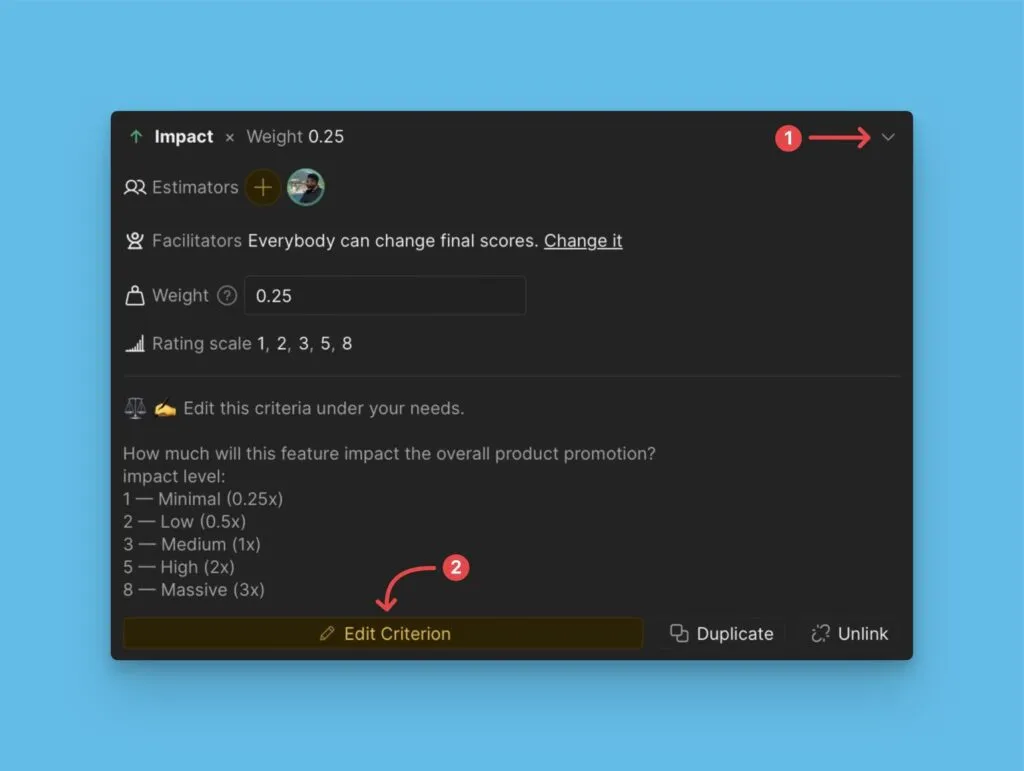
-
Özellikleri değiştirin: ad, Değerlendiriciler, kriter türü, ağırlık, puanlar ve açıklama.
-
Update [number] board(s) ([sayı] panoyu güncelle) seçeneğine tıklayın.
Kriterleri arşivleme
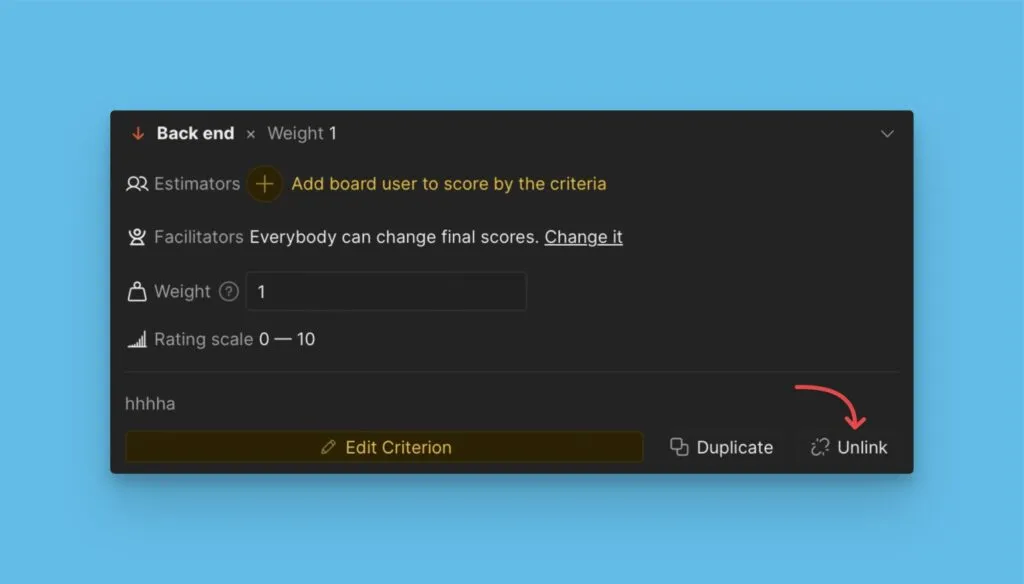
Şimdi ihtiyacınız olmayan ancak daha sonra isteyebileceğiniz kriterlerin bağlantısını kaldırın:
-
Kriter bloğunu açın.
-
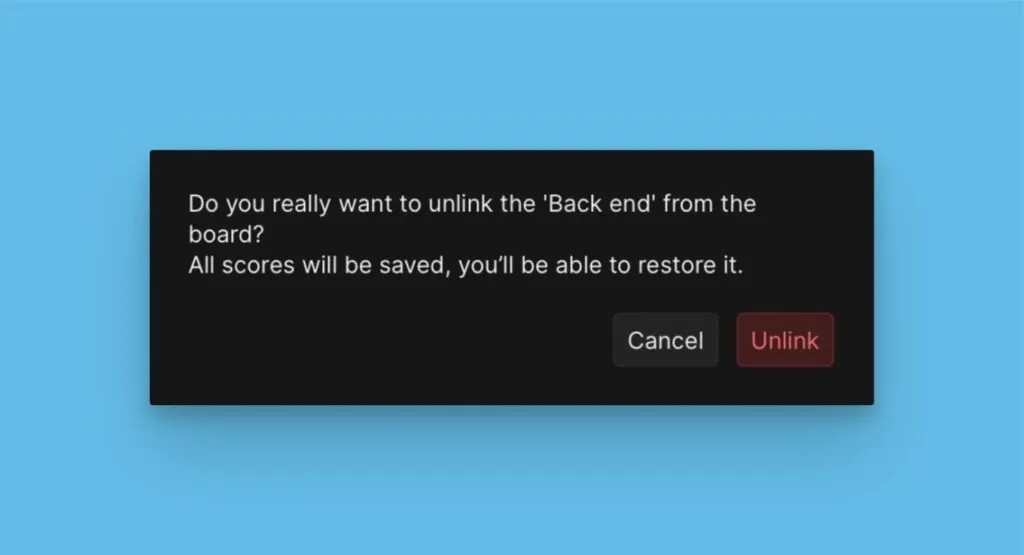
Unlink (Bağlantıyı Kaldır) seçeneğine tıklayın.
-
İşlemi onaylayın.
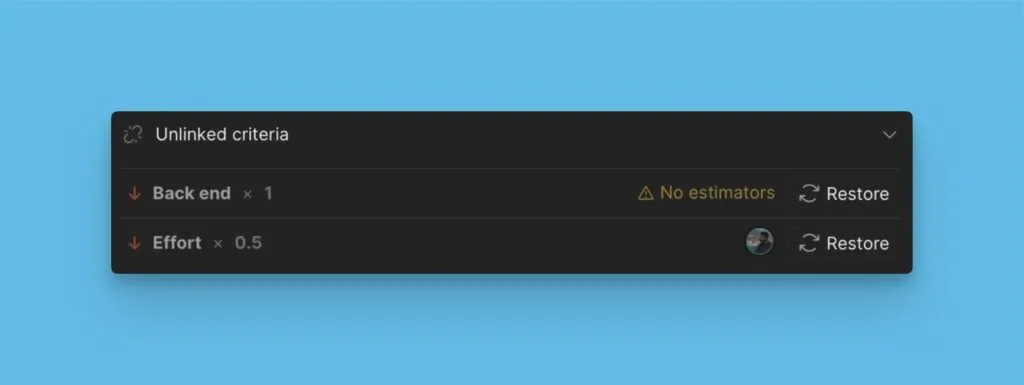
Bağlantısı kaldırılmış kriterleri geri yükleme
-
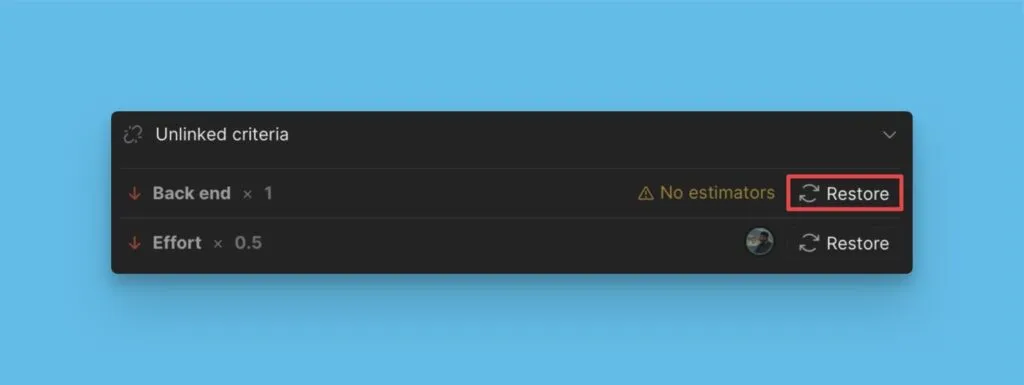
Bağlantısı kaldırılmış bloğa gidin.
-
Kriterin yanındaki Restore (Geri Yükle) seçeneğine tıklayın.
Kriterleri çoğaltma
Kriterleri çoğaltmak, orijinali değiştirmeden ayarlarla denemeler yapmanızı sağlar:
-
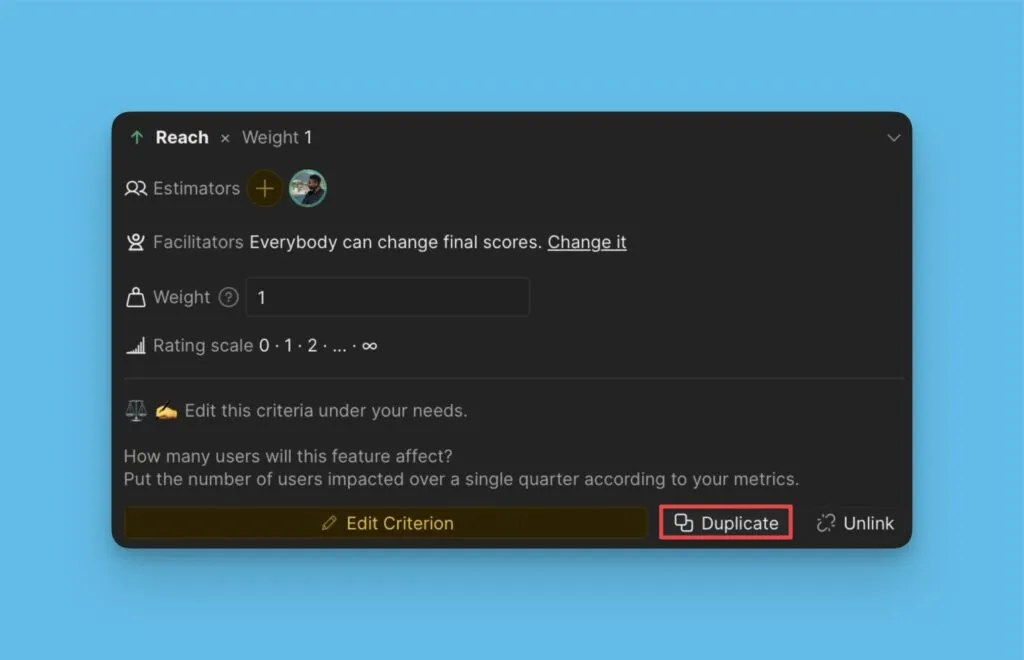
Kriter bloğunda Duplicate (Çoğalt) seçeneğine tıklayın.
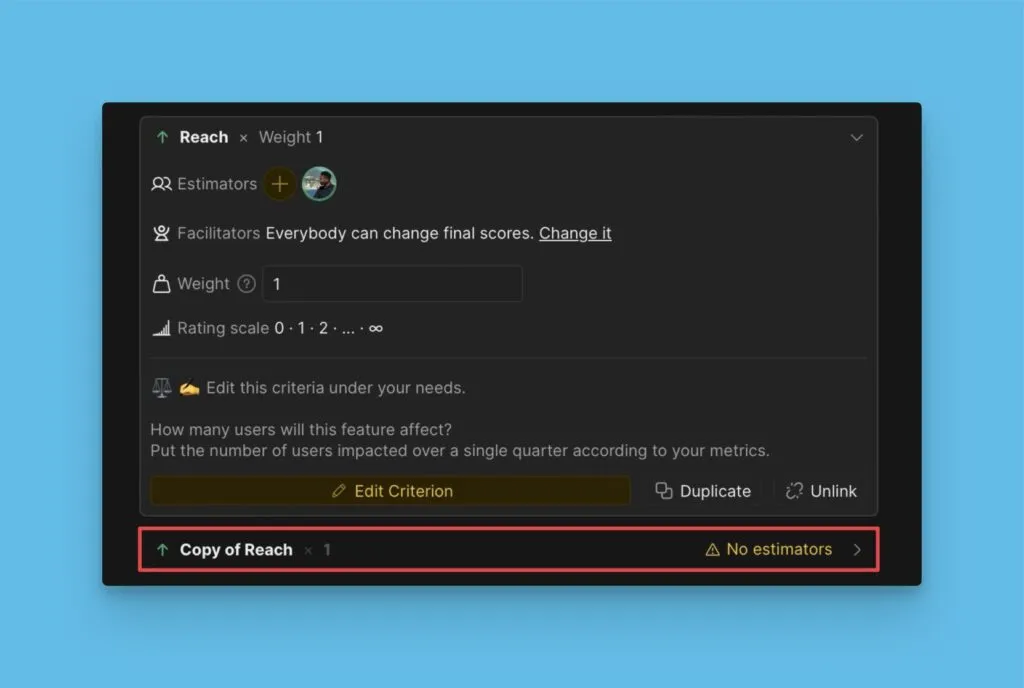
Kriterin bir kopyası çerçevenizde görünür.
Kriterleri çoğaltma hakkında daha fazla bilgi edinin.
Geçmiş ve yedekler
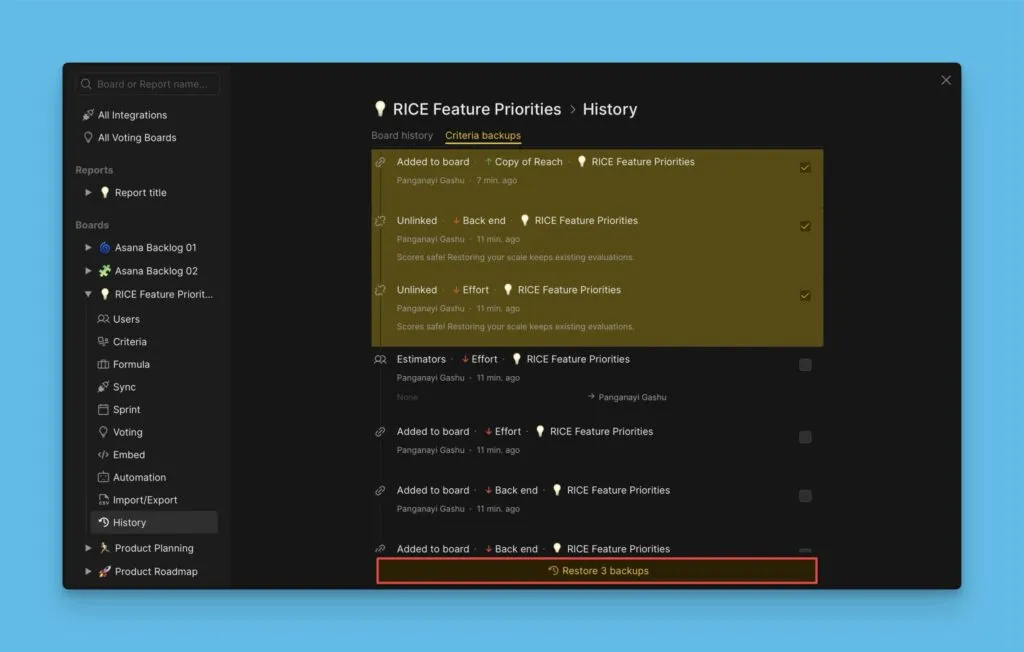
Tüm yapılandırma değişiklikleri History (Geçmiş) altında kaydedilir. Önceki yapılandırmaları ve kriterlerde yapılan değişiklikleri görüntüleyin.
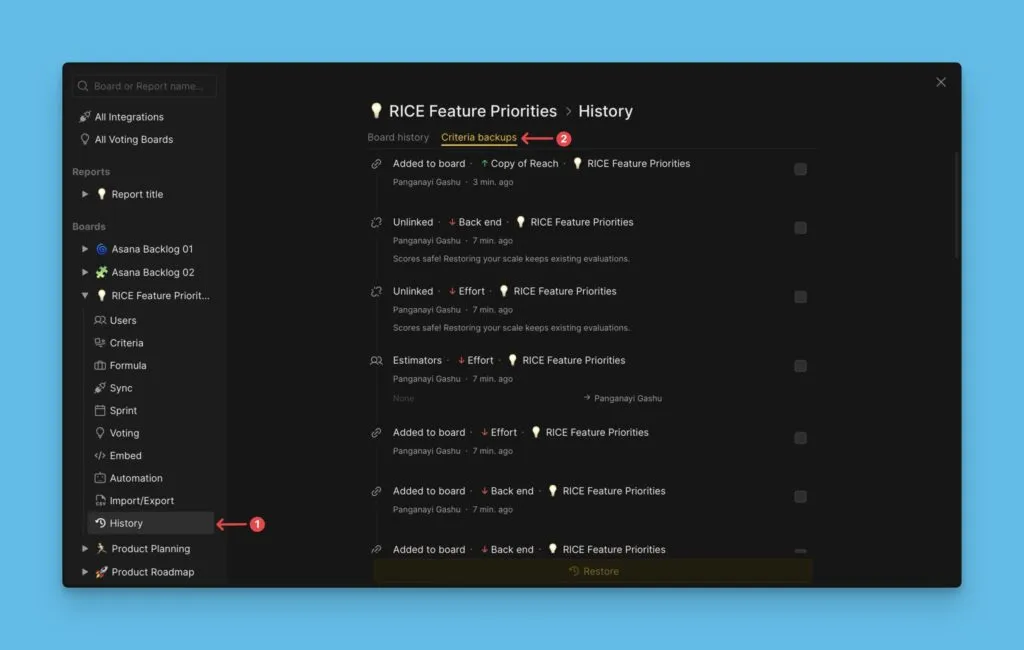
Her özelliğin en son sürümü süresiz olarak saklanır. Daha önceki sürümler on gün boyunca saklanır.
Önceki bir yapılandırmayı geri yüklemek için:
-
Geri yüklemek istediğiniz ayarları seçin.
-
Restore backups (Yedekleri Geri Yükle) seçeneğine tıklayın.
Özel alanları kriter olarak kullanma
Ducalis Oylama Panolarından (oy sayıları gibi) veya görev takip sisteminizden (Jira, Linear, Asana) özel alanları kriter olarak kullanın. Bu, sıfırdan değerlendirme yapmak yerine mevcut verileri kullanmanızı sağlar.
Özel alanları kriter olarak kullanma hakkında daha fazla bilgi edinin.
Ek kaynaklar
- Ducalis Templates – Kullanıma hazır önceliklendirme çerçeveleri
- Prioritization Frameworks – Popüler çerçevelere genel bakış
- PLG Hypothesis Prioritization Framework – Büyüme hipotezlerinin değerlendirilmesi için
- RICE Framework – Önceliklendirme için iyi bir başlangıç noktası
- WSJF Agile Framework – Maksimum ekonomik fayda için işleri sıralayın
- Prioritize Technical Debt – Teknik borç önceliklendirmesini sprint'lere entegre edin
Sırada ne var
Kriterlerinizi yapılandırdıktan sonra, işbirlikçi değerlendirme için Panonuza takım arkadaşları ekleyin.
Adım 3: Bir Panoya Kullanıcı Ekleme ve Onlara Kriter Atama bölümüne devam edin.