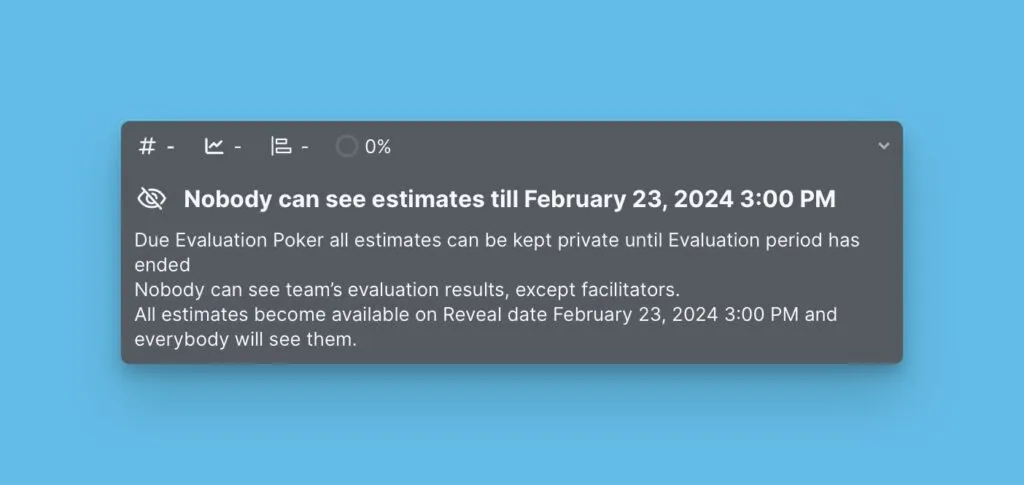
Adım 1. Sprint Süresi
Takımınızın sprint planlama iş akışını yönetmek için sprint süresini, açıklama programlarını ve senkronizasyon ayarlarını yapılandırın.
Sprint ayarlarına erişim
-
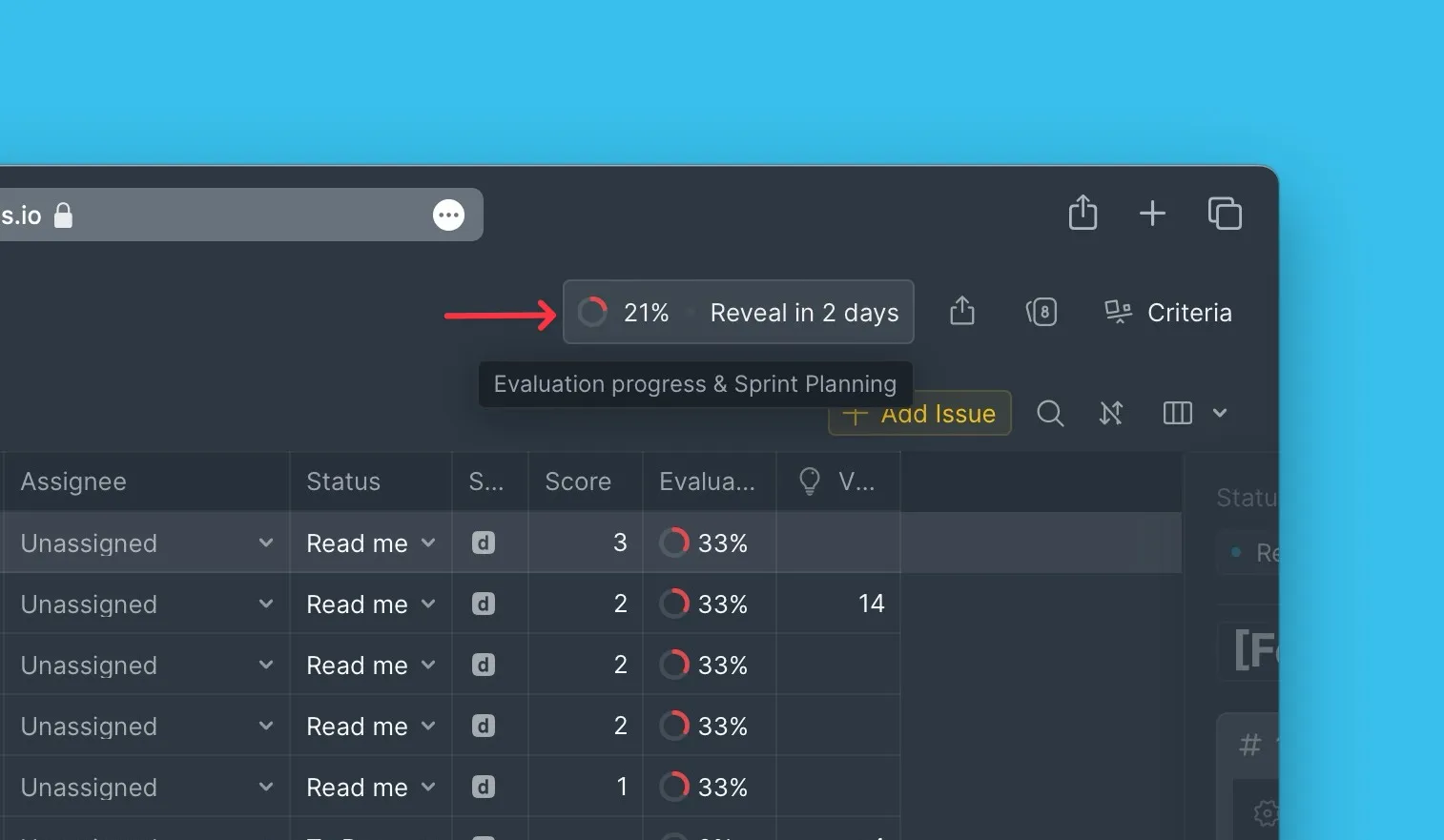
Evaluation Progress & Sprint Planning (Değerlendirme İlerlemesi ve Sprint Planlama) bölümüne gidin.
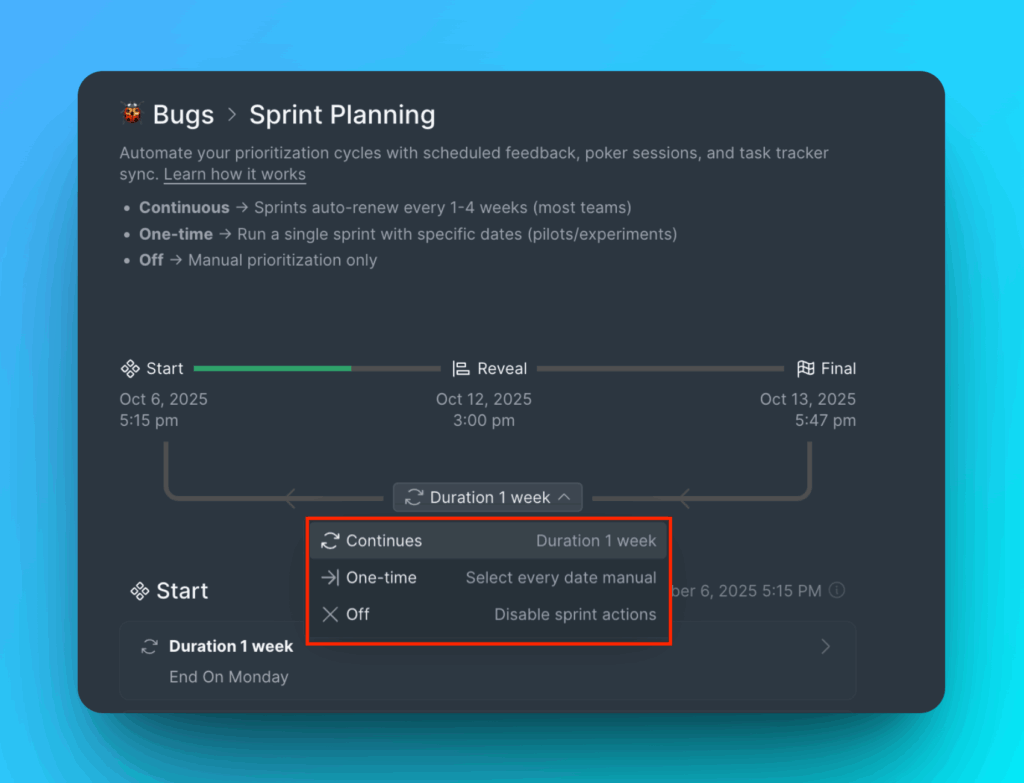
Sprint modunu seçin
Üç moddan birini seçin:
- Continuous (Sürekli) – Manuel kurulum olmadan düzenli olarak çalışan otomatik sprintler
- One-time (Tek seferlik) – Her sprintten sonra yeniden başlatma gerektiren manuel sprint kurulumu
- Off (Kapalı) – Tüm ilgili ayarların devre dışı olduğu, sprintlerin kapatılmış hali
Açıklama gününü ve değerlendirme hatırlatıcılarını yapılandırın
-
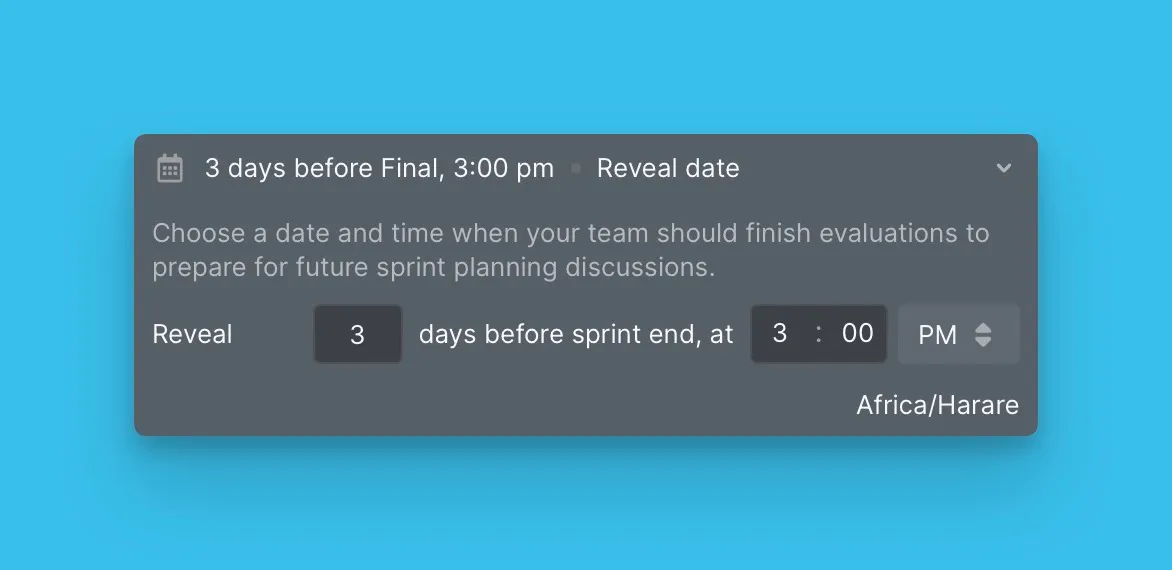
Sprintin sona erdiği Reveal day (Açıklama günü) günü seçin.
-
Sprint planlama toplantısından önce takımınızı bilgilendirmek için Evaluation reminder (Değerlendirme hatırlatıcısı) yapılandırın.
-
(İsteğe bağlı) Değerlendirmeleri tamamlayan takım üyeleri için takdir mesajı ekleyin. Mesajlar Slack kanallarına veya e-postaya gönderilebilir.
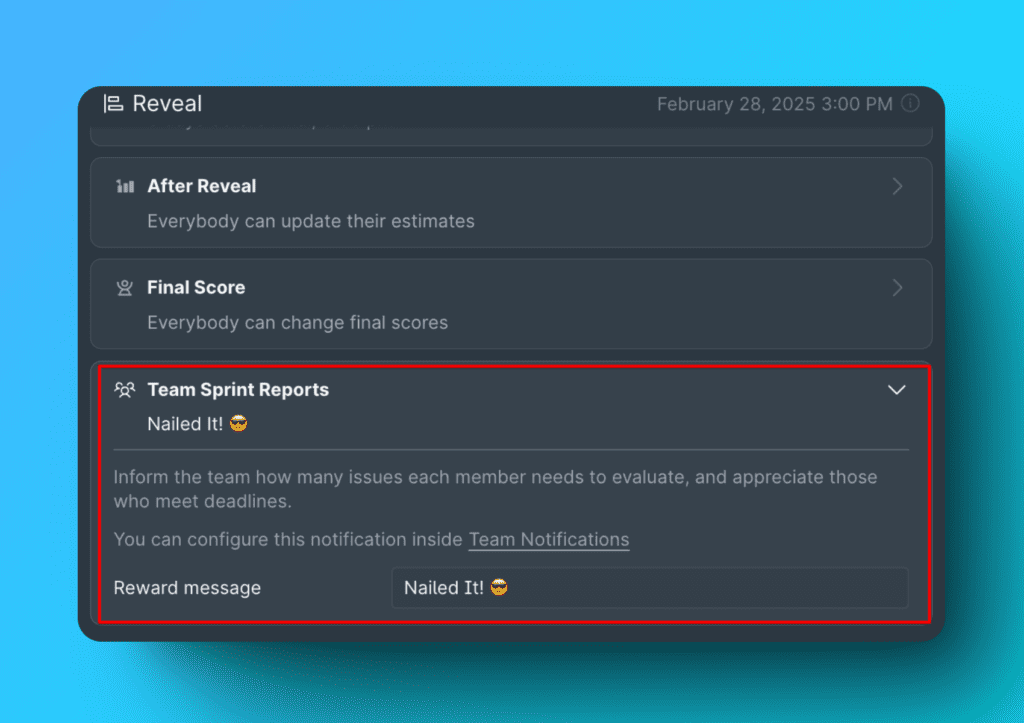
Daha fazla bilgi için bkz. Slack entegrasyonu ve değerlendirme hatırlatıcıları.
Geri Senkronizasyon Planı
Bağlı bir görev izleyicisinden bir iş listesi değerlendiriyorsanız, önceliklendirme puanlarının izleyiciye ne zaman geri senkronize edileceğini planlayın.
İki seçenekten birini seçin:
- By sprint end date (Sprint bitiş tarihine göre) – Sprint sona erdiğinde senkronize et
- By custom period (Özel süreye göre) – Özel programınıza göre senkronize et
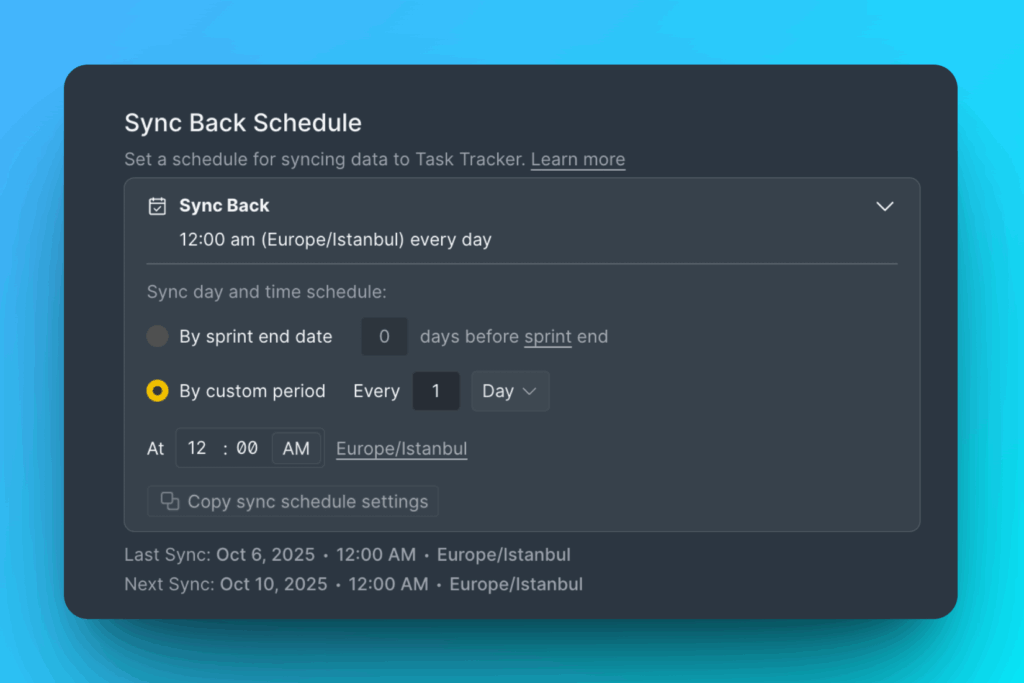
Daha fazla bilgi için bkz. İki yönlü senkronizasyon genel bakış.
Puan sona ermesini etkinleştirin
Belirli bir süre sonra puanları sıfırlamak için Score expiration (Puan sona ermesi) seçeneğini etkinleştirin ve puanların sona ermeden önce süresini ayarlayın.
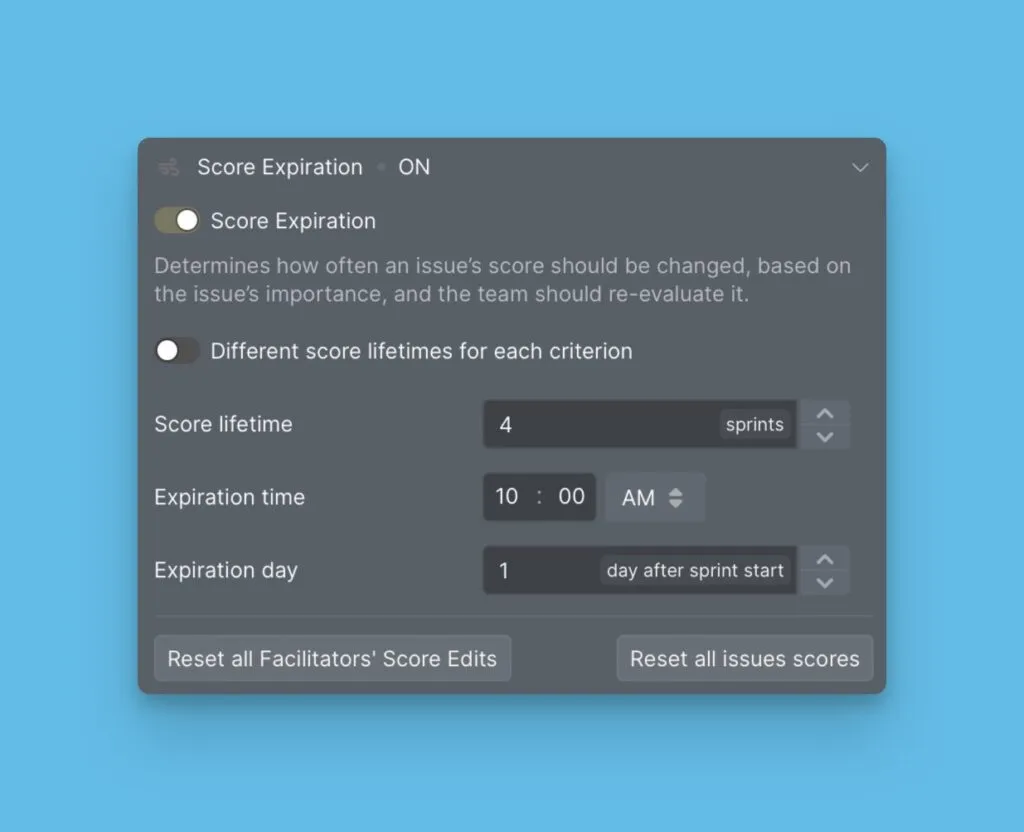
Daha fazla bilgi için bkz. Puan sona ermesi.
Sonraki adım
Değerlendirme sırasında puanları gizli tutan Değerlendirme Poker Modu ile tarafsız önceliklendirme sonuçları elde edin.