嵌入为 iframe
使用 iframe 代码将投票看板直接嵌入到你的产品中。用户可以访问看板而无需离开你的应用程序。
下面的示例展示了嵌入到页面中并在框架内打开的 Ducalis 投票看板。
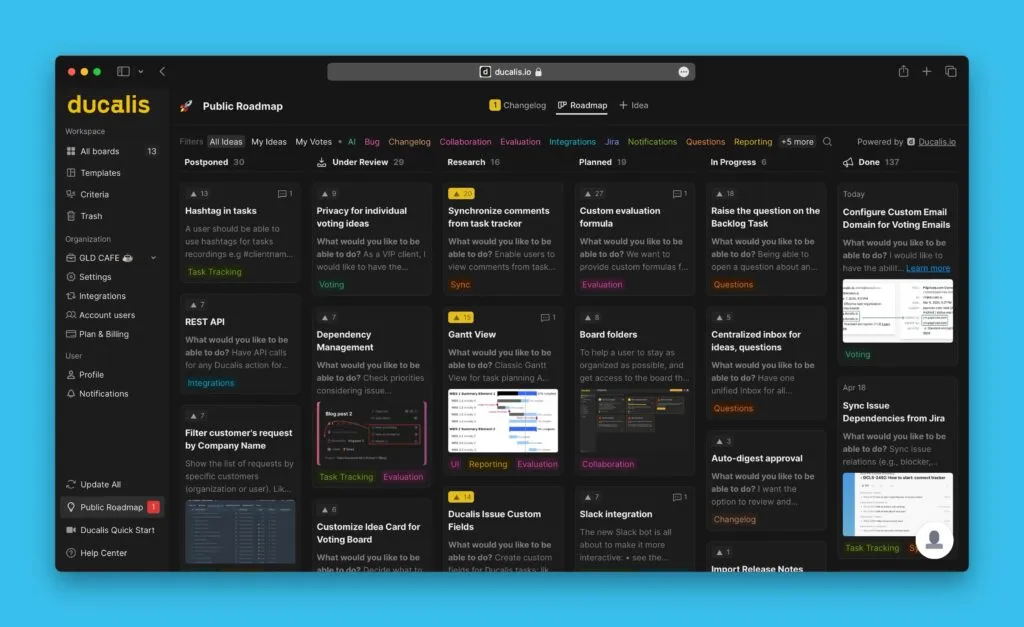
嵌入看板
-
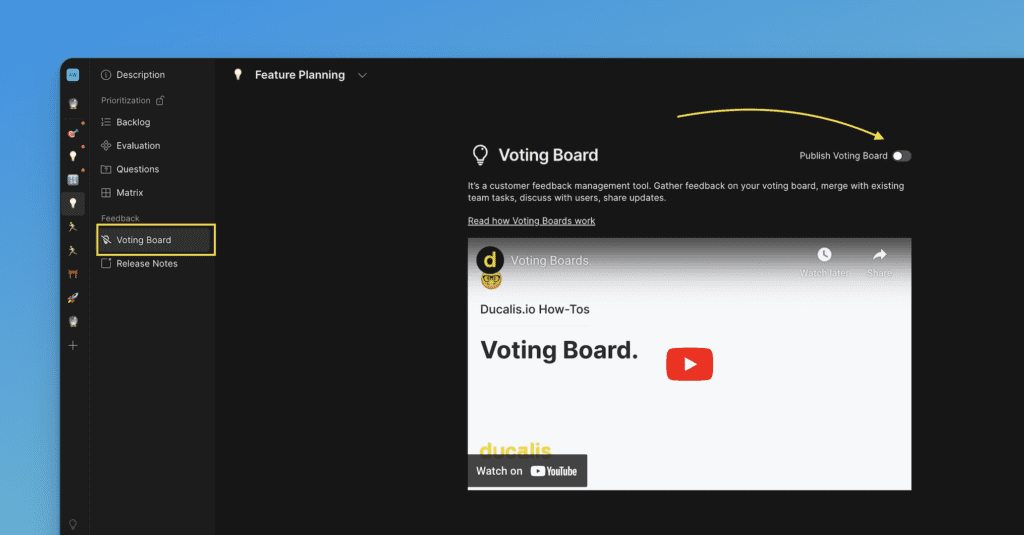
选择投票看板并确认其已发布。
-
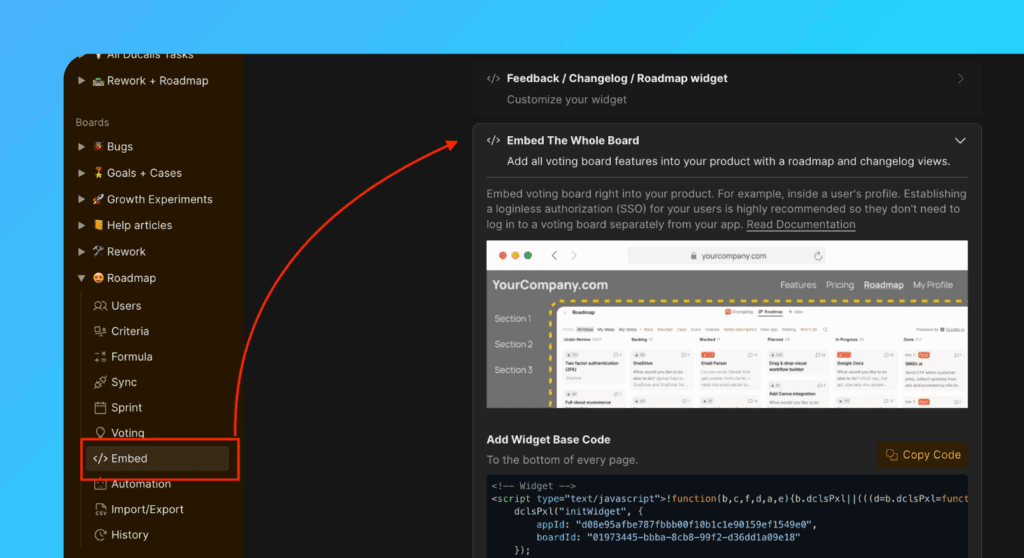
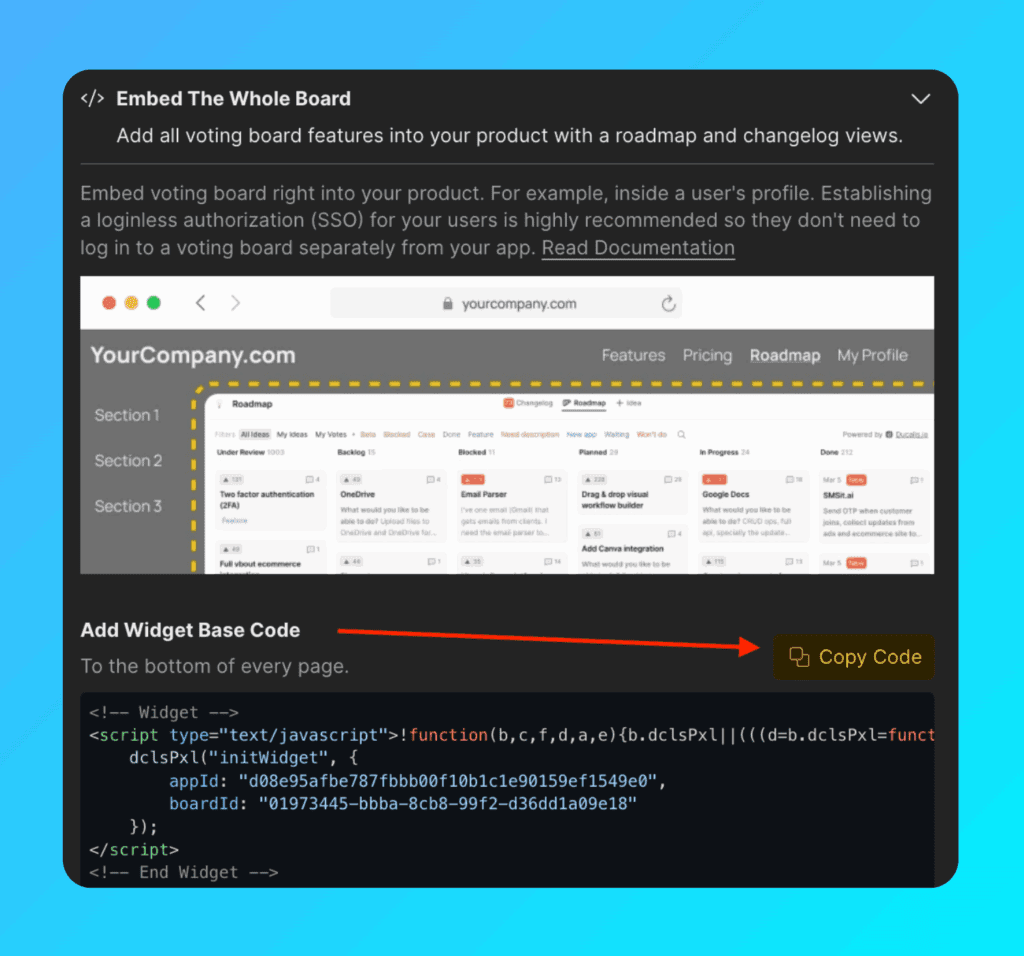
前往 Voting settings(投票设置)→ Embed(嵌入)→ Embed The Whole Board(嵌入整个看板)部分。
-
复制 Widget Base Code(组件基础代码)。
-
将
embedBoard对象添加到组件代码中(嵌入必需)。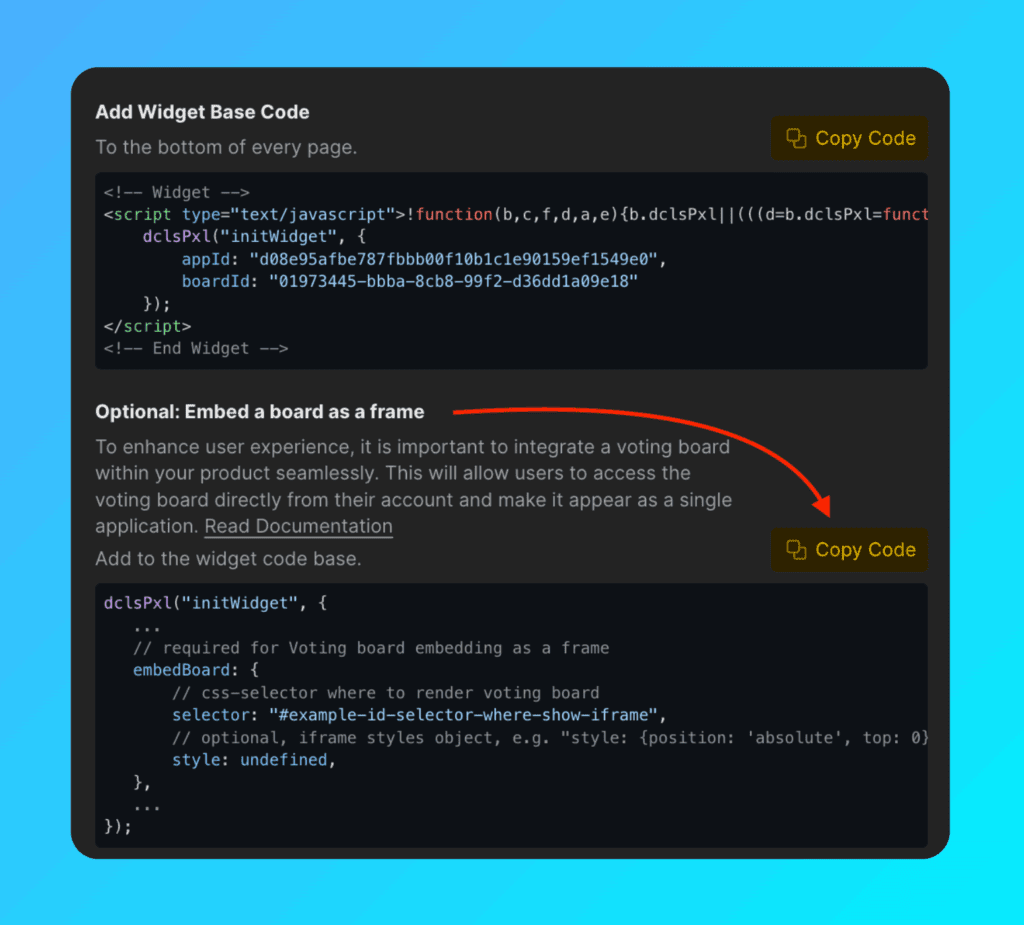
你的最终代码应如下所示:
dclsPxl("initWidget", {
    // Required
    appId: "dc9ae89*******",
    boardId: "78aef2c7c0********",

    user: {
        // Required
        email: "Your user Email",
        hash: "User hash",

        // Optional
        userID: "Your user ID",
        name: "Your user Name",
        avatar: "https://you-user-avatar-domain/avatar.png",
        company: {
            id: 123,
            name: "Your user Company name",
            customFields: {
                created_at: "2019-06-02 17:10:00",
                spend: 123000,
                mrr: 100,
                plan: "pro",
                prop: value,
            }
        }
    },

    // Required for Voting Board embedding
    embedBoard: {
        selector: "#selector-where-show-iframe", // CSS selector where to render Voting Board
        style: undefined, // Optional, iframe styles object, e.g. "style: {position: 'absolute', top: 0}"
    },
});
设置默认页面
选择用户加载组件时首先打开路线图还是更新日志页面。
在代码中配置 defaultView。将其设置为 roadmap 或 changelog:
dclsPxl("initWidget", {
    // Optional, default is undefined
    // Use 'roadmap' or 'changelog' to open specific page
    defaultView: undefined,
});
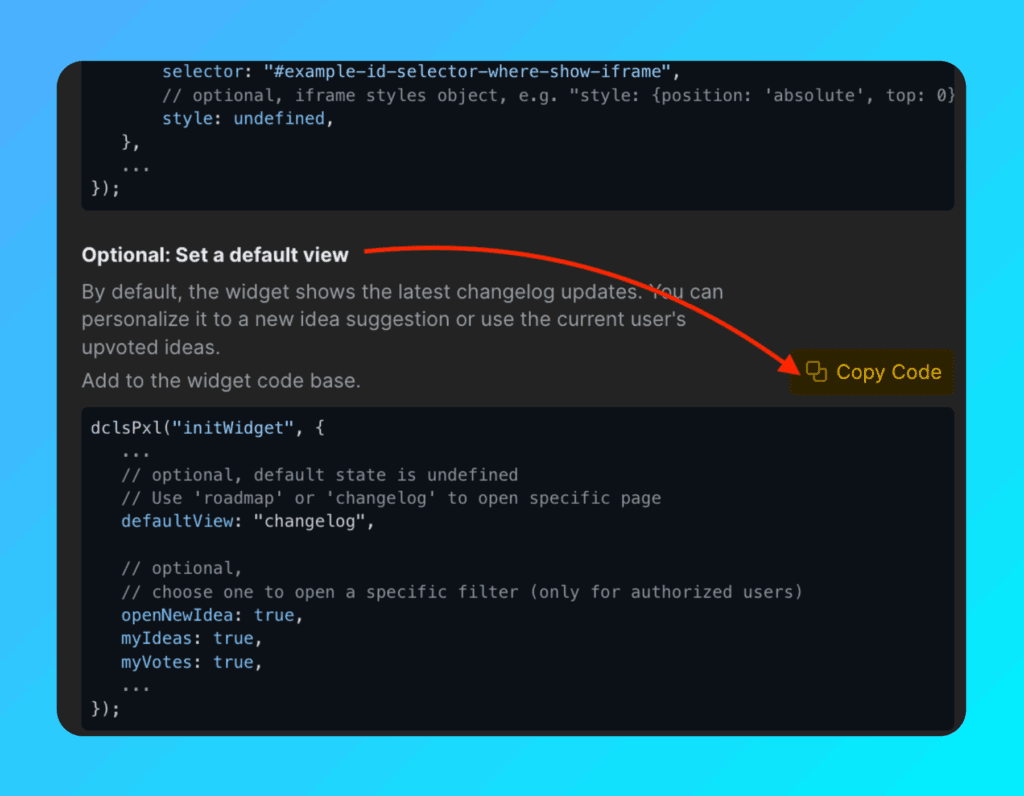
对于更新日志和路线图页面,你可以选择性打开特定筛选或操作(仅限已授权用户):
dclsPxl("initWidget", {
    // Optional
    // Use to open a specific filter (only for authorized users)
    openNewIdea: true,
    myIdeas: true,
    myVotes: true,
});
添加通知气泡
显示通知标记以提醒用户关于新更新和发布。
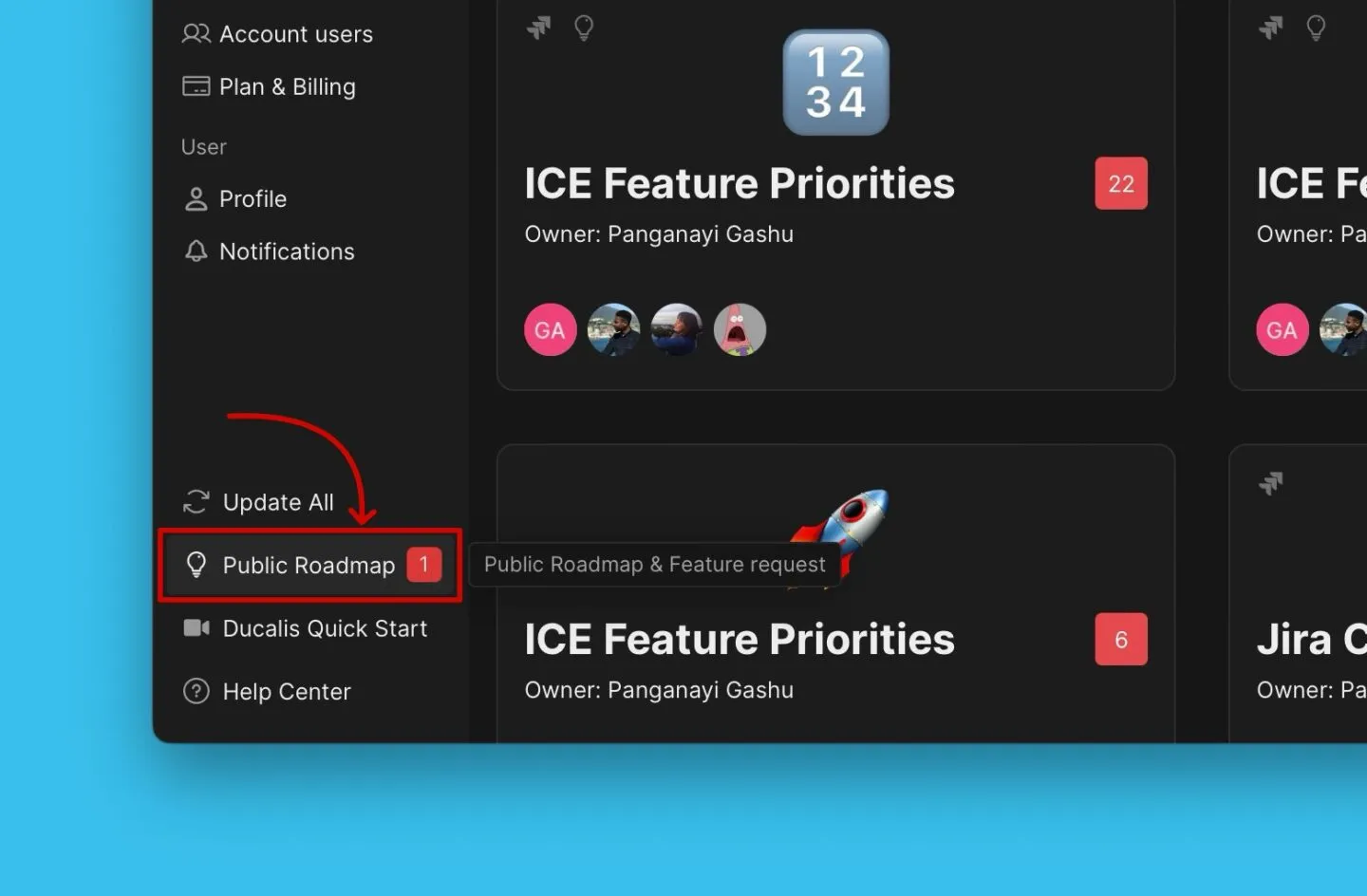
将 bubble 对象添加到组件代码中:
dclsPxl("initWidget", {
    bubble: {
        // Optional, default is ".Ducalis-changelog-widget"
        // Use for bubble without widget
        selector: '#embedBoardBuble',

        // Optional, default is undefined
        // Clears initial styles. Use for custom styles by className ONLY.
        className: 'some-class-name',

        // Optional, default is undefined
        // Customizes initial styles.
        style: {
            right: '7px',
            top: '7px',
            backgroundColor: '#db3737',
            borderRadius: '4px',
            fontSize: '13px',
        }
    },
});
自定义背景
通过添加透明背景使看板与你的界面和品牌匹配:
embedBoard: {
    // Optional, default is false
    // Makes iframe and board background transparent
    transparent: true,
}
添加自定义 CSS 类
仅供高级使用
向通知气泡添加自定义类名称,不使用默认样式。你可以使用自己的 CSS 自定义通知气泡。
使用 bubble.className 指定你的类:
bubble: {
    // Optional, clears initial styles
    // Use for custom styles by className ONLY. Default is undefined
    className: 'some-class-name',
}
已弃用的参数
参数 bubbleClassName 仍然有效,但将被弃用。请改用 bubble.className。
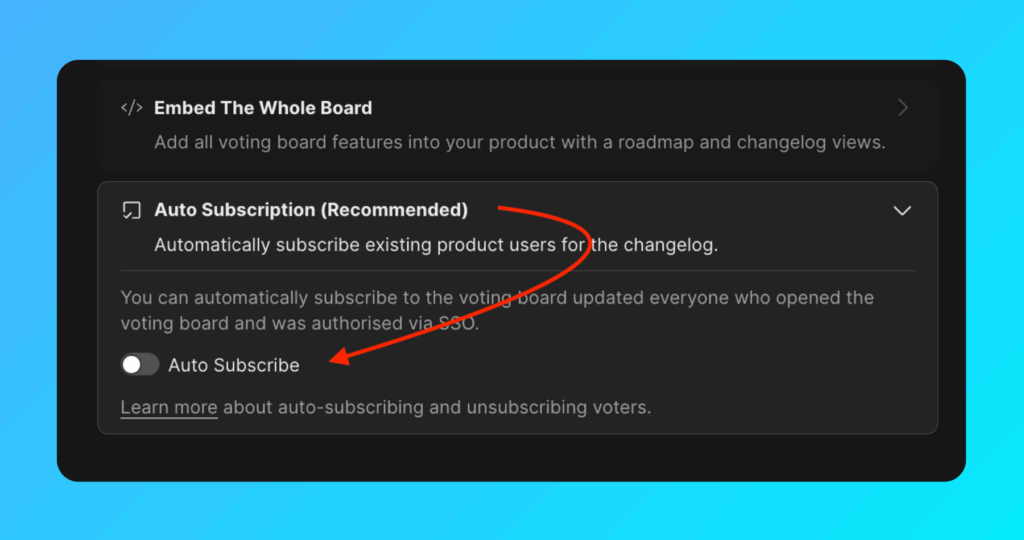
自动订阅版本说明
自动订阅版本说明默认启用。这避免了需要持续导入新活跃用户。
在以下情况下,用户将自动订阅:
- 你通过 Widget(组件)将用户数据发送到 Ducalis(
user.email和user.hash为必需)。 - 用户打开组件或看板框架。
设置自定义邮箱域
要向已订阅的用户发送版本说明,请设置自定义邮箱域。