Score Expiration
Scores can expire after a set period, resetting them so your team can re-evaluate the Backlog. This keeps evaluations aligned with changing sprint goals.
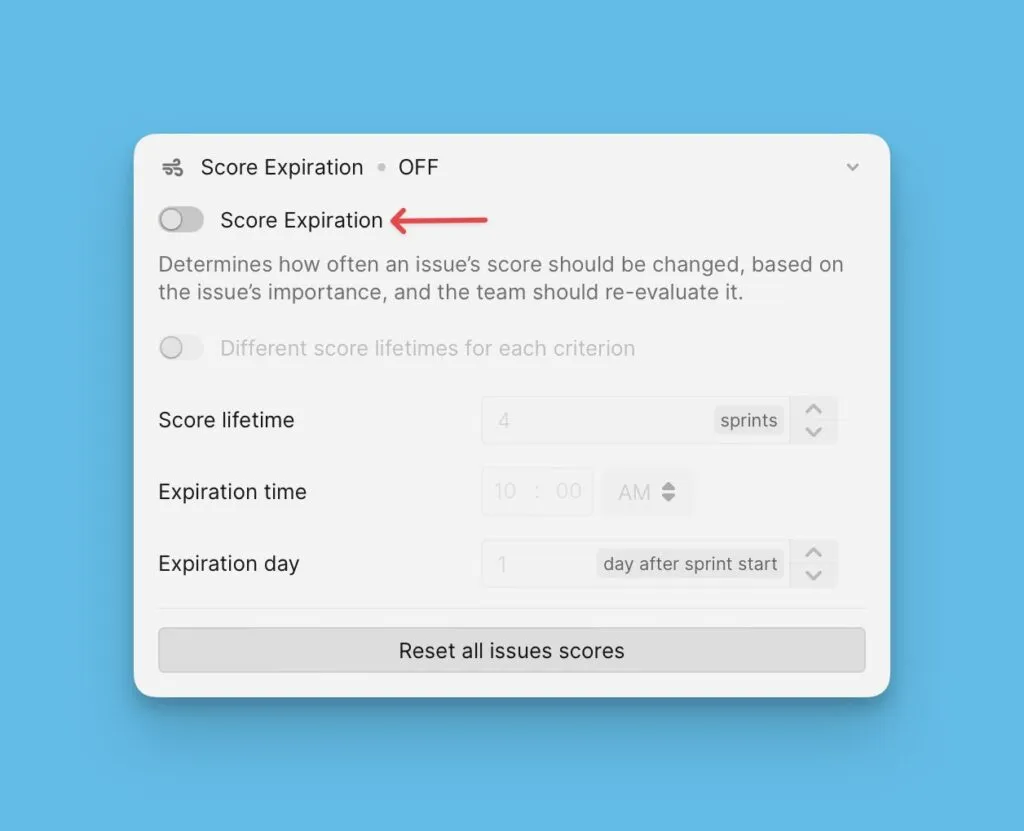
Score expiration is disabled by default. Enable it by turning on the toggle in settings.
Access settings
-
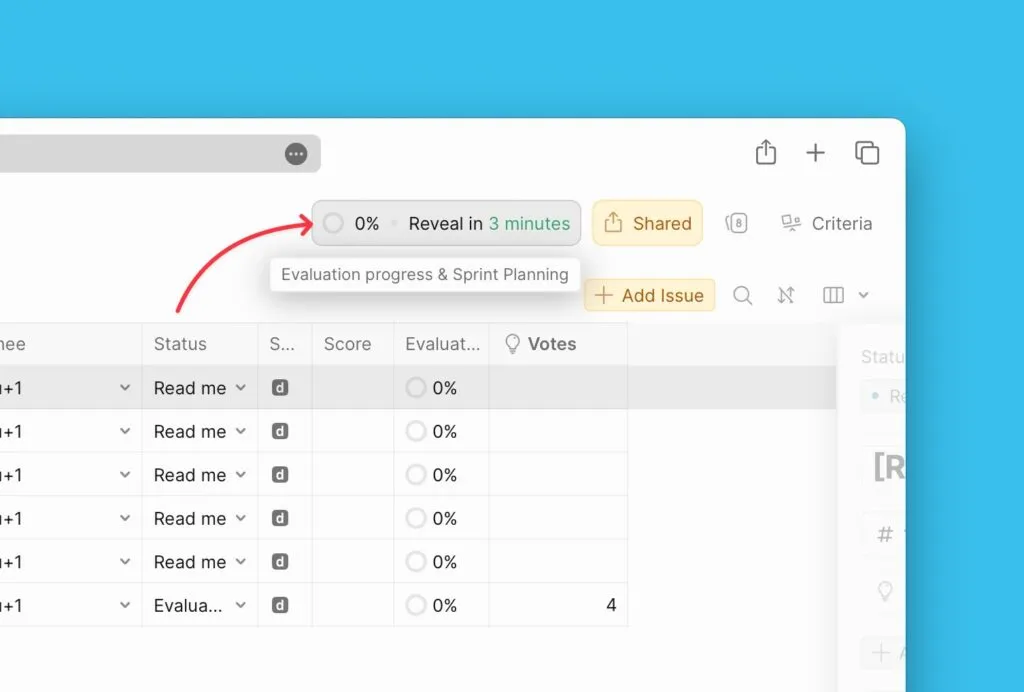
Navigate to Evaluation Progress and Sprint Planning settings.
-
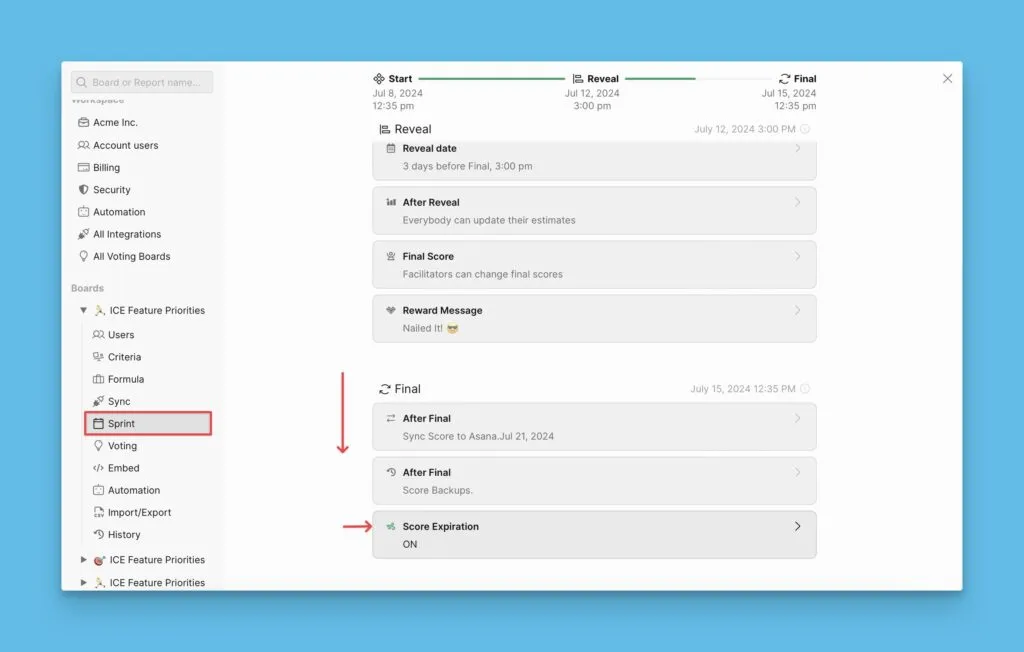
Scroll down to the Final section.
Configuration options
You can configure score expiration in two ways:
- Global lifetime – Set a single score lifetime for all Criteria
- Per-criterion lifetime – Set unique lifetimes for each Criterion
Global lifetime
Set one score lifetime that applies to all Criteria in your prioritization framework.
-
Enable the score expiration toggle if it's disabled.
-
Set the score lifetime in sprints.
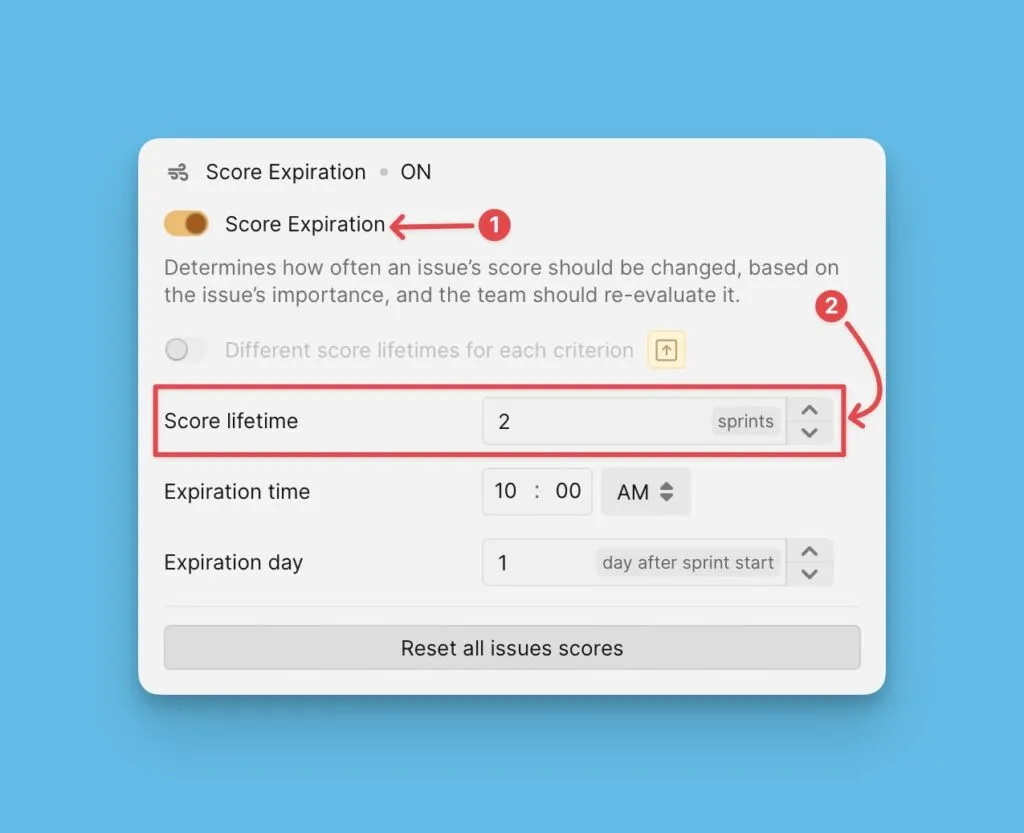
For example, if your goals typically extend for two more sprints, set the lifetime to 2 sprints.
This lifetime applies to all Criteria in your framework. See Criteria setup for more about prioritization frameworks.
Per-criterion lifetime
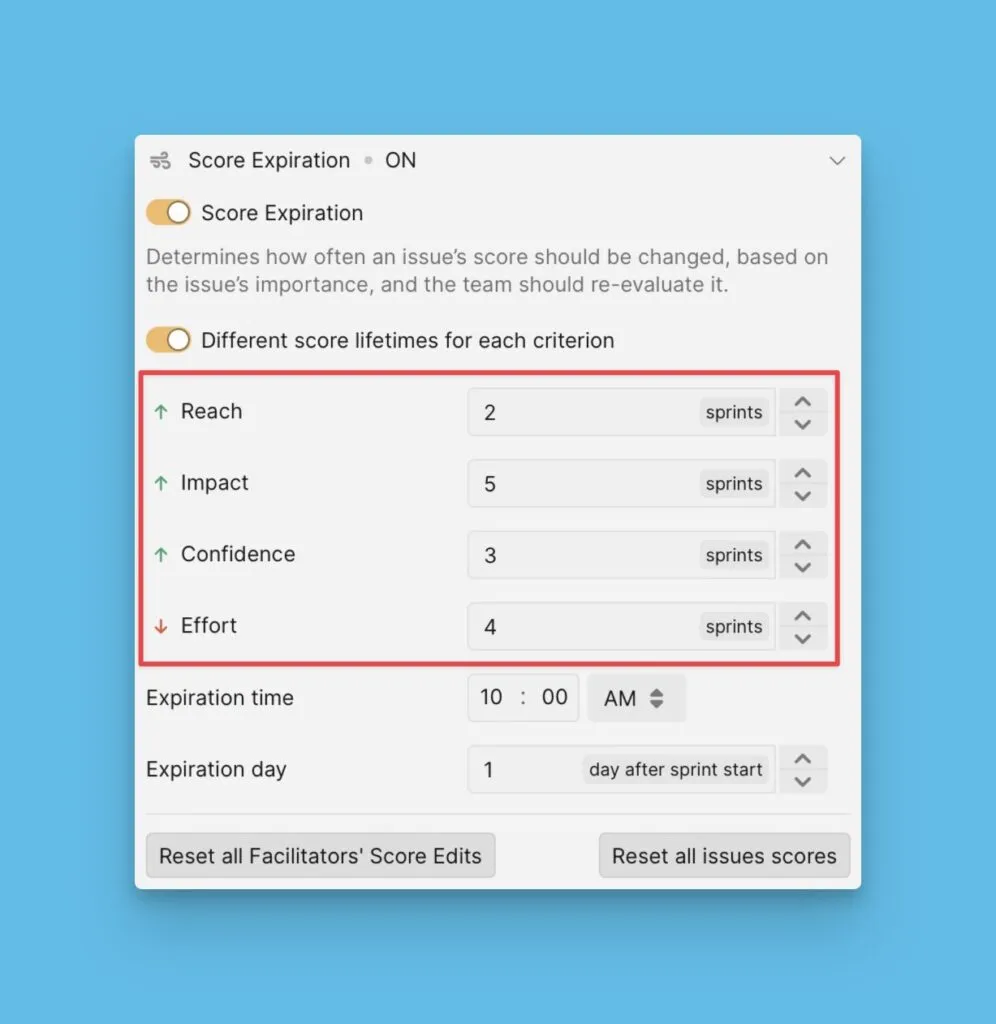
Set different score lifetimes for each Criterion. This lets different Criteria expire at different times based on how often they need re-evaluation.
This feature requires the Business plan.
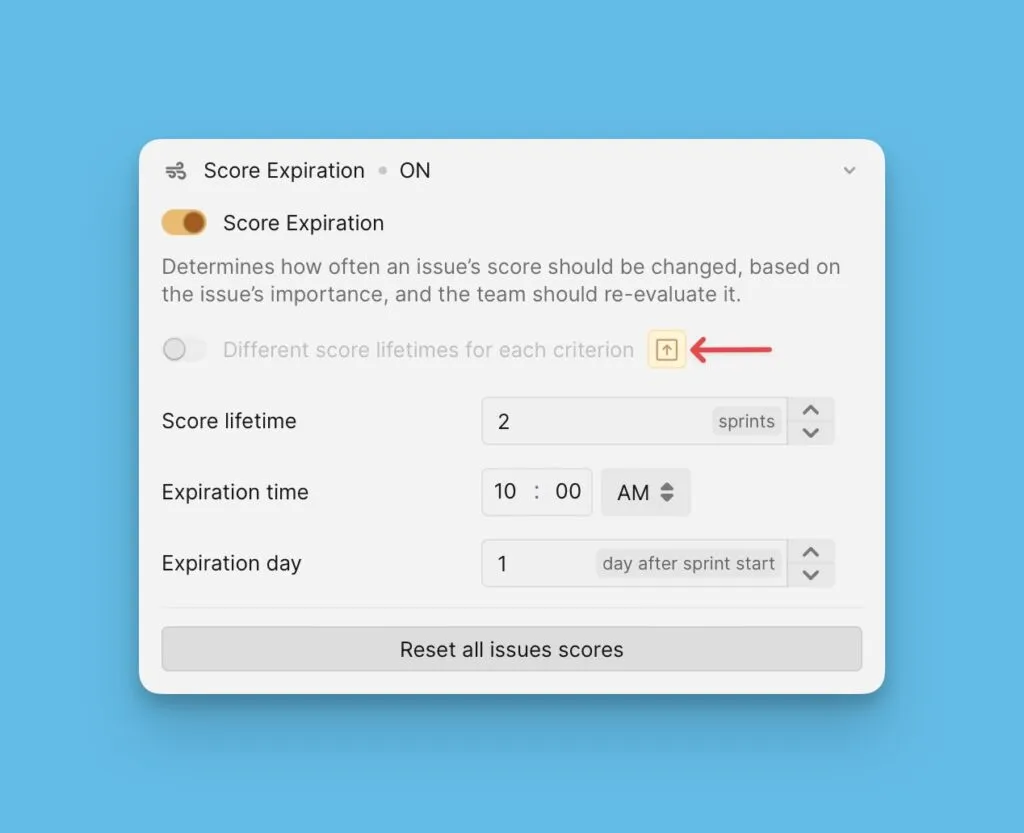
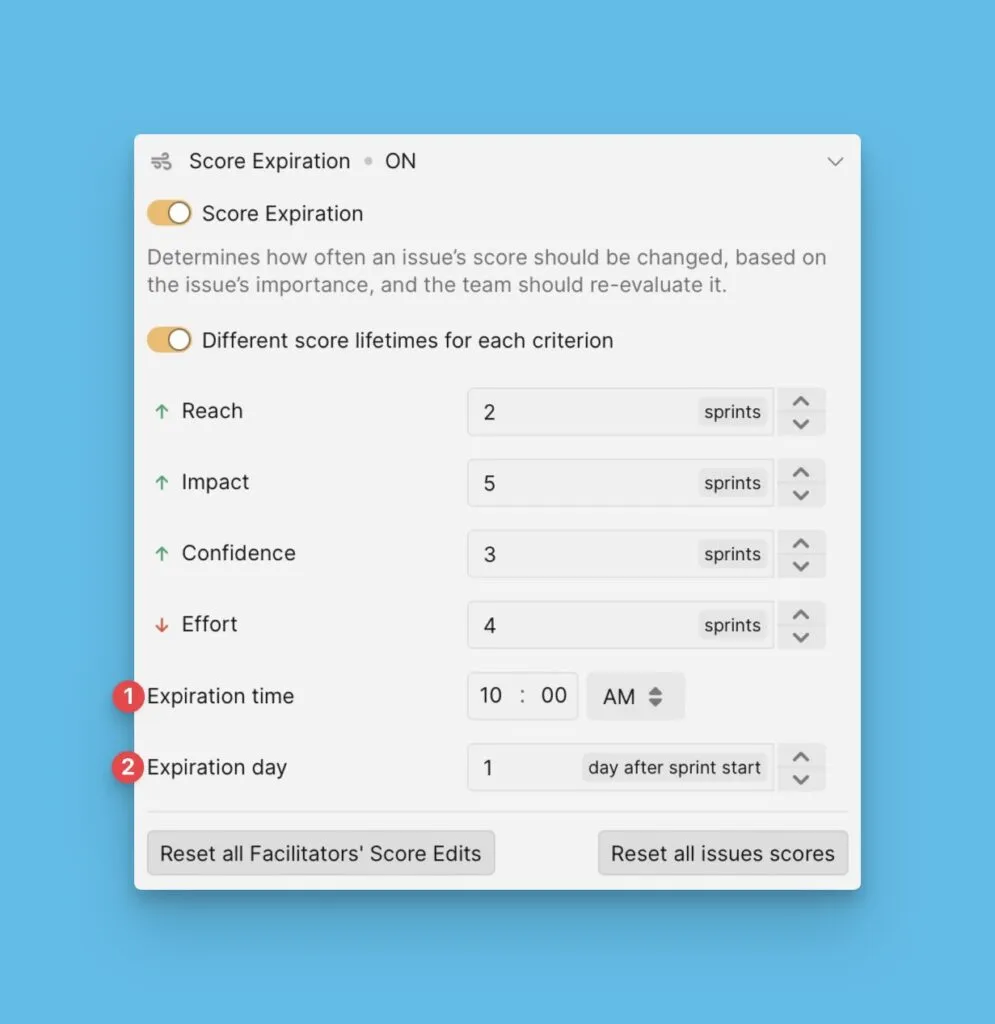
Set the score lifetime for each Criterion according to your re-evaluation needs:
Expiration timing
Configure when scores expire:
-
Expiration time – The time of day when scores reset.
-
Expiration day – The number of days after the sprint starts when scores reset.