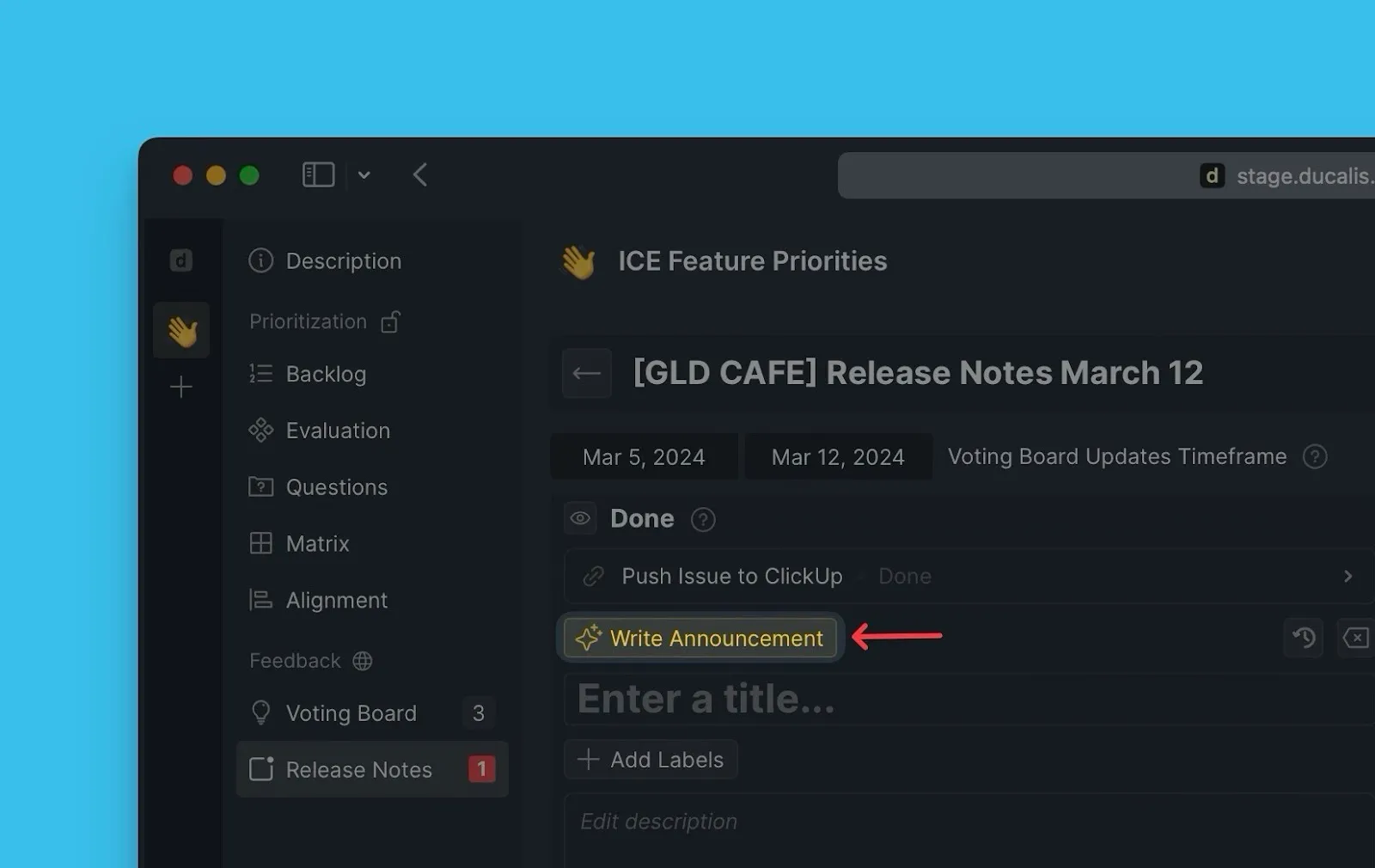
Create Announcements Using AI
Use Ducalis AI to create announcements for your releases. Save the time needed to create an announcement manually each time you release a feature you want your users to know about.
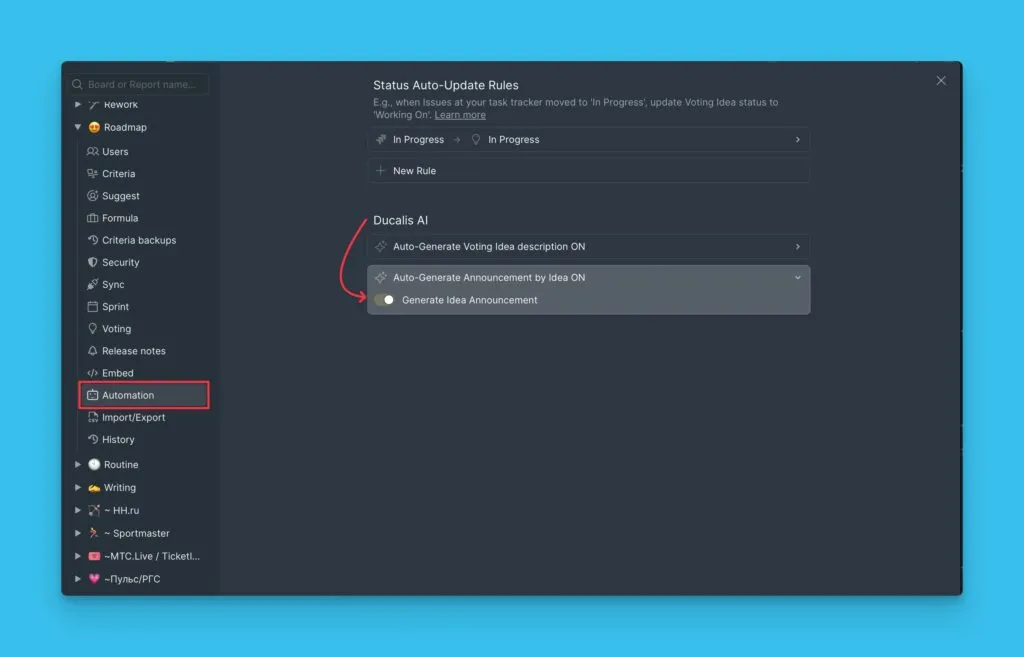
Switch the AI On
By default, the feature is on. If it is off, you can switch it on under the Automation settings.
Creating an Announcement in Advance
In the idea card, click Announcement.
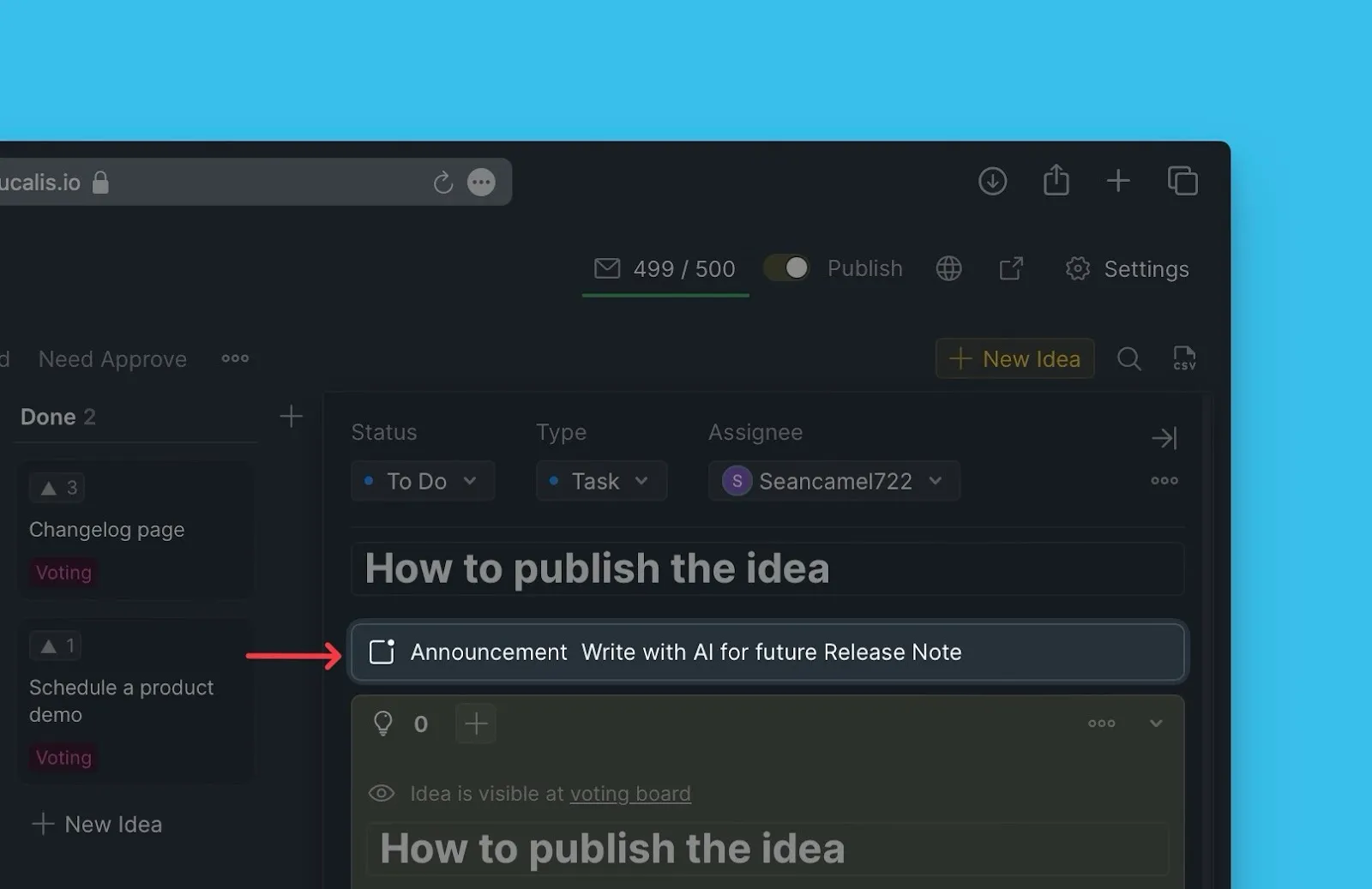
Ducalis AI will generate an announcement.

Go through the announcement description, if you like it, click Save Announcement, and if you do not, click Rewrite Announcement for the AI to generate another announcement description.
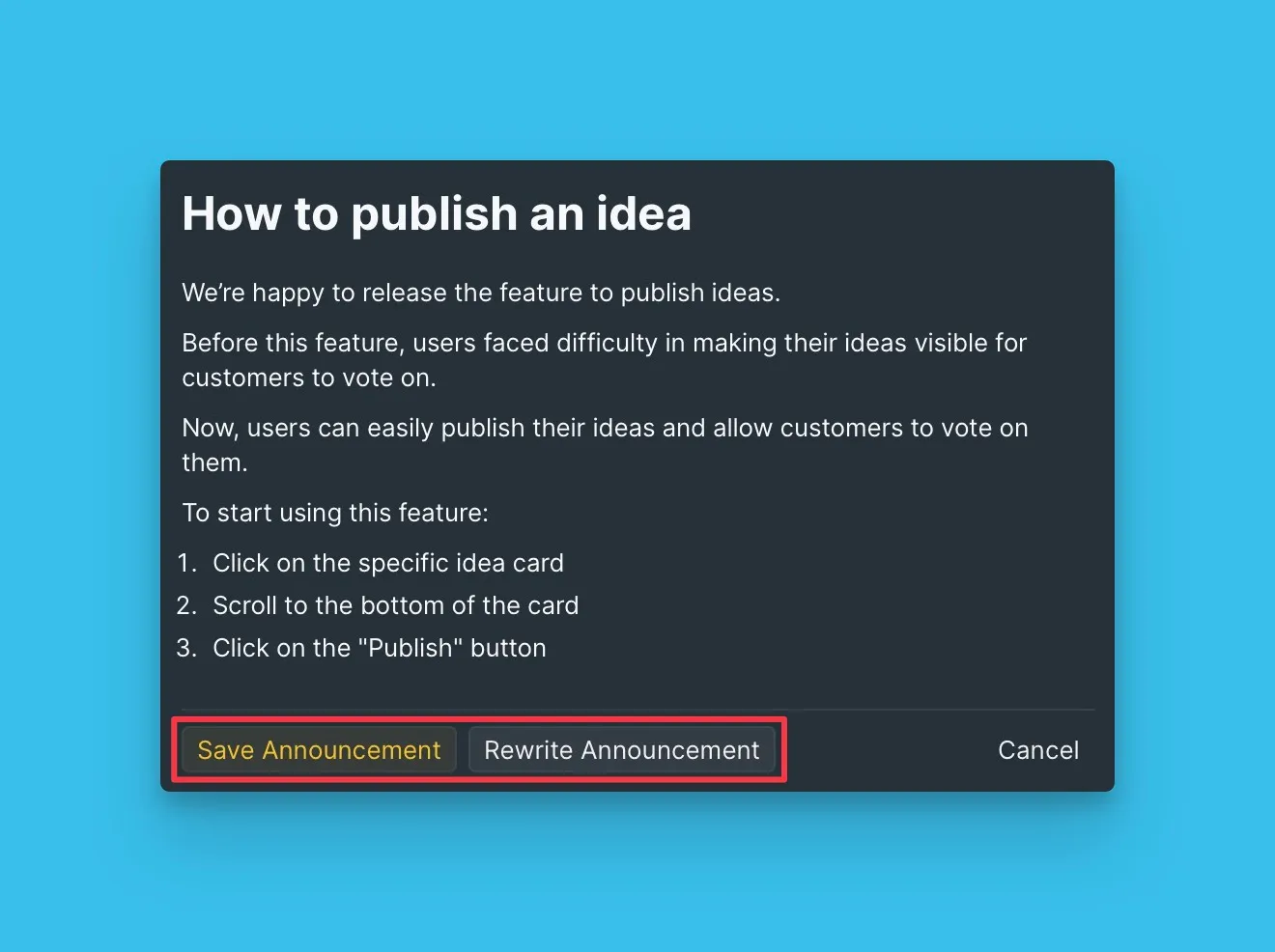
Approve the announcement so that when the idea is moved to done, the announcement will be posted on the Changelog page when you move the idea to Done status.
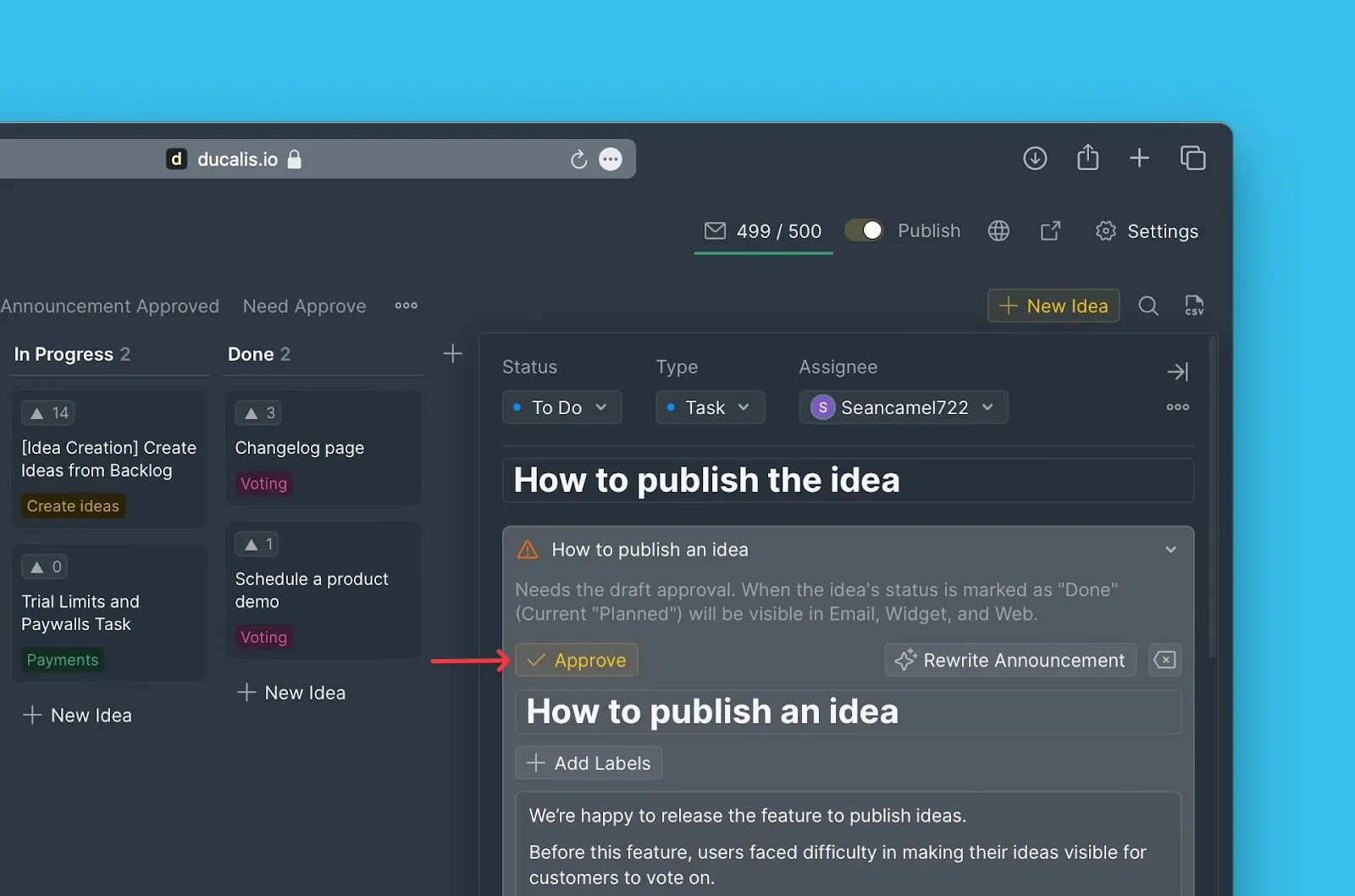
Automatic Announcement Creation
When you move an idea to the Done status the announcements will be automatically created. You must approve it so it is posted on your changelog page.
Announcements in Release Notes
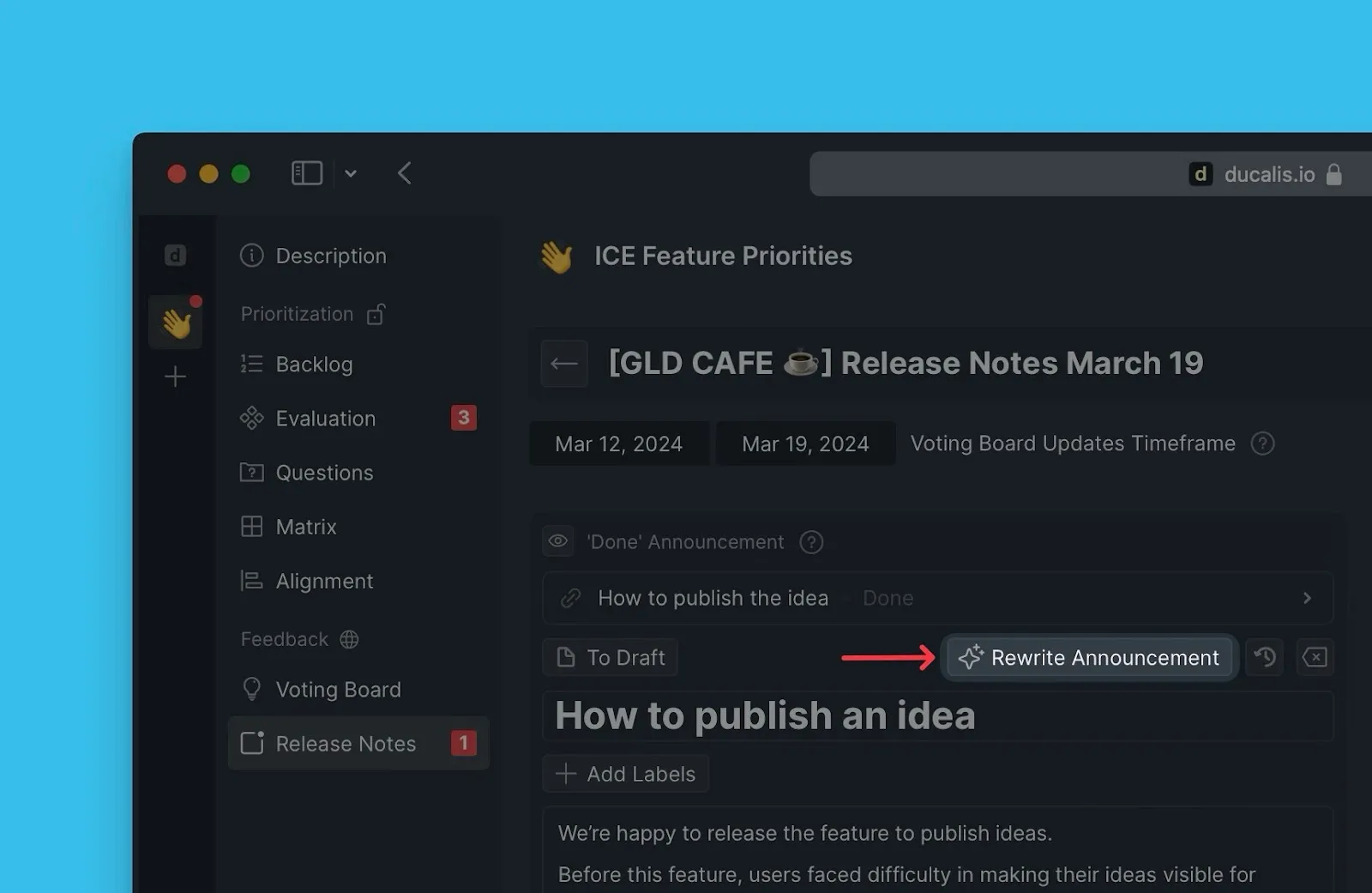
Announcements created are also added to Release notes.
You can prompt the AI to rewrite the announcement.
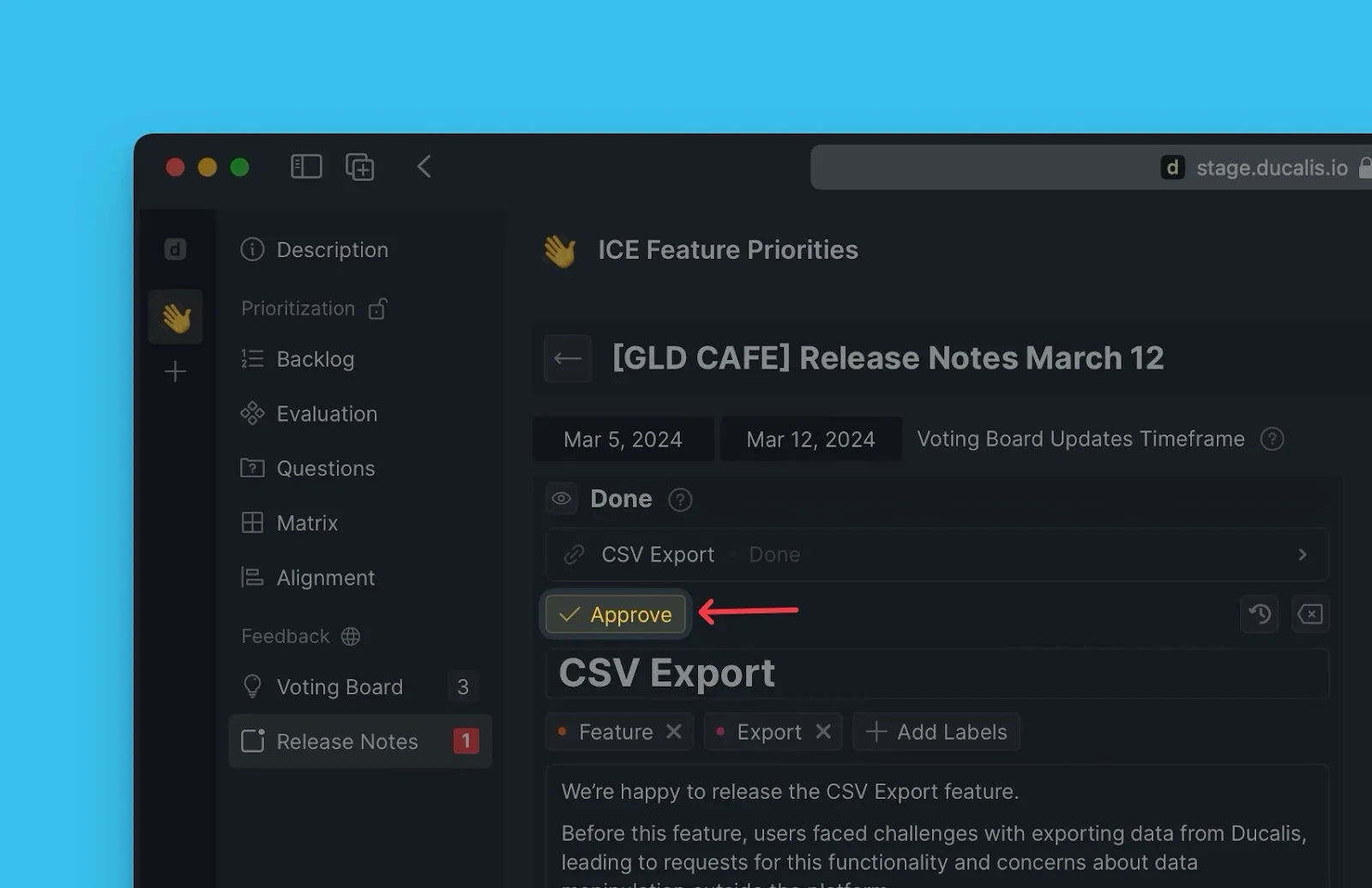
If the announcement has not been approved, you can do so as you are creating the Release note.
If you add an idea without announcement, you can quickly generate one with Ducalis AI.