Trash
Deleted boards move to Trash, where you can find and restore them within 30 days before permanent deletion.
warning
Only Admins can delete or restore boards.
Delete a board
-
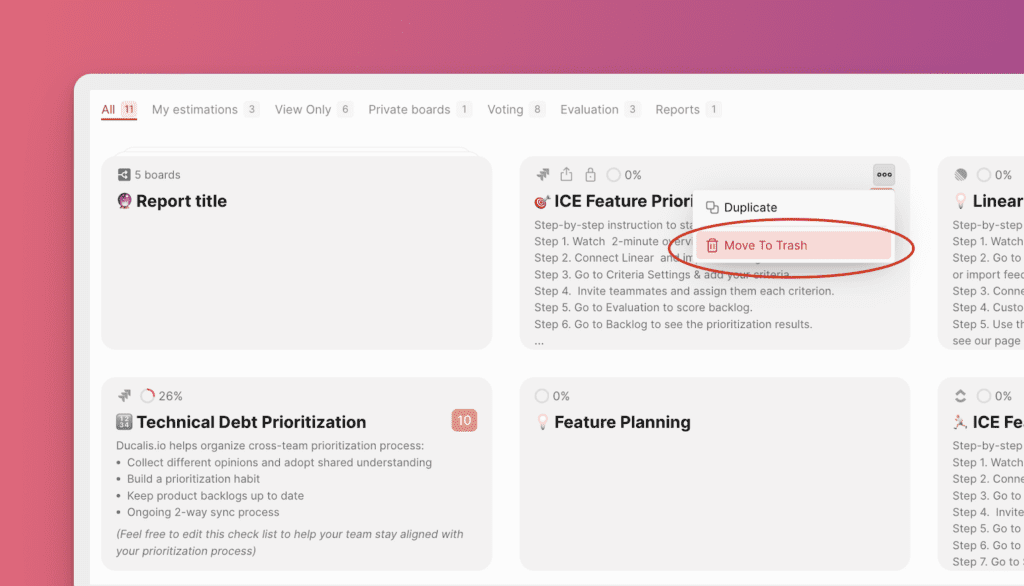
Hover over the board you want to delete.
-
Click the three dots.
-
Select Move to trash.
-
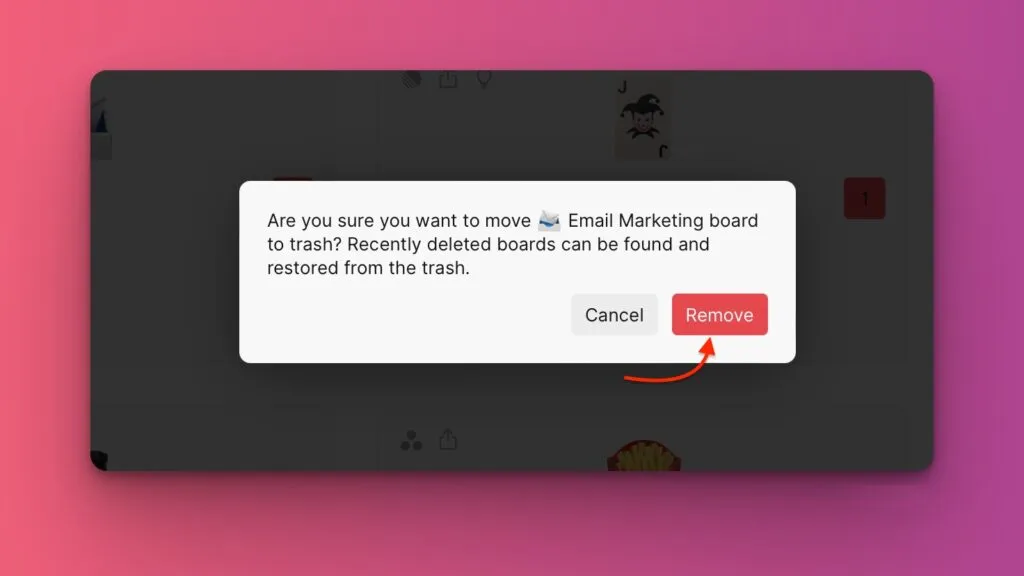
Click Remove to confirm.
Find deleted boards
All deleted boards stay in Trash for 30 days before permanent deletion.
From your Dashboard, click Trash in the left sidebar.
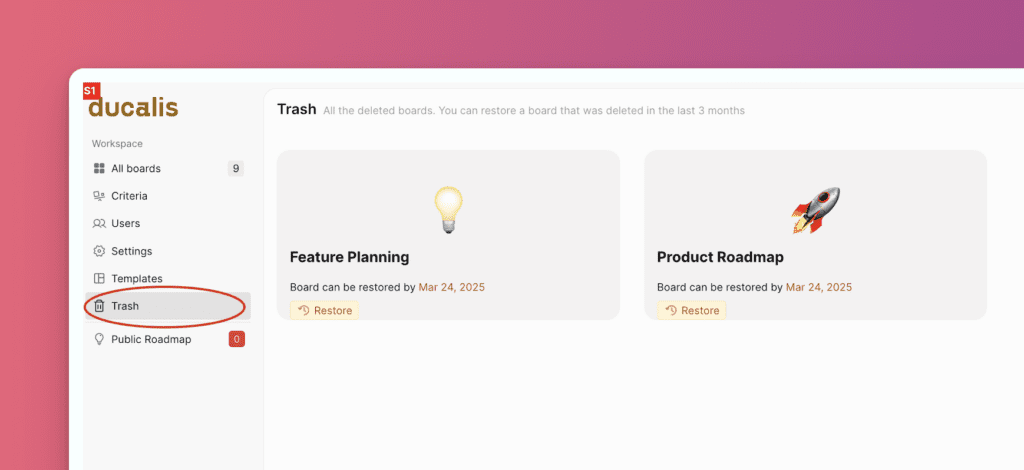
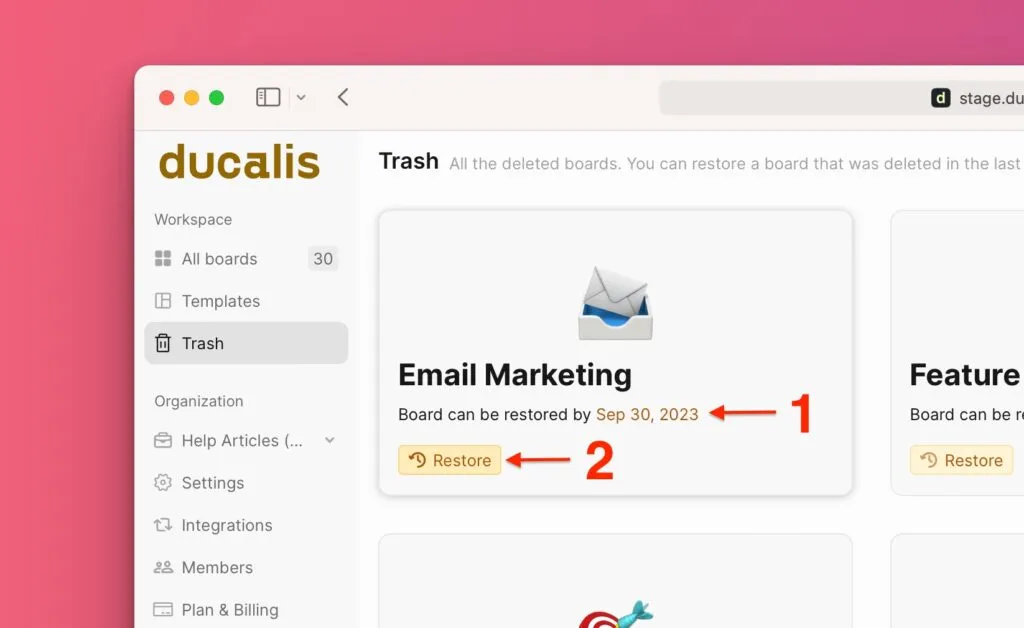
Each board shows the date until which you can restore it.
Restore a board
When you restore a board, all data and settings return: Issues, teams, Users, Criteria, board formula, and prioritization habits.
-
In Trash, click Restore on the board you want to recover.
-
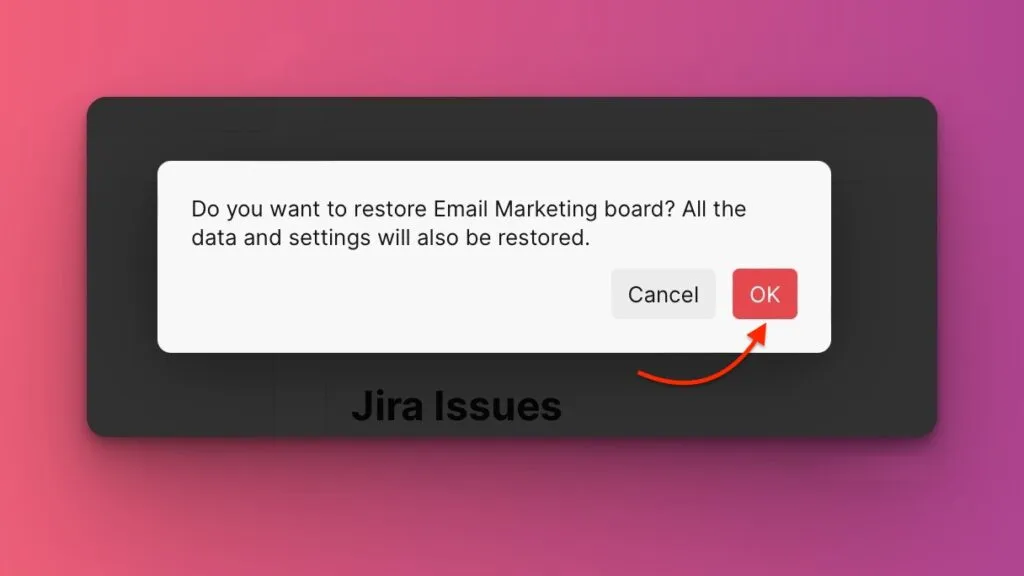
Click OK to confirm.
The board returns to your Dashboard with all its original content.