Duplicate criteria
Duplicate existing criteria to reuse them in the same Board or copy them to other Boards.
Duplicate a criterion
-
Go to Criteria settings.
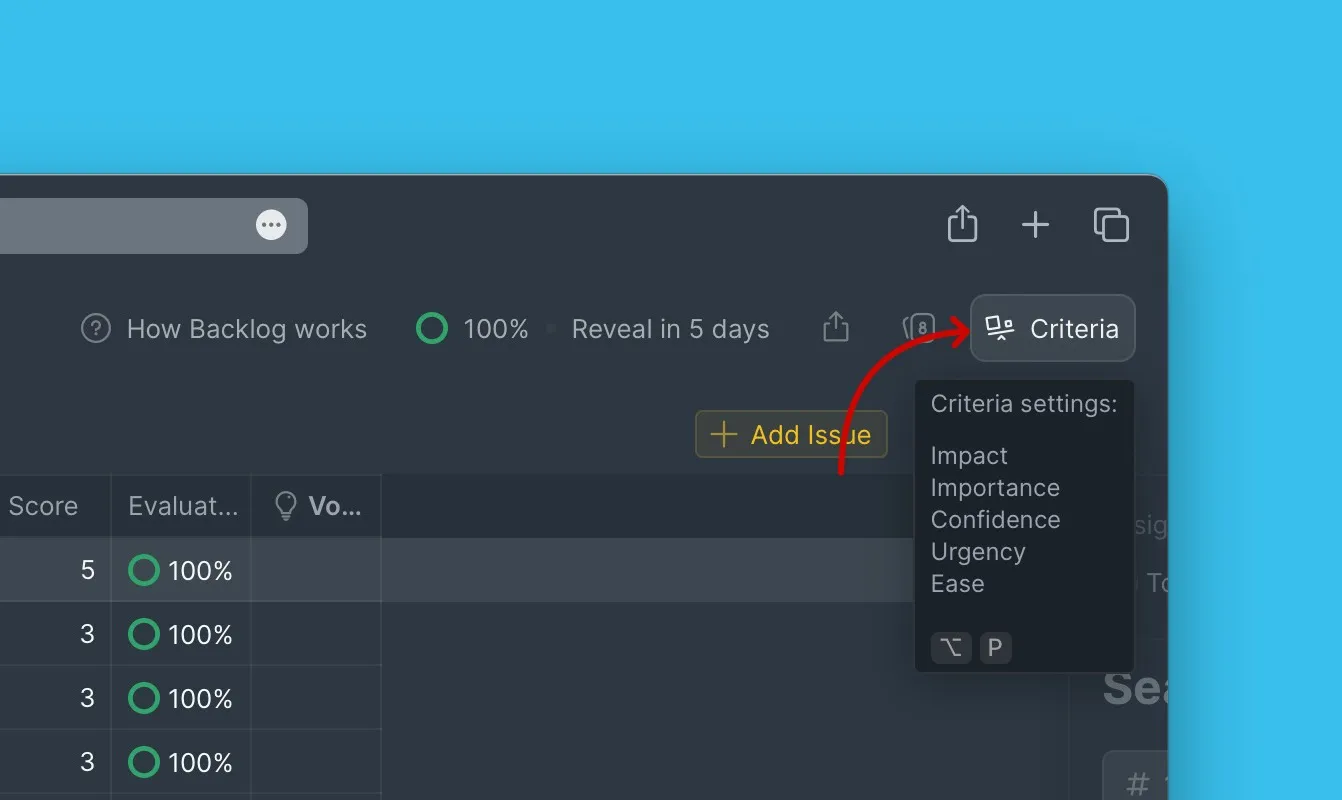
-
Open the criterion you want to copy.
-
Click Duplicate.
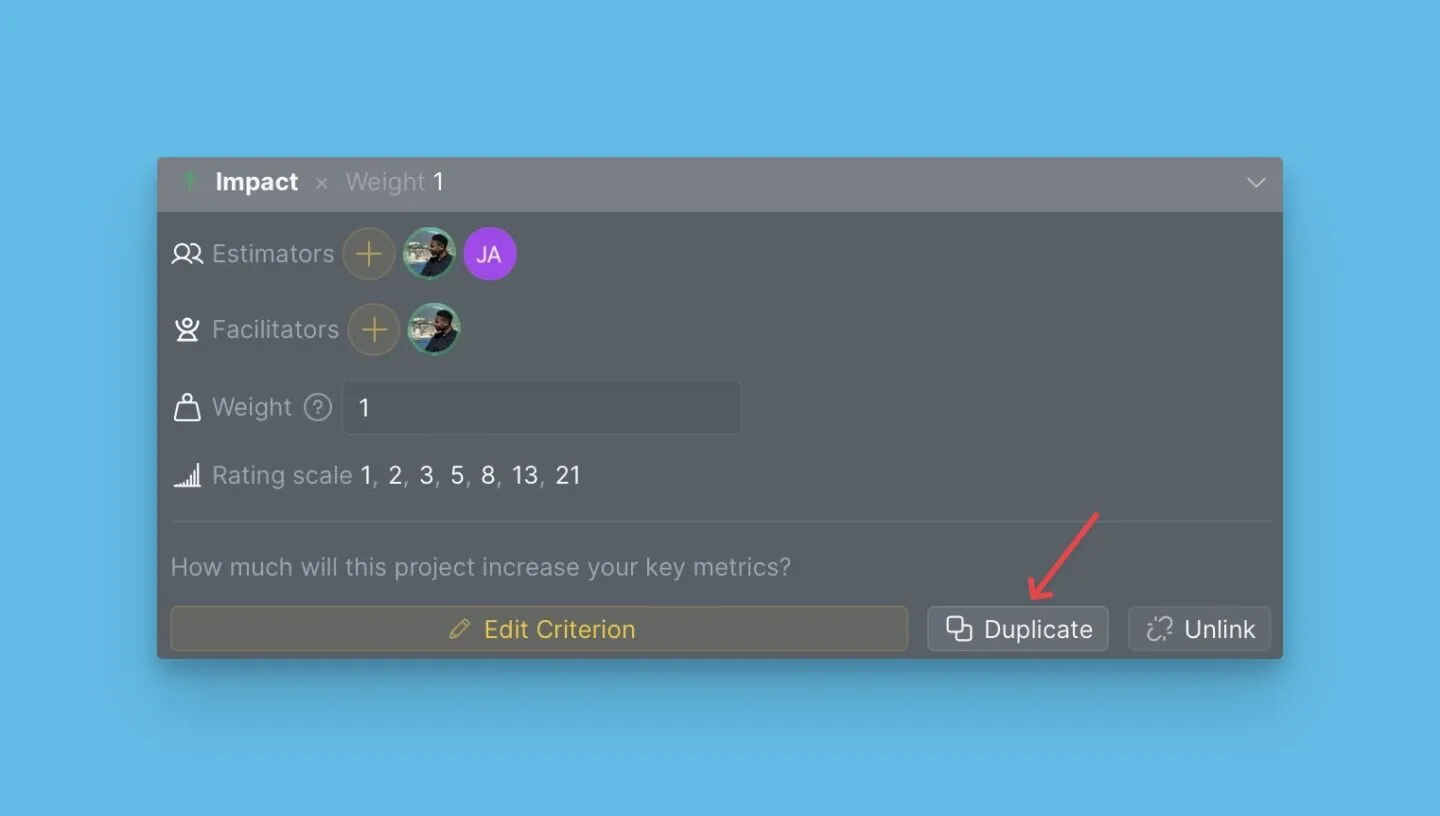
-
Configure the duplicated criterion's name, Estimators, description, and other parameters.
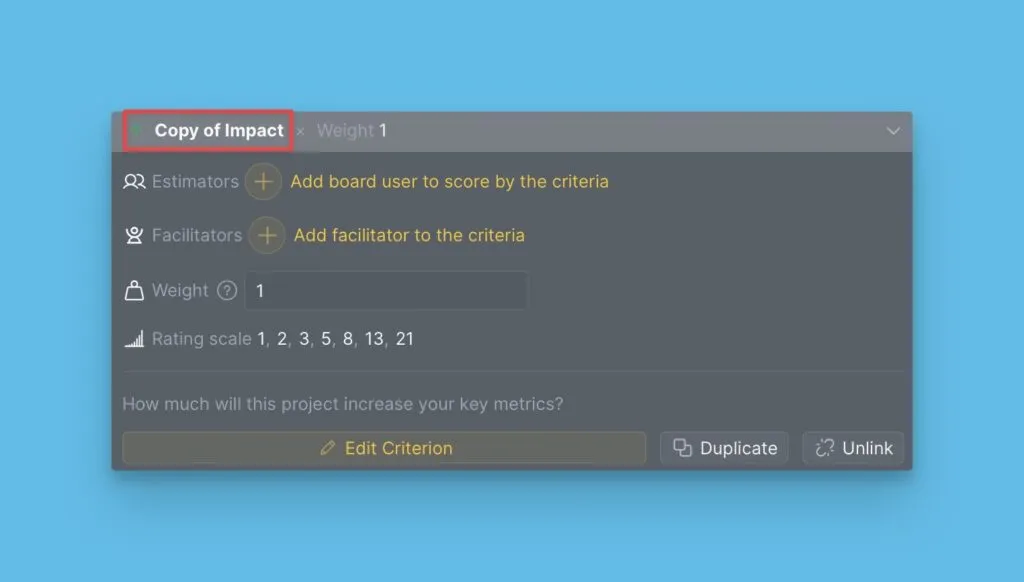
The duplicated criterion appears immediately and inherits all settings from the original.