Ignore Criteria
Set a Criterion to Ignore to exclude it from Total score calculations. Your team can still score Issues using this Criterion, but the scores won't affect priority rankings.
Use this when you want to collect team input on specific dimensions (like developer tier or technical complexity) without influencing the final prioritization results.
Set a Criterion to Ignore
-
Go to Criteria settings and select the Criterion you want to exclude.
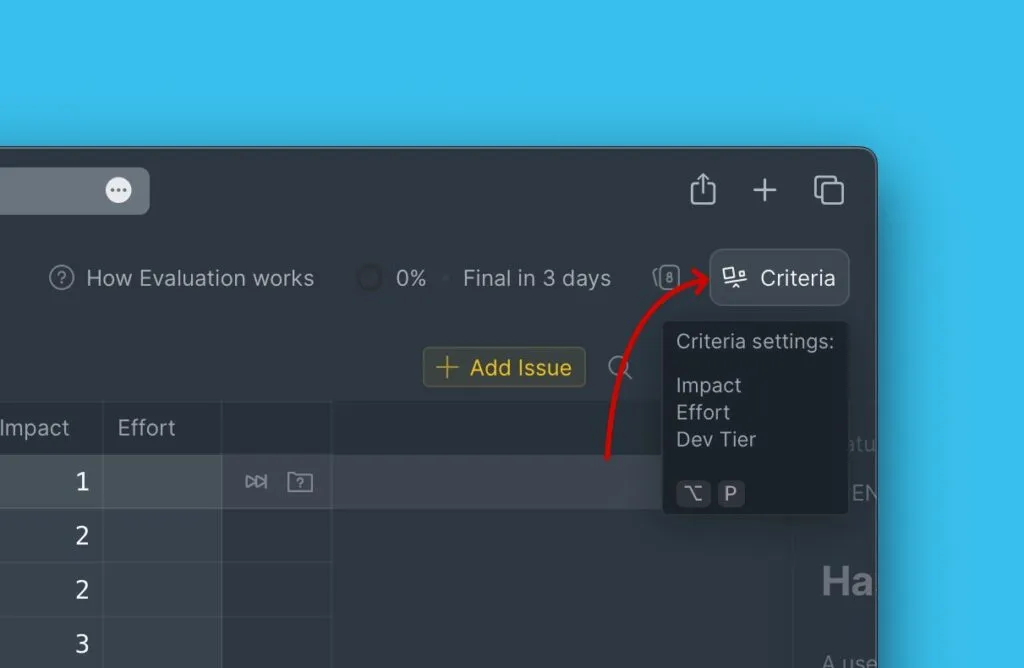
-
Click the edit icon.
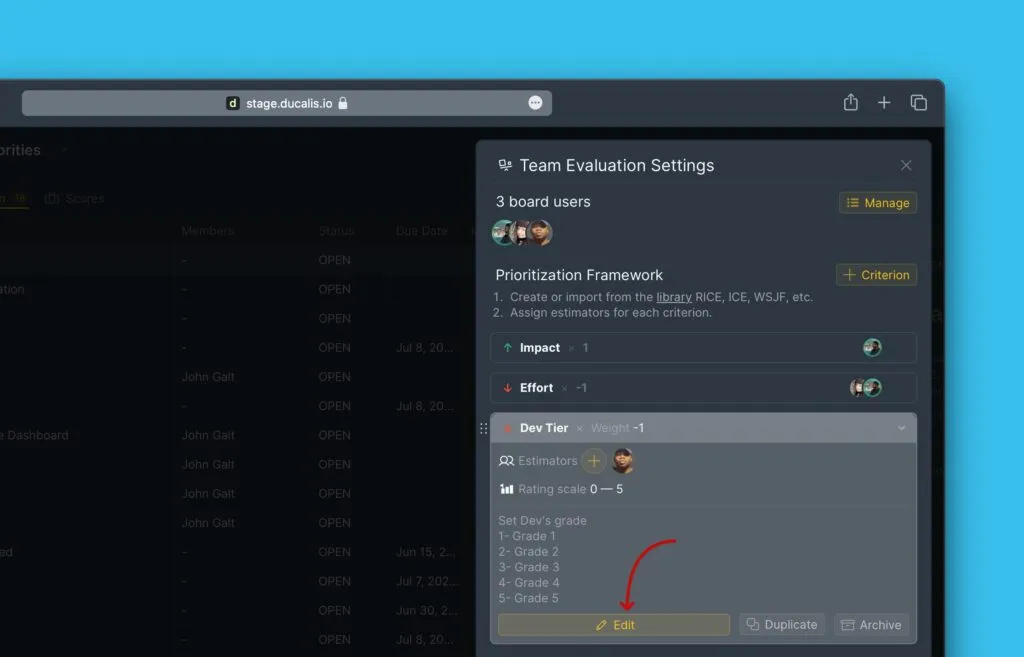
-
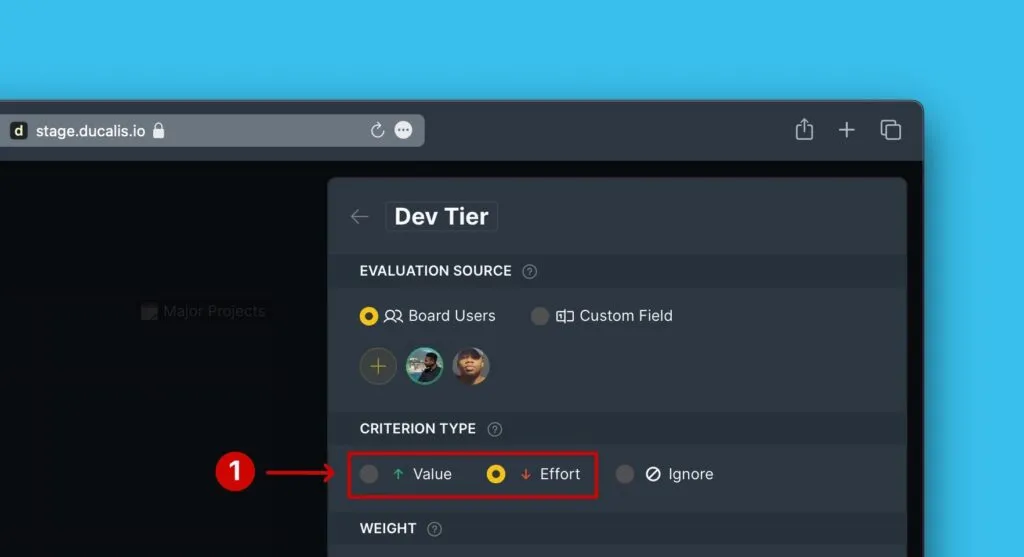
Under Criterion type, select Ignore.
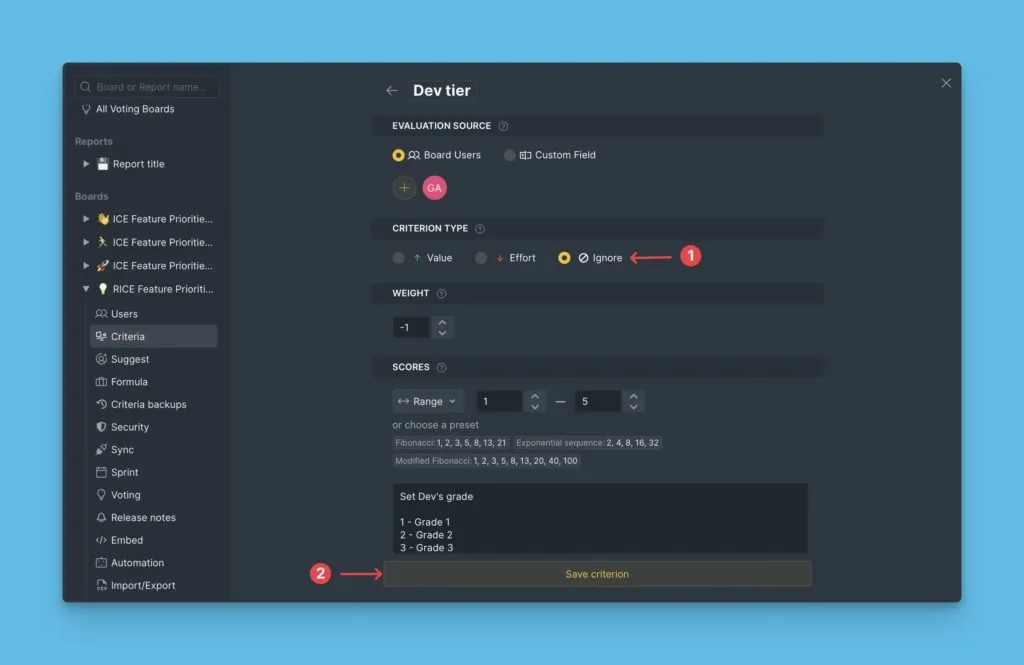
-
Click Save.
The Criterion now appears in your framework but doesn't affect Total scores.
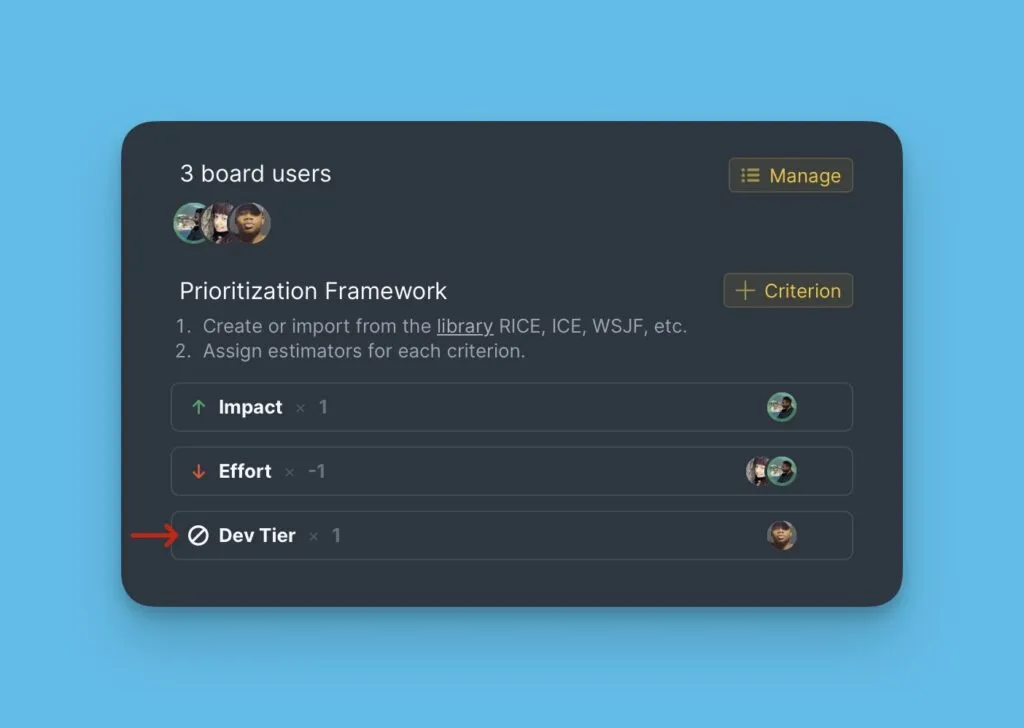
How ignored Criteria work
Evaluation
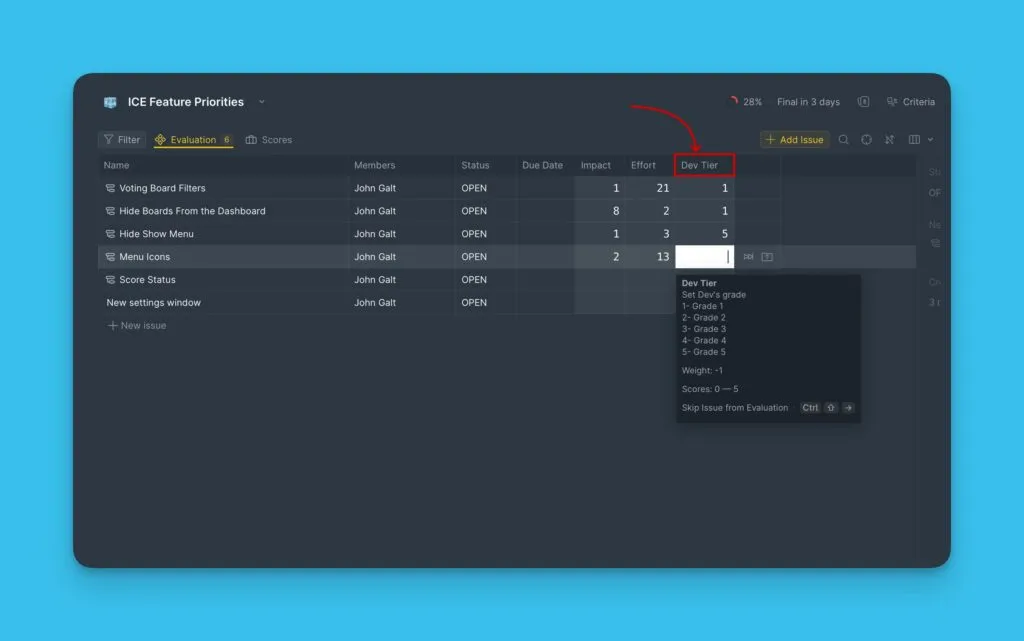
Ignored Criteria appear during Evaluation alongside active Criteria. Your team can score Issues using ignored Criteria, but these scores don't contribute to the Total score calculation.
Sync Back to task trackers
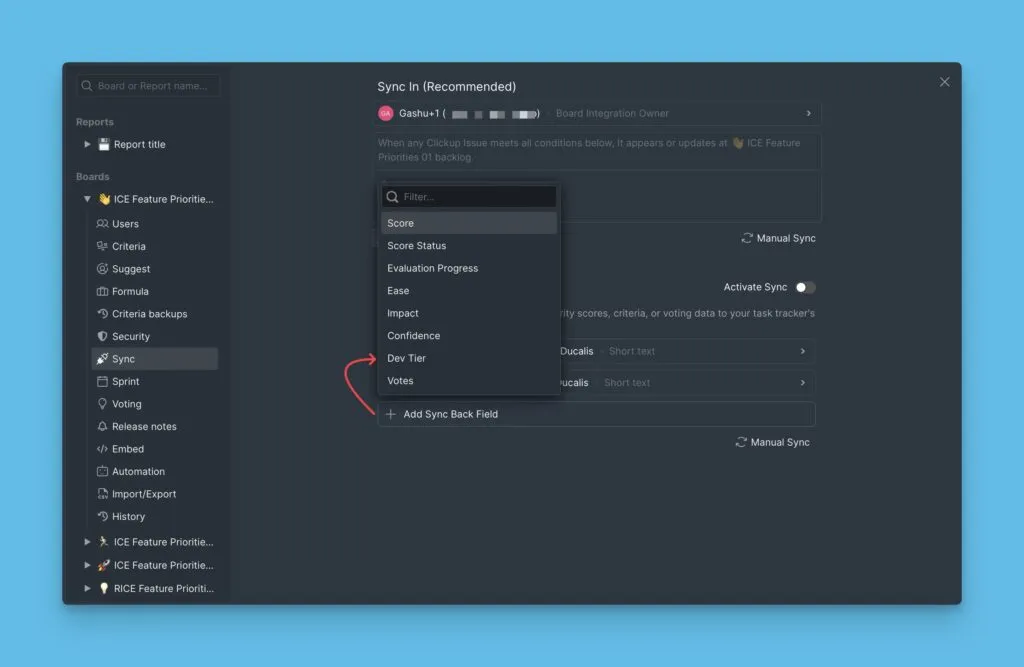
You can sync ignored Criterion scores back to custom fields in your task tracker. This lets you store additional context without affecting prioritization.
Backlog
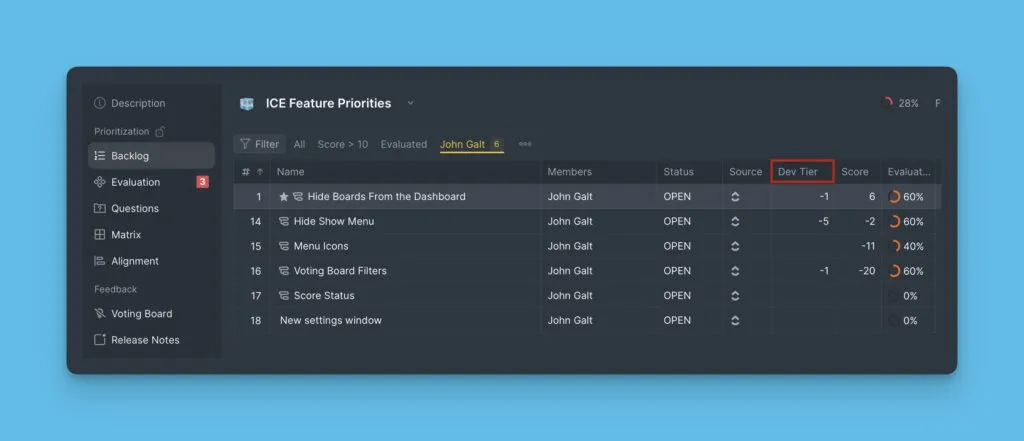
Add ignored Criteria to your Backlog table columns. The scores appear in the table without affecting Issue rankings.
Matrix view
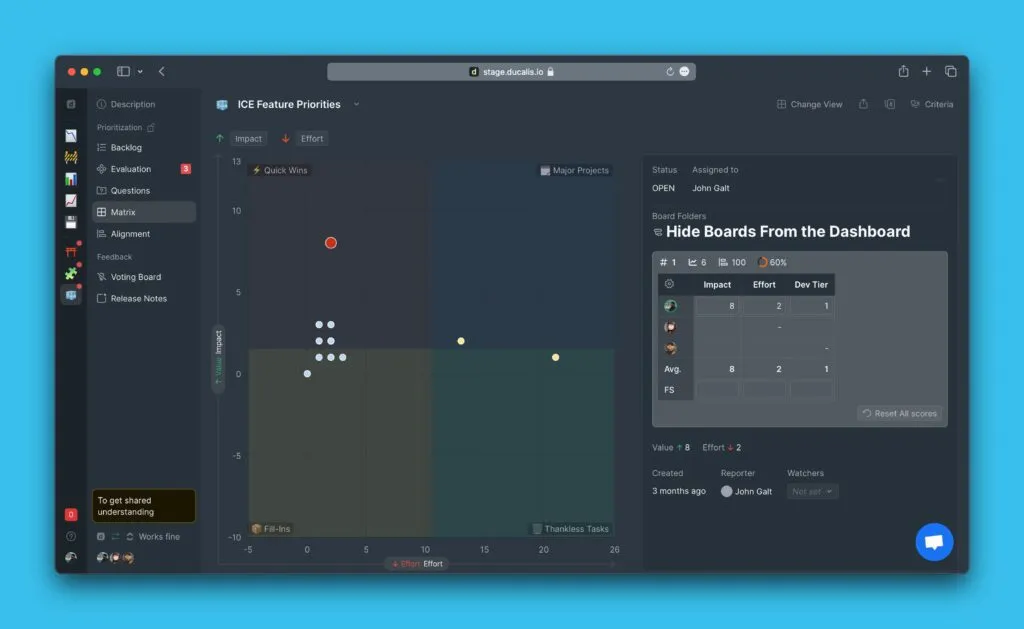
Ignored Criteria don't contribute to Value or Effort calculations on the Matrix. They also don't appear in the framework display on the Matrix page.
Re-enable a Criterion
To include a previously ignored Criterion in Total score calculations:
- Go to Criteria settings and edit the Criterion.
- Change the Criterion type from Ignore to Value or Effort.
- Click Save.
The Criterion now contributes to Total scores and appears in the Matrix.