Preserve scores when moving Issues
When you copy or move Issues between Boards, you'll want to preserve their Criteria scores to avoid re-evaluating them.
Requirements for preserving scores
For scores to transfer with Issues, the Criteria in both Boards must be merged in Criteria Management. Each Criterion must have identical:
- Name
- Rating scale
- Formula
- Estimators
How score transfer works
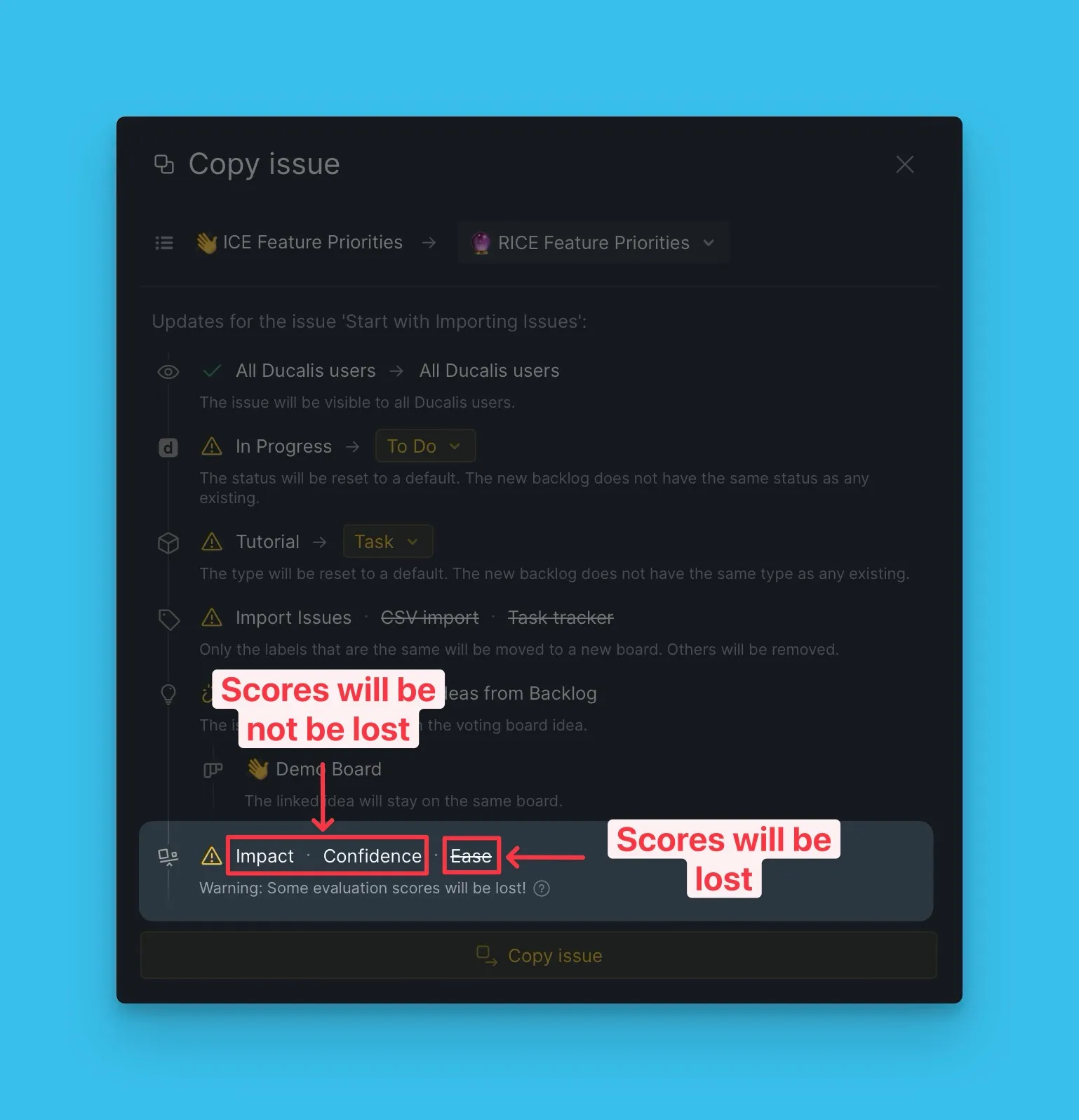
When you copy or move an Issue, you'll see which scores will transfer to the destination Board.
Only scores from merged Criteria (configured in Criteria Management) transfer to the new Board.
If you move the Issue back to the original Board, its scores are restored.
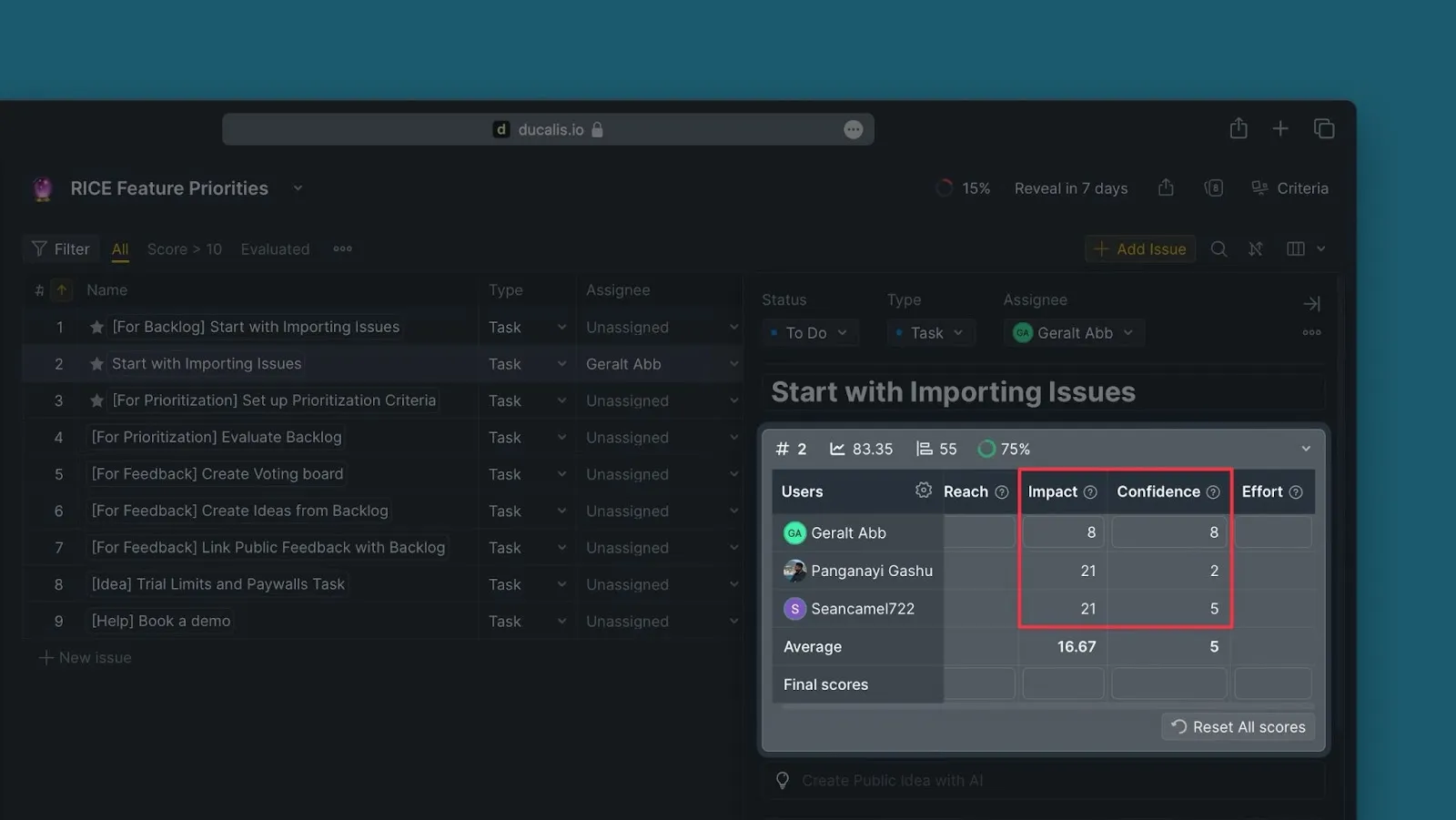
A copied Issue in the destination Board with its transferred scores:
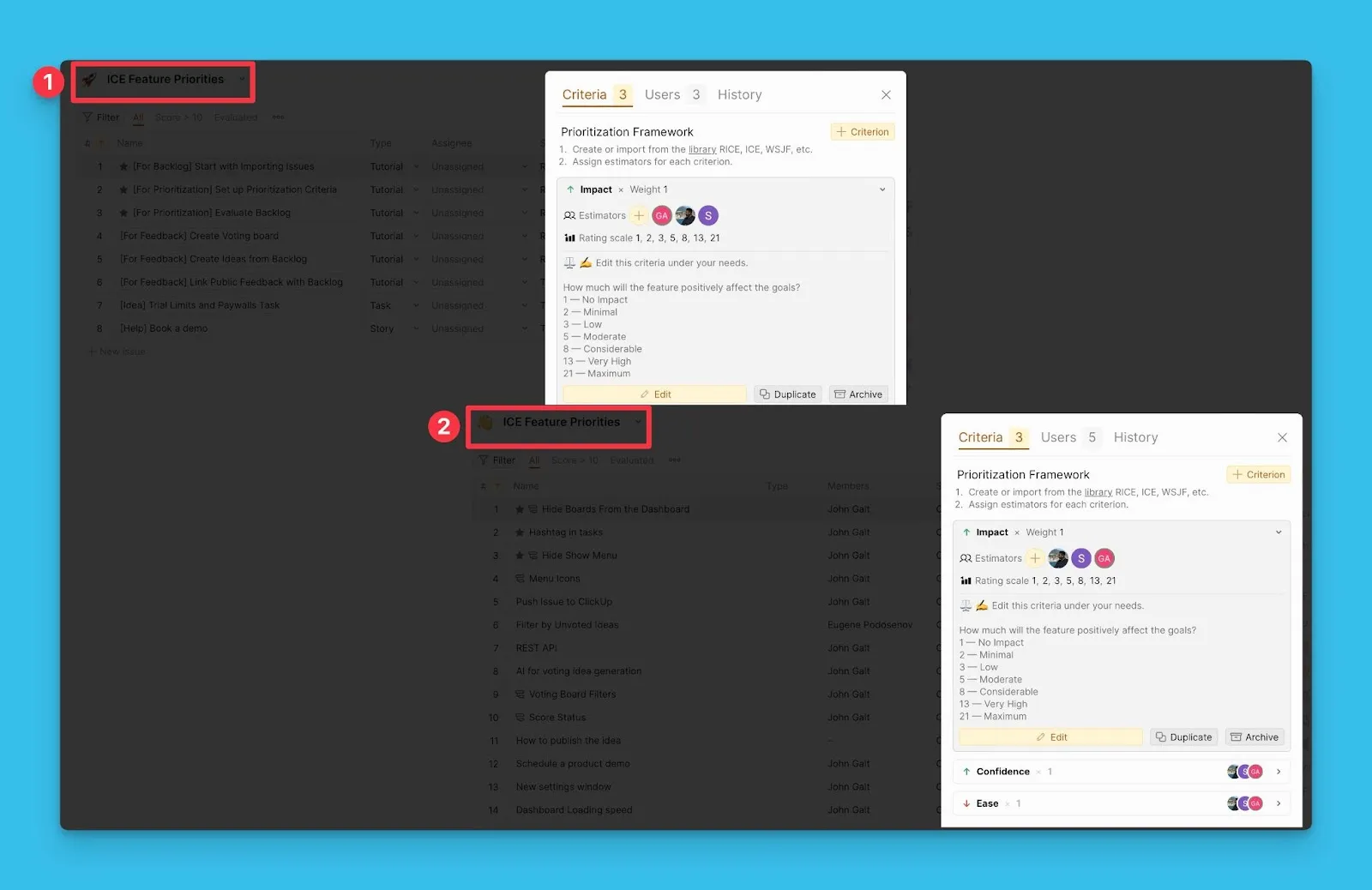
What if Estimators differ between Boards?
Scores only transfer if the same Estimators are assigned to matching Criteria in both Boards. Any difference in Estimators results in lost scores.
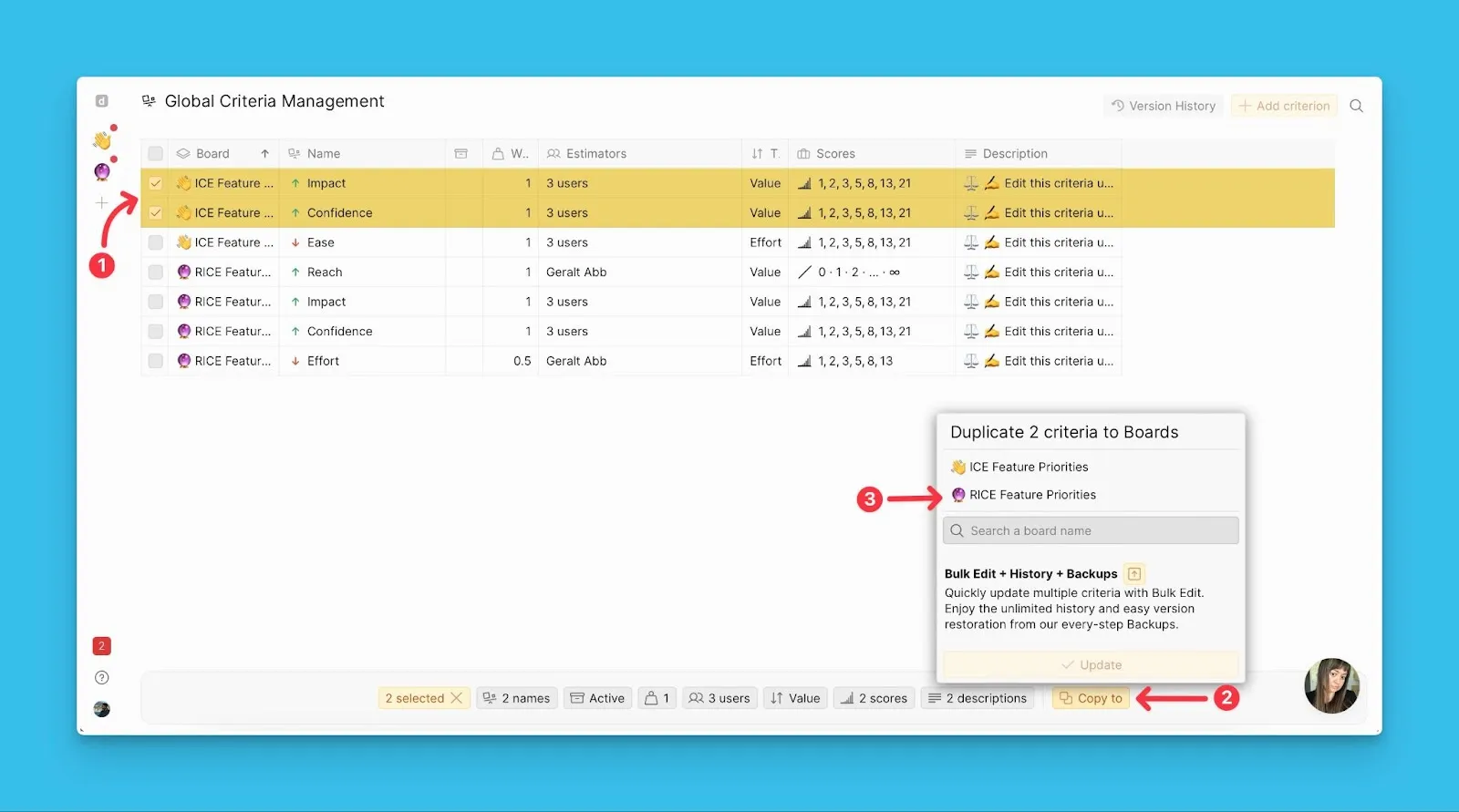
You can transfer Criteria between Boards on the Global Criteria Management page, where you can copy multiple Criteria to another Board at once.