Required for scoring
Set a Criterion to Required for scoring to prevent the Total Score from being calculated until that Criterion is evaluated.
Without this setting, Ducalis calculates a Total Score from whatever scores exist — meaning a task can appear fully ranked even when a critical team member hasn't weighed in yet.
How it works
Marking a Criterion as Required for scoring blocks the Total Score from being calculated until every required Criterion is evaluated. The system only waits for required Criteria — not all Criteria. Non-required Criteria that are missing evaluations do not block the Total Score.
Use this when certain tasks must always be reviewed by a specific team first and cannot move to discussion or development without their approval.
What counts as an evaluation
A Required Criterion is satisfied when any of these sources provides a value:
- An estimator submitted a score.
- A non-empty Custom Field value exists (for Criteria linked to tracker fields).
- A Final Score was set manually.
Any single source is enough — the Required condition clears as soon as one exists.
Example — Dev team capacity: Your team cannot create a sprint task list without the Dev team's evaluation. Set the Dev time Criterion as required for scoring, and the Total Score won't be calculated until the Dev team provides their score.
Example — Legal review: Your legal team must review every task before it can be prioritized. Mark the Legal Risk Criterion as Required for scoring — no task receives a Total Score until the legal team provides their evaluation.
Example — Architecture assessment: Even if all other Criteria are scored, without the architect's assessment the Total Score stays hidden — ensuring no task moves forward without technical review.
Example — External dependency: Tasks that require third-party vendor input. Mark the Vendor Estimate Criterion as Required for scoring — ensuring no task gets prioritized before external costs are known.
Setting up
-
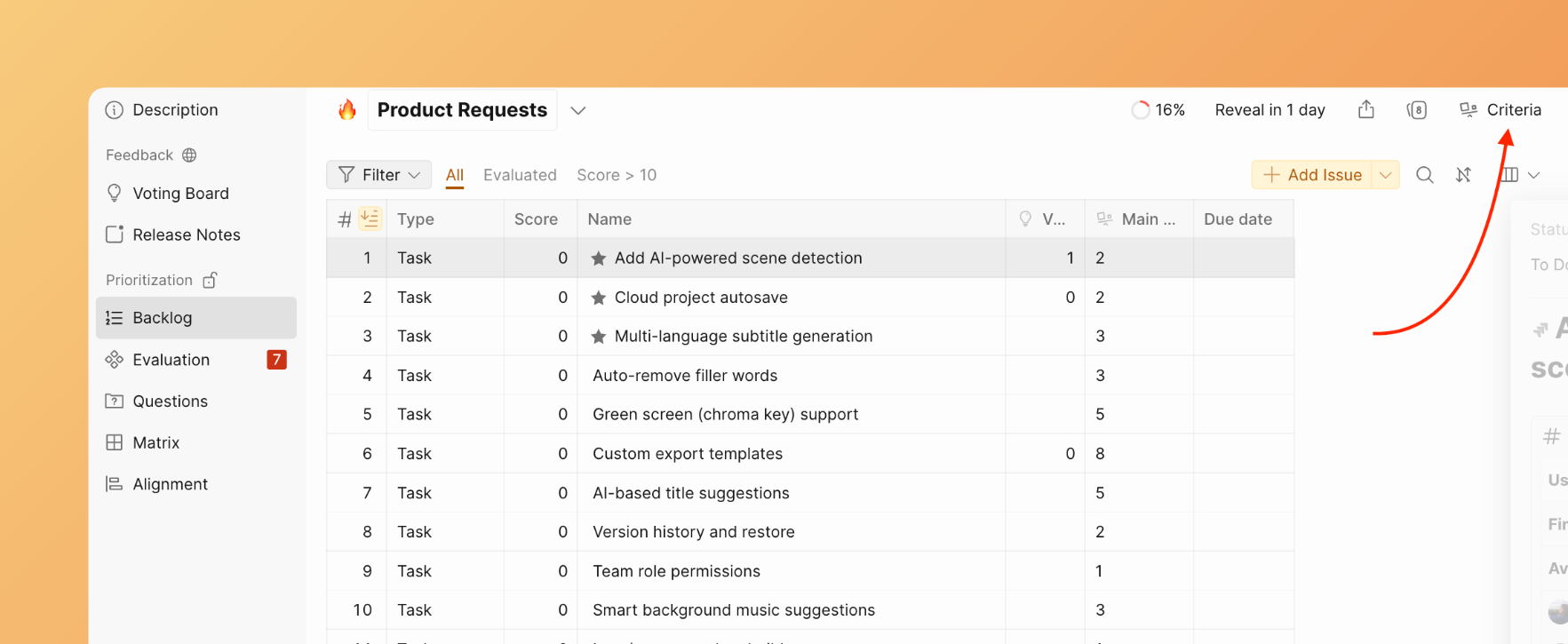
Go to Criteria settings.
-
Select an existing Criterion and edit it, or create a new one.
-
Mark the chosen Criterion as Required for scoring.
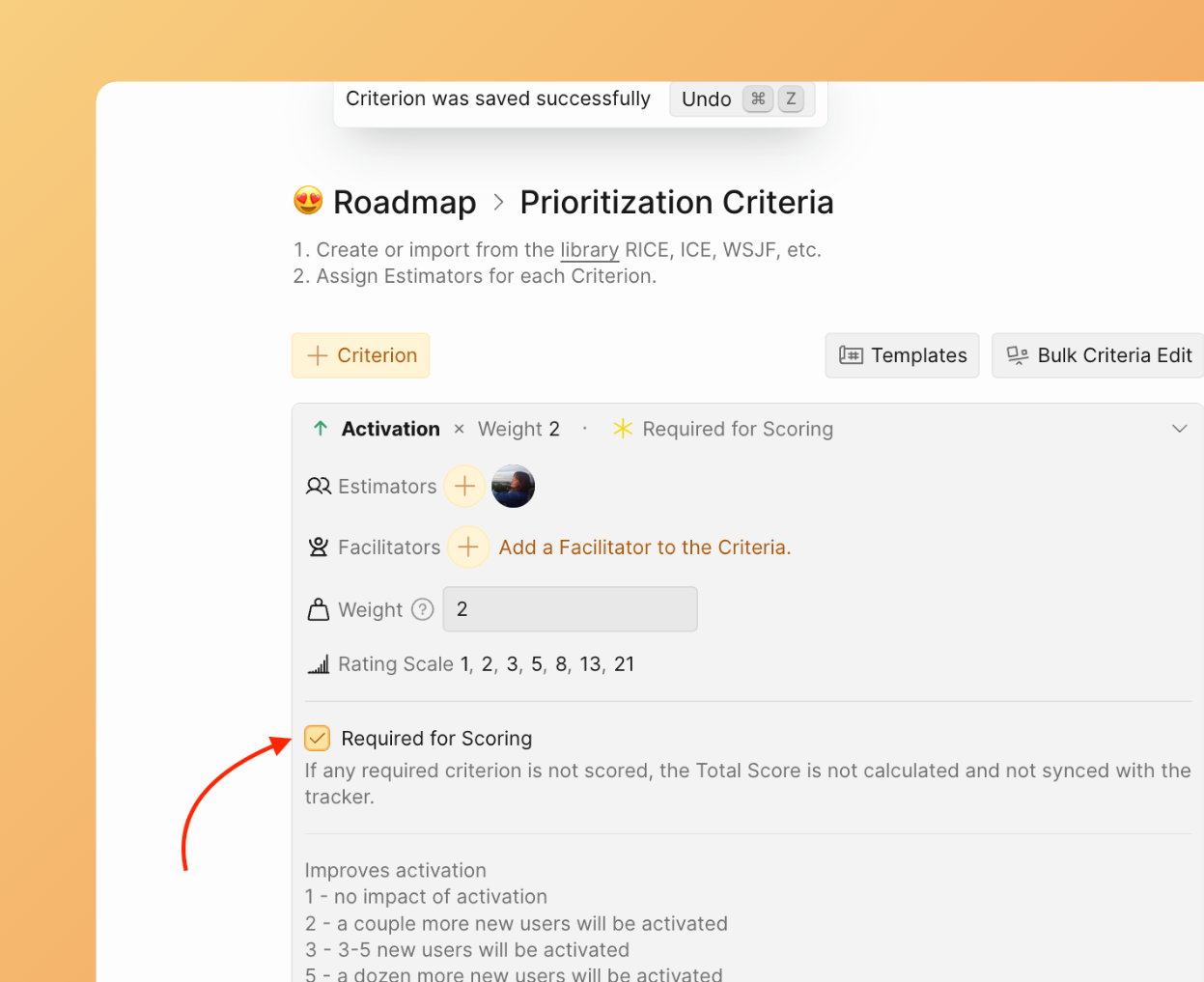
The Required option is not available for Criteria with the type set to Ignore. If you need a Criterion to be required, first change its type from Ignore.
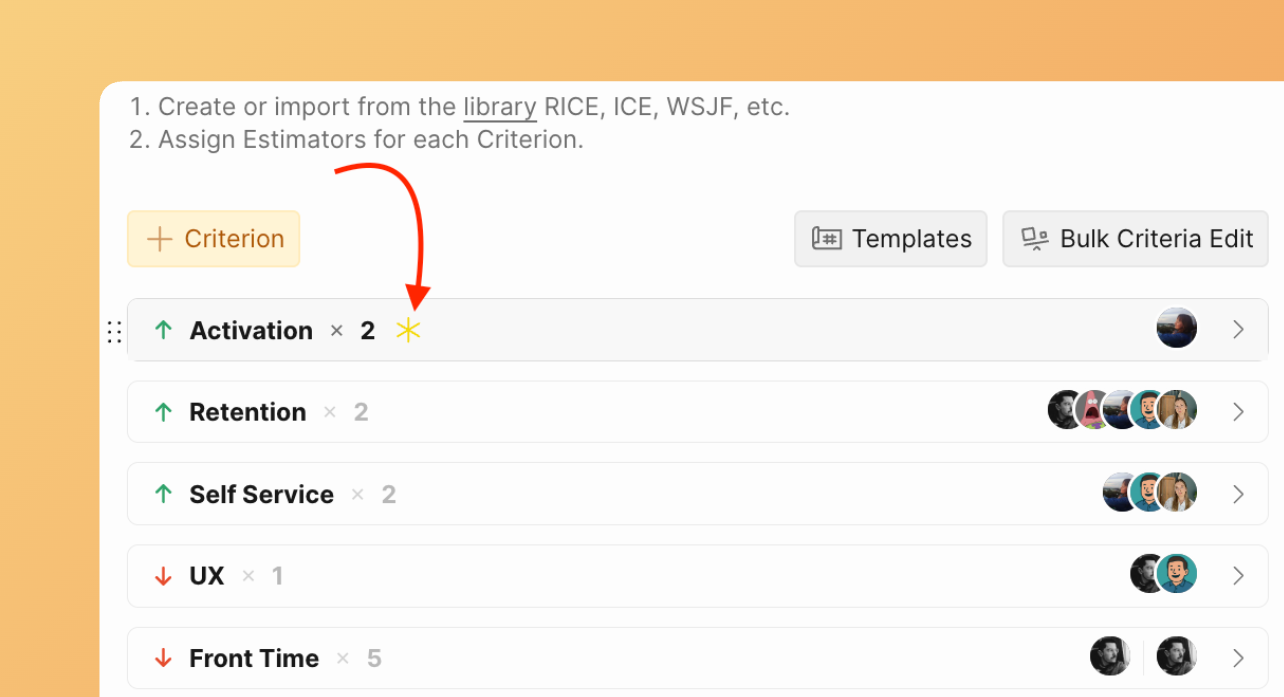
The Criterion now appears with an * icon in your framework, and the Total Score won't be calculated for issues until this Criterion has been evaluated.
Bypass the block with Final Score
If you need the Total Score calculated urgently without waiting for evaluations, set the Final Score manually for the required Criterion. This satisfies the requirement and unblocks the Total Score calculation.
See: Change Criteria Final Scores
How Required Criteria displays
Backlog
Required Criteria appear in the Backlog list with a special mark explaining why the issue has no Total Score.

Matrix view
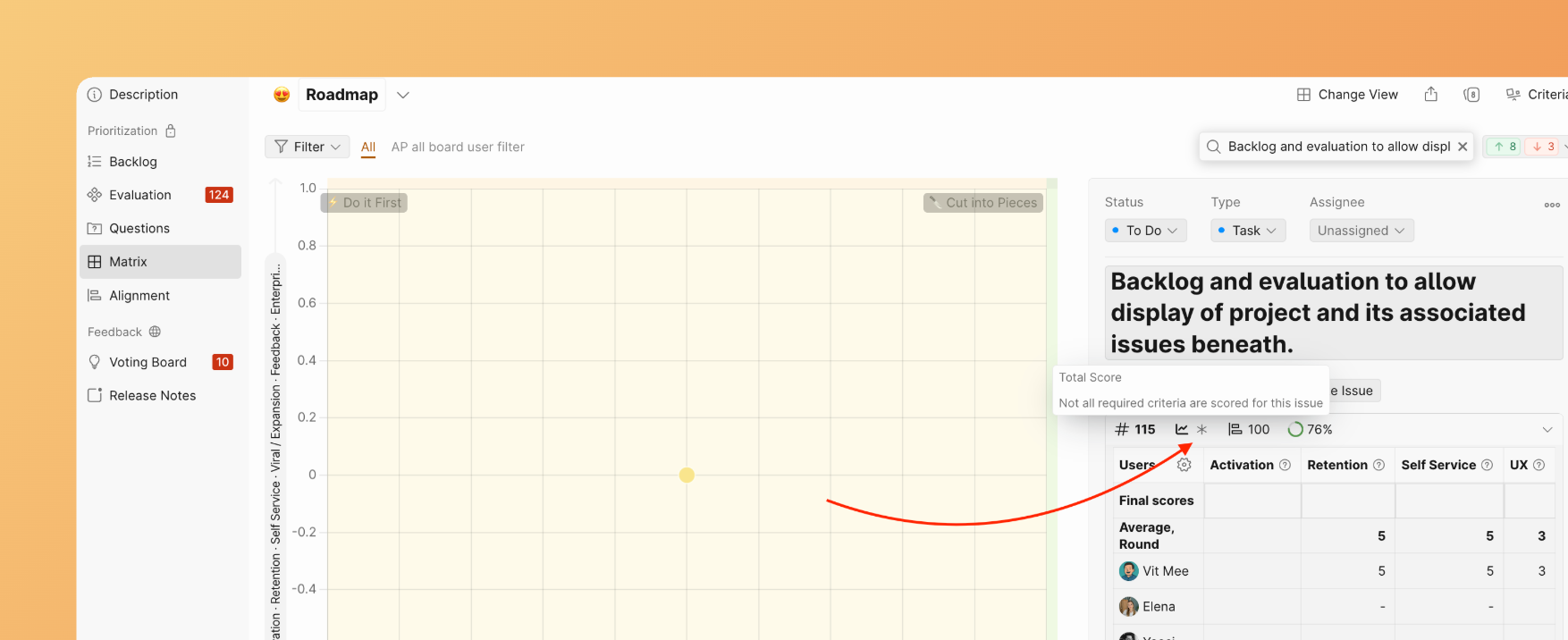
Required Criteria are also marked on the Matrix.
Criteria Management
In global Criteria Management, you can also work with required Criteria:
-
Sort Criteria by the required option.
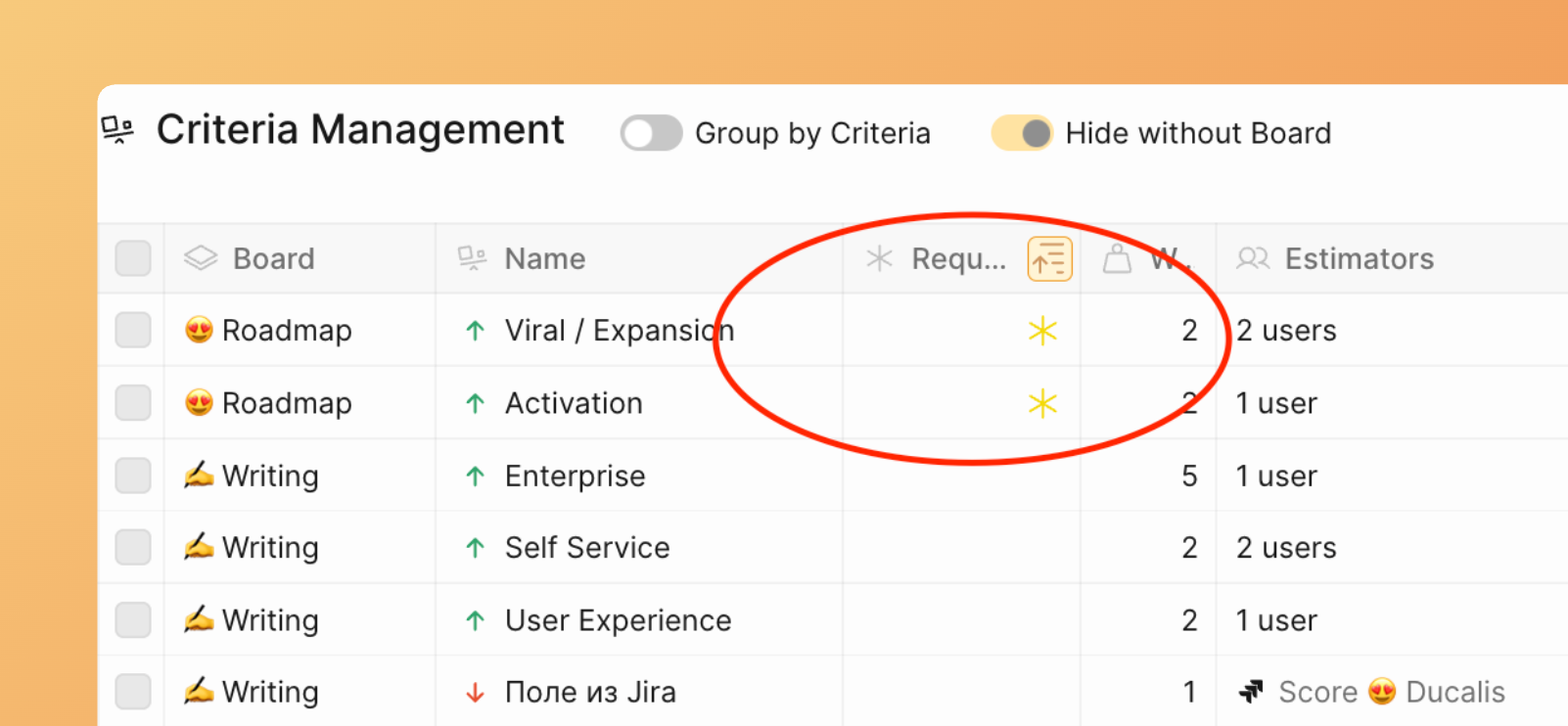
-
Mark multiple Criteria as required in bulk.
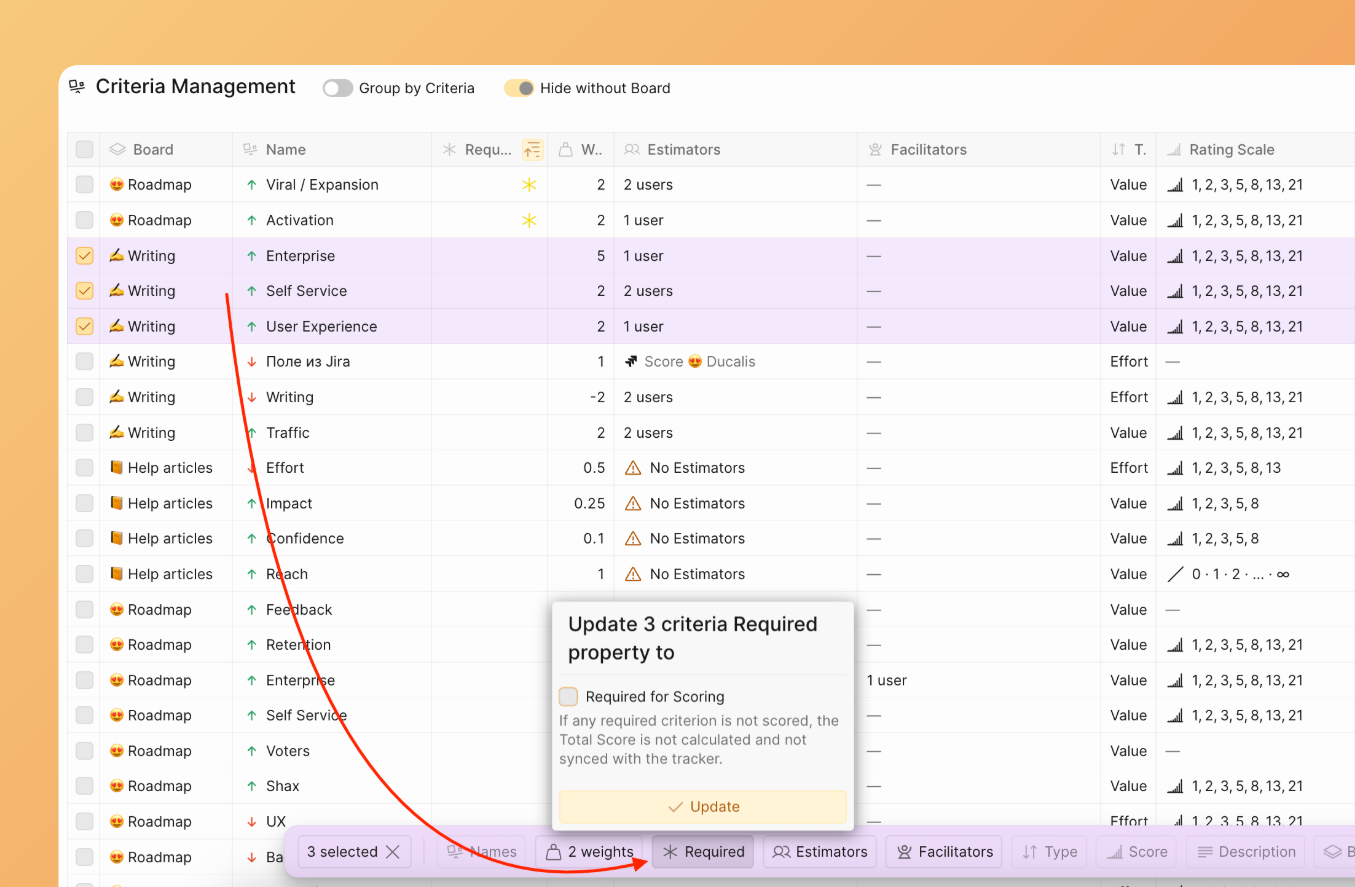
Sync Back behavior
When required Criteria block the Total Score, only the Total Score and its sync to your tracker are affected. Individual criterion scores that are not required still sync normally.
Once all required Criteria are evaluated, the Total Score is calculated from all available scores — even if some non-required Criteria haven't been evaluated yet. The system does not wait for every Criterion, only for every required Criterion.
What syncs and what doesn't
| Scenario | Required Criteria | Non-required Criteria | Total Score | Sync Back |
|---|---|---|---|---|
| All Criteria evaluated | All scored | All scored | Calculated (full) | Syncs Total Score |
| Required done, others partial | All scored | Some missing | Calculated from available | Syncs Total Score (partial) |
| Required incomplete | Some missing | Any state | Not calculated | Total Score not synced |
If an issue previously had a Total Score synced to your tracker, and later a Required Criterion is enabled that removes the score (because that Criterion wasn't evaluated), the next sync overwrites the existing priority value with empty. This is expected behavior — Ducalis Sync Back always reflects the current state.
Custom Field criteria
If a Criterion uses a Custom Field from your tracker as its data source and is marked Required for scoring, an empty field value in the tracker means no evaluation exists. The Total Score won't calculate until the field is filled in your tracker.
See: Using a Custom Field as a Criterion