Customer vote criterion
Involving customer feedback in your prioritization helps ensure the most valuable features get built. Use customer votes as a criterion to quantify user demand and factor it into your priority rankings.
This article shows you how to set up votes as a prioritization criterion.
Add votes as a criterion
-
Navigate to the Board where you want to add the criterion, or open the Criteria Management section.
-
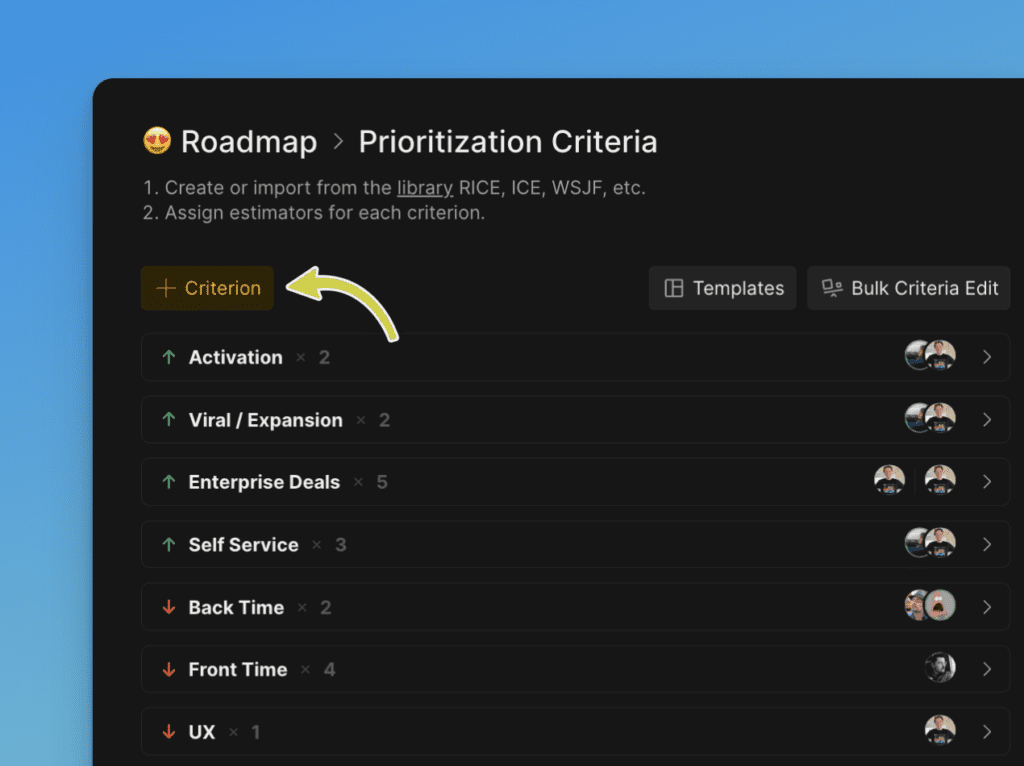
On the Criteria settings page, click + Criterion.
-
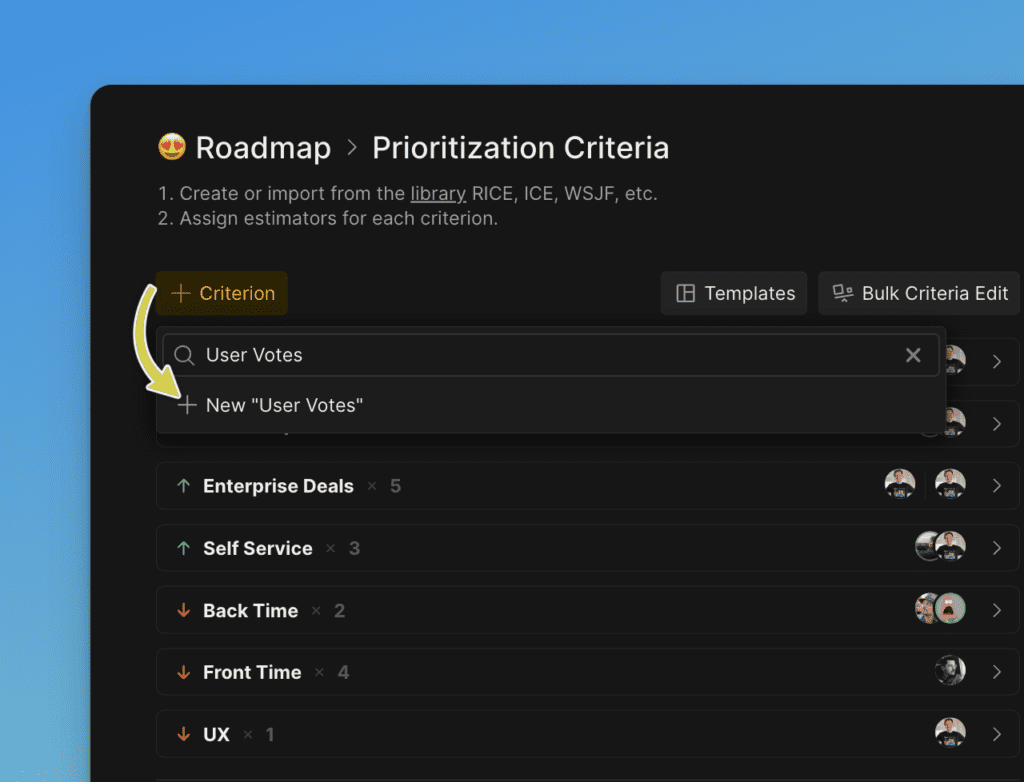
Enter the criterion name and click +New [name].
-
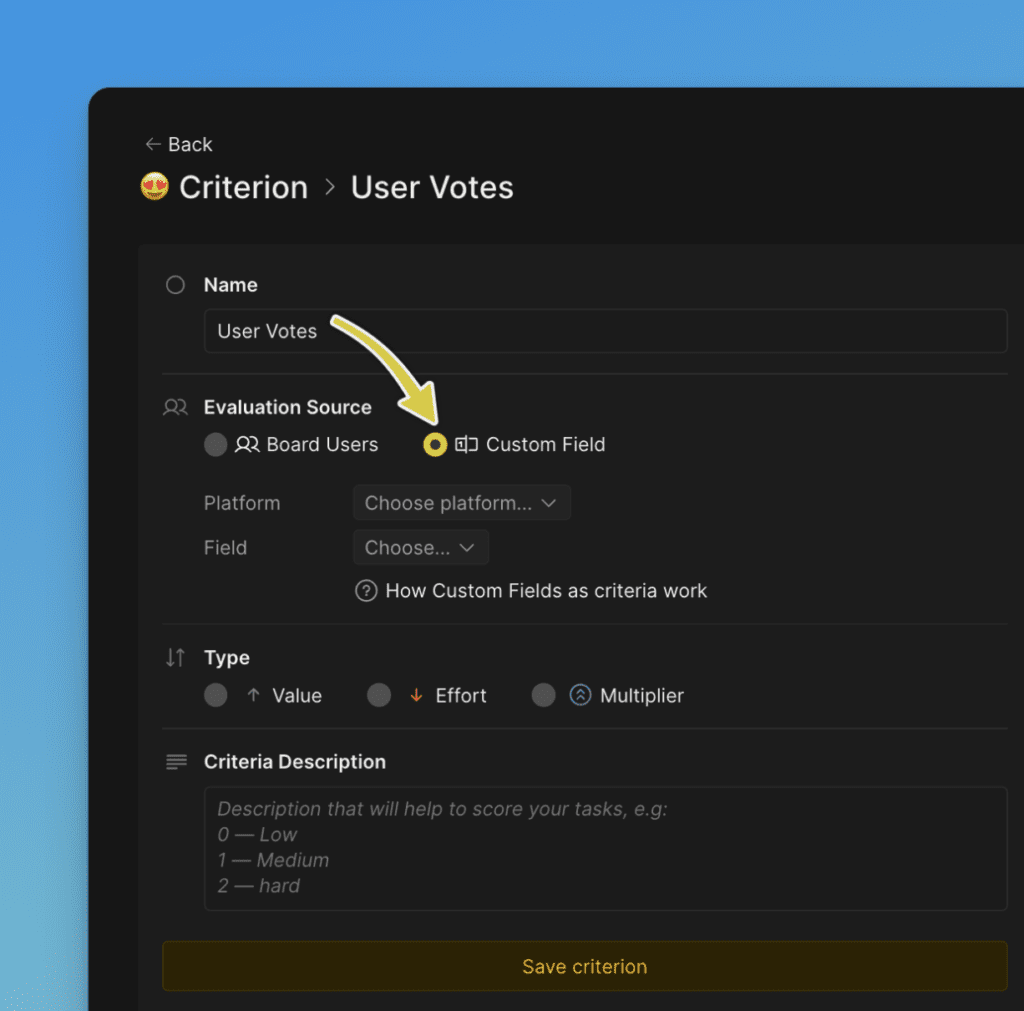
Select Custom Field as the criterion type.
-
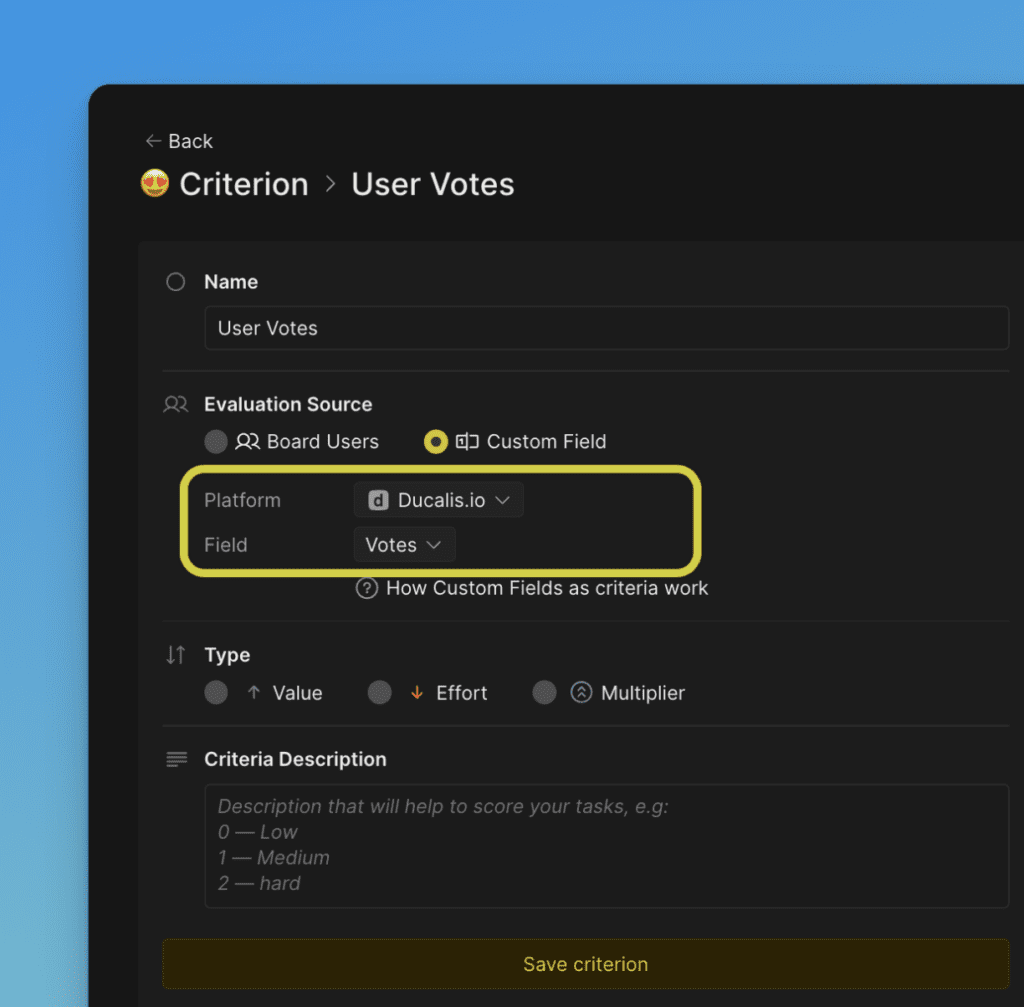
Configure the criterion:
- Platform – Select Ducalis.
- Field – Select Votes.
-
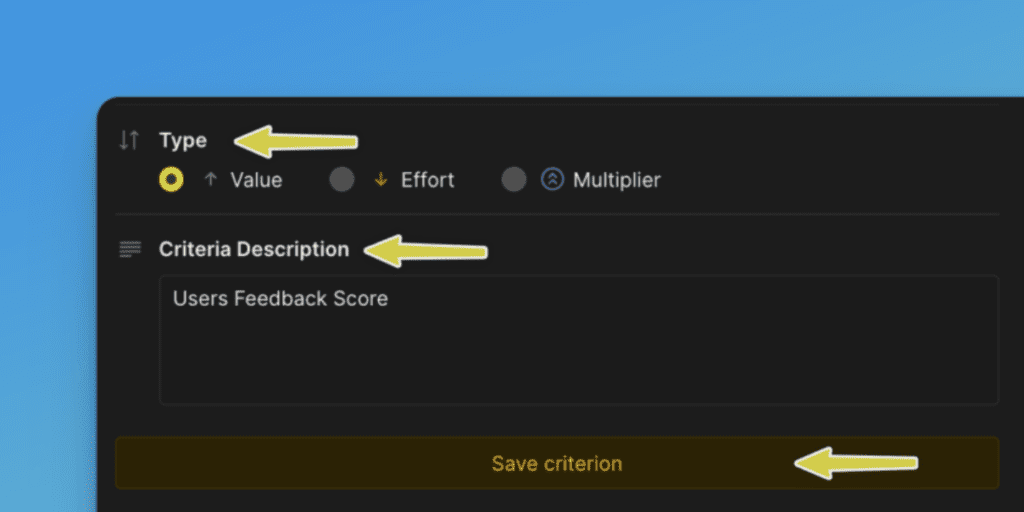
Choose the Criterion type (Value or Effort), add a description, and click Save Criterion.
-
Adjust the criterion weight if needed.
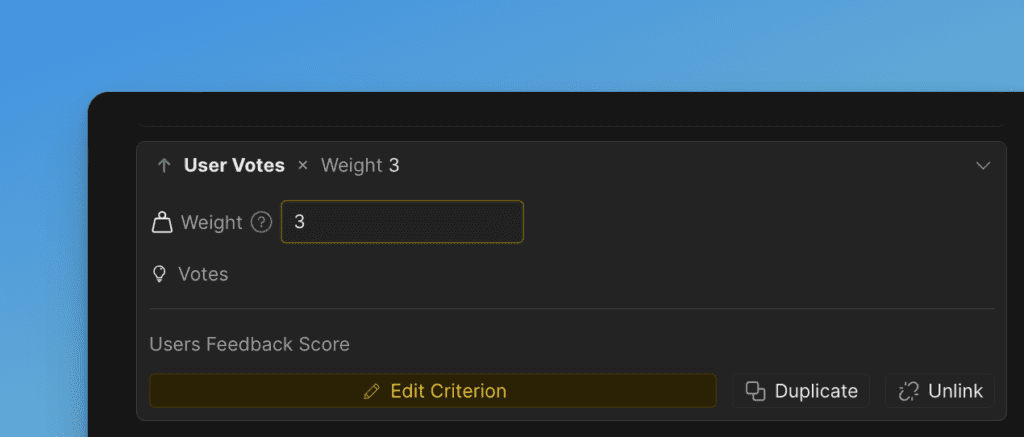
The criterion now reflects task importance based on the number of customer votes for each feature or request.
How votes affect priority scores
Once you've scored all Issues with the Votes criterion, the Priority Score will reflect customer demand alongside your other criteria.
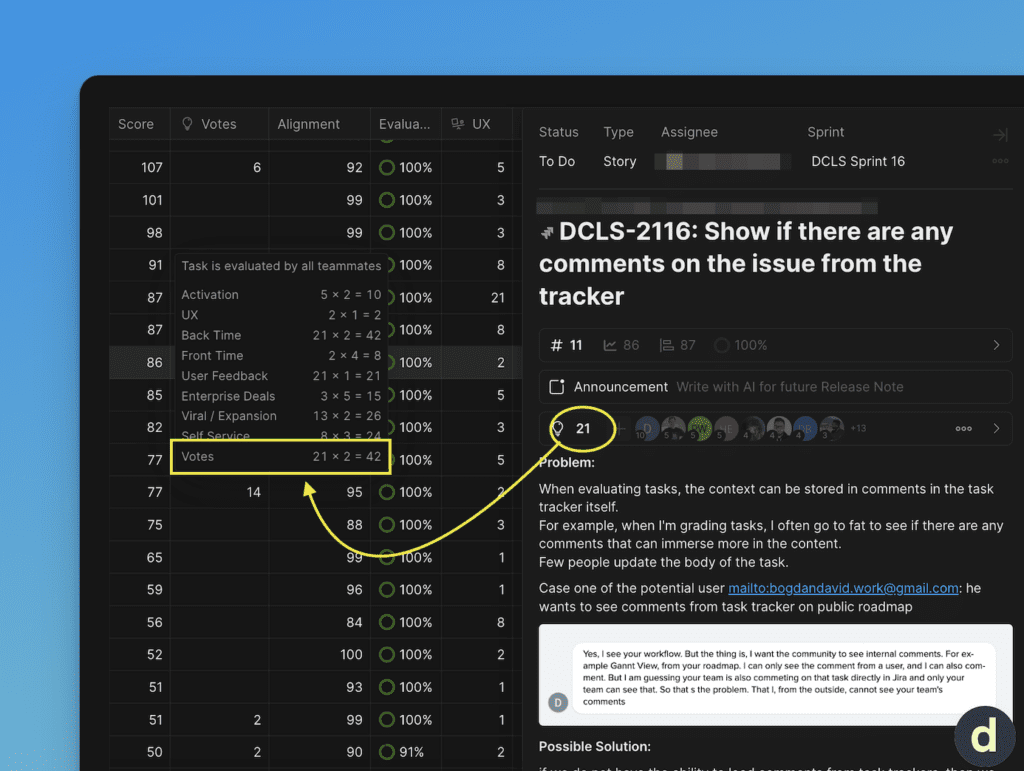
Use these scores to sort Issues and prioritize features based on customer feedback.
Best practices
- Collect votes consistently: Gather feedback from your Voting Board, support requests, email, and chat to ensure vote counts are accurate.
- Be transparent: Share your prioritization process with customers to show that their votes influence product decisions.
By using customer votes as a criterion, you can align your roadmap with actual user needs and ensure high-demand features are prioritized.