Product Overview
Ducalis is a unified product decision-making platform that connects customer feedback, team prioritization, and stakeholder communication. Make better product decisions faster, with full transparency and customer engagement.
What is Ducalis?
Product teams face a common challenge: balancing competing priorities from customers, internal stakeholders, and business goals. Ducalis solves this by providing a transparent, data-driven system for deciding what to build next.
The platform consists of three interconnected modules:
- Feedback & Voting — Collect and organize ideas from customers and internal teams
- Prioritization — Score, evaluate, and align your team on what to build next
- Release Communication — Keep stakeholders informed with automated updates
Who uses it
Ducalis serves different roles across your organization:
| Role | Primary use |
|---|---|
| Product managers | Prioritize backlog, collect customer feedback, communicate roadmap |
| Development teams | Evaluate technical effort, see priority rationale, track what ships |
| Customer success | Submit customer requests, track feature status, share updates |
| Leadership | View cross-team priorities, track delivery metrics, understand customer needs |
| Marketing teams | Have one source of truth for their plans, managing requests and production processes |
Module 1: Feedback & Voting
What you get
Capture every customer voice in one place. Whether feedback comes from support tickets, messenger conversations, emails, or your product itself, Ducalis consolidates it into a single, organized backlog of ideas.
Voting Boards
Voting Boards are pages where customers and team members submit and vote on ideas.
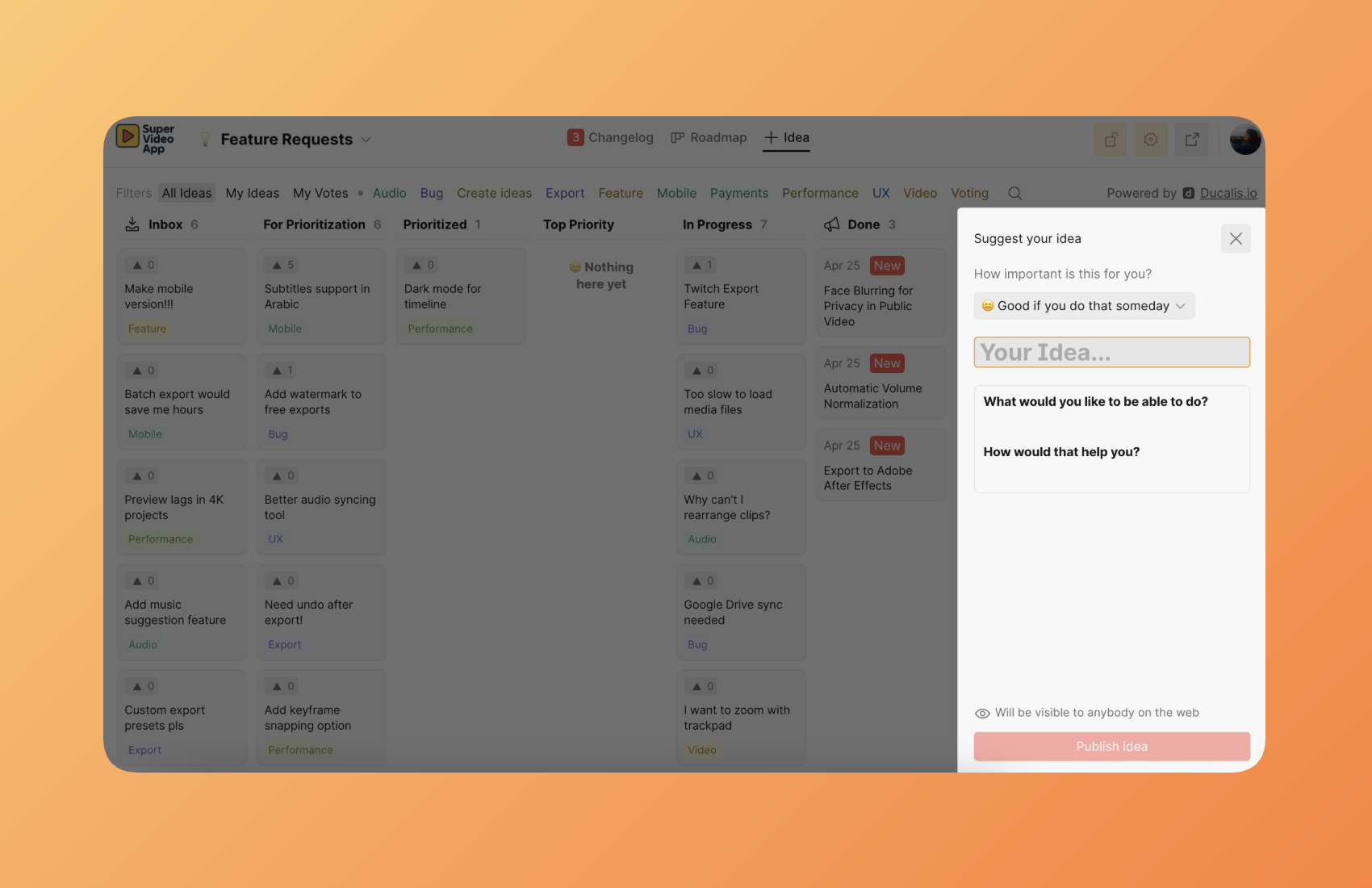
The most powerful approach: Embed the Voting Board directly into your product.
When you embed Ducalis as a widget inside your application, it becomes an invisible extension of your product. Users submit feedback, vote on ideas, and track feature status without ever leaving your interface. There are no external links, no context switching, no friction — feedback collection happens naturally as part of the product experience.
This removes the boundaries between your product and feedback collection. Customers don't think "I need to go to a feedback portal." They simply interact with what feels like a native feature of your product.
Deployment options:
- Embedded widget (recommended) — Make Ducalis an invisible extension of your product
- Standalone page — Host a dedicated feedback portal with your custom branding
- Public or private access — Control who can view and submit ideas
- SSO integration — Authenticate users through your existing identity provider
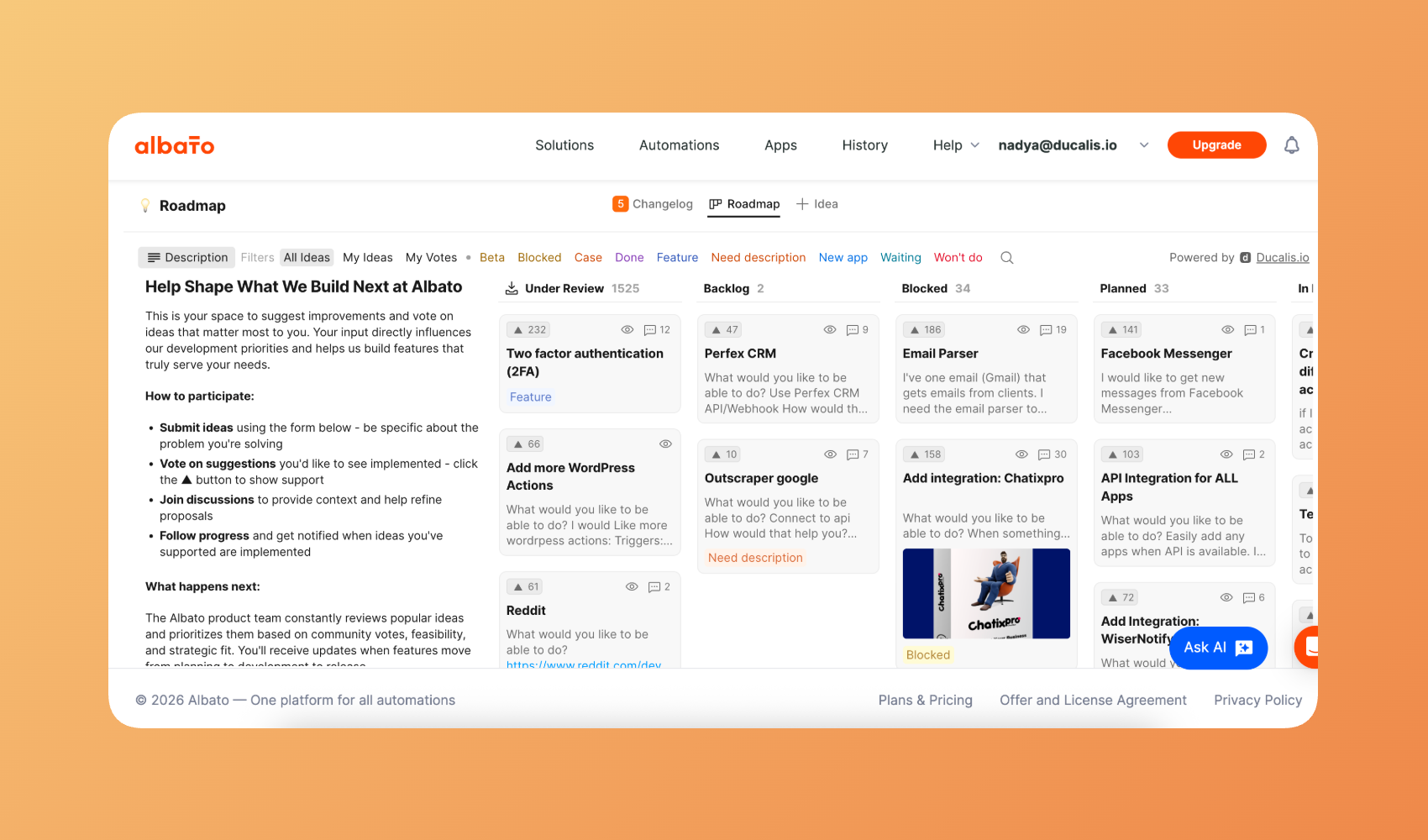
Learn more about Voting SDK.
Multi-channel idea capture
Collect ideas from wherever your customers communicate:
| Channel | How it works |
|---|---|
| Messenger bots | Forward messages from Telegram, Slack, Mattermost or Discord to create ideas automatically |
| Email forwarding | Forward customer emails to convert them into trackable ideas |
| Embedded widget | Add a feedback form inside your product's interface |
| Internal submissions | Team members submit ideas on behalf of customers or from internal discussions |
| Task Tracker backlog | Create feedback from your existed backlog |
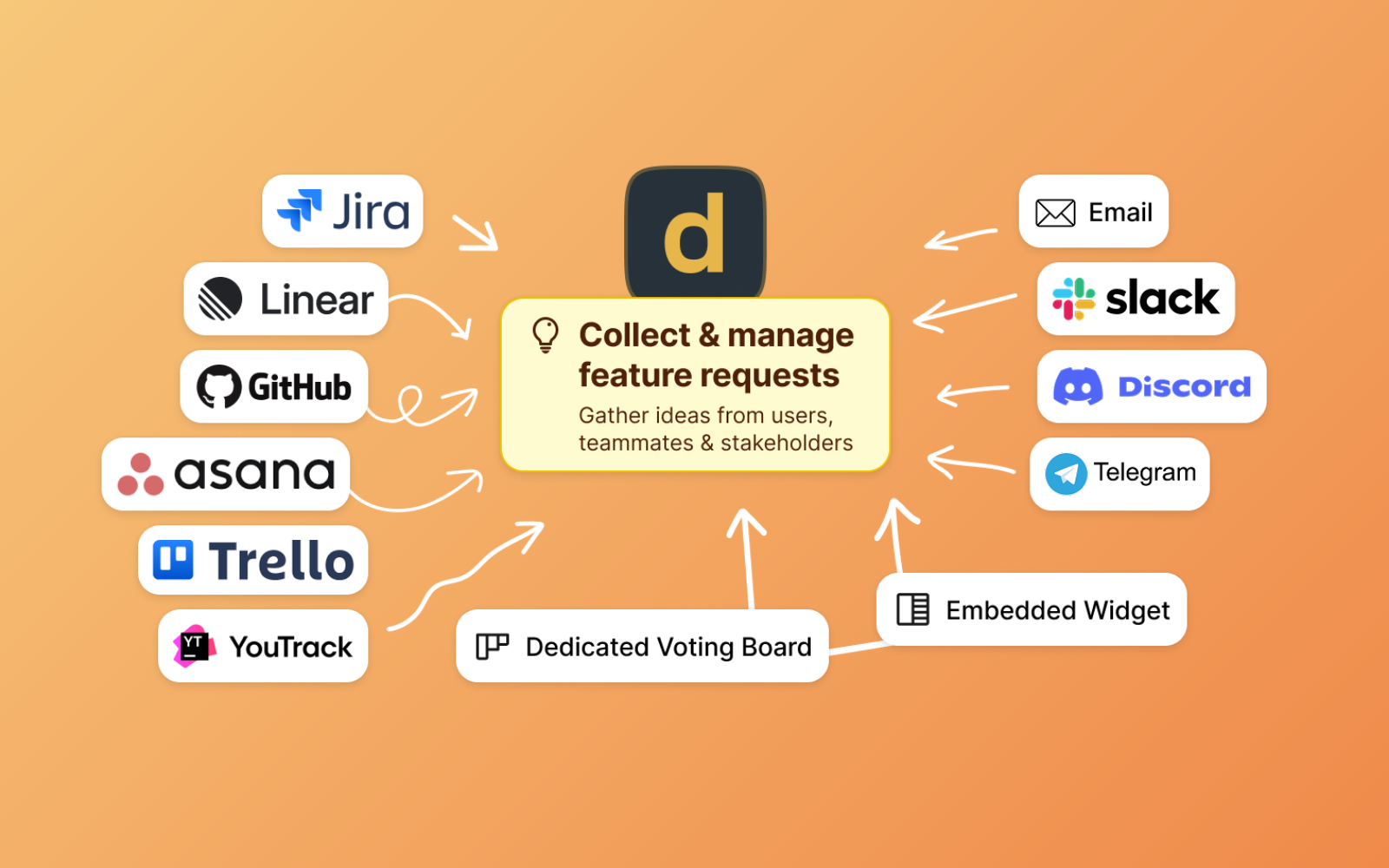
Learn more about collecting feedback from different sources.
AI-powered processing
Ducalis uses AI to streamline idea management:
- Voice message transcription — Convert audio messages into text ideas
- Idea templating — Rewrite raw feedback into a consistent format based on your template
- Duplicate detection — Identify and merge similar ideas to consolidate votes

Learn more about Ducalis AI.
How feedback flows
Module 2: Prioritization
What you get
Replace opinions with data-driven team decisions. Instead of the loudest voice winning, Ducalis captures everyone's assessment and surfaces where your team agrees — and where you need to discuss.
Customizable criteria
Define your own scoring criteria to match how your organization makes decisions:
- Value criteria — Impact on activation, retention, revenue, or customer segments
- Effort criteria — Backend time, frontend time, design effort, or any custom factors
- Weighted importance — Assign different weights to criteria that matter more
- Role-based assignment — Engineers score effort, PMs score business value
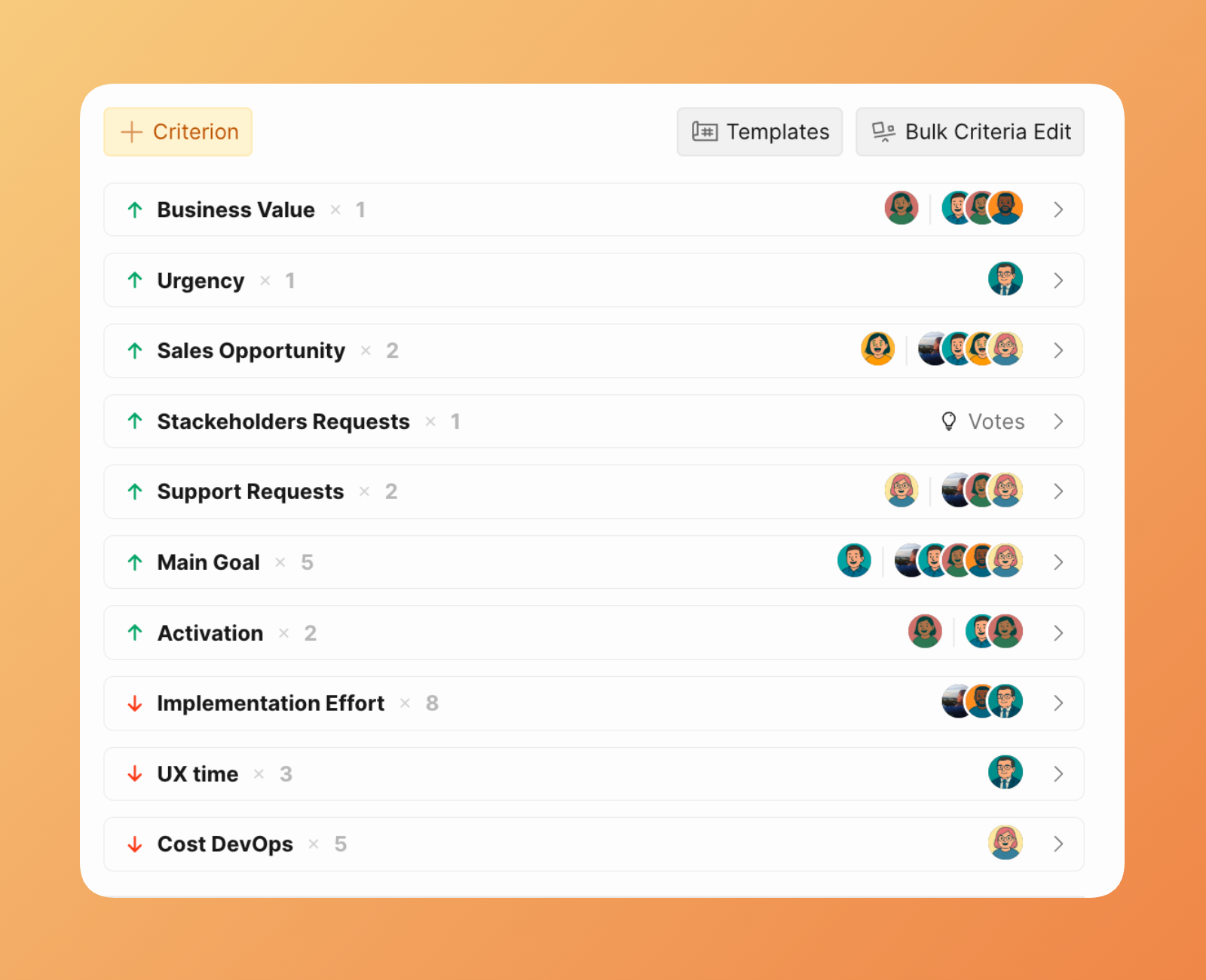
Learn more about criteria settings and templates.
Evaluation Poker
Ducalis uses a "secret voting" approach inspired by Planning Poker:
- Scores are hidden — Team members evaluate issues without seeing others' scores
- Reveal together — Once everyone scores, reveal all assessments simultaneously
- Discuss differences — When scores diverge significantly, discuss and reach consensus
This prevents anchoring bias where early opinions influence everyone else.
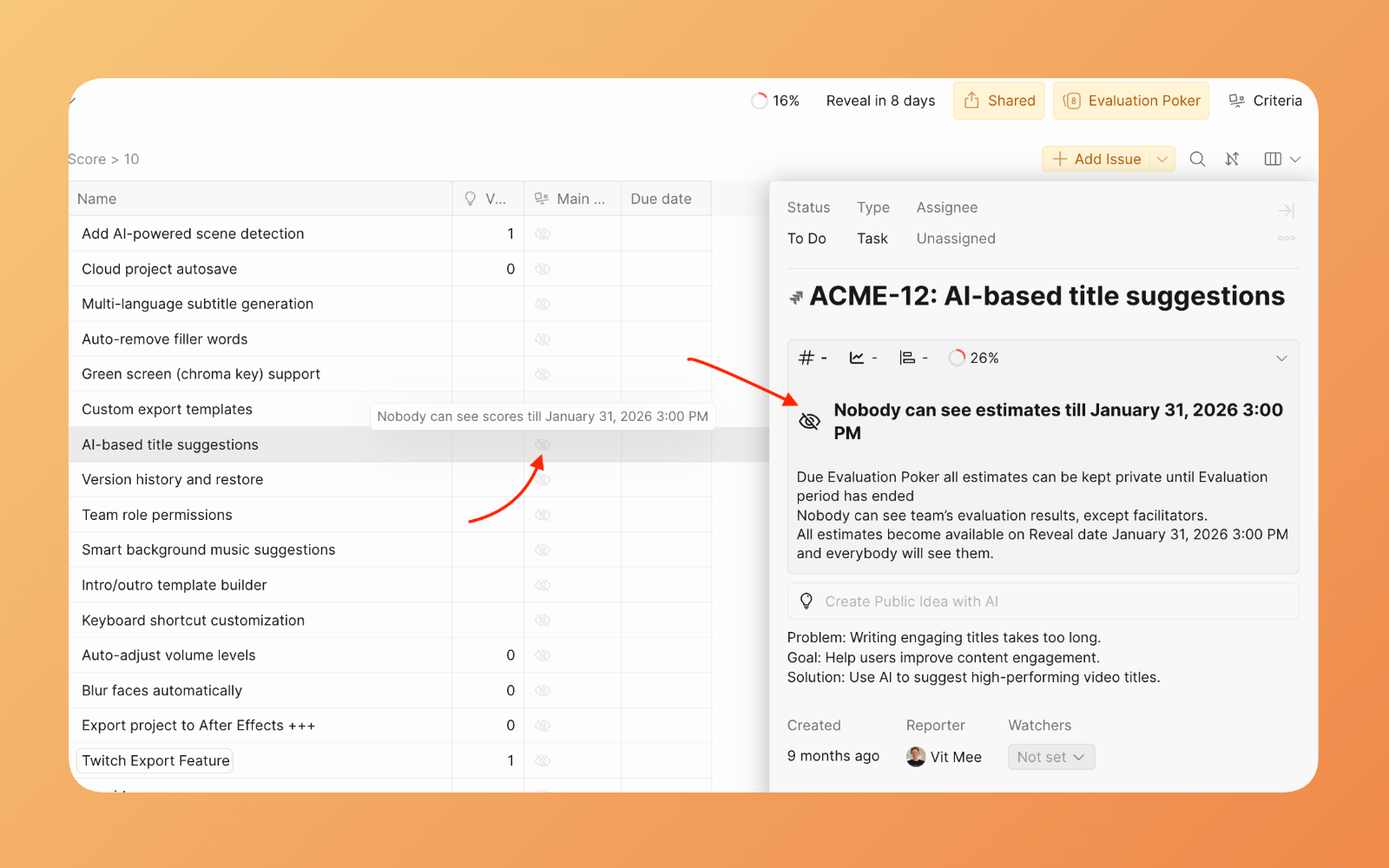
Learn more about Sprint Planning.
Alignment tracking
The alignment indicator shows where your team agrees and where discussion is needed:
- High alignment — Team agrees on the priority; proceed with confidence
- Low alignment — Significant disagreement exists; discuss before deciding
- Medium alignment — Good to discuss, but not critical
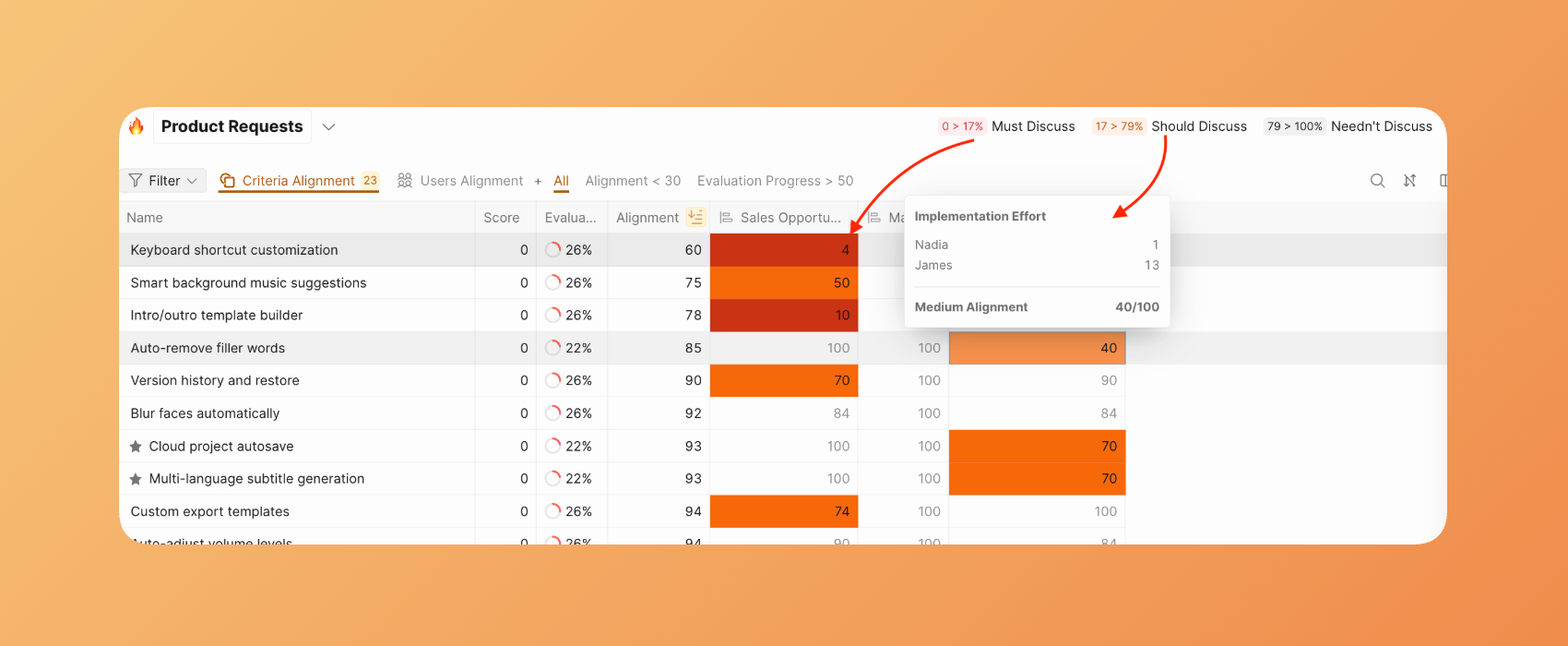
Learn more about Alignment reports.
Task tracker integration
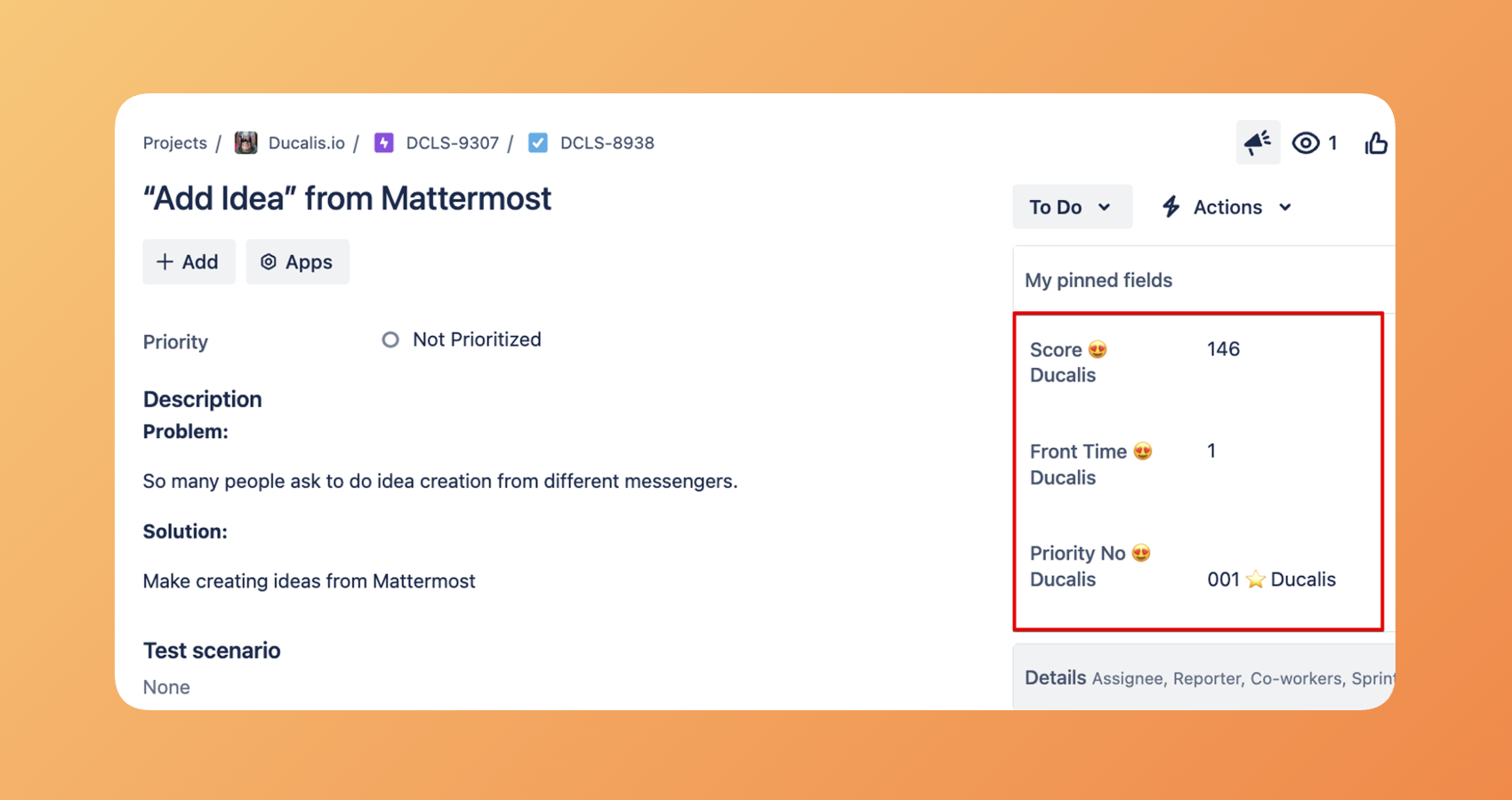
Ducalis syncs bidirectionally with popular task trackers:
| Direction | What syncs |
|---|---|
| Task Tracker → Ducalis | Issues matching your filter appear automatically for prioritization |
| Ducalis → Task Tracker | Priority scores, rankings, and links sync back to custom fields |
Changes sync in real-time — no manual import or export required.
Report Boards
Aggregate priorities from multiple Boards into a unified view:
- Cross-team visibility — See top priorities across all product areas
- Multiple frameworks — Different teams can use different criteria while contributing to a shared priority list
- Enterprise rollup — Combine feature requests, bugs, experiments, and technical debt into one ranked view
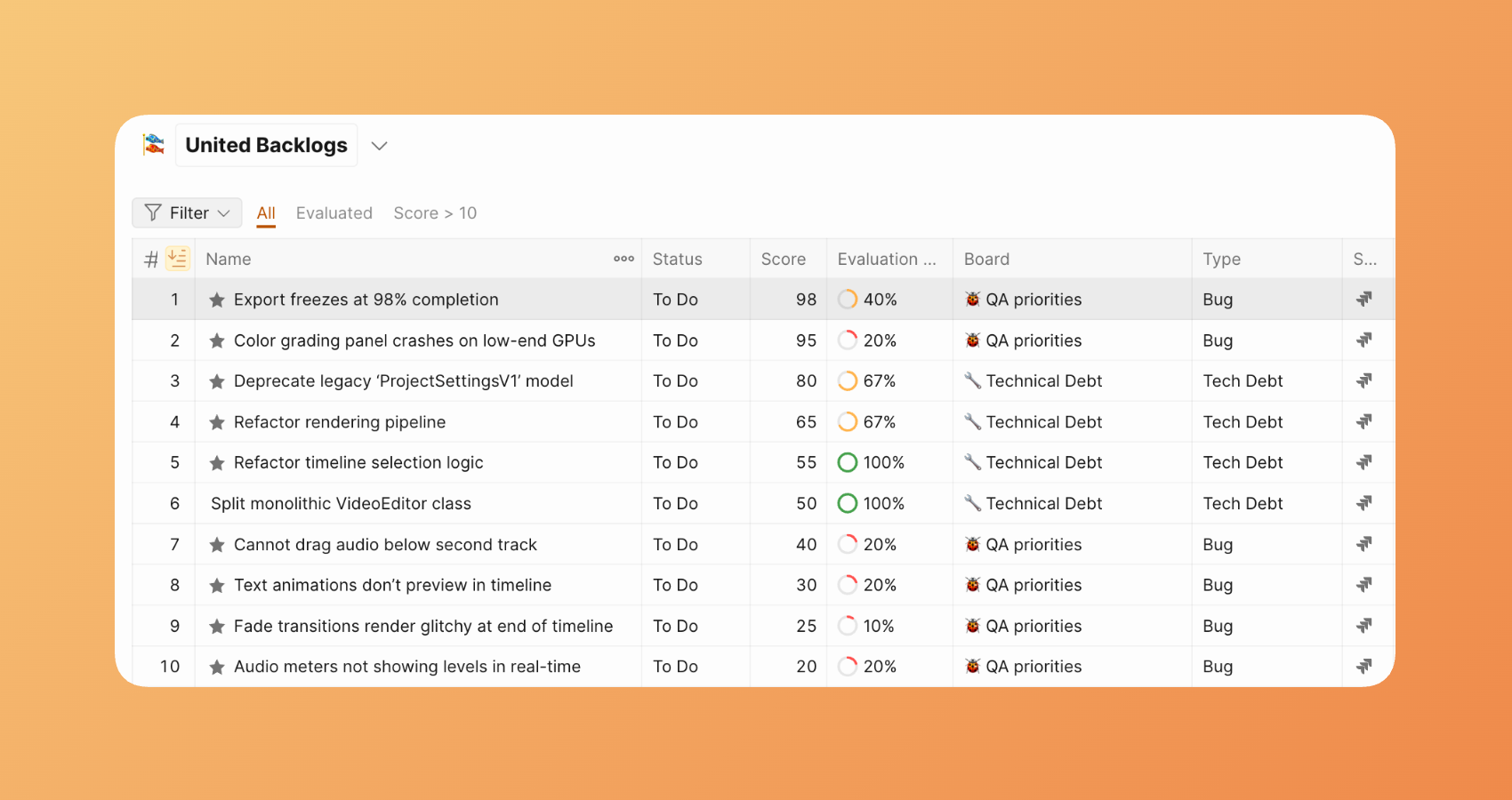
Learn more about Report-boards.
Matrix
The Matrix page displays your Issues in a Value vs Effort prioritization grid, helping you identify top priorities using the Eisenhower method.
The Matrix divides into four quadrants that categorize Issues by priority:
-
First quadrant — High Value, Low Effort: Issues that deliver high ROI with minimal resources and time.
-
Second quadrant — High Value, High Effort: Issues that deliver high ROI but require significant resources and time.
-
Third quadrant — Low Value, Low Effort: Issues with low ROI that require minimal resources and time.
-
Fourth quadrant — Low Value, High Effort: Issues with low ROI that require significant resources and time.
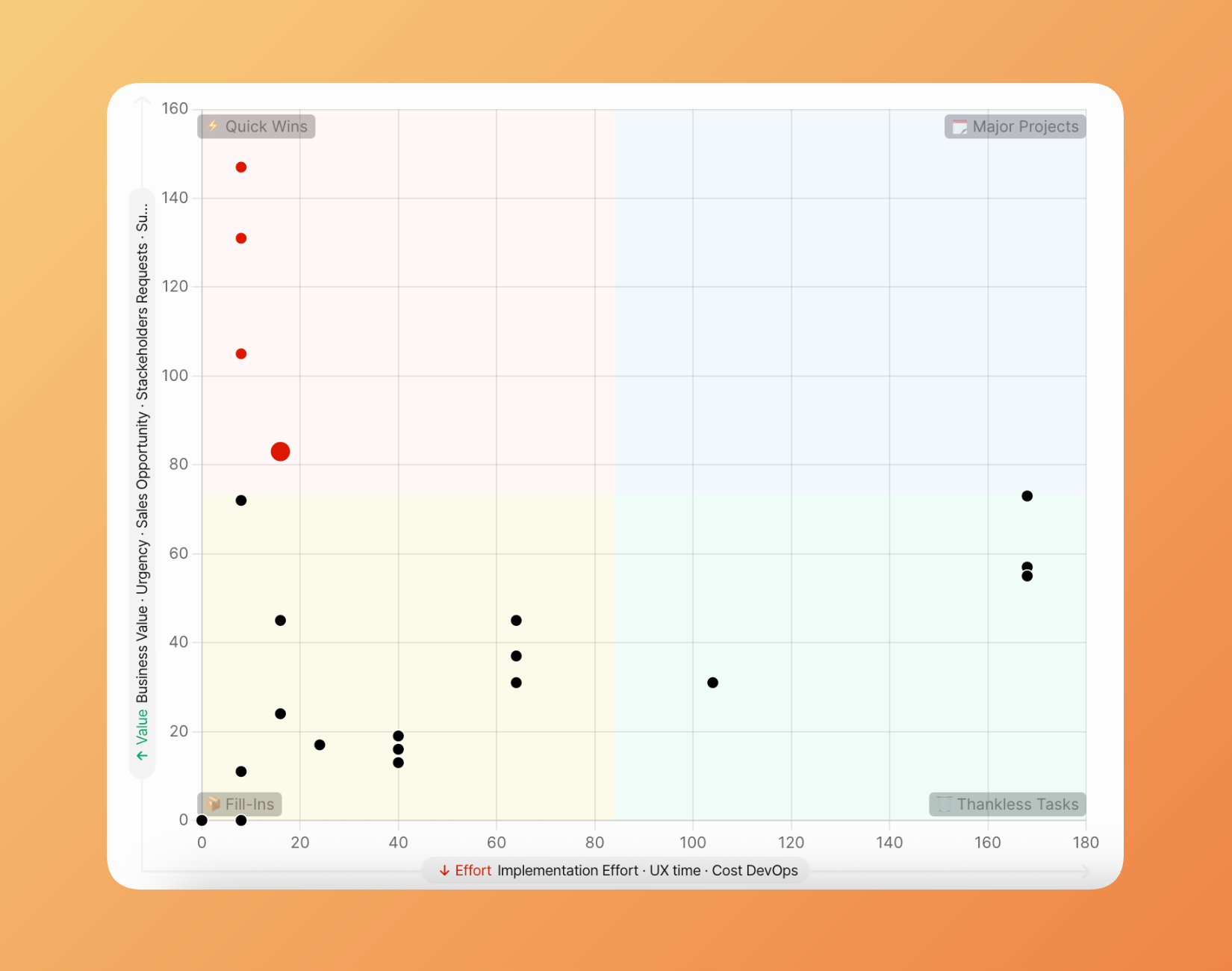
Learn more about Matrix report.
How prioritization flows
Module 3: Release Communication
What you get
Automatically close the feedback loop. When you ship a feature that customers requested, they hear about it — without your team writing individual emails.
Automated release notes
Generate release notes automatically based on shipped work:
- Status-driven automation — When a task tracker issue moves to "Done," the release note is generated
- AI-assisted writing — Ducalis drafts the announcement from issue details and comments
- Template consistency — All notes follow your defined format and tone
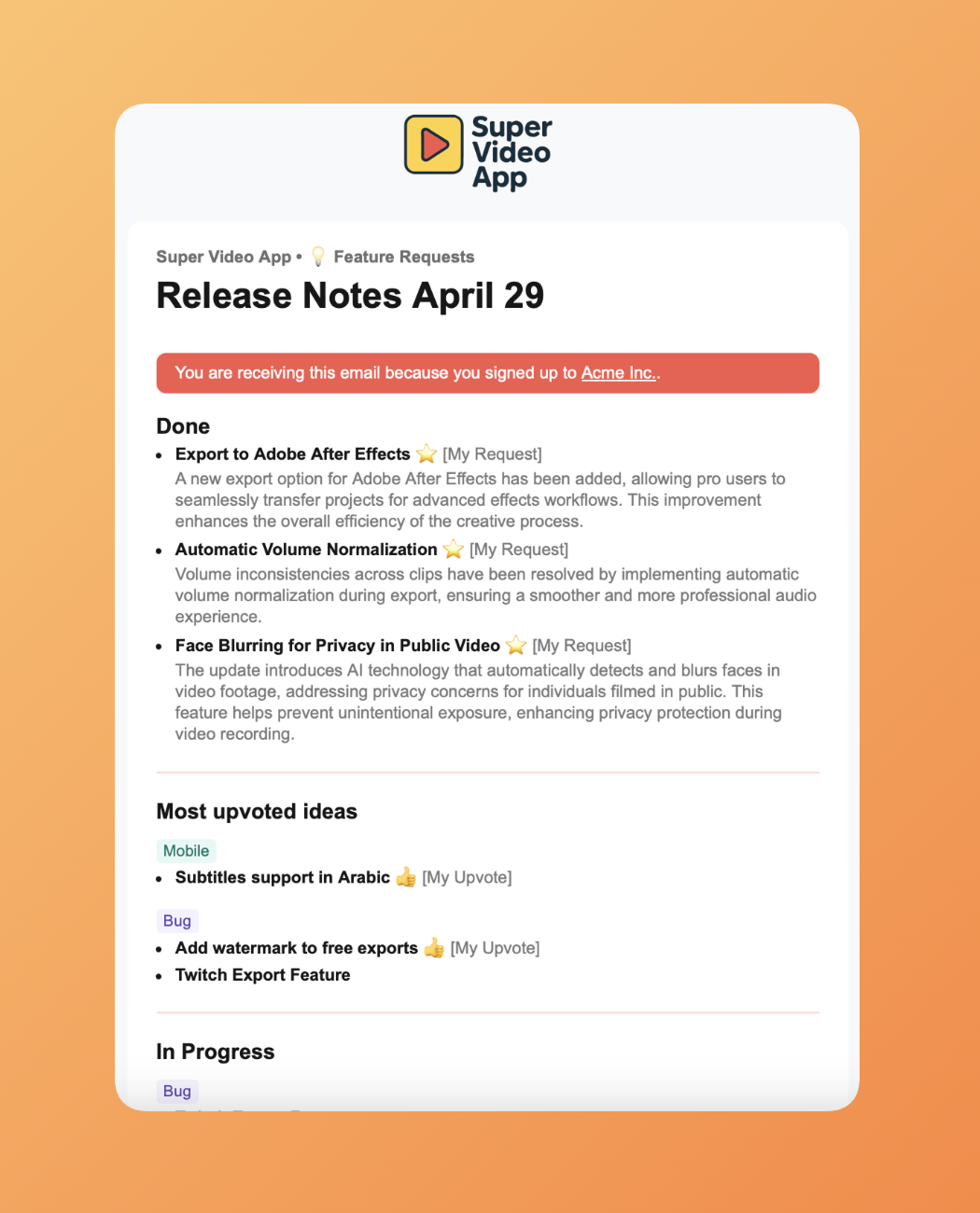
Learn more about Release Notes.
Personalized notifications
Voters receive updates relevant to what they requested:
- "You asked, we delivered" — Customers who voted see exactly what shipped based on their feedback
- Subscriber-specific updates — Different customer segments receive different announcements
- Multi-channel delivery — Notifications via email, in-app, or embedded widget
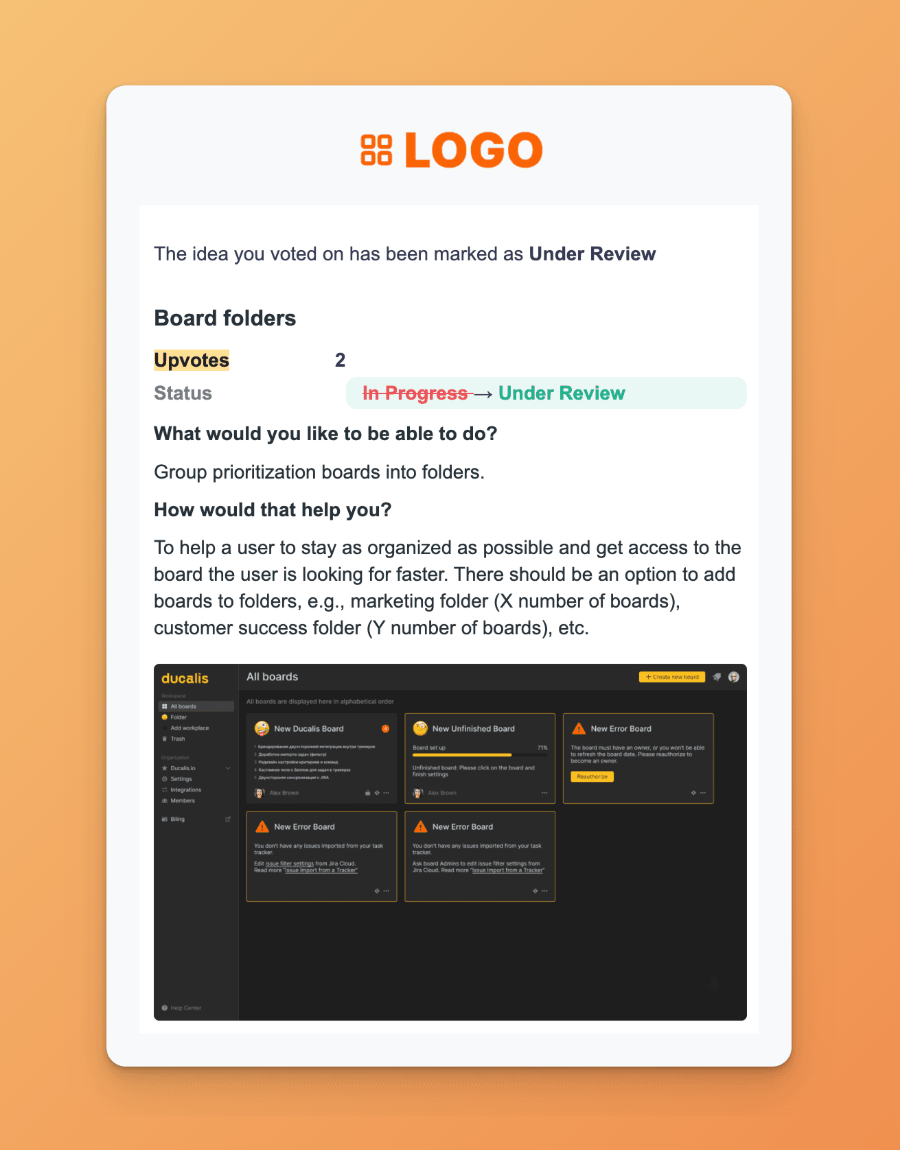
Learn what notifications your voters get.
Public changelog
Share progress publicly with a branded changelog page:
- Custom branding — Match your product's design
- Embeddable widget — Add the changelog inside your product
- Customer subscription — Users subscribe to receive updates automatically
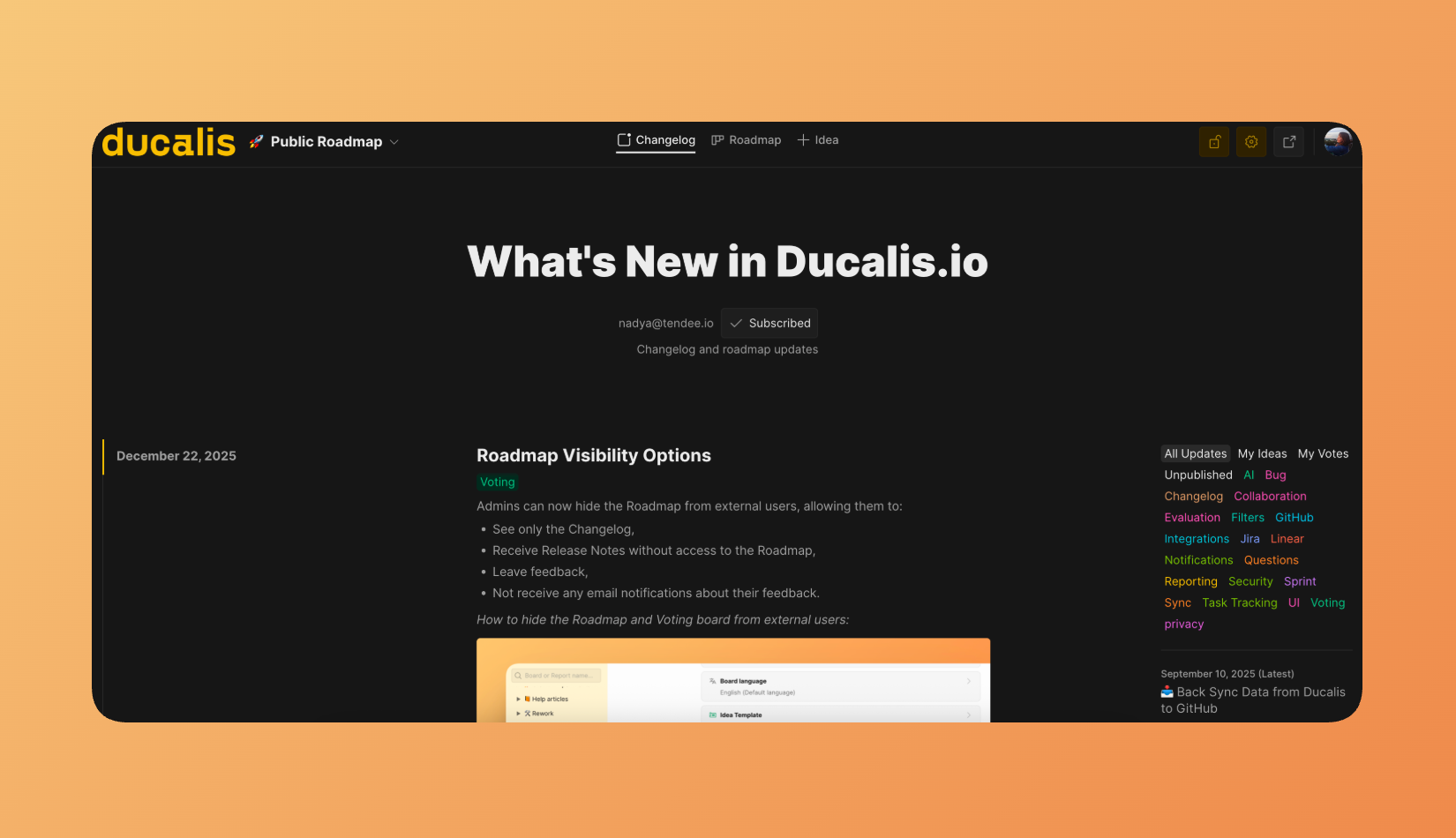
Learn more about Changelog page.
Status automation
Connect Ducalis to your deployment pipeline:
| Trigger | Action |
|---|---|
| Task tracker status change | Idea status updates automatically |
| CI/CD webhook | Release notes publish when code deploys to production |
| Manual override | Edit or delay any automated notification |
Learn more about Statuses automation.
How communication flows
How everything connects
The three modules form a continuous feedback loop:
- Collect — Customers submit ideas through Voting Boards or support channels
- Prioritize — Your team evaluates ideas alongside internal plans using shared criteria
- Build — Top priorities sync to your task tracker and enter development
- Communicate — Completed features trigger notifications to everyone who requested them
- Repeat — Customers see their impact, building trust and encouraging more feedback
Real-world results
Organizations using Ducalis report measurable improvements in decision-making speed and product delivery.
Enterprise retail case study
A large retail company with multiple product teams implemented Ducalis to replace spreadsheet-based prioritization:
| Metric | Before | After | Improvement |
|---|---|---|---|
| Annual planning time | 18 weeks | 2 weeks | 9x faster |
| Lead time | Baseline | -40% | 40% reduction |
| Delivery cycle | Baseline | -50% | 50% faster |
| Feature impact | Baseline | 5x | 5x more impactful |
Key outcomes:
- Eliminated low-value backlog items after team scoring revealed they weren't actually needed
- Reduced meeting time by replacing synchronous discussions with asynchronous evaluation
- Increased customer satisfaction by closing the feedback loop on shipped features
Getting started
Get value from Ducalis in three phases:
Phase 1: Collect feedback
- Create a Voting Board for your product
- Embed the widget in your product, or share the board link with customers
- Connect your support channels (messengers, email)
Here is the step-by-step guide about collecting feedback.
Phase 2: Prioritize your backlog
- Connect your task tracker
- Define your prioritization criteria
- Invite your team to evaluate top issues
Here is the step-by-step guide about backlog prioritization.
Phase 3: Automate communication
- Configure status automation rules
- Set up release note templates
- Enable customer notifications
Here is the step-by-step guide about creating Release Notes.