Problem Statement (Problem Tanımlama) Rehberi
Takım uyumunu iyileştirmek ve önceliklendirmeyi hızlandırmak için açık problem tanımları yazın. İyi tanımlanmış kayıtlar, takımların görevleri net bir şekilde anlamasına, yanlış anlamaları azaltmasına ve daha hızlı sonuçlar vermesine yardımcı olur.
Zorluklarla Dolu Bir Hikaye
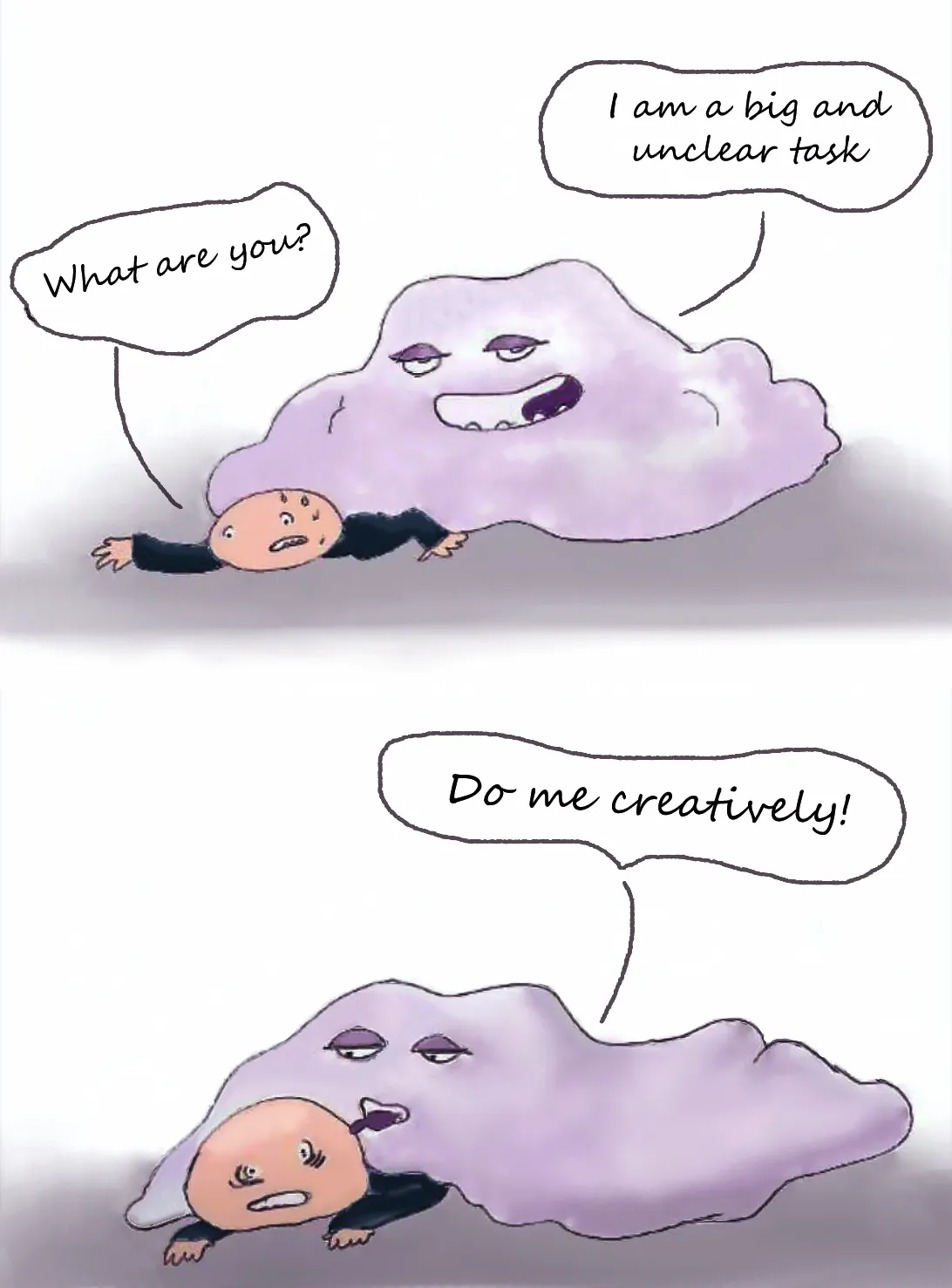
Problem tanımları eskiden en zayıf noktamızdı. Saatlerce ne yapacağımızı tartışarak vakit harcıyorduk. Yanlış anlamalar yüzünden birçok görev yanlış gitti ve iş listemiz tamamlanmamış kayıtlarla doldu.
Asıl sorunu önceliklendirmeye başladığımızda keşfettik. Ducalis içinde kriterler oluşturduk ve hangi kayıtların ürünü en çok etkileyeceğini belirlemek için puanlar atamaya çalıştık. İşte o zaman görevlerin kendilerinin belirsiz ve değerlendirilemez olduğunu fark ettik. Önceliklendirme başladığı yerde durdu. Takım kafası karışmış ve uyumsuzdu. Herkes görevleri farklı yorumluyor ve tamamen farklı puanlar veriyordu. Hiçbirimiz takımın ne üzerinde çalıştığını anlayamıyordu.
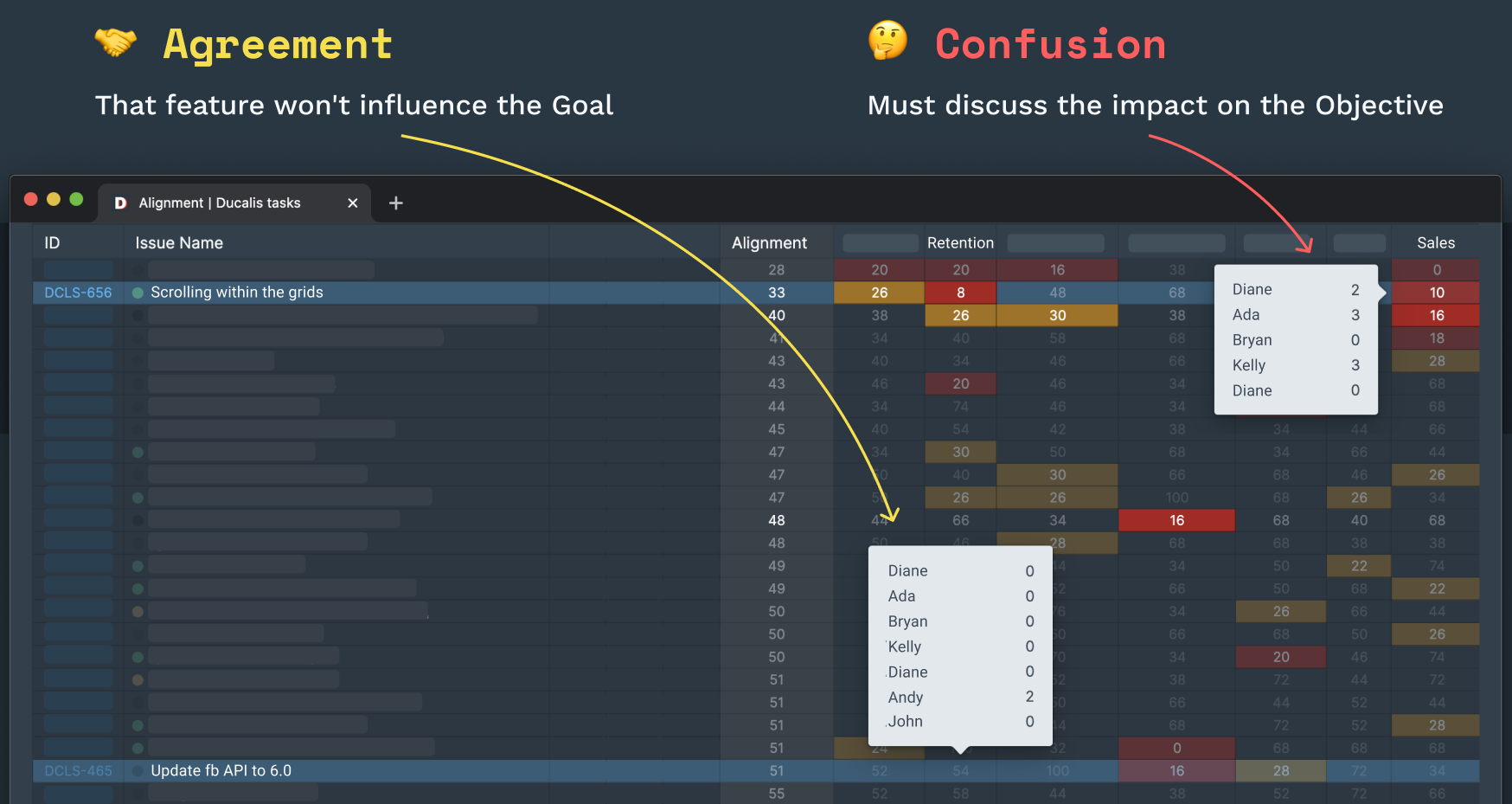
Dağınık puanlar takım uyumsuzluğuna işaret eder
Bu makalede paylaştığımız açık problem tanımlama kurallarını uyguladık. Artık kayıt açıklamalarına daha fazla zaman harcıyoruz, ancak tam bağlam olmadan bile açıklar.
Açık kayıt tanımları çalışma saatlerini optimize eder ve hataları azaltır. Okurken ne kadar az soru gerekirse, iş o kadar hızlı ve iyi yapılır.
Genel İlkeler
Proje geliştirme bir problem tanımıyla başlar.
Kayıt, işin temel varlığıdır. Ne yapılacağını, nasıl test edileceğini ve hangi sonuca ulaşılacağını tanımlar. Kayıtlar genellikle bir raporlayan tarafından yazılır. Atananlardan problem tanımlarını kendilerinin yazmasını istemeyin—nüansları kaçırabilirler ve vizyonları farklı olabilir.
1. Açık ve kısa
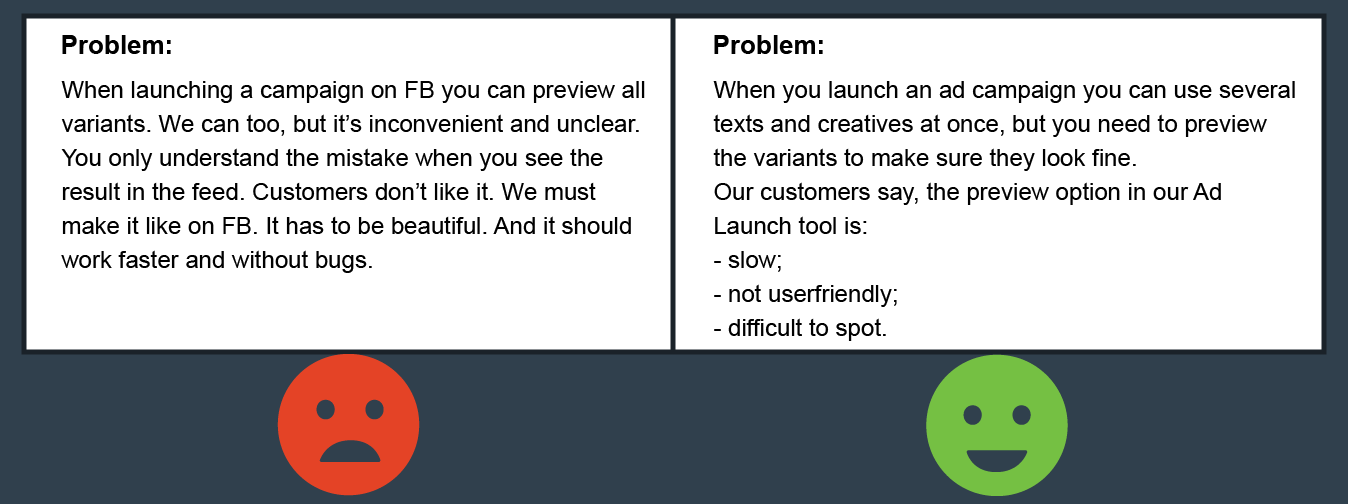
Takımdaki herkes tam bağlam olmadan problemi anlamalıdır. Metni gözden geçirin ve takım üyelerinin sorabileceği soruları öngörün. Bunları doğrudan açıklamada yanıtlayın. Yazdıklarınızı iki kez kontrol edin. Kısa olun—serbest bir deneme değil, ancak iki cümleden fazla.
2. Spesifik ve desteklenmiş
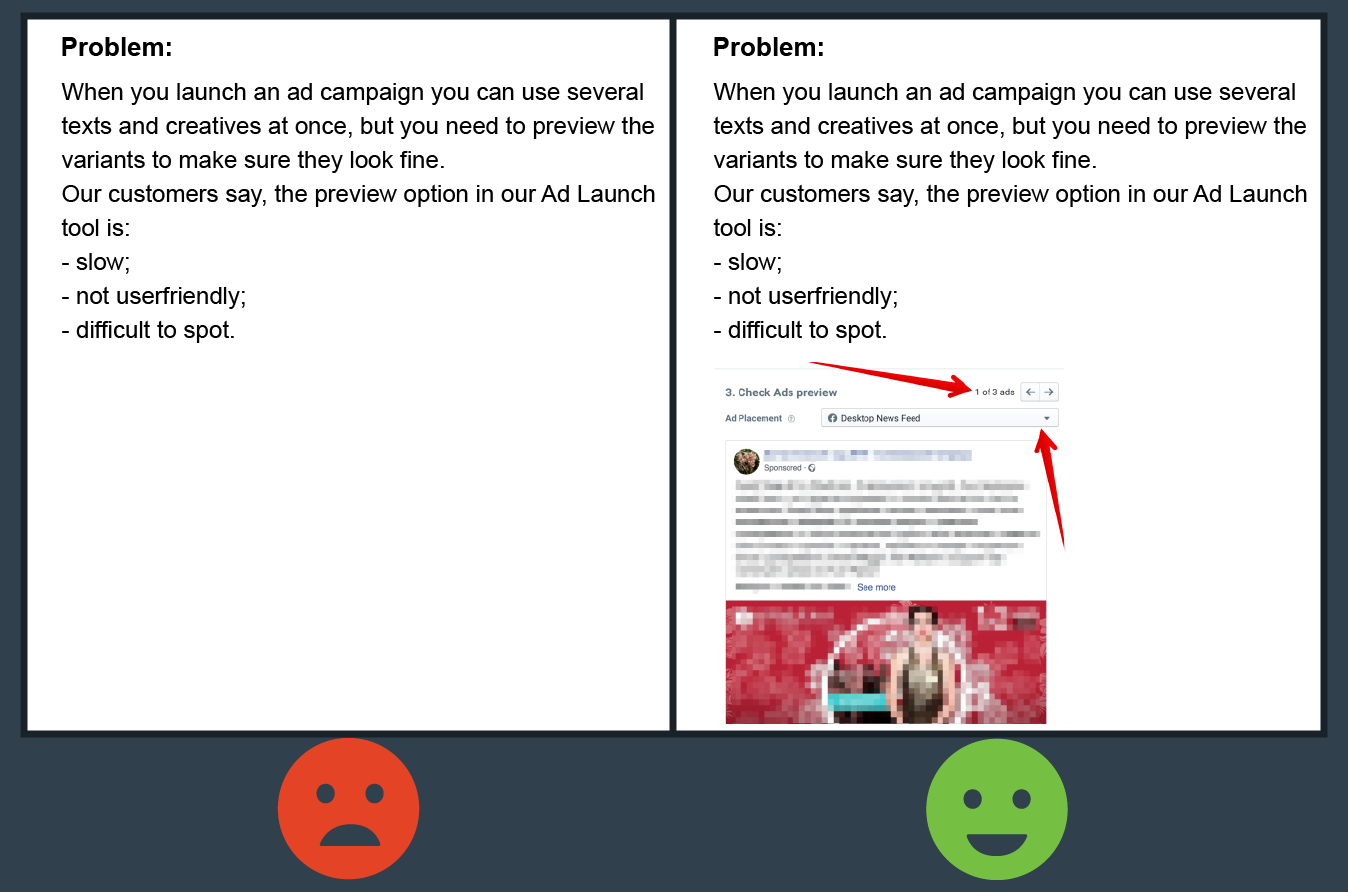
Tüm referanslar ilgili materyallere bağlantılar içermelidir. Mümkün olduğunda ekran görüntüleri ekleyin. Atananların ihtiyaç duyabileceği mevcut dosyaları (resimler, belgeler veya benzer öğeler) ekleyin. İnsanları tahmin yürütmeye veya veri aramaya zorlamayın.
3. Okunabilir
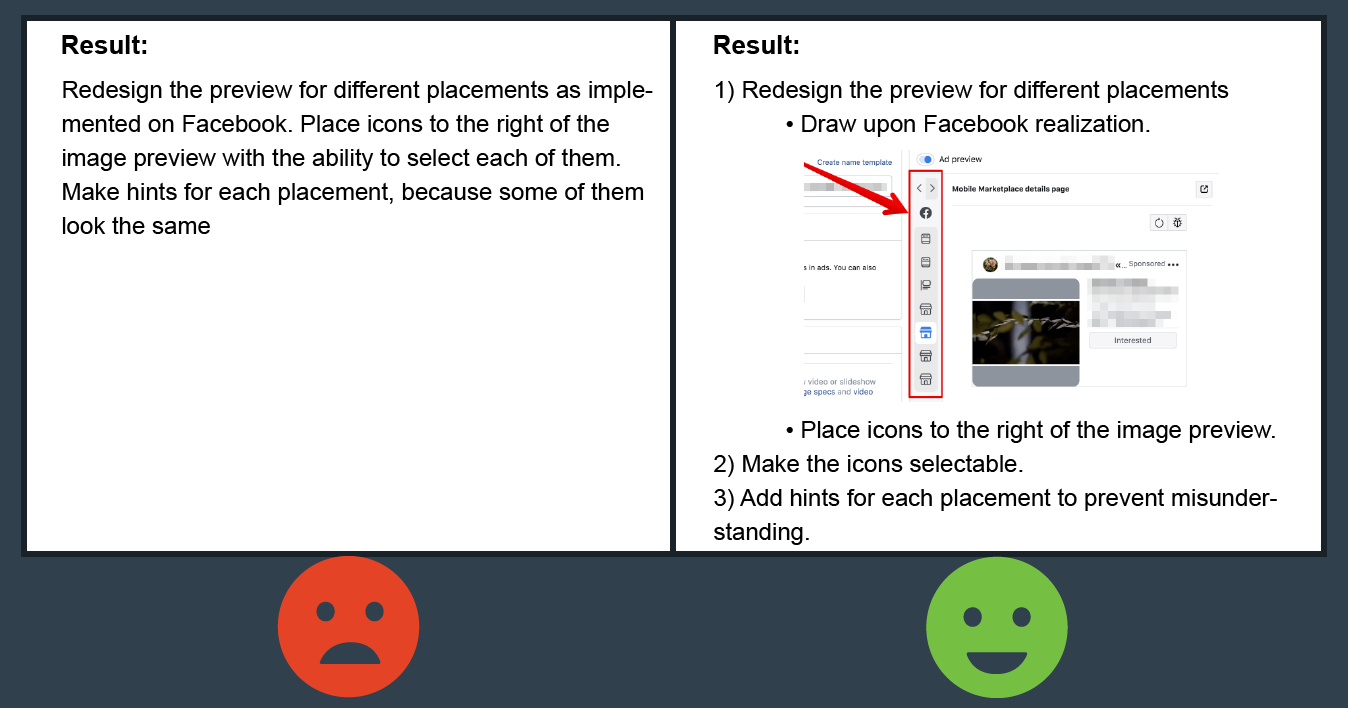
Metni anlaşılır yapın. Atananların önemli noktaları fark etmesine yardımcı olun—yoğun, yapılandırılmamış açıklamalardan kaçının. Paragraflar, madde işaretleri, numaralı listeler, kalın ve italik metin kullanın. Tüm önemli ayrıntıları vurgulayın.
4. Makul
Ara kontrol noktaları için büyük kayıtları alt görevlere bölün. Aksi takdirde, yanlış sonuçla karşılaşabilirsiniz. Karmaşık bir problemi ara görevlere bölemiyorsanız, net bir bitiş noktasının olup olmadığını ve bu biçimde var olması gerekip gerekmediğini düşünün.
Kayıt Yapısı
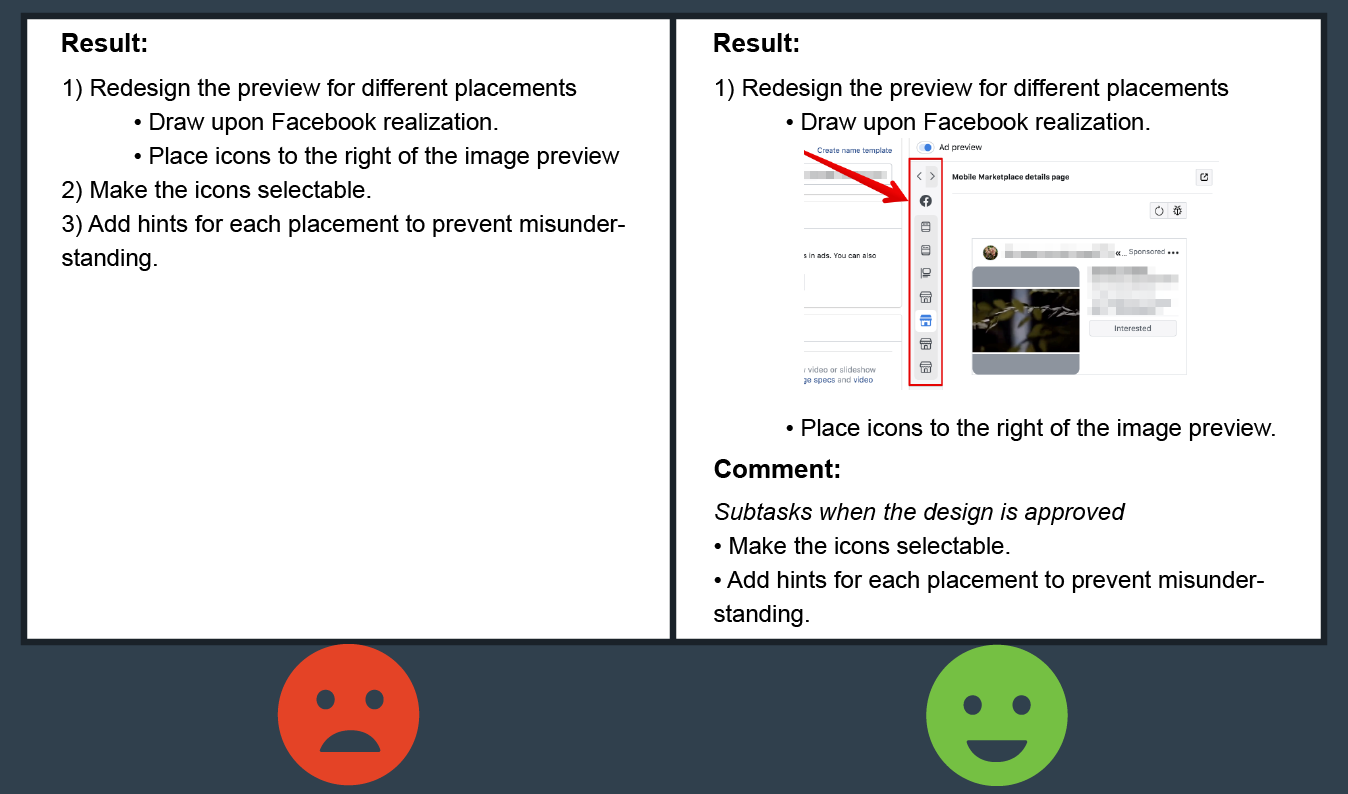
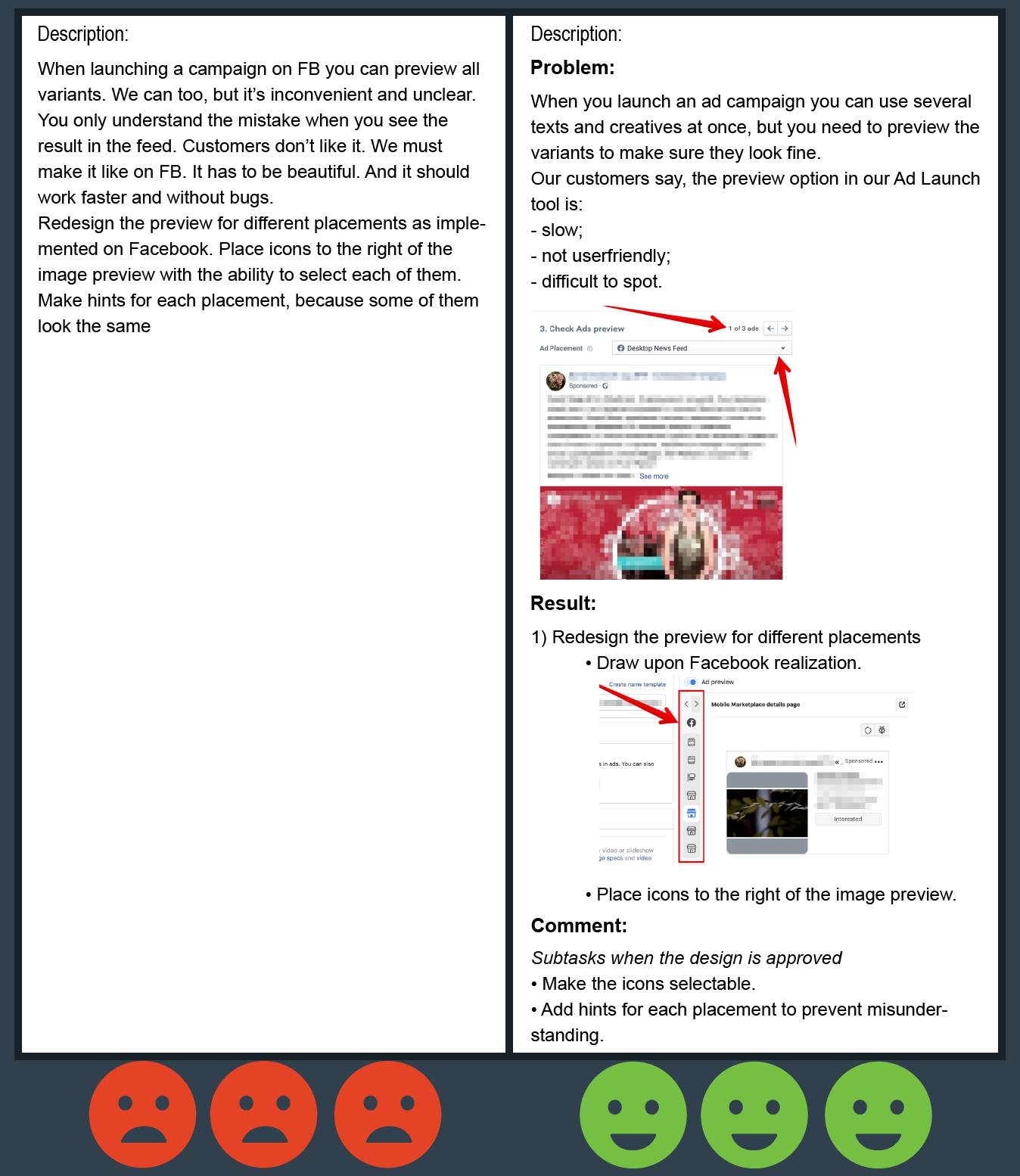
Bir kayıt, kalın metinle vurgulanan birkaç zorunlu bölüme sahip olmalıdır.
1. Problem
Bu paragraf, görev içinde çözülecek problemi açıklar. Atananların ne yapmaları ve neden yapmaları gerektiğini anlamaları için yeterince ayrıntılı açıklayın. Problemi ne kadar açık tanımlarsanız, atananın onu derinlemesine anlama ve alternatif çözümler sunma olasılığı o kadar artar.
2. Sonuç
Bu paragraf istenen sonucu açıklar. Bu bölüm ne kadar ayrıntılı olursa, atananlar için ne beklediğinizi ve hangi sonuçlara ulaşacaklarını anlamak o kadar net olur. Test uzmanları için, neyin kontrol edileceğini açıklar.
3. Çözüm veya Yorumlar (isteğe bağlı)
Bu paragrafı raporlayanın problemi nasıl çözeceğini bildiği durumlarda kullanın. Diğer katılımcılar da yorumlarını buraya yazabilir.
Ürününüzün değerlerine ve hedeflerine tam olarak uyan kriterleri seçmek için önemli zaman harcayabilirsiniz. Ancak bir görevi bu kriterlere göre değerlendirmek için, sonucu nasıl etkilediğine dair net bir resme ihtiyacınız var. Görevin ne hakkında olduğunu tam olarak anlayamıyorsanız bunu yapabilir misiniz?
İyi yazılmış bir kayıt, değerlendirme, tartışma ve uygulama için zaman tasarrufu sağlar ve böylece maliyetleri düşürür. Problem açıklaması için daha fazla zaman harcayın ve iki kez düşünün, iki kez çalışmayın.
Rehberimizi kullanmaktan ve özelleştirmekten çekinmeyin. Bu makaleyi yararlı bulursanız paylaşın. Birbirimizin işini kolaylaştıralım.
Bonus
Rehberimize dayalı bir şablonla bir eklenti oluşturduk. Yeni bir görev oluşturduğunuzda Problem, Sonuç, Çözüm bölümlerini otomatik olarak ekler. Google Chrome + Jira ile çalışır. Buradan ücretsiz edinin.