Languages
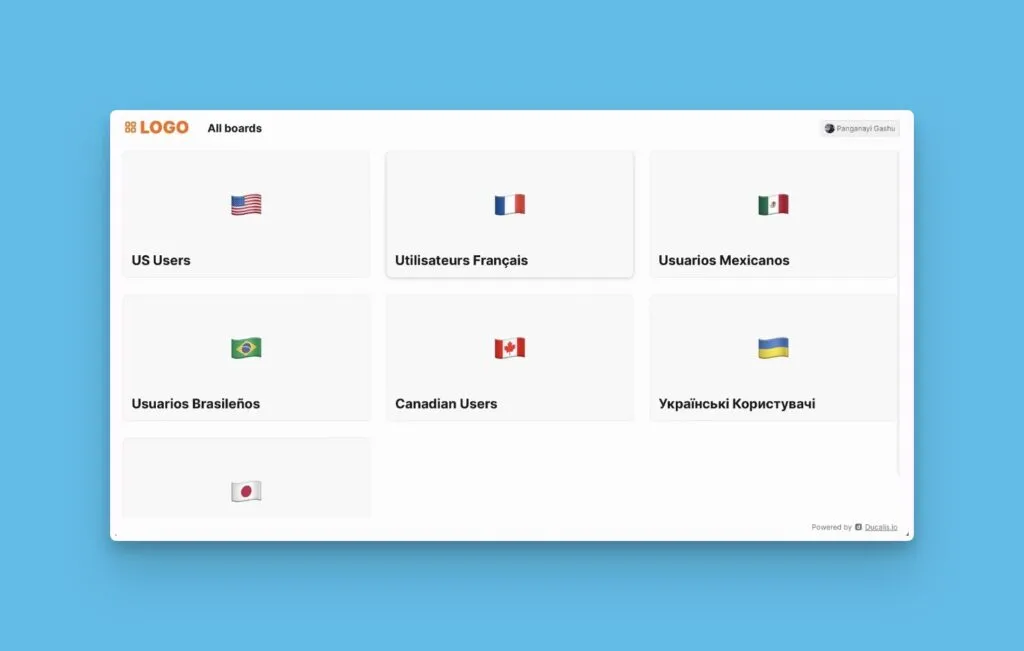
Set a language for each Voting Board to match your customers' preferences. Each board can use a different language, letting you communicate effectively with international customer segments.
Set the language
-
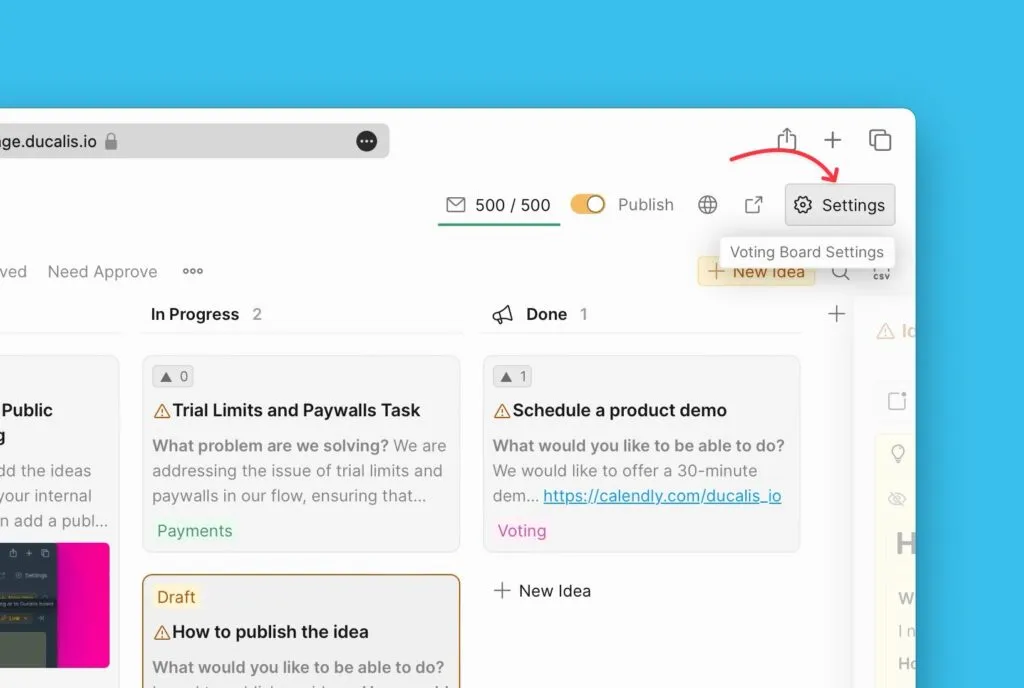
Go to Settings.
-
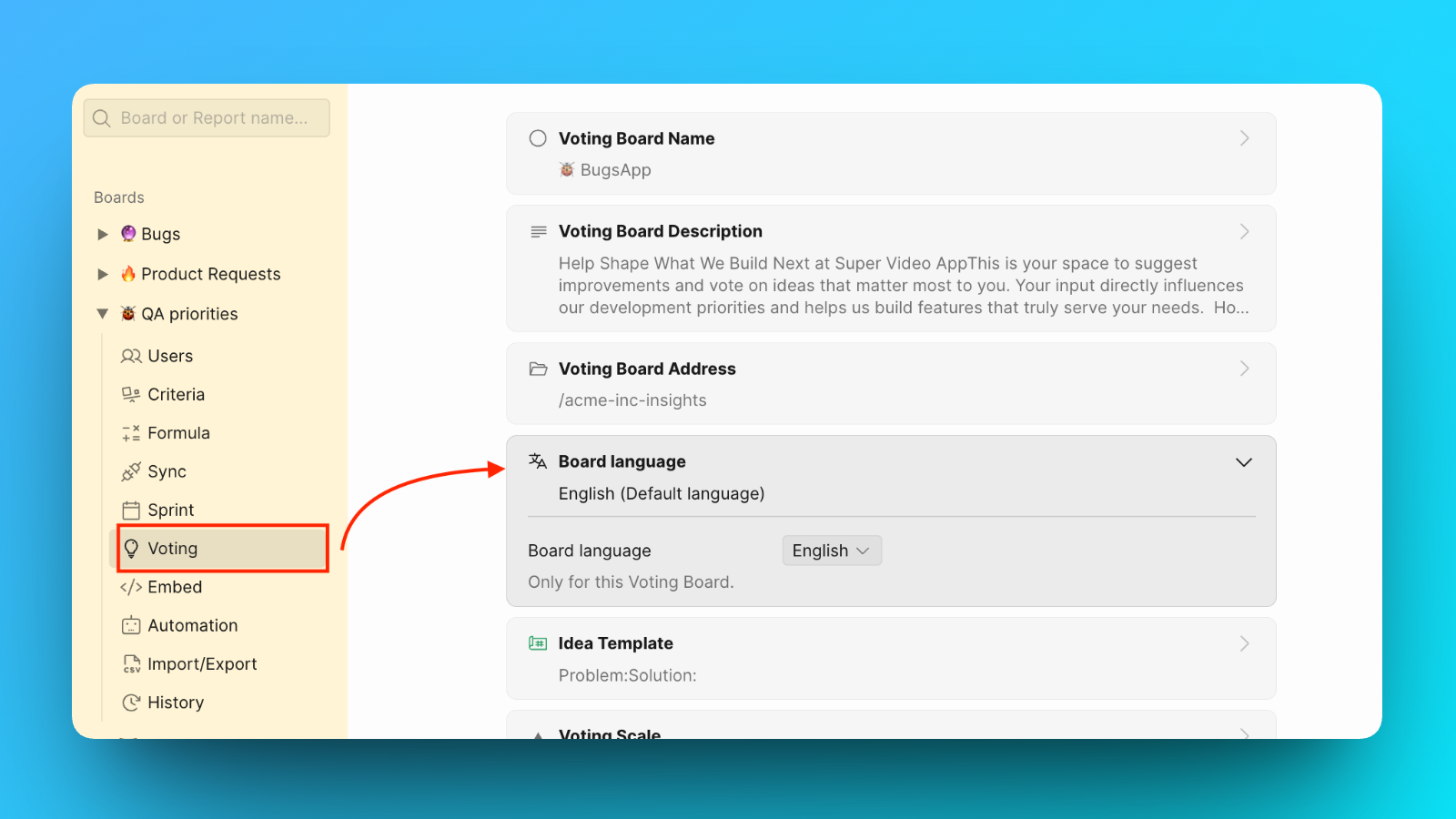
Select Voting in the sidebar.
-
Select Board Language.
-
Click the language dropdown.
-
Select your preferred language.
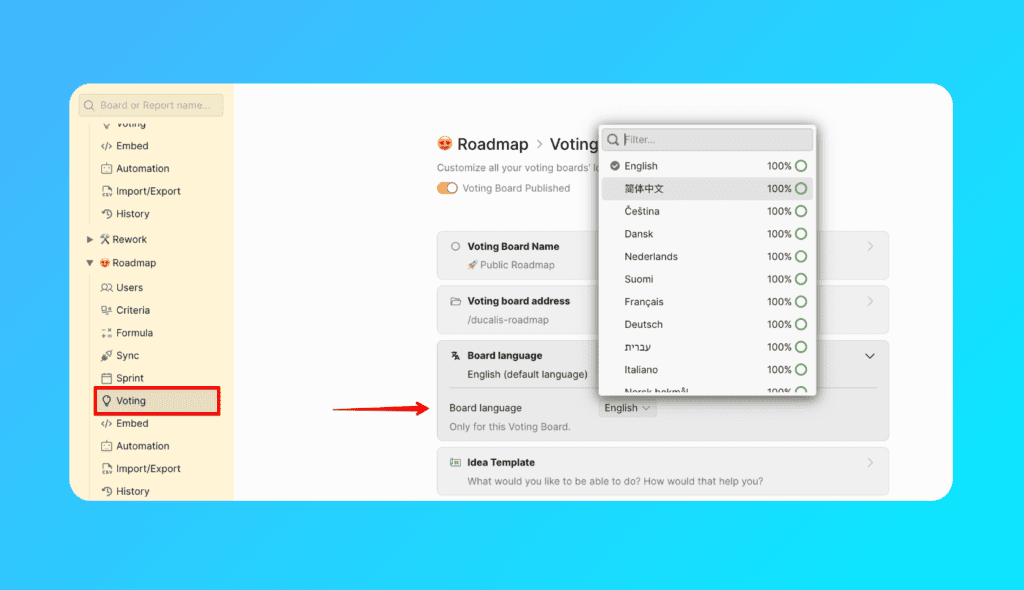
The language applies only to the current Voting Board. Other boards keep their own language settings.