Custom domain
When you create your Organization, Ducalis assigns a default domain for your Voting Boards. You can customize this domain to help customers quickly recognize whose site they're visiting.
Access domain settings
-
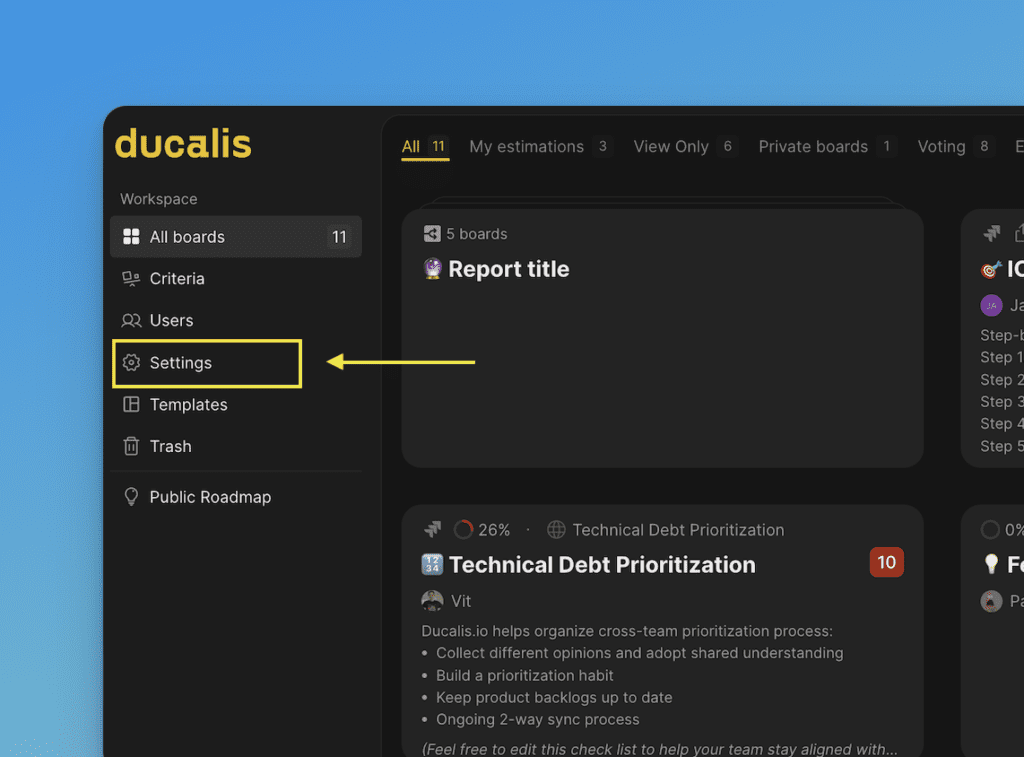
Click Settings in the left sidebar.
-
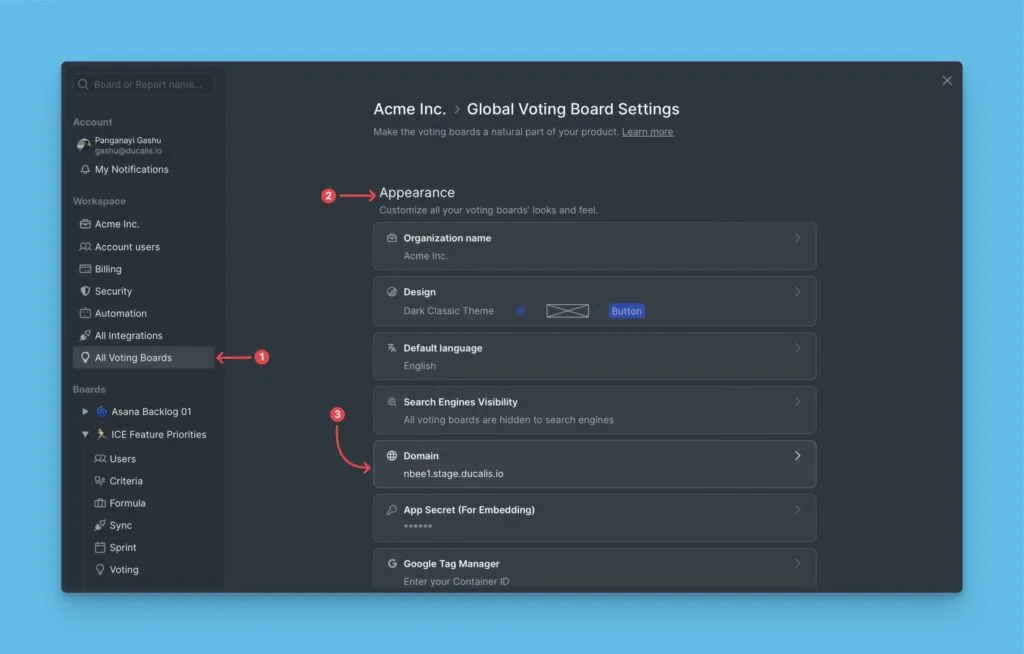
Go to All Voting Boards.
-
Scroll to the Domain settings section under Appearance.
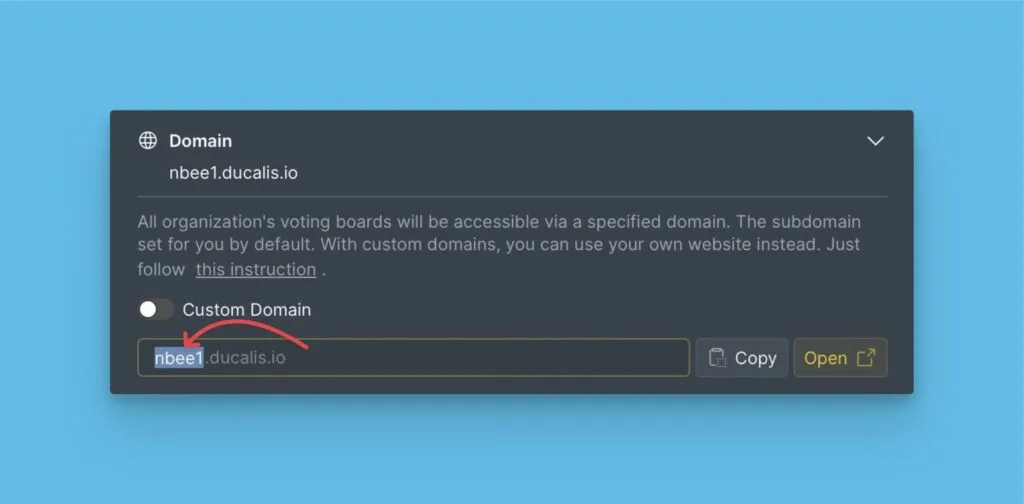
There are two domain types: Subdomain and Custom Domain.
Default subdomain
Ducalis provides a default subdomain that you can change.
Custom domain
You can use your own domain for the Voting Board.
Step 1: Configure DNS records
Add a CNAME record in your domain registrar's control panel:
- Name/Host: Your subdomain (e.g.,
feedbackorideas-board) - Value/Points to: voting.ducalis.io
Example: Setting up ideas-board.example.com with Cloudflare:
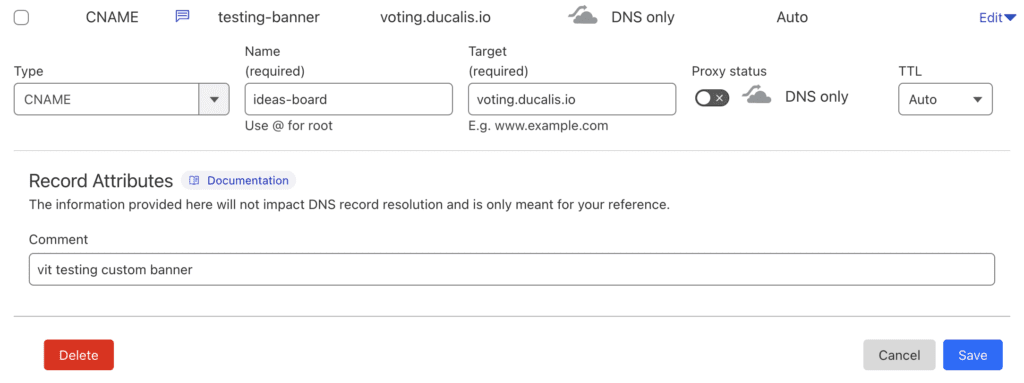
The custom domain must point to voting.ducalis.io exactly—not yourcompany.voting.ducalis.io.
DNS provider instructions:
Step 2: Enable custom domain
-
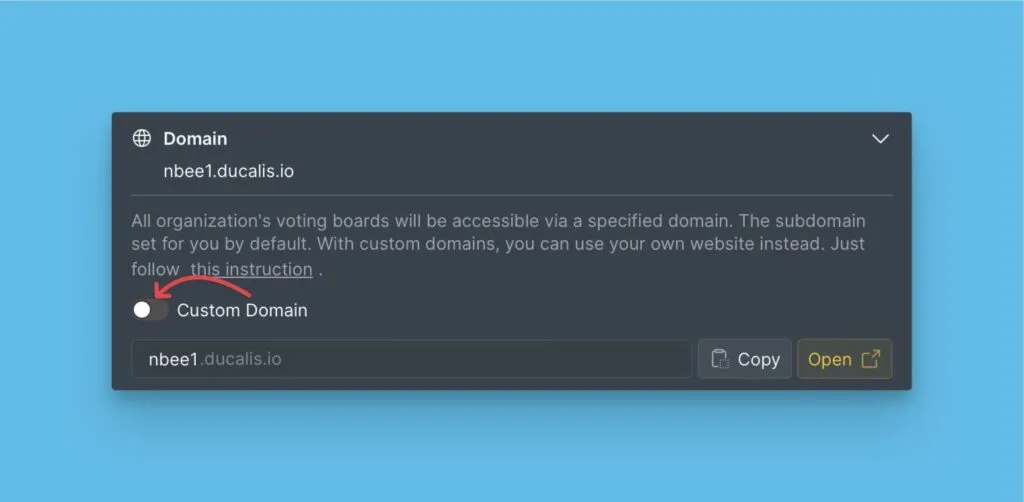
In the Domain settings section, toggle on Custom Domain.
-
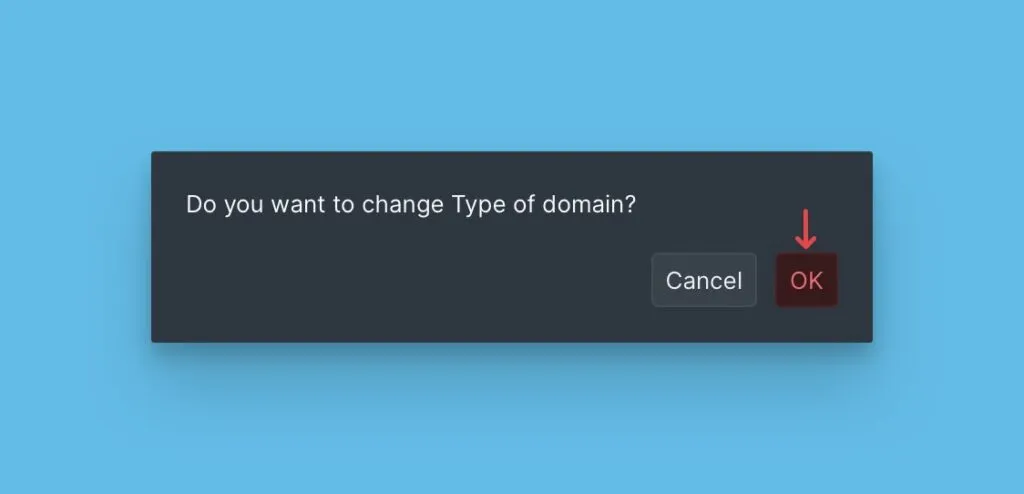
Confirm you want to change the domain type.
-
Enter your custom domain.
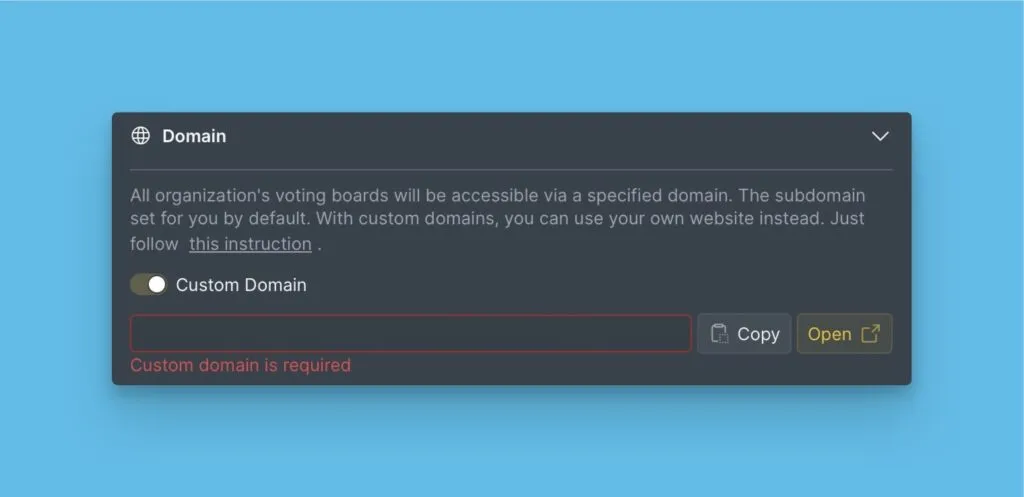
Your Voting Board now uses your custom domain.
Related articles