Push issues
Create GitHub issues directly from Ducalis without leaving your workflow. You can push issues you created in a prioritization board or Ideas submitted to your voting board.
You can add to GitHub backlog:
-
Issues you created in Backlog.
-
Ideas added to your voting board.
Push an Issue from Backlog
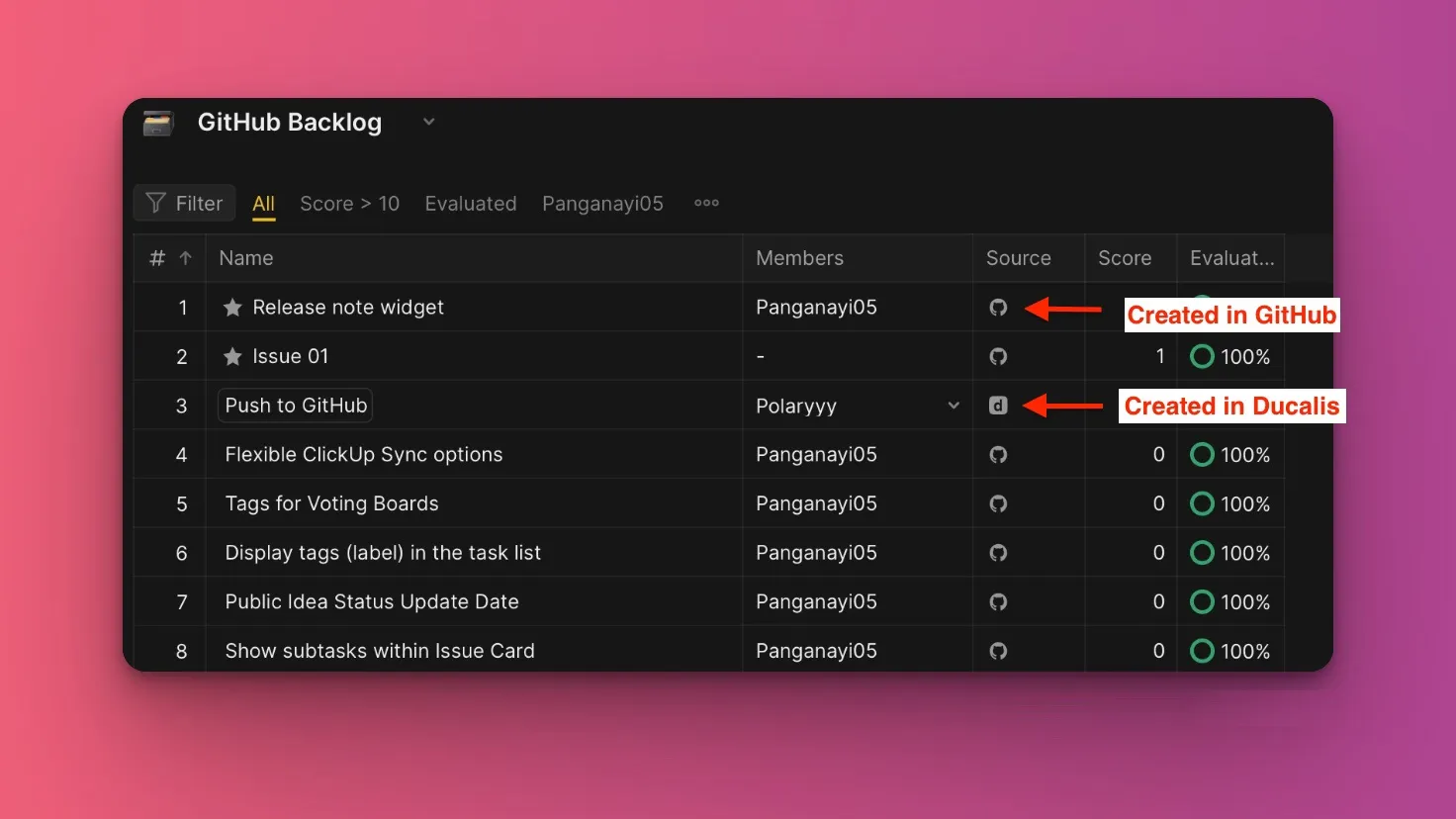
In the prioritization board connected with GitHub, imported issues display the GitHub icon, while issues you created in Ducalis display the Ducalis icon.
-
Click the issue you want to push to GitHub to open the issue card.
-
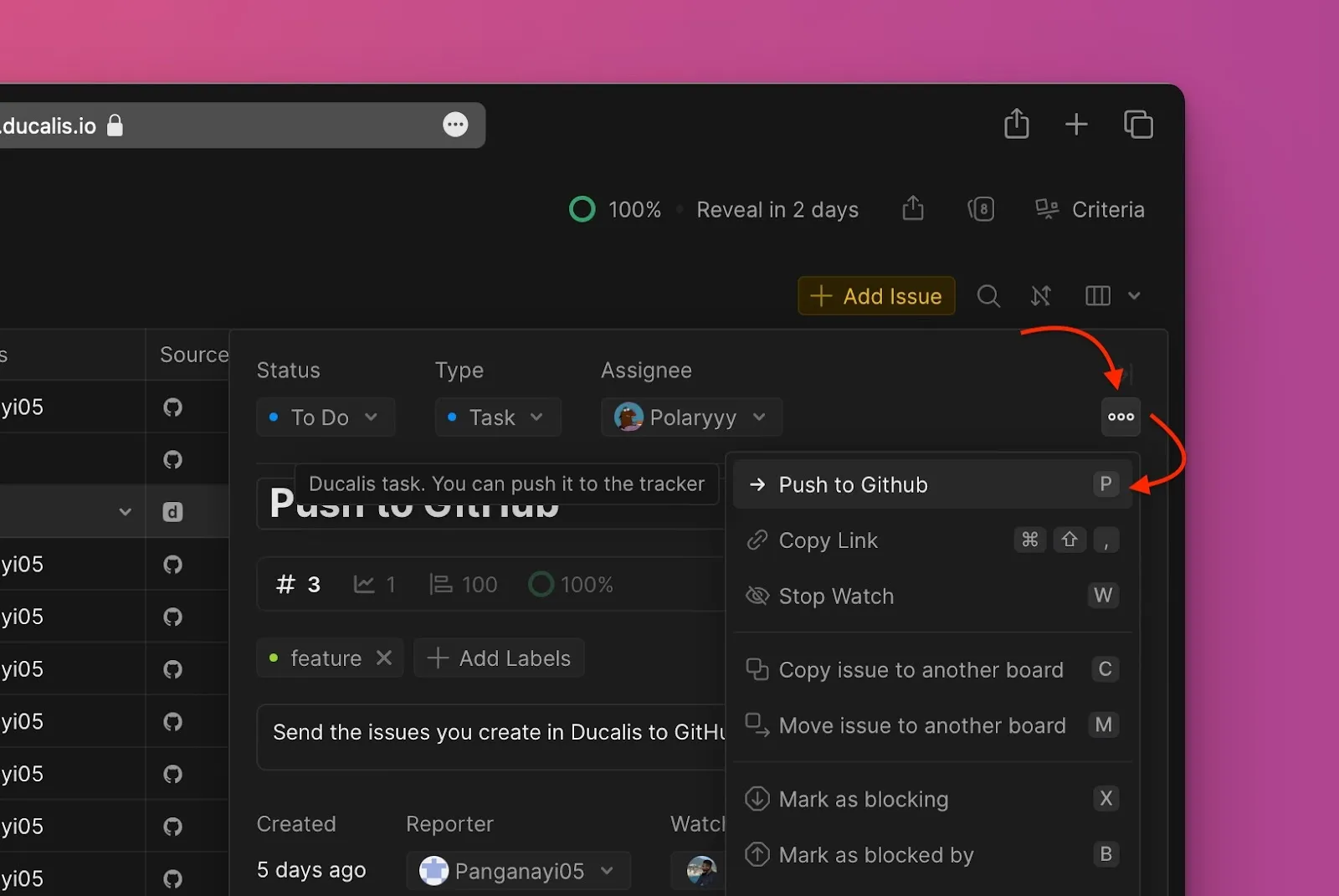
In the issue card, click the ellipsis in the top right corner to open the dropdown menu.
-
From the dropdown menu, select Push to GitHub.
-
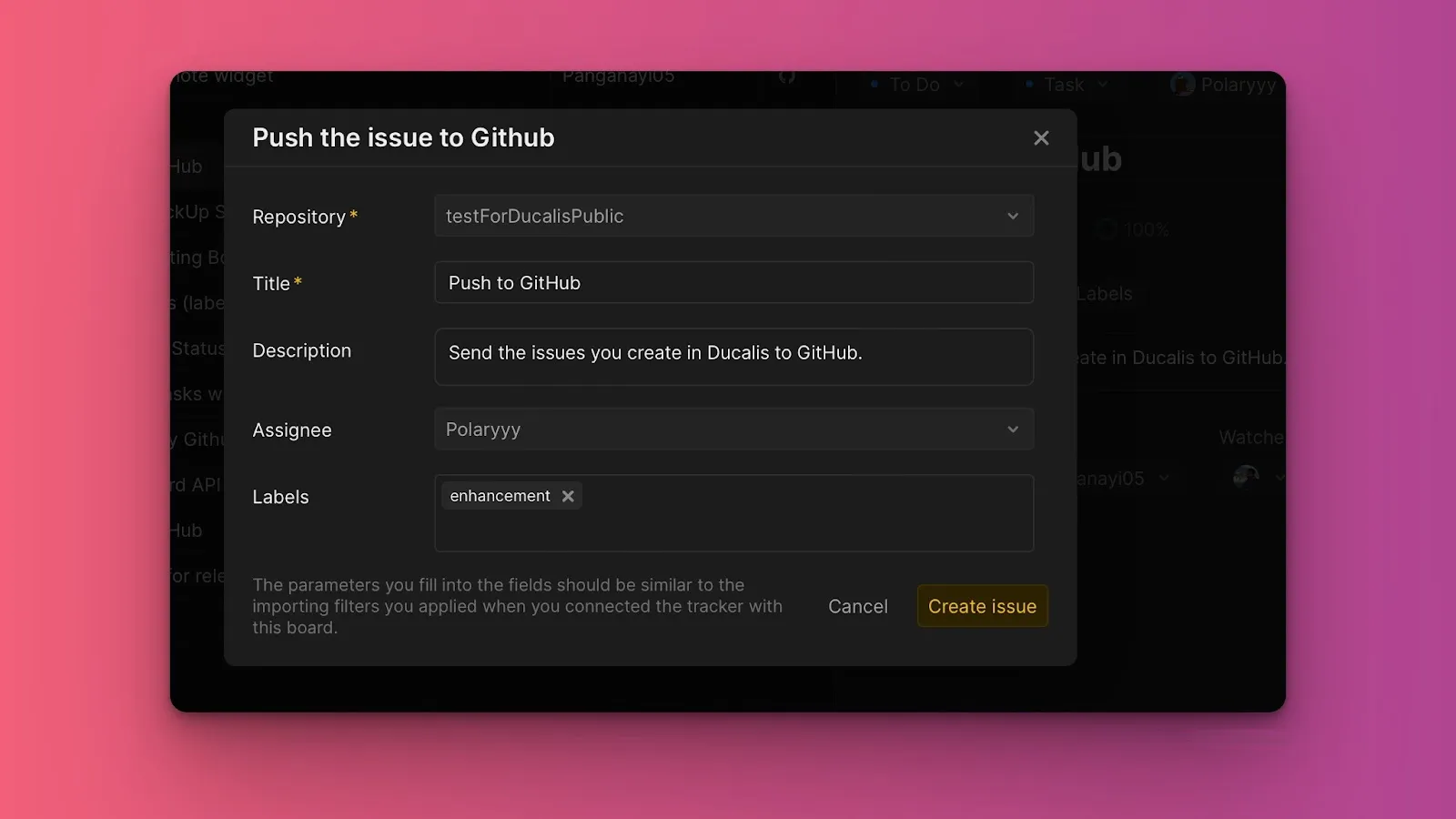
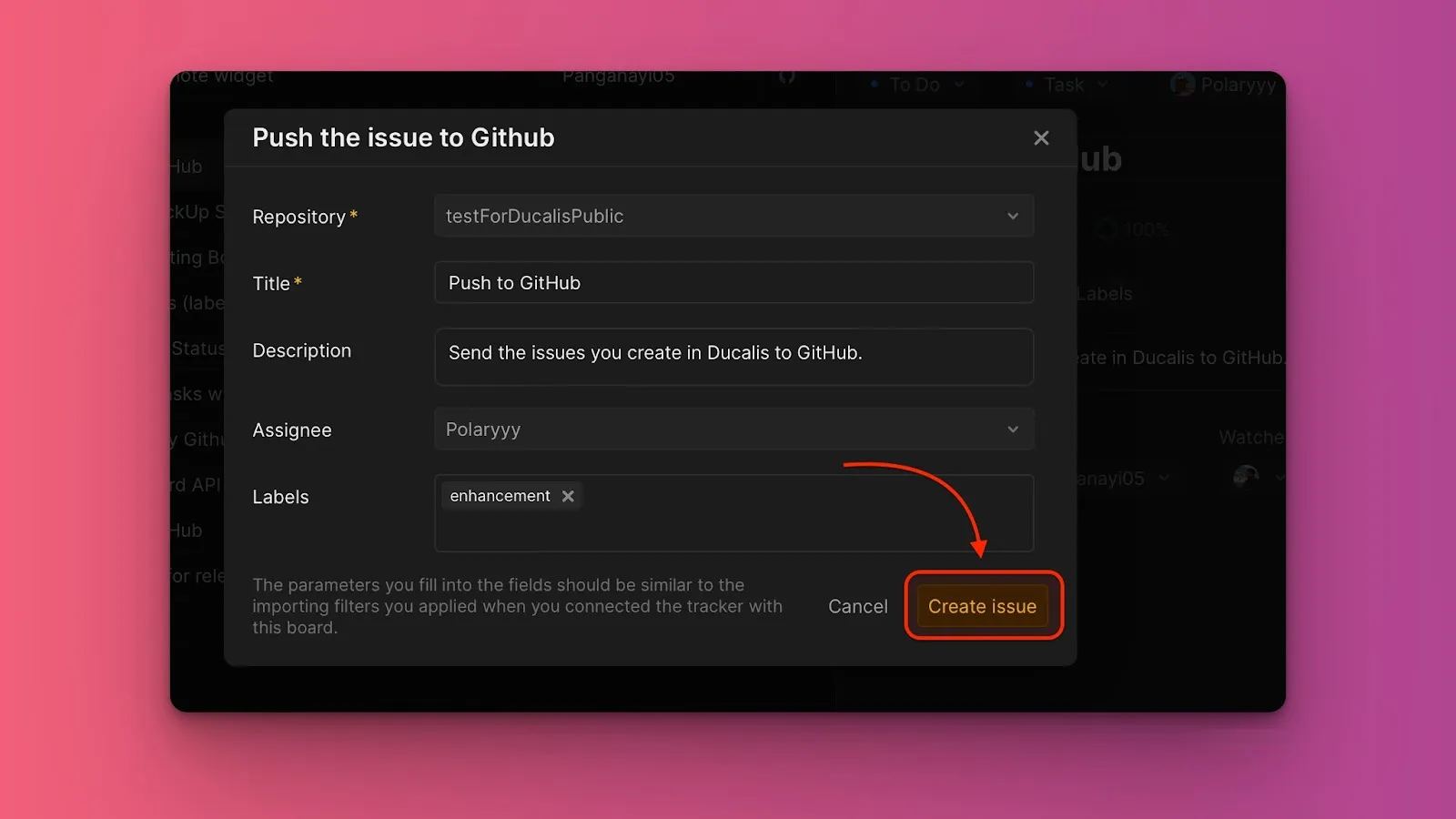
Fill in the issue information:
- Choose the repository. Available repositories are the ones you selected when integrating GitHub with this board.
- Edit the title or description if needed.
- Select assignees. Available assignees come from GitHub. Users on your board who aren't in your GitHub account won't appear in the dropdown list.
- Add labels if you've created any in GitHub.
-
Click Create issue.
Push an Idea from voting board
Quickly add customer feedback from your voting board to your GitHub backlog.
-
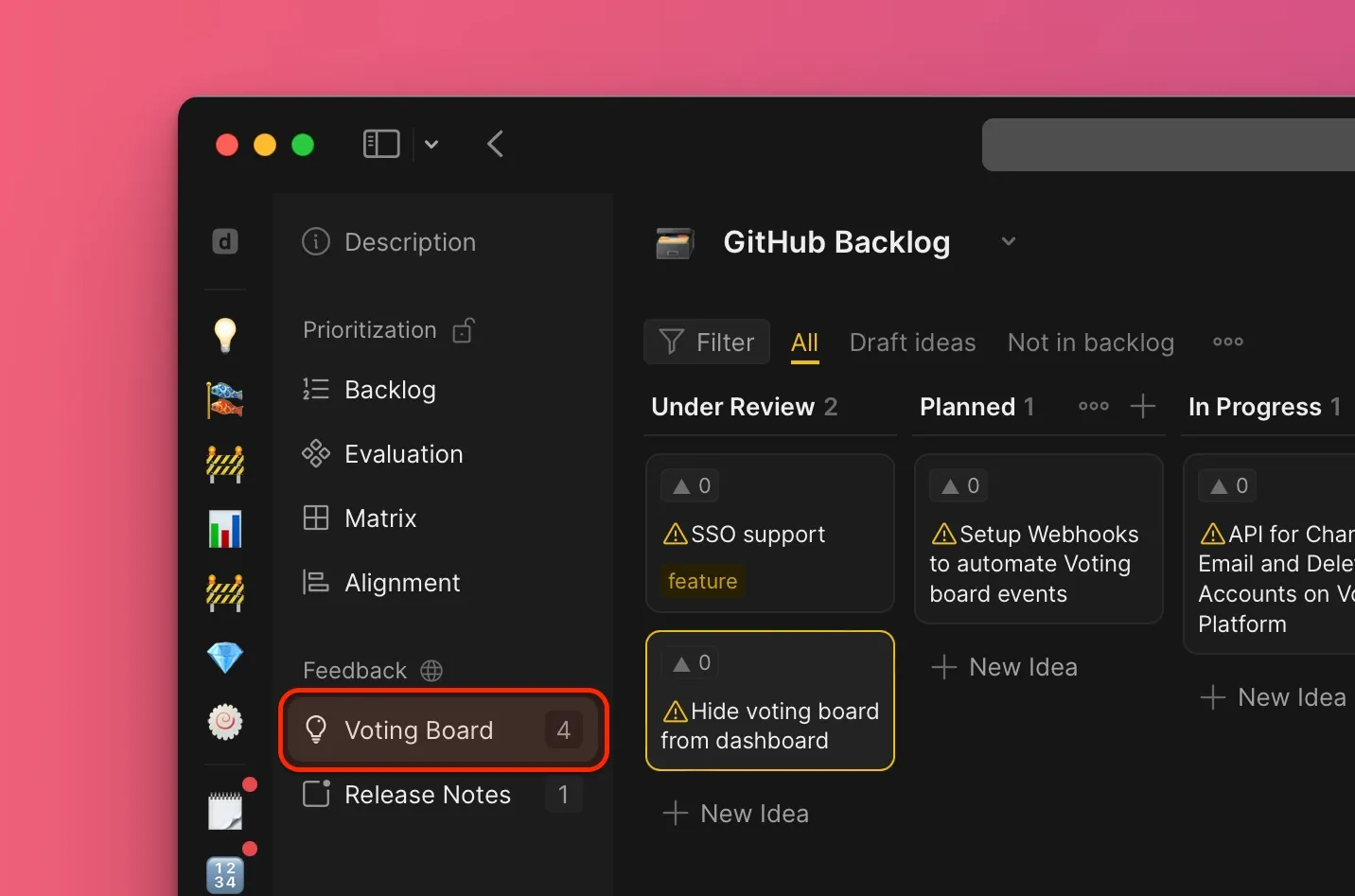
Go to the voting board.
-
Under All, select the Idea you want to add to your backlog to open its card. Ideas not added to the internal backlog display a warning icon.
-
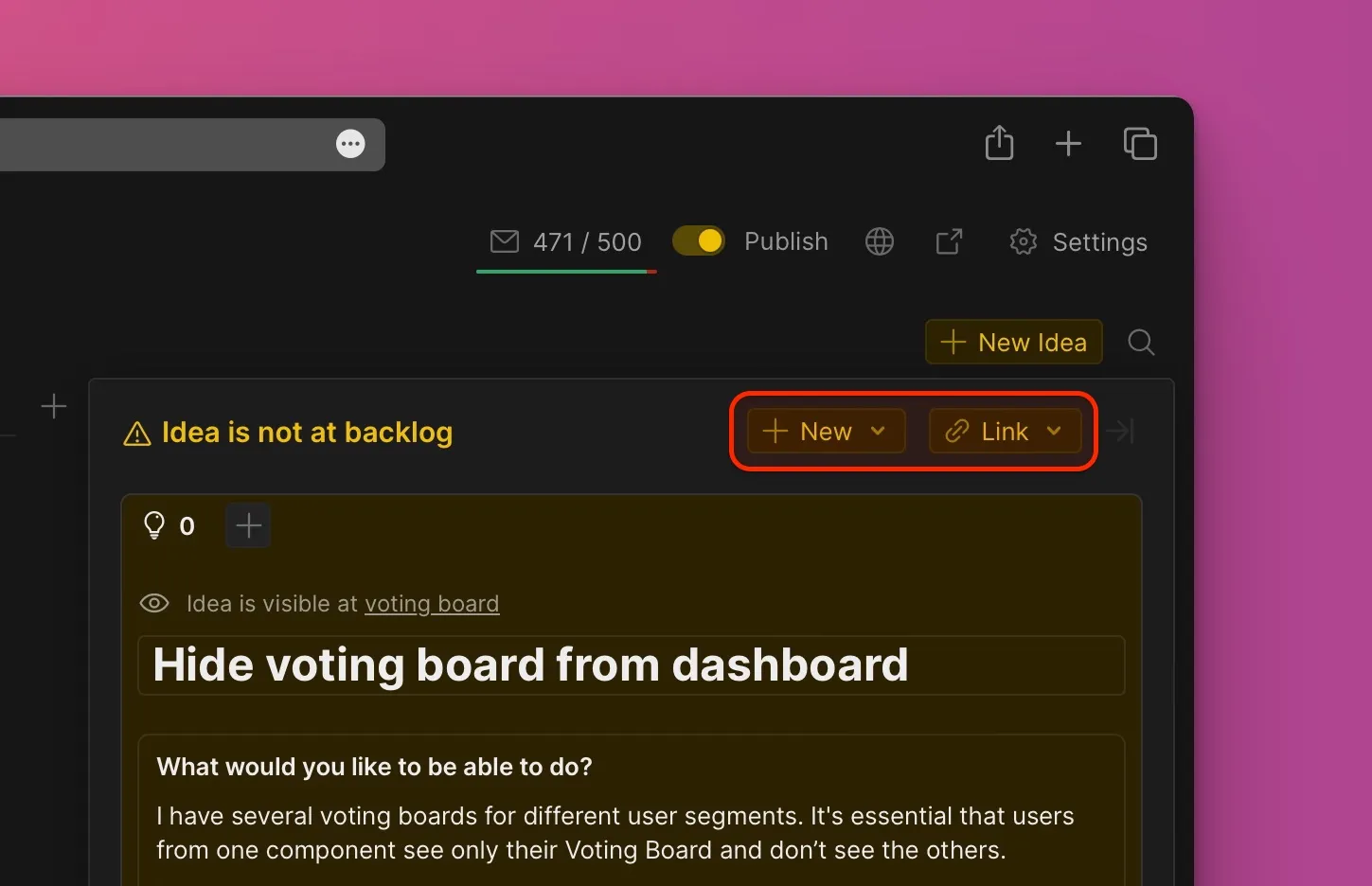
In the top right corner of the card, choose the option to add the Idea as a new issue or link it with an existing issue.
-
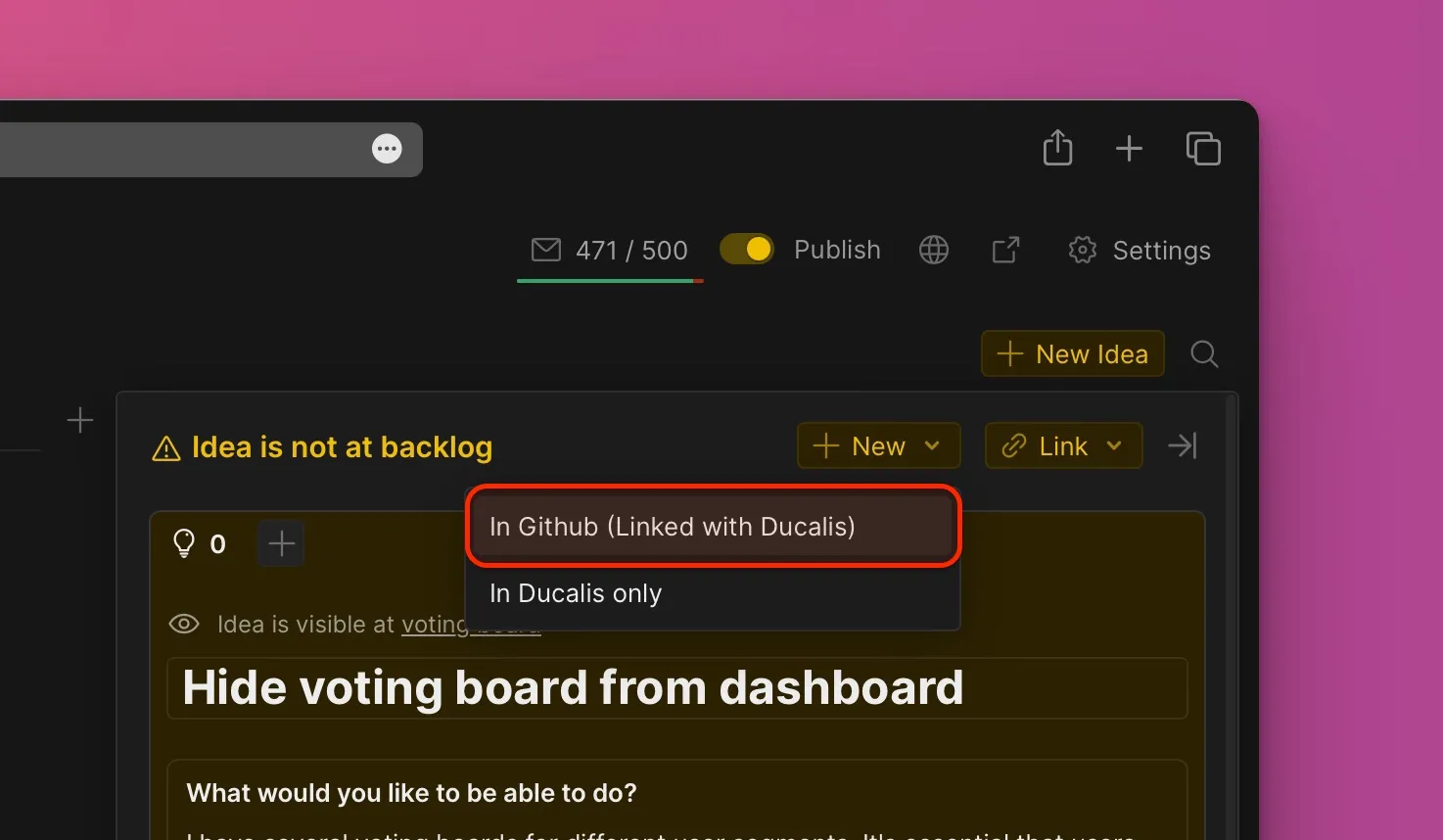
Choose the option to add it as a new issue, then from the dropdown menu select In GitHub (link with Ducalis).
-
Fill in the issue information:
- Choose the repository. Available repositories are the ones you selected when integrating GitHub with this board.
- Edit the title or description if needed.
- Select assignees. Available assignees come from GitHub. Users on your board who aren't in your GitHub account won't appear in the dropdown list.
- Add labels if you've created any in GitHub.
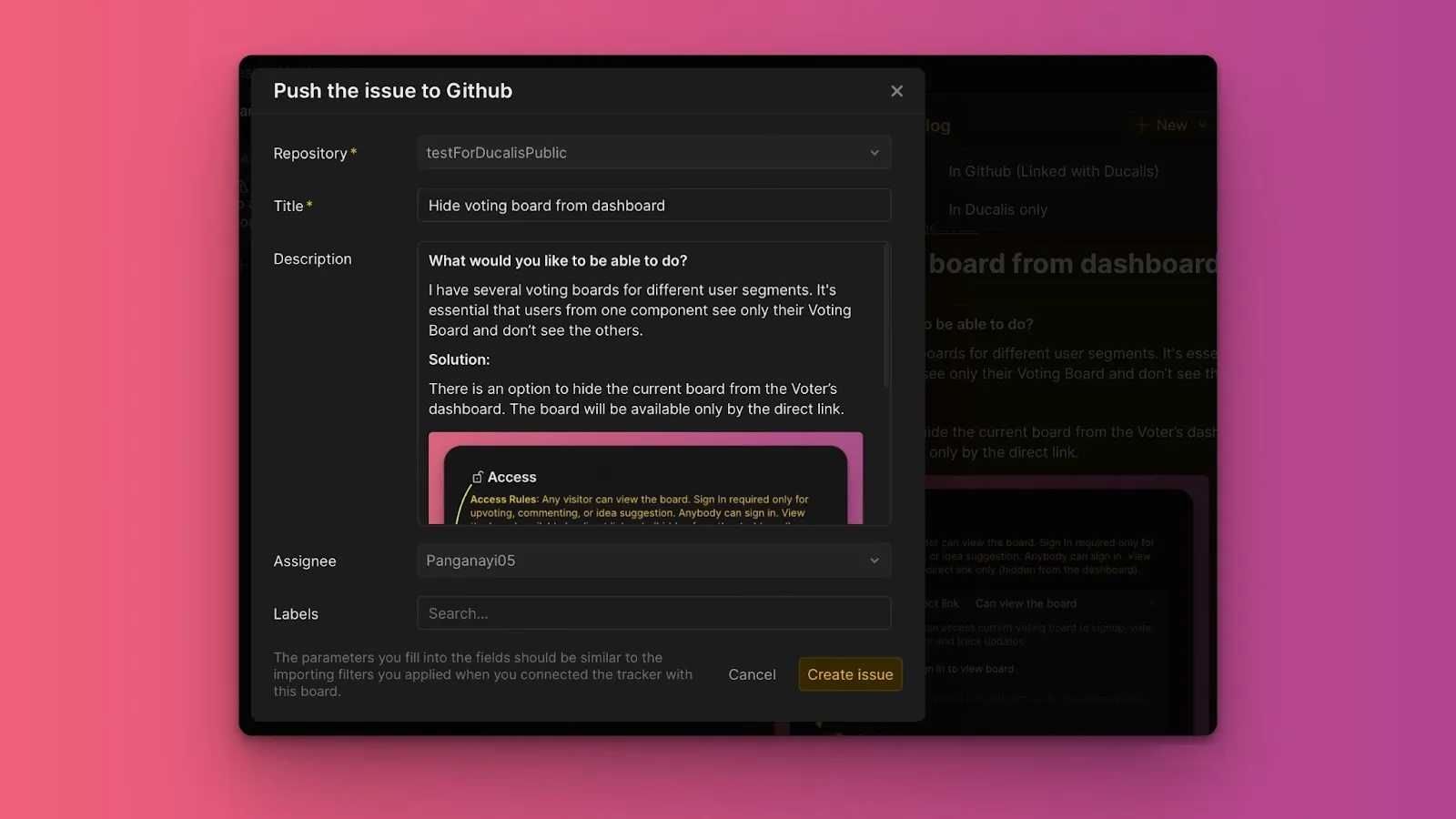
-
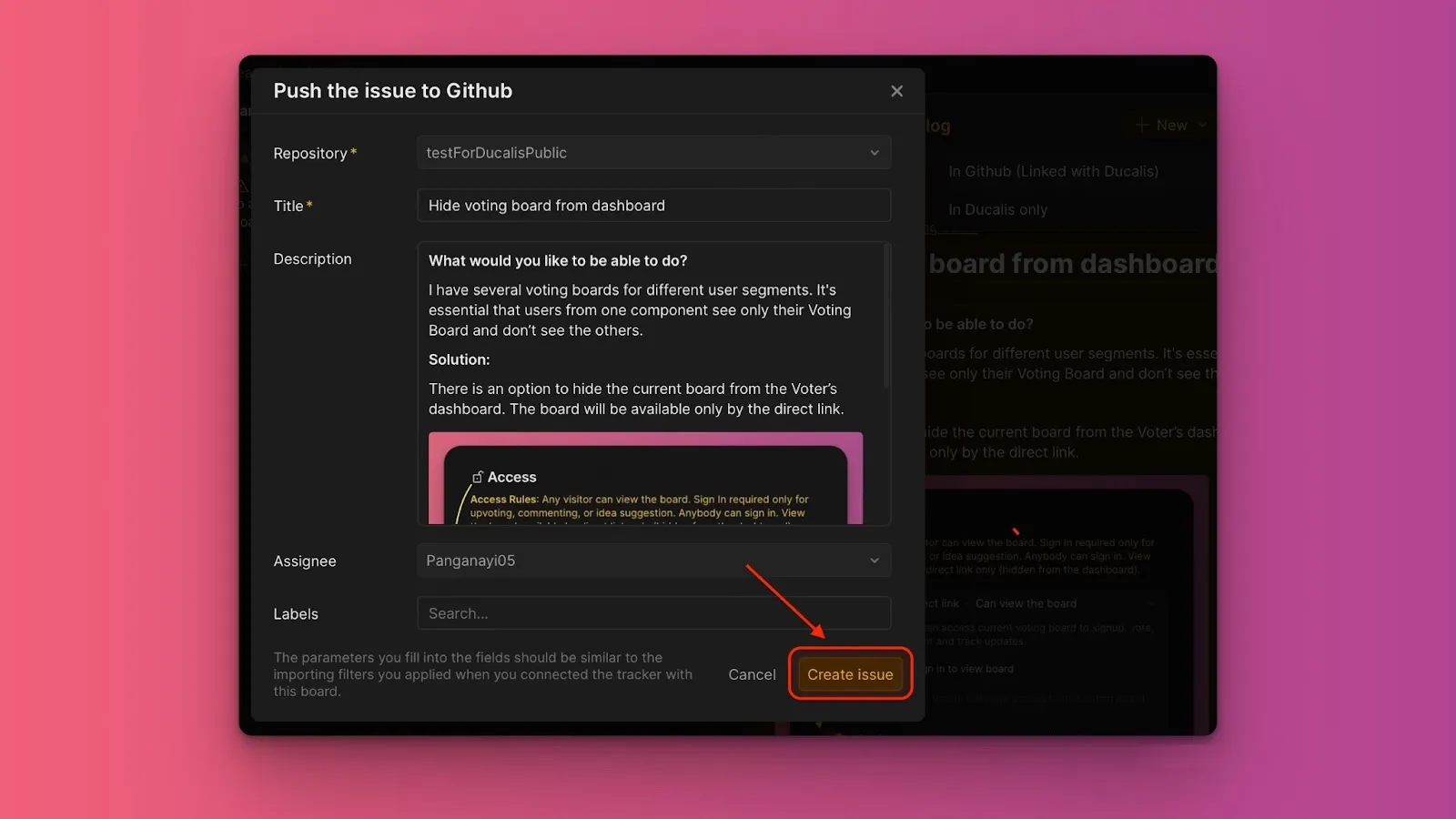
Click Create issue. An issue is created in both Ducalis and GitHub.
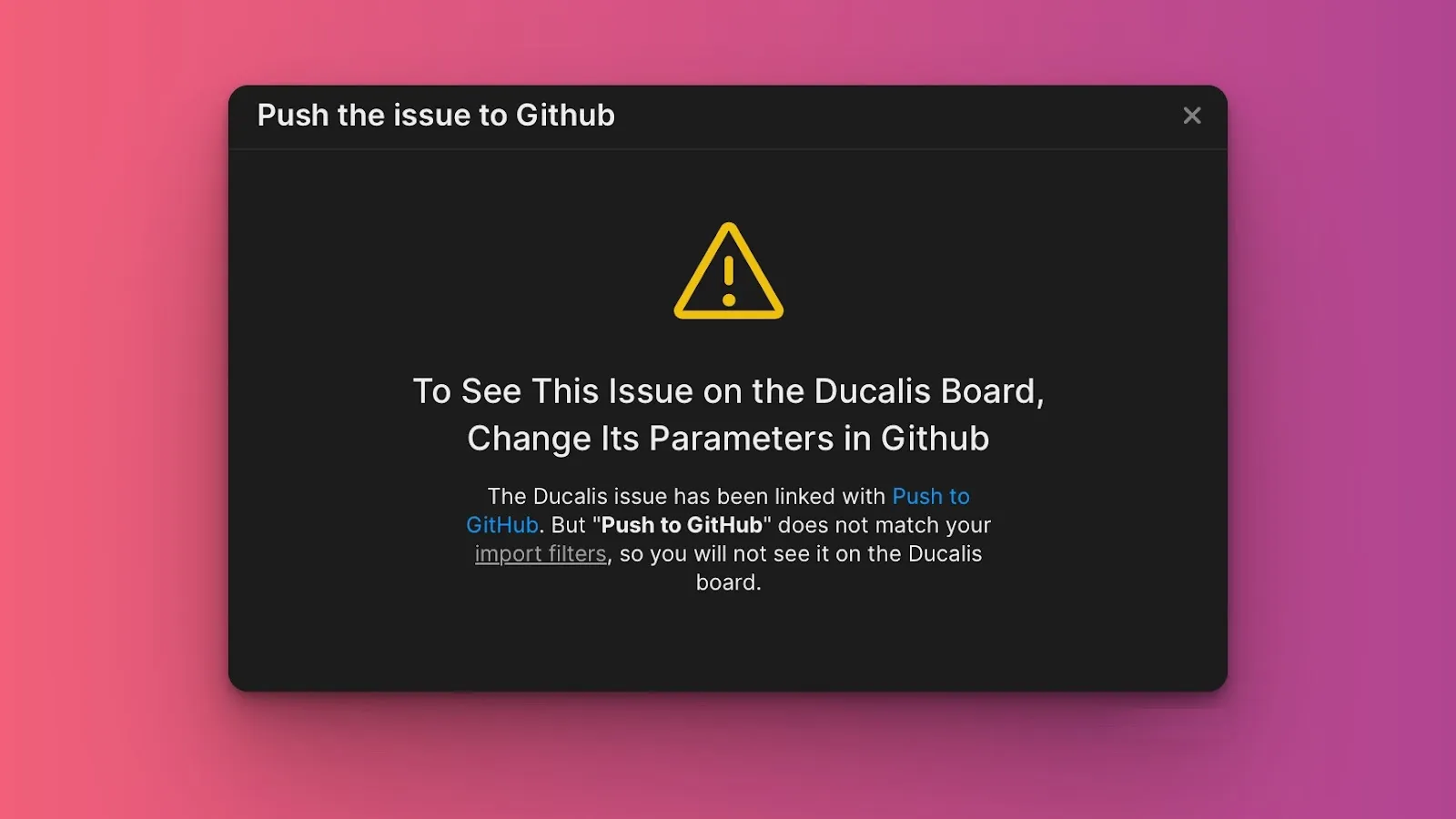
If the GitHub issue you created doesn't match your import filters, it won't appear in Ducalis. To see it, adjust your import filters.