Notifications
Stay up-to-date with activities happening on your prioritization processes and on Voting Board by receiving notifications in your Telegram direct messages.
To receive personal direct notifications, you need to connect the Telegram Bot.
Connect Telegram
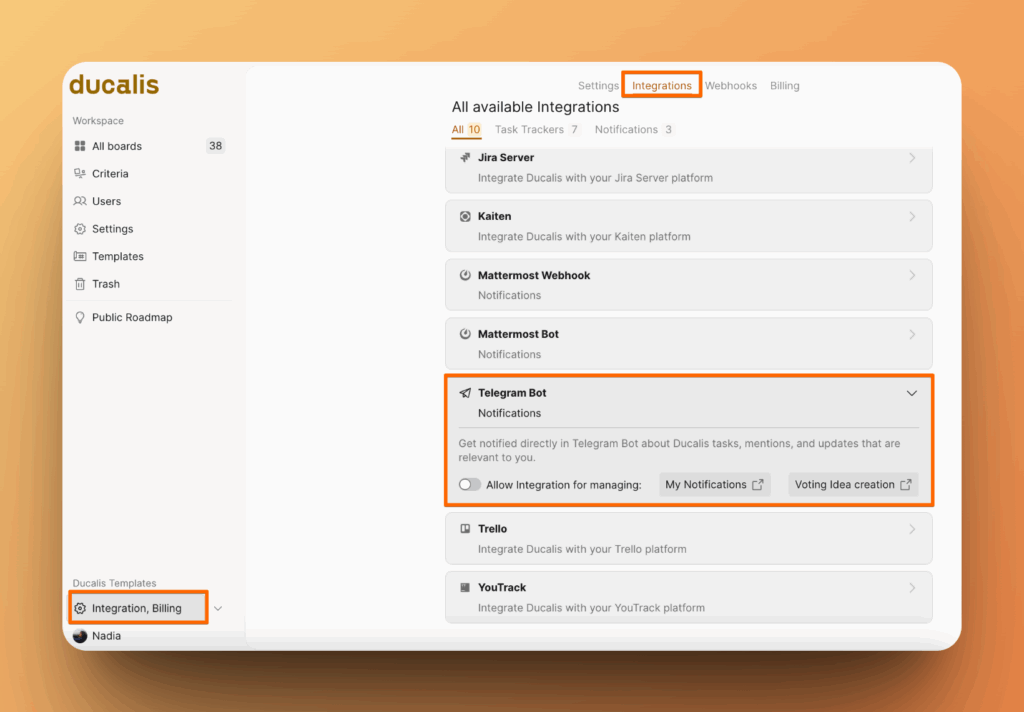
- Go to Integrations, find Telegram bot, activate the tumbler.
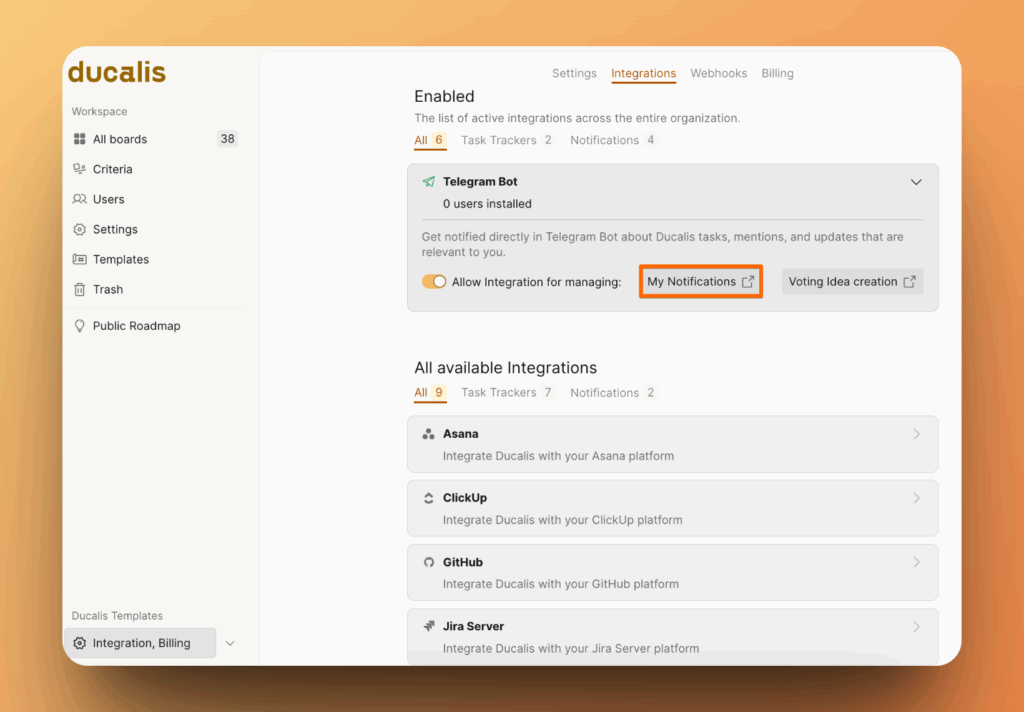
- Click on My Notifications.
Enable Notifications
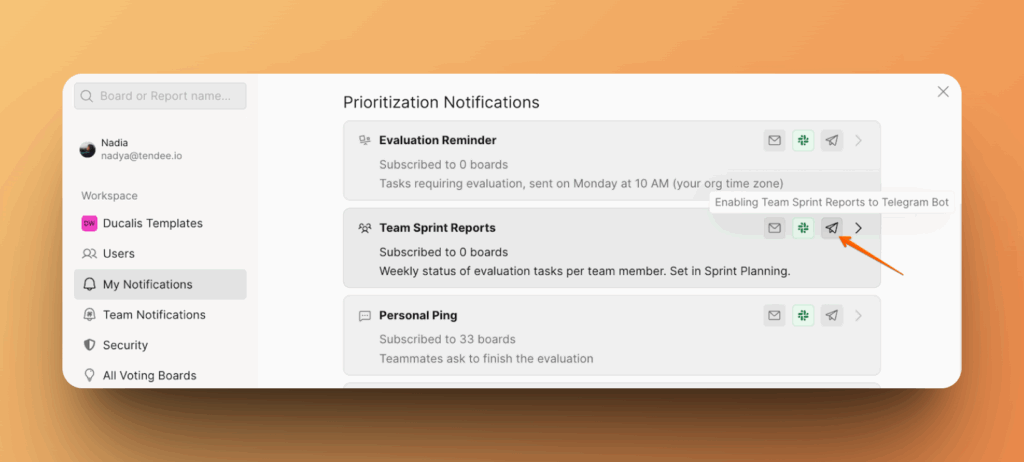
- Hover over the Slack icon next to the any notification and click it.
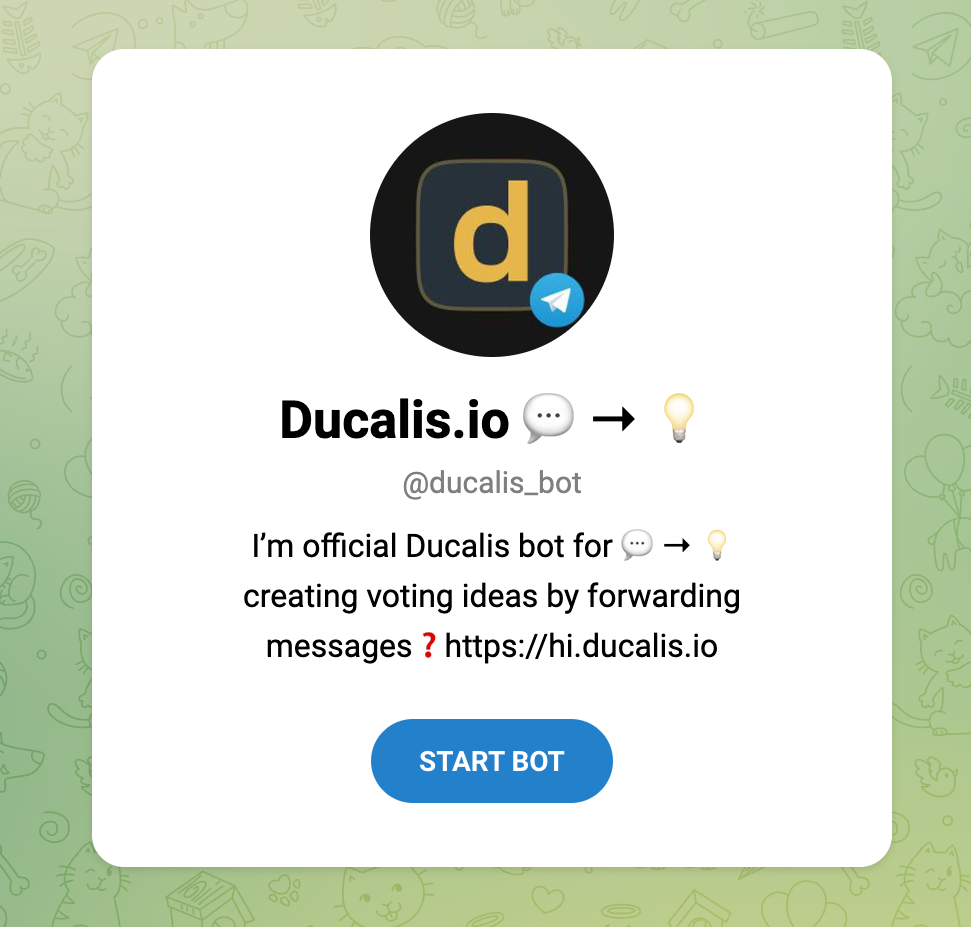
- Start Bot.
- Now you are able to receive notifications.
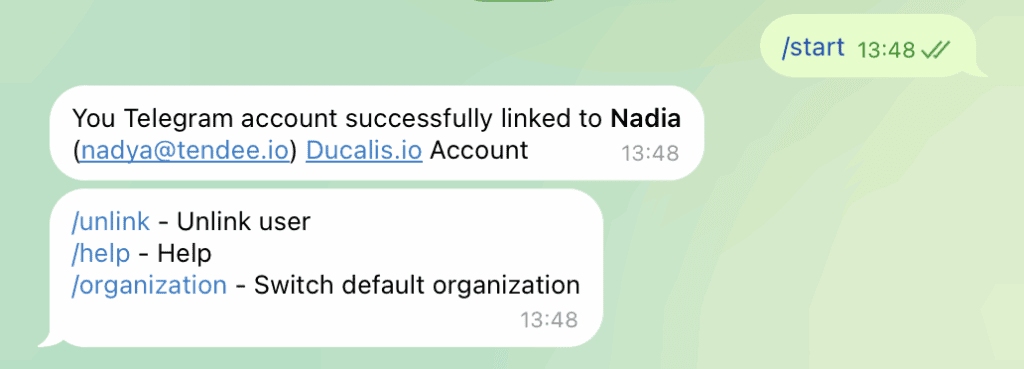
Choose Notifications you want to receive
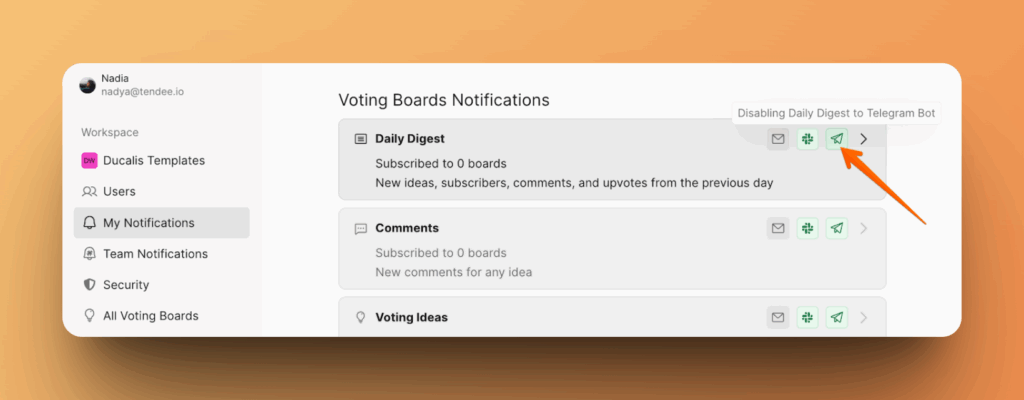
As you able Telegram bot, you can choose the notifications you want to receive and disable the ones you don't.
-
Go to My Notifications.
-
Click on Telegram icon to disable current notification.
More Options: Idea Creation From Telegram
You can also capture ideas from Telegram messages and turn them into voting board ideas.