Push Issues
Create Yandex issues directly from Backlog or Voting Board Ideas without leaving your workflow.
Prerequisites
Complete the Connect Yandex.Tracker setup first.
You can push to Yandex Tracker:
- Issues from Backlog
- Ideas from Voting Boards
Push Backlog Issue
Create a new issue in Yandex.Tracker from your Ducalis board.
-
Select the Issue you want to push to Linear.
-
Click Details to open the Issue card.
-
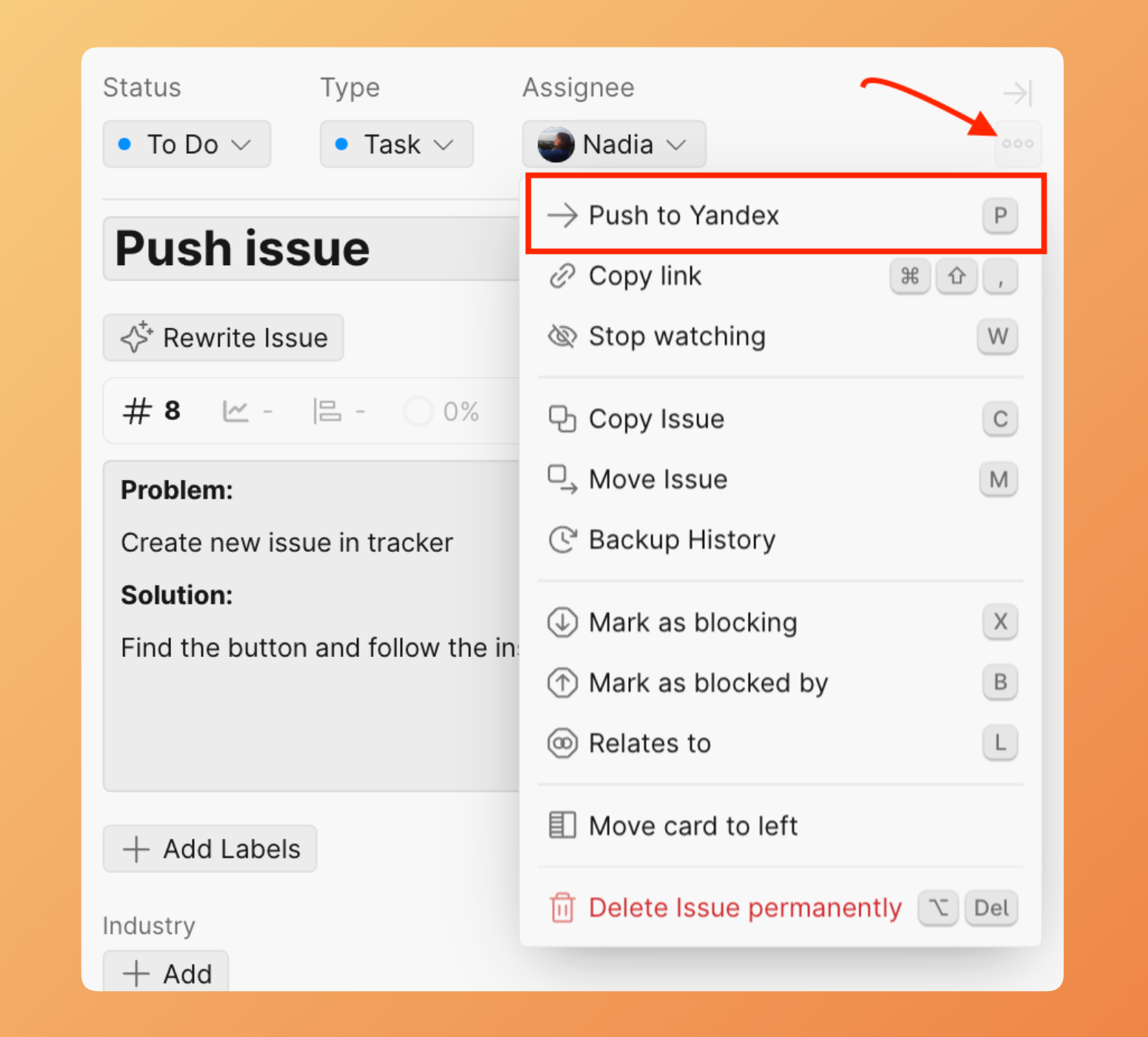
Click the ellipsis button, then select Push to Yandex.
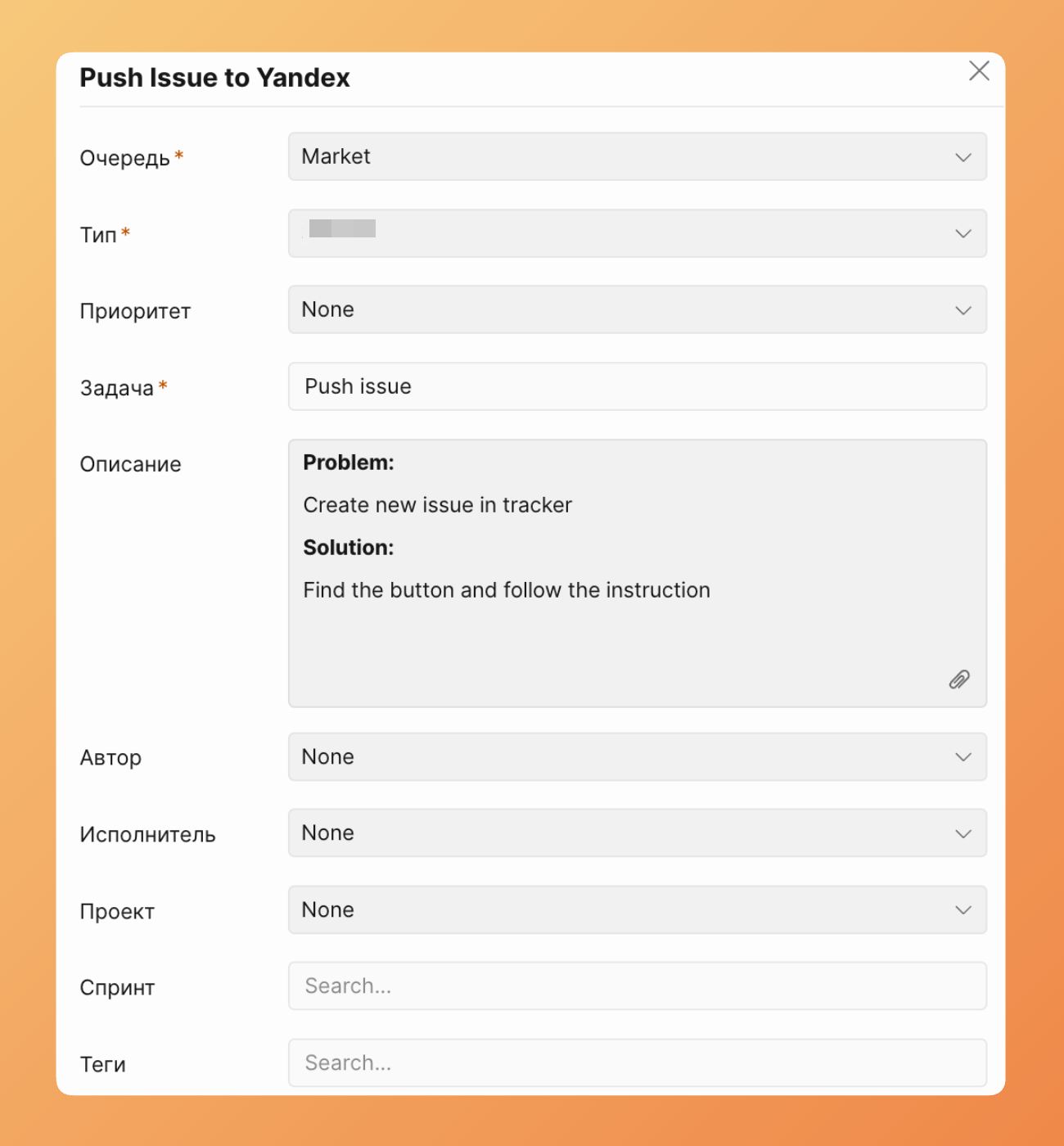
- Fill in the Yandex tracker fields.
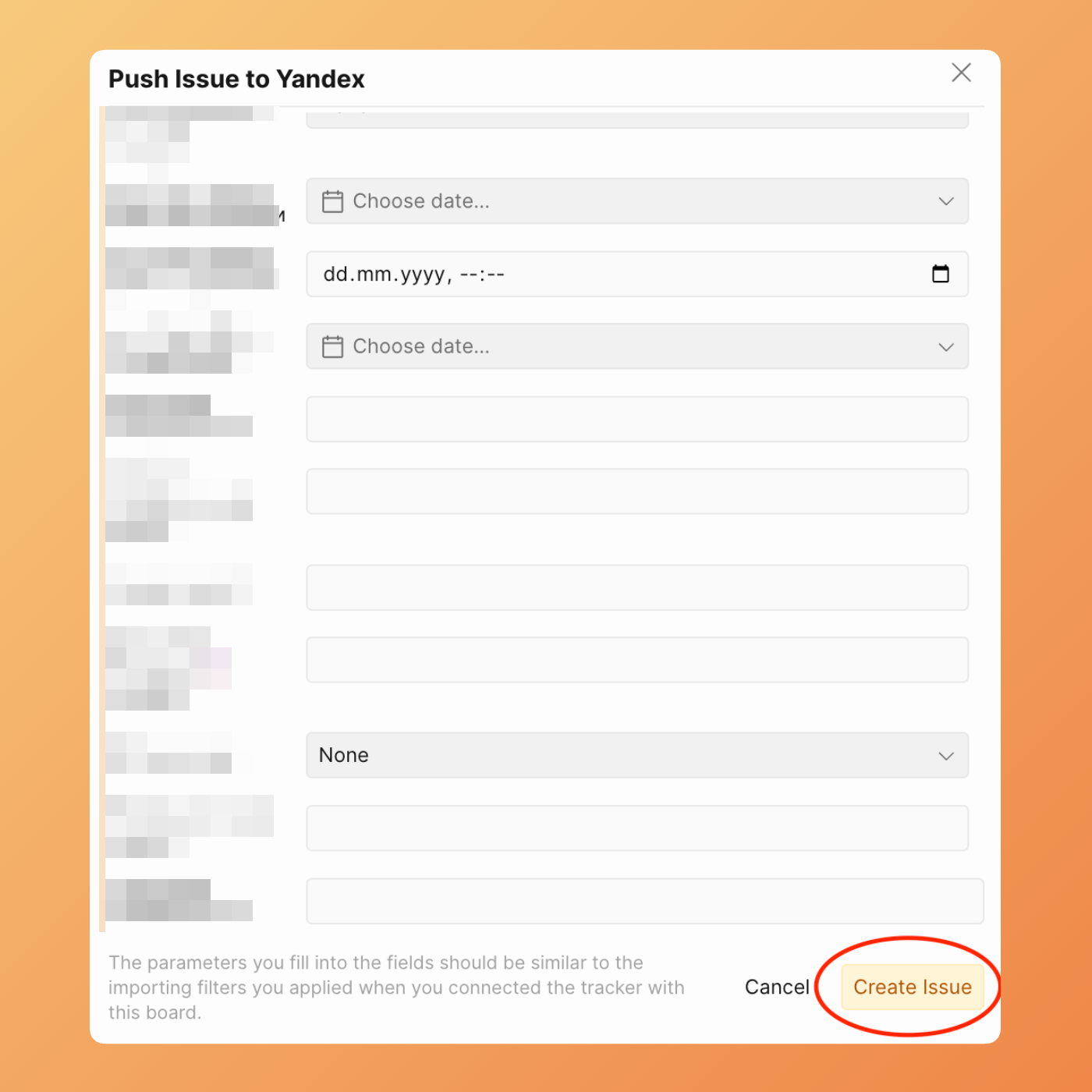
- Click Create issue.
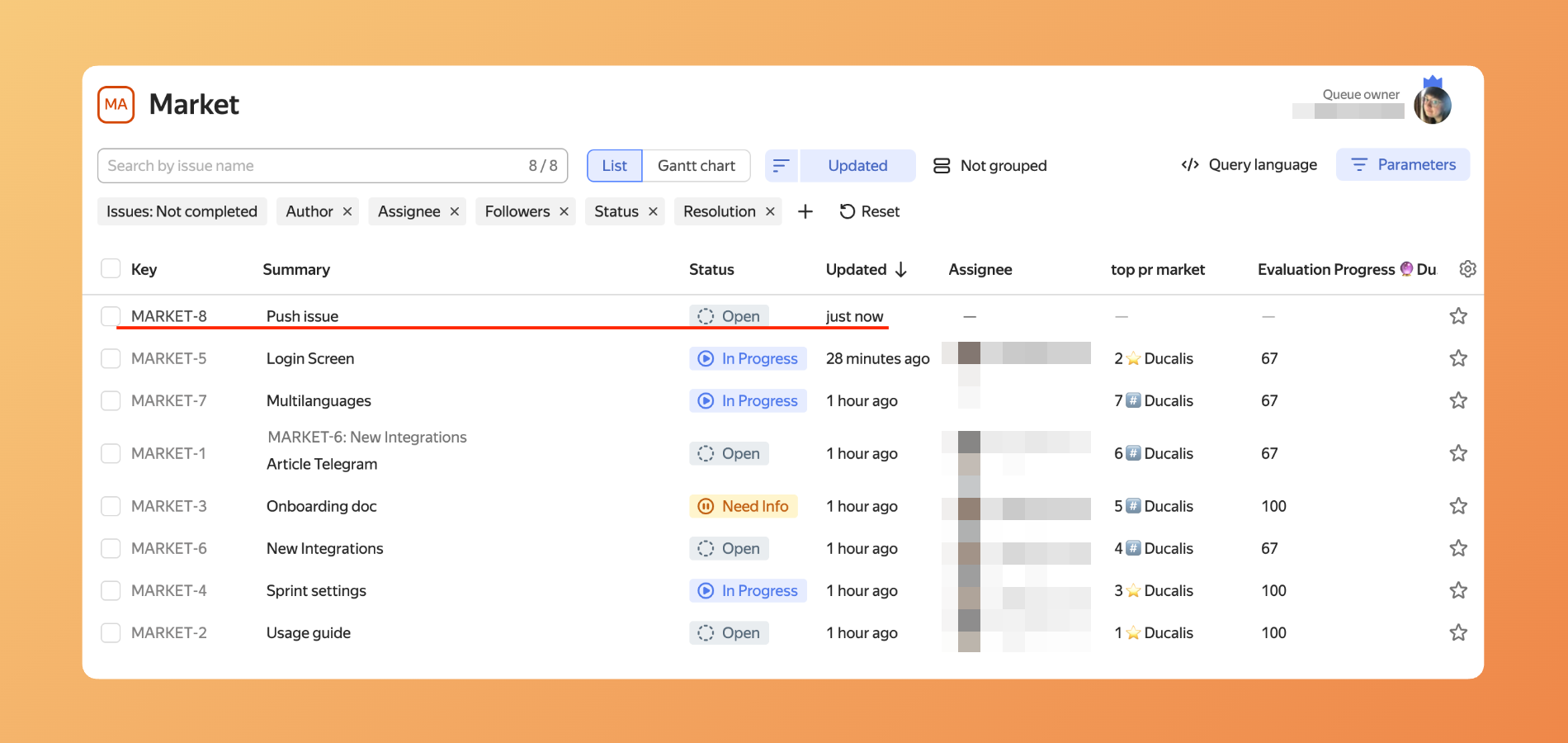
- Ducalis creates the issue in Yandex.Tracker and adds it to your board.
Push Voting board idea
Convert Ideas from your Voting Board into Yandex tracker issues.
-
Open your Board and go to Public ideas. Select the Idea you want to push to Yandex.
-
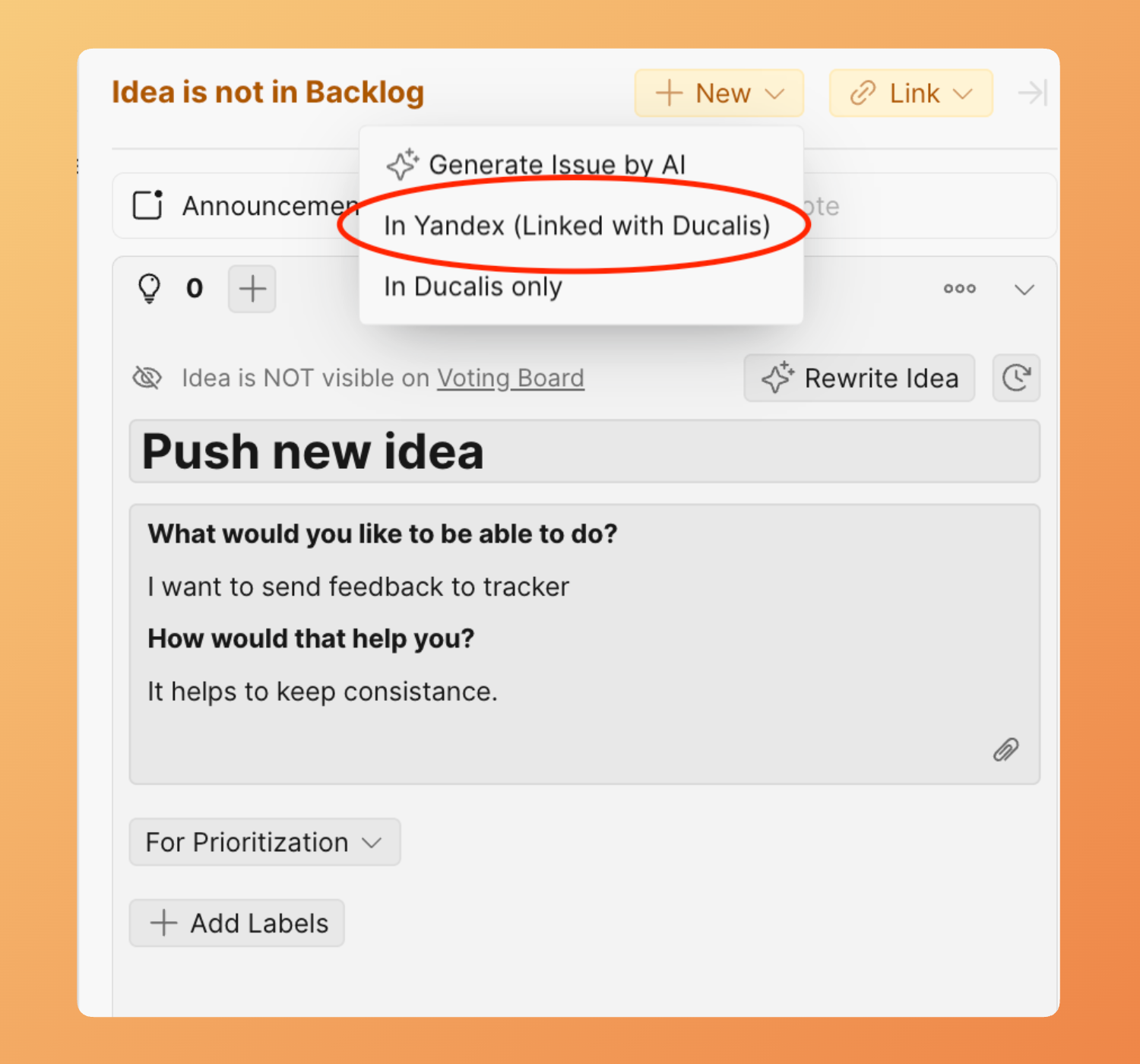
Click +New, then select In Yandex (Linked with Ducalis).
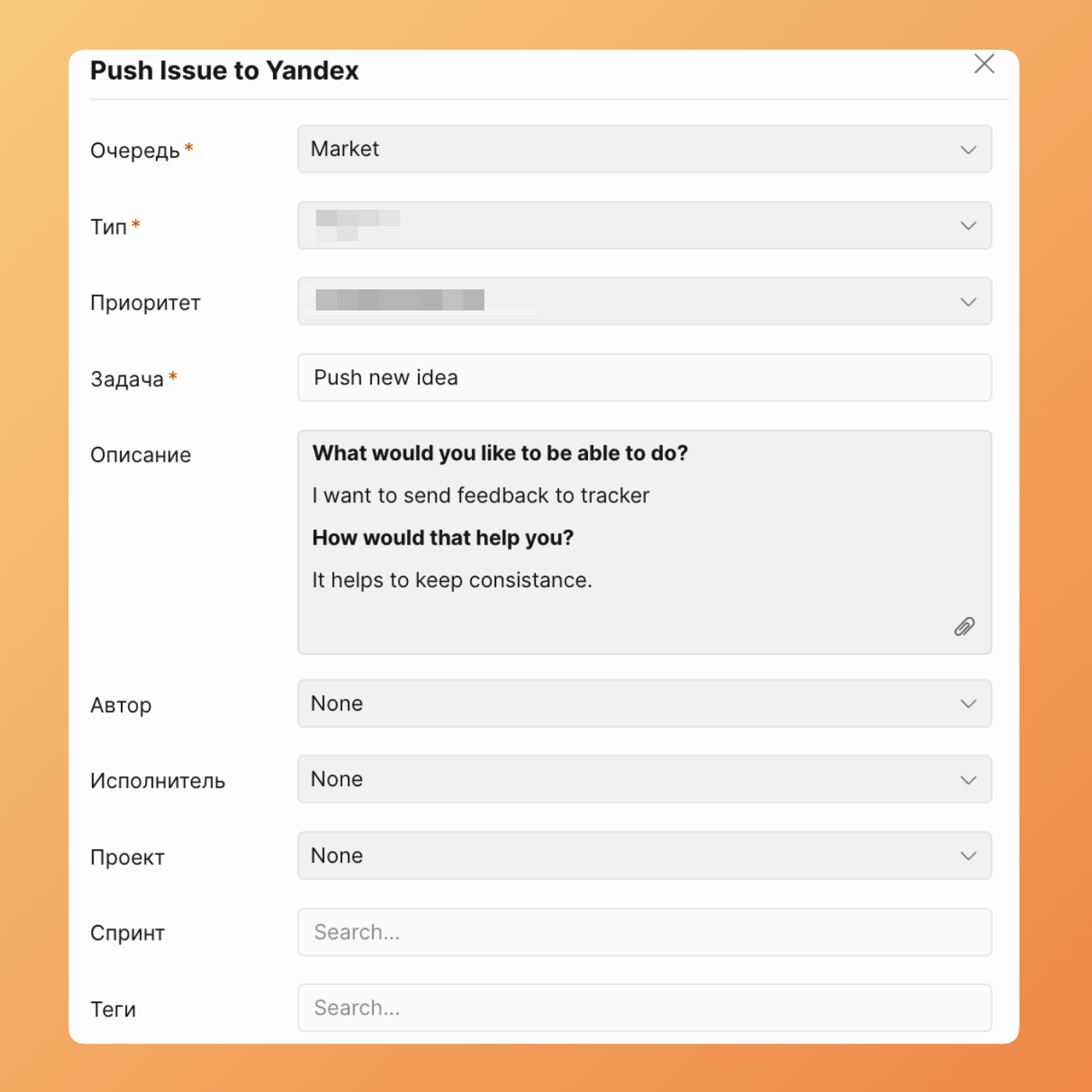
- Fill in the Issue details.
- Click Create issue.
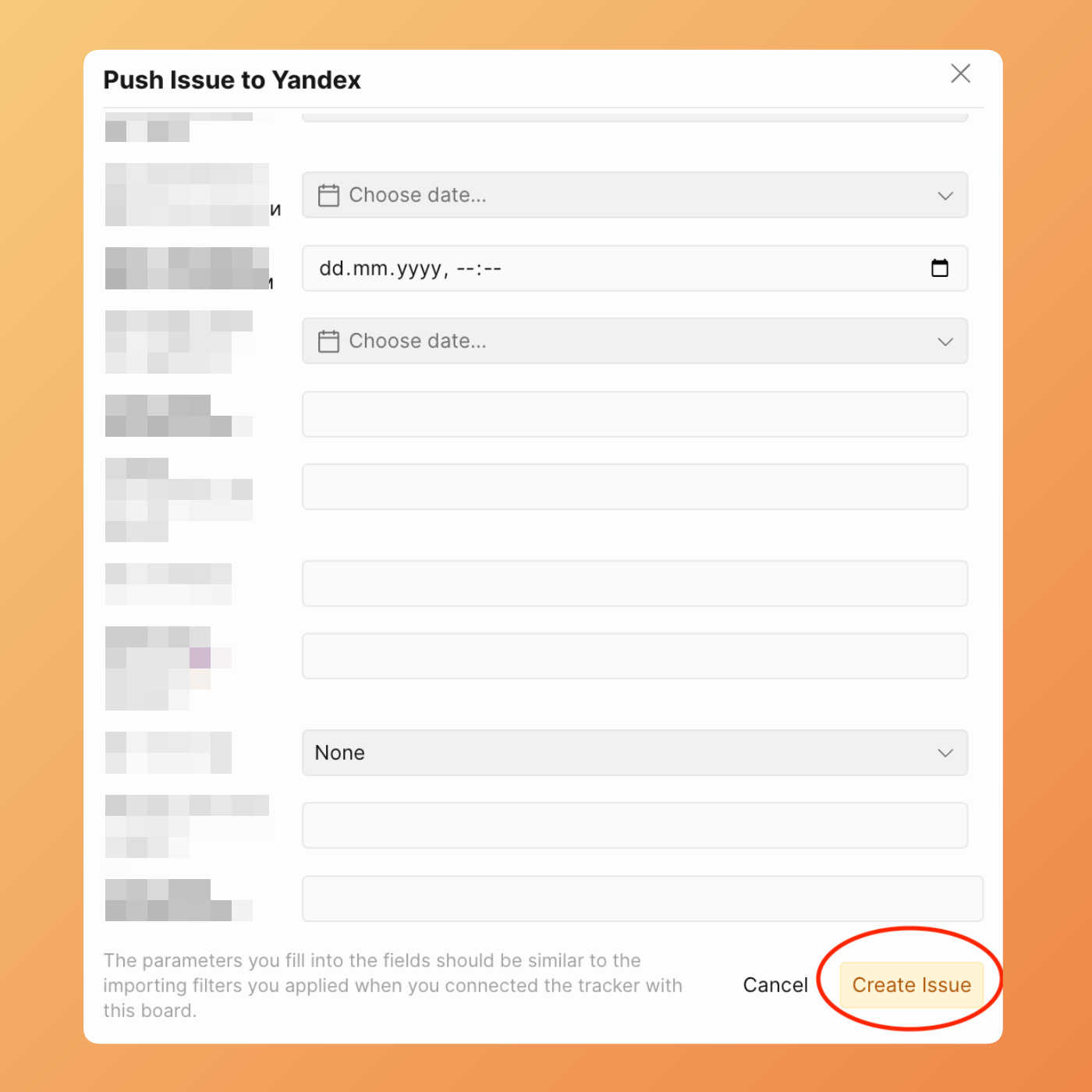
- The Issue appears in both your Board and Yandex backlog.
info
If the pushed Issue doesn't match your Import filters, it won't appear in Ducalis. Adjust your Import filters to see it.