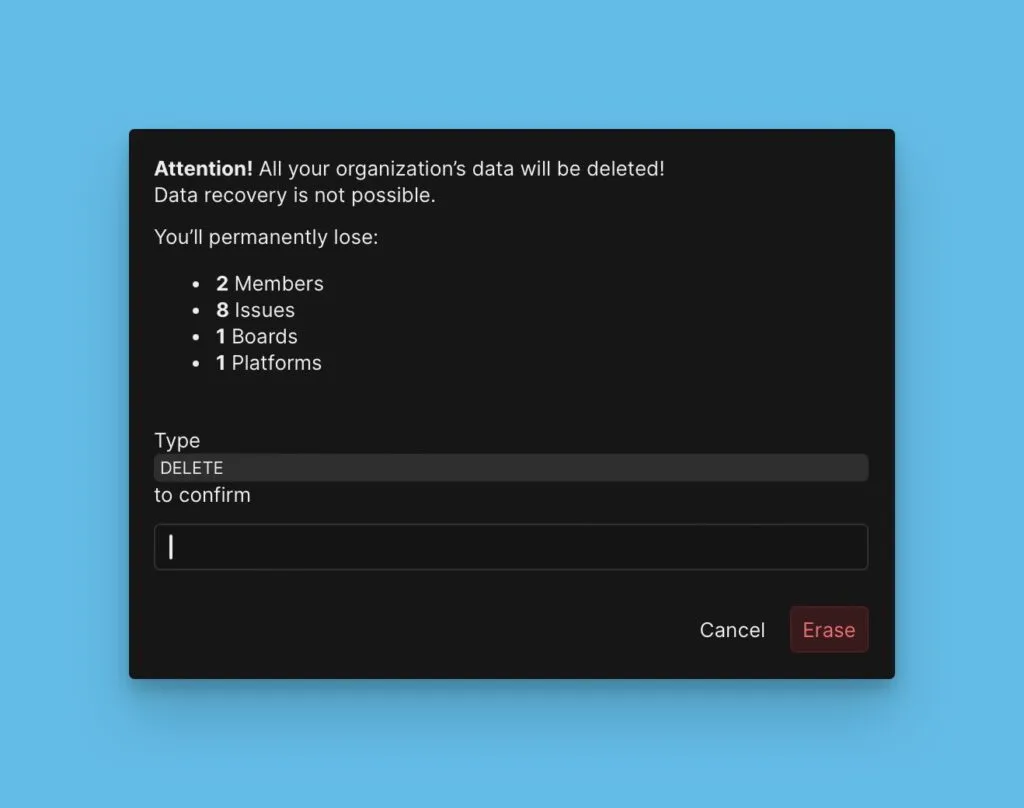
Delete data
Permanently delete tracker integrations, organization members, or your entire organization account.
Delete a tracker integration
Deleting a tracker integration permanently removes all data from Ducalis—all Boards, Issues, scores, teams, and Criteria. If you reconnect the tracker, you'll have to set everything up from scratch.
-
Go to Integrations > Billing.
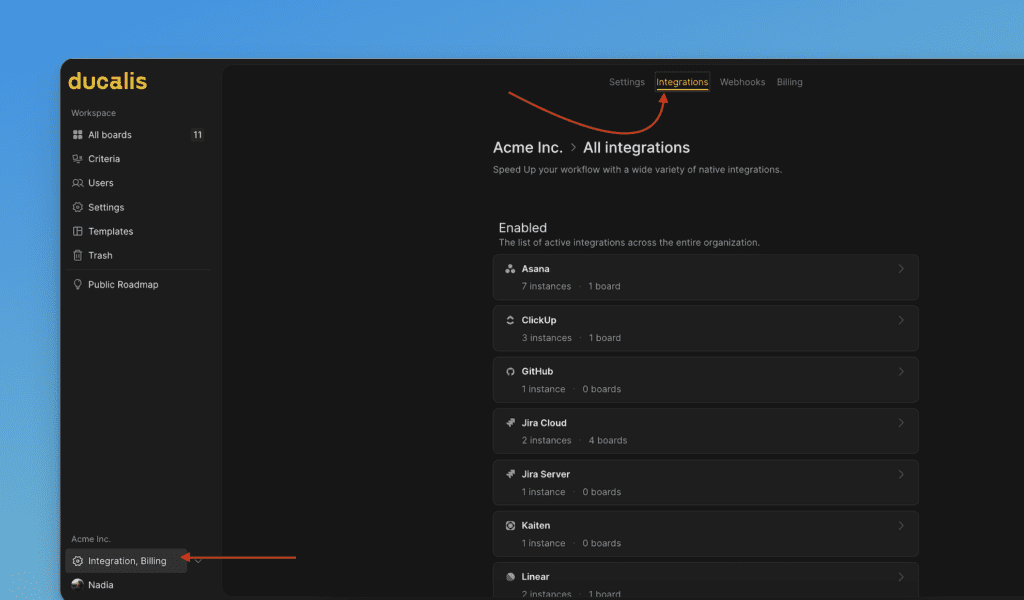
-
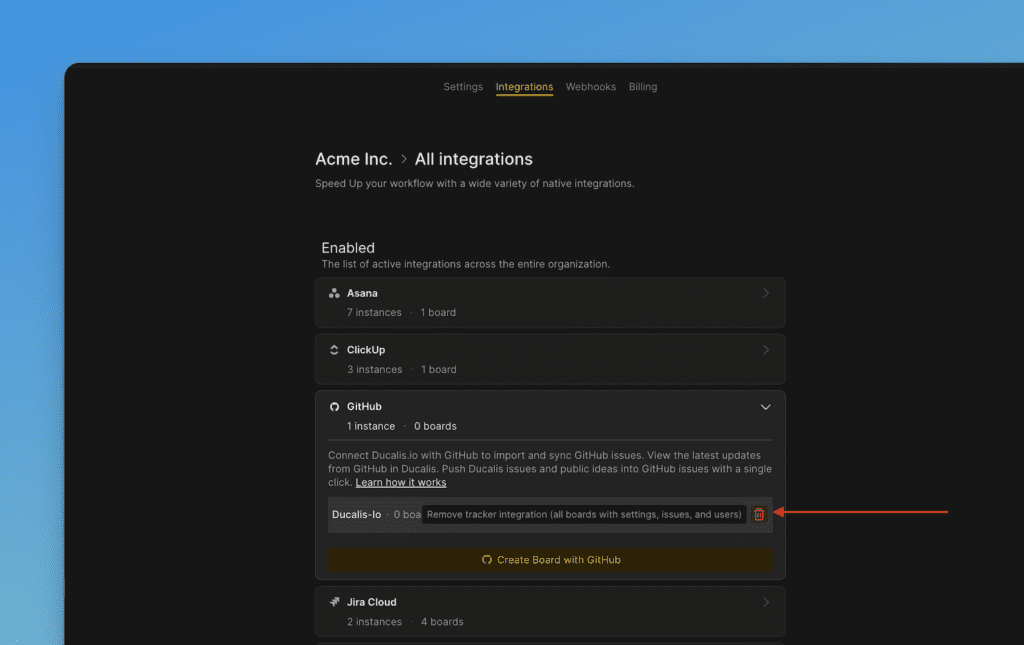
Hover over the tracker name and click the bin icon.
-
Confirm the removal in the browser notification.
-
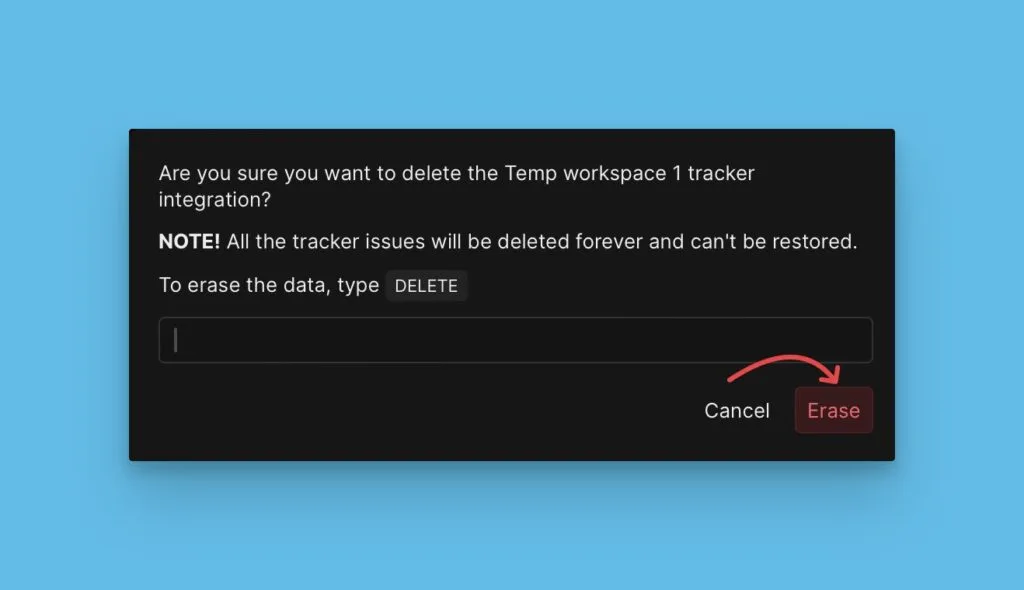
In the pop-up window, type DELETE.
-
Click Erase.
Remove an organization member
-
Go to Users.
-
Hover over the user you need to remove.
-
Click the bin icon and confirm the removal in the browser notification.
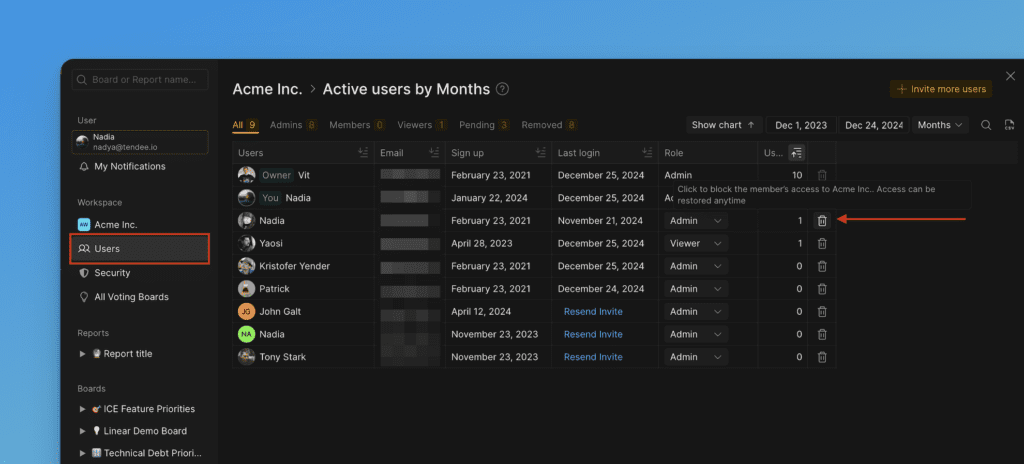
The user will be blocked from your Organization and cannot log in. They'll remain on the list of Organization members as blocked.
You can restore their access anytime.
To delete the user completely, contact us in the chat.
Delete the entire organization
Deleting your Organization permanently removes all data—all Workspaces, Boards, Users, Voters, Criteria, scores, and integrations. This action cannot be undone.
-
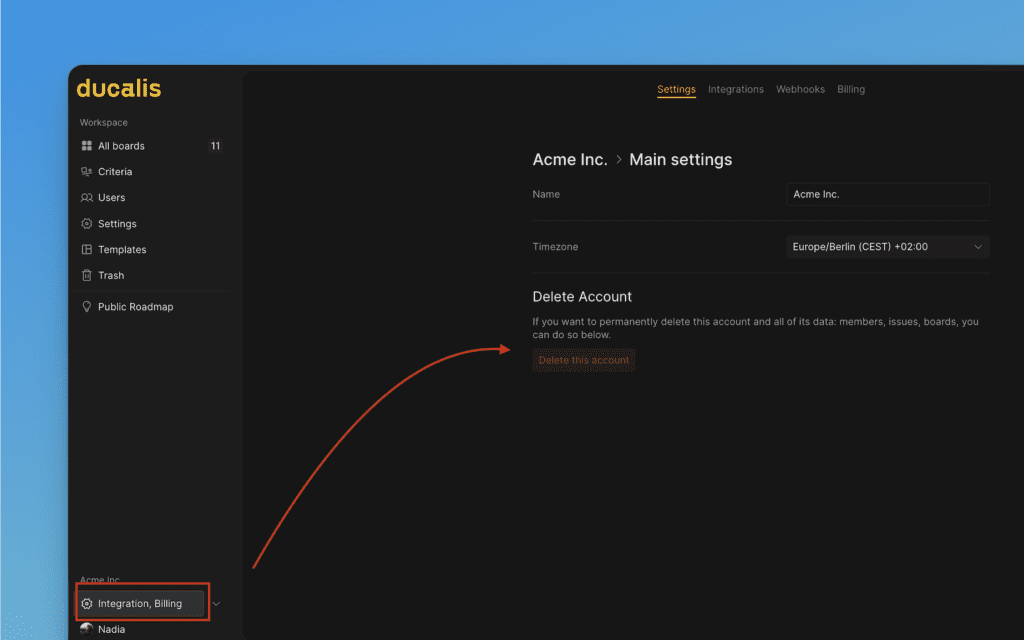
Go to Organization settings.
-
Click Delete this account.
-
Confirm the removal in the browser notification.
-
In the pop-up window, type DELETE.
-
Click Erase.