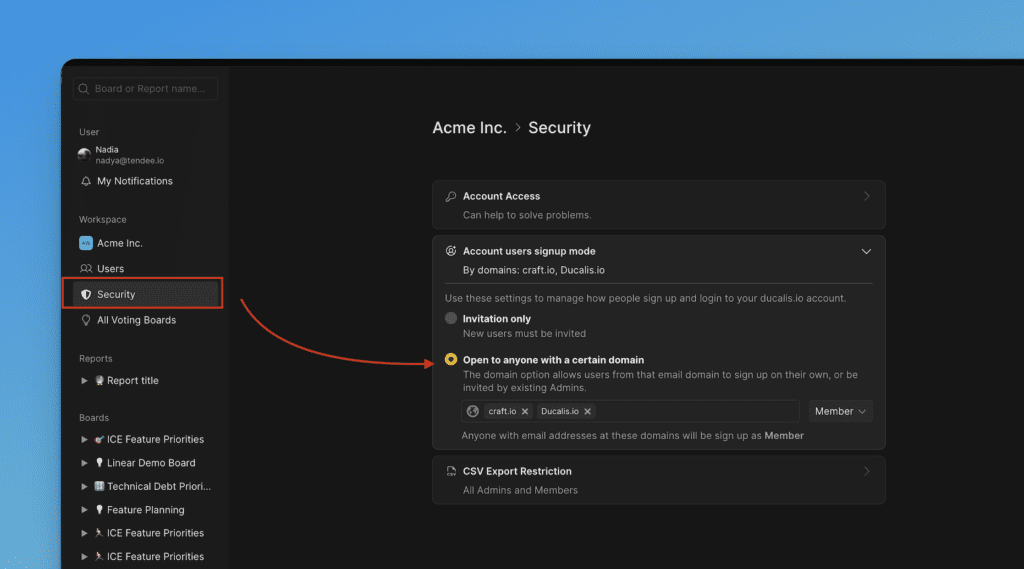
Signup mode
Control how people join your Ducalis Organization. You can allow automatic signup for users with your company domain or restrict access to invitations only.
Signup modes
Two options are available:
- Open to anyone with a certain domain — Users with specified email domains can join automatically
- Invitation only — Users can join only through personal invitation links
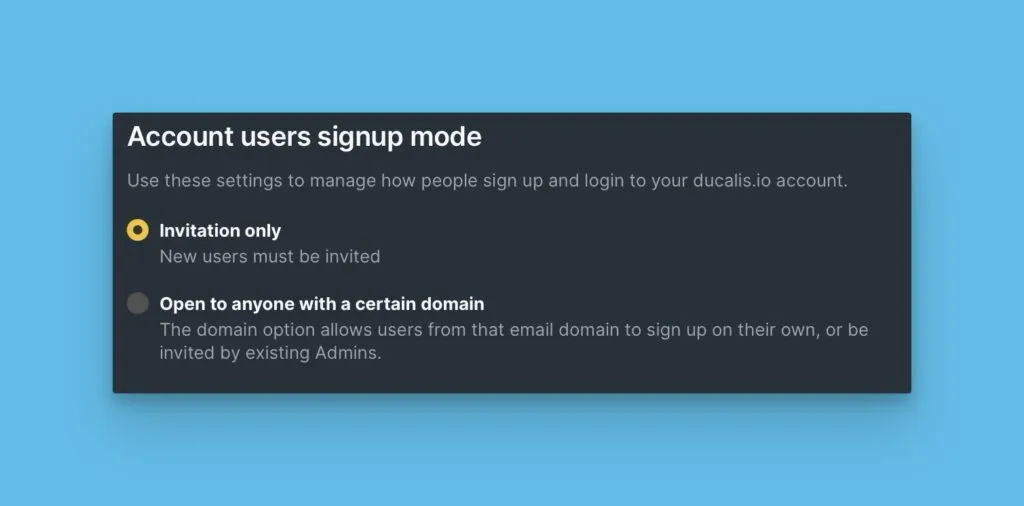
Default setting
The default mode depends on the Organization owner's email domain:
- Public email domain (Gmail, Outlook, etc.) → Invitation only
- Corporate email domain (company.com) → Open to anyone with a certain domain
You can change this setting anytime.
Invitation only
In this mode, teammates can join your Organization only through personal invitation links you send them. See Inviting teammates and user roles for invitation options.
If someone with your corporate domain tries to sign up without an invitation, they'll create a new Organization instead of joining yours.
Configure invitation-only mode
-
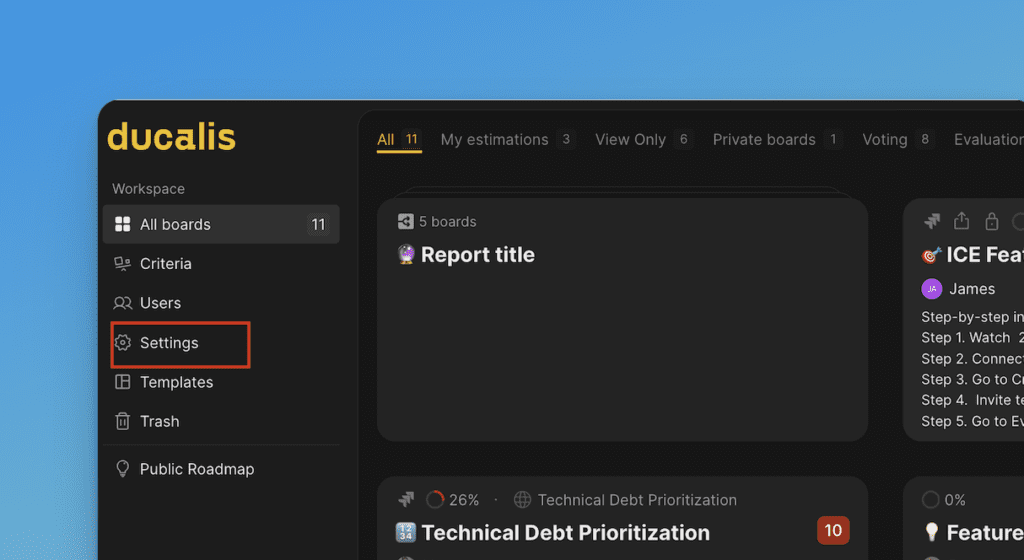
On the Dashboard, click Settings in the left sidebar.
-
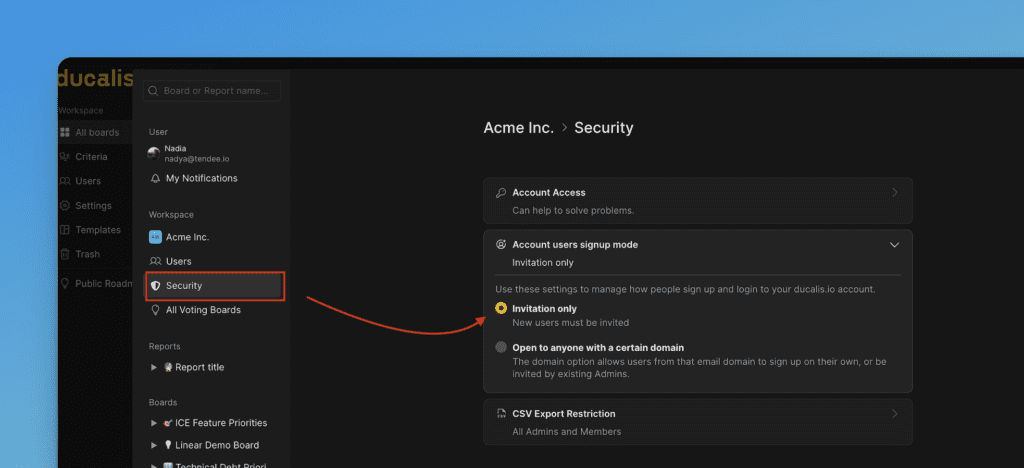
Under Security, scroll to Account users signup mode.
-
Select Invitation only.
Open to anyone with a certain domain
In this mode, anyone with your specified email domains can join your Organization during registration.
When someone with your domain tries to sign up, they'll see:
- A prompt asking if they want to join your existing Organization
- Two options:
- Yes, join [YourOrgName] — They become a Member immediately
- No, skip — They create a new Organization instead
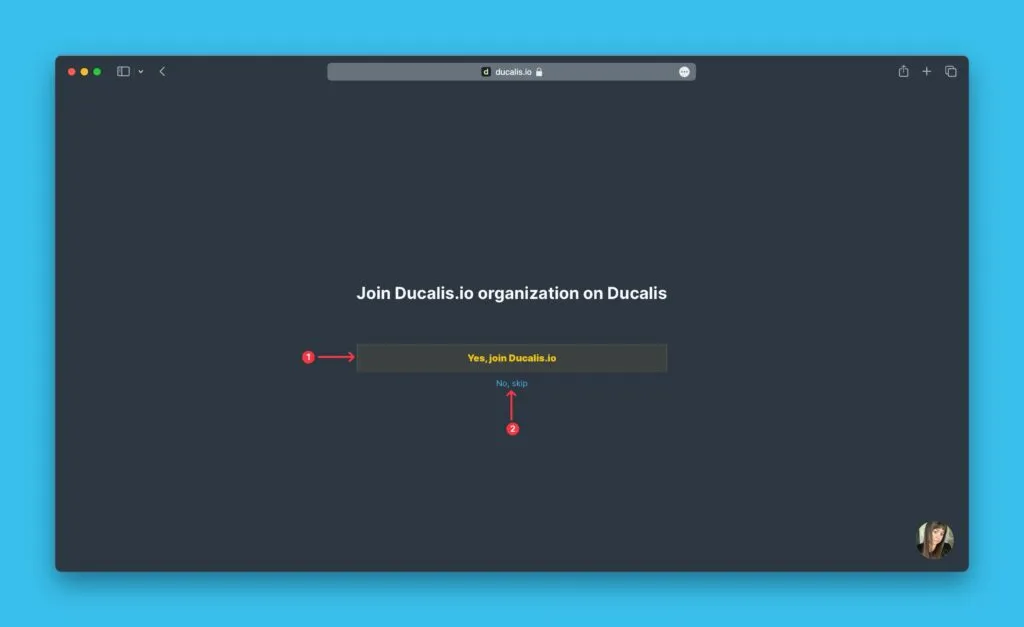
You can still send personal invitations to people with other email domains.
Configure domain-based signup
-
Under Settings, scroll to Account users signup mode.
-
Select Open to anyone with a certain domain.
-
Enter the corporate email domains your teammates use (e.g.,
company.com). -
Choose the role new members receive automatically.