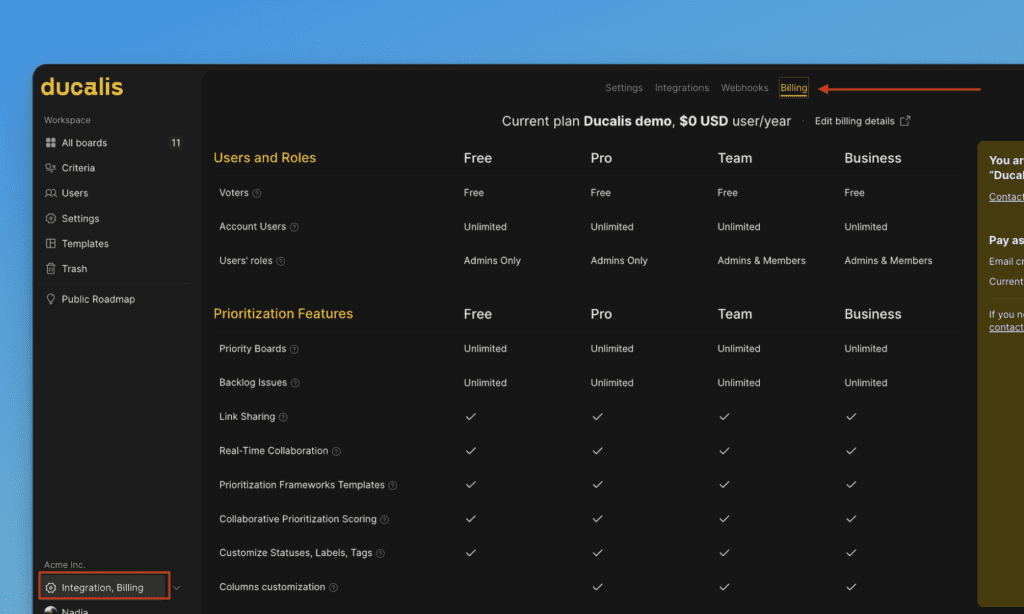
Settings
Configure organization-wide settings including name, timezone, member access, security permissions, and billing details.
Access organization settings
On the Dashboard, click Settings in the left sidebar.
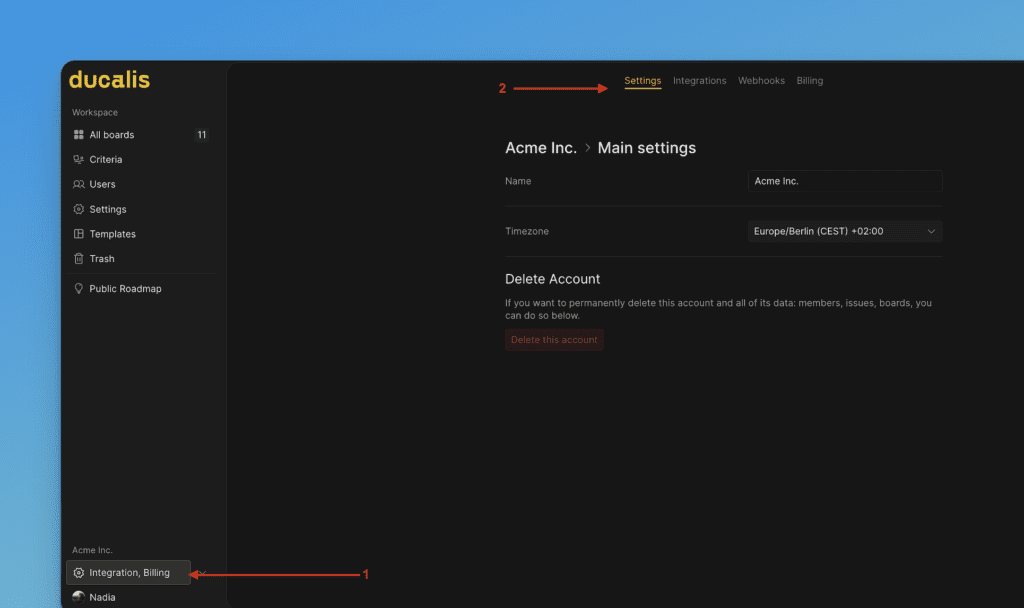
You must be in the organization you want to configure. Switch organizations from the Dashboard to manage a different one.
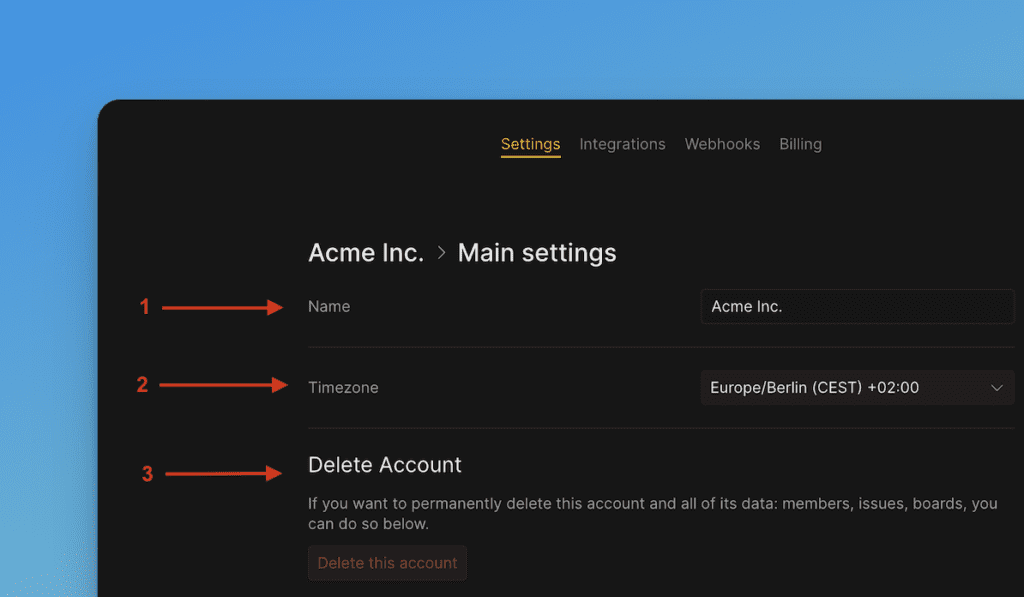
Organization name and timezone
-
Change the organization name to update how it appears across the platform.
-
Change the timezone to match your team's location. Use the search filters to find your timezone quickly.
-
View the Delete organization option (irreversible action).
Security settings
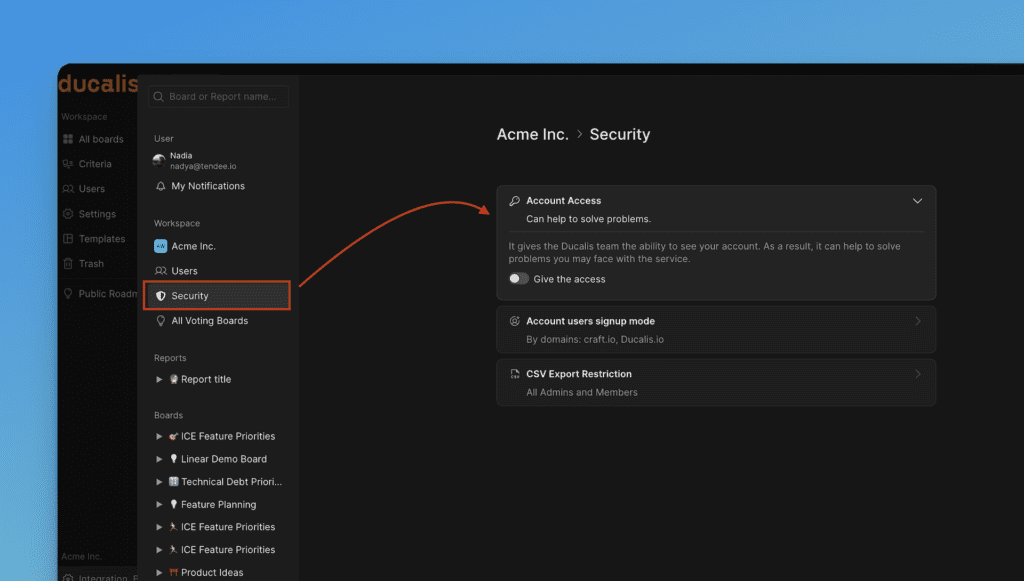
Under Security settings, configure access controls and permissions:
-
Grant the hi.ducalis.io team access to your organization for setup assistance.
-
Select the Organization Users sign-up mode to control how teammates join your organization. See Members sign-up mode for details.
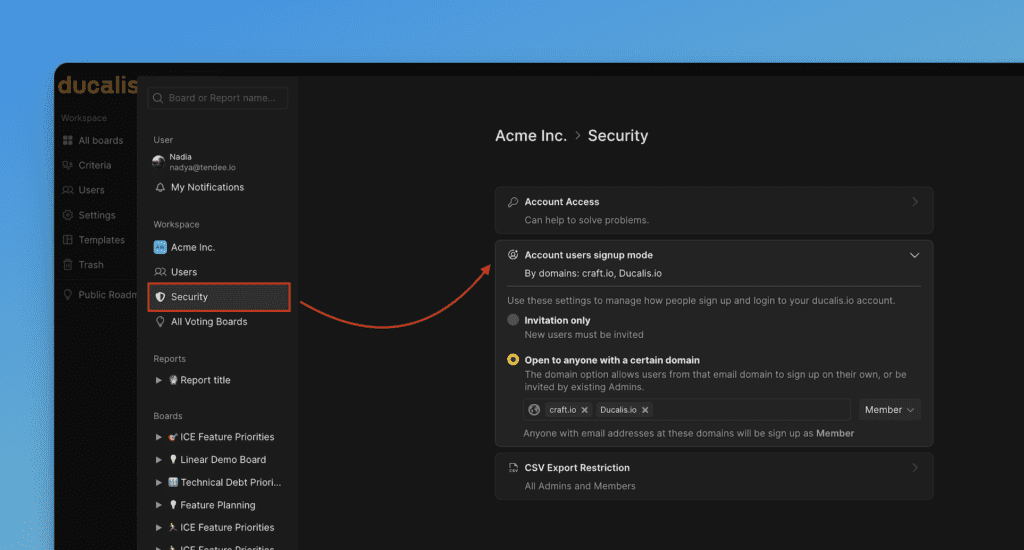
-
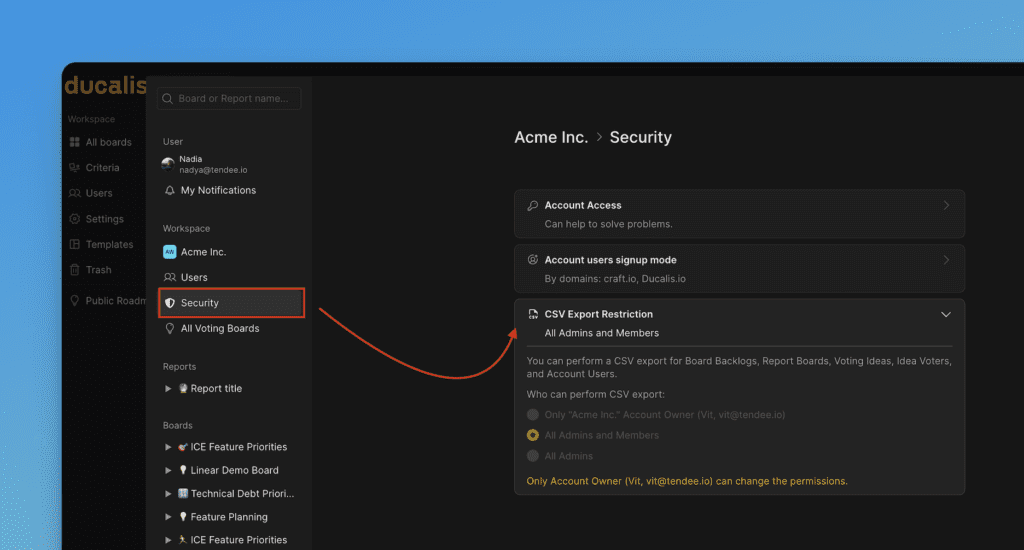
Set restrictions on who can export organization data to CSV.
Billing
Under Billing settings, view your organization's current plan and subscription details.