Dependencies
Link issues that depend on each other to identify blockers and plan your roadmap more effectively.
You can create three types of dependencies:
- Blocks — Issue prevents other issues from progressing
- Blocked by — Issue can't progress until another issue is completed
- Related — Issues share goals or context
Blocks
Mark an issue as blocking other issues when it prevents them from progressing. Blocked issues can't move forward until the blocking issue is completed.
- Open the issue card.
- Select Mark as blocking.
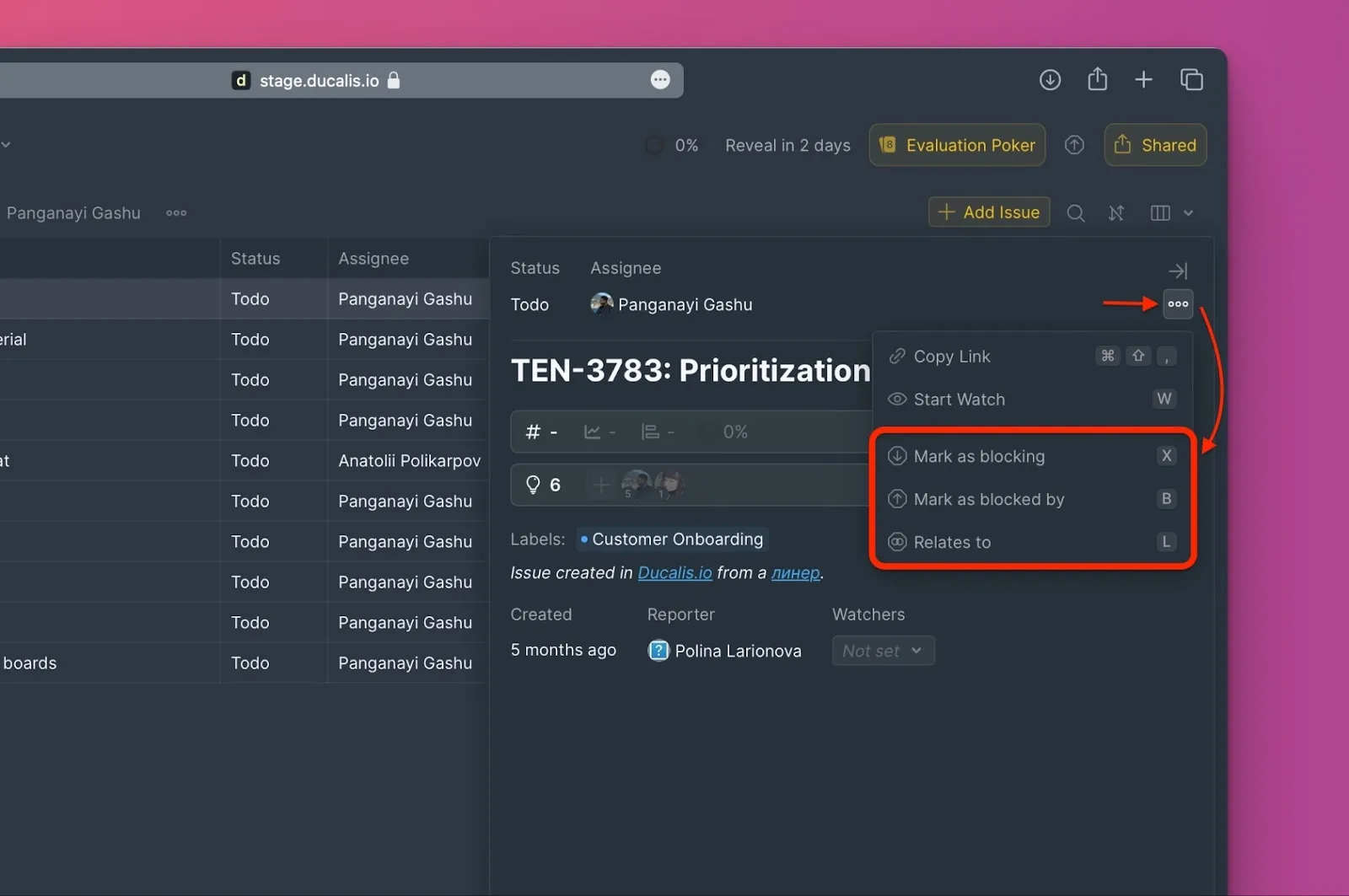
- And choose which issues this one blocks.
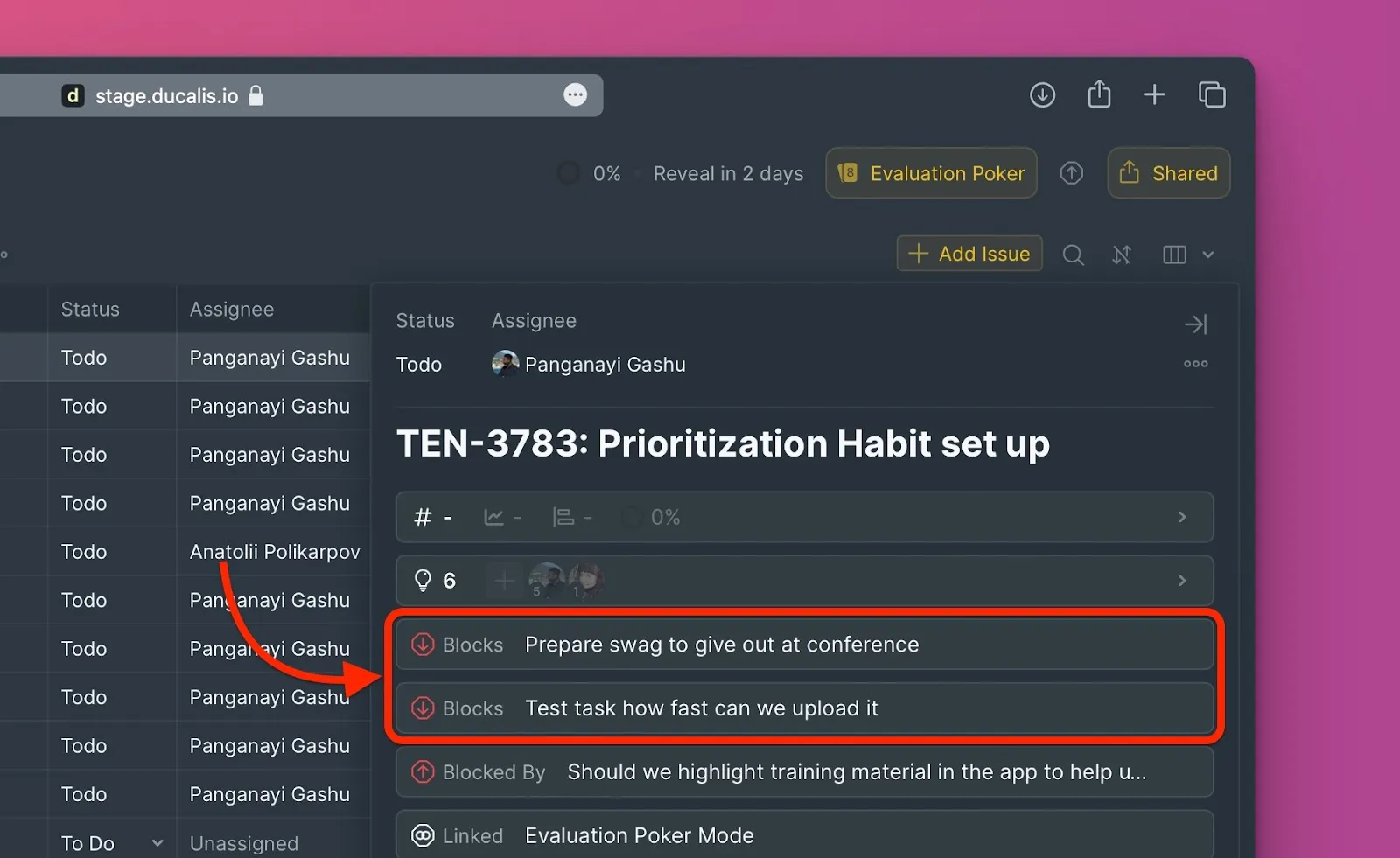
Blocked issues appear in the issue card.
Blocked by
Mark an issue as blocked when another issue prevents it from progressing. The issue can't be worked on until the blocking issue is completed.
- Open the issue card.
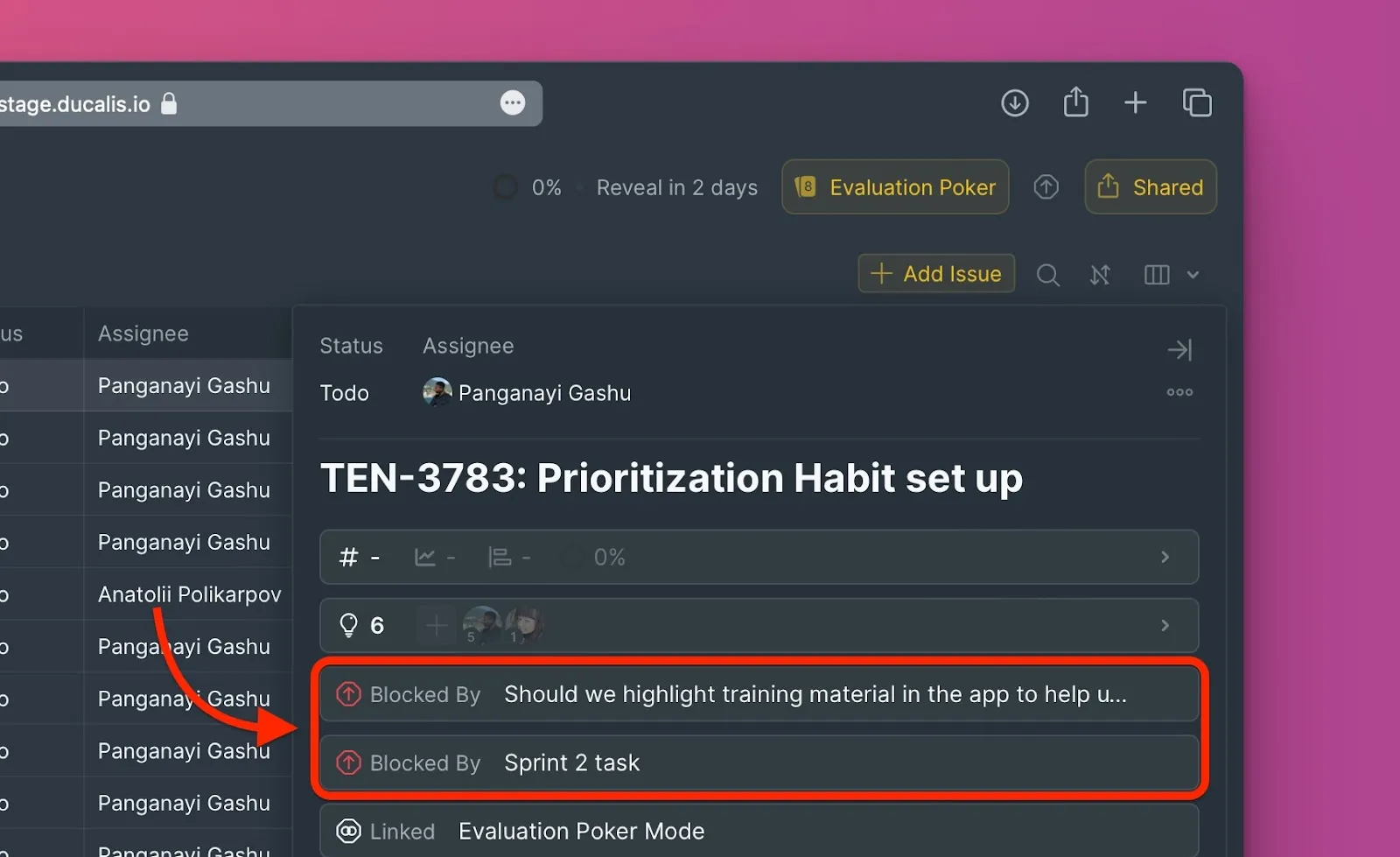
- Select Mark as Blocked by and choose which issues are blocking this one.
Blocking issues appear in the issue card.
Related
Link issues that share goals or context. Use this when issues aren't blocking each other but are connected conceptually.
- Open the issue card.
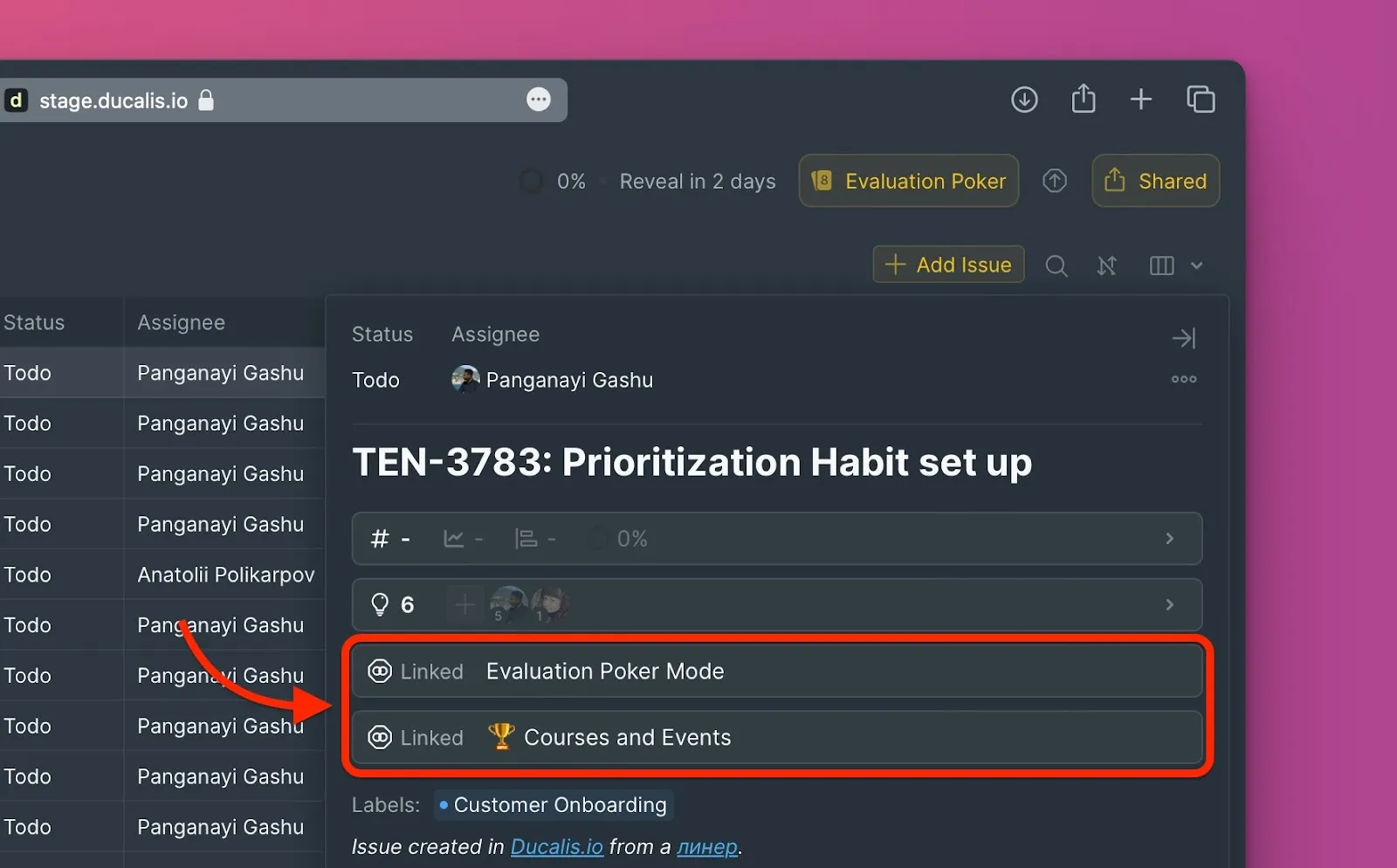
- Select Relates to and choose which issues are related.
Related issues appear in the issue card.
Cross-board dependencies
You can create dependencies between issues in different boards. The process is the same—open the issue card, select the dependency type, and choose issues from any board.