Delete votes
Remove outdated votes from Ideas while keeping Voters and their requests on your Voting Board.
Delete a Voter's votes
-
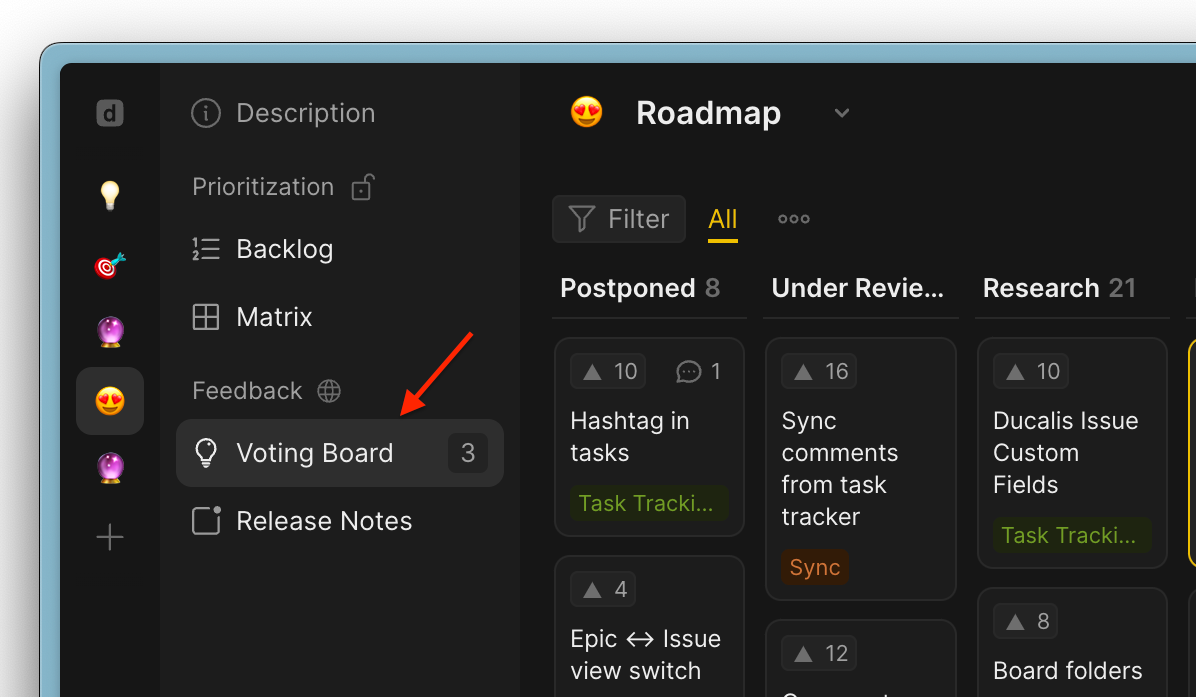
Go to Voting Board.
-
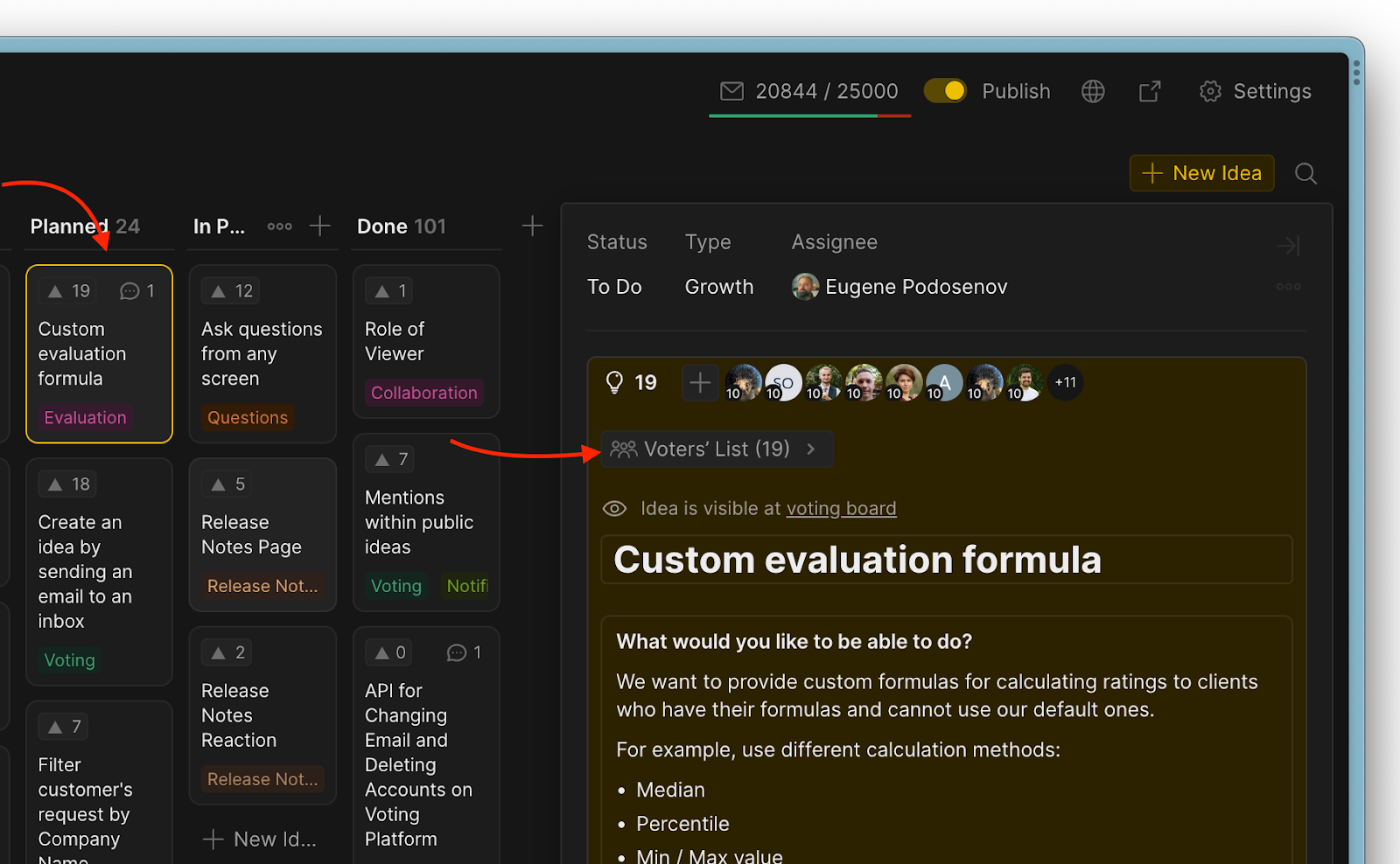
Select the Idea with the votes you want to delete.
-
Under the Public Idea block, open the Voters list.
-
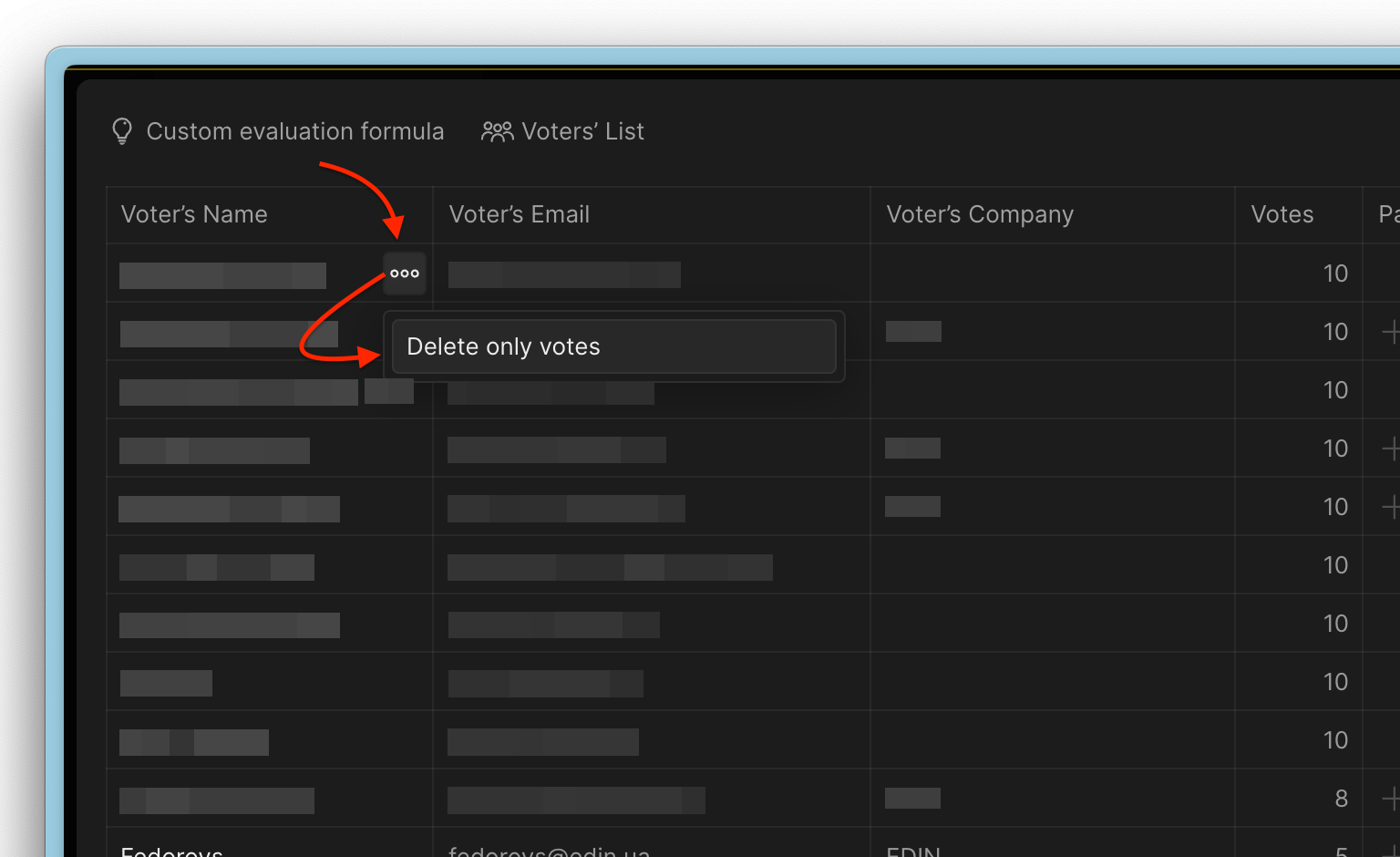
Find the Voter whose votes you want to delete and click the ellipsis (•••) next to their name.
-
Select Delete only votes from the dropdown menu.
-
Click Confirm.
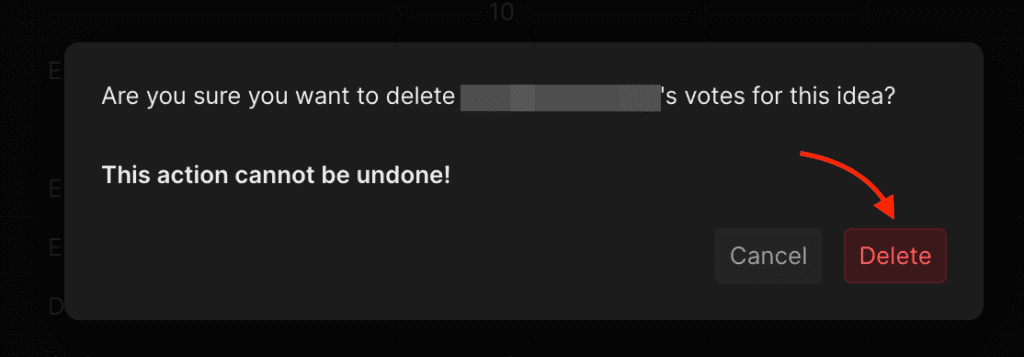
warning
This action cannot be undone.