Move and copy ideas
Transfer Ideas between Voting Boards without recreating them manually. Move Ideas to reorganize feedback across boards, or copy them to feature Ideas in multiple boards simultaneously.
Copy Ideas
-
Open the Voting Board and select the Idea you want to copy.
-
Click the ellipsis button in the top right corner of the Idea card.
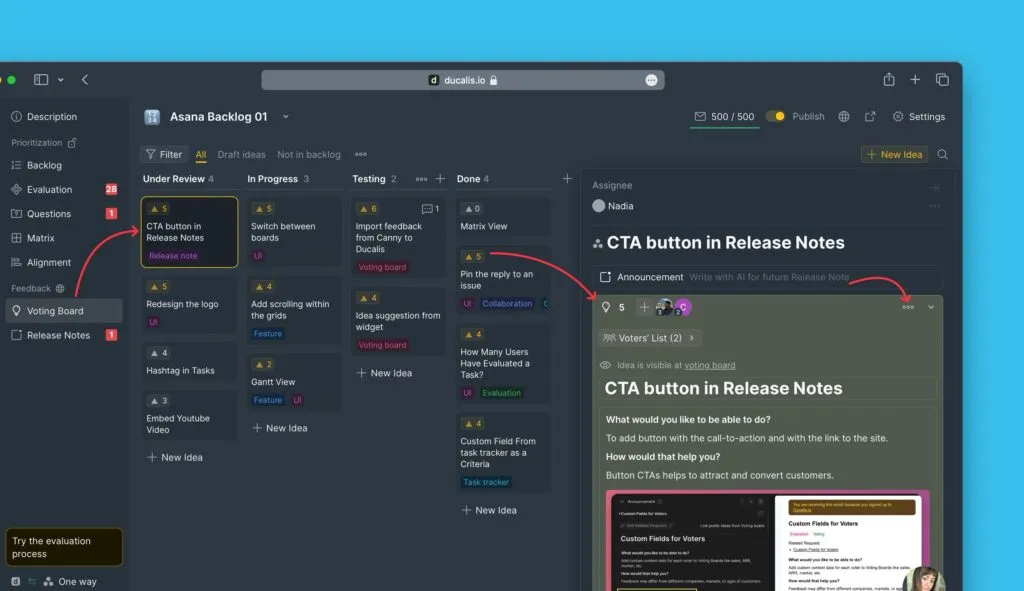
-
Select Copy idea to another board.
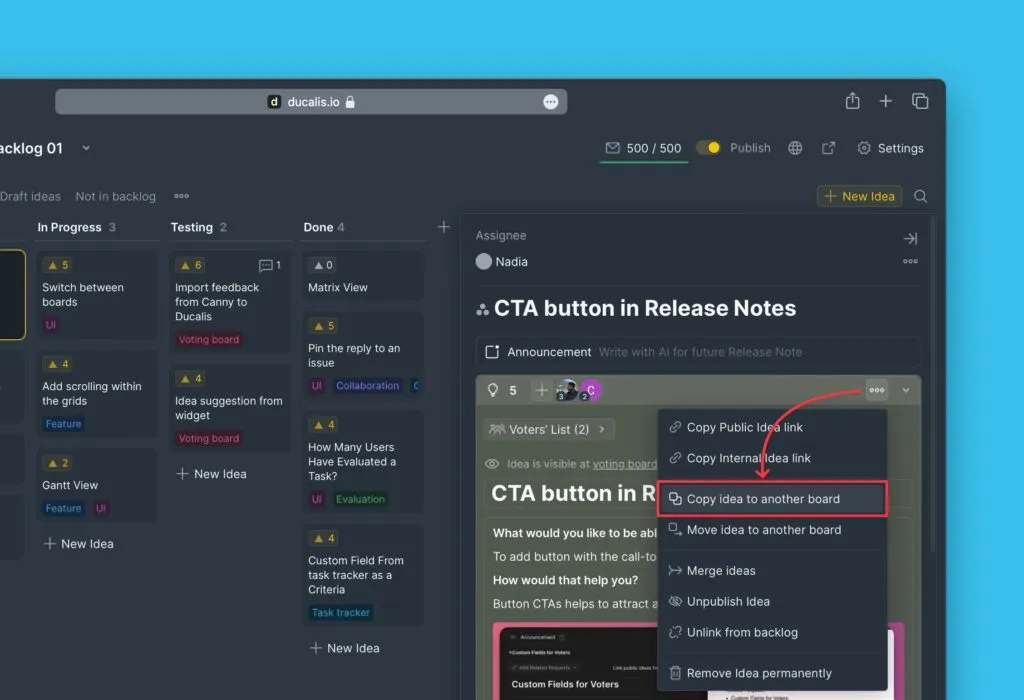
-
Choose the Voting Board where you want to copy the Idea.
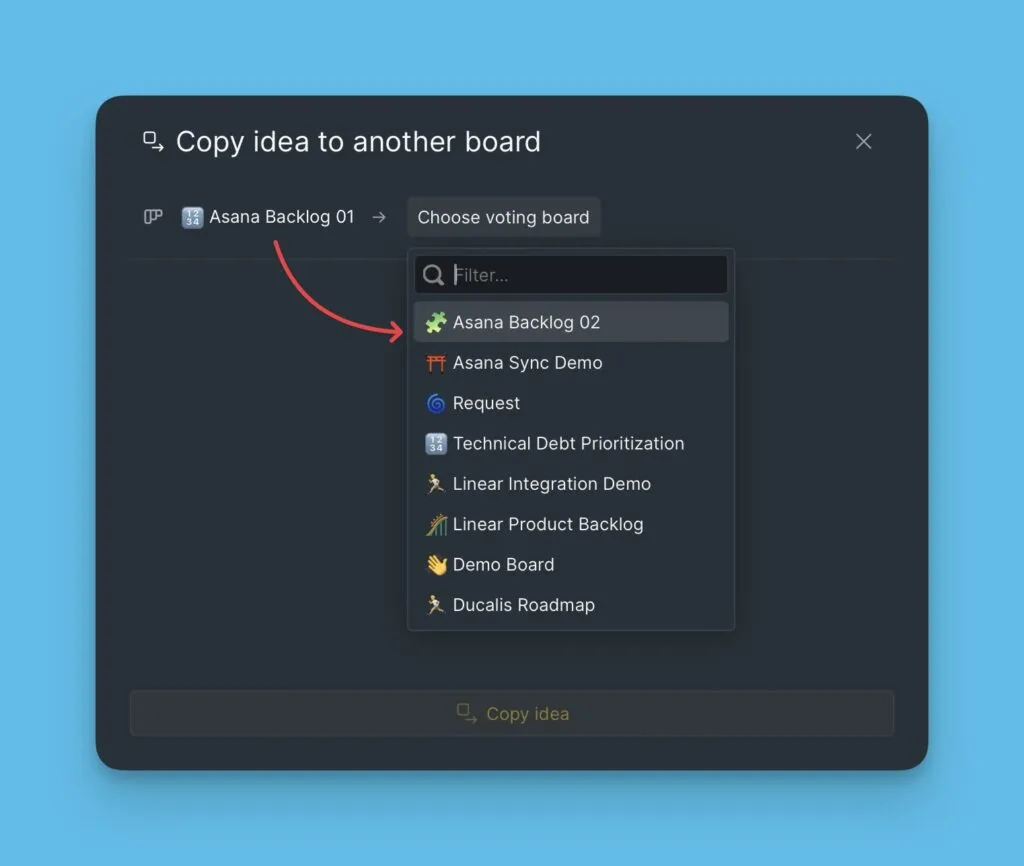
-
Review the copy options:
- Change status — Set a new status for the copied Idea
- Maintain Issue link — Keep the connection to any linked internal Issue
- Keep voters and upvotes — Preserve all votes and voter information
- Translate — Automatically translate the Idea if the destination board uses a different language
-
Click Copy Idea.
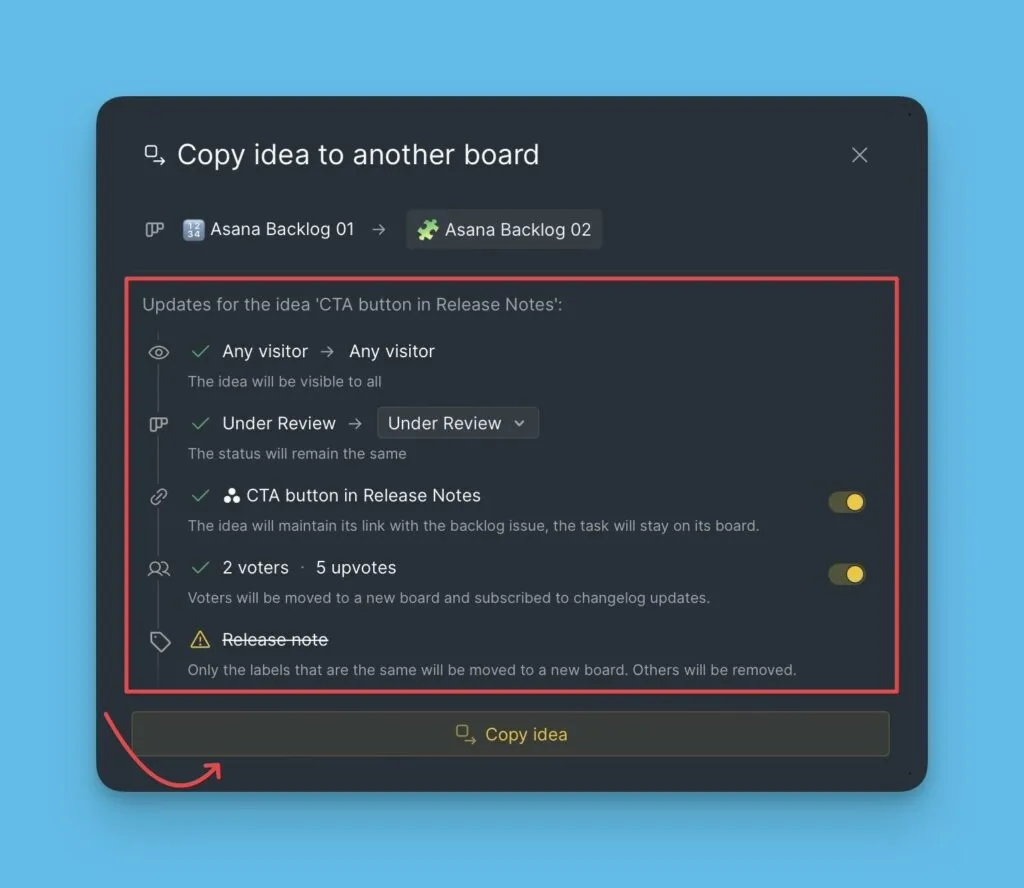
The Idea now appears in both the original and destination Voting Boards.
Move Ideas
-
Open the Voting Board and select the Idea you want to move.
-
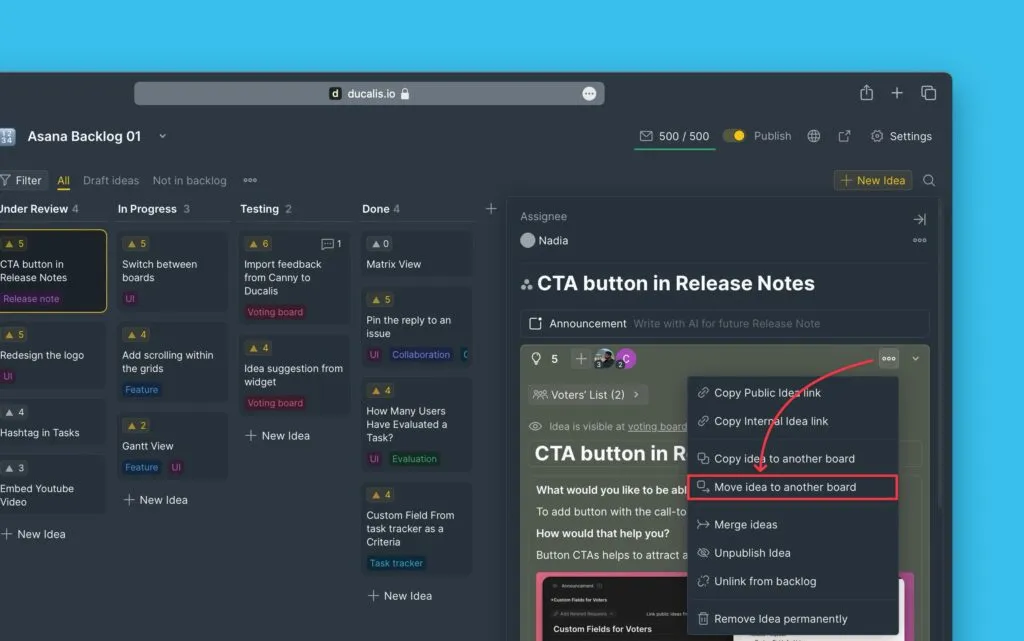
Click the ellipsis button in the top right corner of the Idea card.
-
Select Move idea to another board.
-
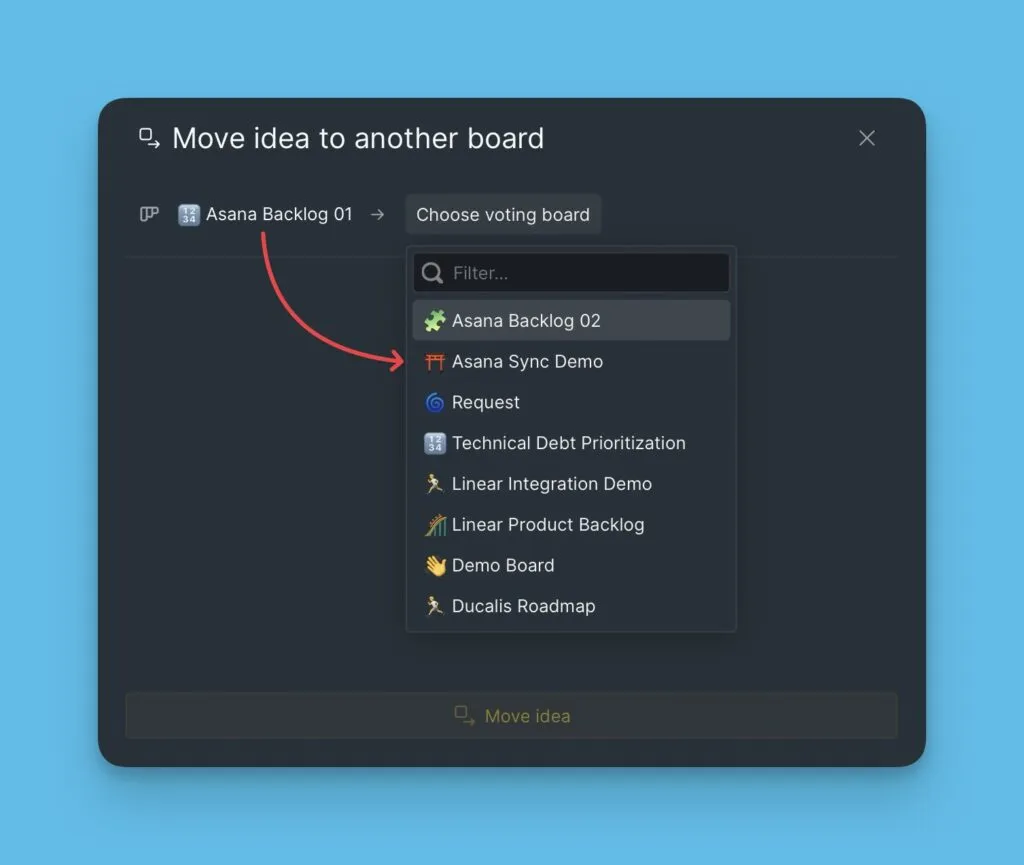
Choose the Voting Board where you want to move the Idea.
-
Review the move options:
- Change status — Set a new status for the moved Idea
- Maintain Issue link — Keep the connection to any linked internal Issue
- Keep voters and upvotes — Preserve all votes and voter information
- Translate — Automatically translate the Idea if the destination board uses a different language
-
Click Move Idea.
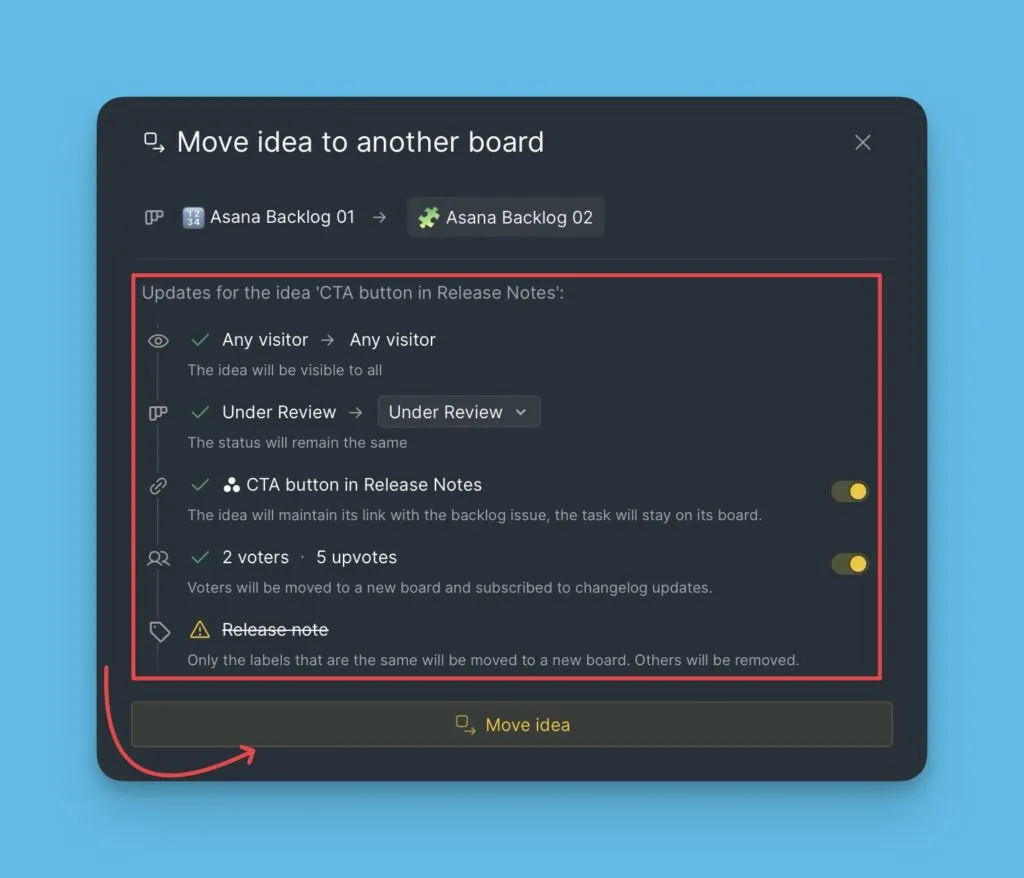
The Idea is removed from the original Voting Board and appears only in the destination board.