Embed widget
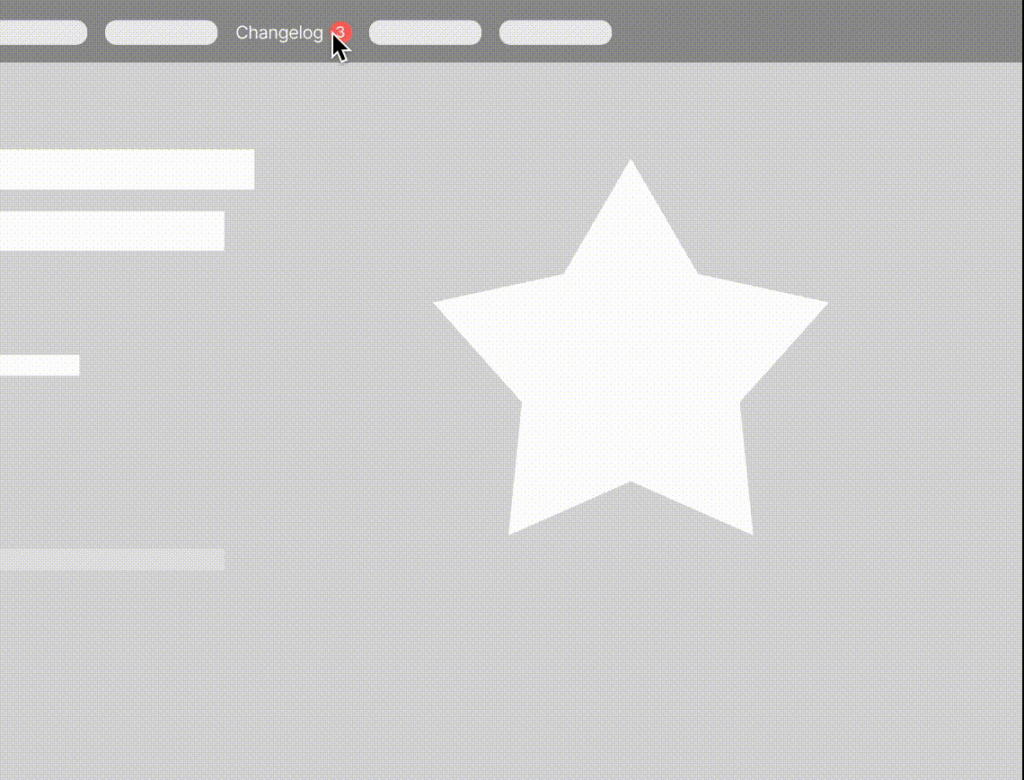
The Ducalis widget notifies users about new features directly in your product. Embed it to increase engagement with your Voting Board.
Changelog widget and notifications
When you embed the widget, users receive in-product notifications about new features. When you move Ideas to Done status, the widget displays updates with a red notification bubble.
Live demo: Visit https://hi.ducalis.io/ and click What's New in the header menu.
Embed anywhere
Embed the widget on any page. If users are identified, they'll see personal notifications across all subdomains. For example, when a user reads an announcement and navigates to another page, the red bubble won't appear again until the next release.
At Ducalis, we embed the widget on:
- Marketing website: https://hi.ducalis.io/
- Help portal: /knowledge-base/
- Product: hi.ducalis.io
Set up the widget
The changelog widget has two parts:
- Base widget JavaScript code that loads the widget
- A button to open the widget
If your Voting Board is private with access restrictions, you must pass user identities to the widget. Otherwise, no one can access it.
1. Open Voting Board settings
-
Go to Voting Board settings.

-
Find the Embed section.
-
Click Add 'What's New' Widget.
2. Install base widget code
Add this code to the bottom of pages where you want to show the widget.
<!-- hi.ducalis.io Changelog Widget -->
<script>
  !function(b,c,f,d,a,e){b.dclsPxl||(((d=b.dclsPxl=function(){d.callMethod?d.callMethod.apply(d,arguments):d.queue.push(arguments)}).push=d).queue=[],(a=c.createElement("script")).async=!0,a.src=f,(e=c.getElementsByTagName("script")[0]).parentNode.insertBefore(a,e))}(window,document,"https://hi.ducalis.io/js/widget.js")
  dclsPxl("initWidget", {
    appId: "_YOUR_APP_ID", // Required
    boardId: "_YOUR_BOARD_ID", // Required
  });
</script>
<!-- End hi.ducalis.io Changelog Widget -->
3. Create a widget button

Add a CSS class to any element to create a button that opens the widget and shows notifications:
<div class="Ducalis-changelog-widget">What's new</div>

Example from our landing page:

4. Widget features in base configuration
This base setup provides:
- Widget displays latest Ideas in Done status, sorted by release date
- Notification bubble for newly released features (Ideas moved to Done)
- Visitors can read up to 20 released Ideas
- Link to Voting Board to check roadmap, add Ideas, upvote, and comment
- Email capture for roadmap weekly digest updates
Find Voting Board subscribers under Voting Board settings.

Configure widget options
Default page
Choose whether the Roadmap or Changelog page opens first in your widget.
To specify the page, configure defaultView in the code. Use roadmap or changelog:
dclsPxl("initWidget", {
  ...
    // optional, default state is undefined
    // Use 'roadmap' or 'changelog' to open specific page
    defaultView: undefined,
  ...
});
For Changelog and Roadmap pages, you can optionally open a specific filter or action (authorized users only):
dclsPxl("initWidget", {
   ...

   // optional,
   // use it to open a specific filter (only for authorized users)
   openNewIdea: true,
   myIdeas: true,
   myVotes: true,

   ...
});
Authentication method
Choose between Ducalis authentication or your own authentication method.
Option 1: Use Ducalis authentication (default)
By default, Ducalis authentication is used when customers want to vote, add Ideas, or comment.
Option 2: Use your own authentication
If you use your own authentication, specify it in code: onAuth: showUserAuth
dclsPxl("initWidget", {
    appId: "_YOUR_APP_ID", // Required
    boardId: "_YOUR_BOARD_ID", // Required
    ...
    onAuth: showUserAuth
    ...
});
When this function is specified, it replaces Ducalis authentication. You handle the entire authentication process, but you must pass the authenticated widget user: user.email + user.hash are required.
dclsPxl("initWidget", {
    // required
    appId: "dc9ae89*******",
    boardId: "78aef2c7c0********",

    user: {
        // required
        email: "Your user Email",
        hash: "User hash (read instruction)",
        ...
     },
     onAuth: showUserAuth
    ...
});
Customize widget appearance
After embedding the Ducalis Changelog Widget, customize it to match your product.
Add these parameters to your code:
<script>
  !function(b,c,f,d,a,e){b.dclsPxl||(((d=b.dclsPxl=function(){d.callMethod?d.callMethod.apply(d,arguments):d.queue.push(arguments)}).push=d).queue=[],(a=c.createElement("script")).async=!0,a.src=f,(e=c.getElementsByTagName("script")[0]).parentNode.insertBefore(a,e))}(window,document,"https://hi.ducalis.io/js/widget.js")
  dclsPxl("initWidget", {
    appId: "_YOUR_APP_ID", // Required
    boardId: "_YOUR_BOARD_ID", // Required
    selector: "_YOUR_SELECTOR", // optional - default .Ducalis-changelog-widget
    width: "400", // optional, Widget width (minimal width 400px)
    debug: true, // optional - Always show Notification bubble and logs for events

    bubble: {
      selector: '#embedBoardBuble', // optional - use it for bubble without widget, default ".Ducalis-changelog-widget"
      className: 'some-class-name', // optional - clear initial styles. Usage for custom styles by className ONLY. Default undefined
      style: { // optional, customization initial styles. Default undefined
	right: '7px',
	top: '7px',
	backgroundColor: '#db3737',
	borderRadius: '4px',
	fontSize: '13px',
       }
     },
   });
 </script>
Migrate to new bubble parameter
The parameters top, right, backgroundColor, and color are deprecated. Use bubble.style instead.
Add the new parameter bubble.style:
bubble: {
    ...
    // optional, default state is undefined
    // customization initial styles
    style: {
	right: '7px',
	top: '7px',
	backgroundColor: '#db3737',
	borderRadius: '4px',
	fontSize: '13px',
    }
    ...
}
Debug mode
debug: true,
When you open the widget, it marks all updates as read and the red bubble disappears. For better layout testing, use debug mode.
The widget will always show a red notification circle when you close and reopen it. This helps you test the correct position.
Attach notification bubble to any element
selector: "_YOUR_SELECTOR"
Select or create an element to trigger the Ducalis widget. Use that element's ID or unique class for the selector parameter.
If the selector is a class (not an ID), start it with a dot. For class openWidget, your selector is .openWidget.
For your widget selector, you can use:
- ID:
#DucalisChangelogNotification,#someID, … - Class:
.DucalisChangelogNotification,.someClass,.some-class, … - Attribute:
[data-bubble="1"],[data-whats-new], … - Mix:
div.someClass[data-show-bubble="true"],a[href^="https://feedback.ducalis.io"], …
Notification colors
Match colors to your product. Default colors:
backgroundColor: "#f04438", // Notification bubble Background color
color: "#fee4e2", // Notification bubble text color
Notification bubble position
By default, the notification bubble is positioned relative to the element attached to the selector.
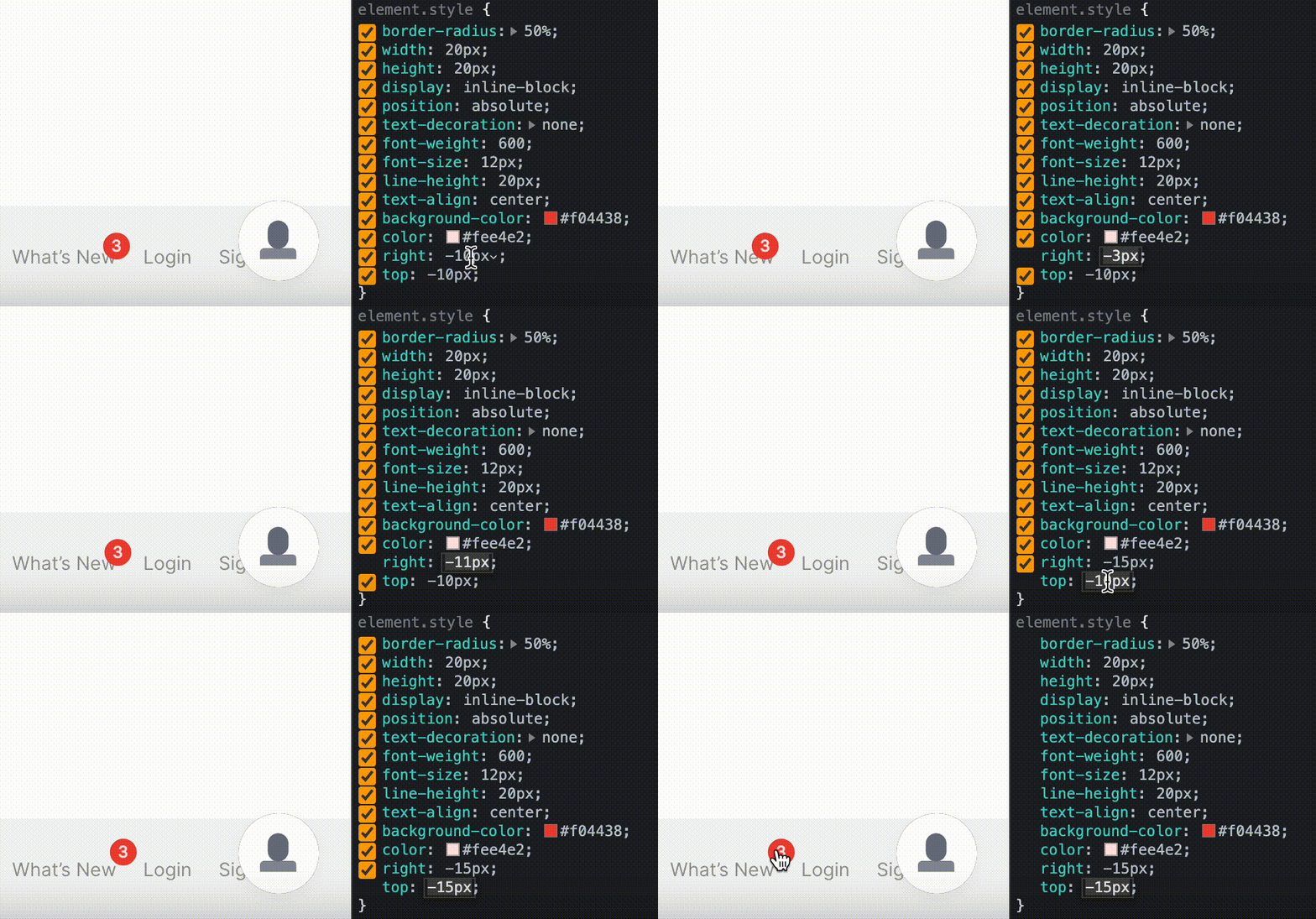
If you don't like the notification bubble position, tweak it in the browser dev tool and add it to the widget settings:
top: "-10px", // Notification bubble position by top
right: "-10px", // Notification bubble position by right
Widget width
By default, widget width is 376px. You can change it:
width: "376px", // optional, Widget width
Custom CSS class
For advanced use only. Adds a custom class name to the notification bubble without styles from our side. You can customize the notification bubble with your CSS.
bubble.className: "_SOME_CLASS_NAME"
bubble: {
    ...
    // optional - clear initial styles.
    // Usage for custom styles by className ONLY. Default undefined
    className: 'some-class-name',
    ...
}
The parameter bubbleClassName is deprecated. Use bubble.className instead.
Subscribe users to release notes
One of the most useful features of Voting Boards is automated release notes.
Since the Voting Board is a separate application, auto-subscription to release notes is enabled by default to avoid constantly importing lists of new active users.
Users are automatically subscribed when:
-
You send user data to Ducalis via The Ducalis API or Widget (
user.email+user.hashare required). -
User opens the widget or board frame.
With these conditions met, users are subscribed to release notes automatically.
For users to receive release notes updates, set up a custom email domain. Contact us to configure this.
dclsPxl("initWidget", {
    // required
    appId: "dc9ae89*******",
    boardId: "78aef2c7c0********",

    user: {
        // required
        email: "Your user Email",
        hash: "User hash (read instruction)",
        ...
    },

     // Auto subscribe current user on current board (needed user.email + user.hash)
    autoSubscribe: true,  // optional, default: true
});
If you meet the conditions above but don't need to subscribe users automatically, change to autoSubscribe: false.