SSO authentication
Single Sign-On (SSO) pre-authorizes your users to your Ducalis Voting Board, eliminating the separate login process. You'll know exactly who submitted each Idea.
👀 Live demo: Log in to Ducalis, then visit https://feedback.ducalis.io/Ducalis-roadmap/summary. You'll see your same login, email, name, avatar, and company name automatically applied.
Why use SSO
Identify your users: Understanding who submitted each Idea provides essential context for feedback. SSO ensures you know exactly which users provided which feedback.
Private Voting Boards require SSO. The widget verifies each user's identity and permissions before displaying any content. Without SSO, the widget won't load for anyone.
Seamless experience: Users don't need to log in separately to submit Ideas or upvote. They can subscribe to your product changelog with one click.
Security: Identity Verification keeps conversations private and prevents impersonation. We strongly encourage all Ducalis customers to enable Identity Verification.
Get the widget code
-
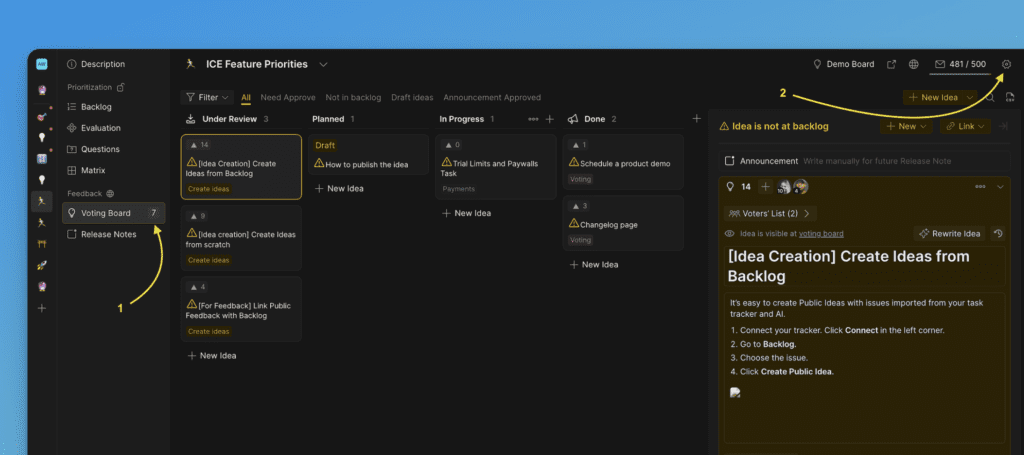
Go to Voting Board Settings.
-
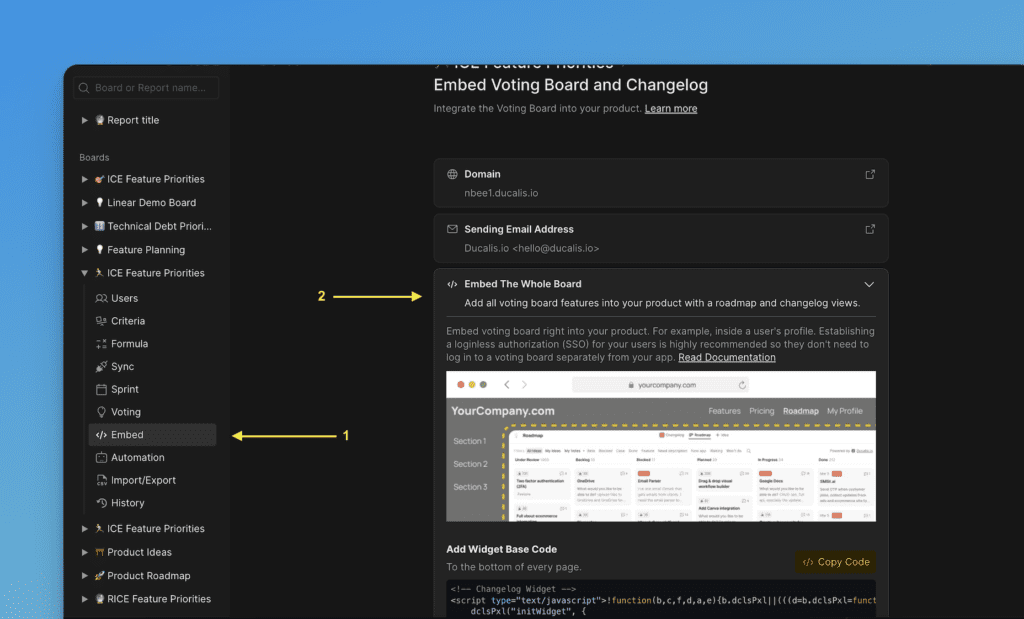
Select Embed and follow the instructions.
Configure authentication parameters
Extend your widget code with user parameters:
<script>
  !function(b,c,f,d,a,e){b.dclsPxl||(((d=b.dclsPxl=function(){d.callMethod?d.callMethod.apply(d,arguments):d.queue.push(arguments)}).push=d).queue=[],(a=c.createElement("script")).async=!0,a.src=f,(e=c.getElementsByTagName("script")[0]).parentNode.insertBefore(a,e))}(window,document,"https://hi.ducalis.io/js/widget.js")
  dclsPxl("initWidget", {
    appId: "_YOUR_APP_ID", // Required
    boardId: "_YOUR_BOARD_ID", // Required
    user: {
     // required
     email: "Your user Email",
     hash: "User hash",
     // optional
     userID: "Your user ID",
     name: "Your user Name",
     avatar: "https://you-user-avatar-domain/avatar.png",
     company: "Your user Company name",
    },
  });
</script>
User parameters
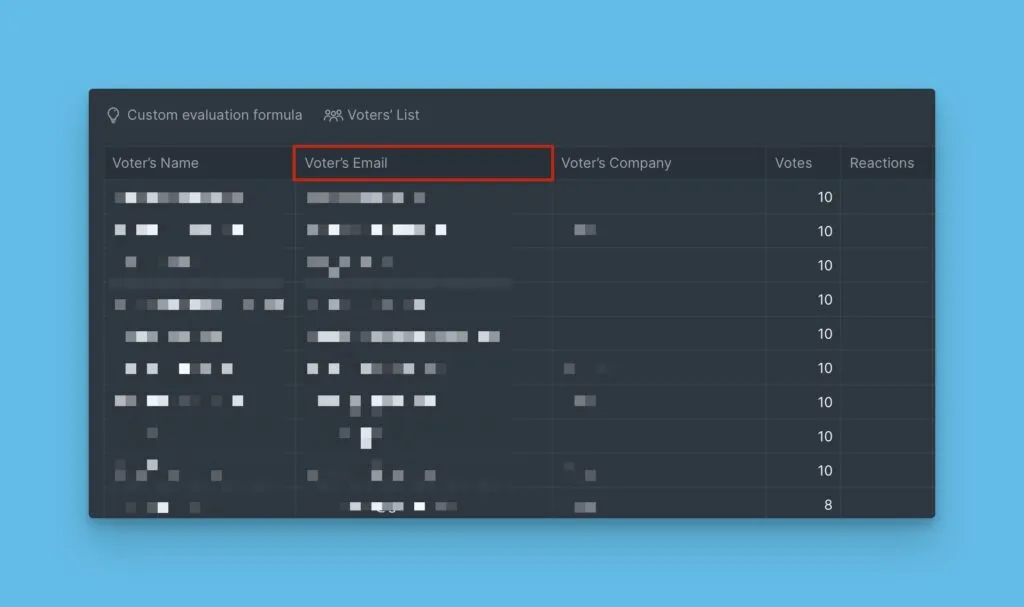
email (required): User's email registered in your product. Users must explicitly subscribe to changelog or Voting Board updates with double opt-in. Email is visible only to your Ducalis teammates inside your board.
hash (required): Identity security verification. See Generate user hash below.
userID (optional): Your product's unique identification for the logged-in user.
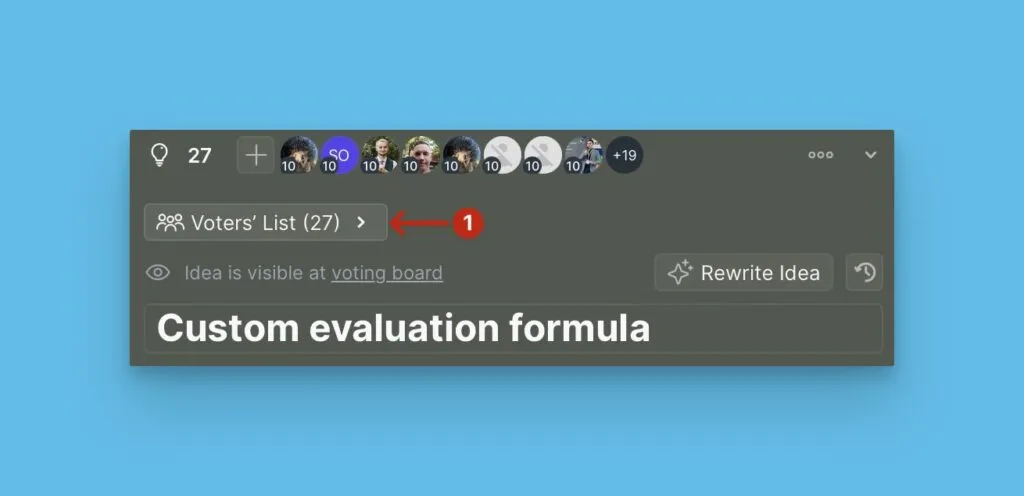
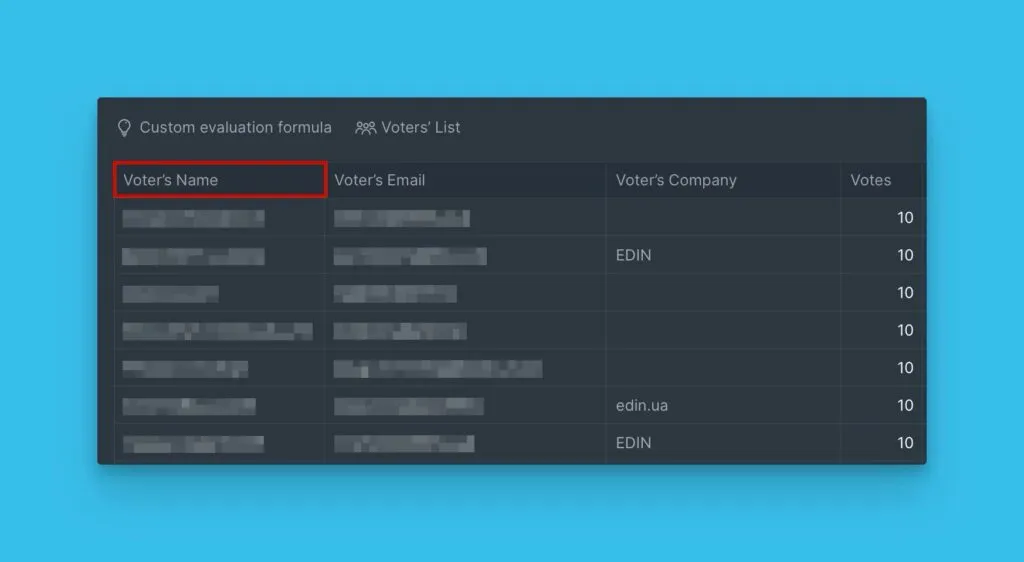
name (optional): User's name in your product. Displays as the voter and Idea author. Visible only to your Ducalis teammates inside your board.
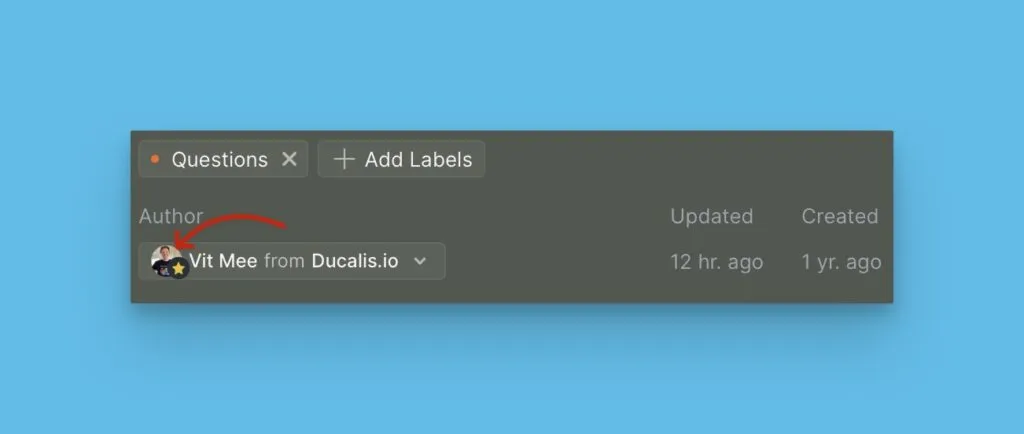
avatar (optional): User's avatar from your product. Displays in your board when evaluating feedback. Clarifies who voted and what they voted for.
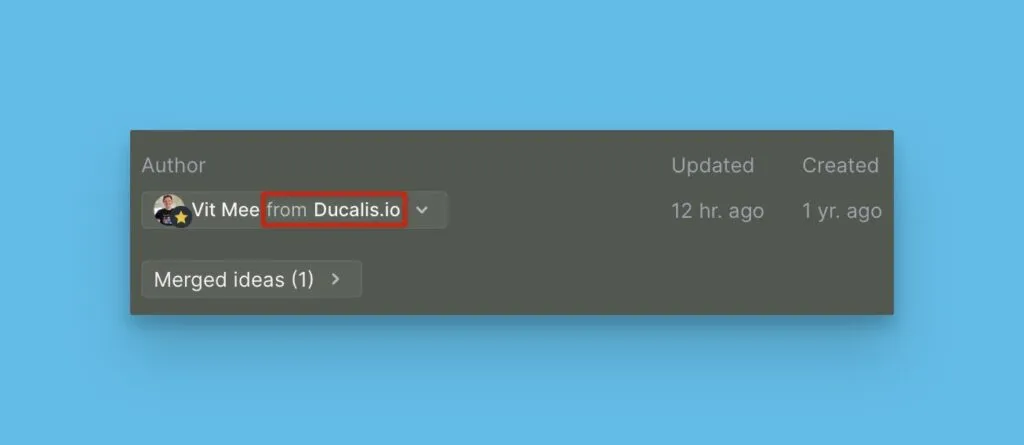
company (optional): Organization name if your product has grouped accounts. Recommended for viewing Voting Board requests grouped by organization.
For individual customer feedback
If your feedback comes primarily from individual users rather than companies, use the user's data for the company parameter (for example, user's name or email). This lets you work with company-level data where company equals the user name.
Add custom fields
Add custom context data for each Voter to capture additional information like sales, ARR, or market segment. Feedback can differ based on company size, market, or customer age.
In Ducalis, segment by this data to analyze user feedback patterns more deeply.
Extend your widget code with company parameters:
<script>
  !function(b,c,f,d,a,e){b.dclsPxl||(((d=b.dclsPxl=function(){d.callMethod?d.callMethod.apply(d,arguments):d.queue.push(arguments)}).push=d).queue=[],(a=c.createElement("script")).async=!0,a.src=f,(e=c.getElementsByTagName("script")[0]).parentNode.insertBefore(a,e))}(window,document,"https://hi.ducalis.io/js/widget.js")
  dclsPxl("initWidget", {
    appId: "_YOUR_APP_ID", // Required
    boardId: "_YOUR_BOARD_ID", // Required
    user: {
     // required
     email: "Your user Email",
     hash: "User hash",
     // optional
     userID: "Your user ID",
     name: "Your user Name",
     avatar: "https://you-user-avatar-domain/avatar.png",
     company: {
          id: 123, // Required
          name: "My Super Client", // Required
            customFields: {
            prop1: "Active",
            prop2: 1.8
          }
     }
    },
  });
</script>
company.id, company.name (required): Required fields when passing custom context data.
customFields: Add any number of custom properties. For example, status: "Active" or arr: 50000.
Generate user hash
To allow your users to immediately vote for Ideas or create them on the Ducalis Voting Board, pass their data to the widget. Ducalis verifies the user came from your site by checking the hash key along with the user data.
The hash is generated using the HMAC algorithm with SHA-256. Use the user's email as the value and your organization's secret key as the key.
-
Find your app's secret in the global organization settings:
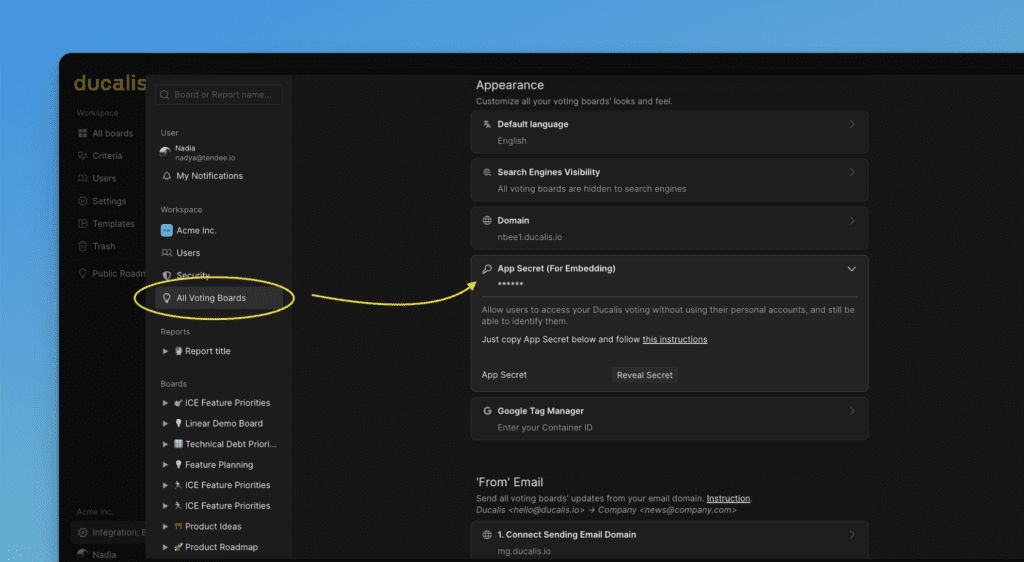
-
Check user hash generation at https://www.freeformatter.com/hmac-generator.html
Hash generation examples
Node.js:
const crypto = require("crypto");

// Put your secret key here (keep it private!)
// Notice: the one below is an example, yours will be different
const secretKey = "0fd72e0ff53b274293029fd1f3f40c92123123123easf2edq312edwe";
var email = "user@gmail.com";
var hash = crypto.createHmac("sha256", secretKey).update(email).digest("hex");

console.log("hash is:", hash);
PHP:
$secret = '0fd72e0ff53b274293029fd1f3f40c92123123123easf2edq312edwe';
$email = 'user@gmail.com';
$hash = hash_hmac('sha256', $email, $secret);

echo 'Hash is: '. $hash;
Use your domain
By default, your Voting Board is located in the hi.ducalis.io domain, like https://feedback.ducalis.io/Ducalis-roadmap/summary.
Modern browsers block cross-domain cookies, making user identification impossible without a custom domain.
For a seamless Voting Board experience, place your Voting Board on the same second-level domain as your product and the pages where you embed widgets. This keeps users identified inside both the widget and Voting Board.
See Setting up a custom domain to configure your Voting Board address like ideas.yourcompanyname.com.
Cross-domain authentication example
Your domain is superproduct.com. Your product runs at app.superproduct.com, marketing pages at superproduct.com, and help center at help.superproduct.com. Connect your Ducalis Voting Board to the same domain, like voting.superproduct.com.
Only then will all your users be identified with the same credentials in both the widget and Voting Board.